|
By mstaylor - 4 Years Ago
|
Something that I am trying to understand as someone that has avoided using adobe products because of the monthly / yearly subscription model. As starting out I want to buy software to get my foot in. Which is why I have bought realusion products.
The question is why would a company that has their own animation creating software aimed at users that want to make animation easier suggested I use After effects, Adobe illustrator and Photoshop to create props and actors?
In the Reallusion videos and even the 2d101 course's they show these as the better choice to implement along side CA5 to create SVG, PSD props and actors etc.
That would mean it's best we have the all apps subscription with creative cloud to have those 2. In adobes creative cloud they have their own animation programs (animate & character animator) along side PS, AE, PP.
Why would it be a good idea to point us in that direction to use a competitors subscription service when showing us how to use this paid program to make animating easy and more affordable?
I want to watch better tutorials to teach me how to draw and design my own characters into CA5 with out feeling like I have to keep buying more things or pay for adobe's creative suite to do that.
Would it not make more sense for there to be a 2d cartoon character software like CC4 for us to draw / edit / rig actors and props to use in Cartoon Animator 5?
|
|
By Peter (RL) - 4 Years Ago
|
Hi...
Cartoon Animator 5 is 2D Animation software whereas Adobe Photoshop and Illustrator are image editors and drawing software that can help you create characters ready to animate in CTA5. They are not competing products. However, it's important to remember that you are not limited to using Adobe products to create characters for CTA5. You can also use software like Affinity Photo or Designer, Corel Draw, Photopea, Clip Studio Paint, Inkscape or Krita.
|
|
By mstaylor - 4 Years Ago
|
'They are not competing products.'
I meant more in terms of if you have a adobe creative suite subscription then you have access to the competing software Animate and Character Animator.
'It's important to remember that you are not limited to using Adobe products to create characters for CTA5.'
I understand that but the guides and tutorials provided so far for CTA5 don't fully show how to create characters using these other software and how to implement them.
|
|
By Famekrafts - 4 Years Ago
|
Coming from using Adobe Animate background, I can say there is a vast difference between both.
You can say CTA5 is an upgraded Animate with lots of cool features not present there.
I am still going to create everything in Animate, take the body parts into Photoshop and rig them there to bring them inside CTA5.
You cannot avoid using Adobe products. If you are looking to do that, then maybe look for other software like Gimp or the ones talked about in the 2D animation 101 courses.
Quite frankly using Adobe for the last 2 decades, if I try using other software it feels like degrading my skill set. This is one of the reasons why even in tutorials they are using Photoshop and not gimp or other PSD creators. The shortcuts are in my muscle memory and I can work much faster in photoshop than in new software.
Reallusion products are not a substitute for Adobe products. CTA, CC, and iclone are completely on a higher and different level. (I have all of them now).
Yes, they should come out with tutorials using the other PSD creators as well, which they probably will in some time.
|
|
By rosuckmedia - 4 Years Ago
|
|
I can't afford Adobe Cloud . Adobe Photoshop and Adobe Illustrator. Don't think much of subscriptions anyway. I will still wait until Affinity Photo 2.0 or Designer 2.0, for a CTA5 and Affinity Round Trip is solved. Would also be happy about tutorials from RL e.g. with Affinity 2.0
Greetings Robert
|
|
By Famekrafts - 4 Years Ago
|
If you know photoshop, you can easily work with affinity and other software. The process is exactly similar. Just first learn how to use affinity and you will be able to retrace the steps given with the photoshop tutorial.
Try to get hold of old versions of Adobe suite if you can. They will still work great.
|
|
By mstaylor - 4 Years Ago
|
|
Famekrafts (11/19/2022)
I am still going to create everything in Animate, take the body parts into Photoshop and rig them there to bring them inside CTA5.
You cannot avoid using Adobe products. If you are looking to do that, then maybe look for other software like Gimp or the ones talked about in the 2D animation 101 courses.
Quite frankly using Adobe for the last 2 decades, if I try using other software it feels like degrading my skill set. This is one of the reasons why even in tutorials they are using Photoshop and not gimp or other PSD creators. The shortcuts are in my muscle memory and I can work much faster in photoshop than in new software.
Reallusion products are not a substitute for Adobe products. CTA, CC, and iclone are completely on a higher and different level. (I have all of them now).
Thank you for this. This is helpful because if they all can be used together to create content then that sounds more ideal. I have avoided Adobe products for a while since they went into a subscription service and used Photoshop elements / Art weaver and Sony Vegas instead for other production projects. I will do the 7 day trial and see if this makes creating characters more smoother. While the black Friday offers are on. I know it probably will be more beneficial to go back to using their stuff for my video editing projects just been very stubborn about it.
Thank you for your response.
|
|
By Famekrafts - 4 Years Ago
|
|
I will do the 7 day trial and see if this makes creating characters more smoother.
See it depends. I make game art in Adobe animate, been doing it for years, so creating characters for me in animate is very easy.
If you are not used to animate or illustrator, it will take you many months before you can be good with the process.
Try to get an older version of illustrator or animate on ebay or other sites ( if you can find it). That way you can spend months practicing with those till you are ready and creating good art on demand. Then buy the Adobe subscription and pay monthly for the newer versions of the software.
|
|
By toonmanbill - 4 Years Ago
|
rosuckmedia (11/19/2022)
I can't afford Adobe Cloud . Adobe Photoshop and Adobe Illustrator. Don't think much of subscriptions anyway. I will still wait until Affinity Photo 2.0 or Designer 2.0, for a CTA5 and Affinity Round Trip is solved. Would also be happy about tutorials from RL e.g. with Affinity 2.0
Greetings Robert
I Agree. I will like to see more tutorials using and mentioning and using other editors like Affinity Designer, etc and not constantly hear the word Adobe. I think that's what's causing confusion. The word "Adobe" eliminated and should be substituted for "your favorite PSD editor" or "your favorite SVG vector editor". This will be greatly appreciated from the community of Cartoon Animator users.
Cheers!
|
|
By Peter (RL) - 4 Years Ago
|
|
toonmanbill (12/3/2022)
I Agree. I will like to see more tutorials using and mentioning and using other editors like Affinity Designer, etc and not constantly hear the word Adobe. I think that's what's causing confusion. The word "Adobe" eliminated and should be substituted for "your favorite PSD editor" or "your favorite SVG vector editor". This will be greatly appreciated from the community of Cartoon Animator users.
Although a lot of our existing tutorials are done using Photoshop, you will find in Cartoon Animator 5 we just refer to an SVG Editor or PSD Editor. Also, in Preferences we list all compatible editors you can use for SVG and PSD and not just Adobe products.
However, I will pass on your feedback about producing new tutorials using software other than Adobe products. Hopefully we can do that in the future.
|
|
By toonmanbill - 4 Years Ago
|
Peter (RL) (12/5/2022)
toonmanbill (12/3/2022)
I Agree. I will like to see more tutorials using and mentioning and using other editors like Affinity Designer, etc and not constantly hear the word Adobe. I think that's what's causing confusion. The word "Adobe" eliminated and should be substituted for "your favorite PSD editor" or "your favorite SVG vector editor". This will be greatly appreciated from the community of Cartoon Animator users. Although a lot of our existing tutorials are done using Photoshop, you will find in Cartoon Animator 5 we just refer to an SVG Editor or PSD Editor. Also, in Preferences we list all compatible editors you can use for SVG and PSD and not just Adobe products. However, I will pass on your feedback about producing new tutorials using software other than Adobe products. Hopefully we can do that in the future.
Thanks for passing along the feedback.
|
|
By Macdonut - 4 Years Ago
|
|
I also find Adobe to be an absolute money pit as a hobbyist. I instead invested in Affinity Designer (great vector program) and also Clip Studio Paint. Clip Studio Paint is my favourite, but I usually use Affinity Designer as the plugged in editor with Cartoon Animator. However, if creating backgrounds or character sketches I always start off in Clip Studio Paint.
|
|
By Famekrafts - 4 Years Ago
|
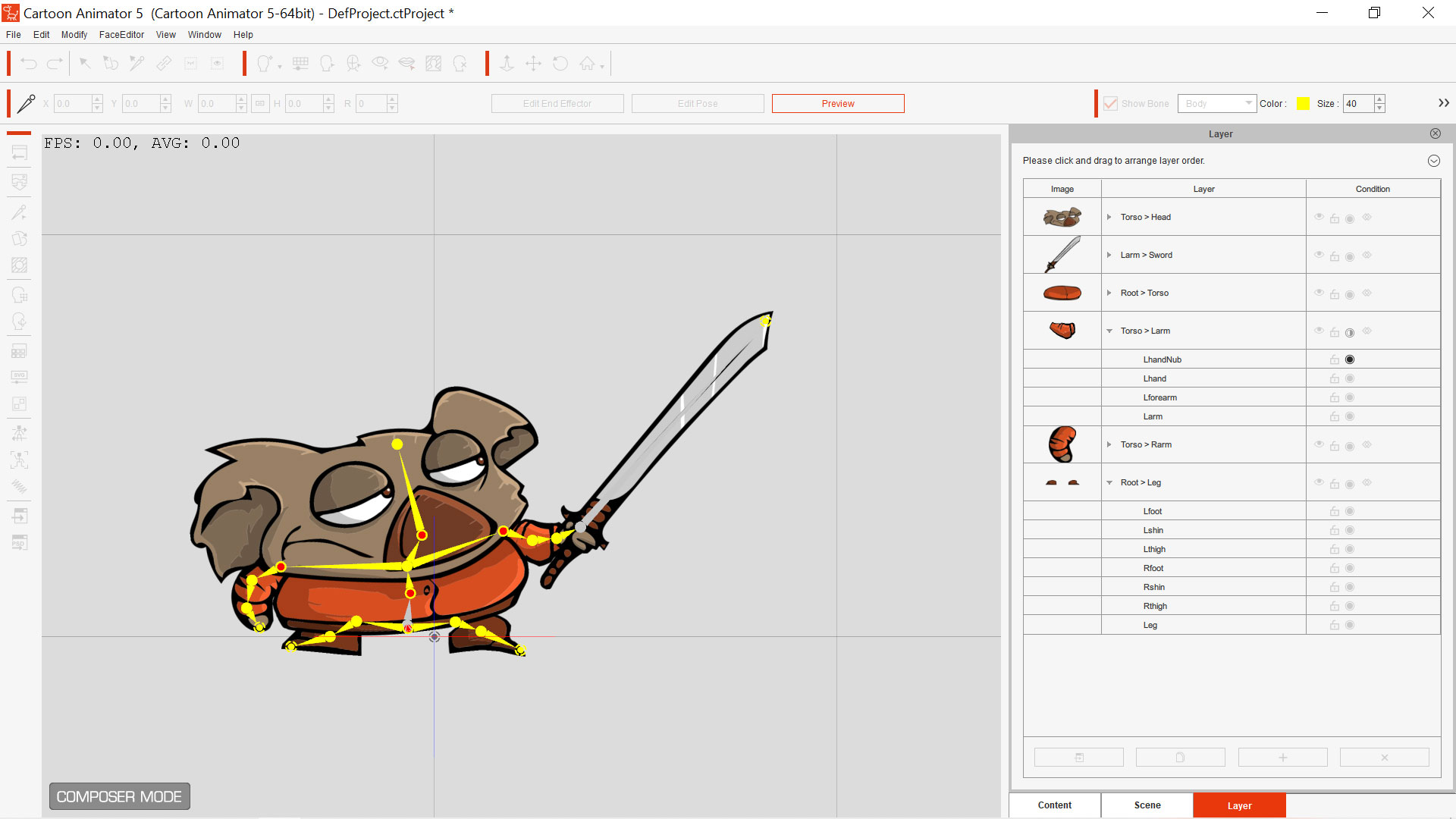
Today I worked out even Adobe Animate>Adobe Illustrator> CTA5 svg import. Now I can create vector images in adobe animate and bring them into CTA5.
Agreed Adobe is a money pit but it integrates flawlessly.
|
|
By coolhewitt24 - 3 Years Ago
|
Hi my friends.
Cartoon Animator is dependent on third party software and resources. You can't create entertaining video clips without extra resources. Does any find the price of the software expensive if you include all the additional third party software and other resources.
Thanks for commenting on the topic.
Have a Happy New Year.
|
|
By Macdonut - 3 Years Ago
|
|
It is expensive if you use Adobe products alongside Cartoon Animator, and it is strange that Adobe is concentrated on and promoted so much when Adobe has its own animation programmes. However, you don't have to use any other programmes alongside Cartoon Animator, and if you do, you can find free versions of similar software which fits the bill. Examples include; Photopea, and Krita being the main free software I can think of. The main problem with free software is getting it to integrate with Cartoon Animator. Whilst I personally use Affinity Designer and Clip Studio Paint, both reasonably priced graphics editors, Krita is also a capable graphics editor and is totally FREE.
|
|
By Famekrafts - 3 Years Ago
|
|
coolhewitt24 (1/1/2023)
Hi my friends.
Cartoon Animator is dependent on third party software and resources. You can't create entertaining video clips without extra resources. Does any find the price of the software expensive if you include all the additional third party software and other resources.
Thanks for commenting on the topic.
Have a Happy New Year.
Man if you are a designer, you must be using Adobe Suite.
For example, for vector images I rely on Adobe Animate. I have been doing it for years. Now I do all the game animations in animate or I use spriter to create the animations which can be imported directly into game engines.
It is not that Reallusion wants you to use Adobe Products.
It is that designers should know all the Adobe products by the back of their hands, especially if they are working in some animation, design studio. or a game studio. If you post a job resume to these studios, they will ask first whether you know Adobe suite or not.
Adobe suite is required by default for any design studio.
The problem comes when hobby users just want to start with CTA5, and they are stuck because they have never used Adobe products before.
Many others after the online subscriptions came out, have dropped Adobe suite for money reasons. It is damn expensive.
So either you get Adobe products or you get the other ones mentioned above.
But if you are a student or just starting to design - this is how you should learn designing software -
1)Illustrator
2)Photoshop
3) Animate
4) Premiere
5) After Effects
other Adobe products if you wish to.
then move to CTA5
Then to 3D software... Blender, iclone, cc, unreal engine, and so on.
Many have just started using software like CTA online which is getting famous, so many try to skip the default learning series of design software before they can actually start dabbling with CTA5.
You can never make good animation without using the default designing software like Adobe suite or others mentioned above.
So learn those first.
Now integrating the other software is not easy with CTA5. Hopefully, someone will put up some tutorials.
Been using Adobe suite for 20 years now, and I am definitely never going to downgrade my skill set and go to other software.
|
|
By coolhewitt24 - 3 Years Ago
|
Hi Everyone,
Tutorials have always been a problem because of the assumption that customers already have previous knowledge of Adobe products. Adobe is industry standard for graphic design working online. I have purchased Cartoon Animator 5 but I haven't had a lot of time to work with it. I guess I will have to give my evaluation of it soon.
Thanks for commenting everyone.
|
|
By Peter (RL) - 3 Years Ago
|
|
coolhewitt24 (1/1/2023)
Hi my friends.
Cartoon Animator is dependent on third party software and resources. You can't create entertaining video clips without extra resources. Does any find the price of the software expensive if you include all the additional third party software and other resources.
That's not true at all. Third party software can help speedup production but is not a requirement. You can certainly make entertaining video clips and movies with just Cartoon Animator itself.
|
|
By coolhewitt24 - 3 Years Ago
|
|
Hi Peter, You must have third party software to create props, characters and scenes. Customers would have limited options without third party software. This is reality of Cartoon Animator.
|
|
By Macdonut - 3 Years Ago
|
|
It would certainly be useful to have some form of inbuilt image editor in Cartoon Animator, even a very basic one.
|
|
By Famekrafts - 3 Years Ago
|
Peter (RL) (1/3/2023)
coolhewitt24 (1/1/2023)
Hi my friends.
Cartoon Animator is dependent on third party software and resources. You can't create entertaining video clips without extra resources. Does any find the price of the software expensive if you include all the additional third party software and other resources. That's not true at all. Third party software can help speedup production but is not a requirement. You can certainly make entertaining video clips and movies with just Cartoon Animator itself.
What Peter meant was that you can create any kind of animation with all the free characters and resources you get with CTA5.
To create custom characters and props you obviously need 3rd Party software.
|
|
By coolhewitt24 - 3 Years Ago
|
Hi FrameKrafts,
I agree CTA 5 is an animation software with limited resources. You can great basic animations with their resources but you need music, sound effects and other resources from third parties to create entertaining videos. What is your opinion on the market place?
Thanks for commenting
|
|
By Peter (RL) - 3 Years Ago
|
|
coolhewitt24 (1/3/2023)
Hi Peter, You must have third party software to create props, characters and scenes. Customers would have limited options without third party software. This is reality of Cartoon Animator.
Not so. With the huge library of characters and props packs available you can still create movies without using any 3rd party software. Even custom characters can be created using content from packs alone. For example the new "Dynamic Character Designer" pack includes a large library of facial parts and hairstyles which allow you to create an unlimited number of unique characters. In addition, with CTA5's new colour grouping features you can change the colour of everything as well without needing 3rd party tools.
The important point is that even if you have zero artistic skills you are not excluded from CTA5 and can still bring your creative ideas to life.
|
|
By toonmanbill - 3 Years Ago
|
Peter (RL) (1/5/2023)
coolhewitt24 (1/3/2023)
Hi Peter, You must have third party software to create props, characters and scenes. Customers would have limited options without third party software. This is reality of Cartoon Animator. Not so. With the huge library of characters and props packs available you can still create movies without using any 3rd party software. Even custom characters can be created using content from packs alone. For example the new "Dynamic Character Designer" pack includes a large library of facial parts and hairstyles which allow you to create an unlimited number of unique characters. In addition, with CTA5's new colour grouping features you can change the colour of everything as well without needing 3rd party tools. The important point is that even if you have zero artistic skills you are not excluded from CTA5 and can still bring your creative ideas to life.
I agree with Peter 100%. There is a huge library of characters and props packs available to purchase that you can use to create movies without using any 3rd party software. So yes, you can create animations or movies without 3rd party software. Some assets also come included with cartoon animator. I think what other users here are pointing out is that Cartoon Animator is dependent on external PSD and now SVG editors to create custom characters with different looks. When purchasing Character Creator add-ons available for Cartoon Animator, they will all have kind of the same look. You can tell they were done in Cartoon Animator using their assets. Also, someone else may produce a movie using the same characters and your movies will not be that unique in terms of assets and characters. I personally don't like the look of a lot of the characters available to purchase. I would rather create my own with the look I want. But that's what Cartoon Animator is about, for non-animators or people that can't draw. At least a big percentage of the users. But this doesn’t make Cartoon Animator a bad choice for creating animation movies, it’s just different. Animated movies can be created with assets. It would be nice is to have an internal drawing vector editor so that we don't have to use other external editors or at least use them as an option if you want to. Like the Moho animation app has. The way layers in PSD files are used to create custom characters can also be improved for easier use and implementation. I do like that we now have more options to choose from like Affinity Designer, Affinity Photo, Clip Studio Paint, etc. At least that’s a very good thing. But I will still like to see the dependency of external editors to be minimized like in the Moho app. In terms of other third party apps, that happens with all software if you are creating pro type of films. For instance, I also use DaVinci Resolve, Apple Motion, and Logic Pro to beef up my animations and make better compositions and for adding nice effects and transitions. This is essential to create good movie animations for me. We all have different needs. But I do agree with Peter and other users as well. We at least need to minimize the dependency of external PSD and SVG editors in Cartoon Animator and improve the way custom characters are created.
|
|
By Macdonut - 3 Years Ago
|
|
I have added the idea of an inbuilt graphics editor to the Feedback Tracker. Vote up if you like the idea. Graphics Editor - Feedback Tracker (reallusion.com)
|
|
By Famekrafts - 3 Years Ago
|
Voted
|
|
By toonmanbill - 3 Years Ago
|
VOTED!
|
|
By Famekrafts - 3 Years Ago
|
I think what other users here are pointing out is that Cartoon Animator is dependent on external PSD and now SVG editors to create custom characters with different looks. When purchasing Character Creator add-ons available for Cartoon Animator, they will all have kind of the same look. You can tell they were done in Cartoon Animator using their assets. Also, someone else may produce a movie using the same characters and your movies will not be that unique in terms of assets and characters. I personally don't like the look of a lot of the characters available to purchase. I would rather create my own with the look I want. But that's what Cartoon Animator is about, for non-animators or people that can't draw. At least a big percentage of the users. But this doesn’t make Cartoon Animator a bad choice for creating animation movies, it’s just different. Animated movies can be created with assets.
I have myself used the frog model from the store for the animation movie I created in iclone7 four years back. But not every asset can be used. I create game art packs for a living and I think I will put up a few of the characters I created on the Reallusion store under 2D art as well in the future.
But as you said, to create unique characters and animation we will need to use 3rd party software. It is not a bad thing.
You will always get all kinds of users - professionals, newbies, and hobbyists. CTA5 just have to cater to them all.
|