|
By achille.kamour - 3 Years Ago
|
HiI have an issue when I want to export my character in Iclone 8 as an fbx. I import him from character creator 3 and when I want to export I have this message: the content license for the below content(s) is not avalable in marketplace yet. This is very weird. Do you have any ideas about how to resolve my issue.Thanks a lot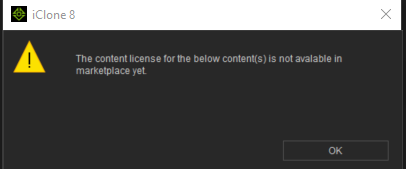
|
|
By Peter (RL) - 3 Years Ago
|
Hi...
The message indicates your character uses content from the Marketplace that doesn't allow exporting. If you remove or replace the problem content you should be able to export fine.
|
|
By jeff.davies - 3 Years Ago
|
I get this all the time. Most recently it occured on a character I've exported dozens of times as FBX but the difference THIS time was that I had added an animation that I had not used before. I had the correct license for the animation, but the CC4/IC8 software was unaware of that fact. To get everything to work, try the following:
1) Open the character in CC3/4
2) In the Content window, be sure you have downloaded all of your content.
3) Using the menu bar at the top, select Help -> Activate Purchased Items. This often helps to "remind" the software that you have a license. Note: You can also try Activate Entire Library but it takes forever to do.
4) Save your character as both the .ccproject and .iAvatar formats as I believe the license info is linked in these files also.
Next
5) Open your iClone project
6) In the Content window, be sure you have downloaded all of your content.
7) Using the menu bar at the top, select Help -> Activate Purchased Items.
8) Try your export again. If it still fails and you're sure you have the license to export, contact Reallusion support.
|