|
By JPMA - 4 Years Ago
|
IClone 7.93
I would like to know if it is possible to import a photo or video on a billboard with a limited time frame.
Actually, I have a character explaining something and showing a large tv screen. I like to have a sequence of different photos and/or videos (following the text).
When I import a photo, unfortunately it is for the total duration of my clip and I did not find the right way to go around.
Any idea/help will be greatly appreciated. Thanks
|
|
By wetcircuit - 4 Years Ago
|
|
You should be able to toggle the billboard's visibility with the timeline, but it might be easier to set keyframes where the panel should appear/disappear, then advance 1 frame and move the panel off screen to keyframe the new position outside the camera's view.
|
|
By animagic - 4 Years Ago
|
The only way I know of is to use as many billboards as you have images or videos and have only one of them visible at the time.
Visibility can be animated, so that is how you can switch between planes. The Visibility button toggles between visible and not visible.
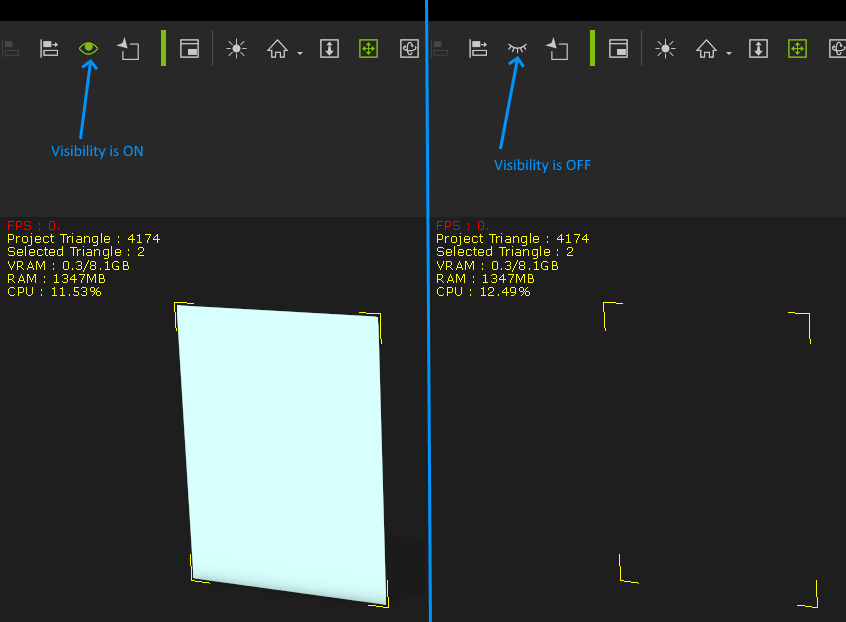
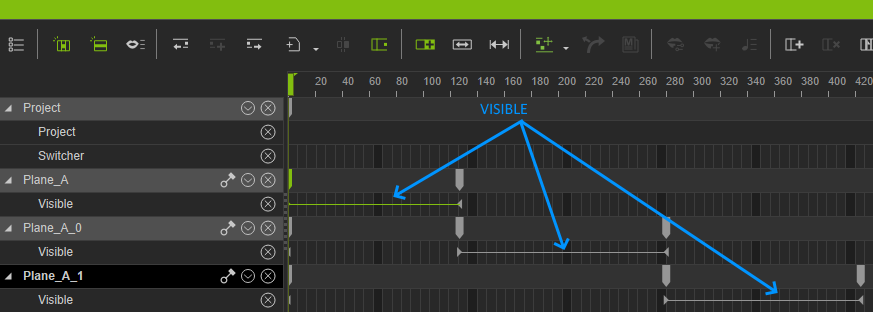
At the first frame, you would have the first plane visible and all others not visible. Then, at the point in time where you want to switch images, you would set the first plane to not visible and the plane with the desired image to visible, and so on for the other images.
In the timeline there is a 'Visible" track where you can make further adjustments:
Make sure that all planes or billboards are at the same position, so that it looks as if just the images change.
It's easy to align the planes or billboards, see the image below (this is iClone 8, but it works the same in iClone 7):
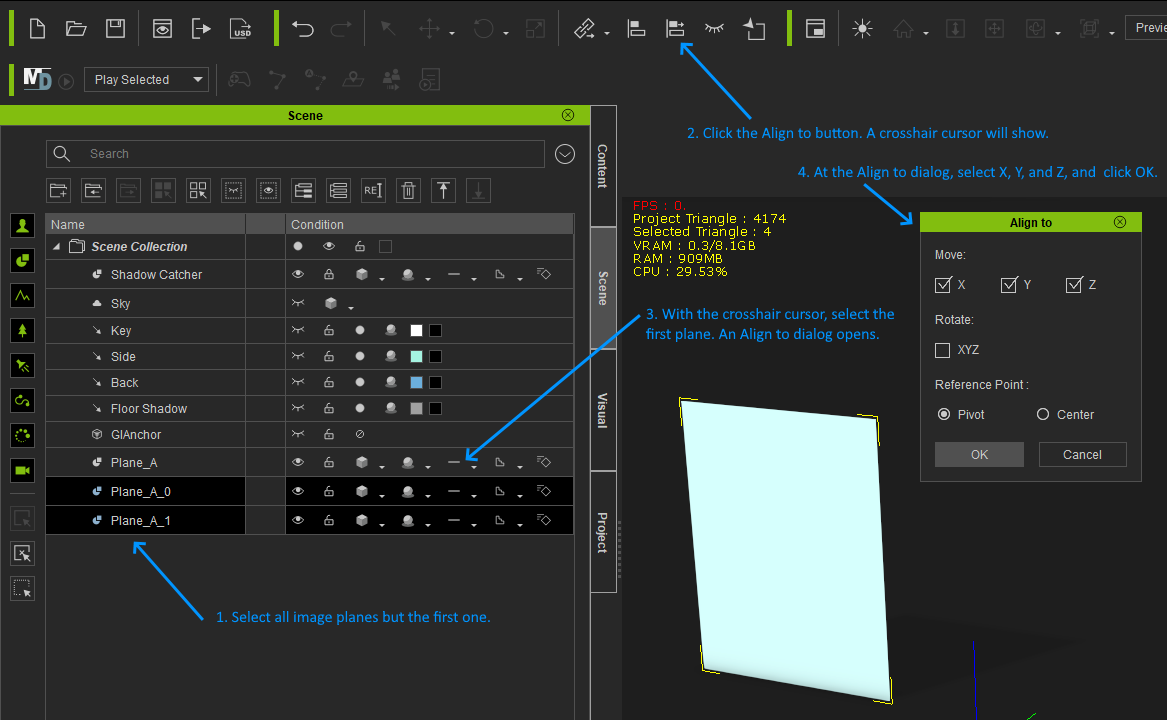
It's easier to do than explain...:unsure:
|
|
By JPMA - 4 Years Ago
|
|
Very well explained! Many thanks.
|
|