|
By JHarpham - 4 Years Ago
|
Hi All,
Pretty new to iClone. Trying to import an fbx character from blender into Character Creator 4.
Most of the rig is coming is as expected with full functionality, but the setup for the hands doesn't seem to be working. My pipeline:
1. Rigged the character in Blender using metarig.
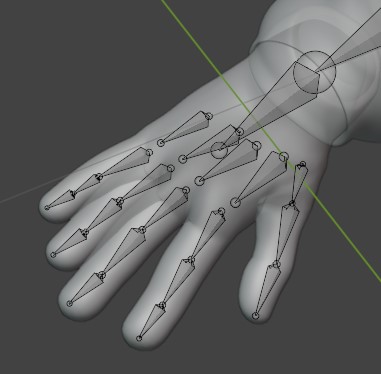
2. Import into CC4 where it converts to humanoid. The hand bones are not assigned correctly.
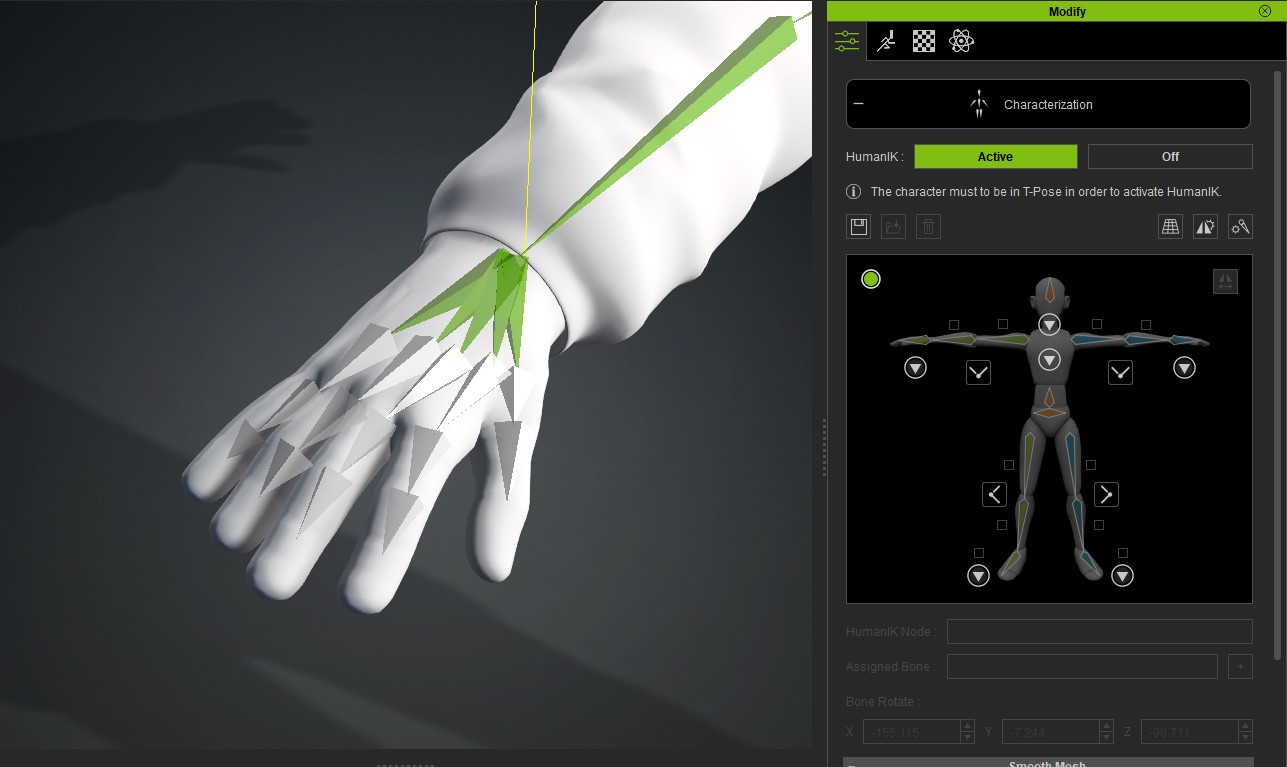
3. Figured out how to assign bones using the characterisation menu. However, only 2 of the 3 finger bones are visible in the 3d view.

The bones are visible in the bone list, but don't seem to be assigning from this.

I wondered if I'm missing a step, or if there was a way of correcting the above? Also the rotation on the bones doesn't seem to be correct. Is there a way of adjusting the bone rotation direction? See images below for finger curl in iClone and blender respectively. 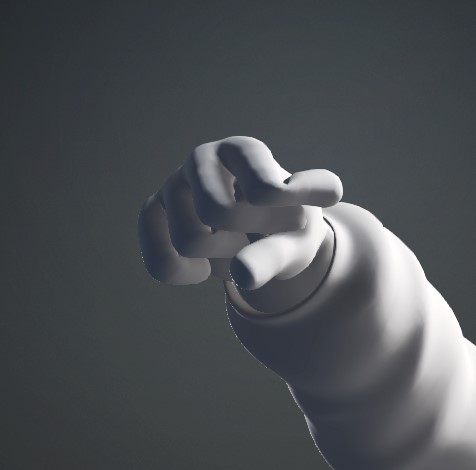 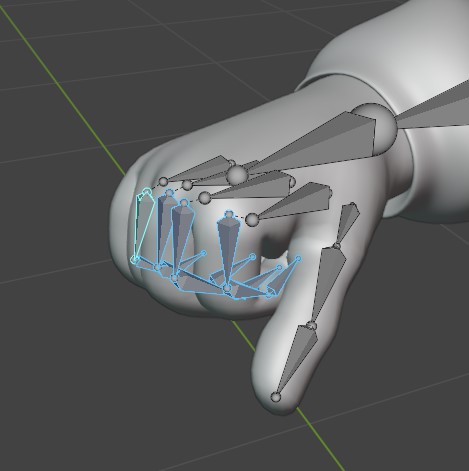 Any help would be much appreciated. Thanks, |
|
By 4u2ges - 4 Years Ago
|
A big favor I have to ask you and anyone else new to the forum.
Please, do not attach images! Specially multiple images with references in the post description.
Nobody would look at it if they need to constantly jump between browser and image software.
Upload images to the message body itself with Insert Image.

|
|
By zavorfang - 4 Years Ago
|
|
Hey mate, I wish I could help you out, but I'm also new and there aren't alot of info out there about blender to cc4. Anyway, how is the facial expression on your humanoid import?
|
|
By 4u2ges - 4 Years Ago
|
|
The bones are visible in the bone list, but don't seem to be assigning from this.
When you export out of Blender is "Add Leaf Bones" option checked in Armature? Make sure to check it.
|
|
By zavorfang - 4 Years Ago
|
|
hmmm, why, what does the leaf bone do? I thought it just makes the armature look messy.
|
|
By 4u2ges - 4 Years Ago
|
|
zavorfang (7/23/2022)
hmmm, why, what does the leaf bone do? I thought it just makes the armature look messy.
In most cases a leaf\end bone does not do anything.
But for some odd reason and unlike 3DXchange (CC4 predecessor), the CC4 armature in the view-port would not display an end bone in the chain.
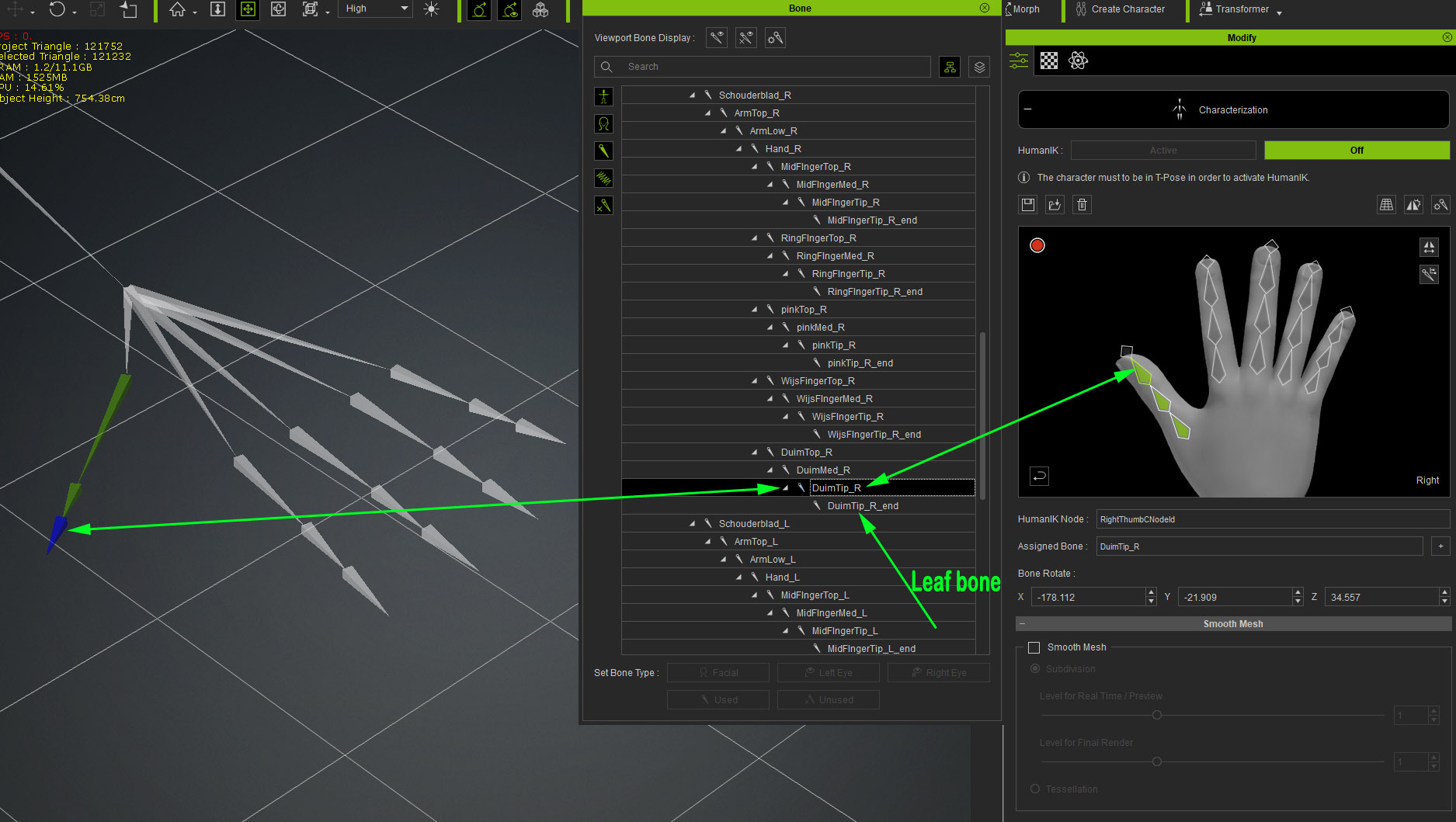
You can still try to assign it from Bone Manager (even if the last bone is not "visible" in the view-port) and it would probably work. Though I did not try.
I just find it odd and inconvenient that last bone representation is missing in visual and we have to go through the list to look for it.
There should at least be a check box somewhere to show/ignore end bones in the view-port.
|
|
By zavorfang - 4 Years Ago
|
I'm in the process of rigging my own character with the metarig in blender. Taking longer than expected because i'm rusty, lol.
I was wondering if the face is well rigged, when I import the character into cc4, would I be able to use the face puppet and expression tools?
|
|
By 4u2ges - 4 Years Ago
|
|
zavorfang (7/24/2022)
I'm in the process of rigging my own character with the metarig in blender. Taking longer than expected because i'm rusty, lol.
I was wondering if the face is well rigged, when I import the character into cc4, would I be able to use the face puppet and expression tools?
Not unless you create face morphs in CC4. You can spend time in Blender and rig the face with a dozen of bones and then use them in Face Profile Editor to make morphs.
Or you can rely purely on "soft" morphs where you'd create them in Blender and import as OBJ into Face Profile Editor one by one.
It is very time consuming process. If you intend to make an Extended face profile morphs + Visimes, you are looking to create close to 170 morphs.
It is also possible to create batch and import as FBX sequence.
https://www.youtube.com/watch?v=ebgsHfYjCyQ
https://www.youtube.com/watch?v=A-4lGCu76Sw
|
|
By zavorfang - 4 Years Ago
|
I see.
I have a couple of stylized exagerated muscular body meshes. I think it'll be easier to replace cc4 body mesh with my stylized body mesh. That way I can retain cc4 blend shape, visemes and all that. What do you think?
|
|
By 4u2ges - 4 Years Ago
|
Yes, it would be a lot easier to morph/sculpt body as needed rather than struggle to make face morphs with Humanoids.
Humanoids are only good for something that is quite impossible to make from CC base characters - like animals and other oddly shaped characters.
|
|
By zavorfang - 4 Years Ago
|
|
thanks, a lot. any ideas or youtube video on how to replace just the body with my sculpted body and leave the head well alone?
|
|
By 4u2ges - 4 Years Ago
|
It is probably possible to fit parts of Standard CC base mesh onto non-standard body with Shrinkwrap modifier (if non-standard is a human).
I said parts because fingers and toes most certainly would not work with Srinkwrap and should be cut-out from the source mesh, or masked before applying a Shrinkwrap.
But torso, legs and arms should be no problem as long as you preliminary match Standard CC base onto non-standard with sculpting.
Some addition sculpting/smoothing would require after the "wrap".
|
|
By JHarpham - 4 Years Ago
|
4u2ges (7/23/2022)
The bones are visible in the bone list, but don't seem to be assigning from this.
When you export out of Blender is "Add Leaf Bones" option checked in Armature? Make sure to check it.
Thanks for this, this solves the issue for me.
Obviously now the bones are mapped, the rotation issue can be solved in the edit pose menu.
|