|
By armondtanz - 4 Years Ago
|
Hi,
I was hoping someone could help.
I found a faceless Slenderman type figure (faceless character with suit, long arms). It was great . I contacted the seller and was chatting about the morphs etc.
Unfortunately i cant find the item. Ive lost where the chat was? does it get saved and for how long.
Ive tried searching
Slender Man
Slen
Faceless
Horror,
Prob $10-$15
I realise Slender Man is probably copyrighted so i must of found it another way. If someone could point me to the section where my messages with the seller are stored , that would be great.
|
|
By animagic - 4 Years Ago
|
You asked about this in a recent thread and were given two links. Are these what you mean?
Here are 2 examples from the Marketplace:
MrSlim from LookingGlassGraphics and Mr and Mrs CLAY from Pixtim
|
|
By armondtanz - 4 Years Ago
|
Ah brill.
You got a better memory than me lol.
I was curious to know what are these custom morph sliders?
I need to remove the faces. Mouth, eyes & noses of any cc4 character.
How would i get these created? Could i pay someone?
Where is best place to ask?
You may know of a creator who can produce what im after.
Any info would be great.
Thanks :).
|
|
By harris.josephd - 4 Years Ago
|
|
Just as a suggestion, even without importing a mesh into blender, you could pretty easily create what you are looking for in those links by going to edit mesh and using the "smooth" function.
|
|
By armondtanz - 4 Years Ago
|
Tried that but getting horrific results.
It creates holes in the faces, and starts getting very lumpy..
I think to get it looking spot on i would need to ask sum1 if they could do it in blender or zbrush.
Or if u got an example of sum1 posting this technique online, id love to see how its done.
Thanks
|
|
By harris.josephd - 4 Years Ago
|
It would certainly be easier to export to blender and do it there... BUT
1. Enlarge the head.
2. Shrink the nose using the sliders.
3. Make certain that symmetry is on so whatever you do at first you do to both sides of the face.
4. use the push and smooth functions
5. use the head thinner sliders - and whatever others you desire.
6. Rescale the head.
Done.
|
|
By harris.josephd - 4 Years Ago
|
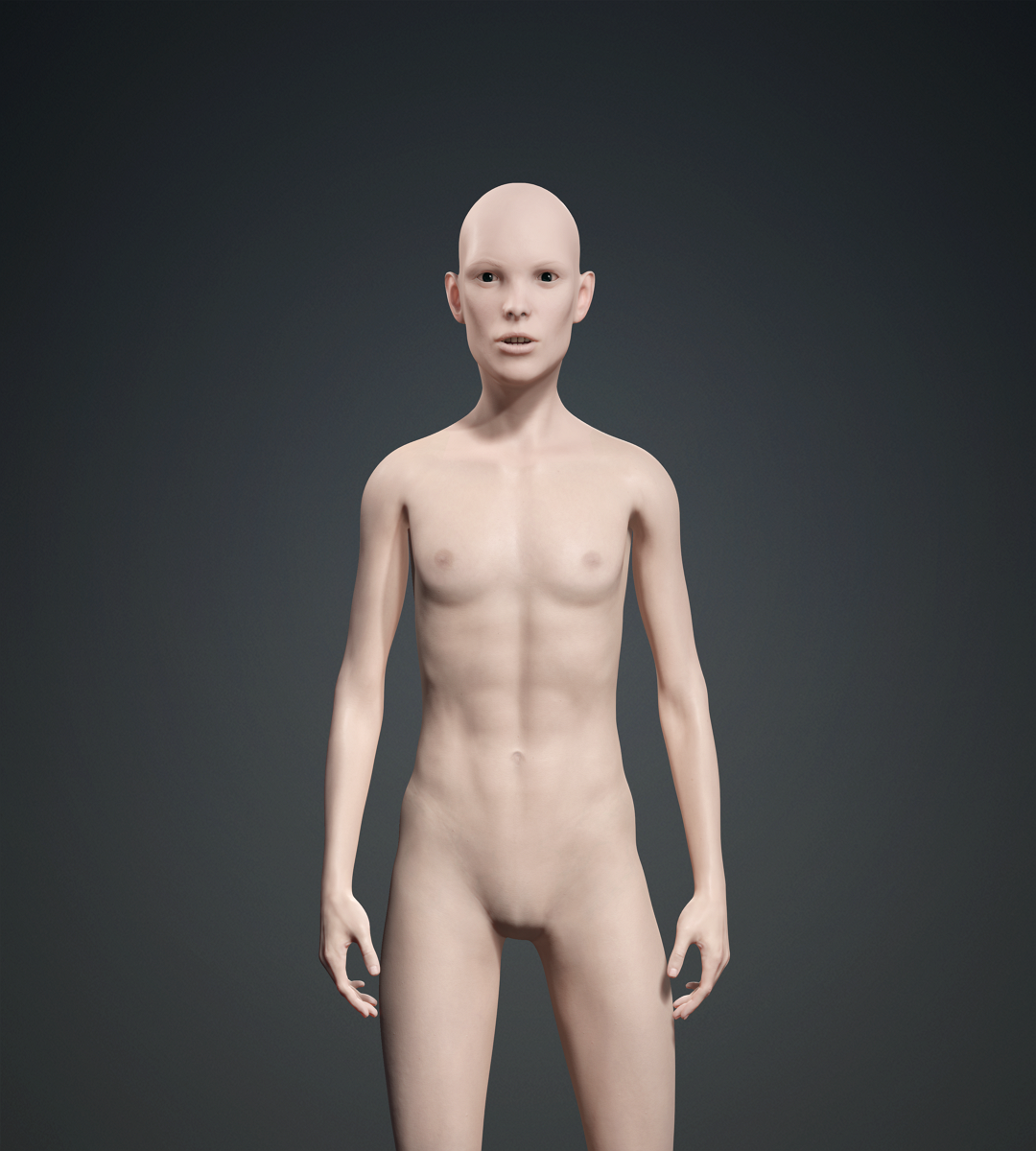
These literally took me about ten minutes to sculpt - using CC mesh tools and not Blender. Then I hit it with some sliders.
If you wanted to do this right, you would sculpt for another 20 minutes, use a bunch of sliders to get it just so, and then add sinew and wiry muscle in skingen. I made the skin grey in the material section of the modify panel with the smart color system.
If you really wanted to do it right you would export to blender and then re-import. before doing all the jazz in skingen.
You can do this! Just try.

|
|
By armondtanz - 4 Years Ago
|
Thats cool but as you can see from the image, im after a faceless character. I took a chance on the Mr Slim. It was $7. But im getting horrid holes and spikes where eyes, nose, ears and mouth is.
Here is what im after :/
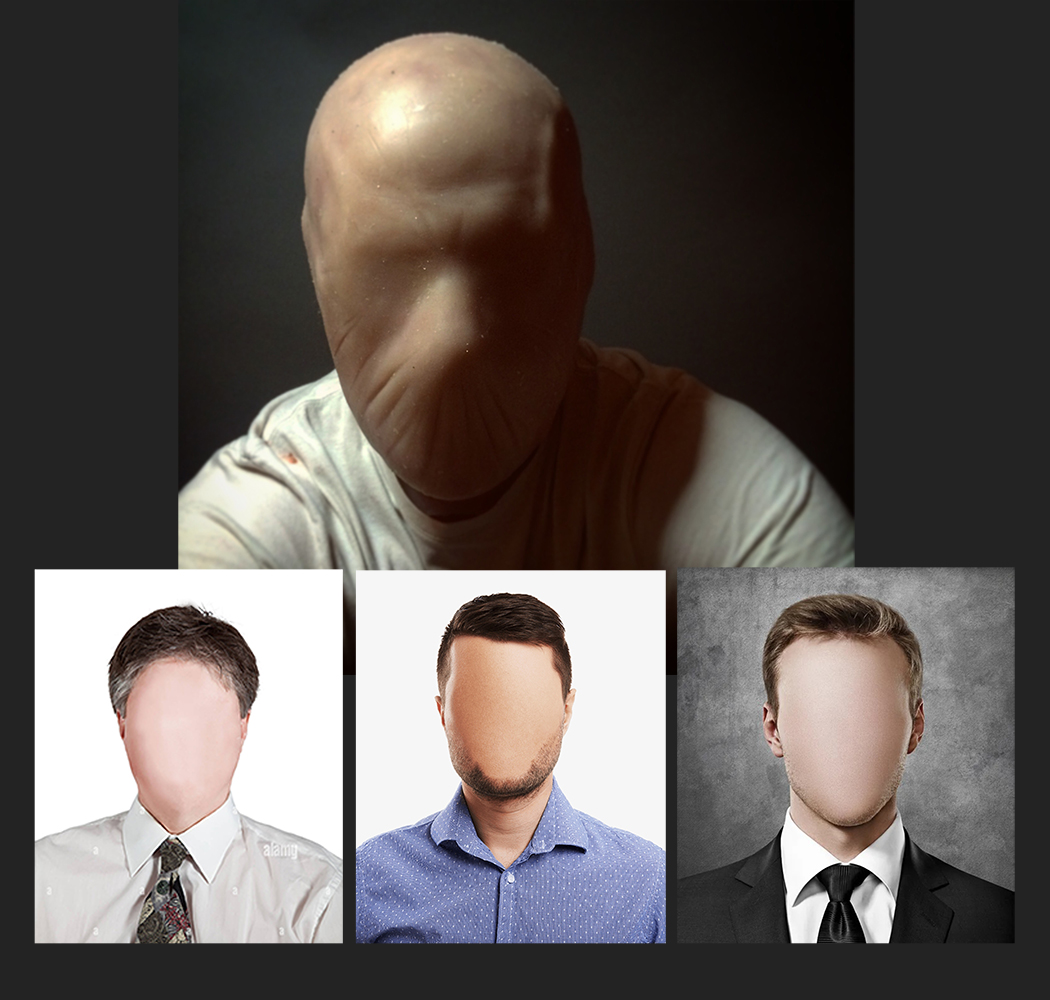
The top character is awesome. Looks really menacing!
If i or someone could acheive this, i would be over the moon :D
|
|
By animagic - 4 Years Ago
|
Looking at your top example a silly thought just hit me.
What if you created a piece of cloth that covers the face?
You then conform it to get the shape more or less. You can refine it with the mesh editor.
Finally you hide mesh of the head, the eyes and the tongue.
That doesn't seem to work...:crying:
|
|
By armondtanz - 4 Years Ago
|
Hmmm. I think all roads point back to asking some1 whos an expert on moulding. Im sure thats an easy job for sum1 whos been on zbrush for a few years.
Im getting ok results with the Mr Slim character i bought but there is nasty tiny holes in it (x2 eyes, x2nostril, x2 ears, x1 mouth) , so when u enlarge or shrink the face the holes create all kind of problems.
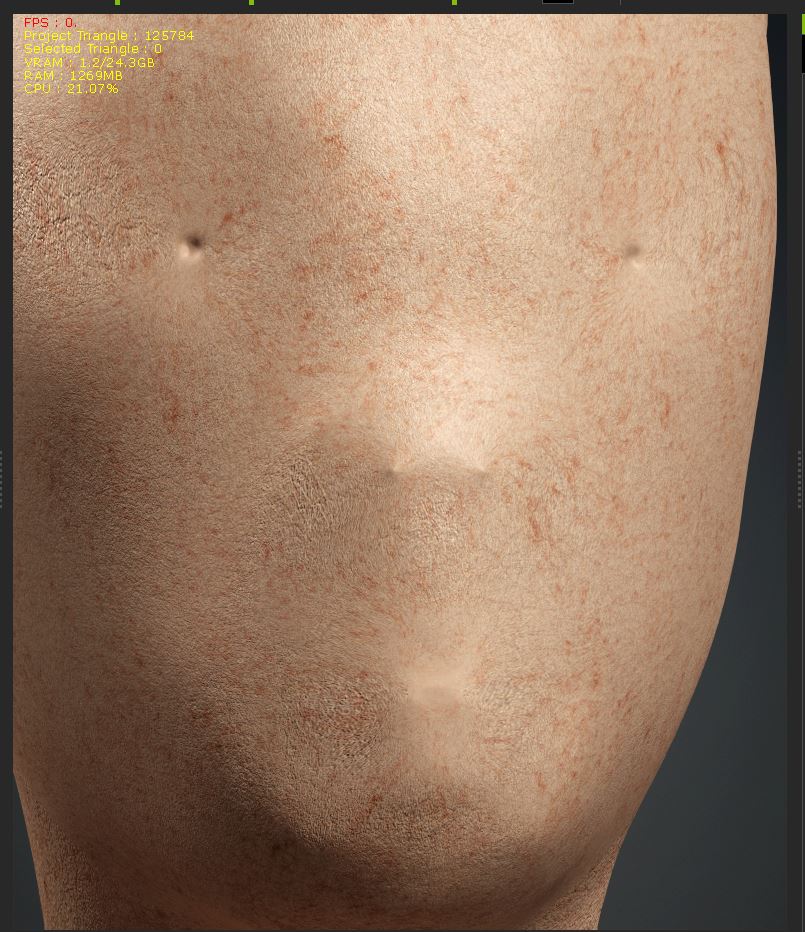
Hopefully i can export a base character out. Sum1 can totally smooth the face and i can bring it back in.
Ive never done this. Can i still add my clothing packs the model if i bring it into CC4? Will it work the same? Add hair, Shoes, Hats, shirts all in 1 click?
|