|
By MasayasuJP - 4 Years Ago
|
Wanted to establish some best practices around Non-Standard Human Creation in CC4 as it relates to creating/modifying a fully rigged character for jiggle effects among other things. I'm interested in life like representations of the human form and have experimented in the past with Daz3D/CC3. CC4 with the addition of spring effects combined with weight maps opens up some possibilities that I wasn't able to fully take advantage of in the past, either due to lack of knowledge with 3D Exchange and or general knowledge of character creation and 3D design. I've only been at this for the past 1-2 years, mostly getting used to lighting and rendering still shots (have to start somewhere) but have been creating characters my whole life with pencil and paper. Semi-realism and believability are important to me as a result.
Anyway, I was able to create a successful jiggle (yes, talking about the glutes) by adding child "hip" bones to a Daz3D G8 character and exported as FBX to CC4. I didn't bother weight mapping in Daz3D as I found the process daunting. CC4 weight mapping proved to be a lot less painful, and the weight blend (low to high, blue to red) provided for a nice spring effect whereas with Daz, required a lot of tweaking and never got the right look. Also, depending on how the weights are applied, CC4 (iClone7+ too) allows you to adjust your spring effect to find the best scenario. I had to go back once or twice to tweak the weight map but was pretty painless overall. I was pretty happy with the end result and took me only 1-2 hours to figure out and have something rendered that I could be proud of.
I did have a few challenges though. In order to have CC4 recognize the additional bones of the non-standard human character, I had to turn off HumanIK, register the bones for weight mapping and spring effects, and then go back and turn it on again. I feel like something was lost in the process. I no longer could use the facial expressions for example, and believe that my character was being treated more as a creature than human... Also, as I'm still learning, I struggle a little bit with textures looking right on imported characters (requires tweaking), and especially hair and clothes, as CC4 doesn't seem to allow compatibility between Reallusion content and non-standard characters (which makes sense). So, your character has to be pretty much complete when you import to CC4 and apply the weight and springs, etc...
So, long story short, I wanted to find out if there are best practices for workflow on something like this, and if anyone had any feedback or suggestions.
I appreciate it.
Thanks,
|
|
By 4u2ges - 4 Years Ago
|
I have done this with CC3 characters via Blender and 3DX converting to non-standard. Pretty much an easy routine: https://www.youtube.com/watch?v=fUR244gWfpE
But I am yet to see what is going to happen if I do the same with CC4 :hehe:
I will try to ask Victor for Hybrid mode export out of Blender to preserve materials: https://forum.reallusion.com/FindPost515659.aspx
|
|
By 4u2ges - 4 Years Ago
|
For now I have figured how to deal with CC4 characters moved to Blender for bones addition and returned to CC as non-standard without texture loss.
The routine is sketchy. Some figuring out required....
1. Export with Blender profile (I used Blender pipeline one click export).
2. Immediately return back exported FBX to CC as non-standard. It comes back with all materials intact, minus DHS (it is not supported for non-standard).
3. In Materials "Save All Object Texture"
4. Import FBX into Blender (without pipeline).
5. Add bones, weight paint...etc, etc..
6. Export FBX (uncheck "add leave bones")
7. Import as non-standard to CC (select CC G3 Standard profile)
8. In Material "Load all object texture" and navigate to folder from step 3. All texture should restore perfectly!
9. If character was wearing high heels, use Pose Offset to fix the feet.
10. Use originally exported FBX to load all facial morphs in Edit Expression. I used "FBX File" option and checked "Replace all sliders with the same name". All face morphs came down just fine in one shot.
BUT, I do not understand how to map eyes/jaw/head bones! Need to do some reading...
11. Edit Spring for butt and breast bones. (for breast standard profile can be reloaded I suppose).
Anyway, this is former CC character taken to Blender for bone mods and returned to CC as non-standard.
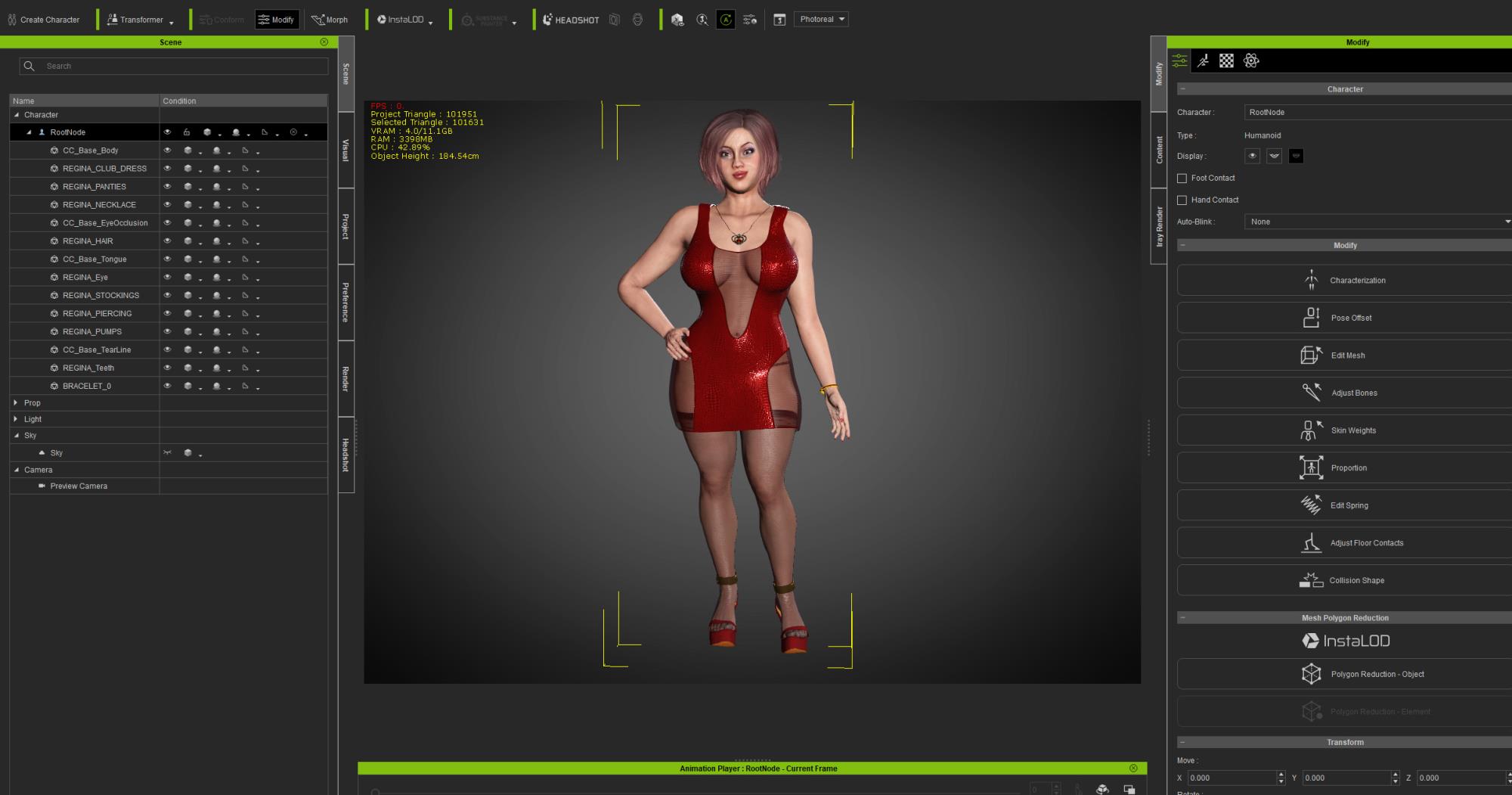
Update: So yes, face bones are not getting activated. Looks like a bug: https://forum.reallusion.com/FindPost515676.aspx
|
|
By MasayasuJP - 4 Years Ago
|
Hi 4u2ges,
Thanks for the feedback and the workflow example! I really appreciate it. I've been AFK the last couple days but will experiment with this over the next few days and let you know if I discover anything else. Was hoping that we could utilize the expressions inherent within CC4 for Non-Standard Characters as well but seems like that may be out of scope right now.
Thank you again.
Will update soon...
|
|
By 4u2ges - 4 Years Ago
|
I did sort of figure out the workaround for the facial. Although it must to be automated as it used to be in 3DX pipeline. So my FT ticket still stands.
I highlighted added/amended steps in pink. Also, after Victor release Blender Pipeline v1.3.9, some steps could be eliminated.
1. Export with Blender profile (I used Blender pipeline one click export).
2. Export character separately to FBX as "Mesh and Expression sequence"
3. Immediately return back exported FBX from step 1 to CC as non-standard. It comes back with all materials intact, minus DHS (it is not supported for non-standard - vote for it in FT!).
4. In Materials use "Save All Object Texture" to some folder.
5. Import FBX into Blender (without pipeline).
6. Add bones, weight paint...etc, etc..
7. Export FBX (uncheck "add leave bones")
8. Import as non-standard to CC (select CC_G3Standard profile)
9. In Material "Load all object texture" and navigate to folder from step 3. All texture should restore perfectly!
10. If character was wearing high heels, use Pose Offset to fix the feet.
11. In Facial Profile Editor, import all face expressions as FBX sequence with key (from step 2)
12. Edit Spring for butt and breast bones. (for breast standard profile can be reloaded I suppose).
Steps 1 and 2 might be combined into just step 2, I have not tested it yet.
|
|