|
By armondtanz - 4 Years Ago
|
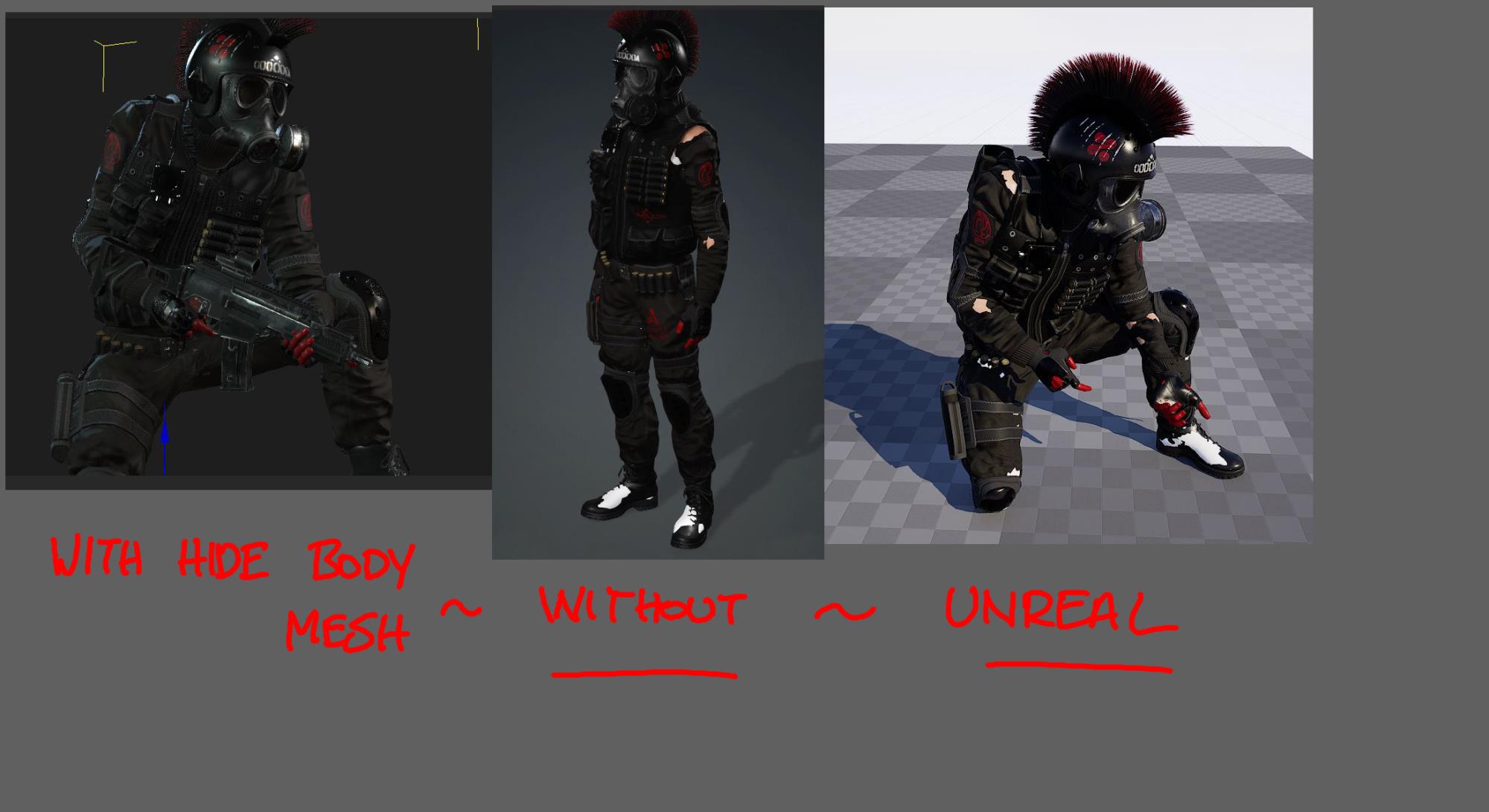
Was wonderiing if there was a fix in UNREAL for this?
Or maybe a way to export to unreal somehow and get it to look like what it does in iclone?. Im using multiple animations so im exporting via iClone 8
Looks like the 'hide body mesh' works a treat in cc4+ic8 but shows thru in Unreal :w00t:
Ps ignore the feet i just deleted the skin texture. I cant do it on the arms because the red fingers showing thru the fingerless gloves.
|
|
By toystorylab - 4 Years Ago
|
|
Did you tick "delete hidden meshes" in export panel?
|
|
By armondtanz - 4 Years Ago
|
:crying:
AGGGHHHHHHH, Ive just spent the last hour messing with the edit mesh function... !!!!!!!
Hey, great news if its just a simple solution like that... Saves me making edits to the rest of the characters...
Thanks man, i appreciate it :)
|
|
By xzevlin - 3 Years Ago
|
|
Did you ever find a solution to this? I have some mesh poking through a shirt that isn't visible in iClone, just in Unreal, and yours is the only post I found on the subject.
|
|
By armondtanz - 3 Years Ago
|
yea sum1 answered it here,
Its all in the 'export option'
Its near the bottom : tick [delete hidden meshes] option, comes thru as seen in iclone
|