|
By Peter (RL) - 4 Years Ago
|
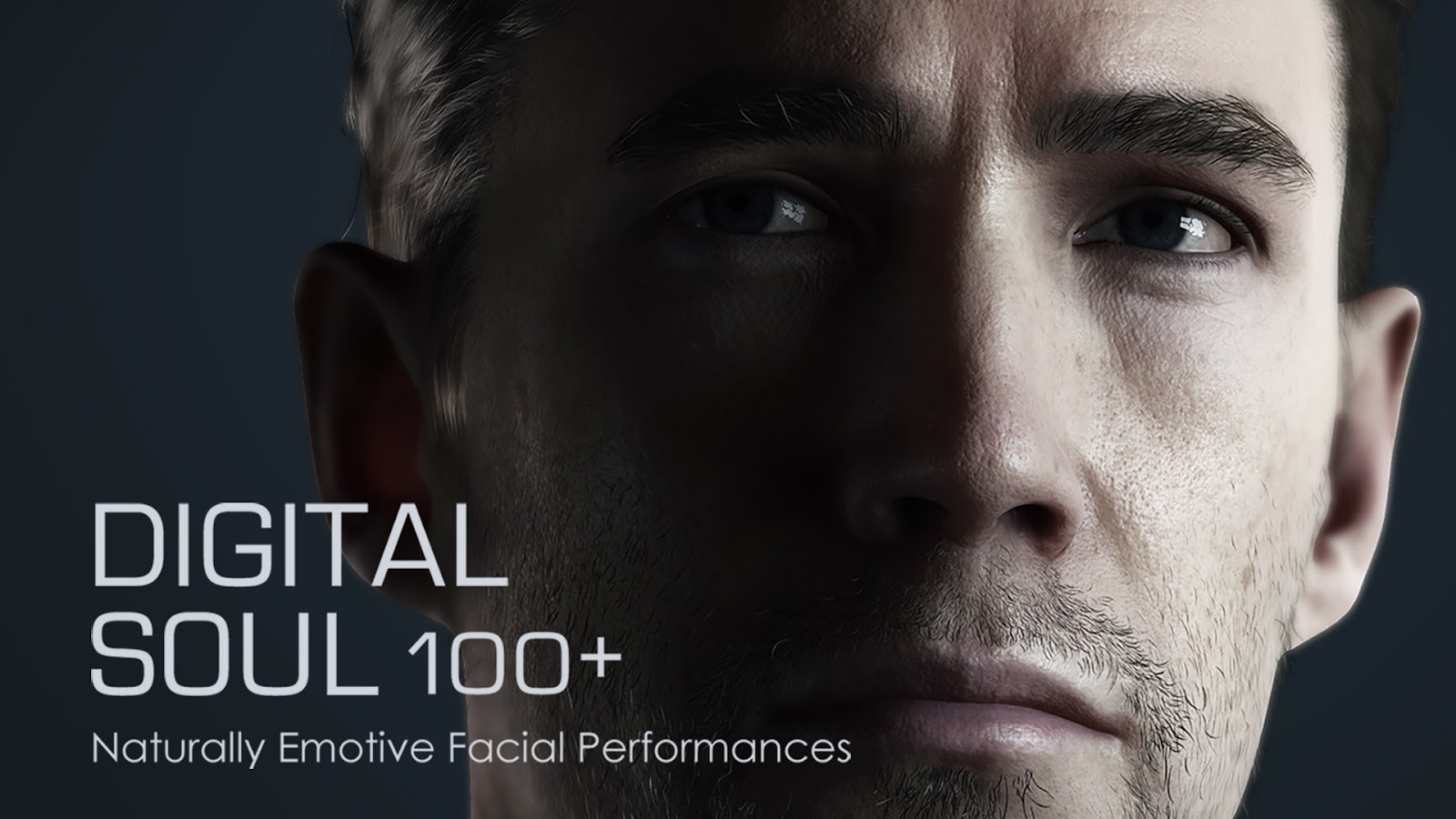 Check out this exciting new pack for iClone 8 and Character Creator 4 - Digital Soul 100+
This pack is a solution to some frequent issues when animating and is designed to give an achievable way to instantly inject a believable soul to your digital actor, crossing the uncanny valley with exceptionally natural facial performances that truly engages the audience.
Reallusion has elaborately analysed the common psychological behaviors of human beings, a total of 25 minutes long, 146 facial sequences are meticulously produced at different conscious levels and emotional states. All clips are crafted by professional facial animators and mocap performers, users can easily access them by the following categories.
Conscious - the human mind is always working on something, thinking, planning, recalling, dreaming, worrying, etc
Awareness - humans normally observe the environment, and look around while walking, sitting, waiting, etc Feel - emotional reaction to the surroundings or people who are interacting with you; positive or negative feelings Talk and Listen - communication, curious, doubt, agree, disagree, judgment, to one person or to multiple people Browse information - read a book, phone, magazine, newspaper, or watch a poster, signboard, advertisement
Digital Soul files are saved in the iTalk format which can be used by both CC4 and iClone8, users can click to try on expressions and find the right match easily. For iClone 8 users the creations are endless.
Pack includes:
• 146 Expressions (37 Conscious, 65 Emotion, 28 Talk & Listen, 16 Extended Expressions)
|
|
By Jeffster The Mighty - 4 Years Ago
|
|
Could be very useful.
|
|
By IrinaIV - 4 Years Ago
|
You know that with some of these, you will have some users hopelessly falling for the Camilas and Kevins on their monitors? =D (probably not, but the expressions are really good! Nice work!)
|
|
By mehmet.alpakut - 4 Years Ago
|
Thank you so much for the information, Peter :)
I recently bought this asset after installing IClone 8 and CC4 but I couldn't understand how to use it. To be honest, I couldn't even find where it went after the purchase.
Is there any educational video or something like that to show how to use this asset named Digital Soul 100+?
Looking forward to hearing from you, Peter.
Thank you so much in advance!
Mehmet
|
|
By Peter (RL) - 4 Years Ago
|
Hi Mehmet
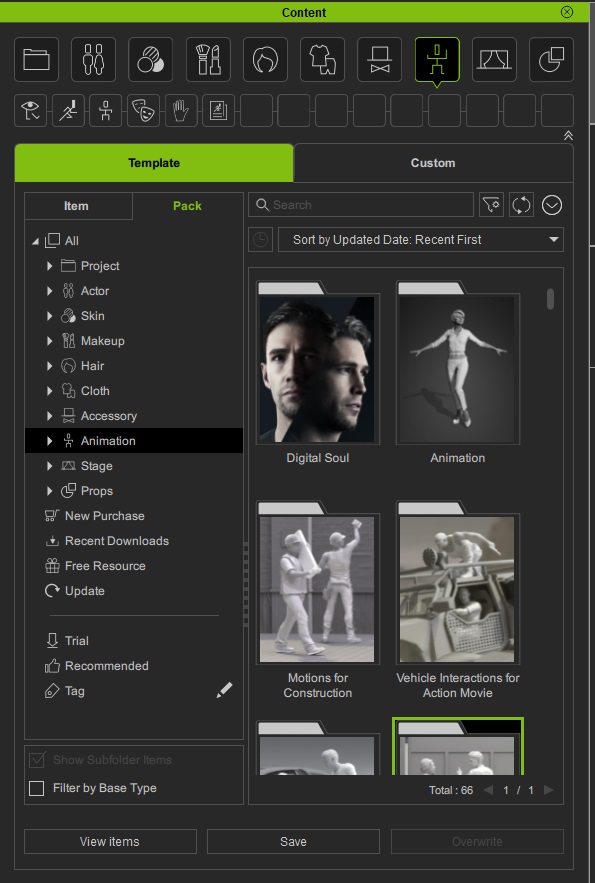
The Digital Soul pack can be found in Content Manager > Template > Pack > Animation as shown below.
You then double click the Digital Soul thumbnail to view the contents of the pack. From here all you need to do is drag the desired facial expression onto your character in the viewport. Pressing Play will allow you to view the realistic facial animation on your character.
|
|
By mehmet.alpakut - 4 Years Ago
|
Thank you, Peter
Now that you informed me, I'm afraid I noticed that Digital Soul Pack doesn't show up in my software (iClone 8 & CC4) despite buying it. How can I fix this issue? Seems like I'm experiencing a technical issue.
I would appreciate it if you can send me an email address of the support so that I can send an email back with all the details of my purchase, account/member number, and the issue. Thank you so much in advance!
Best Regards,
Mehmet
|
|
By Melis (RL) - 4 Years Ago
|
Hi Mehmet,
Here I'm sharing the customer support link for you to contact our support team. Please make sure to login with your Reallusion account or sign up first and then you can fill the form.
Hope this helps.
Best,
Melis
|
|
By argus1000 - 4 Years Ago
|
I'm glad a pack with animated expressions was released. It was long overdue. Great pack! Works fine here!
|
|
By Peter (RL) - 4 Years Ago
|
|
mehmet.alpakut (5/15/2022)
Thank you, Peter
Now that you informed me, I'm afraid I noticed that Digital Soul Pack doesn't show up in my software (iClone 8 & CC4) despite buying it. How can I fix this issue? Seems like I'm experiencing a technical issue.
I would appreciate it if you can send me an email address of the support so that I can send an email back with all the details of my purchase, account/member number, and the issue. Thank you so much in advance!
Best Regards,
Mehmet
Have you tried clicking Refresh in Content Manager? (to the right of the search box). This is a necessary step often overlooked.
If you have and it doesn't appear then please contact Support as Melis explained.
|
|
By roger4038_039037 - 4 Years Ago
|
|
Yesterday I purchased Digital Soul 100+ and I have tested it by dragging a "soul animation" called "Look front.iTalk" from Content to a character in iClone 8. The animation is short but works. How do I turn it into a loop? Or how do I add several "soul animations" after one another? I can't find the "soul animation" on the Timeline in iClone 8. Where exactly is it?
|
|
By Smit_R - 4 Years Ago
|
|
roger4038_039037 (5/27/2022)
Yesterday I purchased Digital Soul 100+ and I have tested it by dragging a "soul animation" called "Look front.iTalk" from Content to a character in iClone 8. The animation is short but works. How do I turn it into a loop? Or how do I add several "soul animations" after one another? I can't find the "soul animation" on the Timeline in iClone 8. Where exactly is it?
You have to check 'Expression' in the dropdown arrow next to your character in the timeline.
The expression timeline is now added so you can add/mix/loop extra expression animations.

|
|
By roger4038_039037 - 4 Years Ago
|
|
Thank you. Now I can find the character's soul ;-)
|
|
By Rocketlazor - 4 Years Ago
|
Do these expressions work with imported characters? Like a Genesis 8 character for example? So any rig that has the "Traditional" face profile? Or do they only work with CC characters?
|
|
By Kelleytoons - 4 Years Ago
|
|
If you bring the character in via Transformer it becomes a CC character. If you bring it in as a non-standard human you will need to "hook up" all the various facial animation parts (blinks, eyebrow raise, etc) to the morphs you have imported and once you do that then facial animations like these should work on it.
|
|
By dazvfx - 3 Years Ago
|
Hi.. does this pack works with CC3 stylize cartoony model bought from marketplace?
|
|
By Peter (RL) - 3 Years Ago
|
|
dazvfx (6/4/2023)
Hi.. does this pack works with CC3 stylize cartoony model bought from marketplace?
I'm not sure which cartoony character you mean, but providing you are using CC4 then you can use the Digital Soul pack with any Standard CC3+ Characters. However, due to the fact that stylized characters have exaggerated facial features you may need to tweak some expressions a little to get perfect results.
|
|
By halfdorkstudios - 3 Years Ago
|
hey all, first post in the forums.
I've been experimenting with different Export settings trying to get the bulk of the 100+ Digital Soul facial expressions into Unity 3D.
Through my couple hours of testing I found that only when using the "Current Animation" selection of the Export FBX settings was I able to import the facial expressions in their full glory.
Using the "Custom" export of bulk .italk animations (at the time of this writing) does not export the facial expressions properly.
Just wanted to report my findings if anyone else was trying to do the same.
To recreate this bug;
Export multiple .italk animations using the "Custom" selection of Export FBX.
Current fix;
Export facial .italk animations one at a time through the Export FBX using "Current Animation."
|
|
By Peter (RL) - 3 Years Ago
|
|
halfdorkstudios (7/8/2023)
hey all, first post in the forums.
I've been experimenting with different Export settings trying to get the bulk of the 100+ Digital Soul facial expressions into Unity 3D.
Through my couple hours of testing I found that only when using the "Current Animation" selection of the Export FBX settings was I able to import the facial expressions in their full glory.
Using the "Custom" export of bulk .italk animations (at the time of this writing) does not export the facial expressions properly.
Just wanted to report my findings if anyone else was trying to do the same.
To recreate this bug;
Export multiple .italk animations using the "Custom" selection of Export FBX.
Current fix;
Export facial .italk animations one at a time through the Export FBX using "Current Animation."
Hi...
If you think you have found a bug, please can you report it in the Feedback Tracker. The tracker is monitored directly by the dev teams who will investigate the issue and give you a status update there. The tracker is the best way to get issues looked into and fixed.
To use the Feedback Tracker, please click the link below.
Thanks.
|
|
By dan.goyette - 2 Years Ago
|
|
The Reallusion Content Store doesn't appear to allow users to leave reviews for products for some reason, so I'll leave my feedback here. This is both to give other users some additional information on this package, and also to possibly affect future updates to this package that might improve what I considered to be the weaker elements.
First, I should explain the way I'm using this package, since I expect it will have a big impact on my impressions of it. I'm using iClone to create lip-sync animations by combining AccuLips Visemes with Expression to add emotion to the performance. I then export these into Unity. Importantly, within Unity, I'm manually controlling Head rotation, Eye look direction, and Eye blink on the characters. (That's important here because the Digital Soul animations also control those elements.) So what I was mainly looking for was to add just facial expressions (not Head/Eye rotations) to my Lip Sync clips. In short, I was hoping for an upgraded version of the Expression_Loop clips included with CC4/iClone.
My overall evaluation of this package is that while it does have a fair number of purely facial expressions, most of the animations achieve most of their expressiveness through head and eye rotations, as opposed to purely facial animations. This means that if you're only interested in expressions that can be applied with blend shapes (instead of bone rotations), the expressiveness is fairly limited.
In order to use these in my project, it was necessary for me to remove the Head and Eye animations. Otherwise, there were many artifacts that led to strange-looking expressions. For example, if the animation itself has the character look down, that has a strong impact on the characters eyelids. If I override the look direction in my game, the eyelid movement would still be applied, which looks very strange. By disabling Head and Eye animation on these clips, it removes those artifacts. Unfortunately, for the majority of the animations in this package, removing the Head and Eye rotations pretty much left a character with a fairly blank look on their face. Again, for most clips, the expressiveness was mostly driven by the head and eye rotations, not the facial expressions.
I made a short reference video for myself to show what these expressions look like on the default male CC4 character. These clips were created by Sampling the digital soul clips, and deleting all key frames for Head and Eye, leaving only Muscle and Eye Blink. These were also using the CC4 Standard 60+ facial profile.
Overall, I was a bit disappointed here to see just how much of the performance in these clips came down to head movement mocap, rather than facial mocap. On the plus side, the mocap itself is very high quality (very cleaned-up), without any problems or noise in the animations themselves.
Here are some suggestions for similar future packages: - Provide stronger mocap performances for facial muscles, rather than head/eye rotations. Having most of the expressiveness coming from head rotations is really disappointing when I'm controlling head animation with other tools. - Ideally provide versions of the clips that don't have Head and Eye movement included. Just the character looking forward, with a variety of facial expressions. It took me a long time to manually go through, sampling all clips, removing Head and Eye, and saving a custom version of all the clips. - And please don't include random eye blinking in these animations. Eye blinking is something that is generally added/controlled in various ways, and having it baked into these clips is extremely awkward.
|
|
By Peter (RL) - 2 Years Ago
|
dan.goyette (4/11/2024)
The Reallusion Content Store doesn't appear to allow users to leave reviews for products for some reason, so I'll leave my feedback here.
Hi Dan,
Thank you for taking the time to share your feedback.
Please remember that you can make suggestions for improvements and make requests for new packs in the Feedback Tracker. The tracker is monitored directly by the relevant product teams. In addition, it allows other users to support your request with the most requested suggestions normally getting higher priority.
To use the Feedback Tracker, please click the link below.
Thanks.
|
|
By Kelleytoons - 2 Years Ago
|
Let me say to address your issues, Ed, that I've found adding expressiveness to such automation as Acculips is best done with mocap. I think that's the best of all possible worlds - you generate the visemes with Acculips and add emotion through any of the four possible facial mocap solutions offered (oddly enough I own them all. Sigh).
Alternatively, you can do the mocap first and add the Acculips afterwards - in either case you simply adjust the amount the visemes control over the lips (or vice versa).
This has been my basic facial animation approach for a long time now.
|
|
By K_Digital - 2 Years Ago
|
@Kelleytoons
you made me curious about "transformer", what exactly is that ?.
|