|
By jeff.davies - 3 Years Ago
|
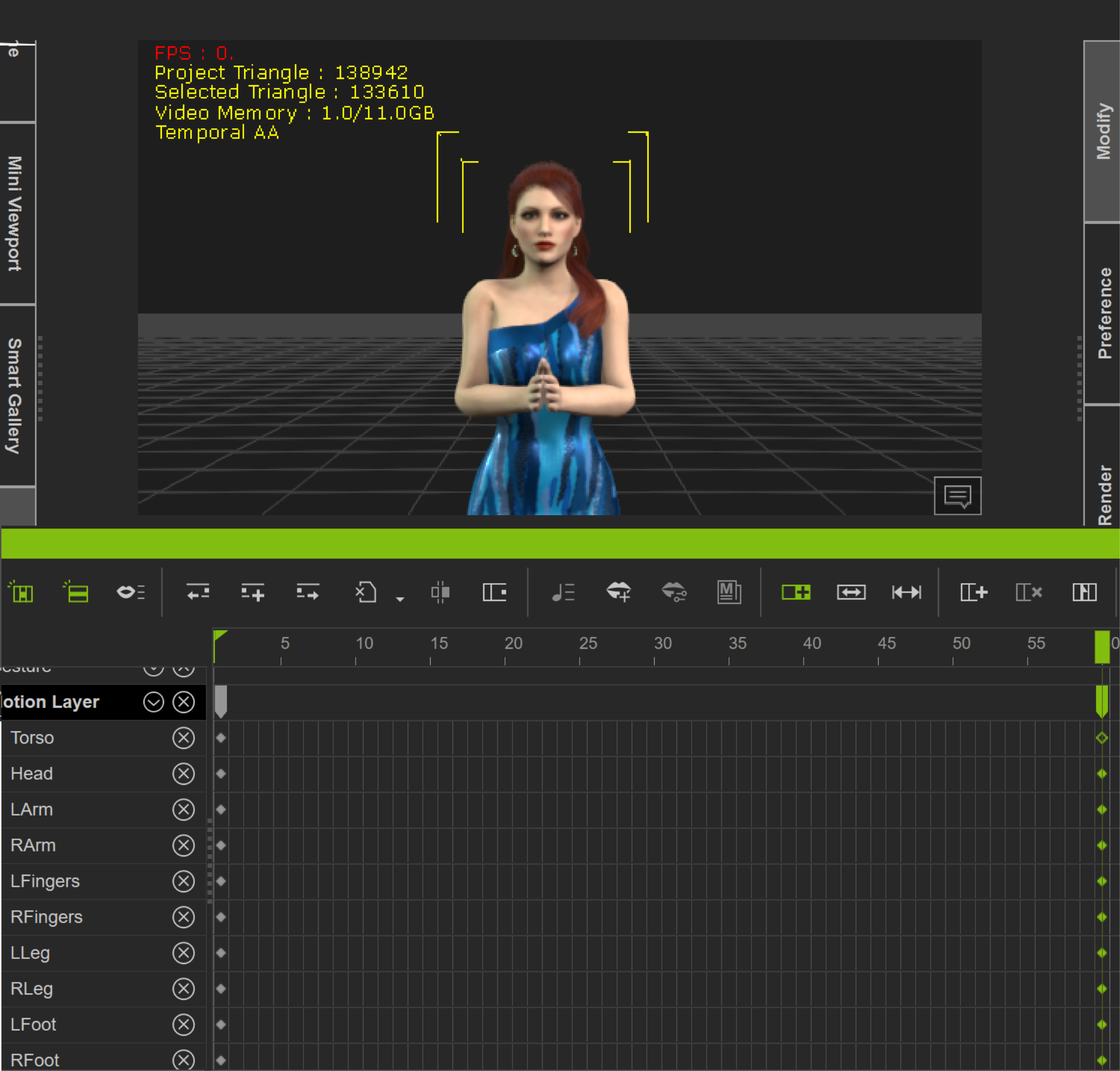
I'm doing a very simple character animation where the character starts from a T-pose and ends with her hands together in front of her.
Keyframe 1

Here is the second keyframe:
And finally, here is an intermediate frame:
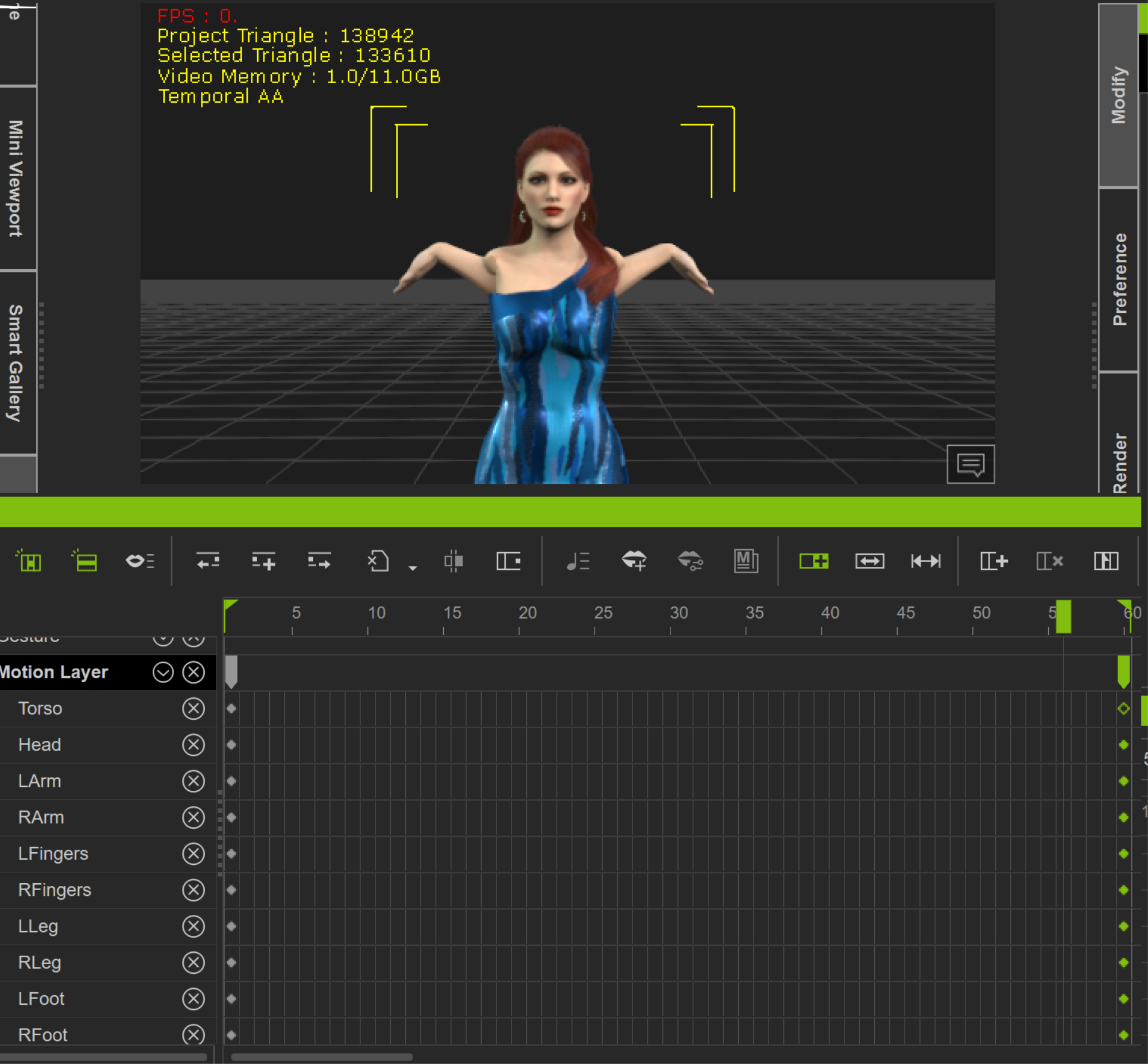
I'm not sure exactly what is going on here. Her arms twist around in all manner of unnatural positions. In Blender I would say that the rotations being interpolated are going on the wrong direction. Is that what is going on here? What's the best way to correct this?
Many thanks in advance!
|
|
By 4u2ges - 3 Years Ago
|
Weird, but happens sometimes. Blend between 2 key-frames goes out of control.
Either delete last frame and animate again.
Or, if it's in the middle of the clip where you overlooked badly formed transition, isolate 2 key frames in question by breaking the clip before and after.
Make sure there are no hallow keys in a set (like you have for torso in the second key-frame) by selecting the key and hitting A.
Then sample isolated clip and delete all keys in between first and last key. You should get normal transition. Then merge all clips back together.
|
|
By jeff.davies - 3 Years Ago
|
|
Thanks 4u2ges. I'll try that and see how it goes.i did key frame an intermediate pose where everything was still ok. Then I deleted the last key frame and things still got wiggly after the new second key frame. Its li,e there are ghost key frames that exist even though you can't see them. I know my description is lacking. I'll record a video if I can't resolve it tomorrow.
|
|
By planetstardragon - 3 Years Ago
|
If you had the curve editor you could see the anomaly - basically it's the system tweening trying to find the most direct path to the next frame while also wrestling with the "natural movement" algorithm, sometimes that path gets warped / bent out of shape - in the curve editor you see it like a sudden bump in the path - in the curve editor i'd fix it by selecting a new wave form and smoothing out the bump - in the regular matrix editor - first simplify the move - ie - instead of moving the arm down and twisting it, simply move the arm down, once that is tweened correctly - keyframe the arm / hand turning - after that's done - then delete the previous keyframe where arm just moves down - the idea to this is to help the tweening transition smoothly to avoid a warped transition path. - it's not exactly a bug, and it's not exactly a feature - more like a combination of the 2 gone wild without an ai there to choose the correct path. - and just for reference - tweening is what the computer calculates inbeTWEEN keyframes.
|
|
By jeff.davies - 3 Years Ago
|
|
Thanks Planetsdragon. I was doing this animation to lsarn how to use the curve editor. Looks like my first test is before me! Lol
|
|
By Rampa - 3 Years Ago
|
|
I think you just need to adjust her arms forward a bit at the central position. So basically just set a middle key frame to guide her arms better.
|
|
By jeff.davies - 3 Years Ago
|
|
I deleted all keyframes and started from scratch and the problem went away. Its 's the old, "turn it off and on again" I suppose ;)
|