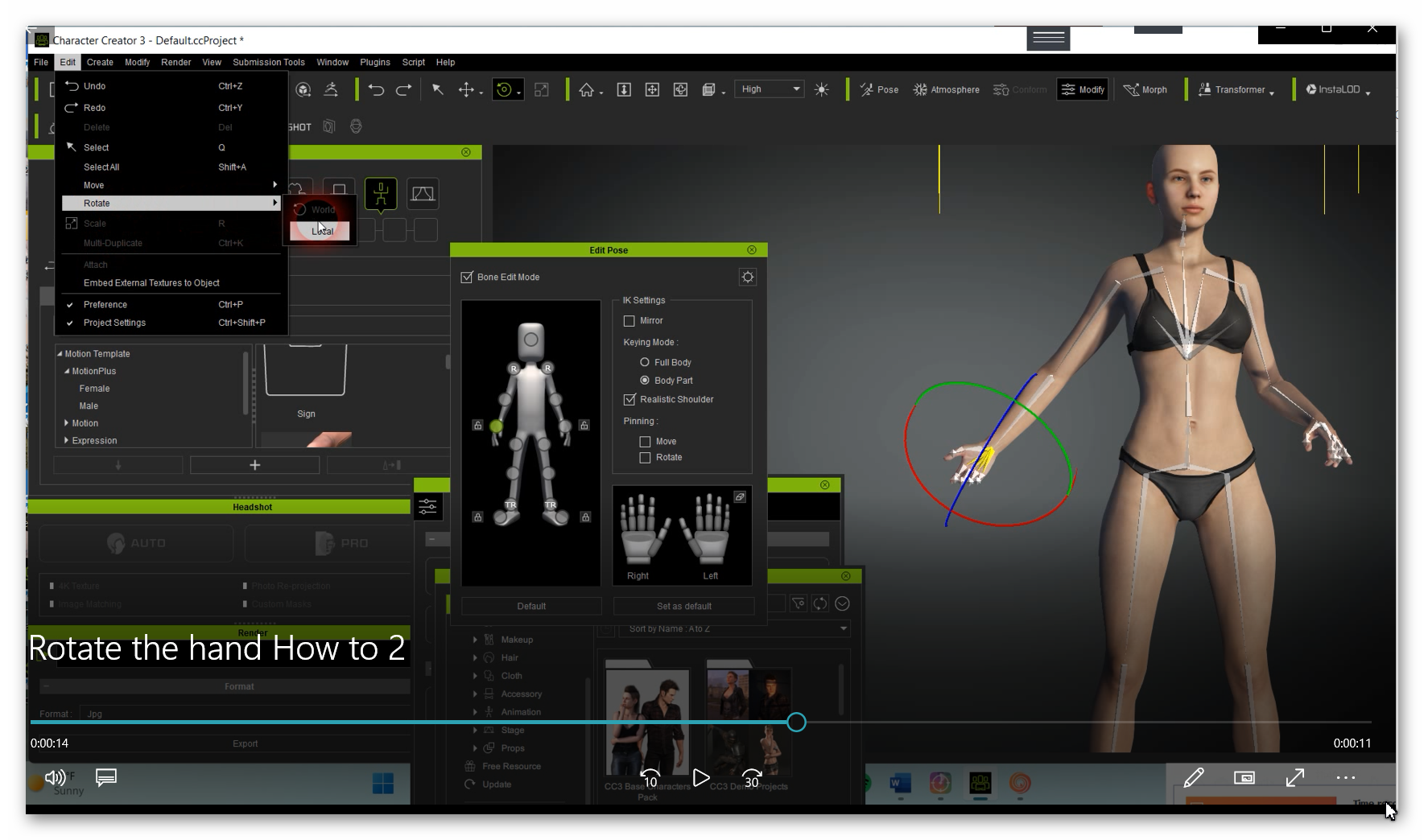
ROTATING THE HAND AND WRIST?


https://forum.reallusion.com/Topic510183.aspx
Print Topic | Close Window

By urbanrockwellart - 3 Years Ago

Does can anyoneshow me how to easily rotate the hand and wrist?
(I basically want to be ableto rotate to and from the back side of the hand to the palm side of the hand)
Another example if the character is holding a stick or sword or something. How would you change the position of the hand grasp?

Thanks in advance (I WOULD REALLY APPRECIATE THE HELP)

By wires - 3 Years Ago
Select the character and then in the Modify panel click on "Edit Pose"

On the Edit Pose panel select the body part that you wish to adjust and make the required changes using the Move and Rotate tools.
https://forum.reallusion.com/uploads/images/6b94a2e8-f532-43a4-840d-e5fa.png

The fingers can be adjusted in the same way and the hand opened or closed by selecting the area in the middle of the palm and moving the mouse up or down.

By urbanrockwellart - 3 Years Ago

https://forum.reallusion.com/uploads/images/873beb2b-b832-4f76-9782-a859.png

Thanks a lot Gary!I tried, but I wasn’t to select the entire hand to rotate the hand in modify, edit, pose.

In addition of selecting the hand area on the manikin in the pose room, I had to go to the Edit Menu at the top left corner and go to Rotate Local to get the rotate function to appear around the area of the hand. I’m glad that’s resolved now.

Thanks for the quick reply.