|
By Carlos_Morais - 4 Years Ago
|
Hi.
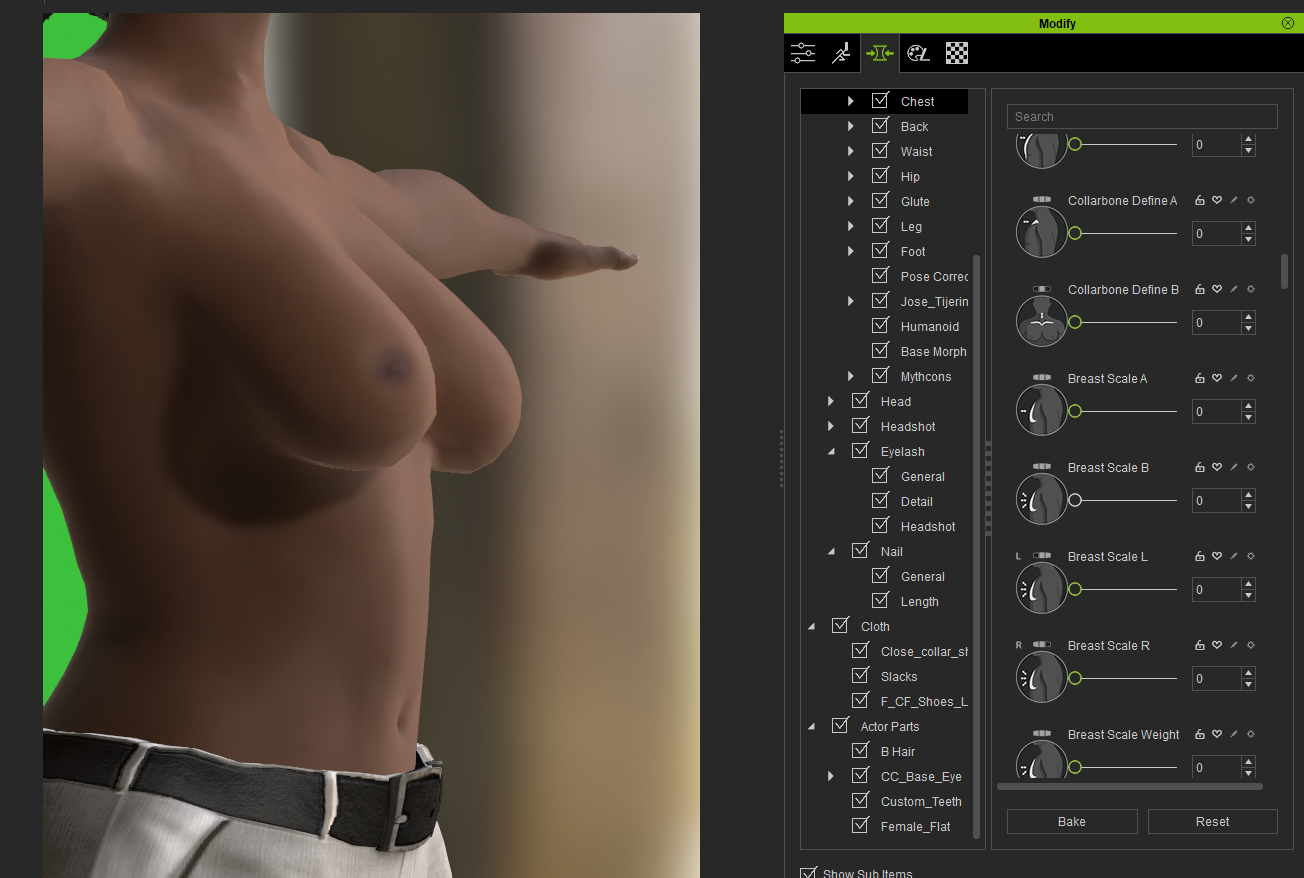
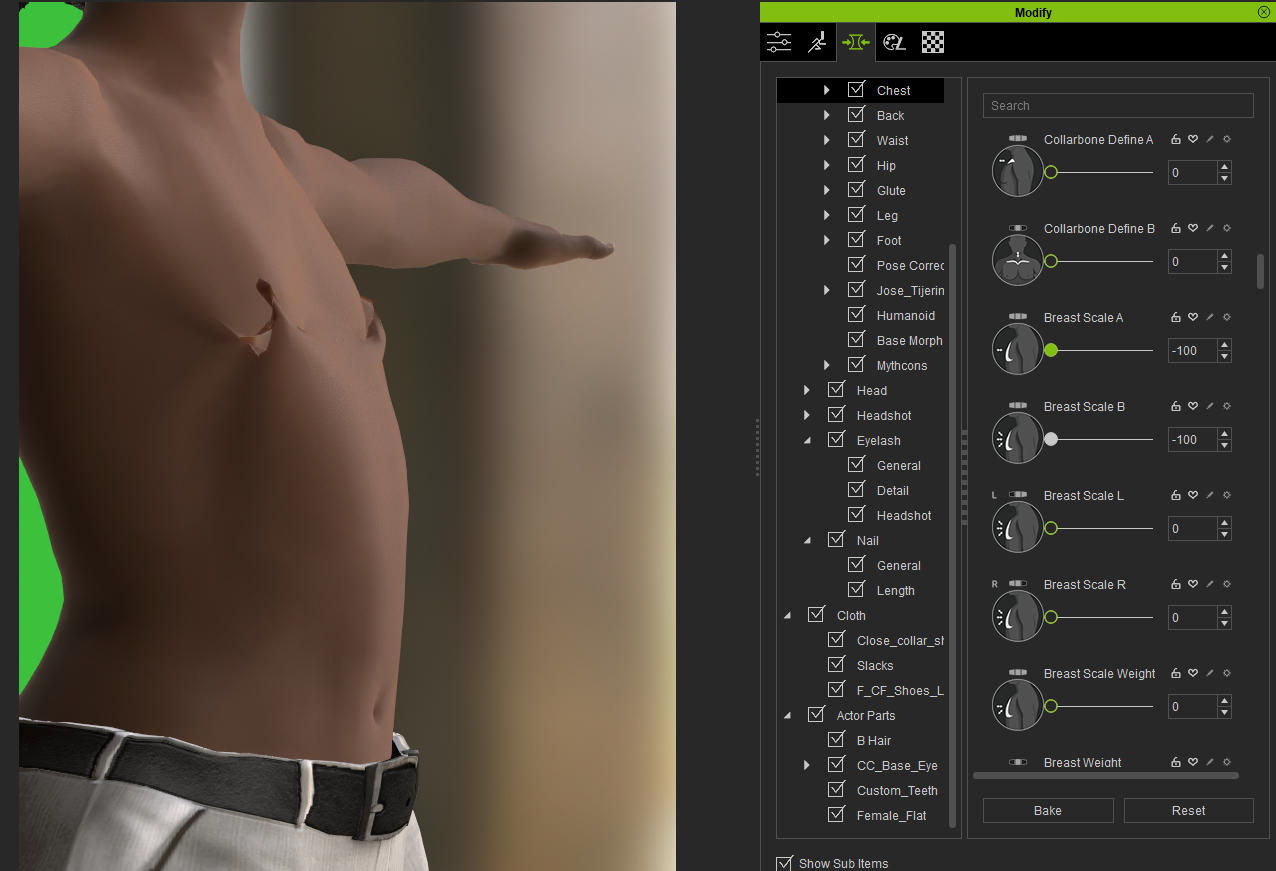
I have noticed something quite shocking today. Reallusion assumes all women have big breasts.
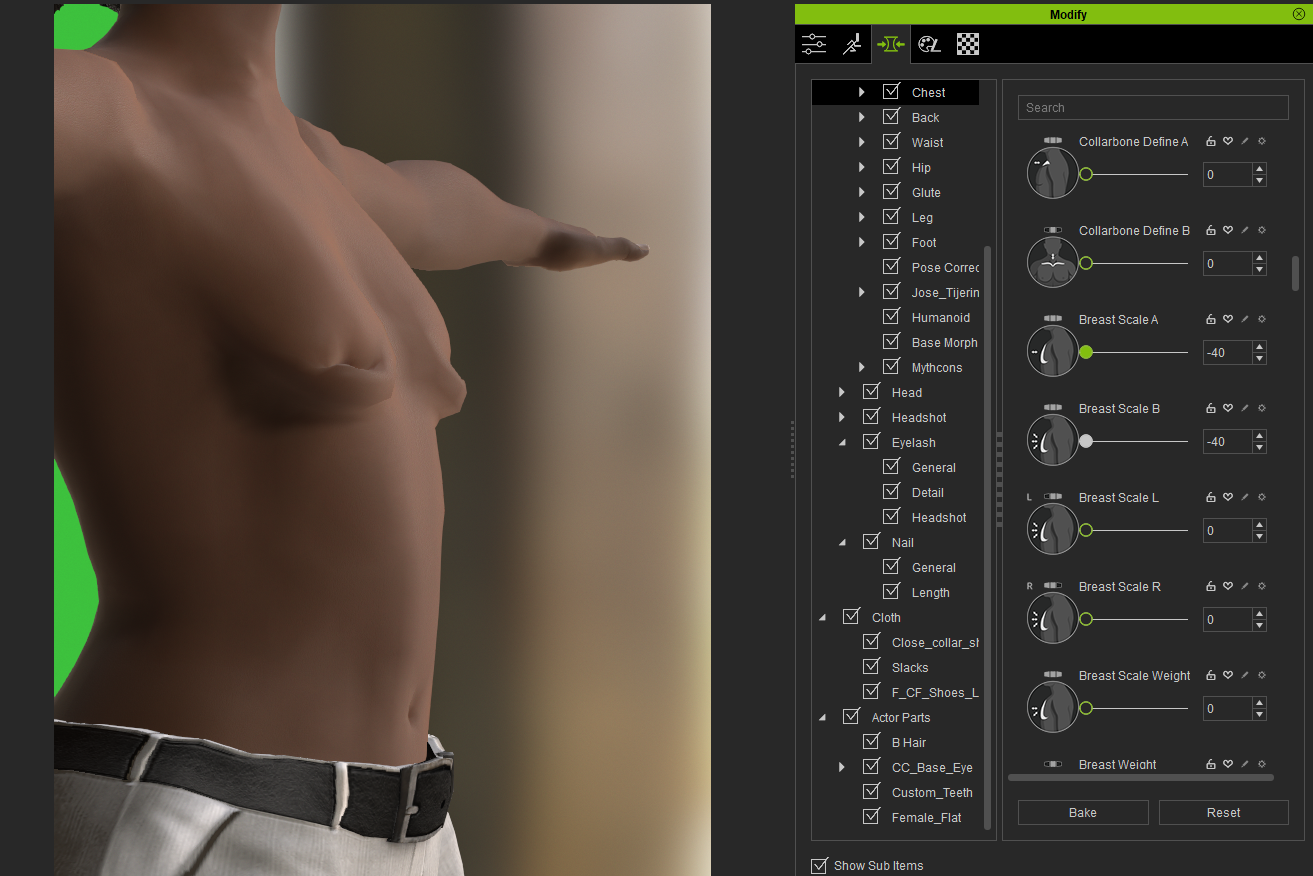
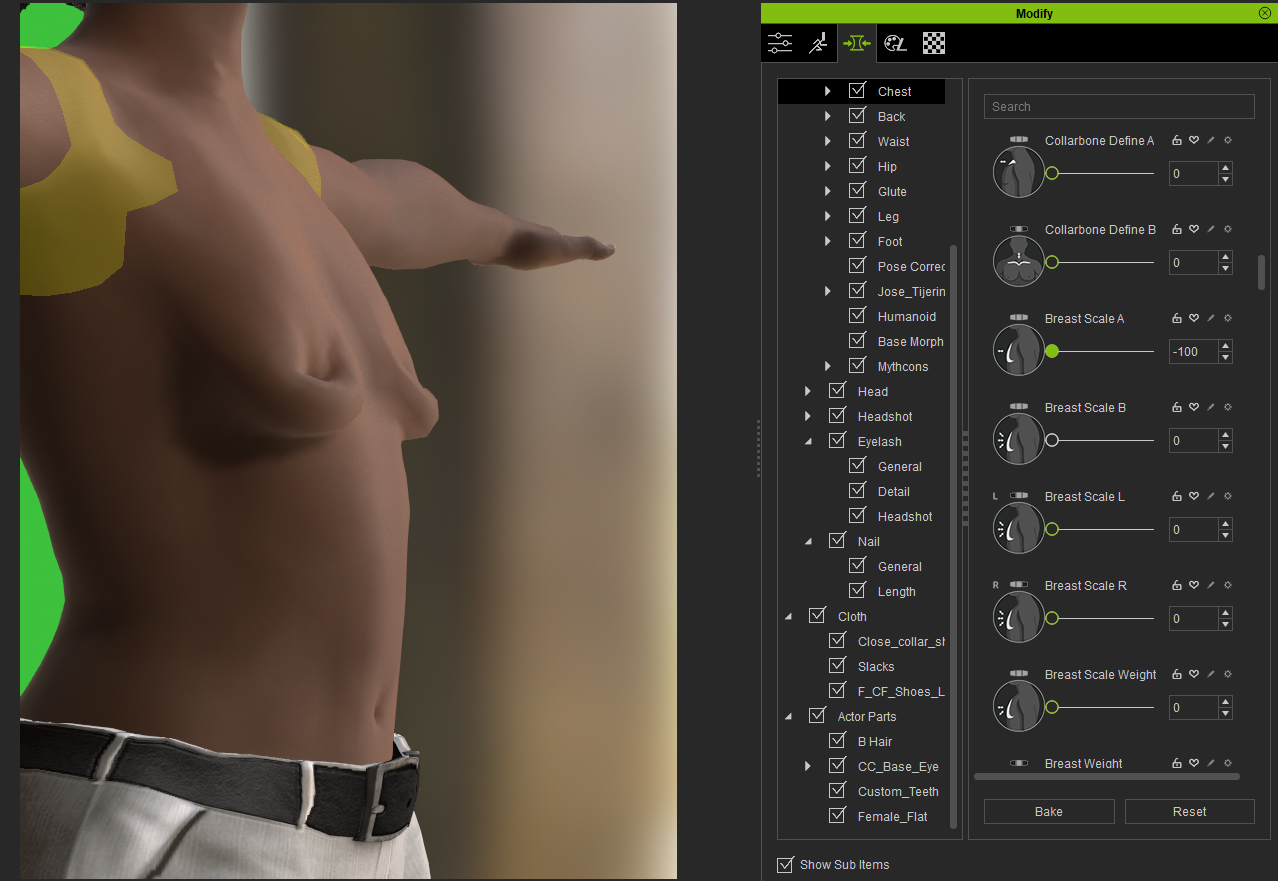
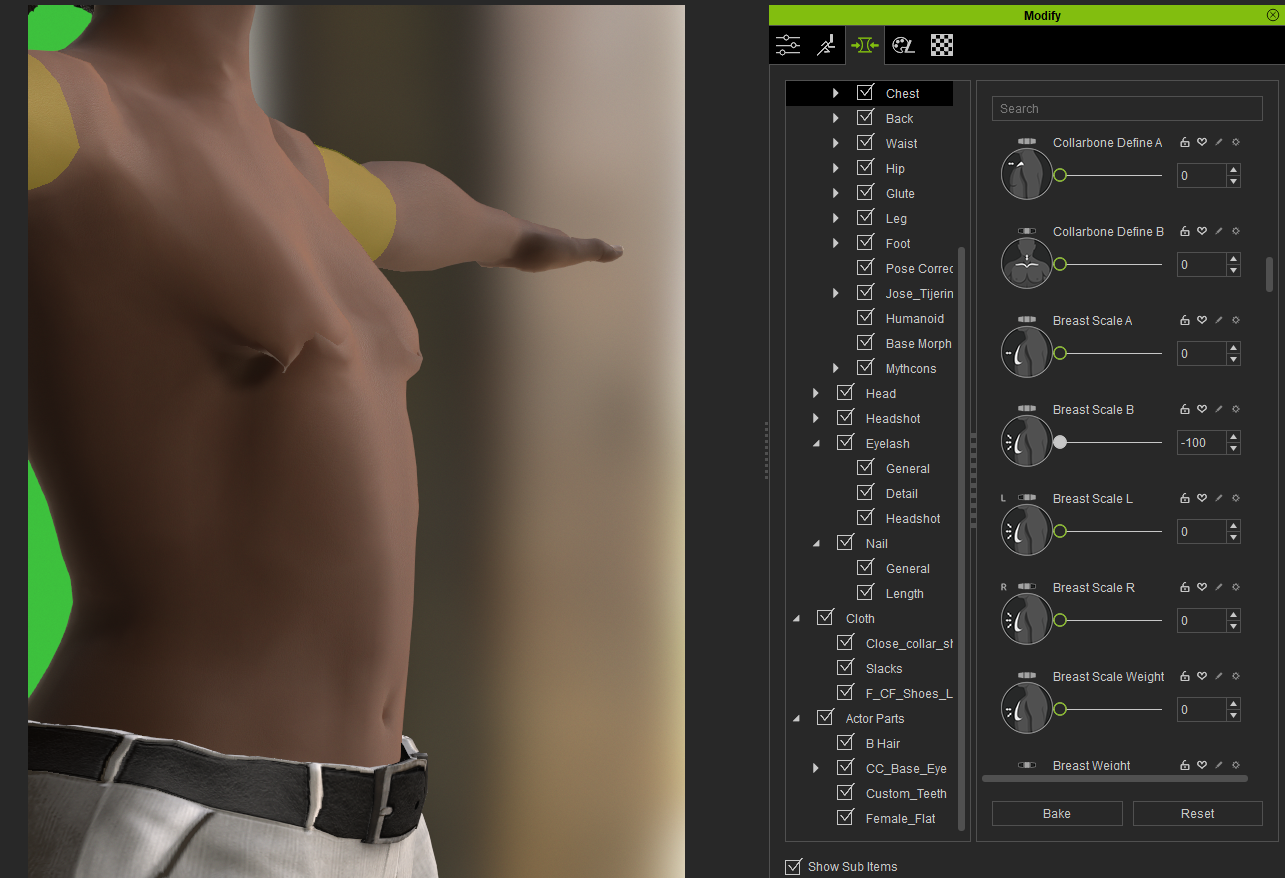
While trying to create a female character, I noticed the only option on the morphs is to increase the size of the breats. I have tried to manually decrease the breast size, and it is a terrible idea. Regardless whatever I try. It always looks awefull.
There should be the option to change the Breast Size Morph until it is flat.
|
|
By Zeronimo - 4 Years Ago
|
|
As a person breathes, it is not the size of the breast that increases, but the size of the rib cage.
|
|
By Kelleytoons - 4 Years Ago
|
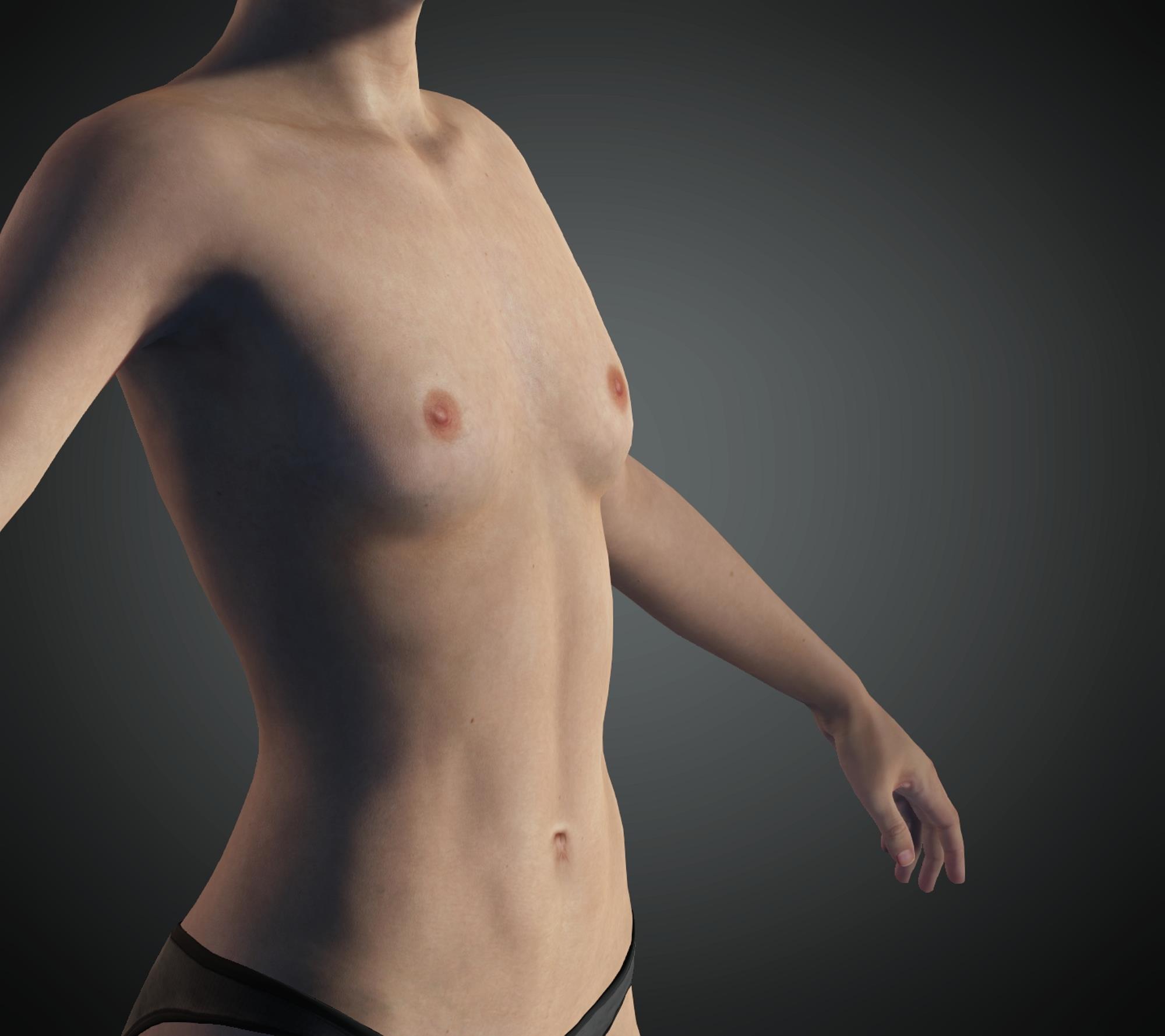
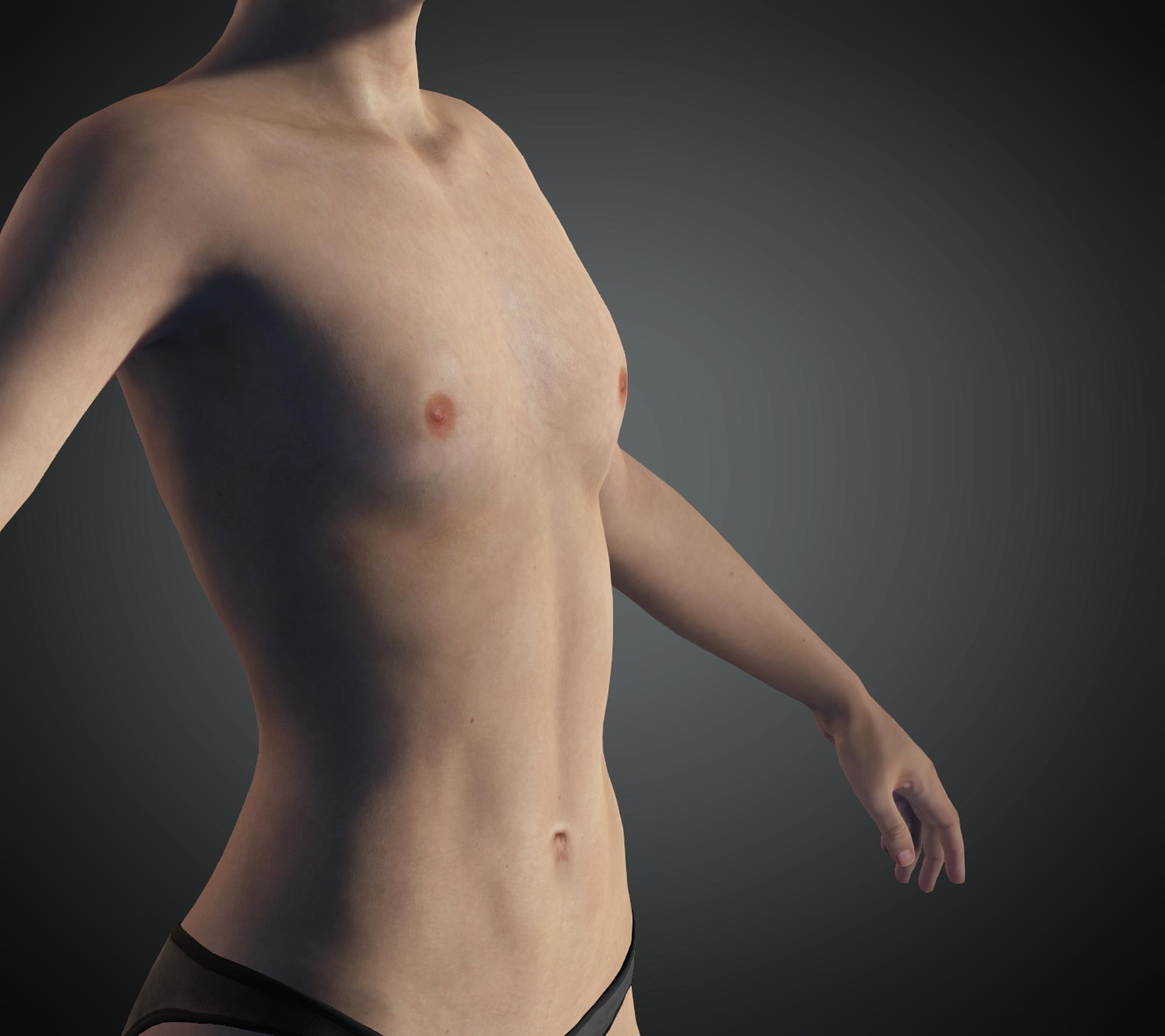
There's lots of different morphs, some come with CC3, others you need to purchase. Anyone serious about character creation need at the very least the morph package which, due to the fact that I'm old and exhausted from cleaning out our pool, I don't remember the name.
I have, for example, at least 12 breast shaping morphs (I *think* most of them came with that package, but all of them are available from RL). One specifically is called Breast Flatten.
|
|
By 4u2ges - 4 Years Ago
|
Normally, scaling down is harder to perfect than scaling up.
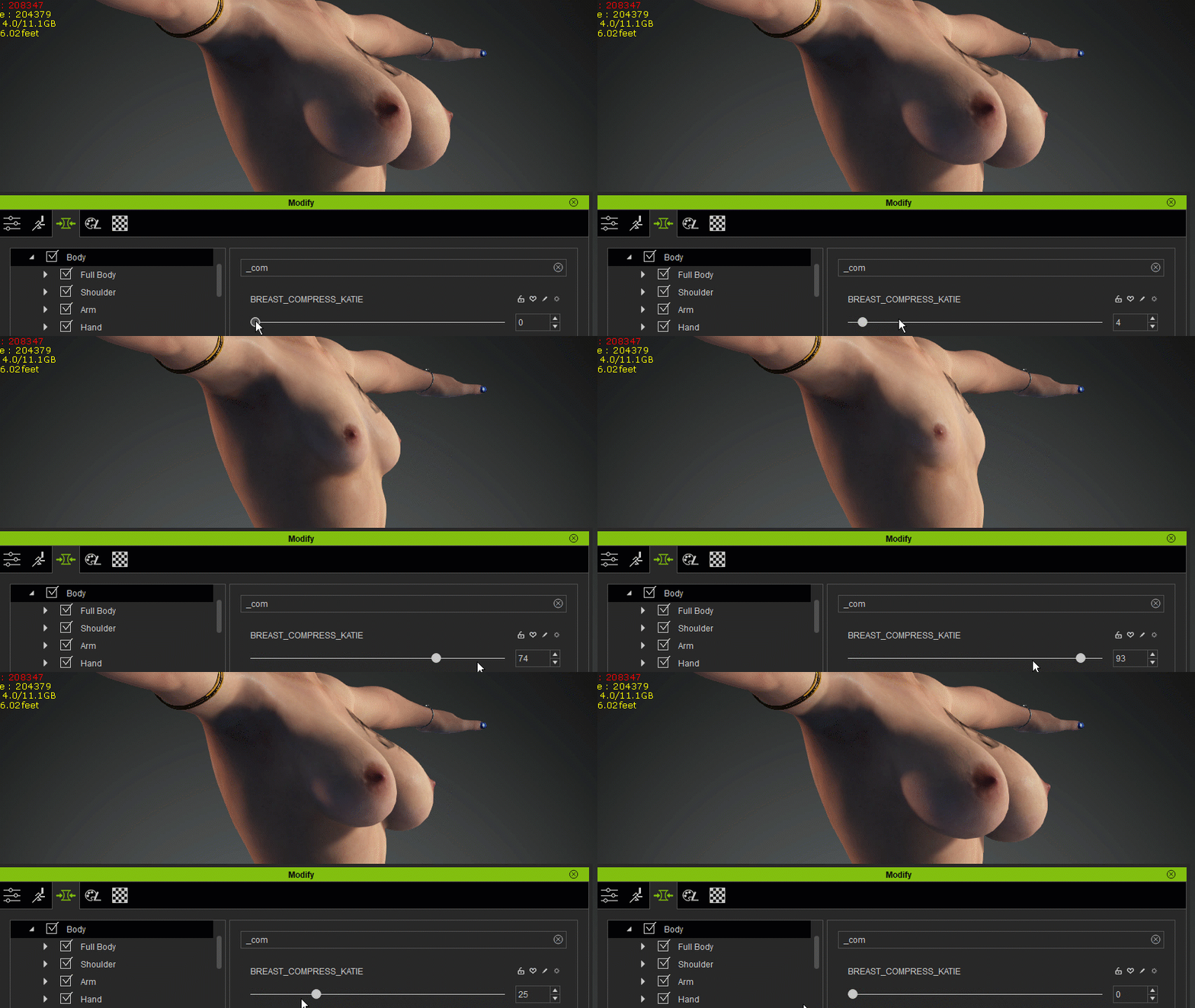
Built-in sliders (even mentioned flatten and compress breast sliders from essential pack and even going down with manually entered negative/positive values) do not work well on custom shaped large breasts.
Additional sculpting and mesh edit would always require to make it perfect, which is hard to achieve with CC tools.
The only other way, is to create your own custom slider.
I just made this perfect slider by swapping chest vertices of busty Katie with neutral base figure using Mesh Data add-on in Blender: https://forum.reallusion.com/FindPost482754.aspx
Easy if you get used to it.
|
|
By harris.josephd - 4 Years Ago
|
|
Carlos_Morais (4/3/2022)
Hi.
I have noticed something quite shocking today. Reallusion assumes all women have big breasts.
While trying to create a female character, I noticed the only option on the morphs is to increase the size of the breats. I have tried to manually decrease the breast size, and it is a terrible idea. Regardless whatever I try. It always looks awefull.
There should be the option to change the Breast Size Morph until it is flat.
The Dawn pack has the morphs you need. I am dissapointed that ultimate body morphs really doesn't. This is one case where I also imported a number of morphs from DAZ but the good news is that there are whole DAZ chest morph sets out there for free.
|
|
By harris.josephd - 4 Years Ago
|
4u2ges (4/3/2022)
Normally, scaling down is harder to perfect than scaling up. Built-in sliders (even mentioned flatten and compress breast sliders from essential pack and even going down with manually entered negative/positive values) do not work well on custom shaped large breasts. Additional sculpting and mesh edit would always require to make it perfect, which is hard to achieve with CC tools. The only other way, is to create your own custom slider. I just made this perfect slider by swapping chest vertices of busty Katie with neutral base figure using Mesh Data add-on in Blender: https://forum.reallusion.com/FindPost482754.aspxEasy if you get used to it.
Nice job.
|
|
By 4u2ges - 4 Years Ago
|
|
Nice job.
Thanks! ;)
|
|
By muyanor - 4 Years Ago
|
I believe that the necessary package is this one - it is a little inconvenient that it is somewhat "hidden" (just like the SkinGen Premium), as it is not advertised like the Ultimate Morph package.
|
|
By animagic - 4 Years Ago
|
muyanor (7/3/2022)
I believe that the necessary package is this one - it is a little inconvenient that it is somewhat "hidden" (just like the SkinGen Premium), as it is not advertised like the Ultimate Morph package.
It says it's no longer available for purchase, but the Ultimate Morphs pack seems to be the replacement: https://www.reallusion.com/ContentStore/Character-Creator/Pack/Ultimate-Morphs/default.html.
|