|
By BEFaughnan - 4 Years Ago
|
Hey all! I am wondering why my HQ models from ActorCore look like this? Any ideas? This is in UE4.27, Path Traced, r.ForceLOD 0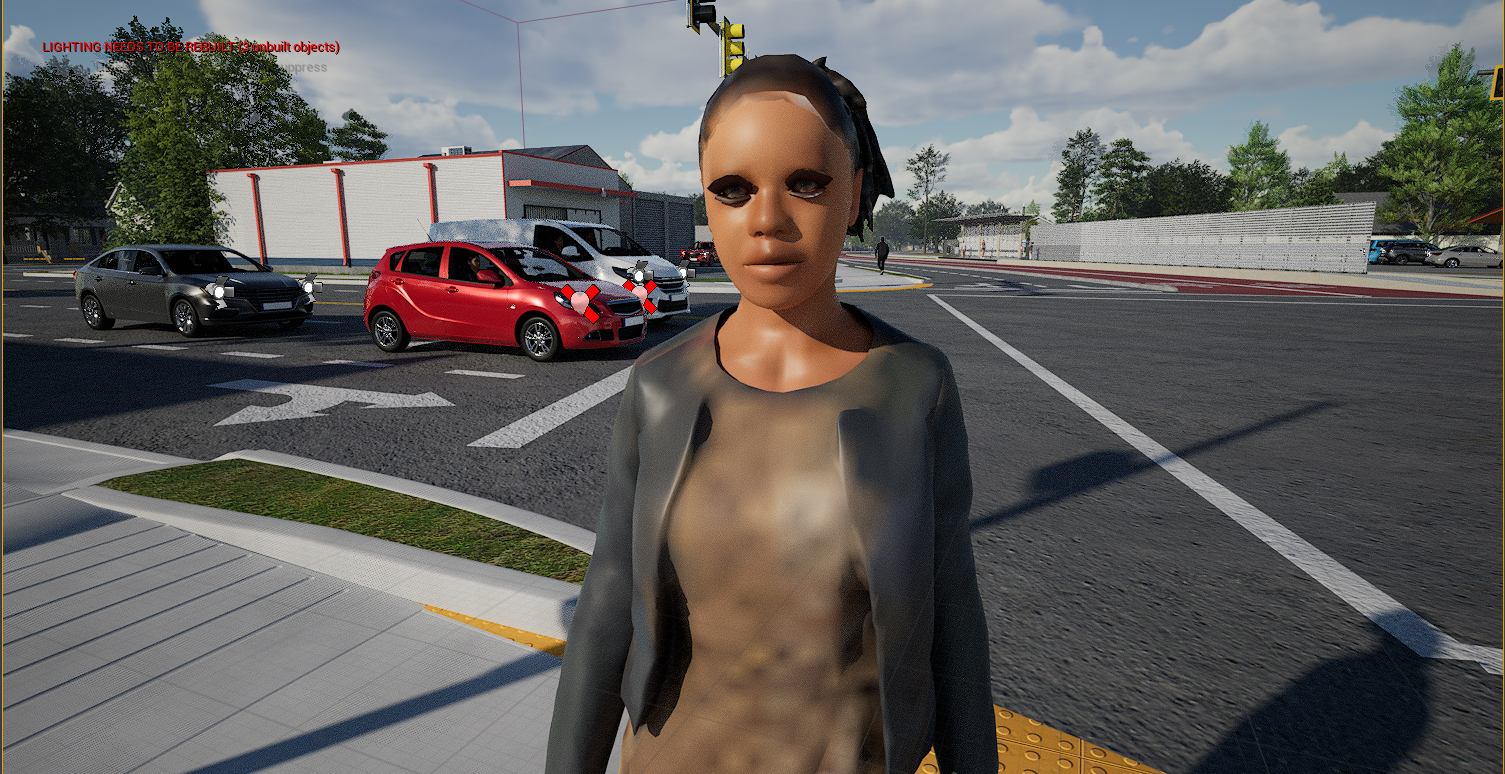
|
|
By Peter (RL) - 4 Years Ago
|
Hi...
Have you followed the Unreal tutorials below? These should help you get everything working right.
https://courses.reallusion.com/home/actorcore/unreal
|
|
By BEFaughnan - 4 Years Ago
|
|
I followed the "Unreal AutoSetup Installation", and "Animating ActorCore Characters in Unreal Engine" to the letter. The other tutorial titles don't seem like they would cover this subject. I'll give them a listen though.
|
|
By BEFaughnan - 4 Years Ago
|
Ok, I didn't see what I needed covered in the tutorials you linked. Though after some messing around I got the textures looking better by disabling Virtual Texture in the texture settings. Still not getting transparency on the eyelashes though. Any ideas on that?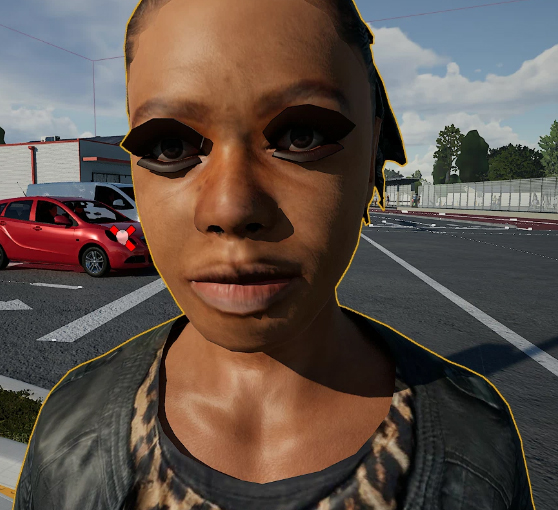
|
|
By BEFaughnan - 4 Years Ago
|
|
Noticed my other characters have a Character_Opacity texture, but this one doesn't. Is there some place I can download that texture alone?
|
|
By StyleMarshal - 4 Years Ago
|
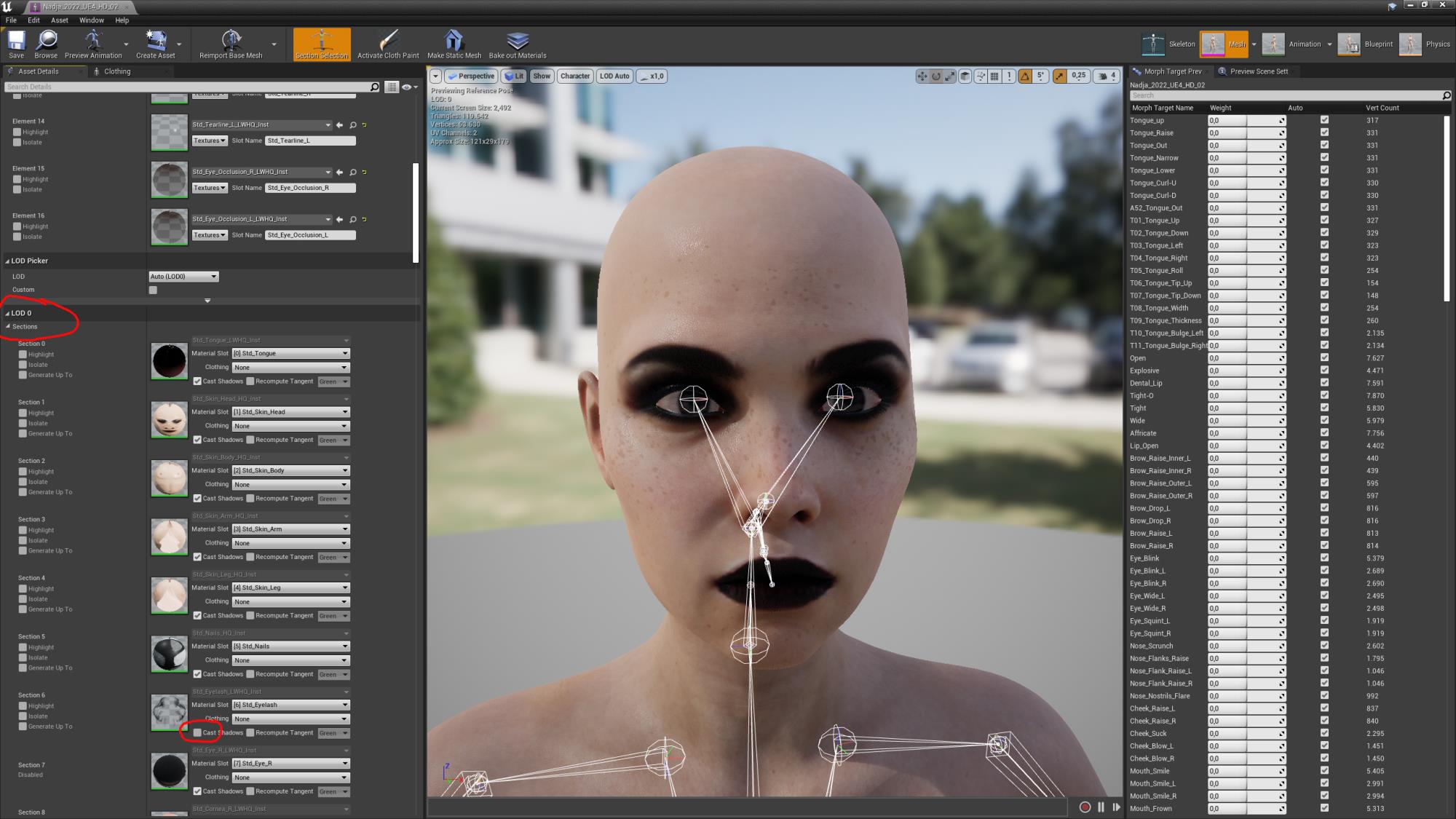
You have to deactivate "cast shadows" for Eye lashes , tears and eye occlusion :
|
|
By Peter (RL) - 4 Years Ago
|
Hi...
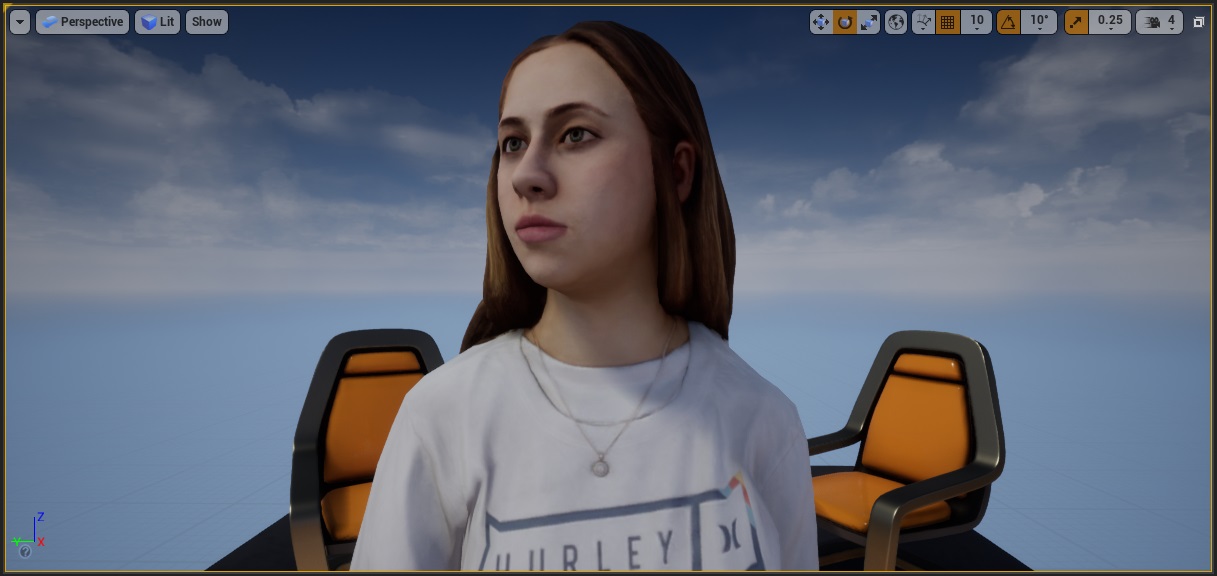
I just had a quick run through of the tutorial with an ActorCore character and everything worked as expected with no texture issues or eyelash opacity issues (see below).
I would check that you are using the latest version of the Auto Setup (1.22) and that you are have copied the correct version files (4.26, 4.27 etc.) into your project folder. This is very important. As a test I would advise starting a new blank Unreal project and try using the ActorCore character with that.
|
|
By StyleMarshal - 4 Years Ago
|
It works fine when raytracing is off but when raytracing is on you have to do this (see video)
It is a UE4.27 and UE5 thing cos of translucency shadows , you have to do it for Meta Human too.
https://youtu.be/skeGXCyfLYQ?t=194
|
|
By BEFaughnan - 4 Years Ago
|
Weird, I only have one mat under Sections: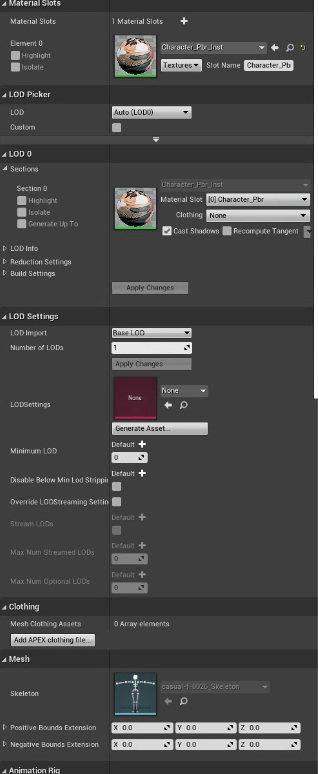
|
|
By Peter (RL) - 4 Years Ago
|
|
BEFaughnan (3/25/2022)
Weird, I only have one mat under Sections:
ActorCore characters only have one material. They don't have separate materials for head, body, arms, legs etc.
|