|
By woody173 - 4 Years Ago
|
Hi guys.
I have had so many problems trying to do the most simplest of motions and in the end gave up. I purchased curve editor, watched loads of videos with reach effectors but just couldnt get the thing to work, so I started the section again.
All I wanted to do was to have my charater at a table and stand up pushing the chair back as she stood.
So I started from scratch in a new project and managed to get something fairly reasonable (Without the use of effectors and curve editor may i add).
But now my problem is when i bout the motion i made into the project the pivot point is miles away. I have trioed to reset the pivot but the pivot section in the modify panel isnt their. Tried to reset the zero out and no joy. Anybody got any ideas. When i bought the second clip in its facing the wrong way and i can see how to rotate it in the same postion. Can anyone help please
Heres a screen grab of my problem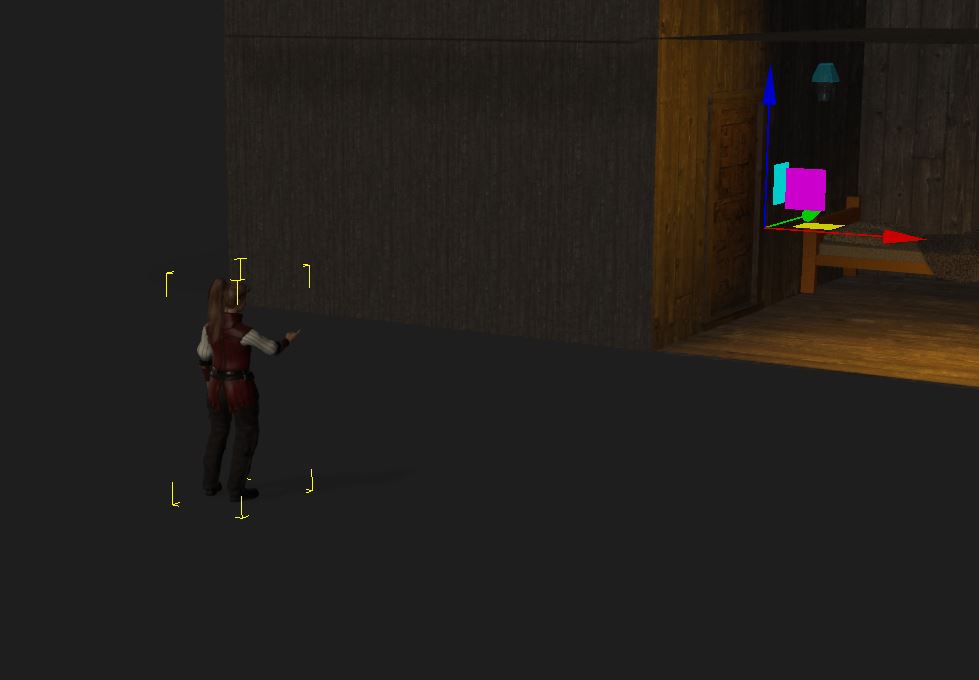
|
|
By mark - 4 Years Ago
|
Might help to see the animation ;)
|
|
By Fatt Kidd - 4 Years Ago
|
I can't tell what you're trying to do by just the picture but add a keyframe at the start, copy that key, put it once frame before your motion, add a key behind that, and you should be able to move your character into place.
If that doesn't work, go to the timeline, Motion > Motion Layer (make sure you click the desired frame on Motion Layer) set a keyframe the same way as the previous suggestion.
|
|