|
By ApplebiteMedia - 3 Years Ago
|
I have been taking some time to learn blender and having issues getting things into iClone properly.
I built a house. Only the basics.... foundation, walls, doors, windows, ceiling and roof. Still learning how to properly texture and detail but wanted to take what I had into iClone and see it there.
I saved my house as both .obj and .fbx. I can only import .obj, for some reason the .fbx come out corrupted and cannot open in anything, not even the microsoft 3d viewer.
I have read about triangulating and I forget the other term, and I tried to apply them but still the results were not good. I am loosing windows, doors, roof cuts and it just looks horrible but some of the doors and windows were there, sorry, don't have that image anymore and reverted the blender file back to try again or something else. The one where i did have a door and/or window cut in the walls, none of them opened as in blender. Is that because it is an object? Would .fbx exporting fix that or is there something in Blender I need to do to keep the doors and windows opening?
The 1st images is blender, the 2nd is an imported .obj from the original, before the triangulating and that other thing I cannot remember.
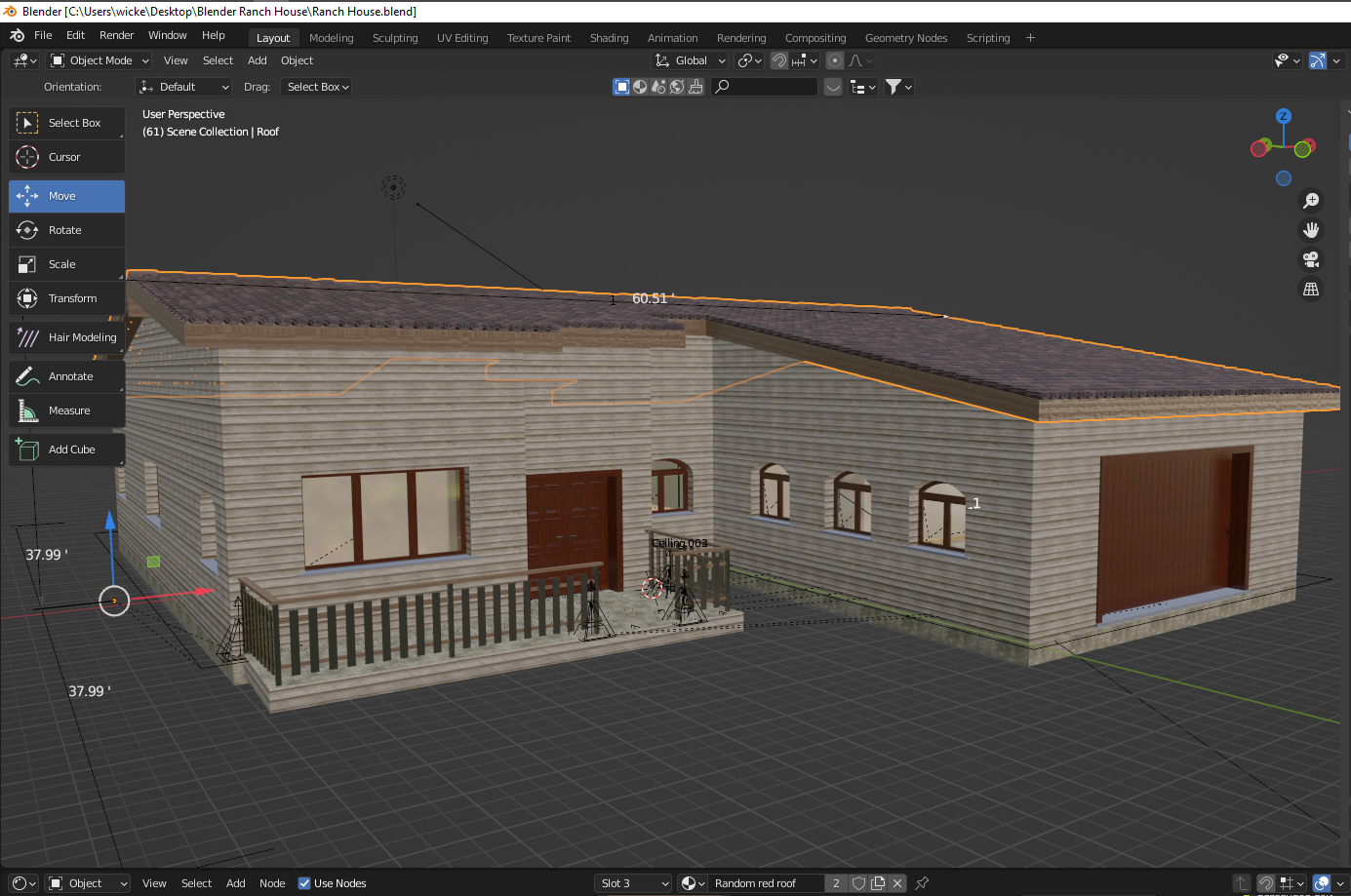
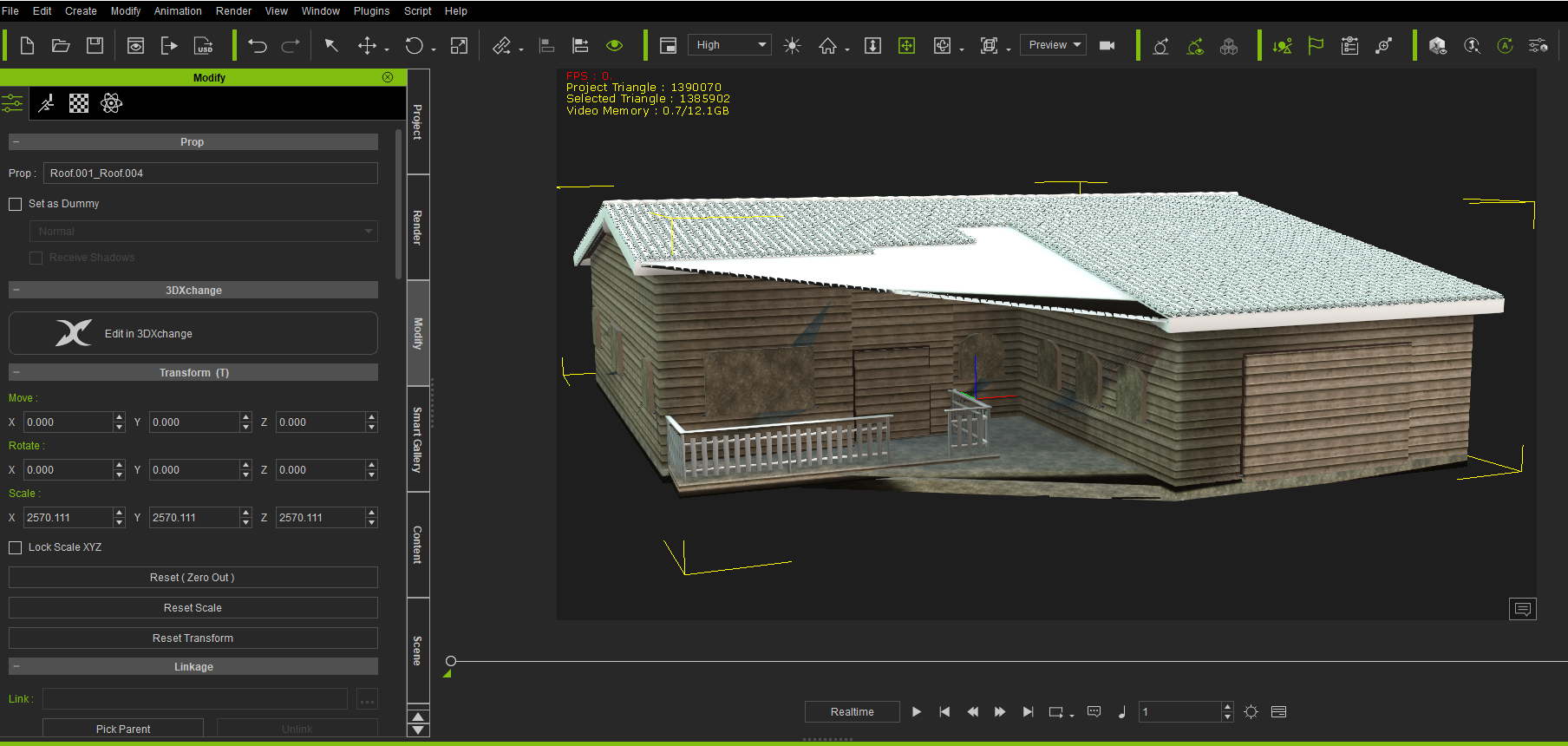
I am using Blender 3.0.1 and the latest version of ArchiPack add-on. That is a really nice add-on!!! I know nothing of Blender and I was able to build that house in a day. As mentioned above, it is far from finished but I am just getting started in Blender. I have tried searching for videos on getting Blender to iClone but most are going to CC as the plug-in gets most of the results in a search. Does anyone here do videos on making Props/Scenes/Houses in Blender to use in iClone?
Any help appreciated. Thanks.
|
|
By 4u2ges - 3 Years Ago
|
There is not much difference between importing FBX to CC and iClone. If it errors out in iClone then it would do the same in CC.
I am not sure what the Archipack does and how it works, but it might be creating some sorts of helper objects without mesh.
You need to make sure you are exporting to FBX objects with mesh only (no curves or other helper objects).
From the picture I see you got lots of ngons (faces with more than 4 vertices). You need to triangulate all objects in Edit mode.
Also run Delete Loose and Degenerate Dissolve From Mesh > Cleanup, again for every object in Edit mode.
While running Degenerate Dissolve, do it a few times and look at the bottom of the screen where it shows what was removed. It should show all 0 at the end.
All object vertices have to se selected, while performing any of the above.
It is a good idea to Reset ALL Transforms (Ctrl+A > All Transforms) for every object in Object Mode. That would reset rotation, scale and location and set pivot to center (you can change it in iClone if need to).
Otherwise, not much else to add without looking at the project.
|
|
By ApplebiteMedia - 3 Years Ago
|
|
4u2ges (2/21/2022)
There is not much difference between importing FBX to CC and iClone. If it errors out in iClone then it would do the same in CC.
I am not sure what the Archipack does and how it works, but it might be creating some sorts of helper objects without mesh.
You need to make sure you are exporting to FBX objects with mesh only (no curves or other helper objects).
From the picture I see you got lots of ngons (faces with more than 4 vertices). You need to triangulate all objects in Edit mode.
Also run Delete Loose and Degenerate Dissolve From Mesh > Cleanup, again for every object in Edit mode.
While running Degenerate Dissolve, do it a few times and look at the bottom of the screen where it shows what was removed. It should show all 0 at the end.
All object vertices have to se selected, while performing any of the above.
It is a good idea to Reset ALL Transforms (Ctrl+A > All Transforms) for every object in Object Mode. That would reset rotation, scale and location and set pivot to center (you can change it in iClone if need to).
Otherwise, not much else to add without looking at the project.
Triangulating was one thing I did read about and thought I did it but maybe did not get everything. There was another thing about finalizing something. I am not sure what it was though.
The .fbx file that was created is failing. This has to be an export issue from blender, as mentioned, it does not open anywhere and I get a file corruption error.
As for Archipack... that is an incredible add-on. It automates a lot to speed up the process. I guess it is for real architecture design and gives more precision than archimesh. Place and move doors and windows with ease and holes are cut automatically. Auto hides walls from popping through the roof.... Adds slabs, ceilings, baseboards etc with a click of a button. Where it's not perfect, and it could also be my inexperience, but there things I would like to do but cannot seem to figure out how to make those edits without it reverting in the auto process.
The house shape is perfect however the roof is calculated from the outer shape. Where you can customize a few features, I cannot figure out if you can make roofs in sections as my roof is not anything like the original house of the floor plan I used. And it seems I cannot extend parts to extend coverage in the front area over the door. But all that is not for here LOL.... I was just hoping that some of the people here that create buildings for use in iClone might know how to get a good export. Or can point me to a good video that shows this.
There are a lot of reference points (I guess that is what they are, all the black lines in the scene). You can see them in this image...
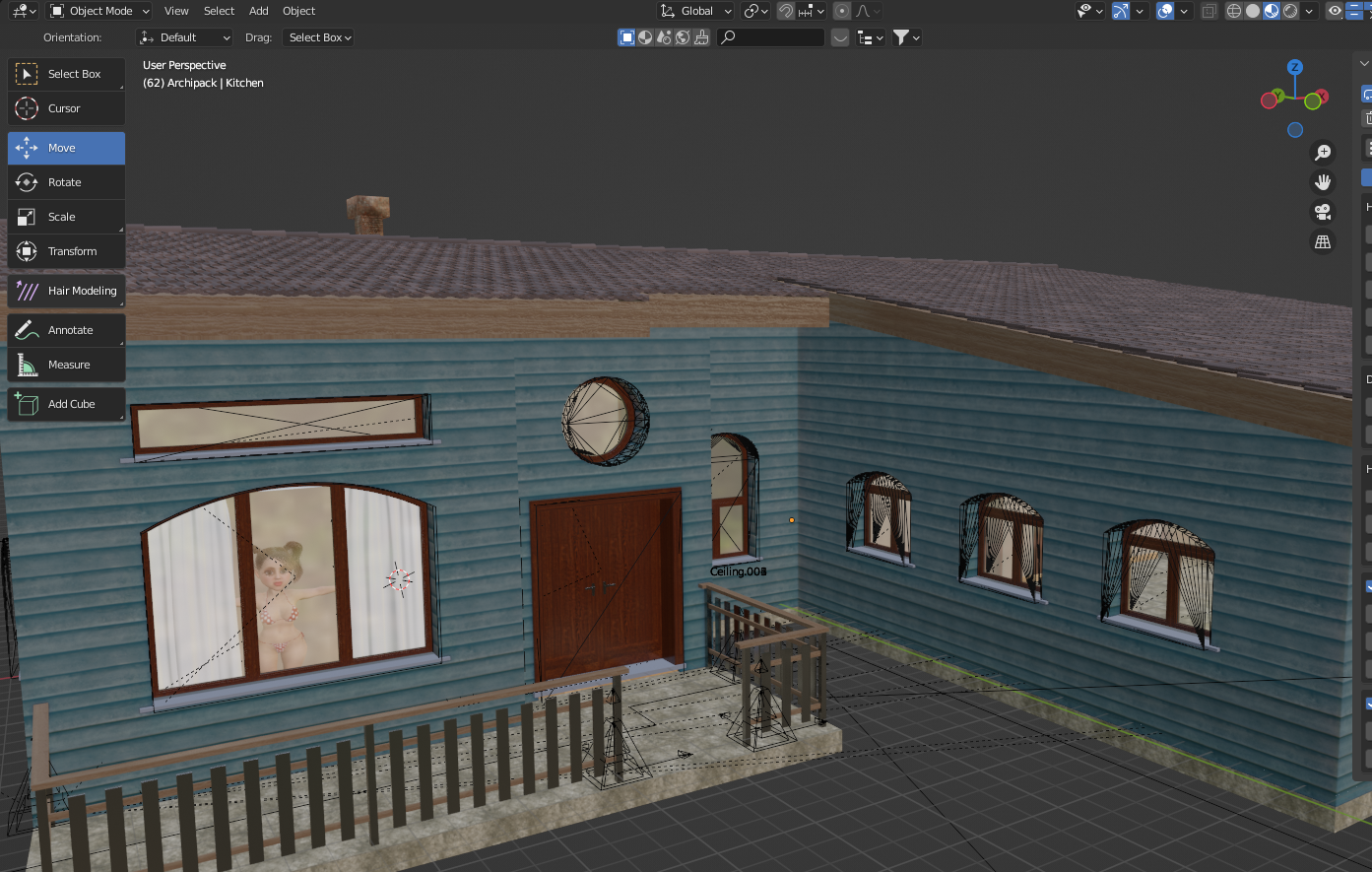
It would be nice to export this and keep the cuts and textures as well as the doors and windows opening. I guess I need to look into properly exporting .fbx, thinking that exporting .obj welds everything into one complete object. I would say I can send the project if you wanted to look at it but I have tried to transfer this to my computer at work and again, I must be doing something wrong as I do not get everything or a lot needs to be re-linked.
I tried writing to one of those people that made a tutorial on archipack to see if there is more about this product and exporting... no response yet..... Now that I know that there is nothing special about importing .fbx like with characters.... I will also writer the creator of the program to see if there is more about these issues. Responses are usually pretty quick here so thought I would try here too :D
Thanks.
|
|
By 4u2ges - 3 Years Ago
|
Well, as I said, you need to only export objects with mesh and nothing else (you never showed your outliner - scene manager with expanded tree of objects).
Try to export a single objects or select a group with Ctrl and export with "Export Selected" checked on FBX export page.
Again, exported non-mesh objects would raise an error in RL products and crash FBX viewer at minimum.
|
|
By ApplebiteMedia - 3 Years Ago
|
|
4u2ges (2/21/2022)
Well, as I said, you need to only export objects with mesh and nothing else (you never showed your outliner - scene manager with expanded tree of objects).
Try to export a single objects or select a group with Ctrl and export with "Export Selected" checked on FBX export page.
Again, exported non-mesh objects would raise an error in RL products and crash FBX viewer at minimum.
Is this the tree you mean? There is a lot in it.
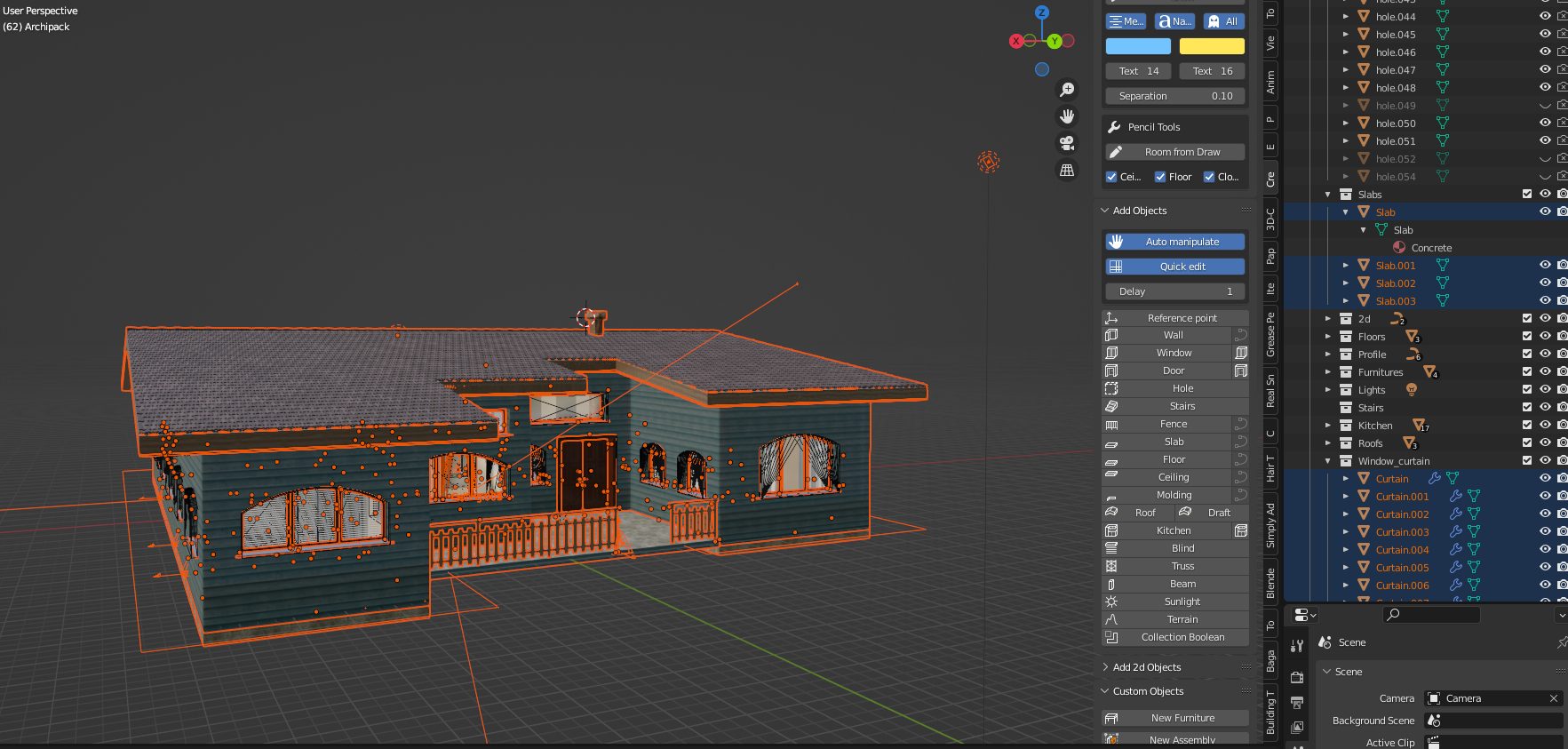
I tried exporting as you said... this is what I get in iclone.
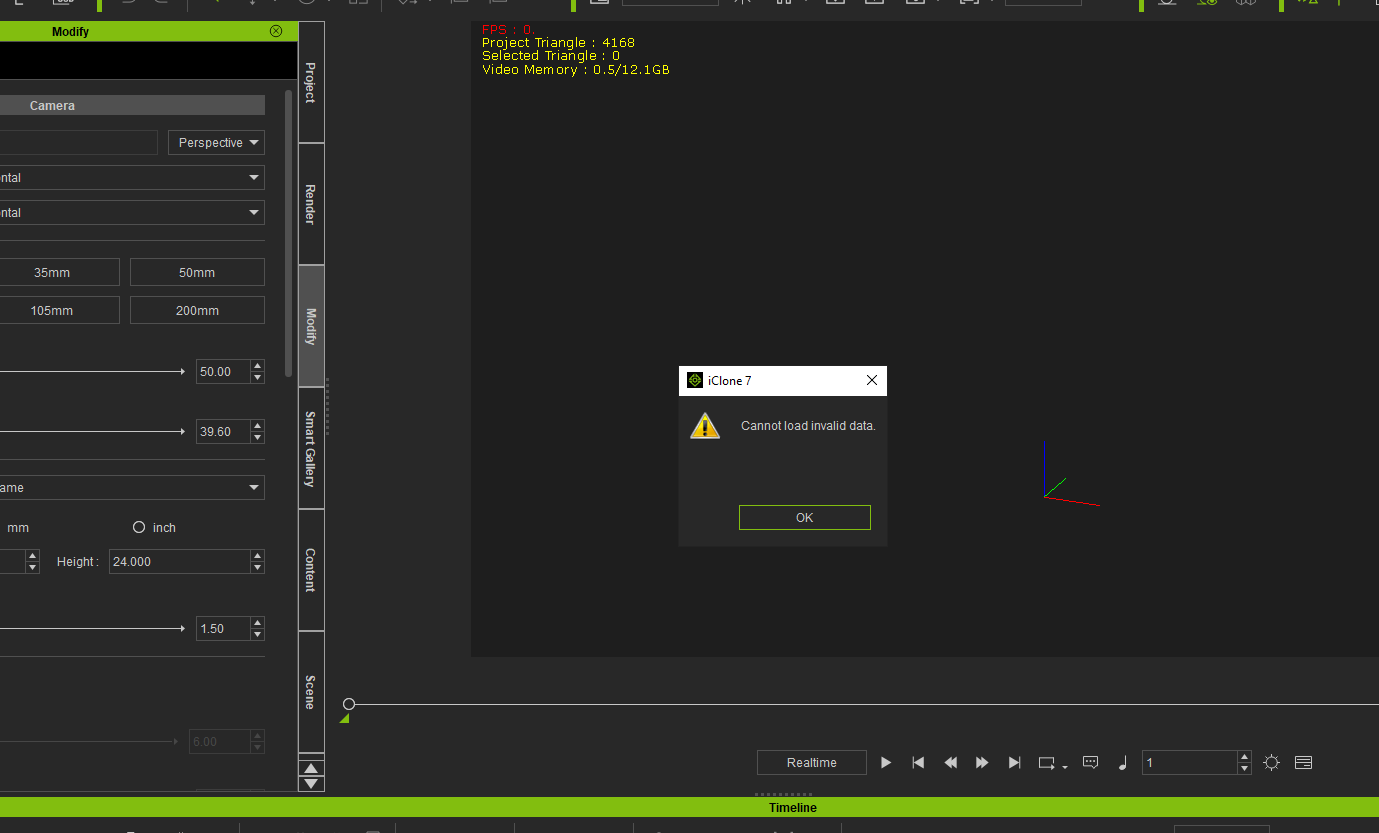
I'll get it worked out eventually. Maybe I'll find the blender forum and bother them with this. LOL.
|
|
By 4u2ges - 3 Years Ago
|
One out of 100 is enough to invalidate the export. I see at least 2 collections which contain curves (from visible part on screenshot).
If you finished with the project I recommend to convert ALL curves to mesh and also to apply modifiers (you have plenty).
Those modifiers are special I suppose - coming from Add-on, which I cannot test and verify validity for the export.
Good luck anyway :)
|
|
By ApplebiteMedia - 3 Years Ago
|
|
4u2ges (2/22/2022)
One out of 100 is enough to invalidate the export. I see at least 2 collections which contain curves (from visible part on screenshot).
If you finished with the project I recommend to convert ALL curves to mesh and also to apply modifiers (you have plenty).
Those modifiers are special I suppose - coming from Add-on, which I cannot test and verify validity for the export.
Good luck anyway :)
Maybe that was the thing I could not remember... curves. I just remember that the procedure would be permanent and could not be undone. I do think I tried to do it and not save the file in case I needed to go back. Cannot remember.
Thanks, I will look into this more. :)
|
|
By Jeffster The Mighty - 3 Years Ago
|
Have you tried making parts into sub props in 3D xchange? The process is flawed. Doesn't work for me 80% of the time, but if iClone warns you that there are X number of meshes and asks if you want to import them separately, that might be your launching point. You can work with it from there. It seems that even iClone is offering that less and less lately.
This might sound crazy, but you might have to import the moving parts separately. I've done that
|
|
By ApplebiteMedia - 3 Years Ago
|
|
jjdigitalgraphics (2/23/2022)
Have you tried making parts into sub props in 3D xchange? The process is flawed. Doesn't work for me 80% of the time, but if iClone warns you that there are X number of meshes and asks if you want to import them separately, that might be your launching point. You can work with it from there. It seems that even iClone is offering that less and less lately.
This might sound crazy, but you might have to import the moving parts separately. I've done that
I do think I tried to import the .fbx into 3D exchange but no luck as the export does not seem to be exporting properly.
Could be the plugin as well that is causing issues. I do notice some bugs and this new version. It seems not to work as the older versions do in the utube videos. I have noticed that one of the window handles do not place properly when placing windows. I did join the bender fourm on stack exchange.... so use to people just pointing me to videos here I tried to ask for those there and my post was blocked. They want actual questions that can be solved and not "hey where can I find" questions LOL.
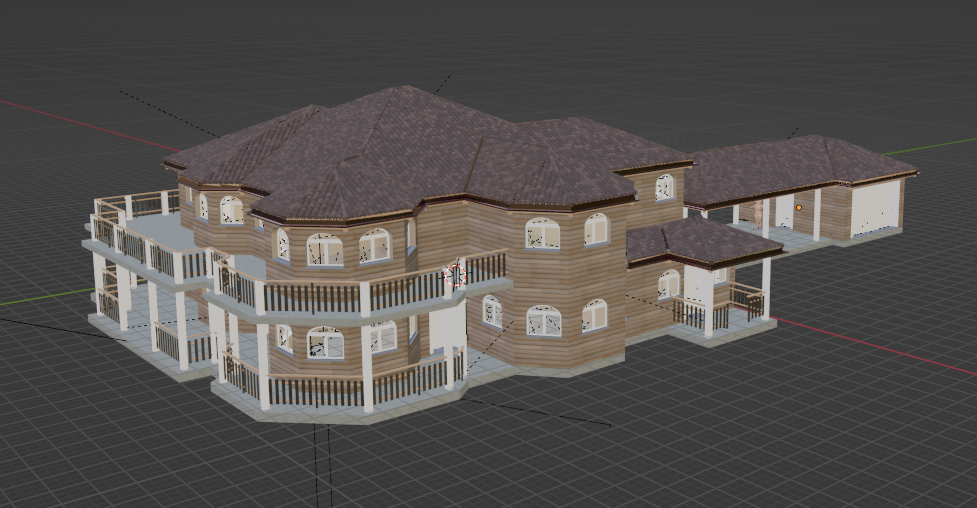
I am sure I will get it worked out eventually, I have some time to learn this. I am still working out how to use this program properly. Yesterday I learned how to make custom roofs. Still not what I want but better than the auto generated roofs except the "auto wall" feature seems to only work with the auto generated roofs and custom roofs allow the walls to stick through them. I did this one yesterday.... more to the house, a 2nd floor, garage with carport..... started putting down flooring too. I would like to get the points on the roof higher.... other than that.... I am pretty happy with the results on my 2nd attempt.
Still learning to properly texture... but it's looking pretty good IMO :D
|
|
By planetstardragon - 3 Years Ago
|
radical left field work around -
Export it to DAE then convert it with the free autodesk fbx converter https://www.autodesk.com/developer-network/platform-technologies/fbx-converter-archives - this is my go to method for troublesome models. import dae, then adjust the settings for the autodesk convertor. it works for fbx to fbx as well to correct bad fbx tables.
have you tried re-importing those files back into blender ? - basically if it works without errors, then you may have had some non standard settings that only work for blender and some obscure software. if it has errors, then something is wrong either with what you are exporting or your export settings.
|
|
By ApplebiteMedia - 3 Years Ago
|
ApplebiteMedia (2/24/2022)
jjdigitalgraphics (2/23/2022)
Have you tried making parts into sub props in 3D xchange? The process is flawed. Doesn't work for me 80% of the time, but if iClone warns you that there are X number of meshes and asks if you want to import them separately, that might be your launching point. You can work with it from there. It seems that even iClone is offering that less and less lately.
This might sound crazy, but you might have to import the moving parts separately. I've done thatI do think I tried to import the .fbx into 3D exchange but no luck as the export does not seem to be exporting properly. Could be the plugin as well that is causing issues. I do notice some bugs and this new version. It seems not to work as the older versions do in the utube videos. I have noticed that one of the window handles do not place properly when placing windows. I did join the bender fourm on stack exchange.... so use to people just pointing me to videos here I tried to ask for those there and my post was blocked. They want actual questions that can be solved and not "hey where can I find" questions LOL. I am sure I will get it worked out eventually, I have some time to learn this. I am still working out how to use this program properly. Yesterday I learned how to make custom roofs. Still not what I want but better than the auto generated roofs except the "auto wall" feature seems to only work with the auto generated roofs and custom roofs allow the walls to stick through them. I did this one yesterday.... more to the house, a 2nd floor, garage with carport..... started putting down flooring too. I would like to get the points on the roof higher.... other than that.... I am pretty happy with the results on my 2nd attempt. Still learning to properly texture... but it's looking pretty good IMO :D
I am thinking it is in the settings or something I am not doing properly. Possibly bugs in the plug-in. It seems the older versions for 2.9 works much better than the newest version. I'm noticing a lot of things that are not working as they should. For example, those windows get placed with handles on them. One places properly the other is placed at the top left corner of the window. If you move it into the proper position.... it will eventually go back to the top corner as it is part of the automation of the add-on. Almost want to go back and try all this on 2.9. I think I still have that version on back up.
I will say this... I do NOT like the Blender forum. Even after I edited my post to ask for help and not point me to videos.... they corrected it... Changed and or removed words.... WOW! I guess I should have figured, it's part of stack exchange... I stopped asking for help there long ago.... too cold and impersonal. I had an email with all the corrections... it was like being graded by the teacher in high school... Red and green highlights all over the place.
|
|
By jeff.davies - 3 Years Ago
|
When exporting building and the like from Blender, I do have a few notes:
1) Add the Triangulate modifier to your meshes. Blender likes quads, iClone like tris. This wont have much effect on your export (ie your missing meshes will not suddenly appear when you do this). What converting to tris does is it eliminates many of the "artifacts" that you may get in iClone. These artifacts look like flaws in the mesh that seem to change from frame to frame in your final renders. To see an example of these artifacts, take a look at my first video where I exported a Blender mesh to iClone: https://youtu.be/fS-W1ULNDII skip ahead to 3:32 and you'll see what I mean on the bulkheads behind the main character.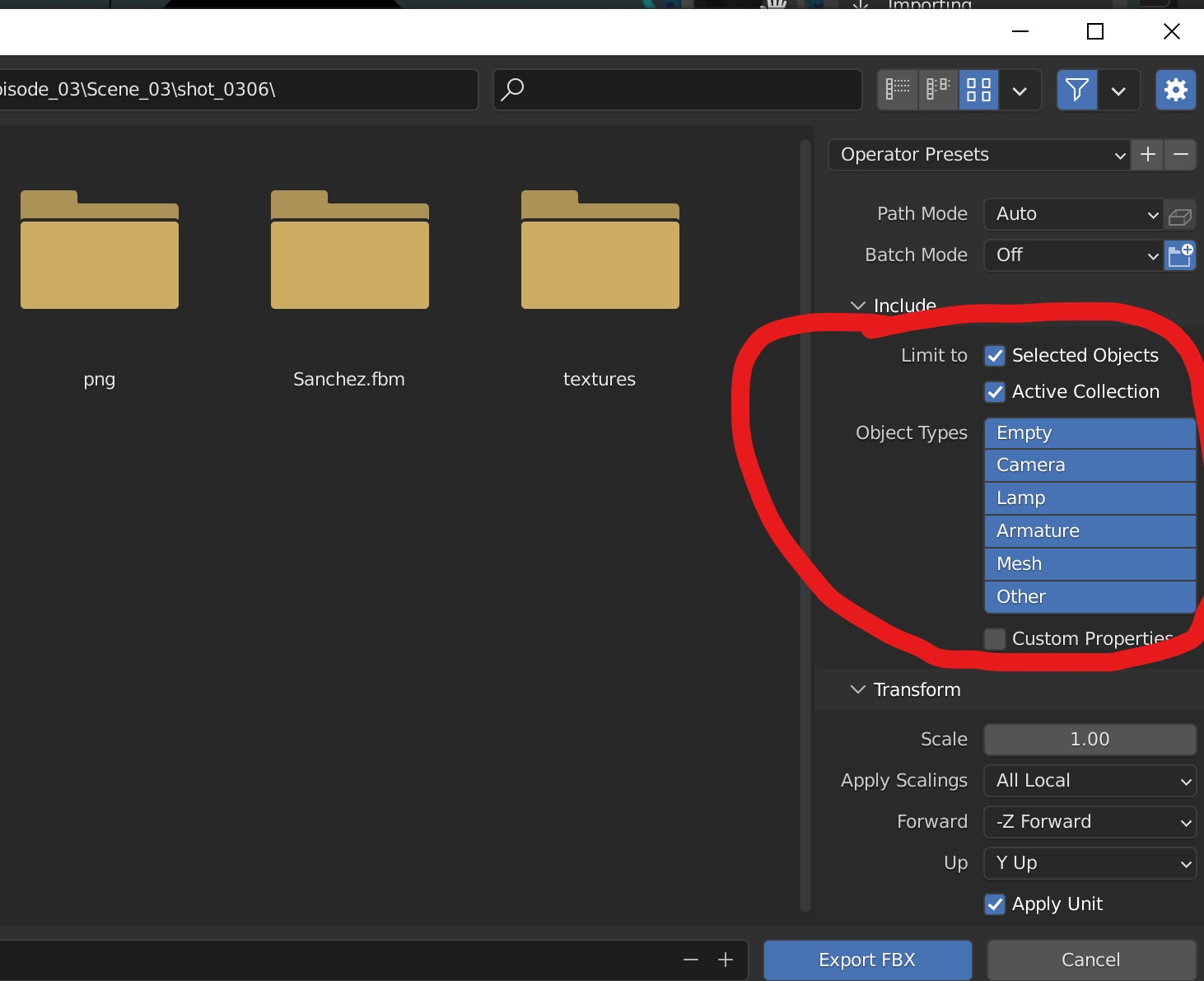
2) Put everything you wish to export into a single collection in blender. This just makes it easier. to export only what you need.
3) In the FBX export dialog box if you have manually selected all of the meshes you want to export, then be sure to check the "Selected Objects Only" checkbox. If you have all of your meshes in a single collection, then select the "Active Collection" checkbox.
4) The FBX format doesn't like alot of things found in Blender (curves for example). So only export meshes.
5) In my experience, Blender will automatically apply all of your modifiers during the export. This affects only the FBX and not your original model.
|
|
By ApplebiteMedia - 3 Years Ago
|
Making progress.....
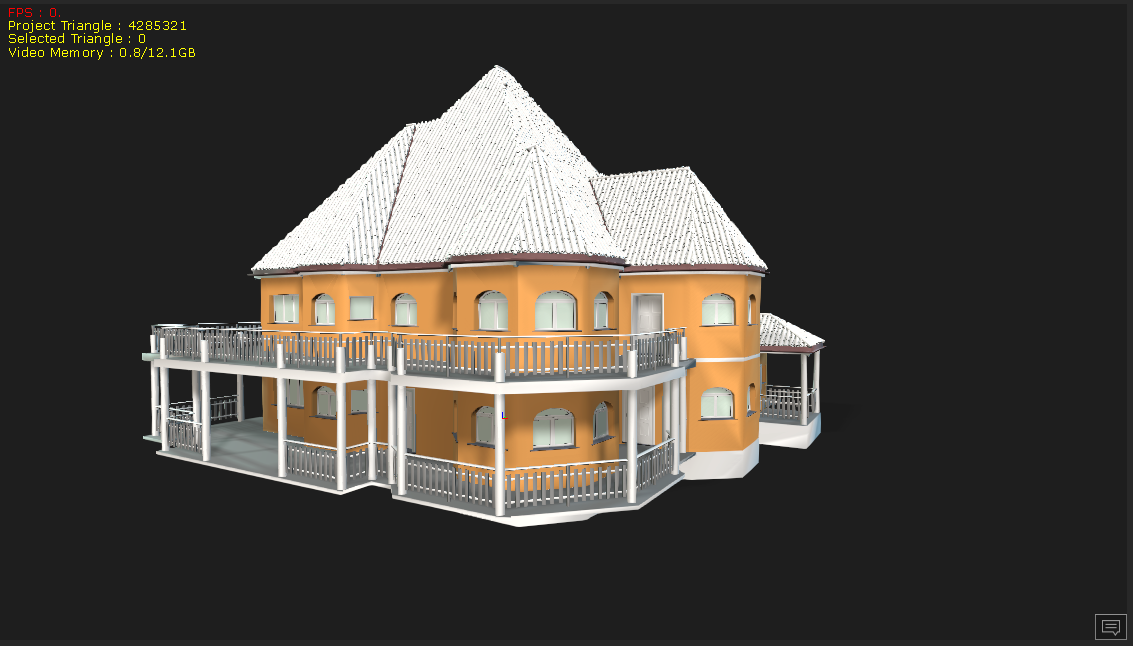
I can get the window and door cuts to stick. I imported with the sub-prop conversion in iClone. But I think it was a bit much as when I select a door or window to open, the door is no longer 1 door but several sub panels. So if you go to rotate it, just the one panel rotates and not the door. I am also still not getting all the textures or materials to export/import properly.
I tried to open the .obj file in 3D exchange and get this warning.......
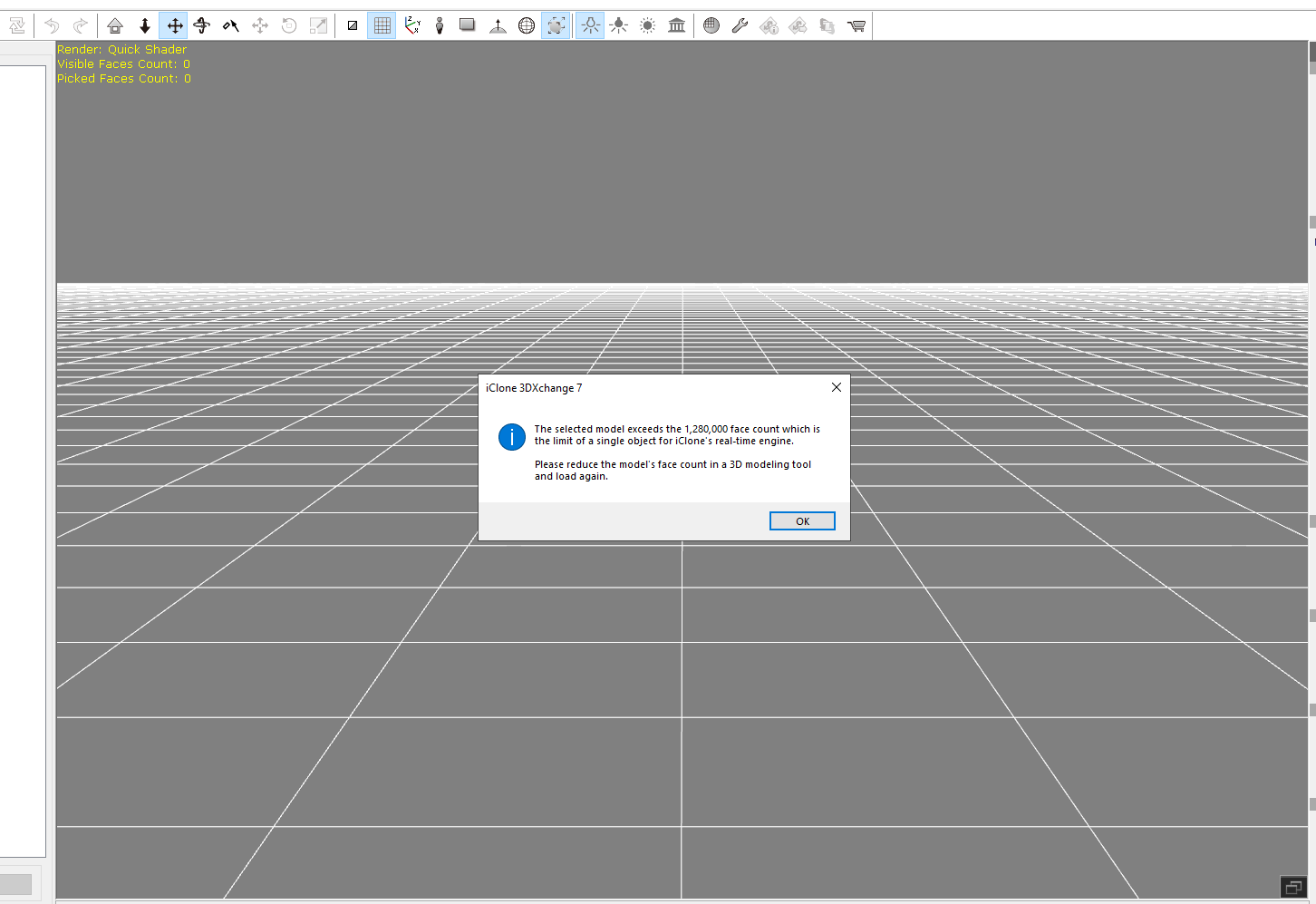
I was wondering why this was taking so long to process things. LOL.
I was able to export from iClone to 3D exchange and was able to get in loaded there however I received an out of memory error trying to export to .fbx in 3D exchange. I am thinking the roof tiles might be causing this.... I cannot get their textures in and there are a lot of parts to it when viewed in wire-frame. There are also a lot of window pieces as well.
I have been upgrading and my machine. It is maxed out: i9 processor, 128 gig ram, 2 - 2tb ssd drives and an rtx 3060 with 12 gig vram, I have had a vast improvement in both CC and iClone... and the system overall.... however it seems that I am still not strong enough for blender LOL. Is there anything I can do to speed things up a bit?
Going back and starting the ranch style over. Smaller house so there will be less to export. Fingers crossed.
Again, apologies for the blender stuff here however their forum stinks. I have had a post there for 5 days now with no response at all. :crazy: You all here are much better :D
|
|
By jeff.davies - 3 Years Ago
|
Without knowing the details of your shot, I would say that you need to start simplifying your model considerably. Of course, you'll want to do this without sacrificing the appearance of your model. From what you posted it sounds like you have modeled each roof tile and are exporting them in the FBX. Is that accurate? If so then I would suggest creating a UV map of the roof, complete with height maps and AO so that the tiles appear to have depth. You can then delete the individual tiles and replace them with just the flat planes of the roof. Assuming your videos don't get too close to the roof tiles (ie with 3 - 5 feet of them) this technique will work very well.
Using a UV texture map works exceedingly well for anything shown at some distance. This technique is used for every game engine in existence. If you are doing architectural visualization, you will soon become an expert in texture mapping, lol.
|
|
By ApplebiteMedia - 3 Years Ago
|
|
jeff.davies (2/27/2022)
Without knowing the details of your shot, I would say that you need to start simplifying your model considerably. Of course, you'll want to do this without sacrificing the appearance of your model. From what you posted it sounds like you have modeled each roof tile and are exporting them in the FBX. Is that accurate? If so then I would suggest creating a UV map of the roof, complete with height maps and AO so that the tiles appear to have depth. You can then delete the individual tiles and replace them with just the flat planes of the roof. Assuming your videos don't get too close to the roof tiles (ie with 3 - 5 feet of them) this technique will work very well.
Using a UV texture map works exceedingly well for anything shown at some distance. This technique is used for every game engine in existence. If you are doing architectural visualization, you will soon become an expert in texture mapping, lol.
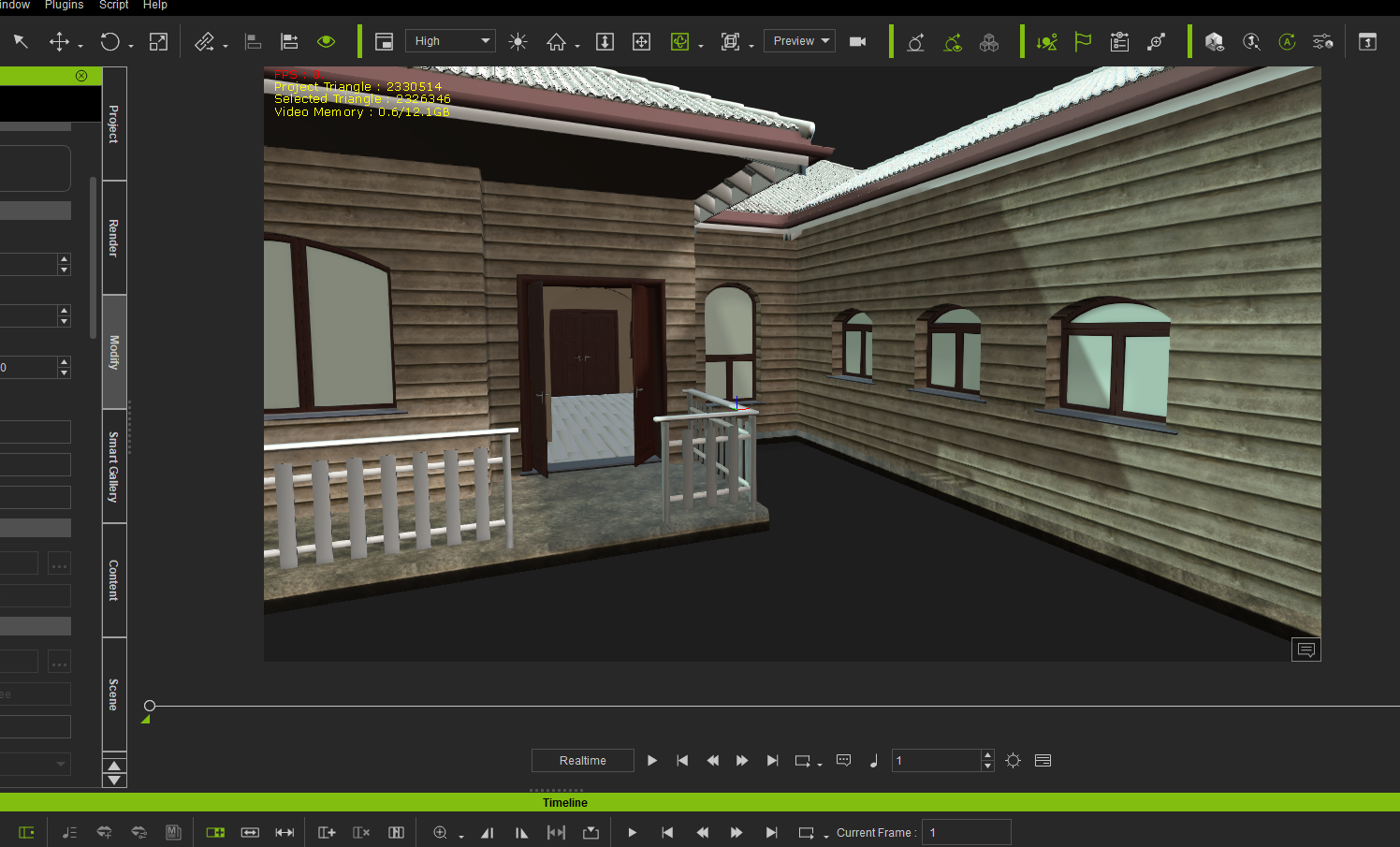
This one seems better. Much less to the model.
I am still not getting all the textures. But I can reset the rotation location on the doors, attach the handles to the doors and get a working door. Seems like Blender is only half the work LOL.... there will be much to adjust but at least I have the basics down. I think LOL.
|
|
By planetstardragon - 3 Years Ago
|
I was doing some stuff in blender - same thing actually, building houses - got the same error you were getting when exporting to fbx and obj
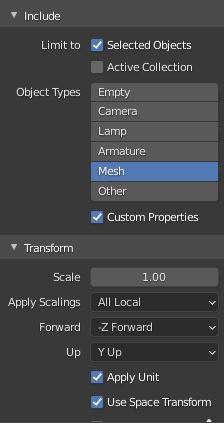
Jeffs post was correct - it turns out that unless I specify only "mesh" in my export - blender was exporting some other formats and info in the files that was crashing 3DXchange, voxels in my case I think.
I fixed this by adjusting the export settings on the fbx panel which now look like this screen cap - and export perfectly with textures and all
- Hope this helps
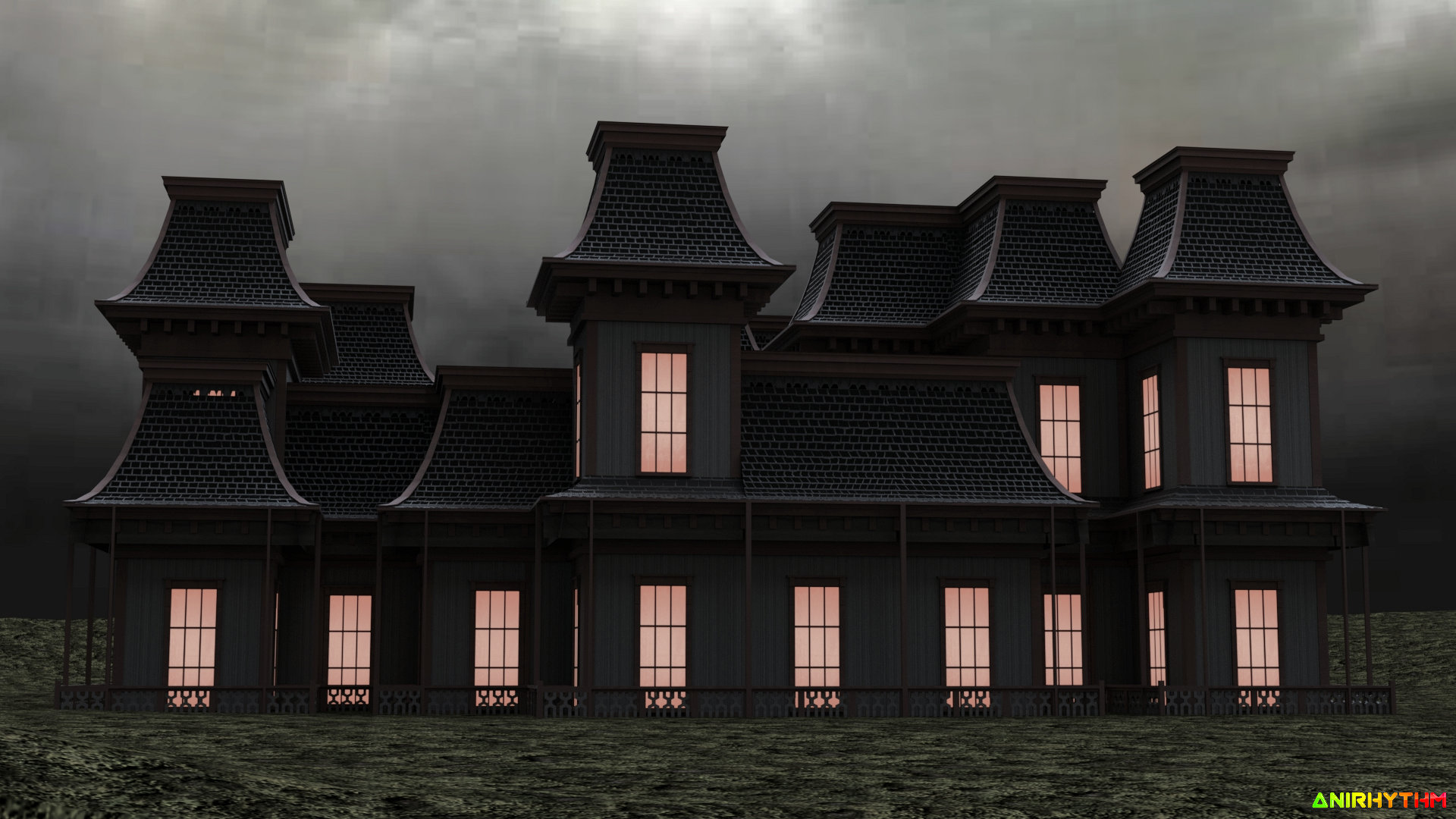
and this is what I was making, rendered in iclone :)
|
|
By ApplebiteMedia - 3 Years Ago
|
I really like your roofs! Where this add-on (Archipack) is really helpful in speeding up the build process, I do find it limiting. I have also found that when I make changes to the presets, the presets will revert back when other changed are made.
For example... The image below. The windows next to the door should be the same stone as the chimneys. I had to adjust one of the walls and the face reverted back to the rest of the outer wall texture. I also have to go in and re-texture all the glass.
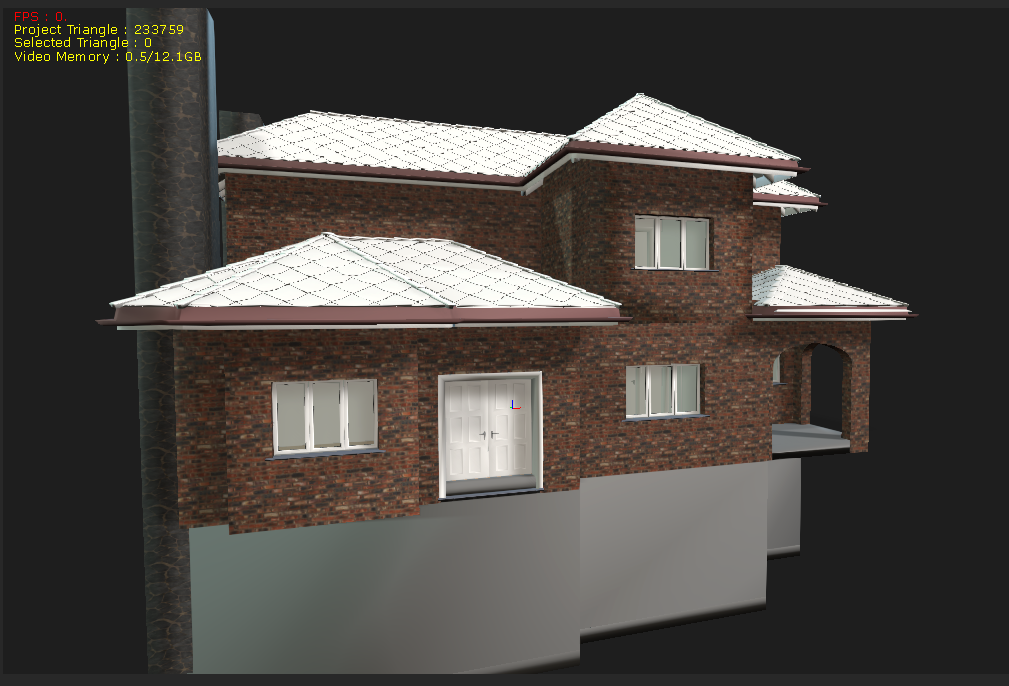
I still have to build the fireplaces, bathtubs and sinks and so on... this is just an empty house. I was playing and brought in some props from purchased content.... it really brings the house to life. :D
I will try .fbx again but I have been having success with .obj. I am getting just about everything in. Even though it keeps the holes for windows, doors and openings, I do have to delete the inner part of the hole as it does put export that mesh with the rest. I also have to go through and attach all the handles to the doors and windows and reset their pivots for opening.
This is my 3rd attempt. They seem to get better with each new house. I do intend on going back and redoing the 1st two. I want to re-do the Victorian and see why it is so large in sub props and so large of an import. The house above has 3 floors and only 560 something sub props.
The snapping thing is still hard for me to get to snap properly. I spend a lot of time trying to match up the lines on walls, floor and ceiling cut outs and so on.... it was a pain to get the holes for the floors in there properly, and I think the 2nd floor still needs a small adjustment. I changed the texture face that helped a little.
Thanks for all the helps everyone... your tips helped me get through this. :)
EDIT:-------------------------------------------------------------------------------
Tried .fbx again....
Still getting this in iClone:
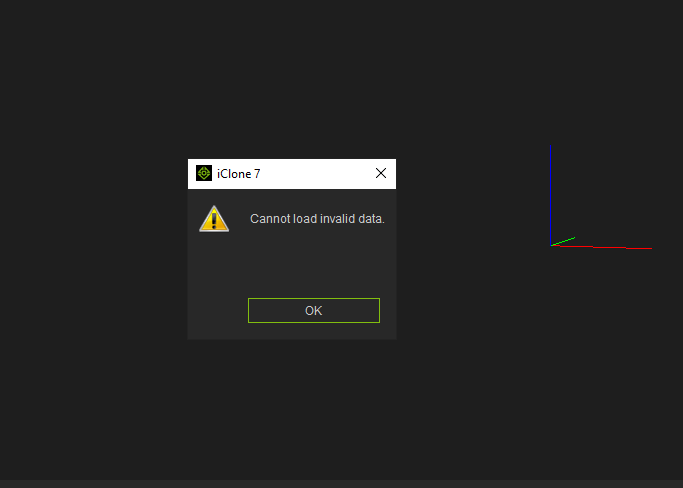
In 3D Exchange, I do get this:
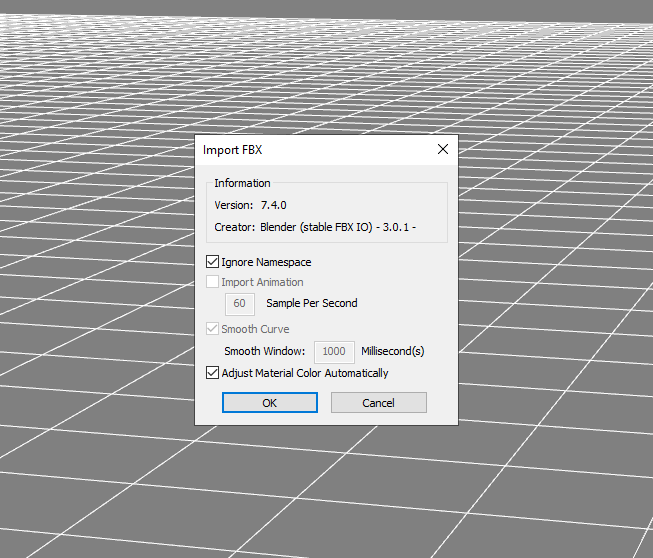
It will start to open the file but then 3D Exchange will just close out. No warning, no error.
|