|
By toppro77 - 4 Years Ago
|
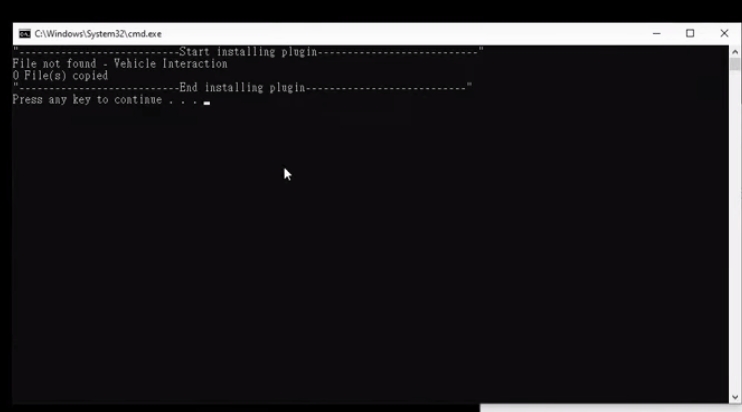
I notice that when I run the install.bat file the DOS program says that no file found but it says that on the instruction video when Kai shows how to do it also.
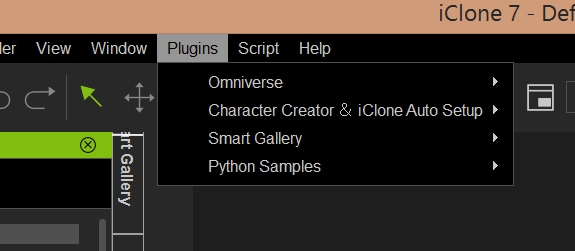
After I downloaded the plugin for vehicle interaction it does not show up in Iclone. I have restarted the program 3 times and it still does not show up.
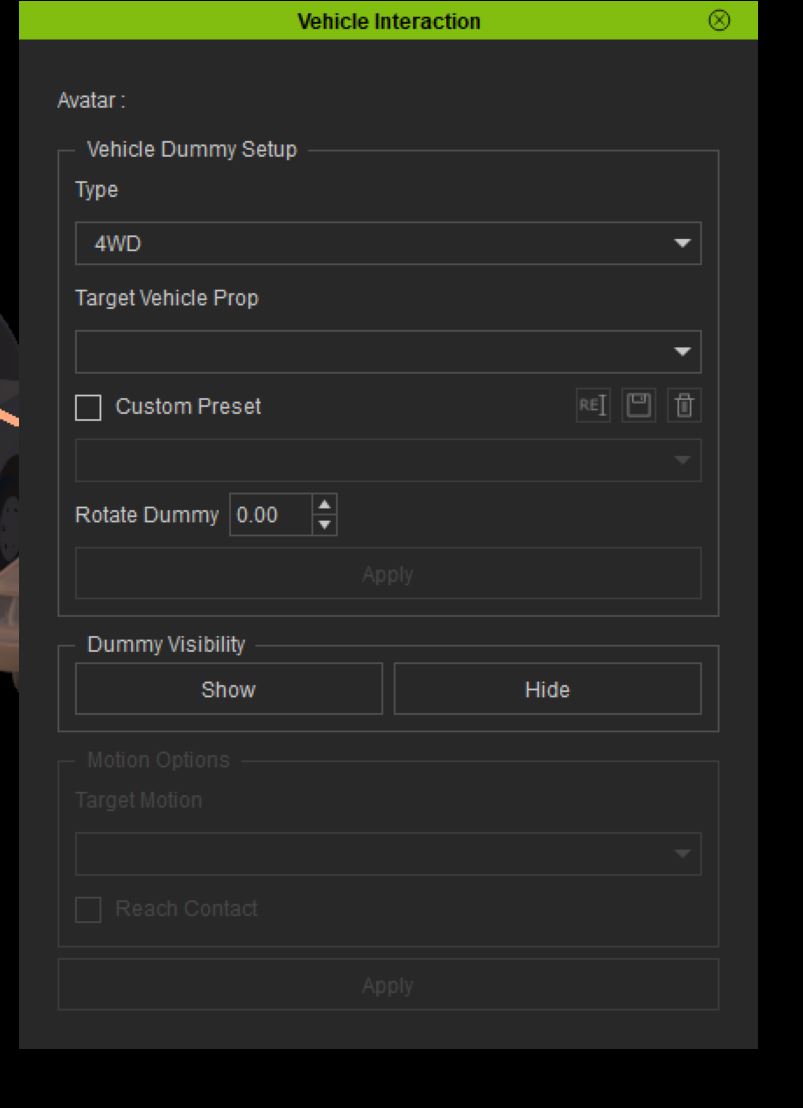
Your supposed to see something like this show up.
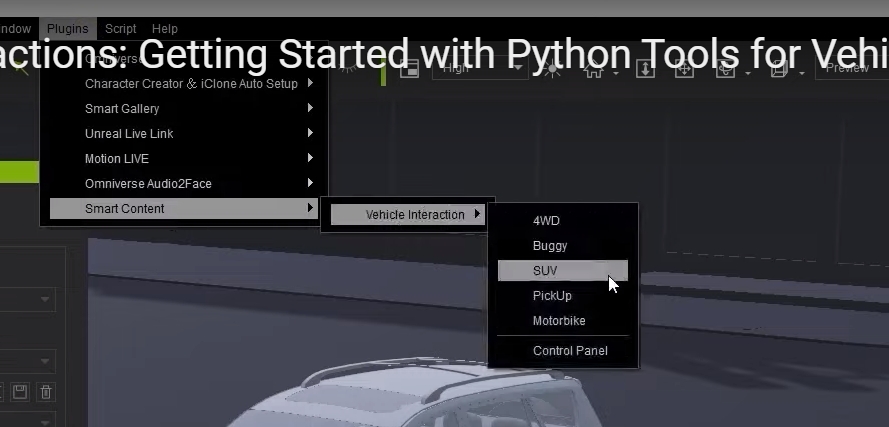
Why does the plugin not show and how do I get it to work?
|
|
By argus1000 - 4 Years Ago
|
|
After you install the Python plugin in the bin64/openplugin folder in your iClone program files folder, just open iClone and go to the SCRIPT button at the top of the interface, next to the plugin folder, and then load the main.Python file.
|
|
By toppro77 - 4 Years Ago
|
Thanks for the reply. I actually did that before seeing your post and it did nothing. I had to manually place the folder in that file and now the script is there but it only loads the dummies and does not load the animations. So that means I have to manually set up the animations myself and that stinks because most of them will not work properly without the python script. I don't know why reallusion sets up a video about how easy this stuff is when it isn't. This is just ridiculous. I want to know why the .bat file doesn't install like they say it does? I thought they were supposed to have programmers who knew what they were doing. I can't imagine I'm the only one who is having problems with this pack. 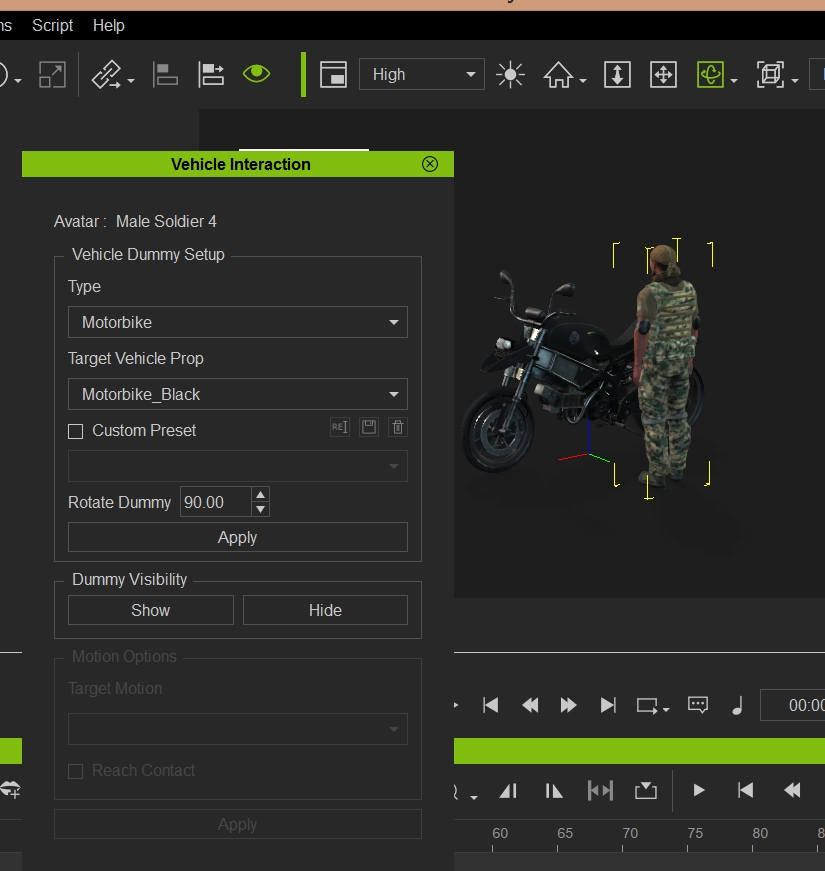
See no animations available
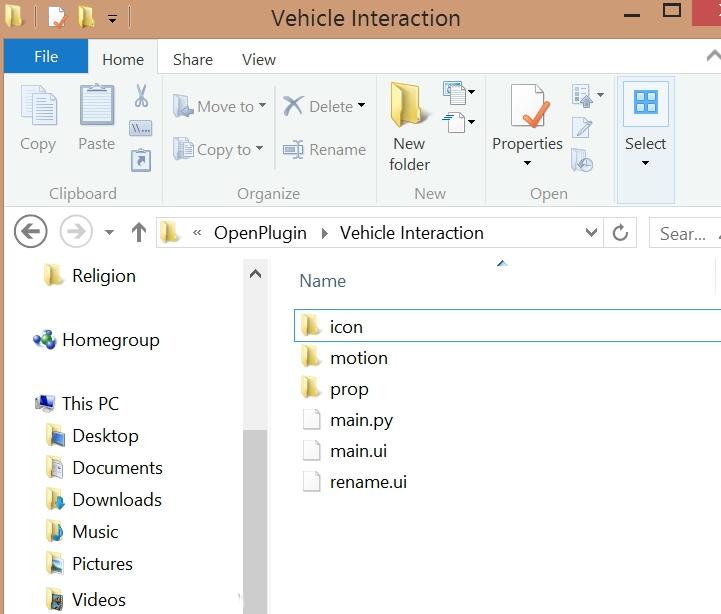
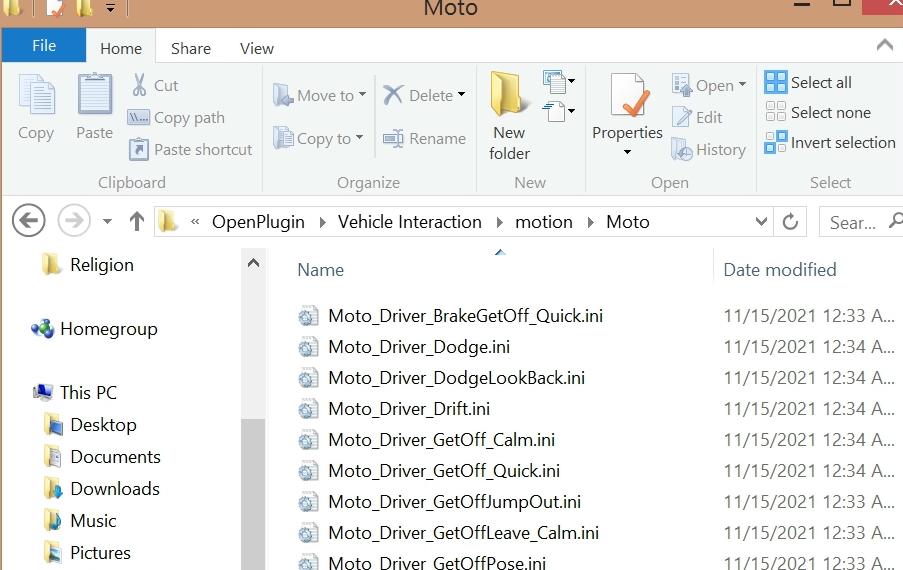
Everything from the python script is in this folder. The motions .ini's are there too in the motion folder. Is this correct?
|
|
By randle304 - 4 Years Ago
|
|
Copy the Python plugin into the bin64/openplugin folder in your iclone program folder, launch iclone, With iclone open Press install, Close iclone and restart.
|
|
By argus1000 - 4 Years Ago
|
I didn't have time to really investigate the plugin yet. I thought that if it showed in the plugin section, it should work.
|
|
By toppro77 - 4 Years Ago
|
|
Doesn't work
|
|
By toppro77 - 4 Years Ago
|
|
That idea doesn't work! I don't know why they can't program a lousy install to work without having to go through a bunch of rigmarole to get something to work like it's supposed too. Now I have to manually set up the animations I spent hundreds of dollars on. This just sucks. There should be an easy way to install a lousy python script without having to be a programmer yourself.
|
|
By toppro77 - 4 Years Ago
|
|
These animations have been corrected in the plugin. I had to contact Reallusion and get tech support to get this done. They have told me to go to the smart gallery and uninstall the vehicle interactions for action movies. You do this by right clicking on the file and select uninstall. You then reinstall the content and go to the plugin and everything works fine now. You will now see the animations show up in the plugin control panel. This makes life so much easier.
|
|
By nchanter25 - 4 Years Ago
|
I purchased the Motions for Vehicle interactions pack
and I can't find the "vehicle_interaction zip" file anywhere as instructed on Reallusion website. I also have Antareus Modern Cars SUV vehicle pack
Can you provide a direct link to this plugin
|
|
By lightbearer - 4 Years Ago
|
|
I know that for my installation, these appear in the Smart Gallery.
|
|
By Chuffinmonkey - 4 Years Ago
|
|
Sorry for bringing this back up but did you ever fix this? I have the same problem with the motion section greyed out. To make matters even more frustrating, the 4WD drive motions(which I need) don't even exist in the motions pack in Smart Gallery so I can't even add motions that way
|
|
By toppro77 - 4 Years Ago
|
Chuffinmonkey,
Here is the response that I got from Reallusion. It is fixed for me after doing what Rampa said to do in this response to my support question. I hope it works for you.
Everything works fine for me now and I wish all animations worked this way. It sets up the character in the exact position and then preforms the animations properly.
The only thing you might have to do is move the arms a little to have the character grab where they are supposed to due to the different character sizes and proportions.
Dear Toppro77,Thank you for contacting Reallusion.Sorry for the delay on this. But it has been fixed now. Please reinstall the Vehicle Interactions for Action Movie pack.Find "Vehicle Interactions for Action Movie" in your Smart Gallery.Right-click the thumbnail and select "Uninstall" from the pop-up menu.When the thumbnail turns gray, double-click it to reinstall the pack.Please feel free to let us know if you have any further questions.
Best RegardsRampaTechnical SupportReallusion Inc.
|
|
By Chuffinmonkey - 4 Years Ago
|
Thanks for replying Toppro77
Unfortunately this doesn't work for me. The motion options in the plugin is still grayed out. I wonder if it's because I don't have the Action motions, just the normal pack and I'm trying to use it on the Action 4WD? If so, I wish it would have stated this before purchase. Thanks again for your reply.
|
|
By herosamora - 4 Years Ago
|
|
Possible solution to the problem of vehicle interactions plugin not showing the plugin and animations
|
|
By herosamora - 4 Years Ago
|
Is it possible to solve the method with pictures? Please, I do not have action movies |