|
By michaelrbarton - 3 Years Ago
|
You can use images and bring them in as a plane. Then you can copy and paste image into opacity and diffuse channels. Make sure you have a black background for your image.
Just google neon sign and coca cola, pepsi, open, diner and more. Those signs are photos from Google images.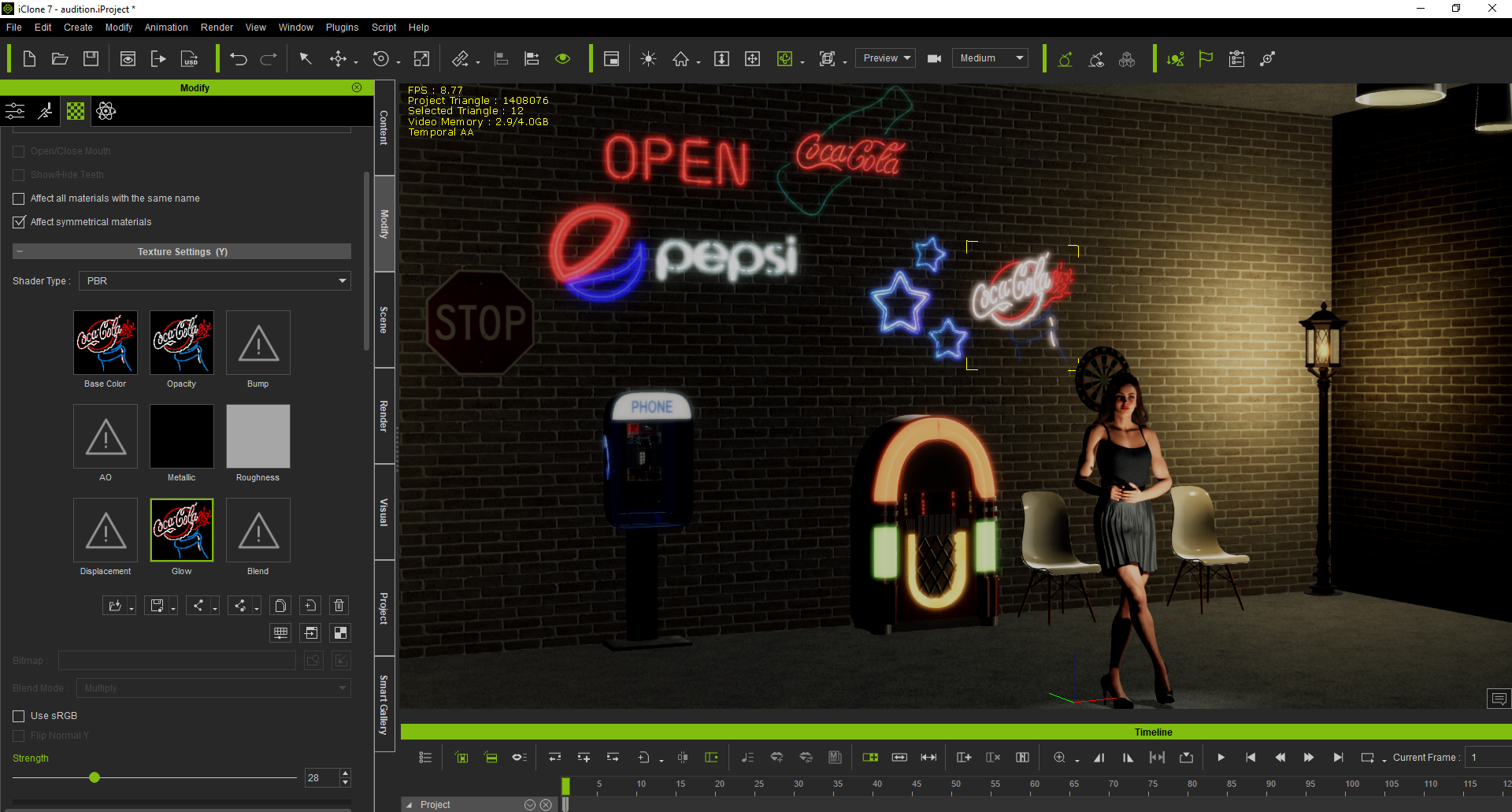
I thank God for giving me the idea to use images for neon signs.
|
|
By yepkoo - 3 Years Ago
|
This is a good idea, Thank you!
I will definitely try this.
Note: However, as the images may be copyrighted, select the CC license from the search section and make sure it is not a CC 4.0 license.
|
|
By planetstardragon - 3 Years Ago
|
go to the visual panel - then go to the global illumination tab, turn it on, then turn up the bounce so you can get the neon colors bouncing off the walls ;)
|
|