|
By shotty_858434 - 5 Years Ago
|
I am trying to set up a small scene.
When I press play, all of my props that attached to my character start flying around. Other characters start floating, also.
Is there a recommended tutorial that explains the details of the timeline?
|
|
By wires - 5 Years Ago
|
From your description it seems that the Timeline was not at frame 1 when you added/adjusted assets to your scene.
If you start to make any changes to an added asset at any point other that frame 1 then that asset will have keyframes added to the Timeline. This means that said asset will start animating from the frame 1 position up to the keyframe position added when adjusted.
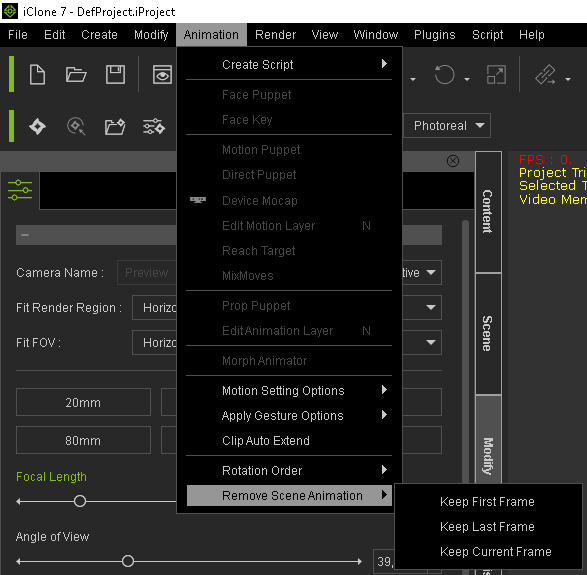
You can correct this by making sure that the Timeline scrubber is at frame 1 in your present scene, from the menu bar select "Animation > Remove Scene Animation and choose one of the options shown below.
|
|
By shotty_858434 - 5 Years Ago
|
|
Thank you. That makes a big difference
|