|
By AntonioCaroppos - 5 Years Ago
|
Hello!
In Character Creator, I click "New project".
Then I delete the Bra and Pants and export the model using the "Unity" or "Maya" or "Blender" preset.
I have tried "Mesh with Motion" and only "Mesh".
Then I upload my model to mixamo.com
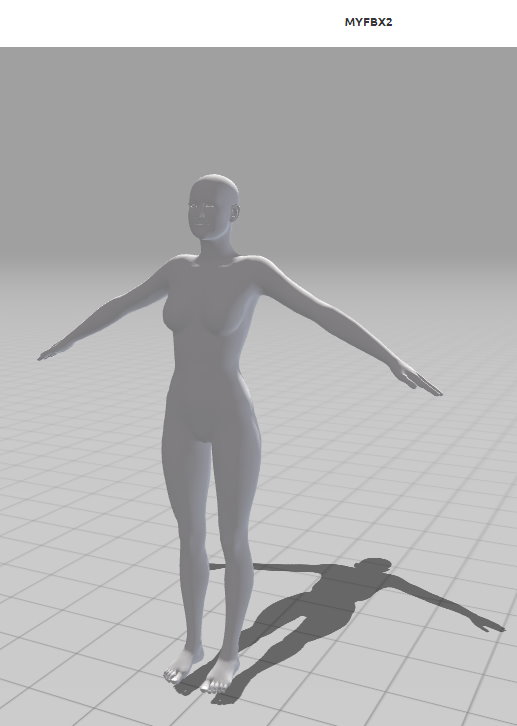
It seems to accept it, but then it's just stuck like this and can't be animated. I'm very familiar with mixamo, so there's no chance I do anything wrong.
What else could I try?
Thank you!
|
|
By AutoDidact - 5 Years Ago
|
|
If you have the 3DXchange pipeline version,you can download the mixamo data as fbx and convert to imotion with 3DX.
|
|
By AntonioCaroppos - 5 Years Ago
|
Thank you, but I was hoping I could make it work the regular way.
|
|
By AutoDidact - 5 Years Ago
|
|
AntonioCaroppos (10/9/2021)
Thank you, but I was hoping I could make it work the regular way.
Not quite understanding the problem here Mixamo is not going to create an Iclone native Imotion file but an intermediary format such as FBX that will still have to be imported/converted before using in iclone. So there will be no difference if you just download the FBX motions generated by the generic Mixamo rigs.
|
|
By Peter (RL) - 5 Years Ago
|
|
AntonioCaroppos (10/9/2021)
Thank you, but I was hoping I could make it work the regular way.
Can you explain what you mean by the "regular way"? If you can explain what your end goal is it will be easier to understand the problem.
|
|
By AntonioCaroppos - 5 Years Ago
|
I am currently using Genesis 2 as a base in my game for all my game characters.
I uploaded Genesis 2 to mixamo.com.
Mixamo automatically rigged the model.
I downloaded all 1000+ animations as an fbx.
Now I can simply use these animation fbx files in Unity. I simply drop them into my animation controller.
Now I wanted to switch to a CC3 game character.
So I uploaded the CC3 game character FBX to mixamo.com.
However, the rigging stopped as I explained in my first post and demonstrated with a screenshot, so I could not download the animations.
Somebody told me how to get the mixamo animations into iClone and then work with iMotion in order to finally end up with an animation in Unity, but this workflow is too time-taking as it involves too many steps.
I can not spend 20 minutes on importing a single animation manually.
If mixamo was able to rig the CC3 character, I could simply download the fbx and be done. Why does the rigging in mixamo fail?
How should I proceed?
|
|
By Peter (RL) - 5 Years Ago
|
|
AntonioCaroppos (10/12/2021)
I am currently using Genesis 2 as a base in my game for all my game characters.
I uploaded Genesis 2 to mixamo.com.
Mixamo automatically rigged the model.
I downloaded all 1000+ animations as an fbx.
Now I can simply use these animation fbx files in Unity. I simply drop them into my animation controller.
Now I wanted to switch to a CC3 game character.
So I uploaded the CC3 game character FBX to mixamo.com.
However, the rigging stopped as I explained in my first post and demonstrated with a screenshot, so I could not download the animations.
Somebody told me how to get the mixamo animations into iClone and then work with iMotion in order to finally end up with an animation in Unity, but this workflow is too time-taking as it involves too many steps.
I can not spend 20 minutes on importing a single animation manually.
If mixamo was able to rig the CC3 character, I could simply download the fbx and be done. Why does the rigging in mixamo fail?
How should I proceed?
Hi Antonio
Thanks for explaining more about your workflow.
Have you tried doing the following. This works for me.
1. Put your CC3 character into a T-Pose.
2. Choose File > Export > OBJ > Character With Current Pose.
3. In Mixamo choose "Upload A Character".
4. Drag the exported CC3 OBJ file into the Uploader window.
5. Place the fitting points.
6. MIxamo will then auto-rig the character where it will ready to animate.
|
|
By animagic - 5 Years Ago
|
|
Fifteen year with the program and still learning! Importing as OBJ works. I don't know what I'll do with it, but it's good to know.
|
|
By General Picture Animation - 5 Years Ago
|
|
Peter (RL) (10/12/2021)
1. Put your CC3 character into a T-Pose.
2. Choose File > Export > OBJ > Character With Current Pose.
3. In Mixamo choose "Upload A Character".
4. Drag the exported CC3 OBJ file into the Uploader window.
5. Place the fitting points.
6. MIxamo will then auto-rig the character where it will ready to animate.
This OBJ upload method fails for me, whether I use my custom CC3 character or a standard CC3 character like Kevin in nothing but his boxers.
Both characters get autorigged in Mixamo (although there is a foot defect with my custom character).
Both characters perform the selected motion on Mixamo.
However, if I download the FBX, 3dXChange can eventually, reluctantly, be bullied into to converting it to a Nonstandard Character, but it fails to properly rig the mesh.
I've tried loading the Maya Biped preset, and the T pose.
The FBX character turns into twisted pretzel.
I can force 3DXC to apply the animation to it, but an animated pretzel doesn't get me very far to my goals!
I also found a way to download only the animation into 3DXC, and it will run properly on the stick-man, but I can't apply the animation to an iClone avatar.
I can also treat the FBX as an iProp, and that runs the animation in iClone, but the motion clip can't be applied to an iClone human.
Help.......?????????????????????????
|