Apply iClone Motions to an ActorCore Character in different 3D tools such as Unreal, Unity, Blender, Maya, 3ds Max, MotionBuilder, and Cinema4D


https://forum.reallusion.com/Topic493626.aspx
Print Topic | Close Window

By Bridgette_RL - 4 Years Ago
If you have already had an ActorCorecharacter in the target application, such as Unreal, Unity, Blender, Maya, 3ds Max, MotionBuilder, and Cinema4D, you can apply your iClone motions with the following steps.

Let's use the example with Blender:


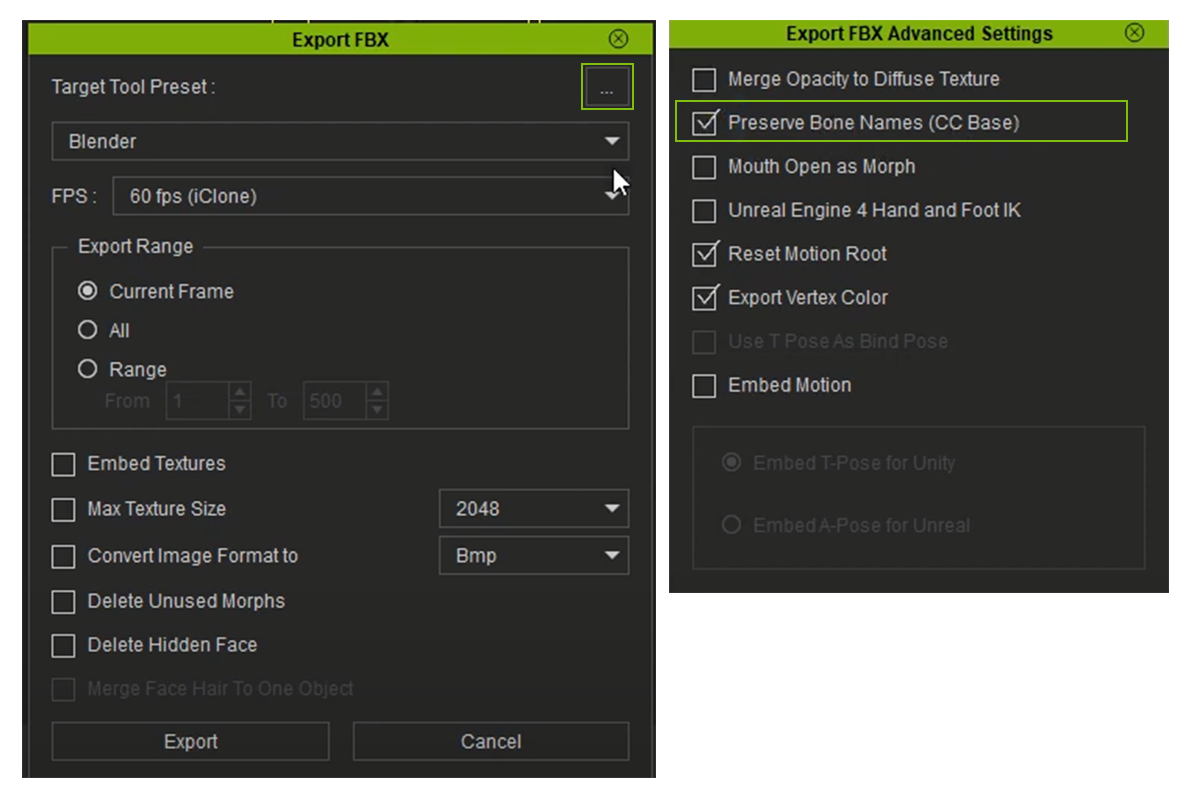
1. When you do Export FBX, make sure to enable the Preserve Bone Names (CC Base) option.
https://forum.reallusion.com/uploads/images/9503d760-dc02-4787-aa4a-546b.png


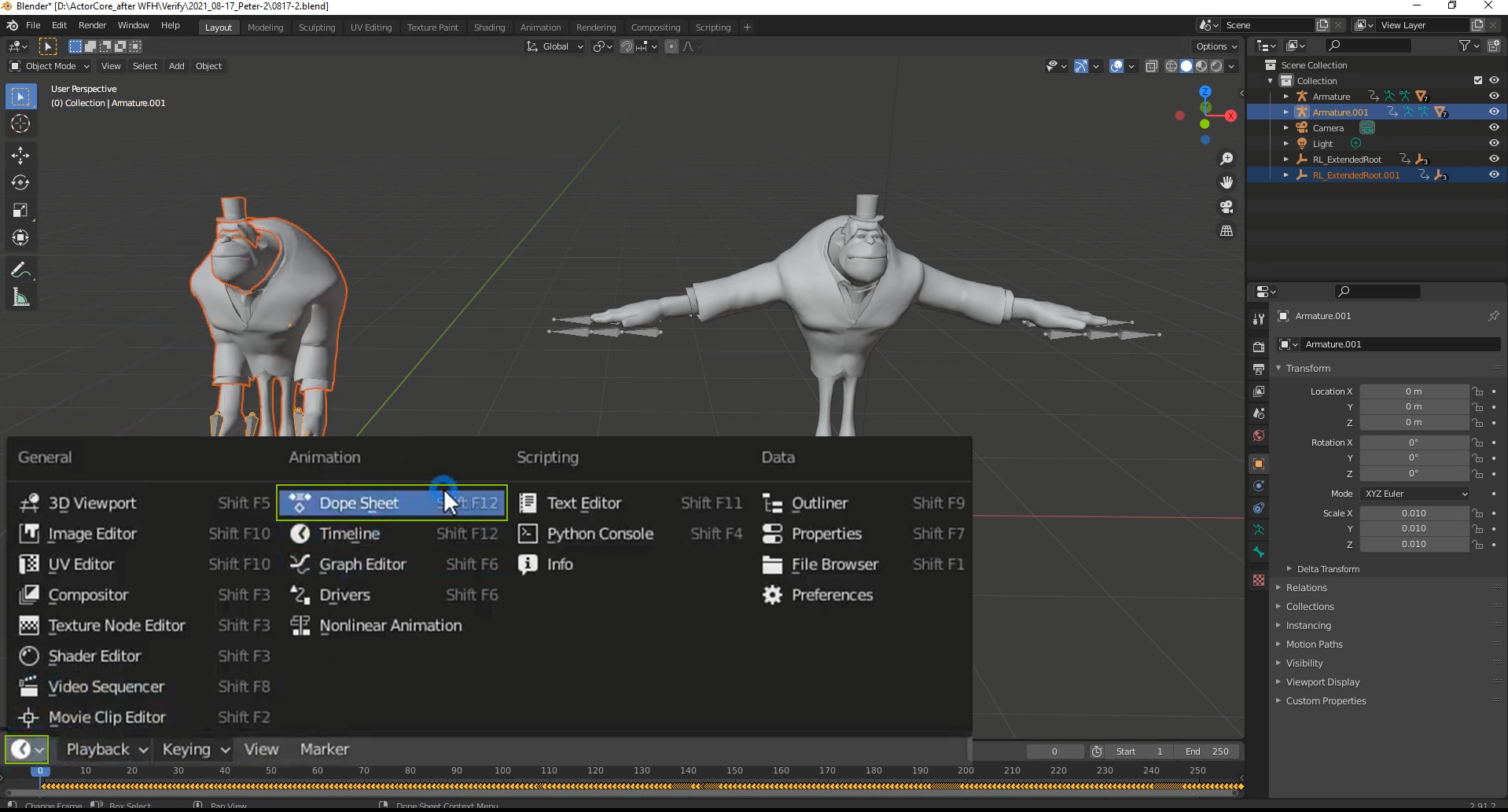
2. Import FBX into Blender, and switch the Playback area to Dope Sheet.
https://forum.reallusion.com/uploads/images/c2c73d1e-5616-4d5a-bb01-8097.png


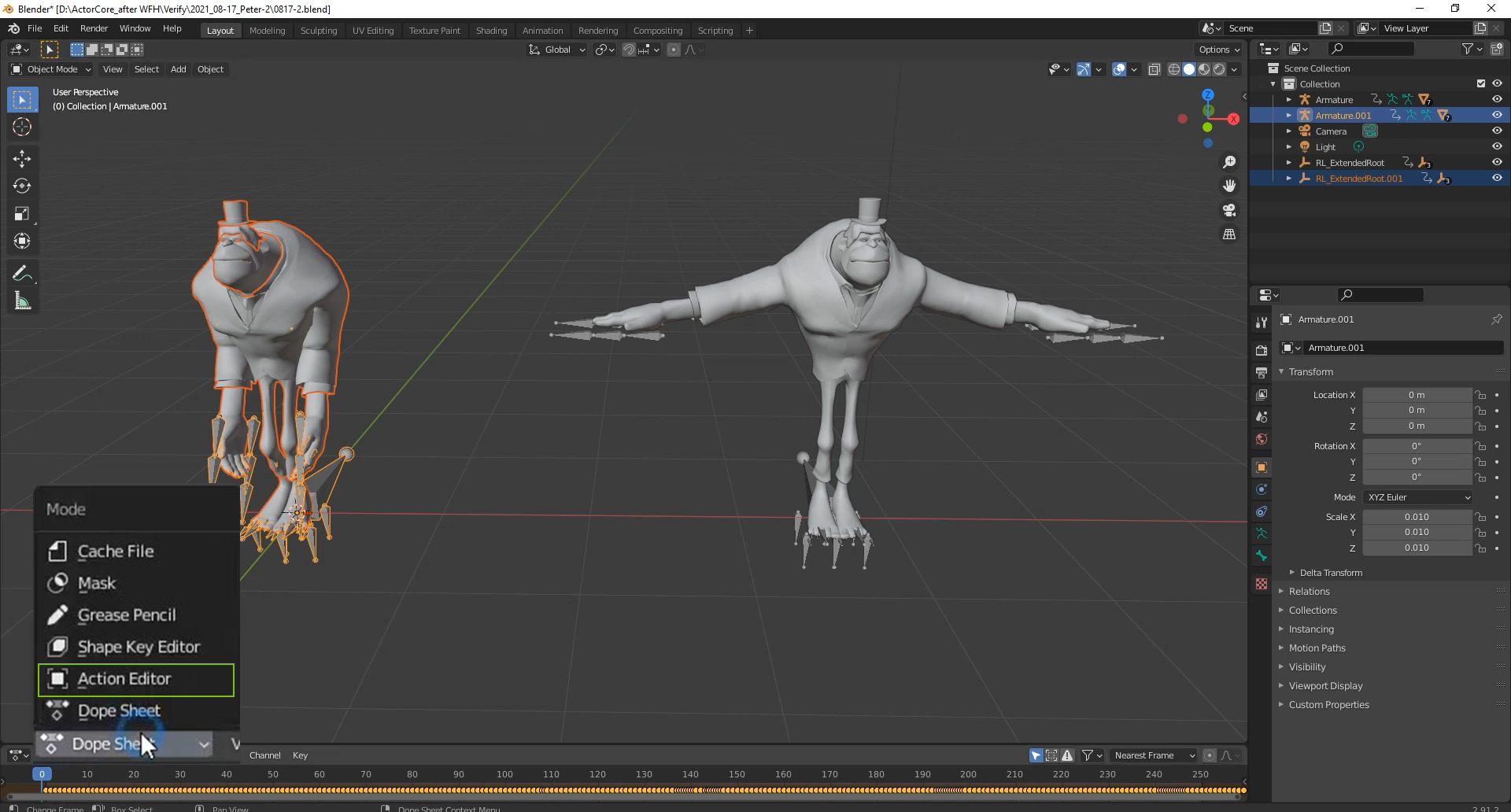
and then change the Mode to Action Editor.
https://forum.reallusion.com/uploads/images/16aee6b6-d55a-46aa-bef3-d167.png


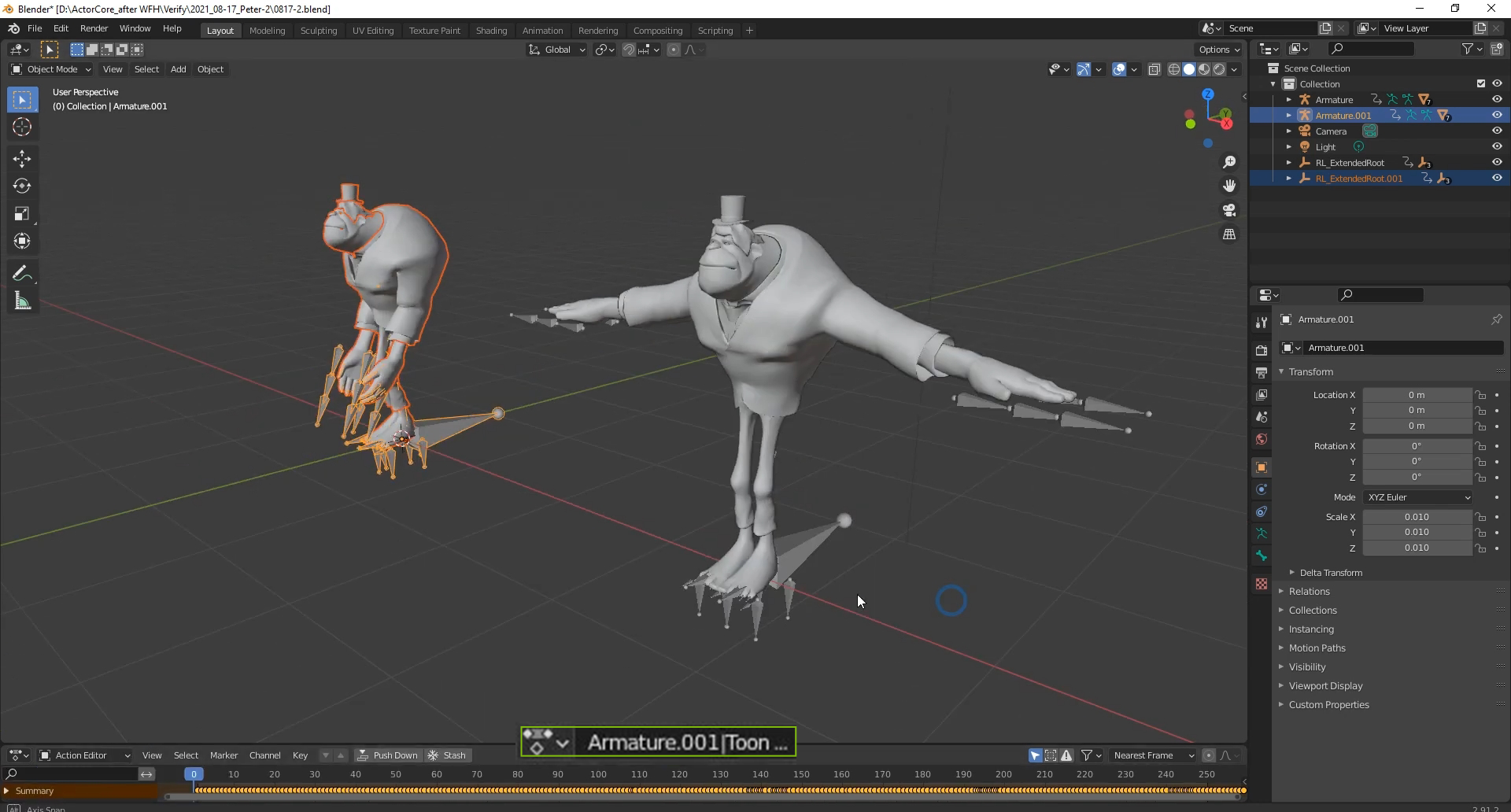
3. You can find the motion in the character's motions drop-down list.
https://forum.reallusion.com/uploads/images/d0d9af70-5eed-40f1-be84-edbd.png


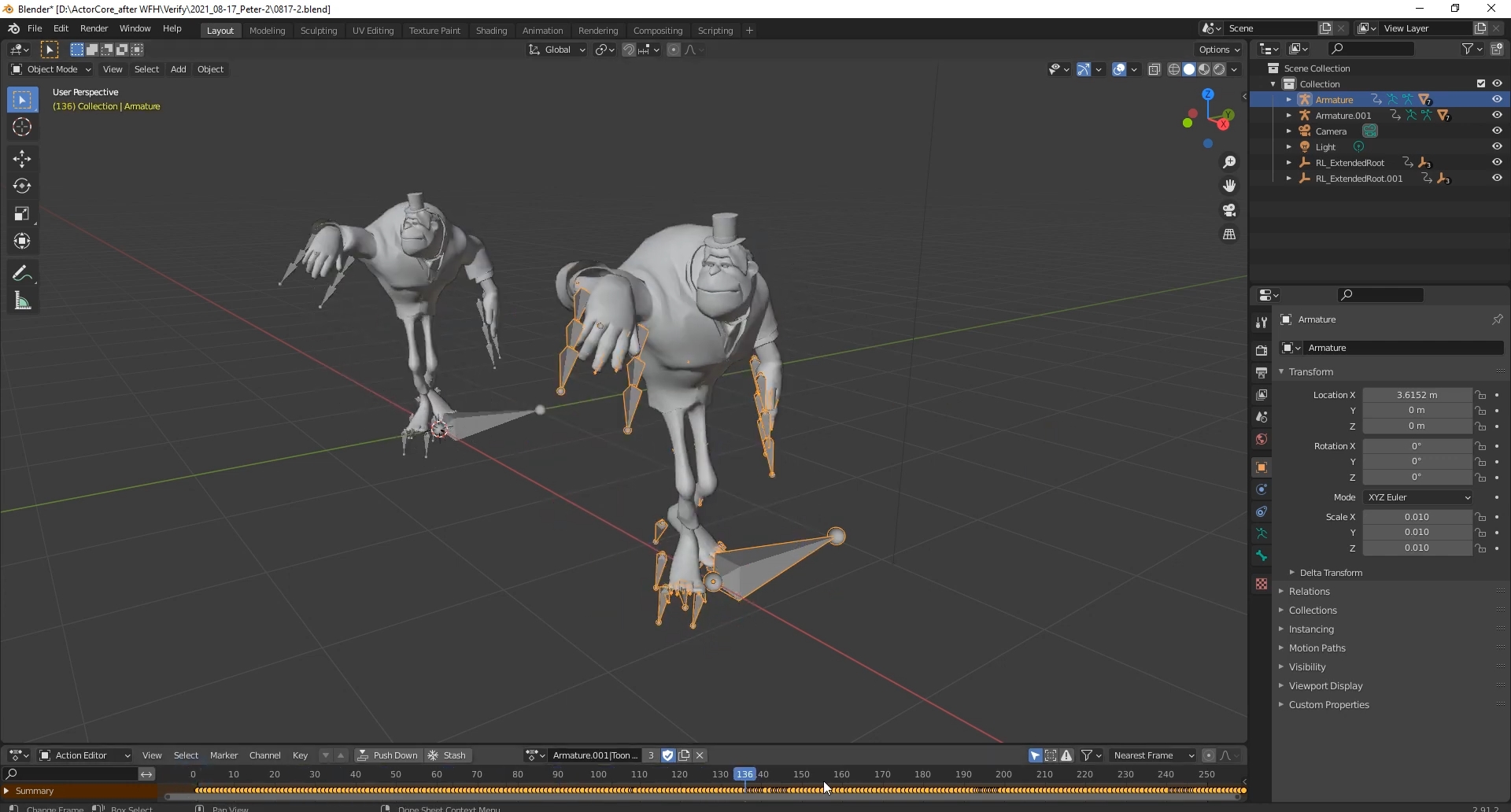
Finally, you can apply your iClonemotions in Blender.
https://forum.reallusion.com/uploads/images/d3cf14f8-ee36-405e-80d6-d232.jpg