|
By darrell.troth - 5 Years Ago
|
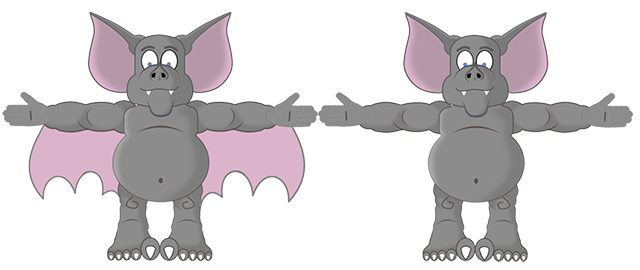
this is a bat character, (c)1993, that i cannot figure how to animate the wings.i've tried bones (not sure what im doing honestly), prop, but it won't work on my fully articulated character. i want to swap out the piece connected to the forearm to show backside when arm is bent that way. can't find a character in store, nor a tutorial close to this,
thanks for any help.
|
|
By Turquoisedust - 5 Years Ago
|
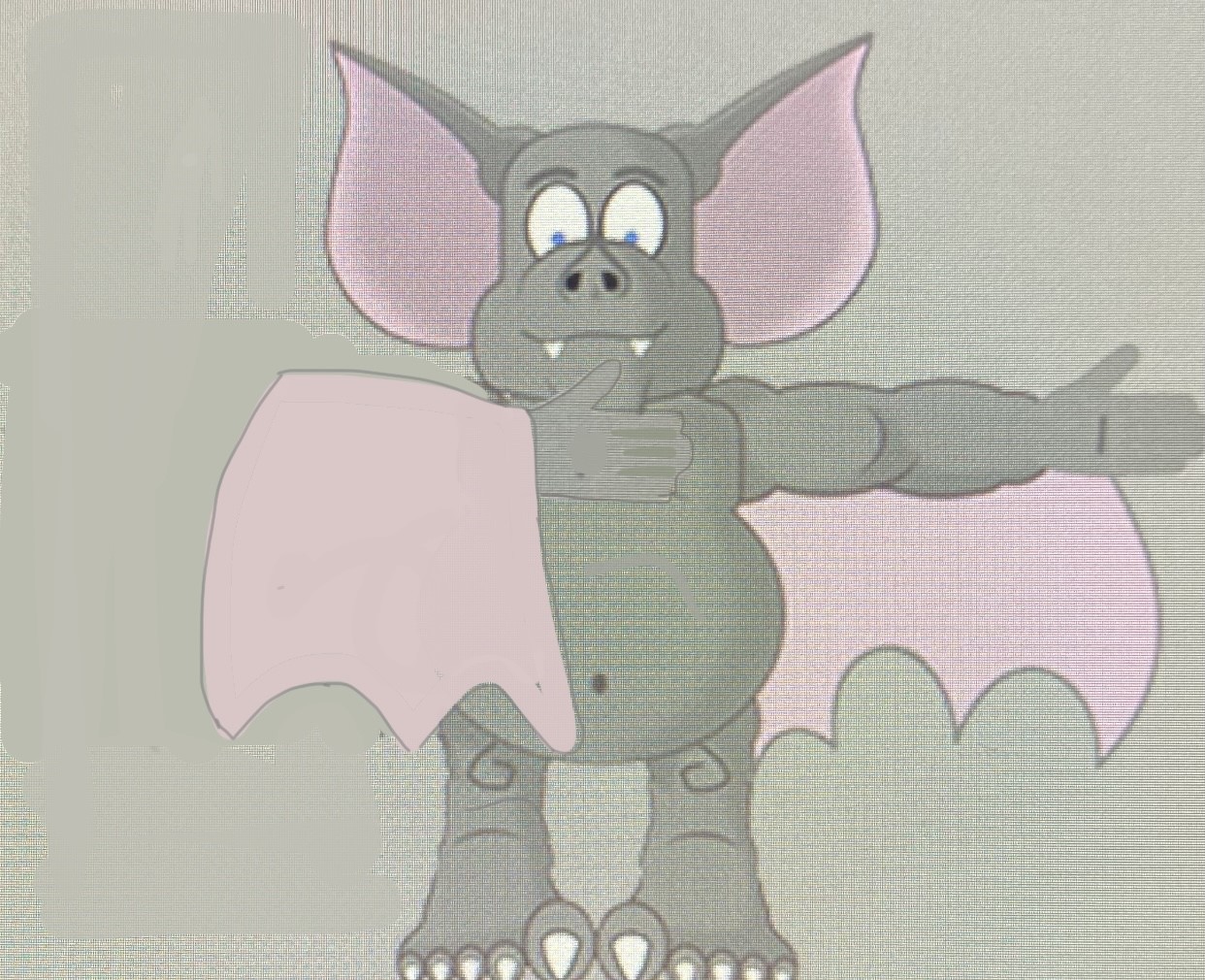
To Clarify, this is roughly what you want to Achieve? Have you tried swapping out the forearm in the Sprite editor? So, bend the arm until the bones overlap and then swap to the back arm sprite in the sprite editor. The movement would have to be abrupt in the timeline though. Just a thought.
|
|
By rogdodge - 5 Years Ago
|
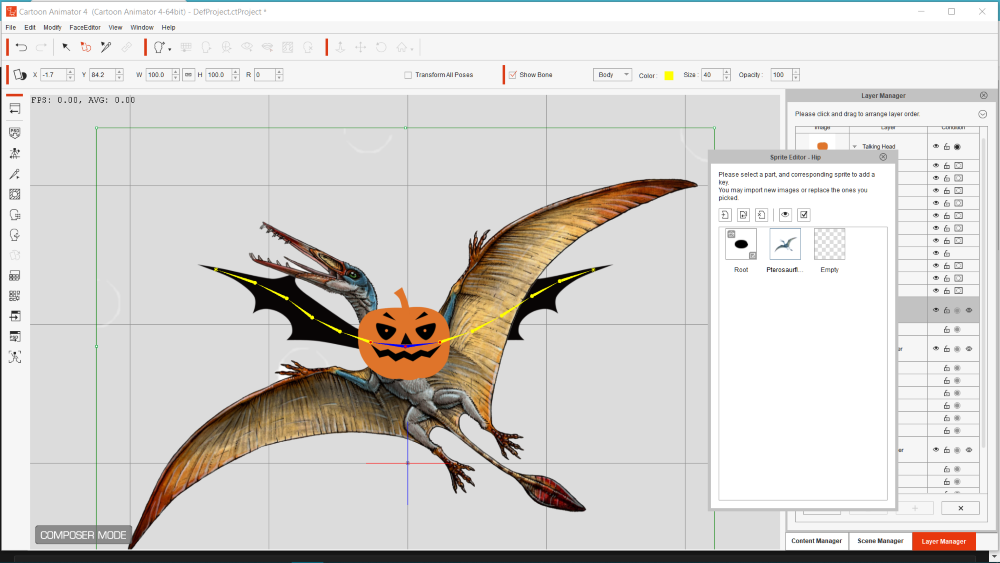
I use Pumpkin Bat for my wings. Delete all bat characteristics except the bone structure. In Sprite editor import PNG transparent character and manoeuvre wing bones to fit. It may be necessary to add pins to prevent distortion of body when wings move. Test in Preview.
It may not do what you are trying to achieve but I hope it helps a little. 😁
|
|
By darrell.troth - 5 Years Ago
|
Thanks for the help. The pumpkin one really helped. Didn't know it was in there. I attached the wings to the hip to lock it in place. i then position the arms, then adjust the wings
|
|
By rogdodge - 5 Years Ago
|
|
I am glad it worked for you. As CA4 is 2D I have to adapt my approach but I usually achieve what I am looking for by trial and error.😉 The Tutorials can help but it is finding the relevant snippet I am looking for which is difficult. 👍
|
|
By darrell.troth - 5 Years Ago
|
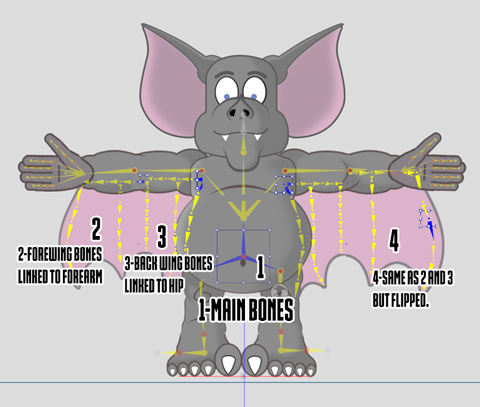
Last update on what I've learned. He now has a two part wing construction. Forewing has two states-front & back. It's connected to the forearm. The back wing is connected to the hip. This lets it stretch. Here's the bone setup:
|