|
By woody173 - 5 Years Ago
|
Hi I would like my character to pick up and throw a destructible chair.
And when the chair lands or hits someone I wanted it to break.
I cant find any perform options to make the chair break and cant find anyway of making it or something with physics
break the chair when it hits its target.
Any ideas where im going wrong
Thanks
|
|
By toystorylab - 5 Years Ago
|
Maybe this works...
https://marketplace.reallusion.com/destructible-chair
Made a quick test, did not work, so let me know how it works...:D
|
|
By Rampa - 5 Years Ago
|
That particular chair is made up of many sub-props. To have it break, try this:
Insert the chair in your scene.
Add a physics infinite plain or floor to your scene.
Select all the sub-props of the chair in the Scene Manager. You can shift or cntrl click to select them all.
Select the physics tab in the Modify panel.
Set the selected sub-props to rigid physics and the bounding type to convex hull.
Set the physics state to frozen.
Hit it with another prop that has kinematic physics.
You can do the same thing with any prop that is made up of multiple sub-props. ;)
|
|
By toystorylab - 5 Years Ago
|
Thanx for chiming in, Rampa...
Only made a quick test and gave up cause I always had this warning:

Tried again, now it works...
Noticed that you have to be sure, not to select the "container Destructible Chair",
only the sub-props with numbers.
As soon you also select the container, you get that warning...
Thanx!
So, woody173, now you got your destructible chair and it's for free! ;)
|
|
By woody173 - 5 Years Ago
|
Rampa you the man....AGAIN
How can i get the chair to just break and not explode. I have tried the physics setting on the chair and it doesnt seem to do much. and the ball i used to hit it with doesnt seem to have much going for it either.
Many thanks for your help
|
|
By Rampa - 5 Years Ago
|
Make sure to set the shapes to either "Convex Hull" or "Self Mesh". You can also set the collision margin to ".01" (just type in zero, and hit return) and set the damping and friction up higher.
Note: Self mesh will increase the complexity exponentially, and may not run very well. Convex hull is probably accurate enough in most cases.
|
|
By Data Juggler - 5 Years Ago
|
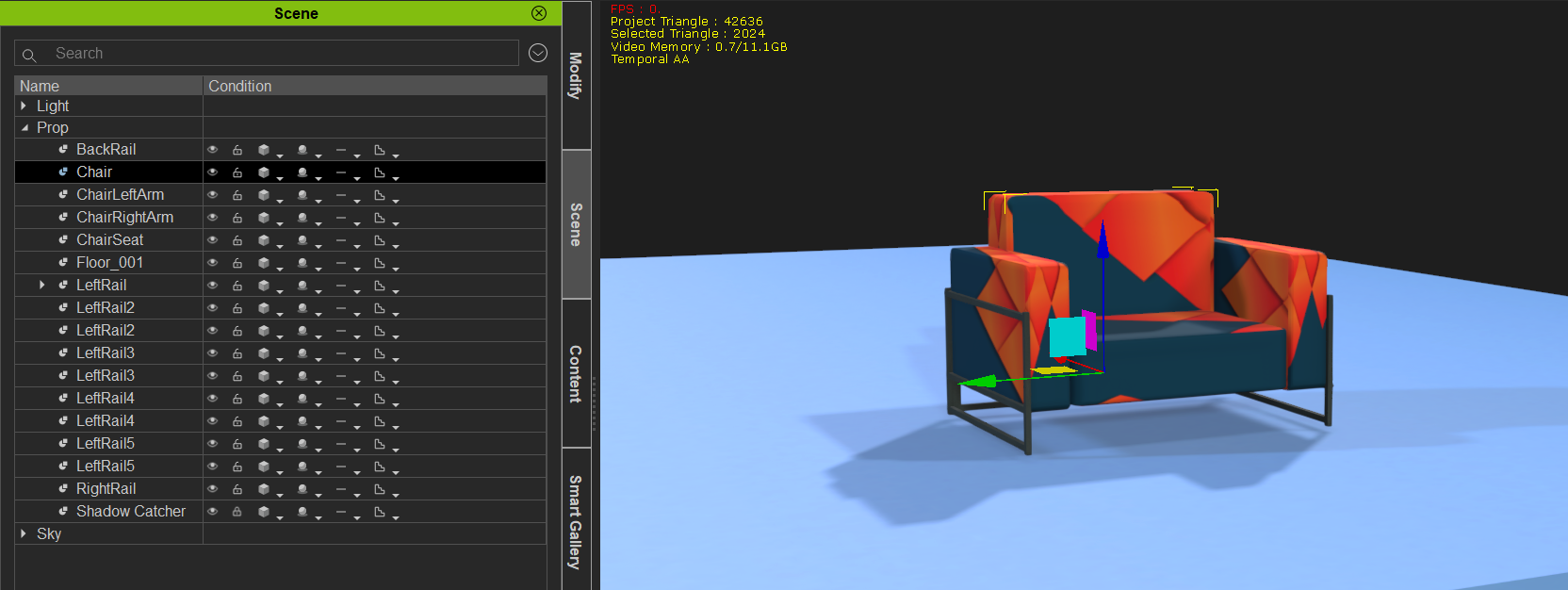
If you create a chair using this free Python script:
https://marketplace.reallusion.com/chair-builder
You will need two textures. One for the chair cushion material and one for the rails.
Then select all the subprops under Chair, and click on Modify > Attach > Detach
This will give you a bunch of separate props. You would have to move the separate props into place yourself, but at least it is chair that comes apart.
|
|
By woody173 - 5 Years Ago
|
got it all to work...sort of. LOL
I got the ball dummy to hit the chair and it explodes and i got it to break just enough by taking friction and damping way up to 500. Bam!
But the chair is stationary and i need it to move when i get my character to pick it up. and break when i hit my second character (which Im assuming will have to have a hidden dummy attached to it). Is this where physics and attached dummies come into play. This bit has always confused me when I tried a rotating wheel that bounced up and down.
Thanks Rampa
|
|
By woody173 - 5 Years Ago
|
Still having problems with this task.
I got the chair to move my animating the position of the chair and the separate bits and it was working fine.
But then i got an error message come up.
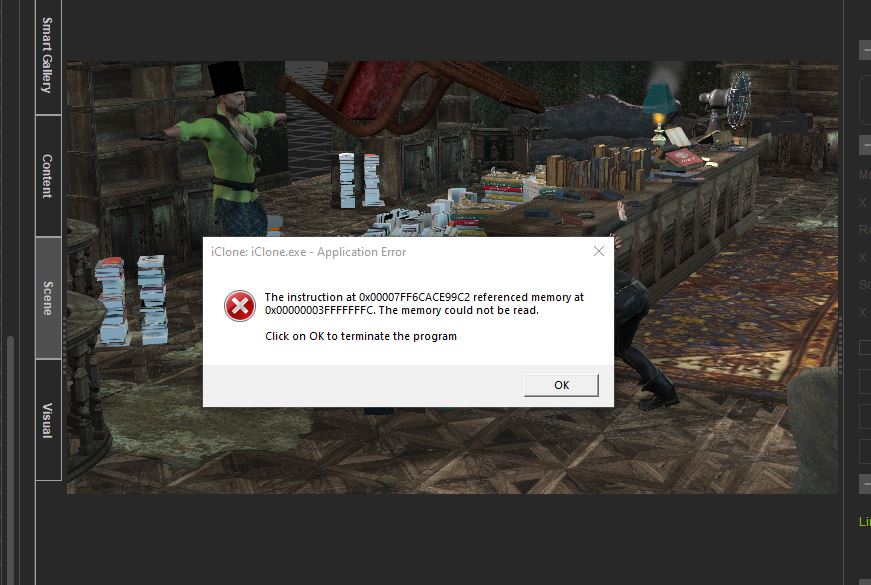
So i tried to start from scratch and simplified my room a little by merging sub props etc to reduce the amount of individual items n the project.
That didnt work, same error message.
So I started from scratch again and used a non destructible chair to see if that was throwing it out, but no same error.
Any idea what this error means.
Please help
|