|
By naijedu1 - 5 Years Ago
|
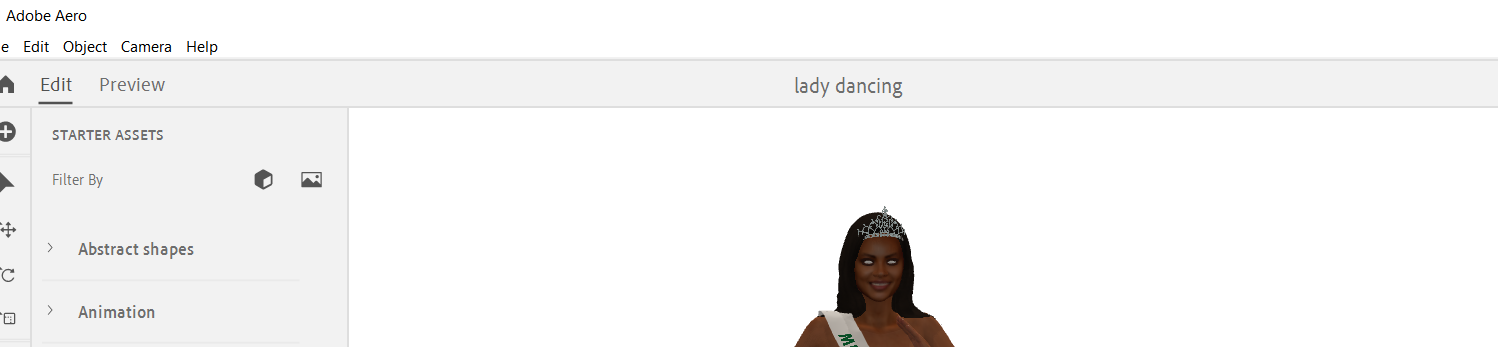
Whenever I export in Iclone 7 using a fbx, the characters eyes are white. Can someone help me to get my character's eyes back to its original color?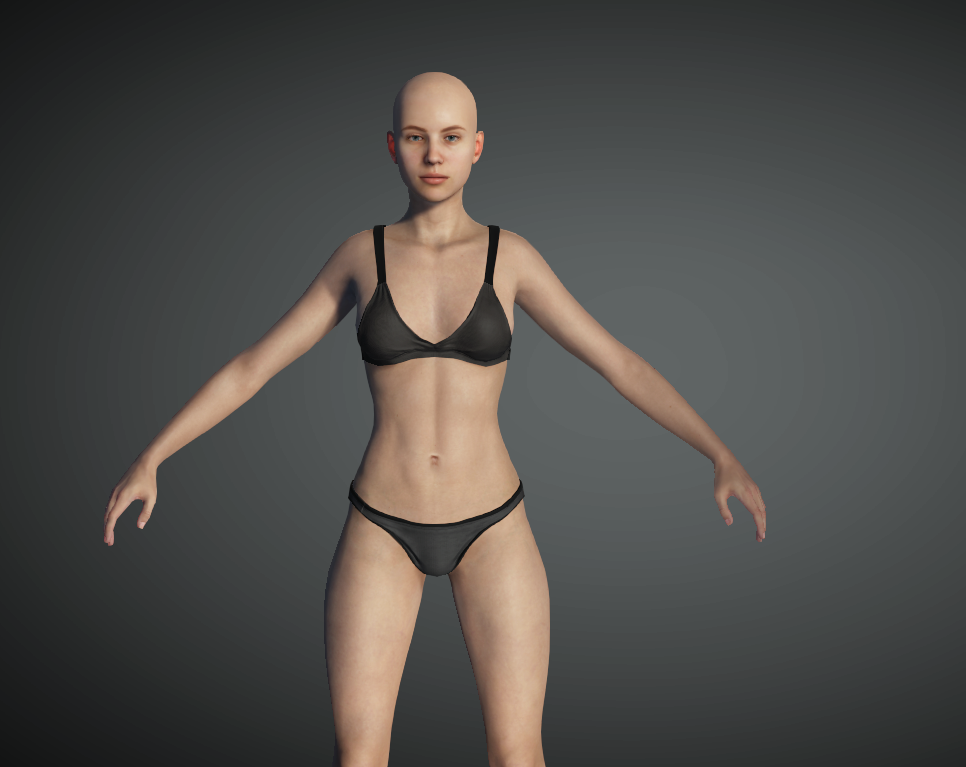 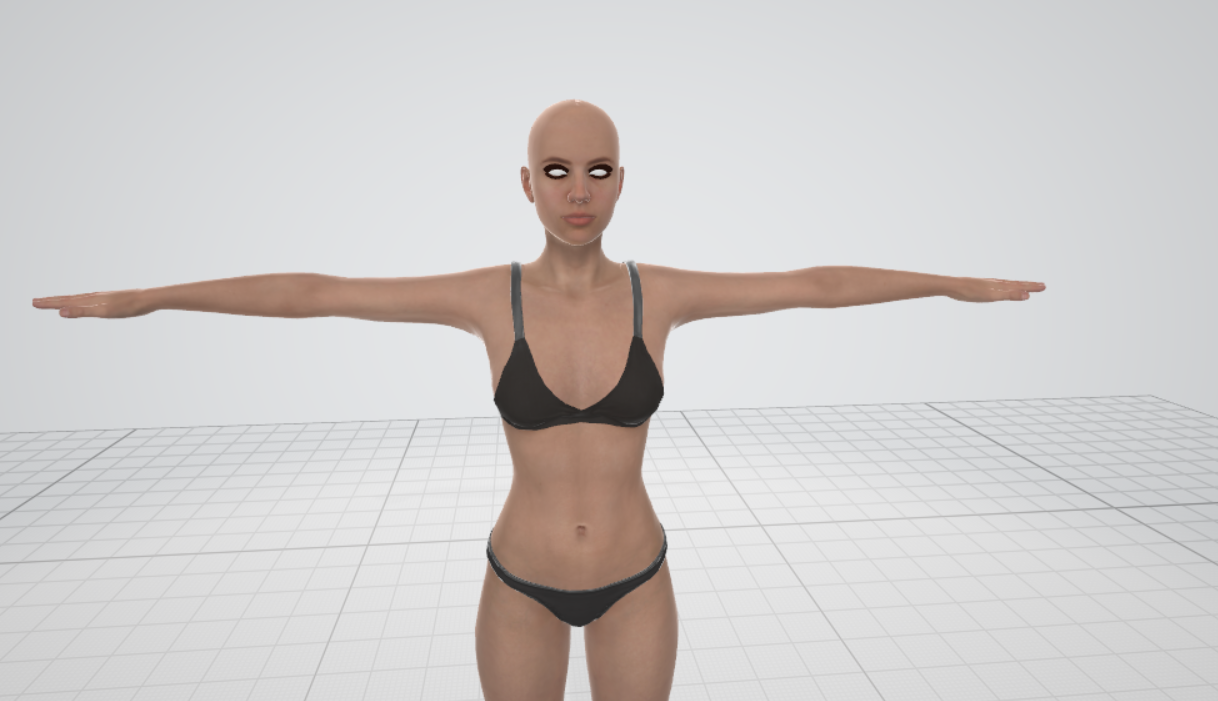
|
|
By Peter (RL) - 5 Years Ago
|
|
Which software are you exporting to?
|
|
By naijedu1 - 5 Years Ago
|
I'm exporting to Maya microsoftt 3d veiwer, Adobe miximo and Aero. These are the outcomes.
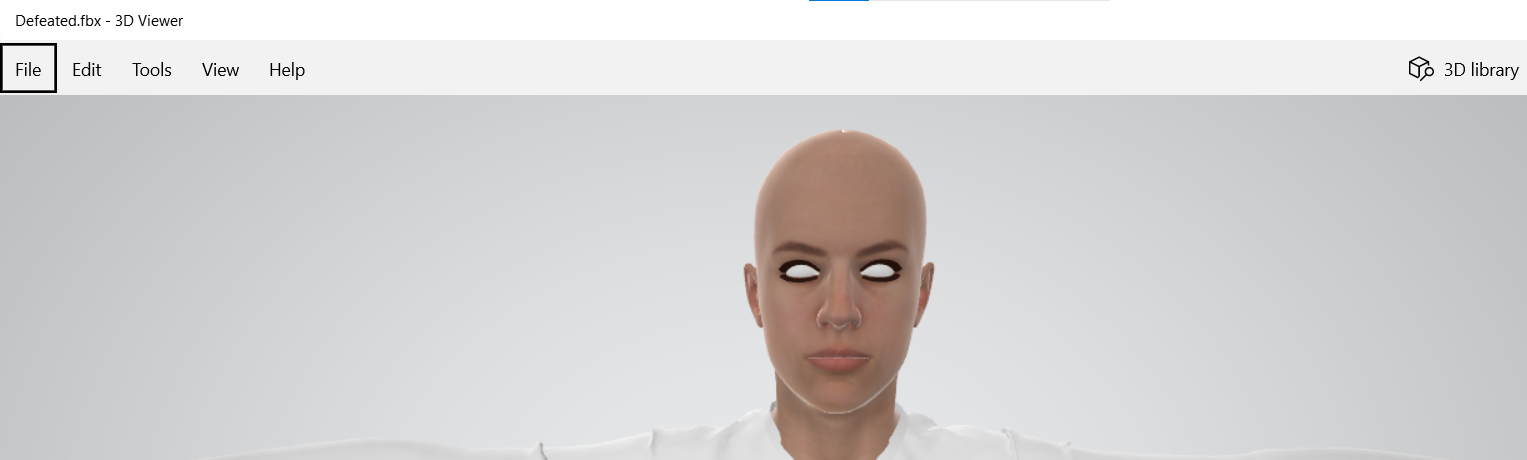
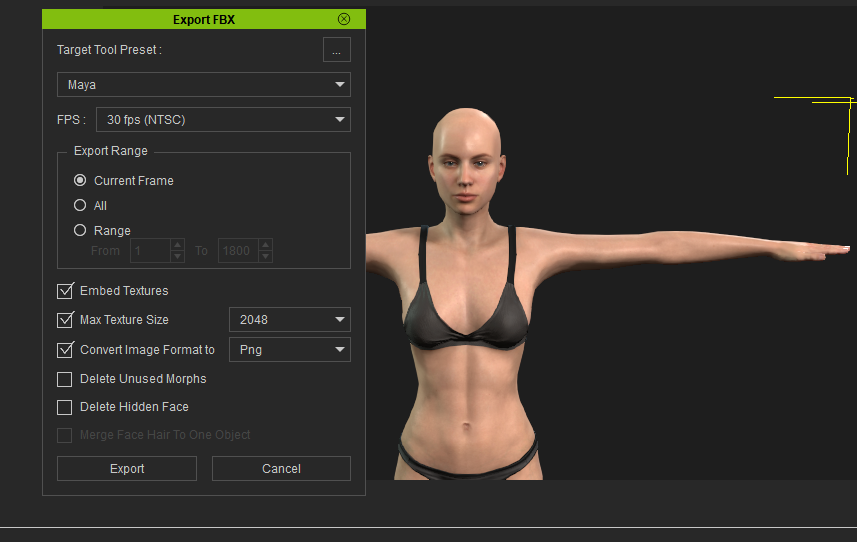
|
|
By krant - 5 Years Ago
|
https://manual.reallusion.com/CC_and_IC_Auto_Setup_Plugin/ENU/CC_and_iC_Auto_Setup/1.0/02_for_Unreal/Importing_Character_FBX_File.htm
I had this happen again tonight. I fixed it by following the link above. Sometimes I forget and just try to import the fbx alone forgetting the rest of the files. If I don't clearly make a separate folder containing the textures, fbm, json and fbx, I tend to have problems. Also I found shorter file paths are best so maybe try placing that folder on your desktop. That's what I do for when I am importing into Unreal.
|
|
By naijedu1 - 5 Years Ago
|
|
Thank you for advice, but this method you presented still doesn't work. I'm exporting to Adobe Aero, miximo and microsoft 3d viewer
|
|
By naijedu1 - 5 Years Ago
|
|
Thank you for advice, but this method you presented still doesn't work. I'm exporting to Adobe Aero, miximo and microsoft 3d viewer
|
|
By naijedu1 - 5 Years Ago
|
|
Thank you for advice, but this method you presented still doesn't work. I'm exporting to Adobe Aero, miximo and microsoft 3d viewer
|