Flip or Transform Sprite vs. Creating New Sprite


https://forum.reallusion.com/Topic484034.aspx
Print Topic | Close Window

By lightbearer - 4 Years Ago
I have a question about transforming or flipping a sprite (not the whole character). I am unable to locate the tool to flip a sprite - a screenshot is attached. In this case I want to flip / transform the hand in the Y direction. In After Effects, I would simply scale the object along the -Y direction and that would do the trick. Is there a way to do this with the spite in Cartoon Animator or do I have to create an entirely new sprite for to represent this?
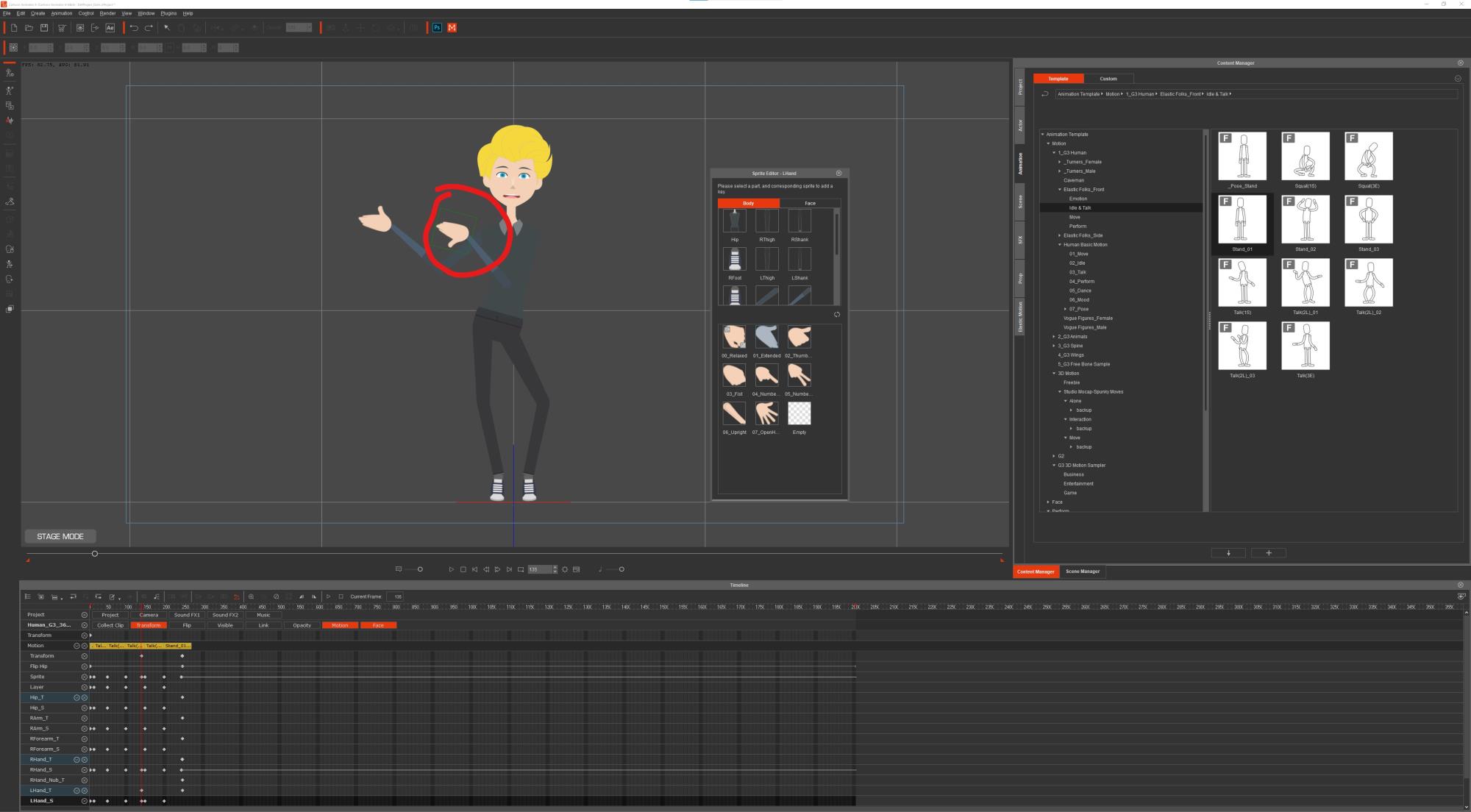
 https://forum.reallusion.com/uploads/images/4dee0190-aa73-4b23-99e0-4dd8.jpg
By jlittle - 4 Years Ago
You should be able to use the 3D Motion Key Editor.
Select the hand and use the rotate gizmo to rotate the hand as needed.
https://forum.reallusion.com/uploads/images/b31c86f6-c320-4925-915f-de33.png
I used the green axis to rotate the thumb to point up:
https://forum.reallusion.com/uploads/images/85ece278-36b7-42bf-b3da-24f8.png

Jeff
By kylelee - 4 Years Ago
lightbearer (5/24/2021)
I have a question about transforming or flipping a sprite (not the whole character). I am unable to locate the tool to flip a sprite - a screenshot is attached. In this case I want to flip / transform the hand in the Y direction. In After Effects, I would simply scale the object along the -Y direction and that would do the trick. Is there a way to do this with the spite in Cartoon Animator or do I have to create an entirely new sprite for to represent this?

 https://forum.reallusion.com/uploads/images/4dee0190-aa73-4b23-99e0-4dd8.jpg


You have to add a sprite from Photoshop or other PSD editors.
1. Go to Composer Mode, 
2. Launch to External PSD Editor.
3. Find the Hand Group
4. Copy your Hand sprite.
5. Flip the sprite.
6. Save your PSD file (Ctrl + S)
7. Go back to Cartoon Animator
8. Check your hand sprite (Open Sprite Editor)
9. Go back to Stage Mode. 
10. Set a sprite Key to change your character hand.

Kyle


By lightbearer - 4 Years Ago
Thank you. I appreciate the response.