|
By zaoeyo - 5 Years Ago
|
Hi there,
The new daz Genesis 8.1 model isn't supported in Character creator 3, I tested Genesis 8, it works very well, could we get update for the new Genesis 8.1 model profile?
or is there anyway to import the new 8.1 model to CC3?
-thank you!
Mike
|
|
By Peter (RL) - 5 Years Ago
|
Hi...
Unfortunately Genesis 8.1 characters are currently not supported by Transformer in Character Creator 3.
An update to support Genesis 8.1 characters may come at some point but unfortunately we don't have a time frame for this at the moment.
|
|
By colombiologo10 - 5 Years Ago
|
|
Peter (RL) (3/25/2021)
Hi...
Unfortunately Genesis 8.1 characters are currently not supported by Transformer in Character Creator 3.
An update to support Genesis 8.1 characters may come at some point but unfortunately we don't have a time frame for this at the moment.
2 months have passed and they have not given a solution. Apart from the enormous cost that it costs their users to acquire their tools that should be unified for a single payment, they leave aside something so high a priority for any developer who pays for their products.
|
|
By animagic - 5 Years Ago
|
colombiologo10 (5/11/2021)
Peter (RL) (3/25/2021)
Hi...
Unfortunately Genesis 8.1 characters are currently not supported by Transformer in Character Creator 3.
An update to support Genesis 8.1 characters may come at some point but unfortunately we don't have a time frame for this at the moment.
2 months have passed and they have not given a solution. Apart from the enormous cost that it costs their users to acquire their tools that should be unified for a single payment, they leave aside something so high a priority for any developer who pays for their products.
Wait a minute! You should yell at DAZ for coming out with an unnecessary format update that breaks otherwise working tools.
The DAZ format is proprietary so it takes manpower with little return of investment to analyze it and come up with a solution. You should be more appreciative of the effort RL has put into this, as the other way, getting characters into DAZ, is a closed door.
|
|
By AutoDidact - 5 Years Ago
|
|
Daz inc has made it very clear that they consider Reallusion a competitive enemy in the 3D character market place which is ironic considering that RL is the only company that Has been willing to directly support the Genesis figures via the Old FBX/3DX method as well as the more recent Shape projection method of CC3 pipeline.
I am banned from the Daz forums for "advocating use of other software" (ie Reallusion):Wow:
Daz has their own so called "bridge plugins" to export thier Data bloated genesis figures to Maya ,C4D and Blender as well the UE4 & Unity.
yet if you visit those online user communities you find no discussion of Daz genesis:P
In fact one professional Houdini programmer named Marc Albrecht was recently asked ( By a Daz enthusiast),about porting the genesis 8 figures to SideFX Houdini via a special plugin. he stated rather Bluntly : "not unless he was sponsored( $$Paid $$) in full up front because not only does he NOT see any back end potential in selling it but he has found that nothing will get a door slammed in your face faster than mentioning the Daz brand in the professional CG community"
I personally hope Reallusion moves forward with its native figures and external pipeline options and gives Daz inc the same future consideration that Daz is giving Reallusion.
|
|
By Kelleytoons - 5 Years Ago
|
Yeah, as Job and Auto said.
And, frankly, I'm not all that impressed with the Daz offerings anymore. There was a time, before we had such extensive morphs, SkinGen and, most importantly, before Headshot, that importing a Daz character into CC3 was a very viable way of getting good characters. Now we have far superior tools to create our own characters.
And I'm a prime example -- trust me, NO ONE has imported more Daz characters into the iClone universe than I have. When Transformer first came along I literally did every single character Daz had to offer, with the result that I have hundreds of such avatars inside of CC3. But since Headshot? I'm not sure I've even imported ONE.
If you can't use all the avatars you CAN import via transformer AND Headshot AND creating your own morphs to make your own avatars -- you really ought to be doing something other than using 3D software.
|
|
By Brick Loko - 5 Years Ago
|
Him
my 2cents
I agree that RL offers a diversity of characters (realistic and stylized) better suited for animation than import characters from DAZ.
The face expressions on CC are topnotch.
I only use Daz for environments and clothes and import them thru Character Creator.
They need some work on the materials and meshes, but still is a better solution for me.
Best
|
|
By TonyDPrime - 5 Years Ago
|
Blame Meta Human...This could be why there was no update to the 8.1....because it’s old news now.
You go Meta Human if you want to be cutting edge.
In fact, maybe, just maybe, a Meta Human Transformer is coming our way 🤩
|
|
By animagic - 5 Years Ago
|
|
TonyDPrime (5/13/2021)
Blame Meta Human...This could be why there was no update to the 8.1....because it’s old news now.
You go Meta Human if you want to be cutting edge.
In fact, maybe, just maybe, a Meta Human Transformer is coming our way 🤩
I'm so happy I can be content with Character Creator...:P I don't have to chase the latest of the latest, while forgetting to actually make movies...:unsure:
|
|
By TonyDPrime - 5 Years Ago
|
animagic (5/13/2021)
TonyDPrime (5/13/2021)
Blame Meta Human...This could be why there was no update to the 8.1....because it’s old news now.
You go Meta Human if you want to be cutting edge.
In fact, maybe, just maybe, a Meta Human Transformer is coming our way 🤩I'm so happy I can be content with Character Creator...:P I don't have to chase the latest of the latest, while forgetting to actually make movies...:unsure:
Count on YouTube how many Meta Human movies there are vs Genesis 8.1. Look at the quality differential too. At minimum it has slowed it down for getting 8.1, but probably if anything the only thing people are forgetting is 8.1....
Why on earth would RL bother prioritizing 8.1 when MH is swirling in momentum. MH Transformer - This is my calculation on why 8.1 is not here yet.
And yes, the best part of MH Transformer - Character Creator !!!
|
|
By AutoDidact - 5 Years Ago
|
|
@TonyD Daz Genesis 8.1 was a pooware onamental "update" to force Daz studio users to buy more products that only work with the "new" version.
Also the reason you see more YT metahuman videos than Daz G 8.1 videos is obvious.
The Metahumans function natively in the best realtime rendering engine on the planet.
One that has already been embraced by Hollywood for realtime digital set back grounds etc.
Genesis only looks it best when attached to its massive Data folder that drives those nice JCM & HD morphs in Daz studio ,you export it to another app and it becomes just another FBX rig
you attach that Data during export, and you get a 10+ gigabyte scene choking figure in your 3DCC,which is exactly what happens with the official Daz "bridges" for C4D,MAX. etc.
which is exactly why the professional Autodesk,Blender,Maxon C4D users continue to largely ignore Daz Genesis
And what is the render engine for Daz studio if you keep everything internal??
A brute force path tracer originally designed for the Arch vis still render industry. certainly not useful for animation as many Iclone users have learned the hard way with RL's Iray plugin.
|
|
By TonyDPrime - 5 Years Ago
|
You know what the other thing is too- ask yourself, really, what does 8.1 give you, as a CC-user?
Because within Daz, 8.1 gives you (1) better facial motion, (2) better eyes, (3) better skin, and (4) more detailed shapes. Which is great.
But so you bring that over to CC, and
(1) you have a much much better animation paradigm given to you by RL, which makes the 8.1 facial posing stuff obsolete and redundant;
(2) you have DH Shader eyes which, if substituted for the Daz eyes, work and can look much better than the Daz 8.1 eyes (given they are fit properly), making the 8.1 eyes obsolete and redundant;
(3) you have the DH skin shader, which combined with Skin Gen will look better in iClone Real-time than any imported PBR shader Daz could, making the 8.1 PBR skin shader enhancement obsolete and redundant....
Which leaves #4....more detailed shapes....
And I say #4 is the biggest of them all, because that is where 8.1 could really stand out if brought into CC....
BUT, one problem....CC will not import it in at HD, so, you basically get a down-res version. This makes the 8.1 HD detail update pointless.
So, when considered, you may as well apply 8.1 maps to a 8 and then you have basically what you would have had anyway, so there's not much point right now wishing for 8.1.
Thus, I contend what would make it worthwhile is where the development is likely going, towards RL having a new optional-HD bust atop the CC3 base, matching the MetaHuman.
Imagine designing a character in CC3, and then optimizing that character with a conversion to an HD bust head...!
And when I say CC-MetaHuman transformer, I do not mean a conversion only to a CC3 as we know it, but also to a CC3 body with an HD bust head on top.
If this was the case, then importing in a Daz figure becomes even more powerful because you could then opt to import in an 8.1, with HD elements, and have it functionable as a CC-MetaHuman of sorts.
So, going Meta Human not only upswings CC's own power, as you would have that HD bust paradigm for all your CC3 characters, but it could also breathe a whole new life into the Daz Transformer,, making 8.1 now worth every HD penny!
|
|
By TonyDPrime - 5 Years Ago
|
A CC-MetaHuman HD Transformer that supports HD import from Daz....now you would have something that
(1) is wanted by MH users for their animations and character detailing
(2) is wanted by native-CC users who can better showcase their character creations within the current medium environment
(3) is wanted by Daz importers who want to see and animate an 8.1 in CC/iClone, in all its HD glory
RL - I would pay $$$ for this.
|
|
By LFA - 5 Years Ago
|
Hi Peter,
In case you are still interested in this topic, I compiled a fix to the issue of importing Genesis 8.1 characters into CC3.
Best regards,
Luciano
|
|
By Kelleytoons - 5 Years Ago
|
|
This is really impressive work, Luciano. It might get buried here so my suggestion would be that you put this in the Feedback Tracker and make sure the name says something like "Solution for the Import of Gen 8.1" or some such.
|
|
By Peter (RL) - 5 Years Ago
|
|
LucianoAraujo (5/28/2021)
Hi Peter,
In case you are still interested in this topic, I compiled a fix to the issue of importing Genesis 8.1 characters into CC3.
Best regards,
Luciano
Hi Luciano
Thank you so much for sharing your workaround. I've not had chance to test the process but if it works this will really help those keen to get the latest Genesis 8.1 characters into Character Creator 3.
I will pass this on to the Character Creator team to take a look. I'm sure they will be equally impressed by the efforts you have put into this. :)
|
|
By LFA - 5 Years Ago
|
Hi, Mike,
I've posted the Issue 7937: Fix Importing Genesis 8.1 Female into CC3 (Transformer) in Feedback tracker for future reference.
Hope this will be helpful.
Best regards,
Luciano
|
|
By Kelleytoons - 5 Years Ago
|
Luciano,
I tried your procedure with a Gen 8.1 male and it didn't work. Now -- might just be me and perhaps I missed a step, but it would be helpful if you confirmed the same general procedure works on Gen 8.1 males (and, if so, I'll give it another shot).
|
|
By LFA - 5 Years Ago
|
Hi Mike,
As I tested with Jacqueline 8.1, it seems is not working with base figures.
Oddly enough, if you export two figures in the scene, we have this screenshot.
I'll test it out subD and other options and share my results.
Update: The quick fix is to add a dev load (gray shader) into the scene and export both after completing the steps. Works now with G81 M and G81F (a.k.a guys and gals )


|
|
By Kelleytoons - 5 Years Ago
|
Um, no.
Adding another figure only makes THAT figure be seen as an avatar in CC3. Try it with, say, Fred 8.1 - you can't just load in a gray shader of him and have it work (because he's not a default figure).
I think you're on to something, but don't quite have it yet. I'd love to get it figured out, though, because if we could we could program Blender to do it automatically (prepare the figure for CC3, that is).
|
|
By LFA - 5 Years Ago
|
|
Kelleytoons (5/28/2021)
Um, no.
Adding another figure only makes THAT figure be seen as an avatar in CC3. Try it with, say, Fred 8.1 - you can't just load in a gray shader of him and have it work (because he's not a default figure).
I think you're on to something, but don't quite have it yet. I'd love to get it figured out, though, because if we could we could program Blender to do it automatically (prepare the figure for CC3, that is).
Hi Mike,
So far, the only way to get it done every time is adding a G8 figure in the scene (without eyelashes) AFTER G81 preparation (I've tested both ways, and it seems that CC3 script selects the first figure in the scene list as the main figure), and export having G81 selected. CC3 will consider G8 as cloth as seen in the screenshot. You just need to unselect G8 "cloth" in the import options. I also notice the G81 eyelashes are not being properly rigged, so I am also disregarding during the import options.
My procedure is still valid, however I tested out and it is not working with base figures, because I likely forgot to add a critical preparation step I did one day before. I'll review everything and post an update soon At least, there is an workaround option to use G81 figures..
Best regards,
Luciano


|
|
By Kelleytoons - 5 Years Ago
|
Maybe you're missing what I'm saying, but I don't think your procedure works at all if you have to add another figure to the scene. I don't think you get the original one coming in as an avatar but, rather, the other figure.
But do this -- try this with a very extreme morph. Do you have Fred 8.1? Or Lil Imp? Or Storybook Mouse? Or Leon HD? Or War Goblin HD? For the female (always harder to find extreme ones for females) how about Suzi HD or Beverly HD? I'll bet you a dollar you can't get any one of these to work (because it will show you the extreme morph is NOT coming in properly).
(If you don't have something for testing PM or email me).
|
|
By LFA - 5 Years Ago
|
Hi Mike,
I got your point now. I cannot test extreme morphs because Jacque81 is the only figure I own. That is the most extreme combination I can get: Jaqueline 8.1, Nenana Alien HD G8, Aging Morphs - Head Preset 1.
Make sure the UV set is Base Female (See below) and TPose
I'll send you a PM.

|
|
By TonyDPrime - 5 Years Ago
|
|
Mike, is he really just applying the 8.1 morph to an 8 and then importing in the 8, or its it genuinely transferring the 8.1 with the altered UV.
|
|
By Kelleytoons - 5 Years Ago
|
Yeah, that's the 64K question. He sent me some files and I will look at them tomorrow (this weekend was a blur and WAY too busy for me to do anything).
I'll have a more informed opinion after that. Just in a casual glance, though, I'm not so sure that 8.1 has the same verts as 8.0 and therefore no amount of UV manipulation or such can really do much. But we'll see (they do brag, in Daz, about how the facial morph structure is much improved but that doesn't mean the basic mesh is any different, only that they may be using different bones/morphs to improve the face. And it IS clear the UV structure is very different).
|
|
By LFA - 5 Years Ago
|
|
TonyDPrime (6/1/2021)
Mike, is he really just applying the 8.1 morph to an 8 and then importing in the 8, or its it genuinely transferring the 8.1 with the altered UV.
Hi Tony,
The published method is for UV conversion from G8.1 to G8 by adapting the method from the video below (templates and UV surface groups)
Converting Textures - YouTube
Now, if you only want to transfer G8.1 morphs to G8 and send the figure to CC3, which is a lot easier, there is a 2-minute method below:
Daz3D: Morphs from G8 to G3 - YouTube
Upgrading the figures is a more tedious method using clones (a hidden feature in DAZ studio) and OBJ files:
Morphs from G3 to G8 - YouTube
I hope this helps,
Best regards,
Luciano
|
|
By LFA - 5 Years Ago
|
I revisited the procedure and here is what I found out:
1. The main reason for the import error is the name of the Root Node and Root Label (step 3 below). You can export to CC3 by selecting advanced and UNCHECKING "bake textures". If you want to export G81 textures, follow the revisited steps below. (I will update the Feedback tracer files)
2. Editing the templates is no longer necessary.
Updated steps below (attached PDF).
1.Merge the G8.1’ surfaces “Head” and “Body” , and rename the final surface to “Torso”
2. Set Surface UV Map as "Base Male", and apply any Genesis 8 Male body materials (“All maps”)
3. Last before exporting, rename Root Node and Label From Genesis8_1Male to Genesis8Male
Final result

|
|
By LFA - 5 Years Ago
|

|
|
By TonyDPrime - 5 Years Ago
|
KT - I see what is happening now. Luciano is effectively modding the 8.1 textures in Daz so that they fit on the 8.
Now, you can do his method to mod, but modding the textures so they fit the 8 in Photoshop would ultimately be just as effective.
The bigger limitation is that this method still only transfers over a G8. Now, this is not because he has not yet solved how to bring in an 8.1, but rather because he never had the ability to do it in the first place.
CC3 already tells you it can't transfer an 8.1 in.
Thus, CC3 cannot transfer in any 8.1 morphs, since 8.1 morphs are built on the 8.1 mesh's layout. 8.1 morphs cannot be used on an 8 and thus cannot be brought into CC3 via an 8.
For example, if you have Victoria 8 and 8.1, the 8.1 morphs only appear on the GF8.1 base, not on GF8 base. (Whereas both the Victoria 8.1 and Victoria 8 morphs appear for the 8.1 base, since the 8.1 is backwards compatible with 8 stuff)
|
|
By Kelleytoons - 5 Years Ago
|
Yeah, I kind of thought that was the case and it was what I told him but he kept telling me differently.
It's kind of pointless just to bring over 8.1 textures - that's not the problem. We just need the devs to take the 8.1 mesh and conform it properly to the CC3 mesh. As Pete says, it's low priority right now (and who knows, really, when it will be any kind of priority whatsoever).
I've said this before (even possibly in this thread) but we really have all the Daz characters we need. While I think it would be good and complete to get 8.1 inside of CC3 it really shouldn't be a high priority. As far as I'm concerned (and I'm probably the one that uses Daz the most, by far) we could pretty well ignore 8.1.
|
|
By AutoDidact - 5 Years Ago
|
|
Agree with Mr kelly. I have literally hundreds of Characters for the Genesis 1-2 Figures both human & Scifi alien and stylized/toon When I finally ,belatedly, got around to upgrading to CC3 pipeline I have only transformed maybe five or six of my favorite Daz (Custom morphed Daz Characters) to CC3 Avatars. as alot of my sci fi Characters are covered from head to toe.
By my estimated I have Literally a decade worth of diverse Characters yet to be converted on an as needed basis depending on the story needs and clothing conversions are moot as I model my own and auto weight them with CC3's excellent tools.
I also have Facegen artist pro for Daz genesis 1,2,3 and can create custom Character sculpts for the genesis figure as well as the CC3 natives in blender Additionally ,as I use a Blender based render pipeline, I could technically have access to ALL of the G8.1 figures in Blender via the extremely feature packed Diffeomorphic Blender add-on by Thomas Larson.
But I stopped needing to buy anything from Daz years ago because at this point,I need "new" Characters like one "needs" sand at the beach and my focus is on environment/world building.
|
|
By TonyDPrime - 5 Years Ago
|
One thing I found here is that any import-in via Transformer will be bottlenecked by the CC3’s triangle count. So, even if RL had a readied 8.1 template such that the transformer would accept 8.1, you still would not get any of the added mesh fidelity that 8.1 brings. Rather, you’d just be shaping the CC3 base to emulate the Daz character. Which, as AutoDidact is pointing out, only means more of the same type of character.
So maybe in a way it’s not an entirely bad thing that 8.1 is not ready, because ultimately you’d want to see 8.1 brought in at its higher mesh fidelity. If the CC base itself has gotten an HD upgrade to allow the higher fidelity transformation, now you’d get something much more distinct and new. Remember, the CC3+ is a slightly higher fidelity mesh than the CC3 was, so there is certainly precedent for RL doing this.
|
|
By LFA - 5 Years Ago
|
Agree with previous comments, if one have Headshot and Skingen, DAZ figures are no longer a thing. Also, DAZ won't export HD details based on bump maps and subD greater than 1, and CC3 will flat out details towards a base mesh. The only workaround I know so far is to bake normal from a hi-poly mesh to a low poly and try to make this new normal map well aligned with the diffuse map inside CC3. In the example below (it is a rough one), I baked Aged Face Details Morph Preset #2 in Blender and exported the normal map into Unreal Engine and CC3. It looks better inside UE4, however, it is completely broken inside CC3. It is too much trouble for nothing. I still see great value in DAZ for Interiors, Clothing, Vehicles and props, not figures.


|
|
By LFA - 5 Years Ago
|
Hi Tony,
That is not totally correct. You can transfer G81 morphs into CC3: rename the 8.1 figure root node and root label to Genesis8Male (tool settings, joint editor); uncheck bake textures in CC3. HD details, such as facial wrinkles, won't be exported. And you can send G81 morphs with G8 textures by following the steps in my previous post.
Now, if you want to transfer G81 textures, then you need to mod G81 UV maps so those match G8 templates.
Hope this clarifies the topic.
Best regards,
Luciano
|
|
By Kelleytoons - 5 Years Ago
|
Luciano,
I don't think you *can* transfer 8.1 morphs. I tried using your methods and they do not work (remember - you can't just import a Gen 8 figure into the scene to make CC3 accept it, because THAT will be the figure and the other one will just be an "accessory"). This has nothing to do with HD details (which won't come in for 8 either).
As I said, unless you can prove it with an avatar like those 8.1 ones I showed you, the best you can do is get the textures in but not the morphs.
|
|
By LFA - 5 Years Ago
|
Hi Mike,
Forgive me if I am misunderstanding terminology. What I mean by "G81 morphs" is the basic shape of a g81 figure. This one below is Jacqueline 81 transferred over CC3 by just renaming the root node and root label, and not baking textures.
This time, I didn't add a G8 figure in the scene, that was a deprecated method.
I will PM you.
Best regards,
Luciano

|
|
By gicag14102 - 5 Years Ago
|
Luciano, it would be better to show us step by step video tutorials.
Hope everyone can get it.
|
|
By Kelleytoons - 5 Years Ago
|
Mr. L has finally got the morph process, for sure. And there isn't much to it - basically inside of Daz just select your figure, select under Tools the Joint Editor, then right-click and Choose Edit/Rename Node. You'll see that for the Genesis 8.1 avatars the node name is Genesis 8.1 (Male/Female). Just change it to Genesis 8 (male/female). He also changes the Node label to the same but I'm not sure that's needed (can't hurt, though). Save as normal and import as normal, with Advanced (for the clothing textures) but don't bake the avatar textures. That's it.
Now - this won't bring over those avatar textures. His first method *might* do that, but it's pretty complicated. However, I think I have enough now to contact the devs to see if they will make this very minor change to at least get the avatar morphs over (they just need to account for the node name being different - I'm sure now they check).
|
|
By LFA - 5 Years Ago
|
|
gicag14102 (6/20/2021)
Luciano, it would be better to show us step by step video tutorials.
Hope everyone can get it.
That is the method for importing G81 morphs with G8 textures.
Regards,
Luciano

|
|
By Kelleytoons - 5 Years Ago
|
It's a lot of great work you've done, Mr. L, but I still think there's a confusion. If I follow you correctly (and I'm not sure I do) you essentially assign a "regular" Gen 8 texture back to the Gen 8.1 figure. IOW, you don't preserve the actual 8.1 textures but just assign older ones. Is that correct? (Because otherwise I don't understand why you'd need to assign a Gen 8 texture to that figure).
Here, for example, is the Gen 8.1 diffuse texture for a Gen 8.1 figure -- they can't be applied or brought into CC3 properly, no matter what method is used (note this same texture is used for ALL the various body parts):
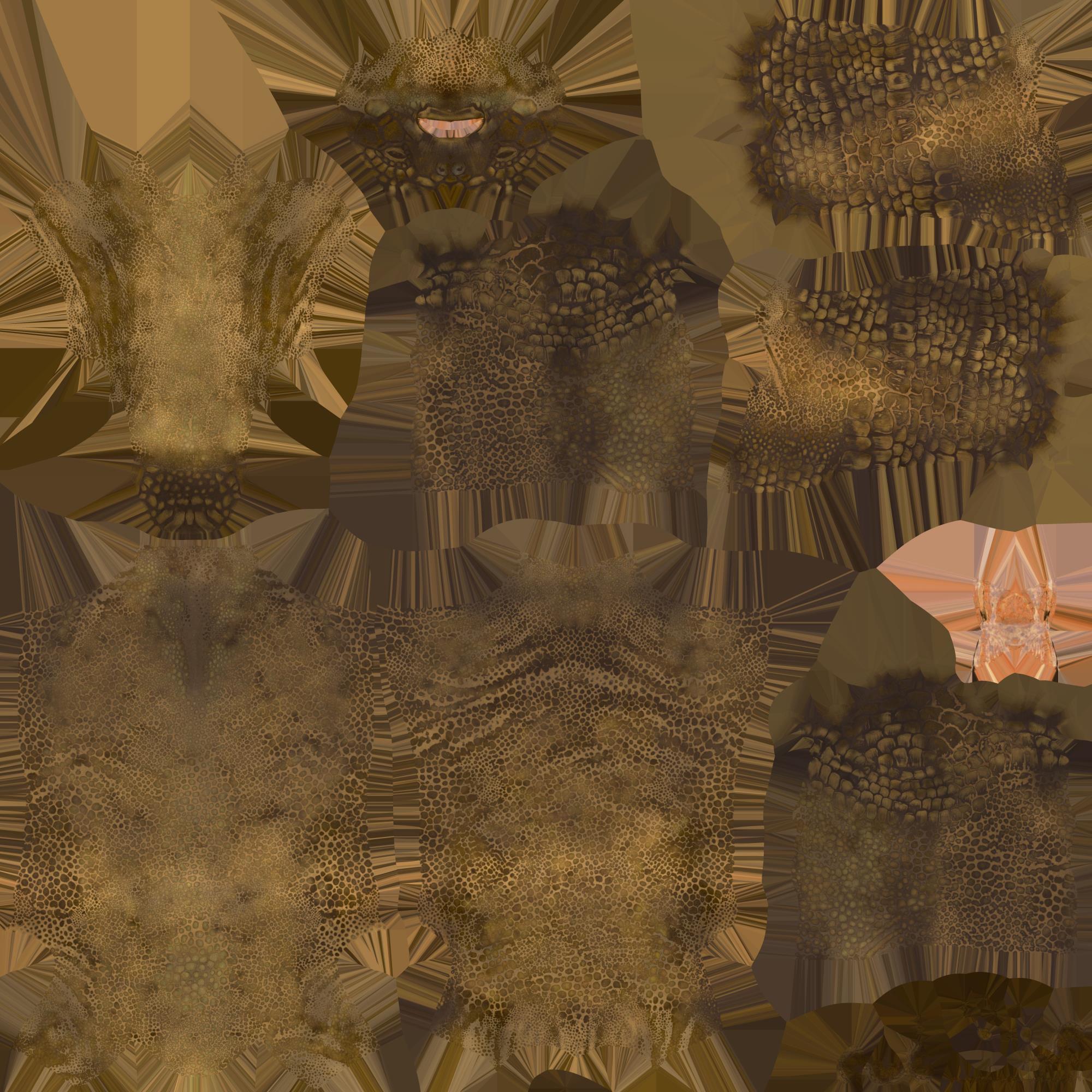
|
|
By LFA - 5 Years Ago
|
Hello Mike,
How did you get this texture, BTW?
We need to assign G8 materials because G8's Surface "Torso" is the combination of G81's "Head" and "Body". CC3's transform script likely reads only one texture as "Torso".
That is why you need to merge G81's Head and Body in Geometry Editor, then rename it as Torso, and Assign a G8 material, if you want to bake textures in CC3.

|
|
By TonyDPrime - 5 Years Ago
|
Hello - Luciano is correct, you can rename node and transfer in, with the emulated shape. It will require some tinkering:
What I find though with my tested Victoria 8.1 is that the Eyelashes and Tear duct also need to be arranged beyond the simple node rename, as they come in as unattached geometry. Renaming the respective node does not fix them, so eyelashes are missing.
Without working eyelashes this seems to make the whole thing an explorative case-study, versus an actual solution towards use. Unless, that is, eyelashes are not needed in the character.
|
|
By Kelleytoons - 5 Years Ago
|
Sorry to come back here so late but been SO busy with other things.
As Tony says, eyelashes are a problem. But also textures -- the textures I got were from an 8.1 character as well, just not a "normal" one (which, like eyelashes, will happen a LOT. Let's face it, we really don't need the skin, much, if the character is just any other character. Where we need the skins are from those that are definitely NOT the normal run of the mill stuff, and they don't follow those same patterns).
So, yes, this is more of a sort of "idea" than an actual workflow to get an 8.1 character inside of CC3. It will need a LOT of work by the RL devs in order to get this working properly and they have a ton of things on their plate right now.
|
|
By Kelleytoons - 5 Years Ago
|
To further elaborate, neither the Storybook Turtle (the one I posted) nor the Storybook Mouse (both designed for 8.1) will work with this method. The morphs come across just fine, but not the textures. Same with the Nanny Bot.
Again, textures ain't that important if we're talking about run of the mill avatars. We can use the CC3 textures for those just fine. But for the stuff you REALLY want to get over from Daz you need textures that will NOT transfer this way (and I have no idea how you could get it to work - it's way beyond my pay grade. Even SkinGen doesn't handle them).
|
|
By Kelleytoons - 5 Years Ago
|
AAAAaaannnnddd to finally put this to bed...
The reason the "trick" (and that's what this is) works is the UV maps are changed to accommodate the "regular" 8 figure. All well and good if your materials are for just a normal avatar but this is NOT the case for most of the ones we'd like to bring in (again, we don't need just normal Daz figures. We can make PLENTY of those ourselves. What we need are the more odd ones that CC3 does not have). Most unusual Genesis stuff has different UVs that can't be remapped this way. So -- no way for Transformer to handle those.
Note that Transformer DOES correctly handle odd UV maps from other Genesis figures, just not from 8.1. I assume that's because 8.1 uses a different UV mapping process entirely and it can't be converted. So I would advise folks to give up on getting their 8.1 figures in.
|
|
By LFA - 5 Years Ago
|
Hello everyone, sorry for my late reply.
I agree with Mike, I would rather try converting UVs only for special figures, so we don't really need basic ones. Btw, RL nailed it by improving integration with Blender and Unreal Engine.
For me, I transfer my old G2 and G3 figures as head morph templates for Headshot, grouped by ethnicity, so I can quickly adjust custom characters.
Cheers,
Luciano
|
|
By AutoDidact - 5 Years Ago
|
So I would advise folks to give up on getting their 8.1 figures in. I commend reallusion for the efforts they have made, thus far, for us to migrate our Daz figures and content into CC3/iclone.
Particularly in light of the open hostility Daz has shown Reallusion users on thier forums since we got our own "pretty girls" and Iray with CC1-2'.
I further commend Reallusion for having the foresight to Develop thier own stable of native Figures to remove dependancy on external figures, whoms development they Do not control.
For many years the various owners of Poser would release hideously substandard native figures with each poser release, "Secure" in their assumptions that Daz would provide higher quality poser native figure with the "millenium" Mike and vicky series as Daz had no actual figure platform other than Poser. Then Daz studio 1.0 was introduced and the poserites scoffed at its primtitive state (compared to poser)
However many of us (particularly the animators), saw the handwriting on the wall and began eyeing the nearest exit.
Here in mid 2021, Poser languishes in near complete obscurity in the 3D/CG Character market, with a hodgepodge of various native figures including third party, FAILED "saviour" figures all of which receive effectively ZERO support with new compatible content as thier are no uniform Standards to which content devs can adhere.
Daz inc has recently posted a major forum update on the Status of Daz the impending DAZ studio 5.0
It is a complete core re-write which Daz says will BREAK every existing third party plugin/script even as Daz struggles to get the professional users of the major 3DCC's & Game Dev communites to embrace Genesis with half the enthusiasm that Reallusion has shown.
(I have archived the installer .exe's of the highly stable DS version 4.12 for safe keeping)
I cannot think of a better time the Devs at Reallusion to Put Daz inc in the rear view mirror going forward, leaving only the current CC3 pipeline tech in place for those wishing to harvest any legacy figures prior to Genesis 8.1.
|
|
By TonyDPrime - 5 Years Ago
|
As AD correctly mentioned, Daz did make an announcement....it reveals nothing content-wise, nothing render-related, nothing figure-related. Just install-ish type stuff.
https://www.daz3d.com/forums/discussion/506346/daz-studio-5-development-update
As RL doesn't rely on any plugin and just takes a Daz export and then imports it in, it will be interesting to see how the RL team can incorporate this into a CC4 Daz Transformer. Hopefully CC4 will benefit from a higher set of HD components so that any future Daz 5 figure can be brought in at its full glory.
I don't know why Daz would be hostile to RL users, as they would buy their content to use in RL products....but I think competition will heat up even more now as this now goes to MetaHumans....
With MH, Unreal opened the door but is just sitting on it. And, they don't care to compete with Daz or RL, they just want game developers coming their way. So this opens up a huge lane for Daz and RL to make the most of a MH-level figure that can interact with the MH components of UE5.
Both Daz and RL have plugins exporting to UE, so this is where the plugin part really comes into play now, because if Daz comes up with its own MH Transformer modeler thing, it could knee-cap RL's progress. "UE5"..."Daz5"....see the marketing here?
But, RL can knee-cap Daz right back with its Daz Transformer, which in this scenario could allow an RL user to combine MH + Daz + CC4...the "ultimate" package.
PS- Youtube has exploded now with MH users using AccuLips, so RL has quite nicely injected itself into the MH Hype! RL has everything to gain by keeping Daz Transformer in development, we know not what yet the future holds!
|
|
By animagic - 5 Years Ago
|
DAZ has a funny way of putting it. "All plugins and some scripts will be broken" "I hope everyone is just as excited about DAZ Studio 5 as we are." :P
I'm quite impressed with the way RL has been strategizing by connecting iClone to Meta Humans via Live Link and thus providing facial animation and lip-synching to MH. Can DAZ offer that?
RL seems intend to position themselves as a serious 3D toolmaker, so I think that's good for the future.
The only thing missing is a Mac version, but I don't know how important that is.
|
|
By AutoDidact - 5 Years Ago
|
|
Re: the Metahumans,
IMHO the only reason Daz has not forbid discussion of the Epic metahumans is because shortly before the MH were revealed, Epic games gave Daz one of those $$megagrants$$ for thier UE4 genesis export plugin (far inferior to Live link BTW)
And Now Daz has to smile and act grateful while the DS users marvel at how much better the faces are than genesis 8.
Daz has made it very clear that the only figures that will ever be supported by the Daz studio software
are the legacy poser "millenium figures and Daz genesis. and even if they enabled transforming the MH into Daz studio There is no realtime viewport display in Daz studio.
only a slow preview resolve of the brute force path tracer from NVIDIA. and a crude open source preview engine they lifted from Google called "filament" that does not have AO or screen space reflections
Job is right, RL wasted no time showcasing Iclones Facial animation capabilities with the MH while Daz has yet to even Implement a functional IK foot/floor contact solver.
The only Iphone Face capture option for Daz studio is a $200 USD ,third party plugin Called "Face mojo"
from a single vendor who is one bad shrimp salad away from vanishing overnight and will have to re-write his plugin for Studio 5
Their nonlinear motion clip system (aniblocks) is leased from a company called "Gofigure" that no longer exists, and does not fully function with genesis 3/8 because of the different bone rig and they have shown Zero interest in updating it for G3/8 (if their license even allows it for Studio 5)
Their Audo based lipsinc options consists of plugin called MIMIC that requires you to install a 32 bit version of daz studio
because (again) the now defunct company who leased it to them wont allow a 64 bit recompile and studio 5 will very likely be 64 bit only
And Daz's native 64 bit Audio based called "mimic live" is $60 USD and
only creates lipsynch from Live audio spoken live ,via mic, into your Sound card making using remote,recorded
voice actors or AI voices a non starter.
Daz genesis with its great joints and HD morphs, will continue to rule the portrait & pinup crowds on Deviantart and other"Adult" venues. But Epic is poised to become a major player in Hollywood VFX, Digital Actors So IMHO Reallusion is wise to stay up to date with them.
|
|
By HooDooPhonix - 5 Years Ago
|
|
luciano this is great but i dont see the same lables inside the geomtery edtor or when i right click. could you do a tutoria video maybe??
|
|
By imranazeb - 4 Years Ago
|
|
Select genesis 8.1 character root. Go to Tools>Joint Editor. Make sure the root is selected in the scene section and not hip, pelvis etc. Right click in the view port, select edit>rename node. Change the text in Node name from Genesis8_1Female to Genesis8Female. Everything should work fine now.
|
|
By Kelleytoons - 4 Years Ago
|
Here's a video:
|
|
By animatedbeing - 4 Years Ago
|
LFA (6/19/2021)
Hi Mike, Forgive me if I am misunderstanding terminology. What I mean by "G81 morphs" is the basic shape of a g81 figure. This one below is Jacqueline 81 transferred over CC3 by just renaming the root node and root label, and not baking textures. This time, I didn't add a G8 figure in the scene, that was a deprecated method. I will PM you. Best regards, Luciano
The image does not show the torso, which is the map that does not transfer. But just renaming the node does make the process simple for characters in which the upper body is covered.
|
|
By animatedbeing - 4 Years Ago
|
Has anyone had luck getting the eyelashes parented to the figure?

|
|
By Kelleytoons - 4 Years Ago
|
|
You will need to use the CC eyebrows.
|
|
By animatedbeing - 4 Years Ago
|
|
Kelleytoons (9/8/2022)
You will need to use the CC eyebrows.
The character has brows. The 8.1 lashes are imported separately and I can't get them parented. I even renamed the node to Genesis8FemaleEyelashes. Trying to add CC lashes does not work.
|
|
By animatedbeing - 4 Years Ago
|
Just for fun lashes saved as brows - Genesis8FemaleEyelashes

|
|
By Kelleytoons - 4 Years Ago
|
|
You need to delete them. Again, you cannot use 8.1 lashes on a CC avatar.
|
|
By LFA - 4 Years Ago
|
Hi there,
You want to select the 8.1 figure and apply a genesis 8 female eyelashes. Delete 8.1 eyelashes and tear. That should work.
|
|
By animatedbeing - 4 Years Ago
|
|
LFA (9/8/2022)
Hi there,
You want to select the 8.1 figure and apply a genesis 8 female eyelashes. Delete 8.1 eyelashes and tear. That should work.
Thanks that worked.
|
|
By animatedbeing - 4 Years Ago
|
|
LFA (9/8/2022)
Hi there,
You want to select the 8.1 figure and apply a genesis 8 female eyelashes. Delete 8.1 eyelashes and tear. That should work.
Thanks. That worked.
Note I corrected the eyeblink and did some eyelash slider corrections for the figure in the image below.

|