|
By gekido - 4 Years Ago
|
Been running into this randomly when bringing clothing across from Daz - I have the clothing setup in Daz properly, I apply the reallusion 'TPose' to the character and export it to FBX
When I load it into Character Creator, the Clothing loads in as if it's in an A-Pose, but it ends up being bound to the CC Character in a TPose, which blows up the skinning obviously.
I'm loading content primarily with the Genesis 8 Female currently...
Ideas? Seems random - Transformer works with some stuff, but then this happens with others...
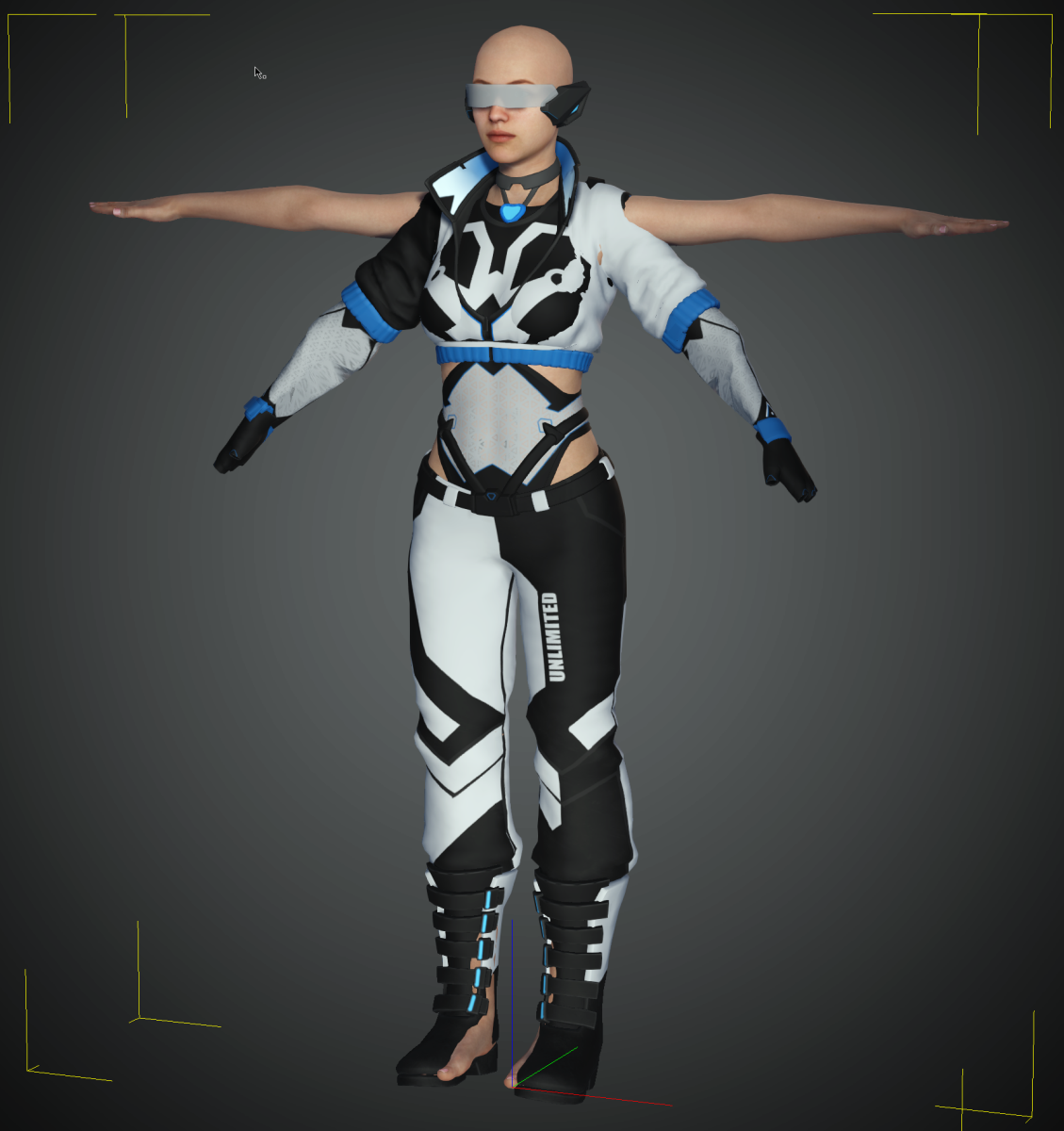
|
|
By gekido - 4 Years Ago
|
|
Super strange. it's not specific to any clothing item at all - just 'sometimes it works',. sometimes the clothing loads all screwed up like this. Can't figure out what is causing this. Pretty positive I'm using the exact same FBX export settings, etc...sigh...
|
|
By Kelleytoons - 4 Years Ago
|
I'm going to guess that's a Geo-shell, which can NOT be loaded in properly through Transformer (or any other method, really, although it might be worth a try through 3DX). While you can load the Geo-shell maps in you will not get the molding that Geo-shells offer.
If you tell me which items in particular it is I can test them on my end. But I'll bet you a dollar that's your issue.
|
|
By Kelleytoons - 4 Years Ago
|
Oh, there is ONE more possibility -- as an entire "suit" it might be weighted wrong. I cover that in depth here:
But in any case, just let me know exactly what items you're having issues with and I'll help.
|
|
By gekido - 4 Years Ago
|
Yeah it's strange how it's only certain outfits that are doing this - I wasn't aware of this 'geoshell' concept, but that might be the case?
Here are 2 outfits that I've been struggling with:
https://www.daz3d.com/dforce-beautyworks-cyberpunk-outfit-01-for-genesis-8-females
https://www.daz3d.com/cr-sci-fi-suit-for-genesis-8-females
I'm totally fine with reskinning then manually - except that first outft has super baggy pants that will be a pain ;P
Thanks for your help!
|
|
By Kelleytoons - 4 Years Ago
|
Okay, I'll check both of these out this evening when I get back from tennis (I'm just about out the door or I'd look at them now).
Neither one looks like a Geo-shell, so I'm not sure what's going on but I promise you I'll find out.
|
|
By Rampa - 4 Years Ago
|
You could disconnect the clothing from the character in DAZ. As long as the clothing surrounds the character, it will auto-rig with the Transformer. The DAZ clothing rigging is not actually used. Another option would be to export the clothing as OBJ, import as accessory and transfer the skin weights.
For the one with pants, it will work better to have the legs in an A-pose, to prevent any cross weighting between the legs.
|
|
By gekido - 4 Years Ago
|
ah interesting - I didn't realize that the rigging wasn't used - that was one of the main reasons I was bothering to fight with the transformer at all. I'm totally fine with having to clean up the skinning on the CC side, I have to do that with most pieces anyways...
Thanks! That makes the whole pipeline much simpler as well.
|
|
By gekido - 4 Years Ago
|
|
when you say 'disconnect the clothing' - do you just mean unparenting the clothing or by simply loading it into a scene without the character selected (so it just appears in the scene directly)?
|
|
By Kelleytoons - 4 Years Ago
|
I would not do either one -- frankly, I wouldn't pay any attention to what Rampa says here (he normally is very knowledgeable. Just not this time).
Transformer works fine and is the preferred method for both these items (remember that trying to do it with an OBJ is a PITA in many, many ways -- I would NEVER advise anyone to try and load Daz clothing/items in that way. Unless they are a sadist).
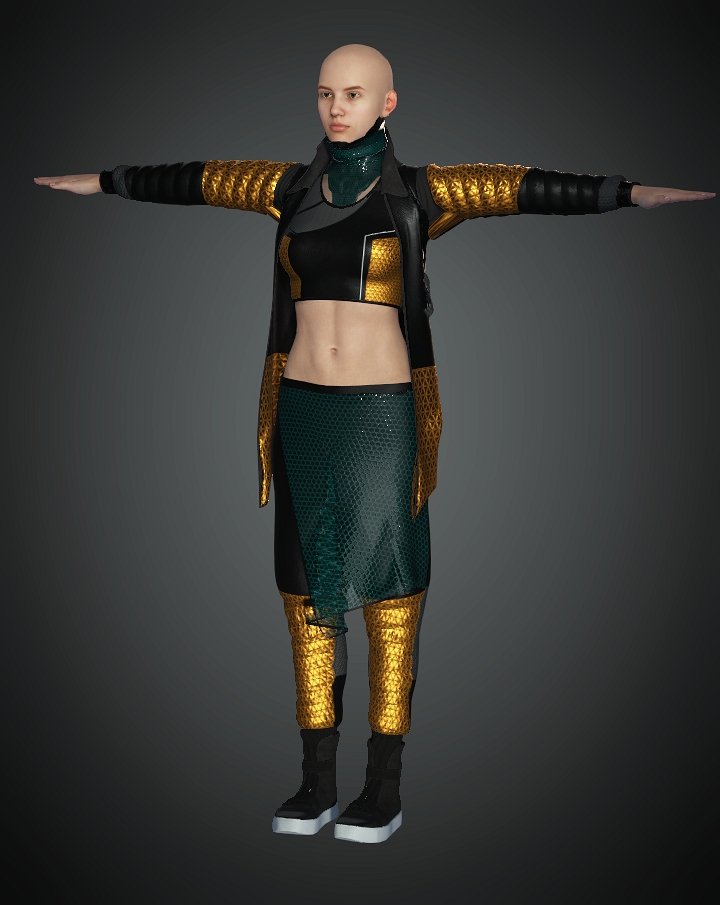
In the case of the Cyberpunk outfit, it loads just fine for me with no issues:
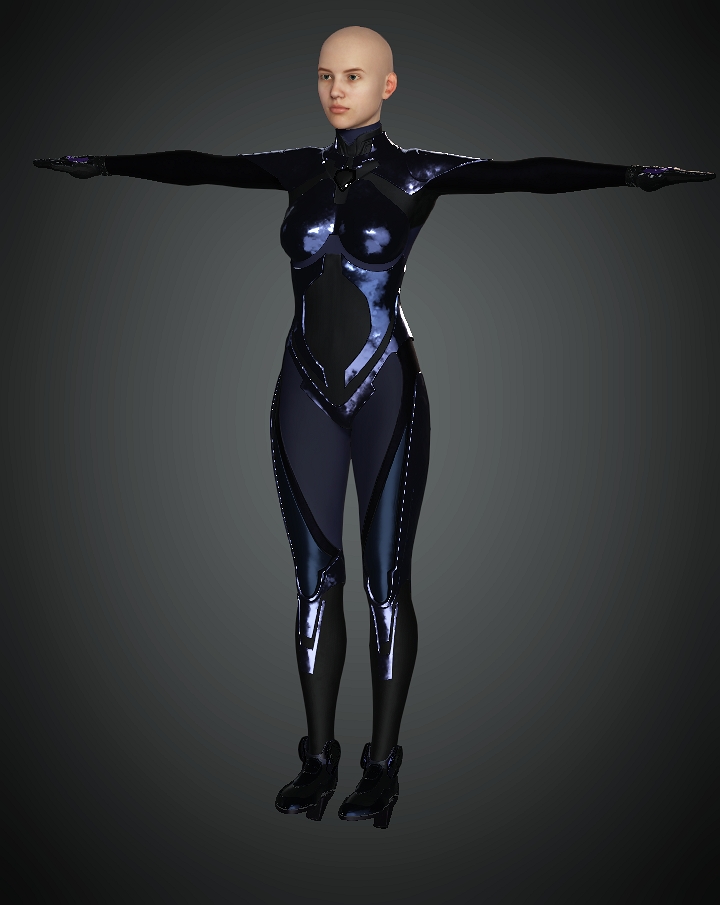
The CR Sci-Fi outfit is a bit trickier. If you apply the whole outfit it will hide the feet, and I discuss this in detail in many of my tutorials but in this case it's easy peasy -- just load another Gen 8 female in. When importing, uncheck the first one.
(Oh, and I got rained out after a set. Sigh).
|
|
By gekido - 4 Years Ago
|
When you say:
"just load another Gen 8 female in. When importing, uncheck the first one."
You mean when I load the transformer, have a base Genesis 8 Character loaded in Character Creator already and then ignore the one that comes with the transformer, correct?
|
|
By Rampa - 4 Years Ago
|
|
gekido (3/22/2021)
when you say 'disconnect the clothing' - do you just mean unparenting the clothing or by simply loading it into a scene without the character selected (so it just appears in the scene directly)?
Un-parenting is what I meant. The weighting of the clothing to the DAZ character is irrelevant, actually. It is auto-weighted to the CC3 character when you use the Transformer. If you use Transfer Skin Weights function on an imported accessory clothing, it does the same process.
But it does look like it works correctly for KT, so you may just want to give it another shot. Note that by loading a second character, He made sure there was a recognizable body and skeleton, and the clothing was actually not weighted to it.
|
|
By gekido - 4 Years Ago
|
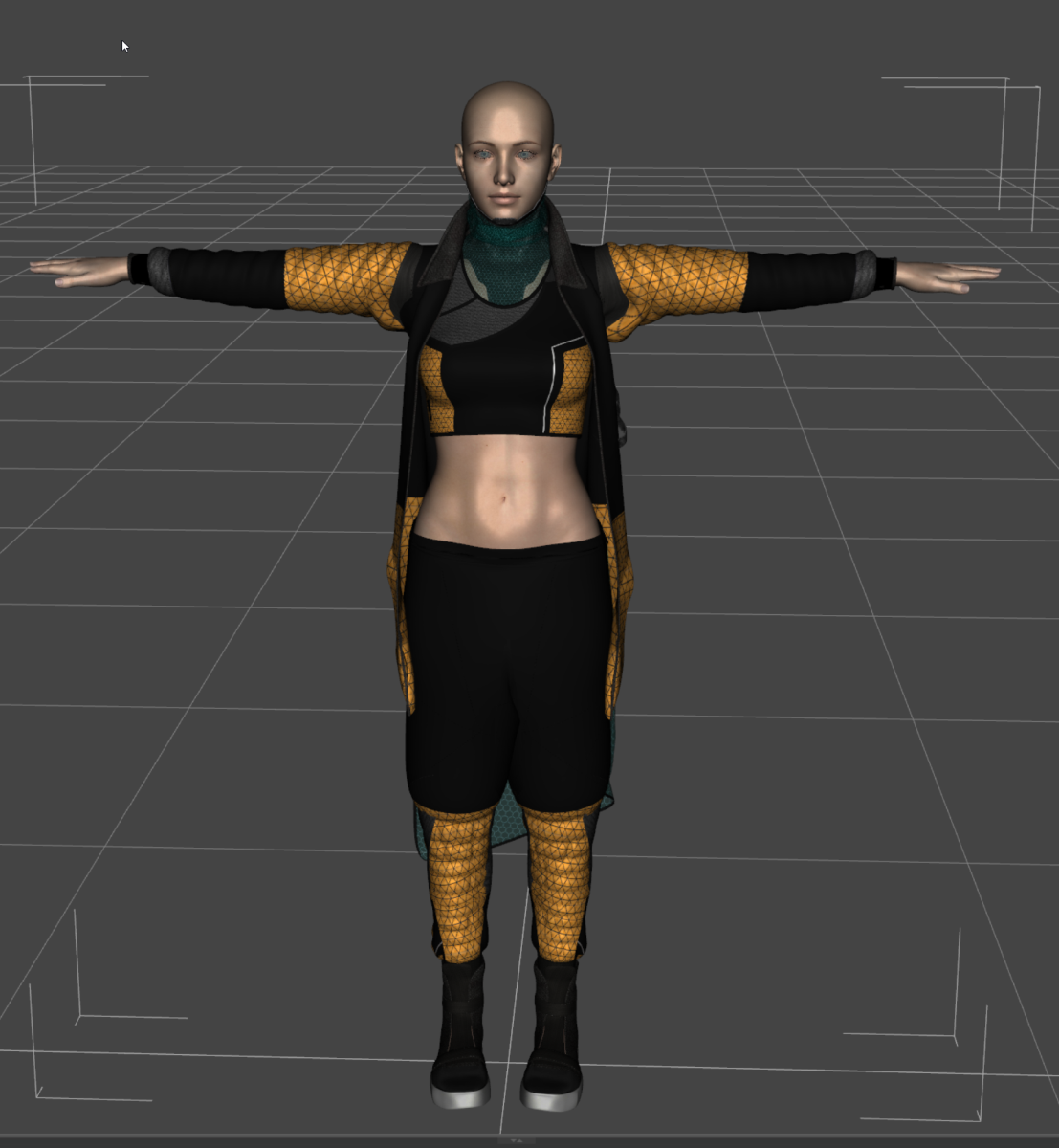
so strange. I don't get what I'm doing wrong.
I have :
Daz:
- add gen8 female
- apply the clothing
- apply reallusion Tpose
- go into geometry edit mode and unhide all poly's for the character
- export to fbx (using the settings shown)
character creator
- create new scene
- create -> transformer -> cc3 (I've never been able to get the CC3+ to recognize my daz characters at all)
- advanced import
- adjust the texture sizes to 2048 - I'm mostly leaving the layers etc to defaults unless I spot something strange
- blah
so strange...
|
|
By gekido - 4 Years Ago
|
"Note that by loading a second character, He made sure there was a recognizable body and skeleton, and the clothing was actually not weighted to it."
AHA! Cool trick. I'll give that a try
|
|
By gekido - 4 Years Ago
|
|
ugh. tried unparenting the clothing from the character, same result. I...don't...get...it...
|
|
By Kelleytoons - 4 Years Ago
|
Let me make a quick video (far easier - you can just follow along).
Give me about 10 minutes (I'm right in the middle of something...)
|
|
By gekido - 4 Years Ago
|
|
That would be amazing - so much appreciated! I followed along all of the tutorials I could spot and 'thought' I understood what was going on, but...apparently not...
|
|
By Kelleytoons - 4 Years Ago
|
|
|
|
By gekido - 4 Years Ago
|
Thanks so much! There were a few things wrong with my workflow!
- I didn't have 'locks & limits' checked on the export side'
- I was applying the clothing directly to the character in daz (had the daz character selected before 'adding' the clothing)
- was applying the Tpose that reallusion provided
- was using the CC3 transformer instead of CC3+ (which didn't work for any of my characters before)
Either way, thank you so much, the outfits came across perfectly this time!
|
|
By gekido - 4 Years Ago
|
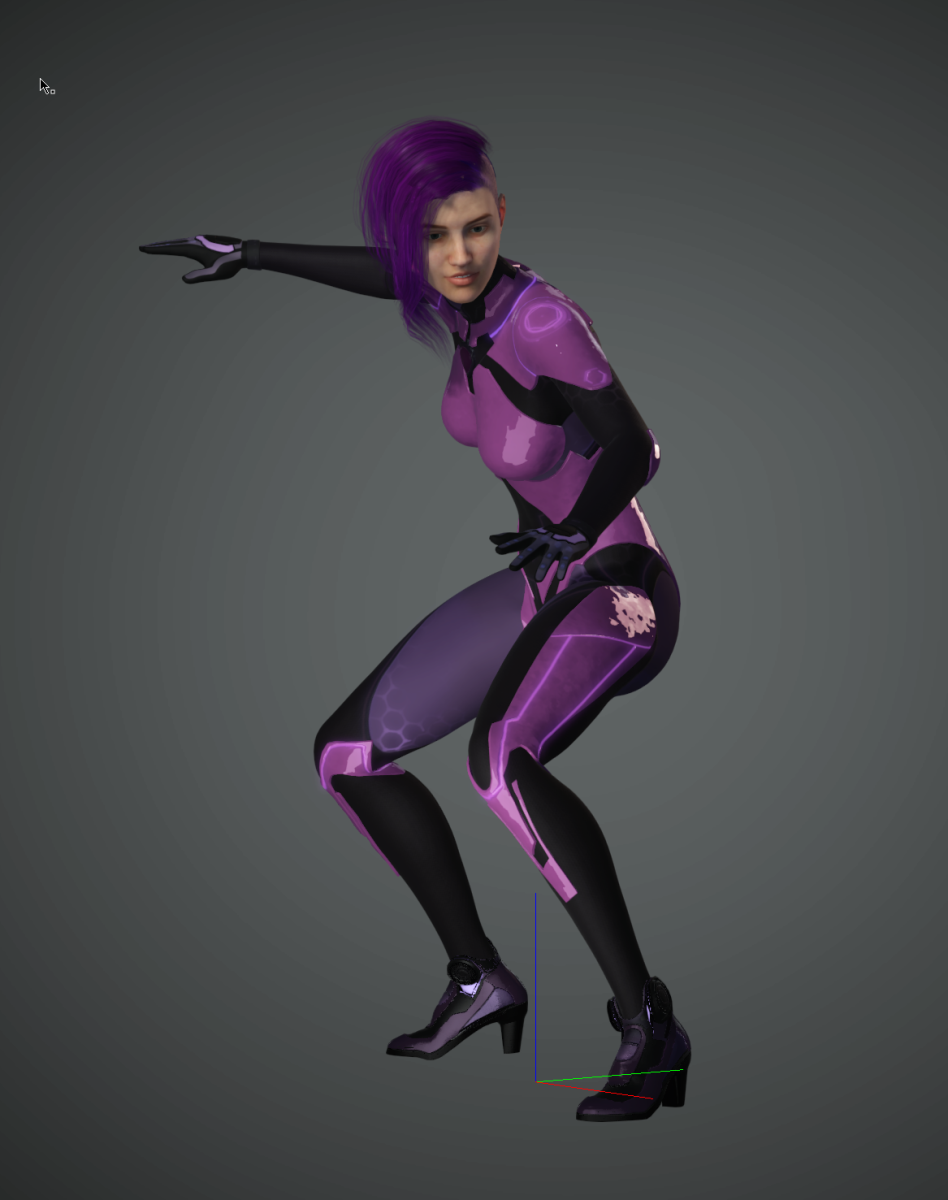
Success! Thanks so much for your help!
|
|
By Kelleytoons - 4 Years Ago
|
Good for you.
As always, I remind folks here if they have any trouble with ANY Daz outfit, prop or scenery just let me know and I'll be glad to check it out. Not everything works, but around 98% of all stuff from Daz does, and works without much effort.
|
|
By rosuckmedia - 4 Years Ago
|
|
Hi Kellytoons, Can you please show me these settings that you used in your tutorial.
Basic Transformer import Many Thanks.:) Greetings rosuckmedia  |
|
By Kelleytoons - 4 Years Ago
|
In essence, you want to set it up to export any morphs you intend on using with the clothing/prop item. Note this does NOT work with avatars -- which is to say, even if you try you cannot export any morphs with any avatar, as they will all be baked in IF YOU USE TRANSFORMER (you can definitely export avatar morphs into 3DX and need to do so if you want, for example, to animate the Daz House cat speaking, as I show in one tutorial). But clothing/prop morphs can and do come across to CC3 (and thus can be used to animate things in iClone).
So you could have a jacket that is open but with a morph to close it (this assumes such a morph exists in Daz). To do this you just specify the morph in that rollout (and it works via a wildcard -- if you have a lot of morphs that all start with "Jacket" for example, just putting the word "Jacket" in will export them all. This may or may not be a Good Thing).
Here's a quick tutorial showing the process:
|
|
By rosuckmedia - 4 Years Ago
|
|
@Kelleytoons, Many Many Thanks for your Help,and the Tutorial.:):) Greetings rosuckmedia.
|