|
By wezzley - 4 Years Ago
|
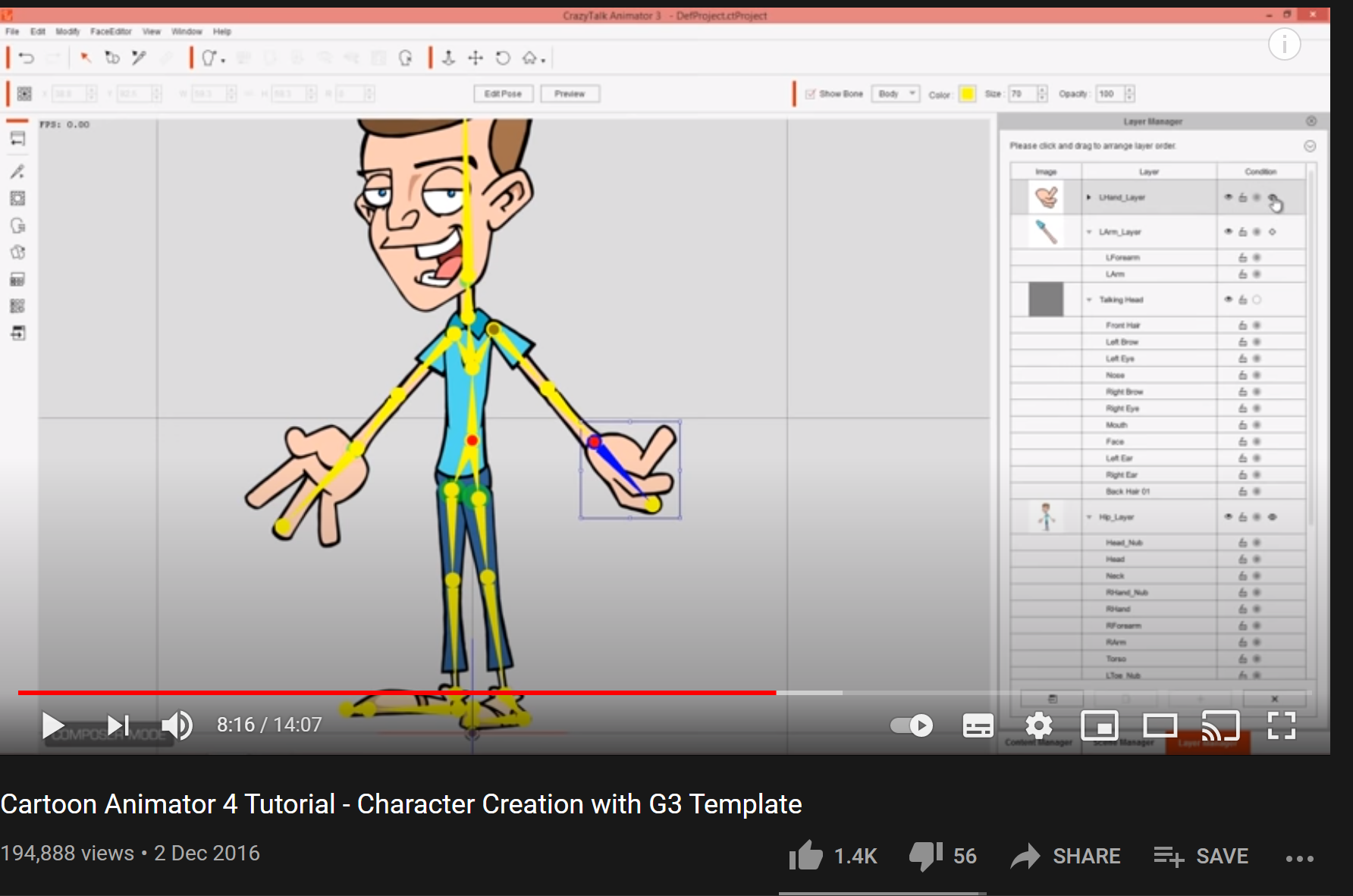
Hi! Thanks for any help....I'm using CA4 pipeline, I'm trying to follow this video at 7:40 - https://www.youtube.com/watch?v=kN-mKg5KlmM He selects and bone and adds the new sprite.....but when I click the hand bone it won't go blue and there is no option to add the new sprite. All other bones have performed as per the video...ie go blue when I click and the '+' option appears to replace the sprite.
Also the hand is not in the arm layer like his....maybe that's something to do with it. Can anyone help, Please I'm begging you...I've spent hours trying to add the hands!!! Thank you so much in advance animator friends
|
|
By vepop - 4 Years Ago
|
Use the Layer Manager to select the bone.
Then click the Sprite Editor to change or add sprite.
|
|
By wezzley - 4 Years Ago
|
Hi vepop - thanks for your reply! - I really really appreciate it. To follow up - The sprite editor was the way I could get the hands in place, thanks....but still issues:
There is no option to 'Bind or Stretch Bind' the hands in the layer manager when I do it this way....which is causing all sorths of problems whay I try to apply motion templates. I notice that after adding the hands in the sprite editor each hand is in a 'group' in the layer manager rather than a 'layer' like the feet...maybe this is a clue as to why I don't get the option to stretch bind?
If I could just add the hands in the layer manager like all the other body parts everything would be ok - whats going on! Its driving me potty! Ive noticed in the comments on the youtube video other people are saying the hands are not on a layer...but noone has a solution.
Thanks so much!
|
|
By vepop - 4 Years Ago
|
Sorry .. not sure what you meant by 'bind and stretch' problem.
|
|
By wezzley - 4 Years Ago
|
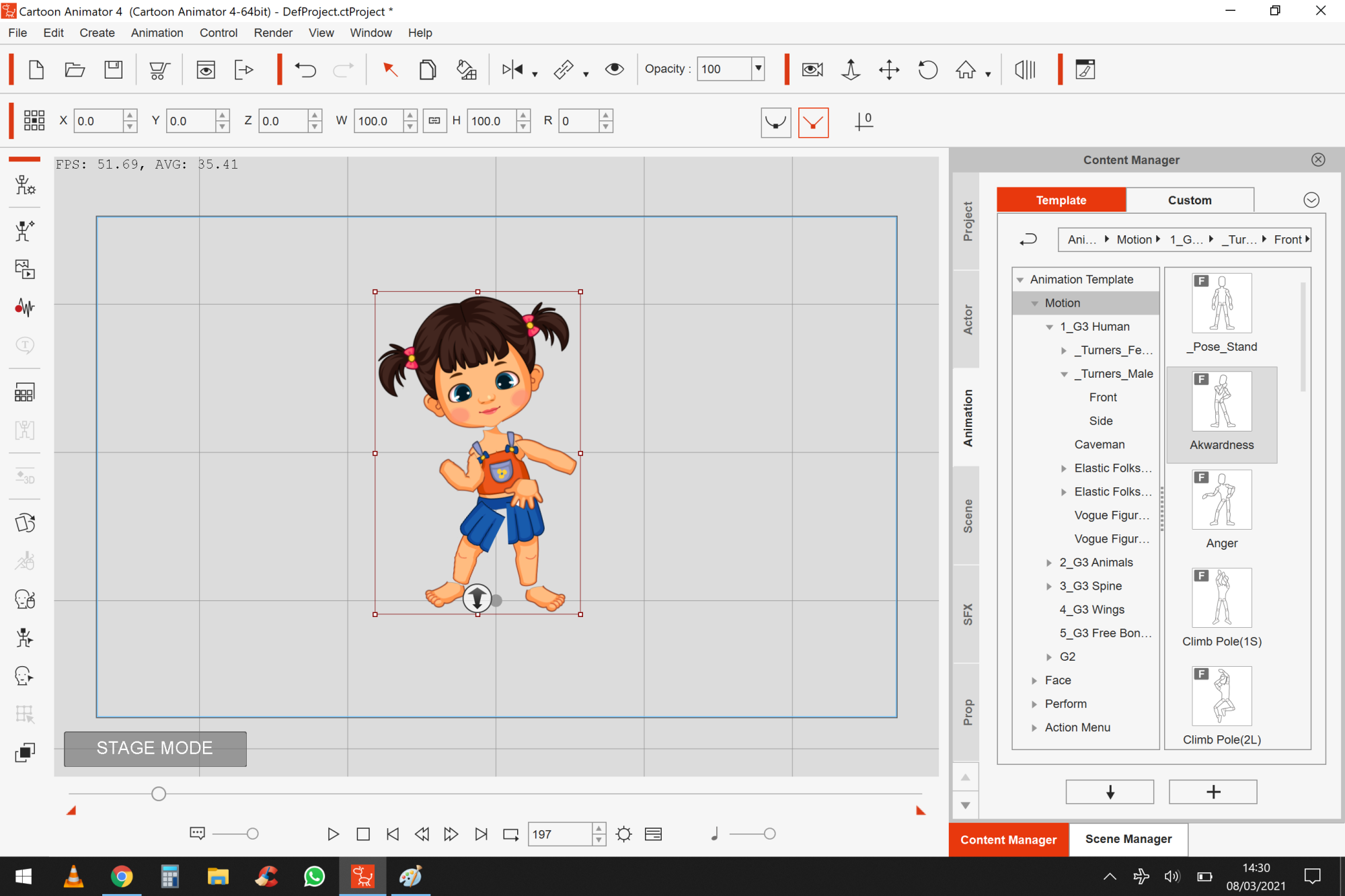
Hi Vepop - again thank you so much for engaging with me. I will attach screenshots to show my problem. Thanks for sharing that screenshot, I have just tried using that character as a template but unfortunately her hands change during the actions so the hands I put on at the start change back to her hands during the action. I'm not sure what to do about that.
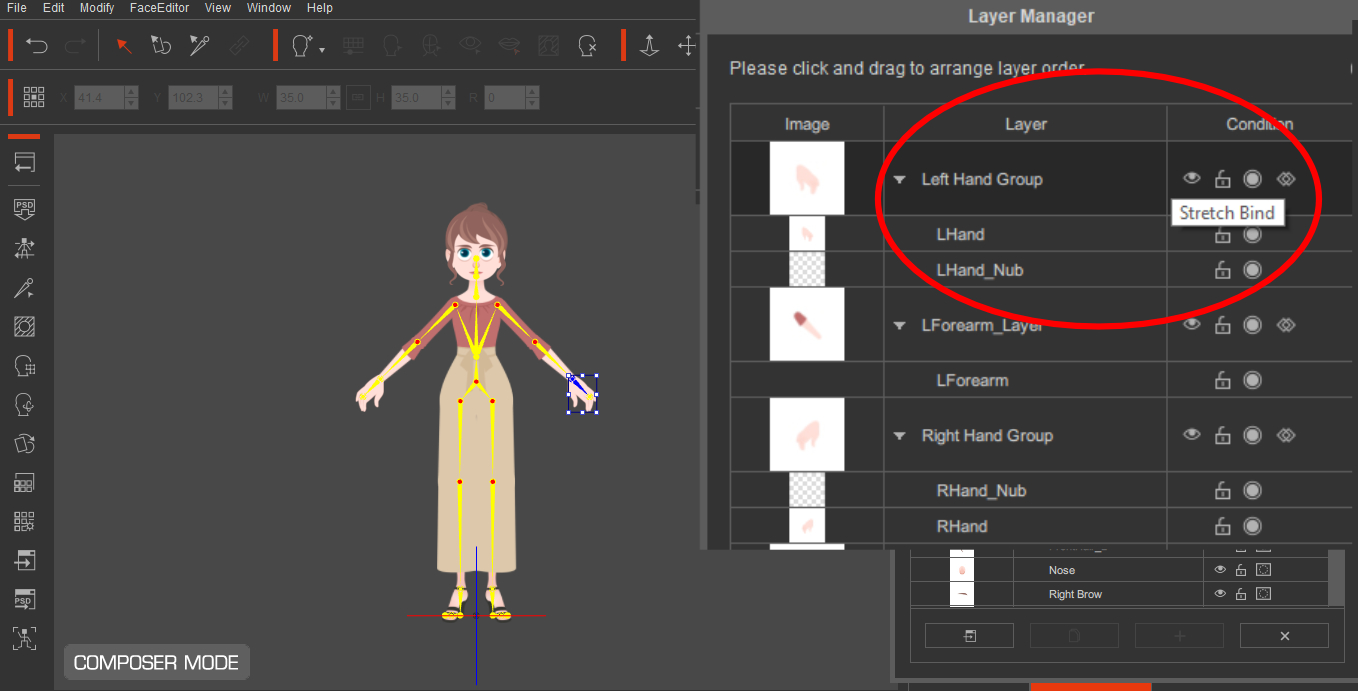
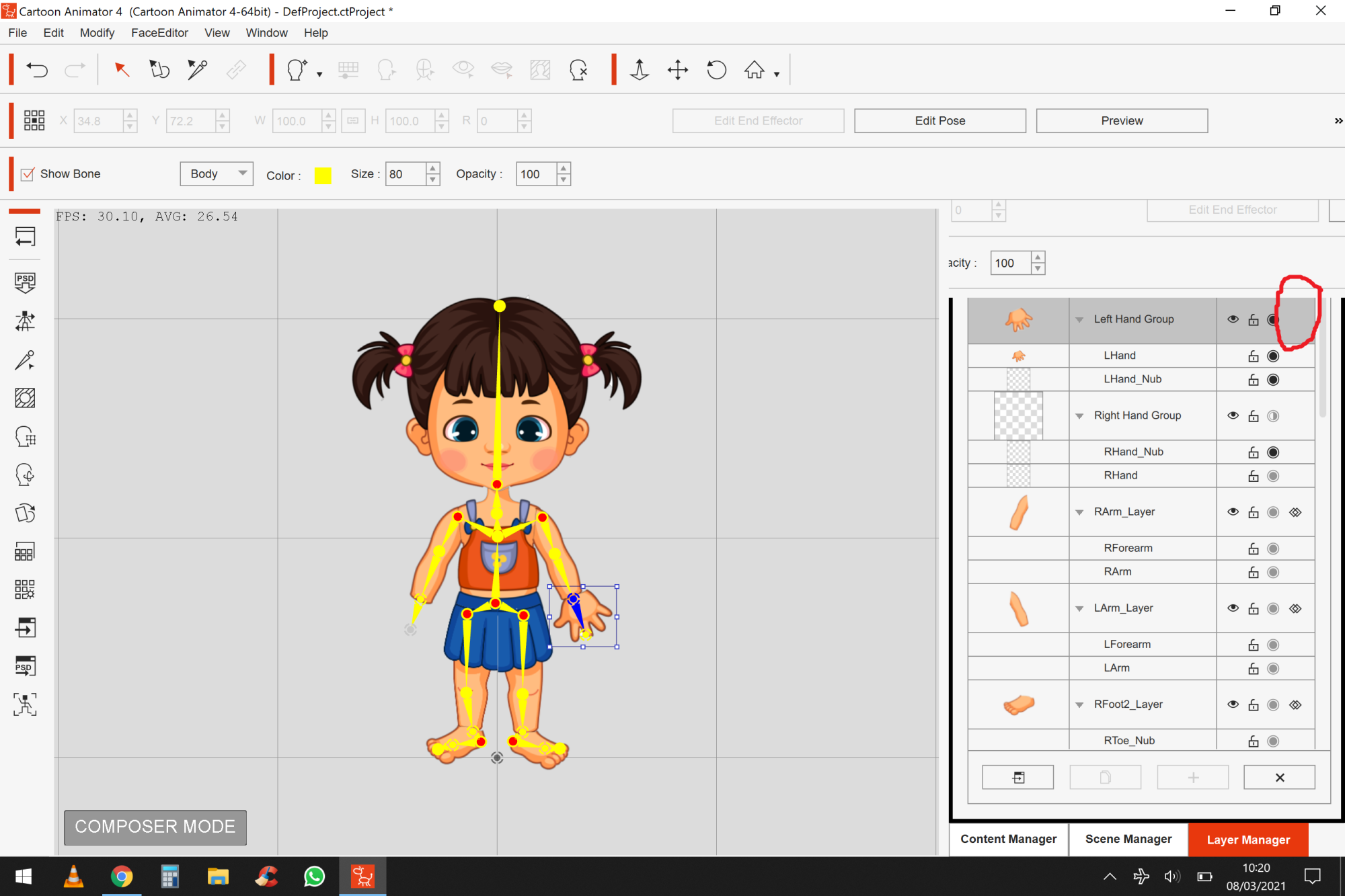
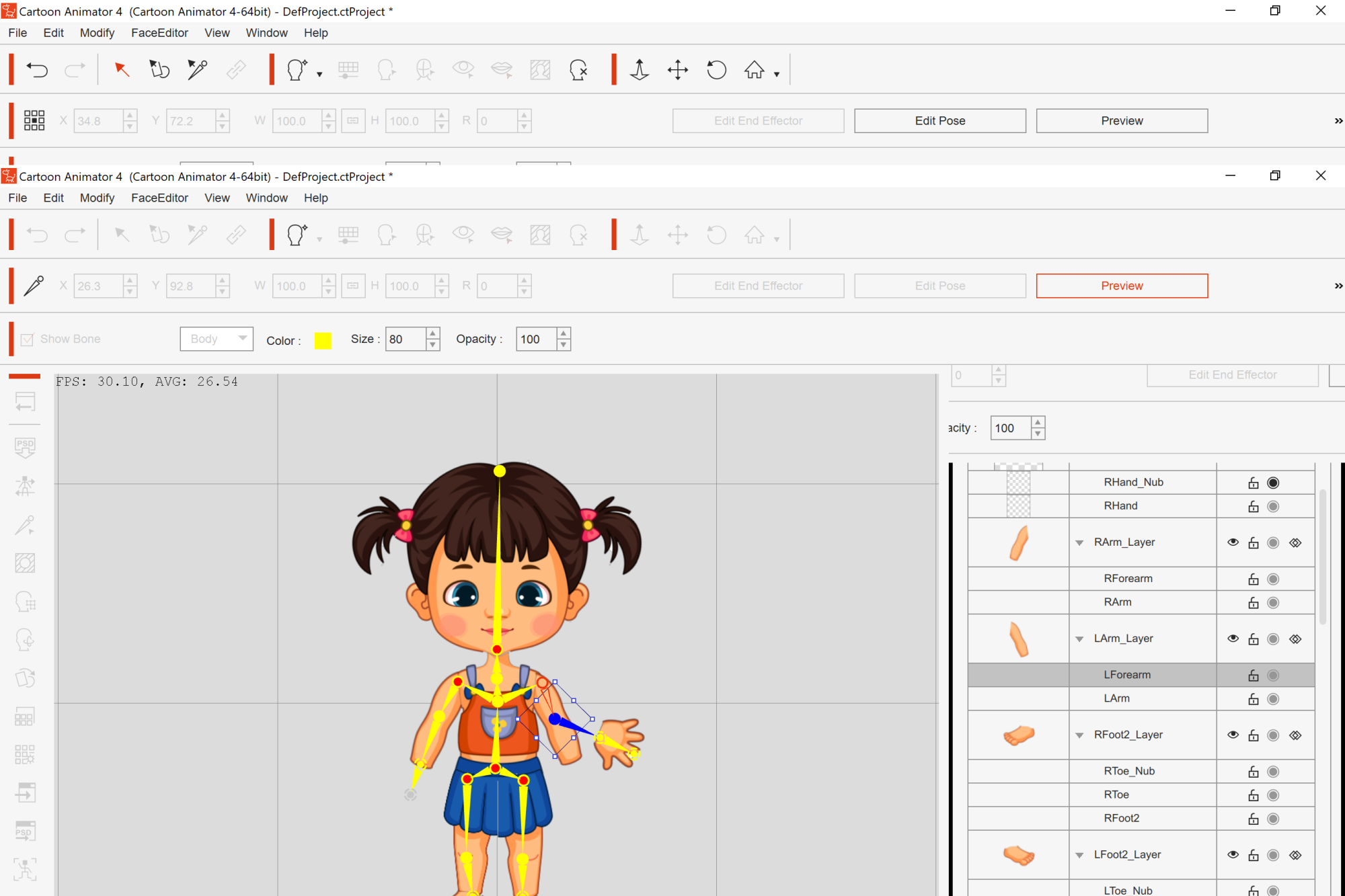
When following the video using the 'dummy' character - the problem I have is seen in the pics below:
PIC 1, no '+' symbol active in the layer manager - have to add image with sprite manager as per your suggestion....but no option to double bind. Interesting that hand is in 'group' not 'layer' like in the video, not sure why, but nevermind.
PIC 2, in preview mode, had becomes separated and arm does not bend
PIC 3, so in stage mode its a mess - Interesting again that other arm without a hand added yet does still bend!
PIC 4, he seems to have no such trouble in the video (he is using version 3)
Once again thank you so much for your assistance, I am stuck on this issue for many days trying now!
|
|
By vepop - 4 Years Ago
|
Watch these tuts and see how a character is assembled and correct bone placement.
Part 1 : https://vimeo.com/372782250
Part 2 : https://www.youtube.com/watch?v=LdfeyRjjBwE&list=PL_E-gj-Nyll-rJGlne5gxGO06pACge4IR&index=3
Hopefully, these tuts will solve your problem.
|
|
By wezzley - 4 Years Ago
|
|
Hi, thanks very much for that link, I will definitely watch it but at quick glance I noticed that the character is exported out to Affinity Designer....what about the tutorial video I'm trying to follow from reallusion where he places the hand in the bone and double binds it...I just want to do what he does in the video! but there is no option to bind - as per my screenshot with the red circle showing that there is no option to double bind like in the video screenshot I also put in the post. Any ideas why my experience is not the same as the video? It seems like such a simple thing to want to add hands to my character and I cant find out how to do this anywhere on the entire internet!
|
|
By vepop - 4 Years Ago
|
From the screenshot, I see that your character is not properly prepared for CA4.
Watch the tuts first.
|
|
By wezzley - 4 Years Ago
|
|
Hi again, thanks. When you say not properly prepared I'm guessing you mean I havent rounded the tops of the arms and legs so that they dont show gaps when they move.....yes thanks I'm aware I need to do that later - but its not the problem I'm writing about and trying to fix for 4 days solid. The problem is that I cant put the hands on like in the video and double bind them....(There seems to be no point of preparing everything else just yet if my character will have no hands!). Can we focus on the hand issue please, I'd be so grateful if we can fix it
|
|
By vepop - 4 Years Ago
|
I believe the problem you're having is because of the character not properly done for CA4.
|
|
By russellearlsmith - 4 Years Ago
|
|
I have had this same issue several times so I sympathize with you. I think the response you have been getting is less than ideal. This is a common issue and may be a bug. Can you believe the CA4 Manual has absolutely no reference to Stretch Binding? As if it doesn't exist and yet is key to hands working properly. Is there no one at Reallusion who can help????
|
|
By vepop - 4 Years Ago
|
@russellearlsmith
If he would share his project file with me, I surely can fix it easily.
I can see the problem already from the screenshot.
When body parts are not attached properly to the other, surely the requirement has not been met.
|
|
By wezzley - 4 Years Ago
|
|
Hi Vepop - I have spent some hours preparing the body parts Exactly as per your video - and this has not solved the problem. There is still not the option to bind or double bind as per the original training video. Thanks for your idea.
|
|
By wezzley - 4 Years Ago
|
|
Hi @russellearlsmith it is very good to connect with you. Sorry to hear you have suffered from this too. I thought I was going crazy, but it is so good to know I am not the only one! I have found a workaround of adding the arms with hands still attached. It means that when I go back to composer mode and apply actions to the character, the software bends the join between the arms and hands automatically - in a less than perfect way....but its better than having no hands at all! If you have any solution please let me know! I tried vepops idea of making sure each body part was correctly rounded at the ends before putting into place but it made no difference. I'm sure this is all because the hands are classed as a 'group' in the layer manager rather than a 'layer' - which is different to the training video you can see in the screenshot my earlier post.
|
|
By vepop - 4 Years Ago
|
Hi Wessley,
The rounded ends is just to give the idea that a certain part of the sprite needs to be overlapping the other in order for it to become connected.
This overlapping area is where the bone is placed.
There is NO PROBLEM at all for me when I did my characters.
.
|
|
By wezzley - 4 Years Ago
|
|
Hi vepop - yes my sprites are overlapping...the problem is still there - no option to bind. Not sure why you started shouting!
|
|
By vepop - 4 Years Ago
|
Did I shout? Nope.
Just to highlight that there is NO PROBLEM on my part at all.
I've done many characters and NONE gives me problem like what you experienced.
|
|
By vepop - 4 Years Ago
|
Here is a link which might help you:-
https://manual.reallusion.com/Cartoon_Animator_4/ENU/Pipeline/Content/Resources/ENU/03_Actor/Customing_Your_Actor_With_Actor_Composer/Double_Bind_for_Layers.htm?Highlight=bind
|
|
By vepop - 4 Years Ago
|
If you don't mind sharing the project file with me.
I will see what contribute to the problem.
|
|
By wezzley - 4 Years Ago
|
|
Hi thanks for the link. I have checked this link already - you seem to be missing the point that there is no option to bind or double bind for me....which I have shown clearly in a screenshot. You also seem to be missing the point that my hand bone is shown as being in a 'group' rather than a layer....which is different o both the video and the link you have sent. By the way when someone uses capitalised letters when talking to others on the internet is is considered to be shouting.....that's why I was suprised you started using capitals. I am as frustrated as anyone about this, and I really appreciate you trying to help. I'm sorry if my problem has also started to frustrate you. I am trying every suggestion and really want to get this solved, I dont mean to annoy you.
|
|
By vepop - 4 Years Ago
|
If you don't mind sharing the project file with me.
I will see what contribute to the problem.
|
|
By wezzley - 4 Years Ago
|
wow thanks vepop, I really appreciate your offer to take a look! I have attached the character file.
I know the layer order could be changed to make the character look better where the sprites overlap, but I guess that's not important to do right now, I'm focused on getting that hand double binded like in the video.
Thanks again!
|
|
By vepop - 4 Years Ago
|
.
.

.
The Head sub-folder should not be in the RL_Image folder.
Unable to import the PSD file due to this error.
.
 . .
I deleted all other Folders except the RL_Bone_Human & RL_Image Folders.
.
 . .
I changed LForearm to LArm>LForearm.
Also, LHand to LForearm>LHand
Then I save the PSD file.
In CA4, I click the Create Character icon and import the PSD file.
This is the result:-

|
|
By wezzley - 4 Years Ago
|
|
Hi vepop, thanks for this detailed reply. I see you are using a 3rd party software that he doesn't use in the tutorial I'm trying to follow (https://www.youtube.com/watch?v=kN-mKg5KlmM), So I guess I will have to admit defeat and look into this workaround and accept that it is impossible to follow the video and we will never know why. It looks like you have really done it using this workaround! Thanks and well done. What is the software I will need to get?
|
|
By Peter (RL) - 4 Years Ago
|
wezzley (3/11/2021)
Hi vepop, thanks for this detailed reply. I see you are using a 3rd party software that he doesn't use in the tutorial I'm trying to follow ( https://www.youtube.com/watch?v=kN-mKg5KlmM), So I guess I will have to admit defeat and look into this workaround and accept that it is impossible to follow the video and we will never know why. It looks like you have really done it using this workaround! Thanks and well done. What is the software I will need to get?
Hi Wezzley
I opened your character file in Cartoon Animator and had the bind options as you can see from the screenshot. Do you still not see the bind options if you import the character file (.ctTBactor) into CTA4.

|
|
By vepop - 4 Years Ago
|
Hi Peter,
The bind option is not available in my CA4 too.
Strangely, after I modified it in Affinity Designer and imported it in CA4 the bind option was there.
Then, I exported to Affinity Designer again and change back to the original layer label (for eg. LArm>LForearm changed back to LForearm)
and bring it back to CA4, the bind option was available.
.
|
|
By vepop - 4 Years Ago
|
Hi wezzley,
If the character is done properly, there shouldn't be any 'bind' problem.
This is from my experience creating characters in CA4.
|
|
By Peter (RL) - 4 Years Ago
|
|
vepop (3/11/2021)
Hi Peter,
The bind option is not available in my CA4 too.
Strangely, after I modified it in Affinity Designer and imported it in CA4 the bind option was there.
Then, I exported to Affinity Designer again and change back to the original layer label (for eg. LArm>LForearm changed back to LForearm)
and bring it back to CA4, the bind option was available.
Thanks for the feedback Vepop. That's a strange one for sure. The Bind options were available for me as soon as opened the character in CTA4 without any prior modification. :ermm:
|