|
By helielfilmz - 5 Years Ago
|
Hey guys i really need a fix for this problem. I was in iClone, making a scene with a standing idle animation when my character's leg pokes through, and it seems like a weight paint problem, Here are some photos to show how it looks. I really hope someone can help me with this, and i really don't want to change the skirt on my character it would be appreciated 
|
|
By mark - 5 Years Ago
|
I'll assume you tried the Conform/Calculate Collision feature for the cloth and maybe used the "Increase Size" slider a little bit? If so, maybe the "Edit Mesh" menu / "Sculpt" feature is great for spot adjusting a mesh.
|
|
By helielfilmz - 5 Years Ago
|
|
mark (3/1/2021)
I'll assume you tried the Conform/Calculate Collision feature for the cloth and maybe used the "Increase Size" slider a little bit? If so, maybe the "Edit Mesh" menu / "Sculpt" feature is great for spot adjusting a mesh.
Trying with the Edit Mesh/Sculpt and i'm failing at it lol! haven't messed with the Conform/Calculate Collision feature, as i don't even know how to use it as of yet while i am still new to CC3, Everything so far has been from tutorials and trial and error
|
|
By helielfilmz - 5 Years Ago
|
This is turning into a hot mess. I wish it was a tool that i could drag out the mesh.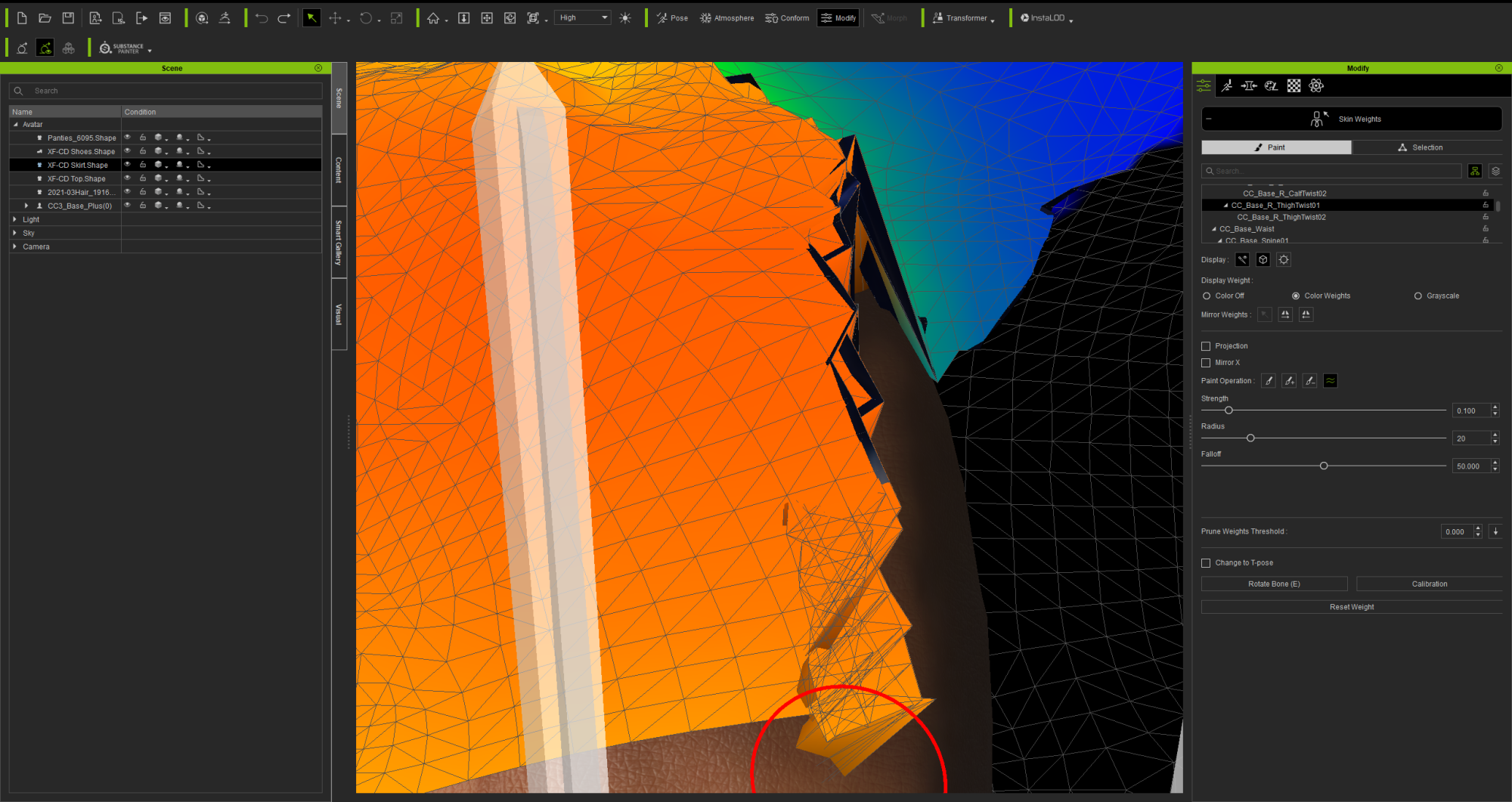
|
|
By Rampa - 5 Years Ago
|
|
It looks like maybe the transfer skin weights should be redone. Put the character a T-pose and transfer the skin weights for the skirt again. Make sure to choose the "dress" preset". But make sure you use a clean version, not the one you already adjusted.
|
|
By helielfilmz - 5 Years Ago
|
|
Rampa (3/1/2021)
It looks like maybe the transfer skin weights should be redone. Put the character a T-pose and transfer the skin weights for the skirt again. Make sure to choose the "dress" preset". But make sure you use a clean version, not the one you already adjusted.
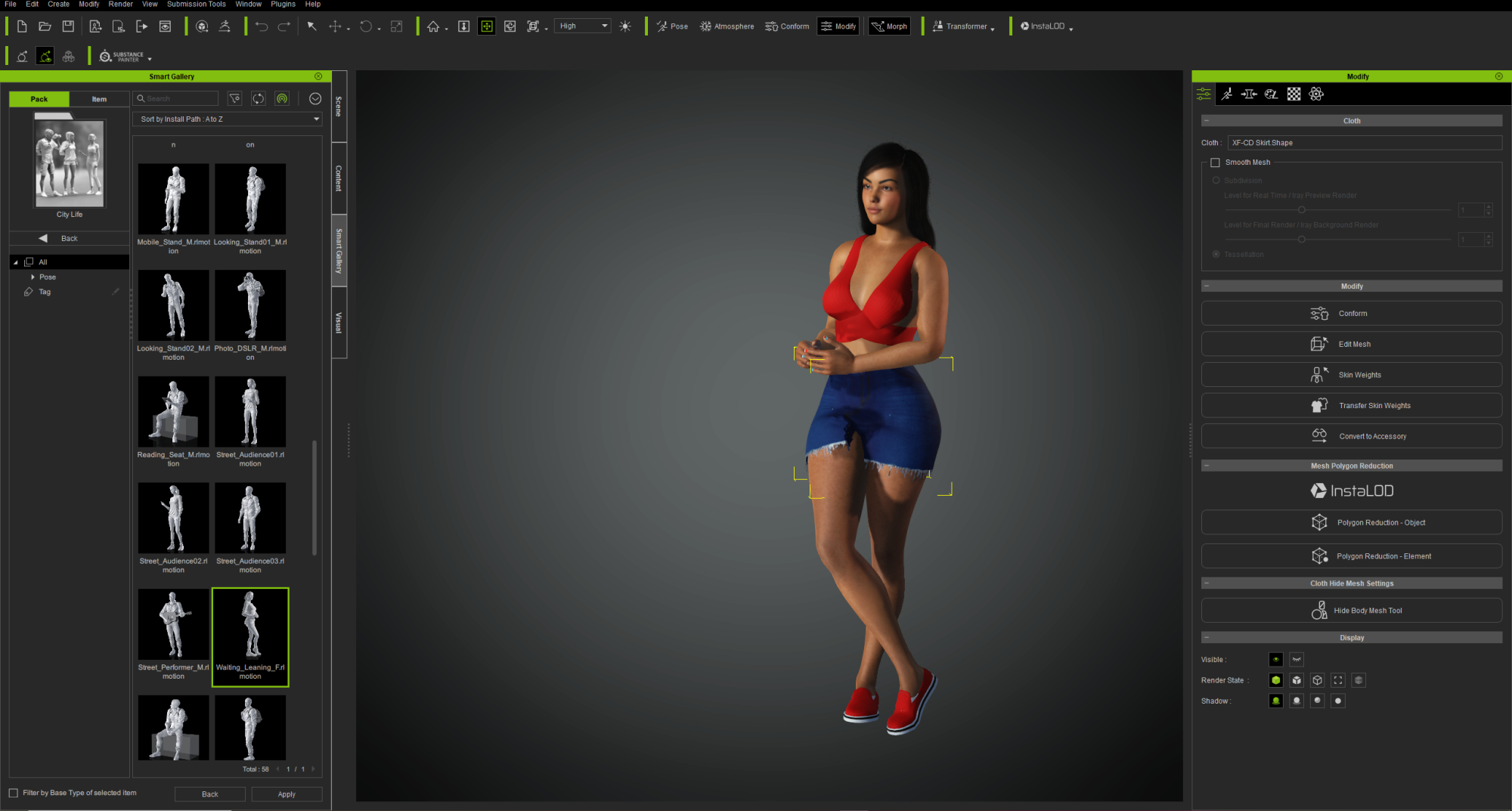
It's only during this pose/animation via (City Life by actorcore) on iClone, that the skirt looks like this, but while in T-Pose the skirt covers the thigh as it should.
What should i do because i exported it from iClone?
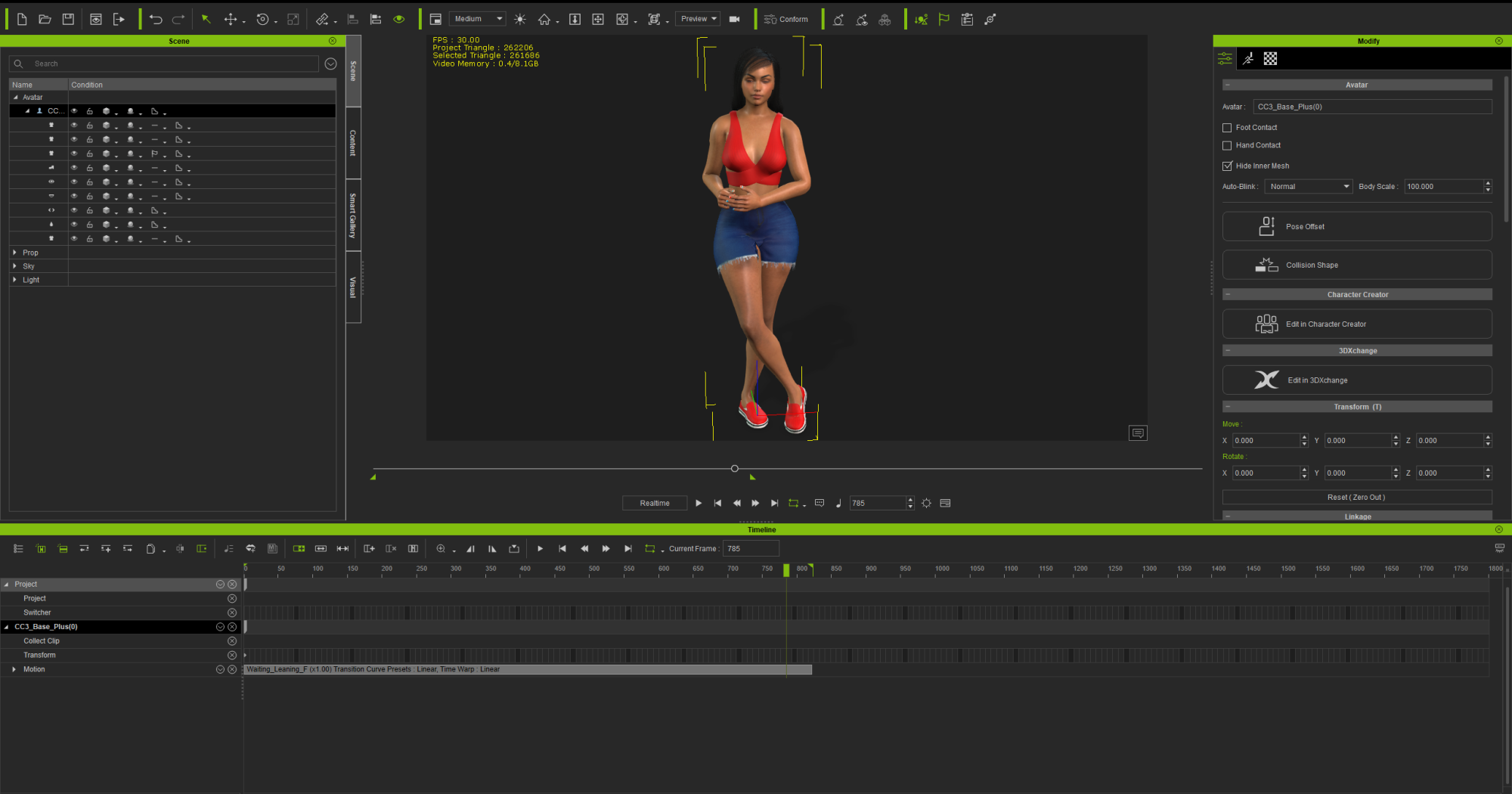
|
|
By helielfilmz - 5 Years Ago
|
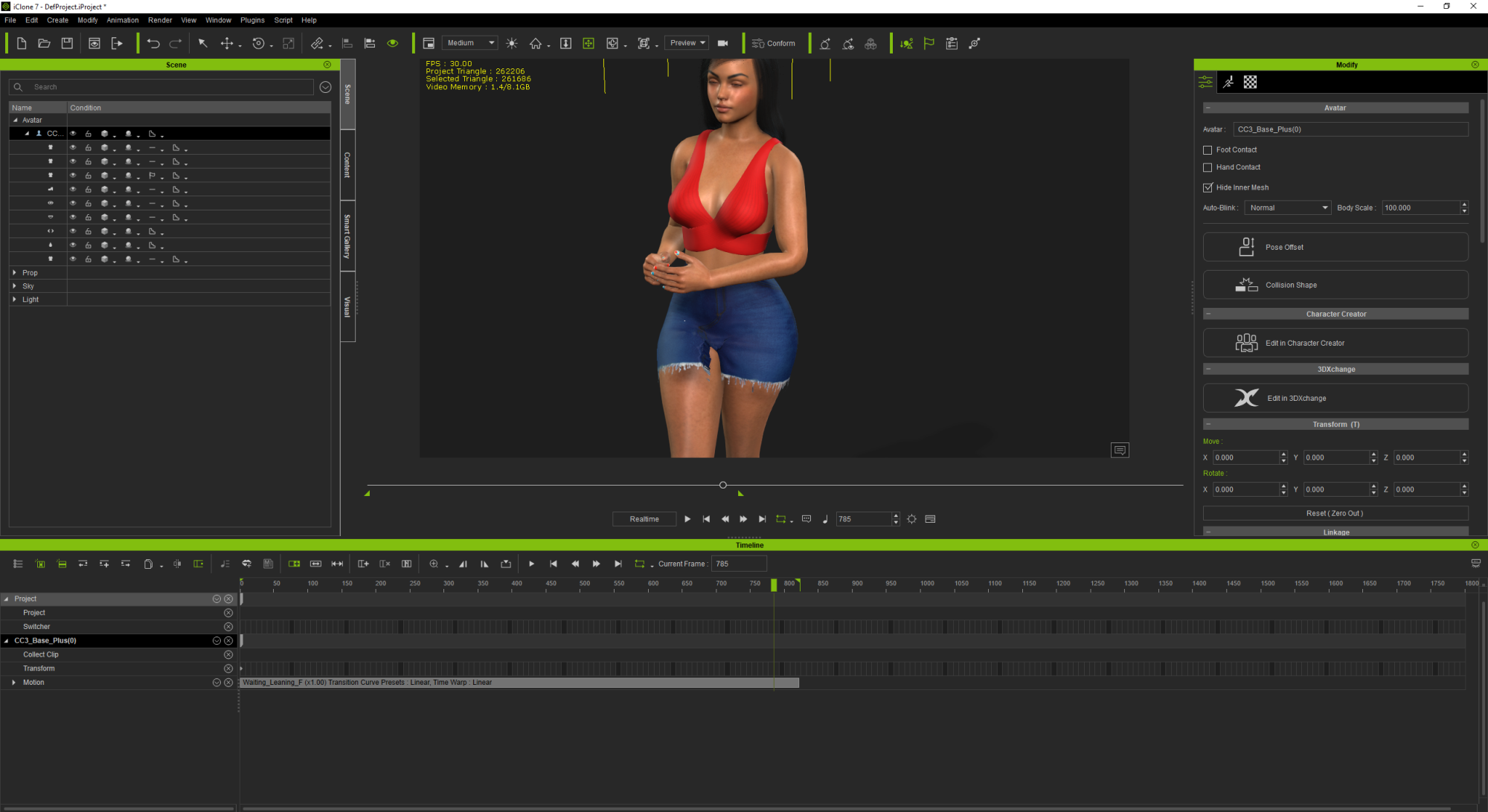 Rampa (3/1/2021)
It looks like maybe the transfer skin weights should be redone. Put the character a T-pose and transfer the skin weights for the skirt again. Make sure to choose the "dress" preset". But make sure you use a clean version, not the one you already adjusted.
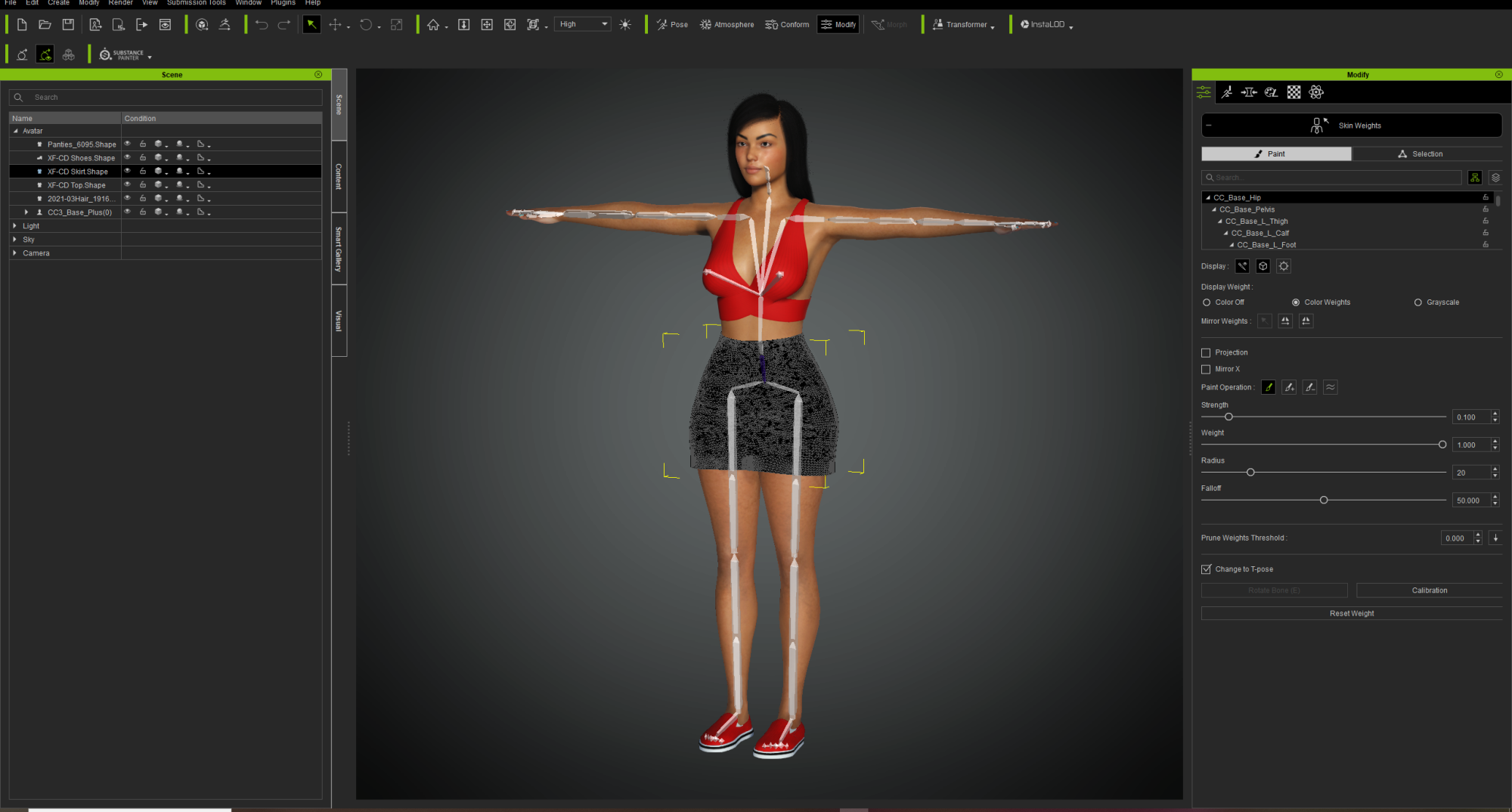
It's just this pose/animation
|
|
By helielfilmz - 5 Years Ago
|
|
Rampa (3/1/2021)
It looks like maybe the transfer skin weights should be redone. Put the character a T-pose and transfer the skin weights for the skirt again. Make sure to choose the "dress" preset". But make sure you use a clean version, not the one you already adjusted.
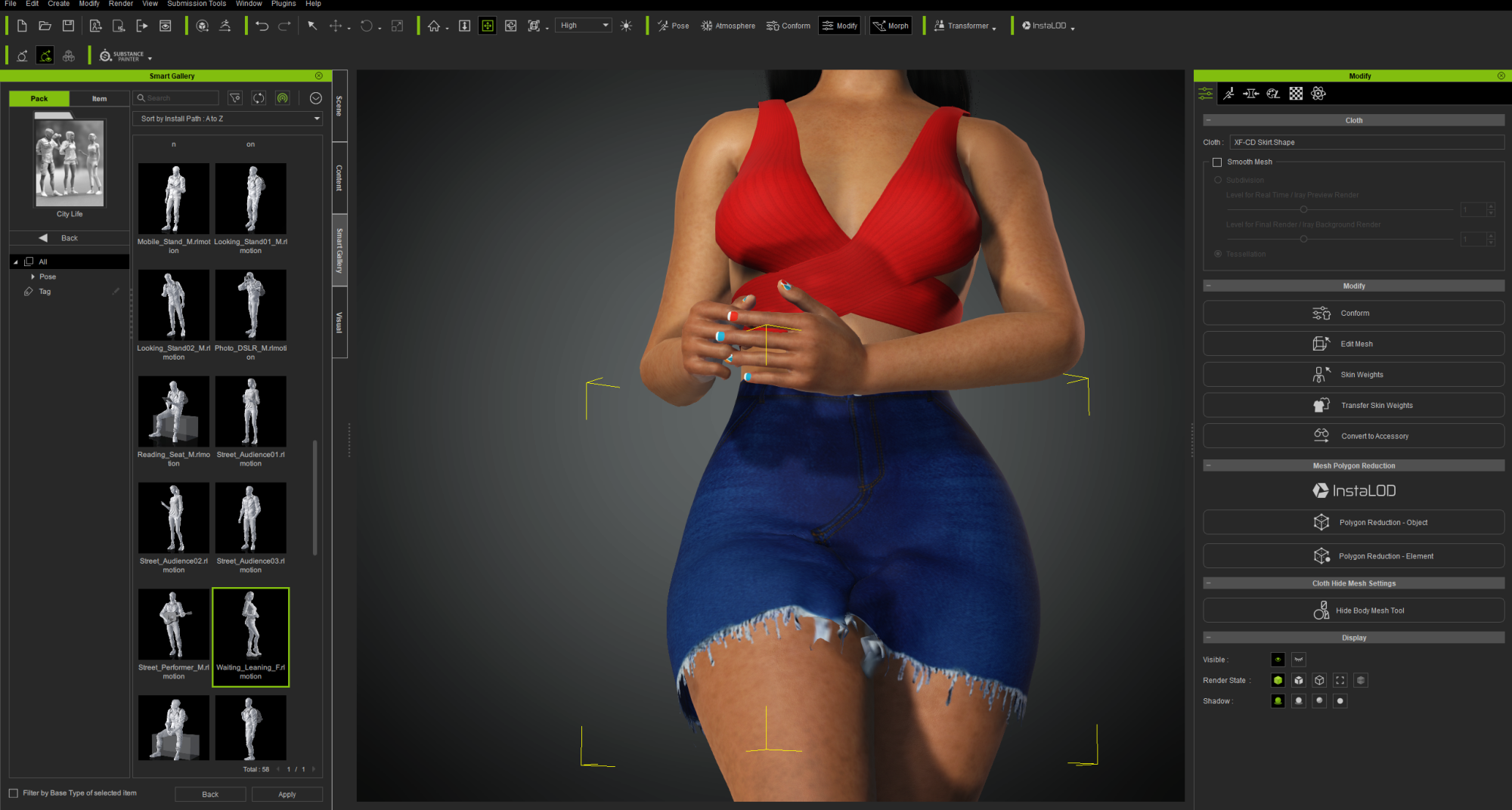
Thank You I fixed It! I transfered the skin weights, with a little editing the mesh with the sculpt tool, and smoothing out the skirt as best i could.
Thanks to everyone that responded. Peace
|
|
By charly Rama - 5 Years Ago
|
Hello, sorry to ask it here because I think it's the same problem and I didn't want to create a new thread. I tried to use all these tools but I didn't find a solution to avoid this , do you have any solution for this ?
|
|
By 4u2ges - 5 Years Ago
|
@helielfilmz
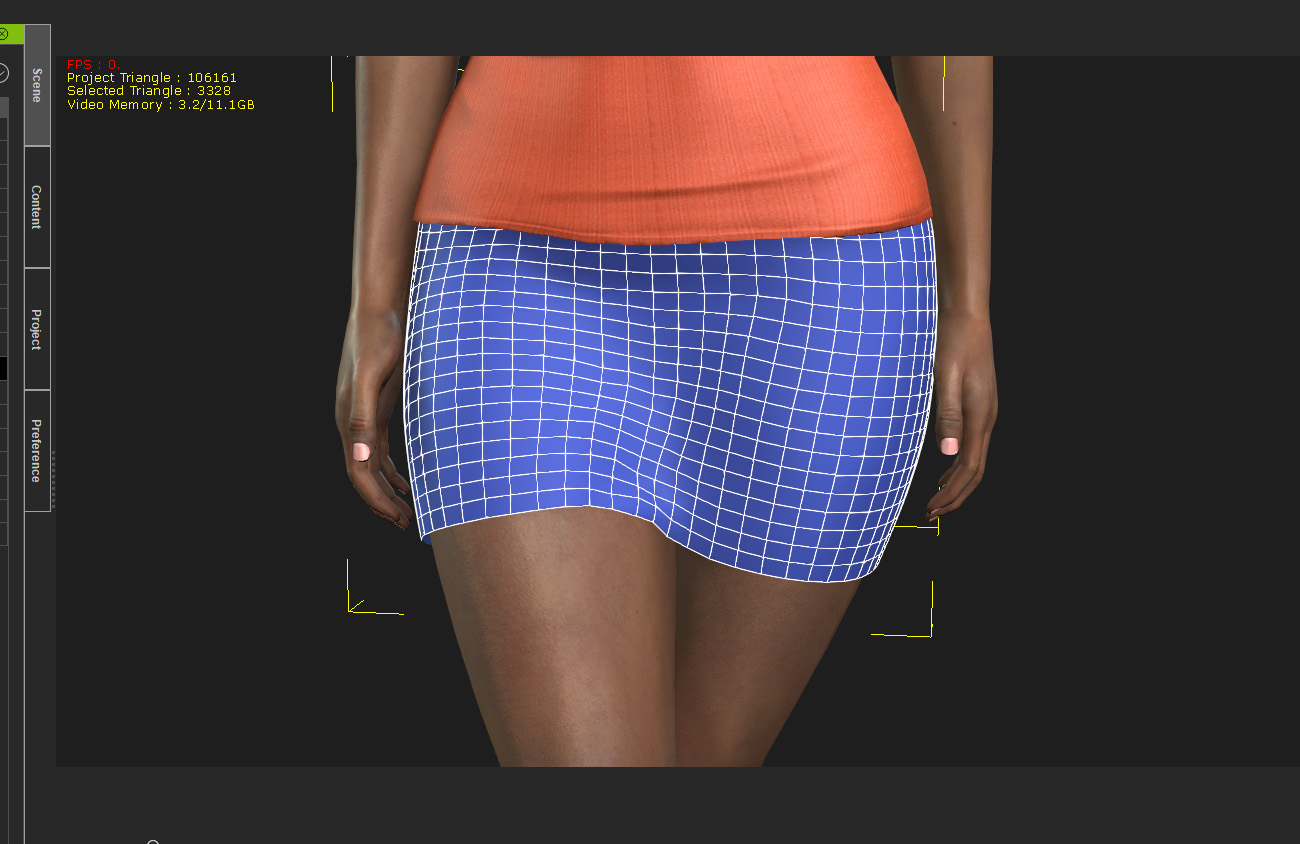
Have mesh optimized before importing to CC. That skirt has way too dense of a mesh, which creates addition problems with weighting/manipulating.
Optimal is something like between 3000 - 4000 faces for this type of skirt:
@charly Rama
That is a bad one. Vest ends right between upper arm and shoulder bones, while vest mesh is far from the body mesh. I do not think there is an effective solution (at least not with weights while working in CC).
I'd say morph it. And then animate that part manually when it goes through the arm. But again, not in CC (very hard to do that kind of work fast and effectively). Blender or such.
|
|
By helielfilmz - 5 Years Ago
|
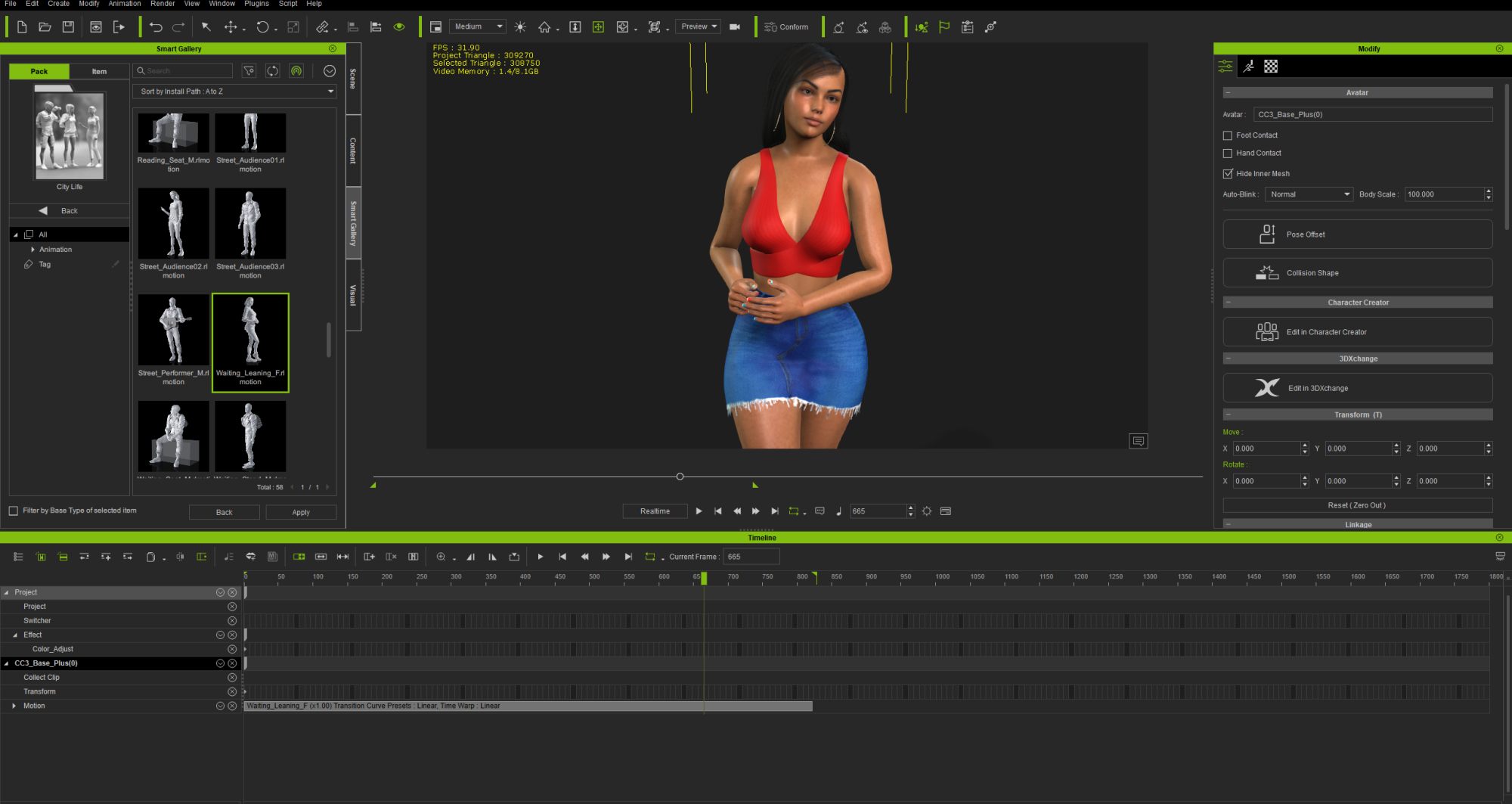
@4u2ges I redid my character in Daz, from scratch, (Had my character's morphs listed in my docs) for a quick do over with some few tweaks so i could get the look i was looking for.
Imported in CC3, transfered the skin weights as said by @Rampa edited the mesh (Sculpt Tool & Smooth Tool) and got the best look i'm satisfied.
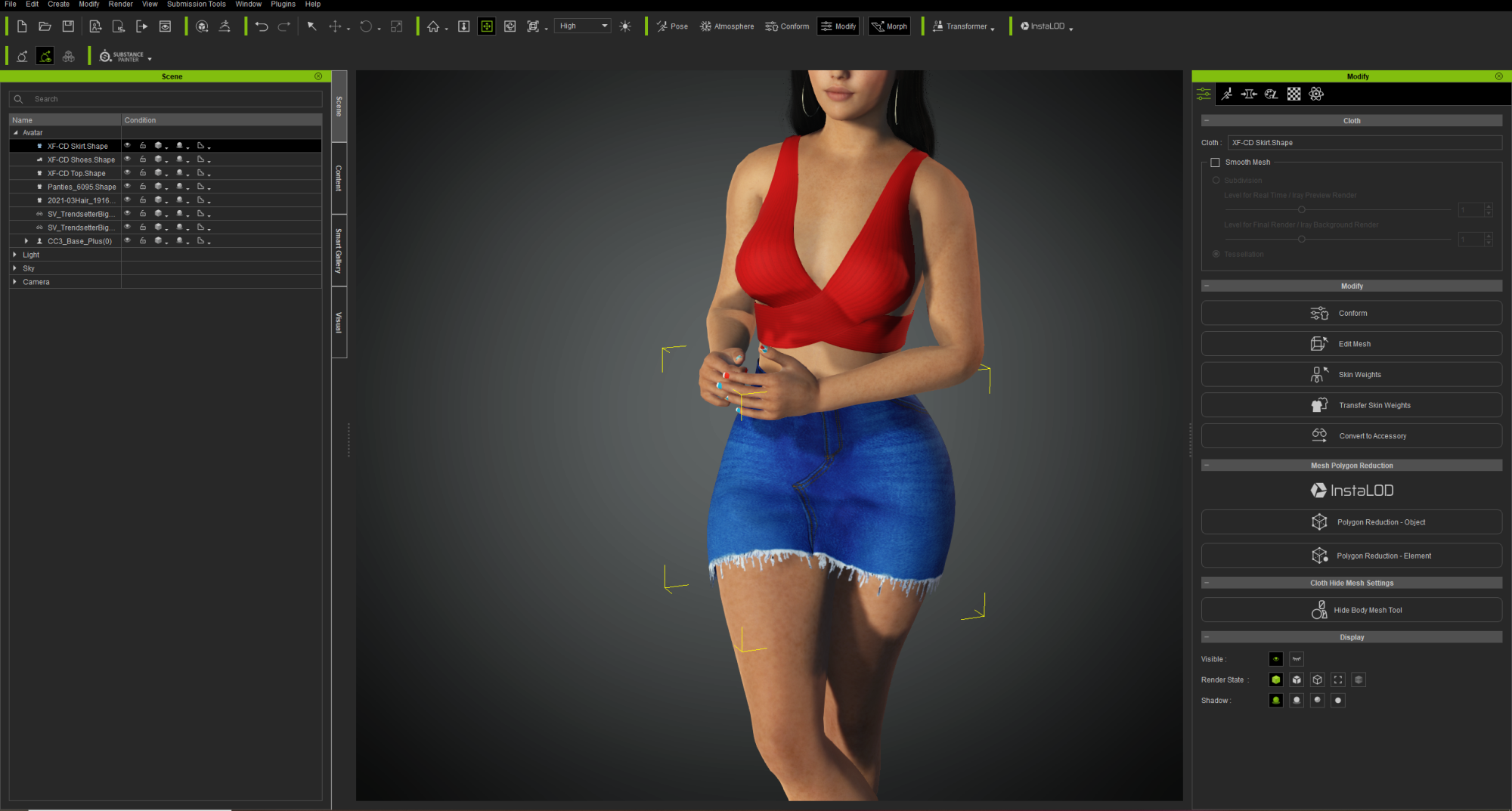
@charly Rama You may need to use the Collision Shape Tool to fix that. Thanks again for the help guys
|
|
By charly Rama - 5 Years Ago
|
|
Thank you 4u4ges and helielfilmz. Yes, you're right 4u4ges, I 've tried to use collision shape and skin weights transfer but The one solution I found is to change this safetyvest. Thank you again
|
|
By helielfilmz - 5 Years Ago
|
|
charly Rama (3/2/2021)
Thank you 4u4ges and helielfilmz. Yes, you're right 4u4ges, I 've tried to use collision shape and skin weights transfer but The one solution I found is to change this safetyvest. Thank you again
No problem glad i can help :)
|
|
By ratnhieuaothuat - 5 Years Ago
|
|
2player.co is a topwebsite for play game with friend, play game online with another users, orsolo.
|