|
By Eric C (RL) - 6 Years Ago
|
Hi everyone,
The Rokoko v1.1 Profile is updated, and now you can use Rokoko Smartgloves for precise hand and finger tracking solution.
https://mocap.reallusion.com/iclone-motion-live-mocap/rokoko.html
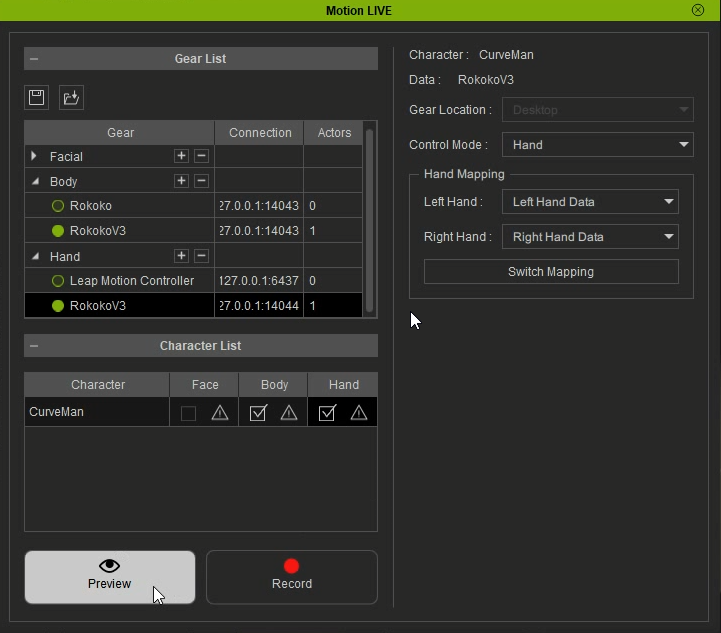
To find out more detailed information, please consult the manual page (body/ hands) and visit the Rokoko webpage.
To trial, please visit our product trail page.
In order to avoid confusion, we'd also like to address a known issue and offer a workaround for all Rokoko users:
Known issue:
The program will sometimes crash when the body and hand gears are enabled at the same time.
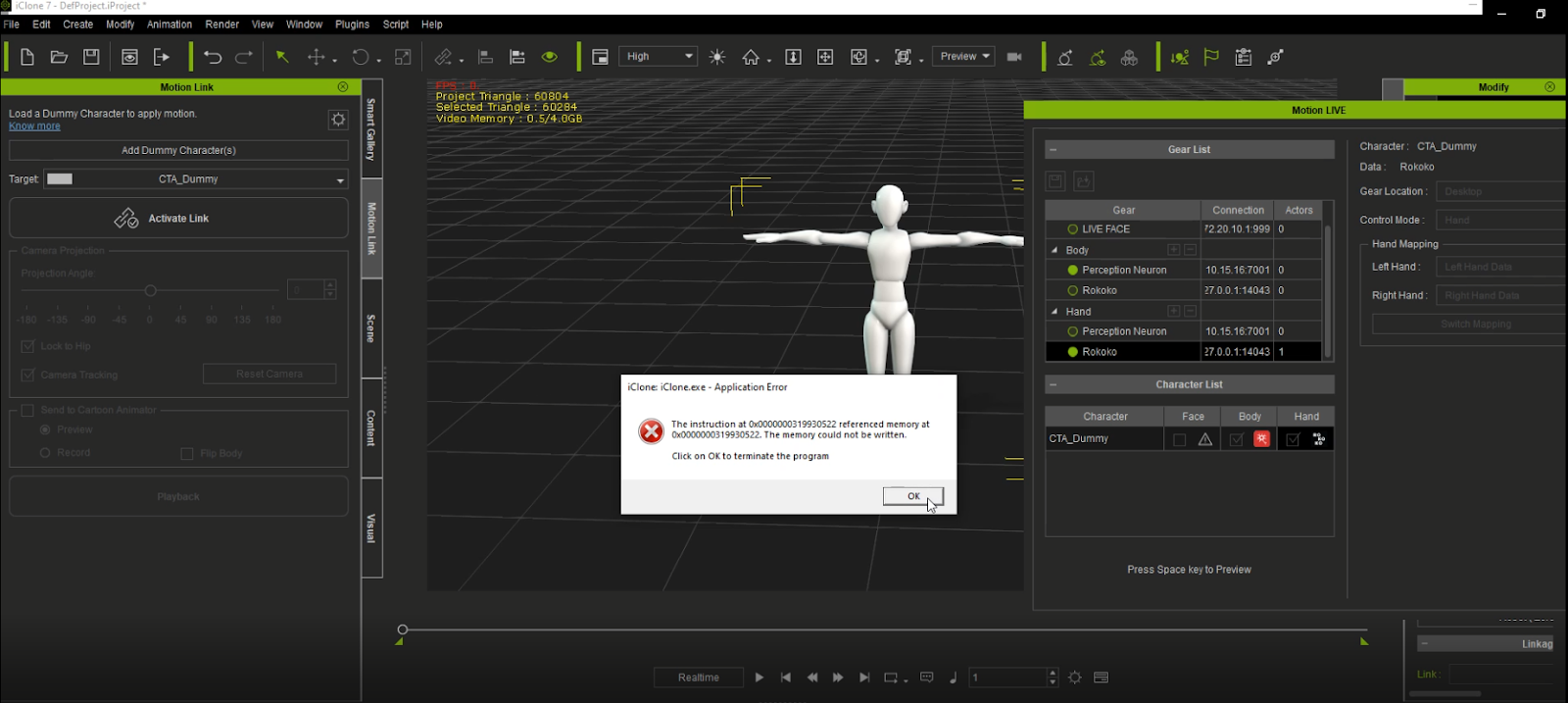
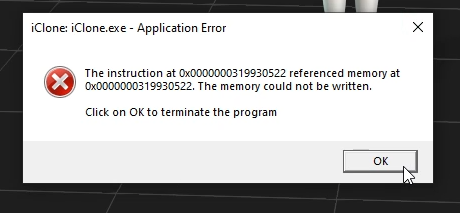
Work around:
Users can follow the below steps to fix this issue.
1. Connect and set up the body gear. 2. Preview the motion capture. 3. Connect and set up the hand Gear. 4. Preview the whole-body motion capture.
|
|
By mrtobycook - 5 Years Ago
|
|
It won't let me update this. Norton Internet Security stops it, and won't let me bypass it! Darnit. :-)
|
|
By mrtobycook - 5 Years Ago
|
Is there a way to download this update as an EXE via a direct link? I'm trying via the Reallusion Hub, but that doesn't give me the options to "download only" so I can then right-click and exclude it from Norton processes.
The Reallusion account page is no help - it only allows me to download "6.43 MB , Current Program Version: v1.1.3617.1".
|
|
By animagic - 5 Years Ago
|
Most updates are stored in: C:\Users\<username>AppData\Local\Reallusion\RLDownloads.
If it at least lets you download, you can try installing from there. Else you may have to temporarily disable Norton.
|
|
By mrtobycook - 5 Years Ago
|
|
Thanks! That helped. I managed to manually go around Norton, once I could access the install EXE itself. I wish the Reallusion Hub wasn't so... "oblique". :-)
|
|
By animagic - 5 Years Ago
|
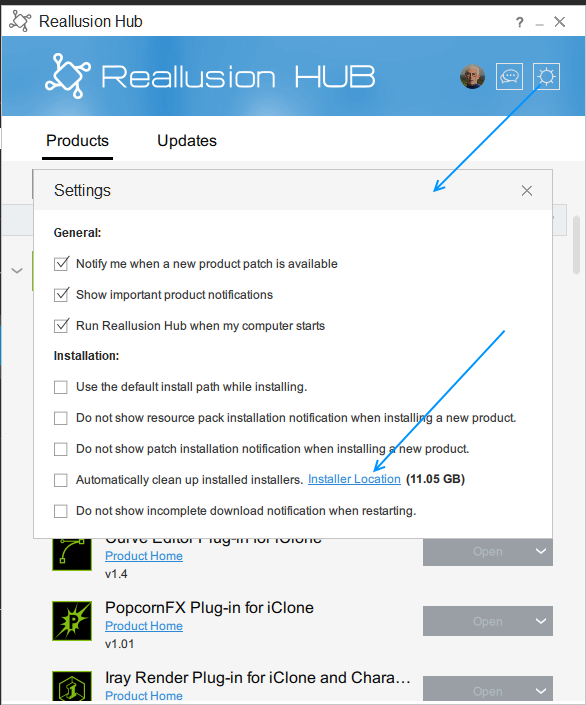
I'm glad it worked. For future reference, the installer location has a link in the Hub settings:
|
|
By mrtobycook - 5 Years Ago
|
Great, thanks!
I love reallusion, but I wish they had a UI expert advising them. Their interfaces all suffer with major “obfuscation syndrome”.
Eg. Right clicking on things, in general, should give you options that users want and need.
Don’t get me started on iClone ;) it’s the least “naturally usable” software I’ve ever forced myself to learn lol
|
|
By animagic - 5 Years Ago
|
I started with iClone in 2006, so I have had a long time to get used to idiosyncrasies and peculiarities...:P
|