|
By MichaelHFalcony - 6 Years Ago
|
WIP #1 Starting
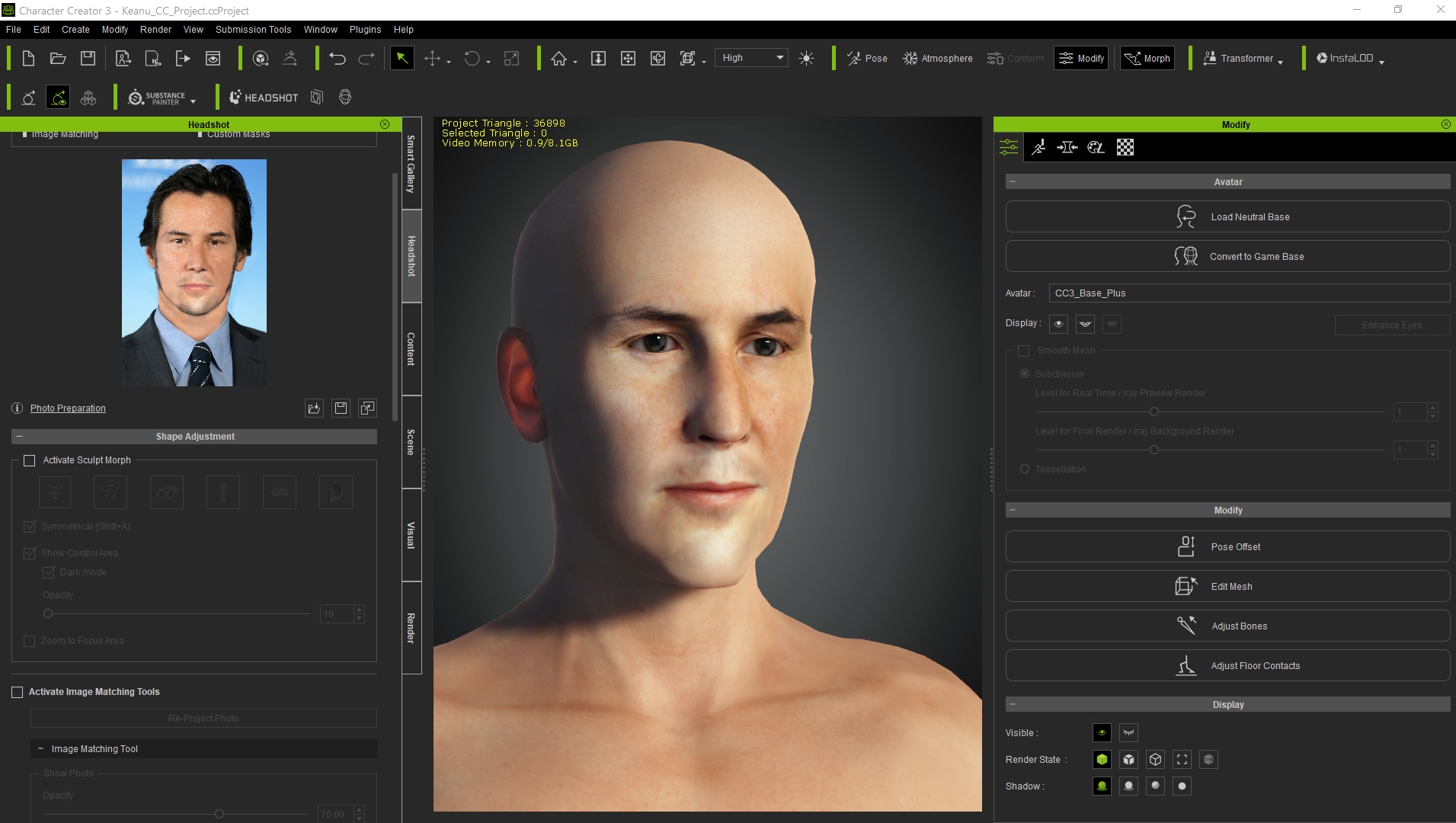
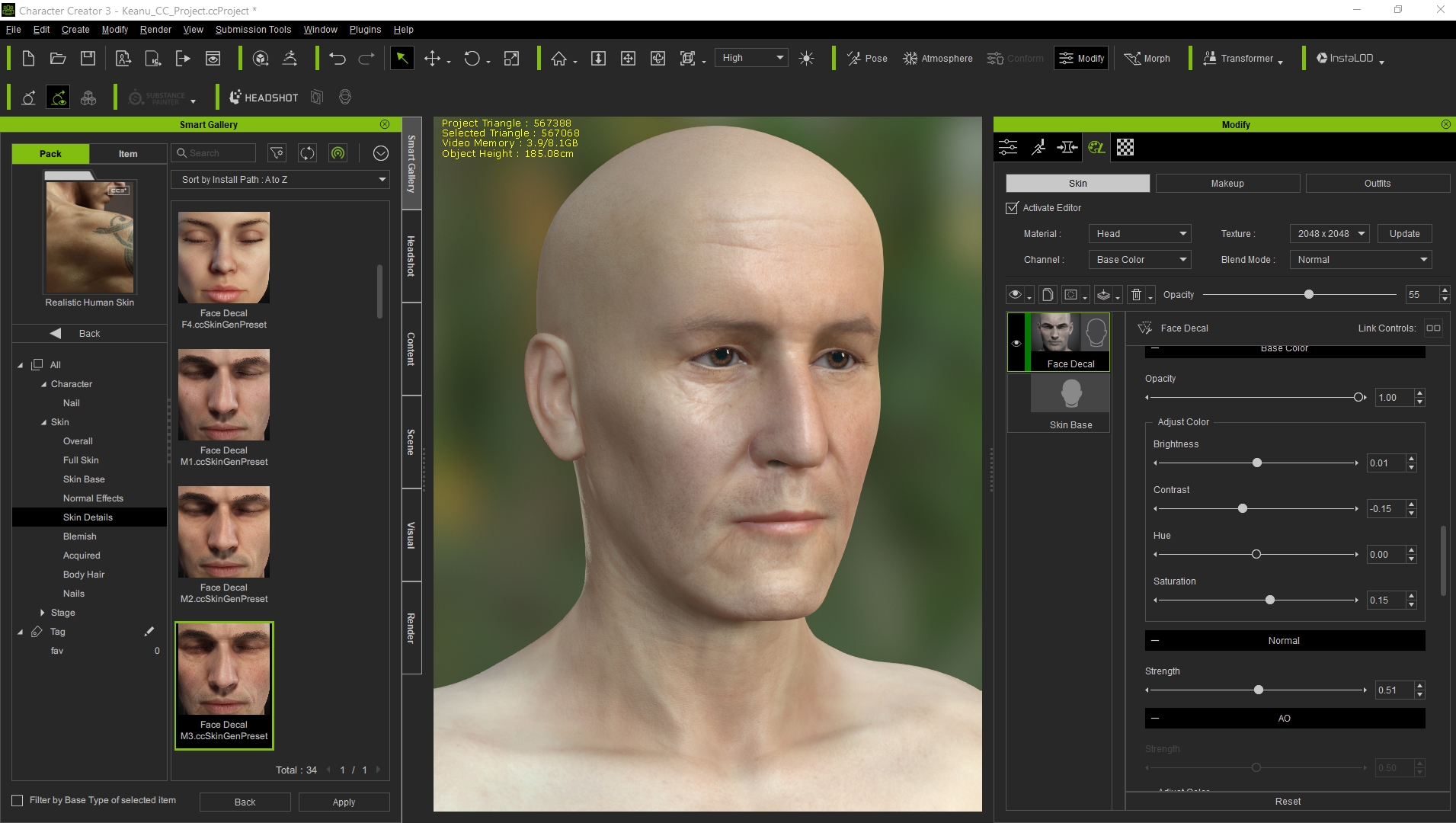
Hello there this is going to be "my attempt" for the realistic character entry, although I have never done an entire realistic character before I dont even have the software for that xD no zbrush and no marvelous designer, I have signed for the 30 days trial for the clothes and for the sculpting I will just do my best doing it in Blender because I already used the trial of zbrush once xD, cant apply it again. But doesn't worry me to me that much Character creator and the Headshot plugin are great tools tweaking them well, your character can comes out of CC3 very close to the desired character the sculpting tool is more for the micro details.
Well being said that, I decided that I will be making Keanu Reeves's "John Wick" because I like the movies and I love its color palettes.
I have already started moving sliders for it is really fun ^_^!

|
|
By MichaelHFalcony - 6 Years Ago
|
WIP#2
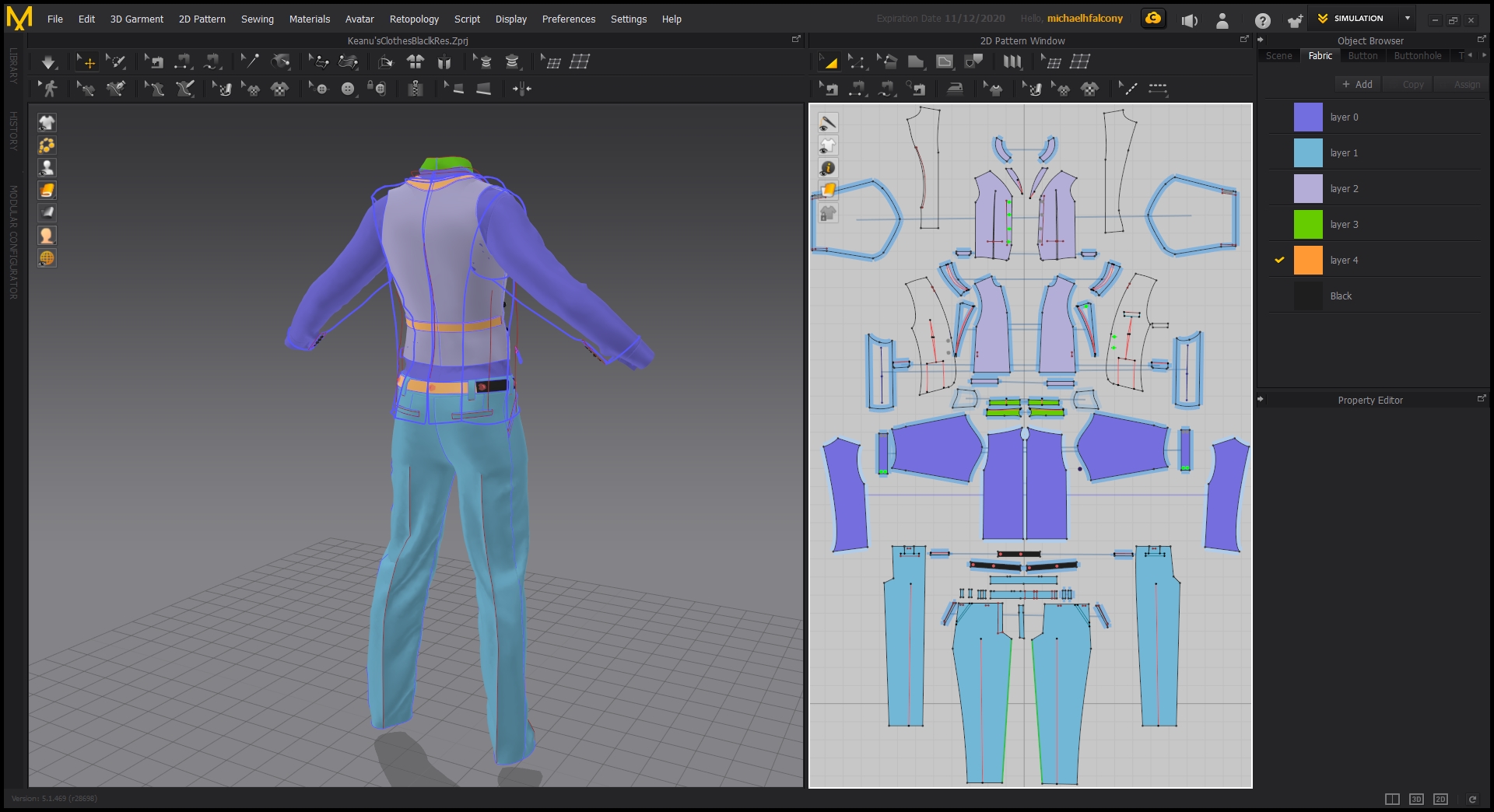
Hi there these are the clothes made in Marvelous Designer. The jacket and pants came up weird what I did wrong was to export the OBJ out of CC3 with the boxers on do It created a weird thickness on the hips I did the best I could to fix it in it but it was too much for my first time using it I will be fixing it in Blender later but so far I liked it I hope that someday I will be able to buy it because I don't really like pirating software is not ethical that's why I use Blender and I bought Character Creator 3 in a bundle using all my savings xD.


|
|
By MichaelHFalcony - 6 Years Ago
|
WIP #3
I didnt want to risk losing time trying to make the shoes in Marvelous Designer for now so I decided to make them in blender which is the most familiar for me due to the short amount of time that is left.

|
|
By MichaelHFalcony - 6 Years Ago
|
WIP#4
Hello there.
For the hair cards I am using a nice application called FiberShop, so once done I am done I place the hair cards using curves and particles in Blender.

|
|
By MichaelHFalcony - 6 Years Ago
|
WIP#5
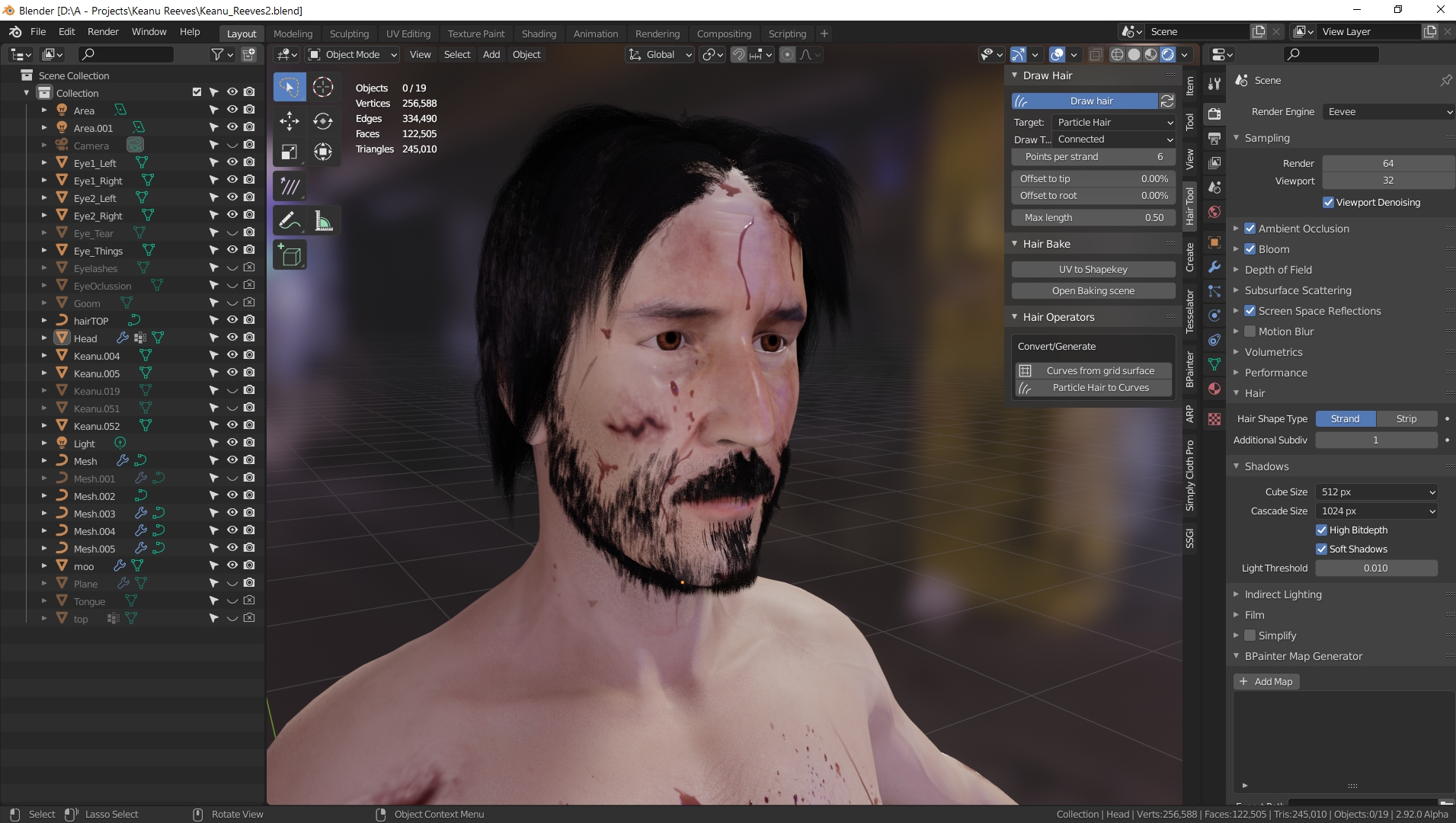
After tweaking the face a bit with Blender tools I've got this result, sadly Blender cant handle too many polygons for even sculpting a bit more and bake a normal map out of it this is the closest I could reach the Keanu's Reeve face, although out of Character Creator 3 came out really close already, you will still need extra specialized tools for sculpting like Zbrush to get really get realistic results to the poor. After that this is how I think the hair and beard is going to be placed. I still need to groom the hair particles and extrude them and then twist them to put the hair cards in place using the hair textures I made in FiberShop.
|
|
By MichaelHFalcony - 6 Years Ago
|
WIP#6
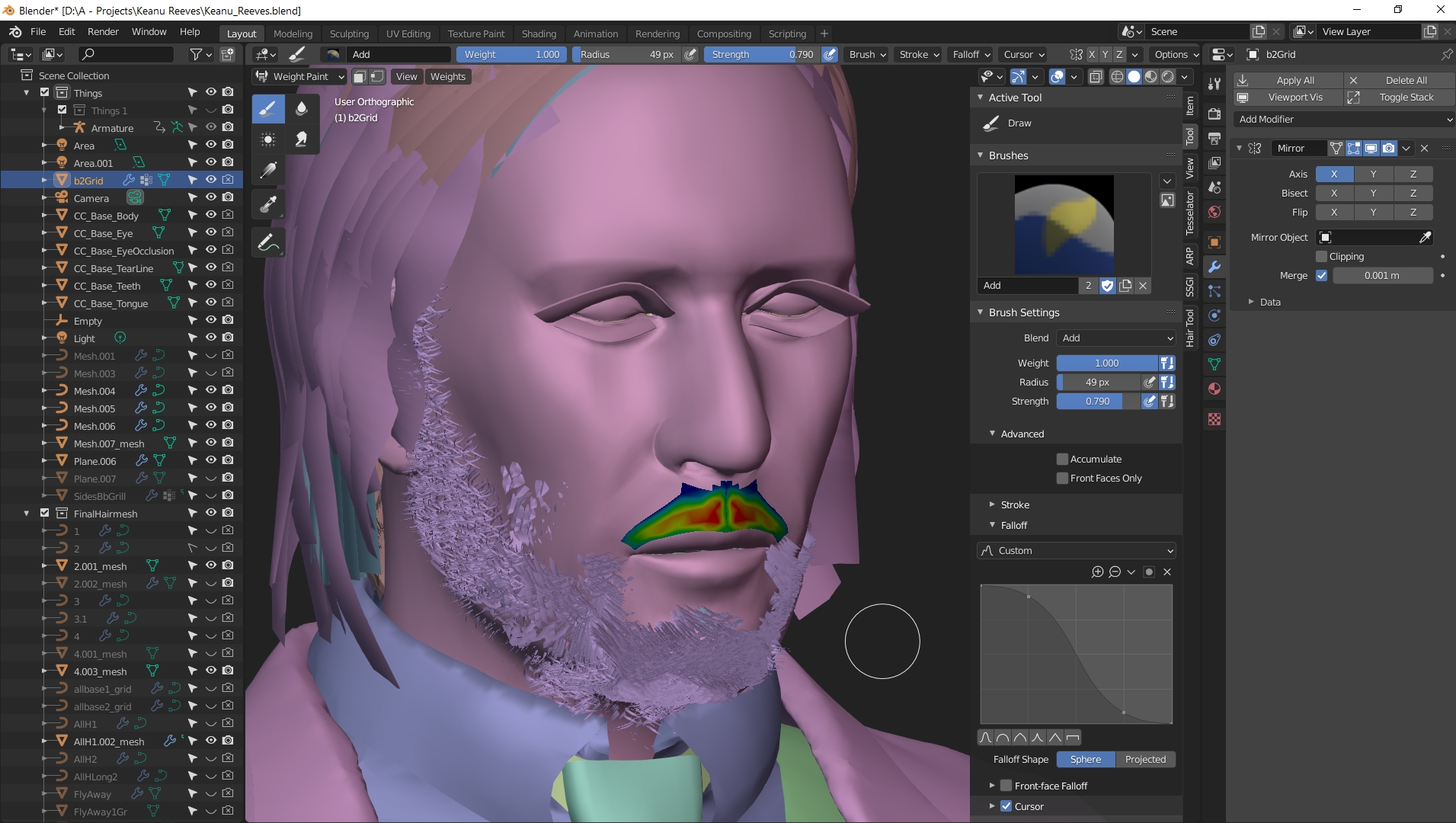
Hi, I have placed the hair cards using hair particles and then converting them to curves then using an addon called Hair Tool for Blender that helps you to manage property of the curves.
|
|
By MichaelHFalcony - 6 Years Ago
|
WIP#7
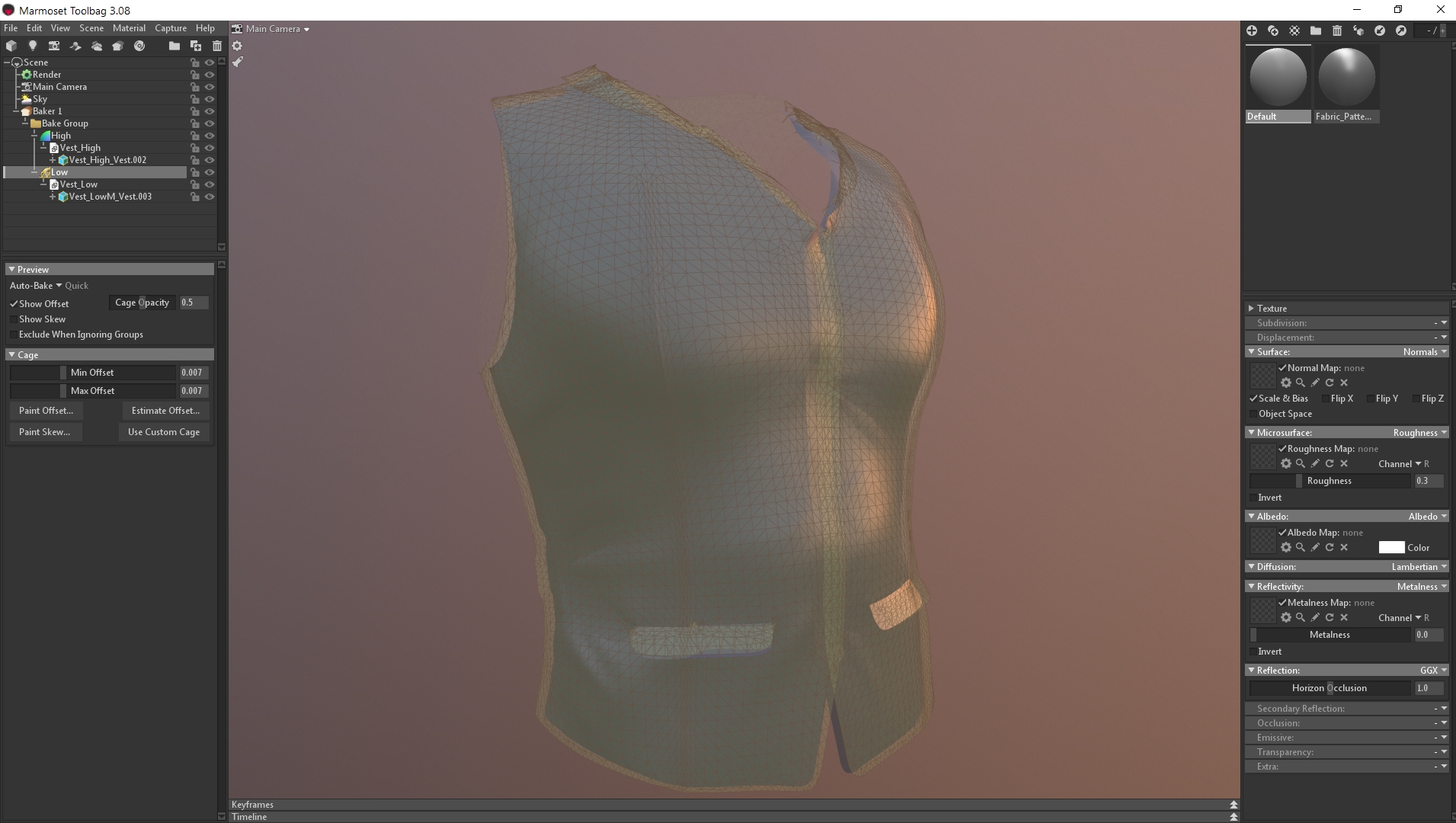
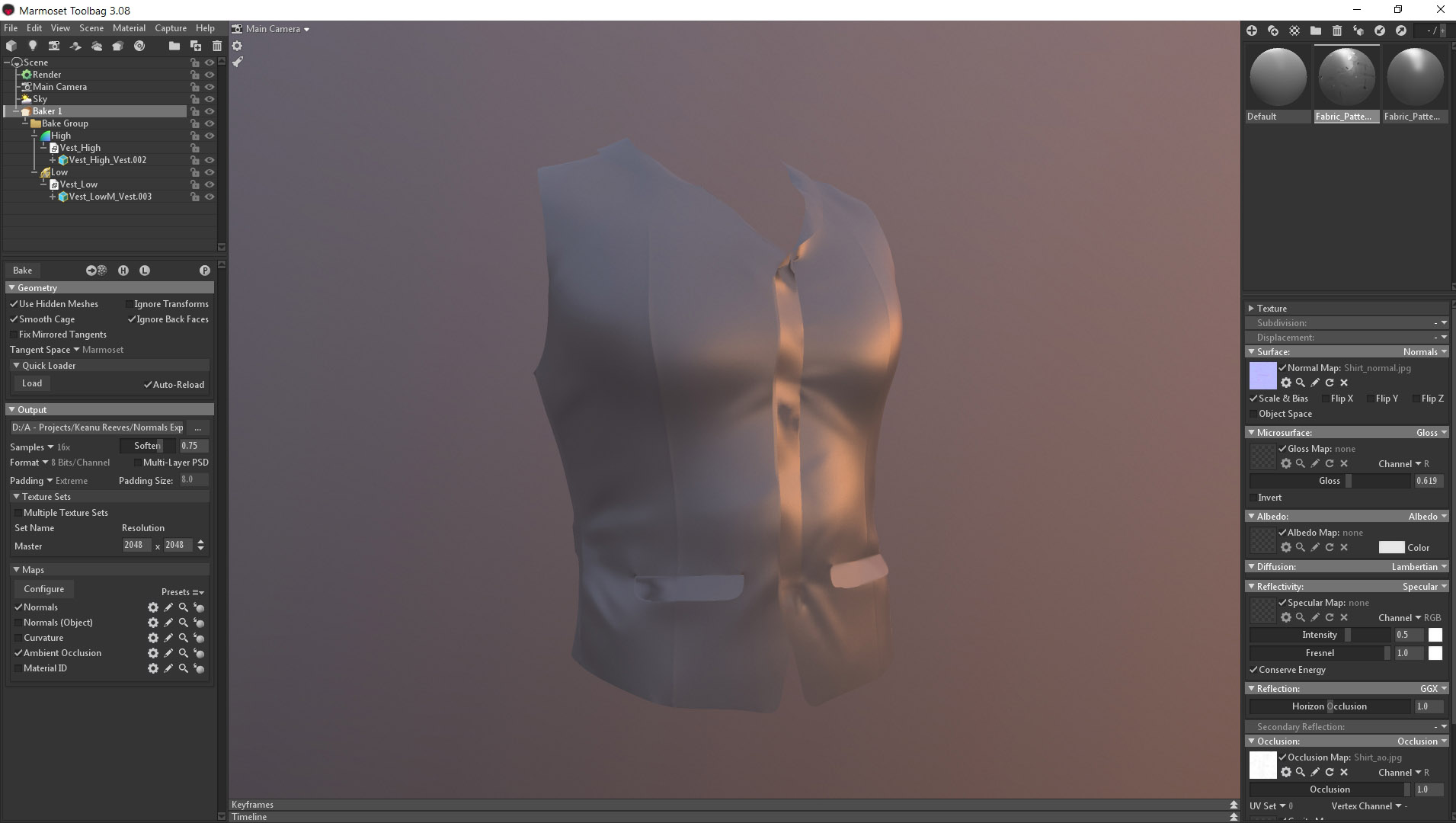
Hi, This time I added some small detail to the cloth in a duplicated mesh for the most visible cloths pieces like the Jacket, Shirt, pants and vest. I used multiresolution modifier to the duplicated low poly Uv version on the cloth, then I used sculpting tools to add wrinkles and break the stiffness of the mess. Applied the modifier and then exported the low poly along with the high poly so I could bake the Normal and AO maps in the Marmoset Toolbag that I bought few months ago. Once done that I will bring the maps to Blender again to use them in the low poly meshes with the fabric materials.
|
|
By MichaelHFalcony - 6 Years Ago
|
WIP#8
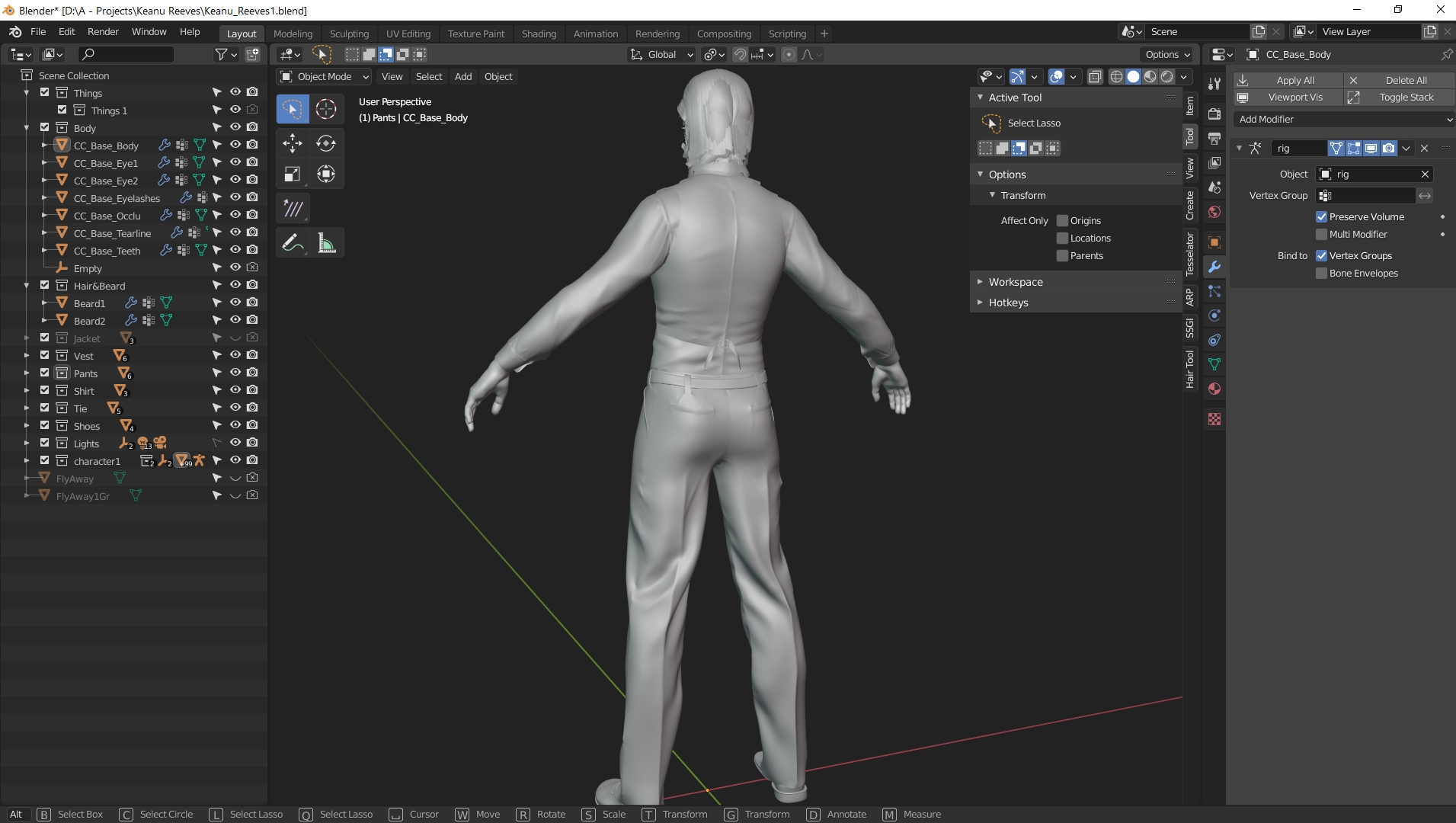
Hello this is the final result of the clothes on the character, now I need to pose it.

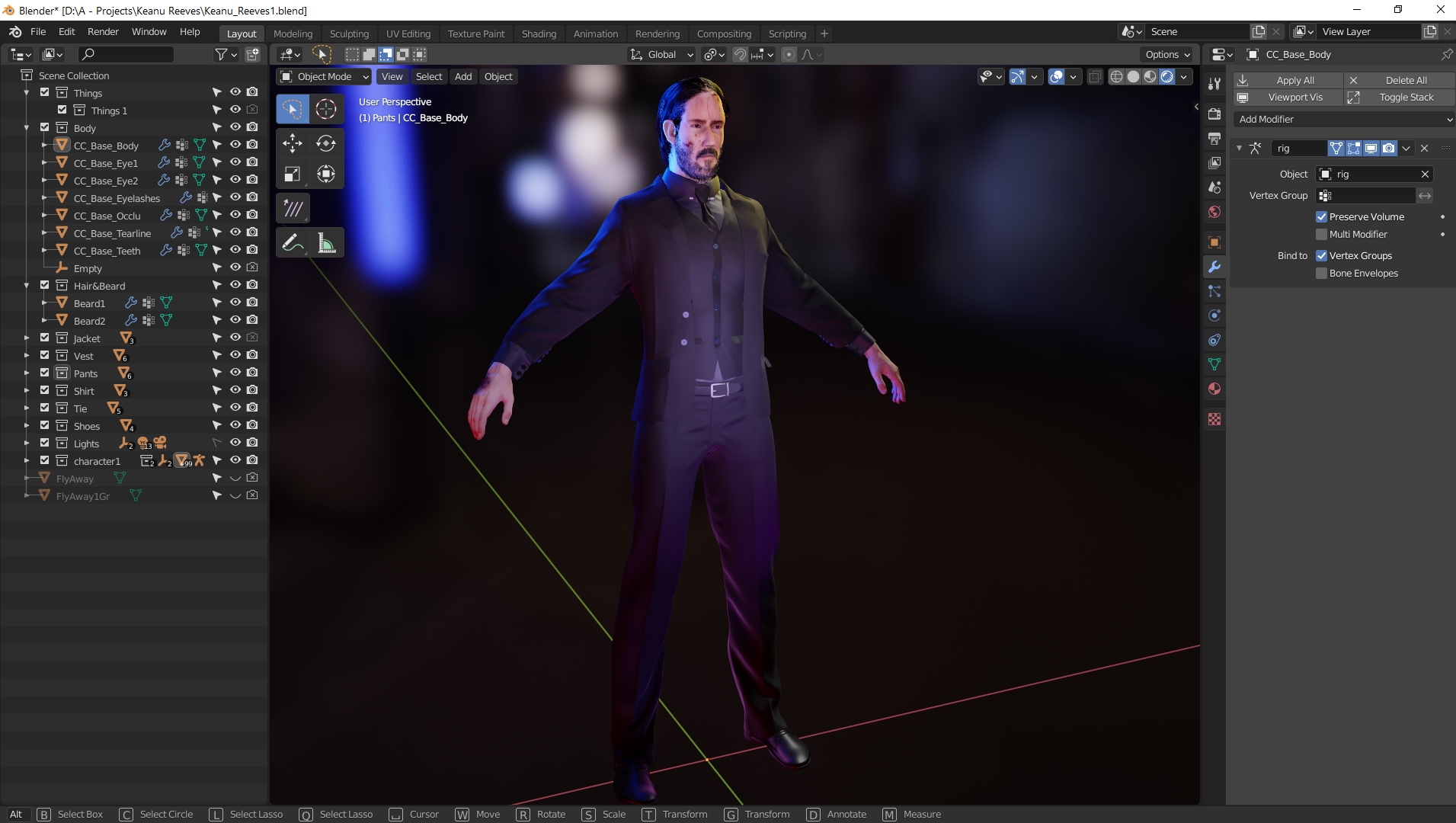
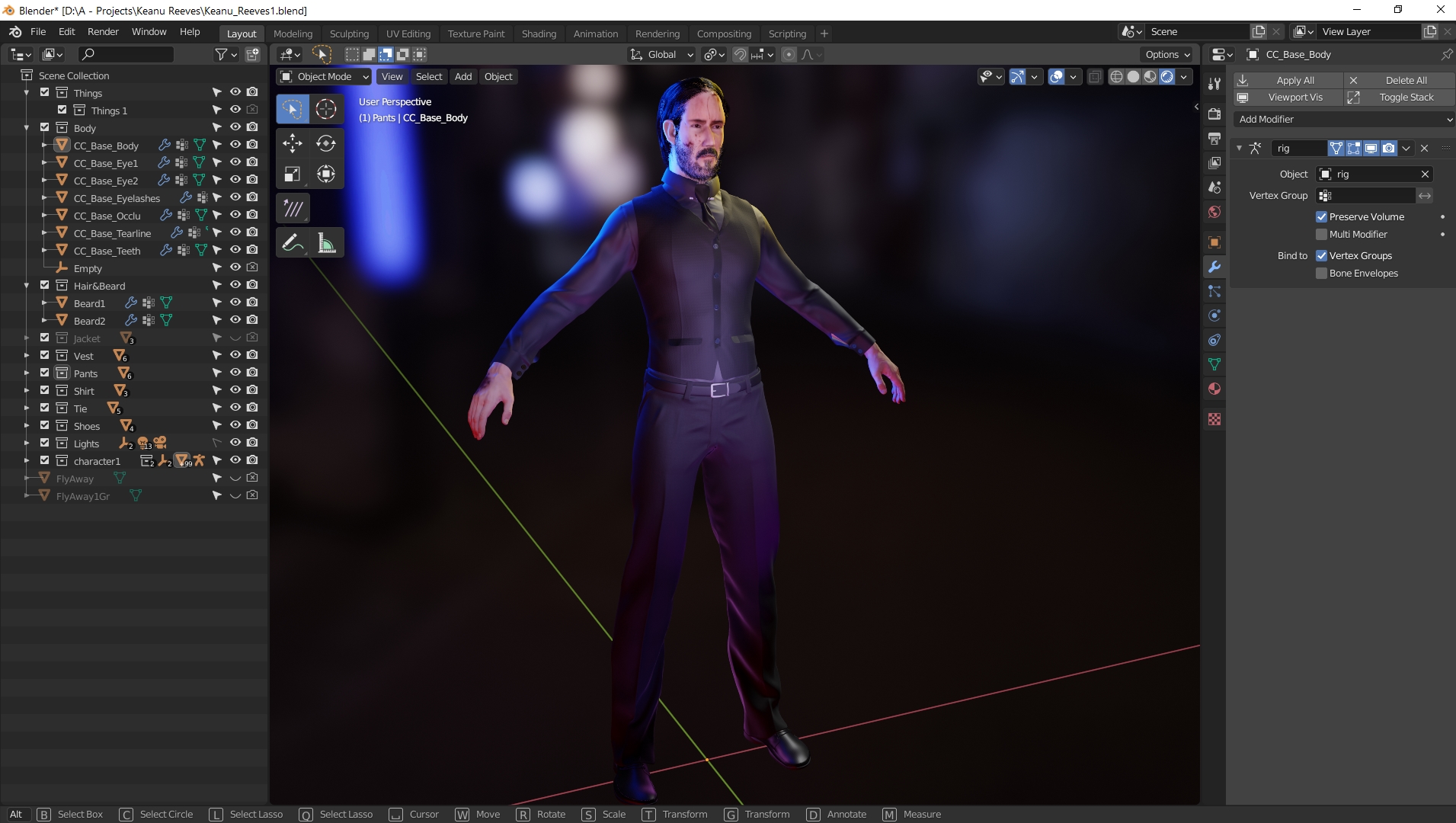
|
|
By MichaelHFalcony - 6 Years Ago
|
WIP#8
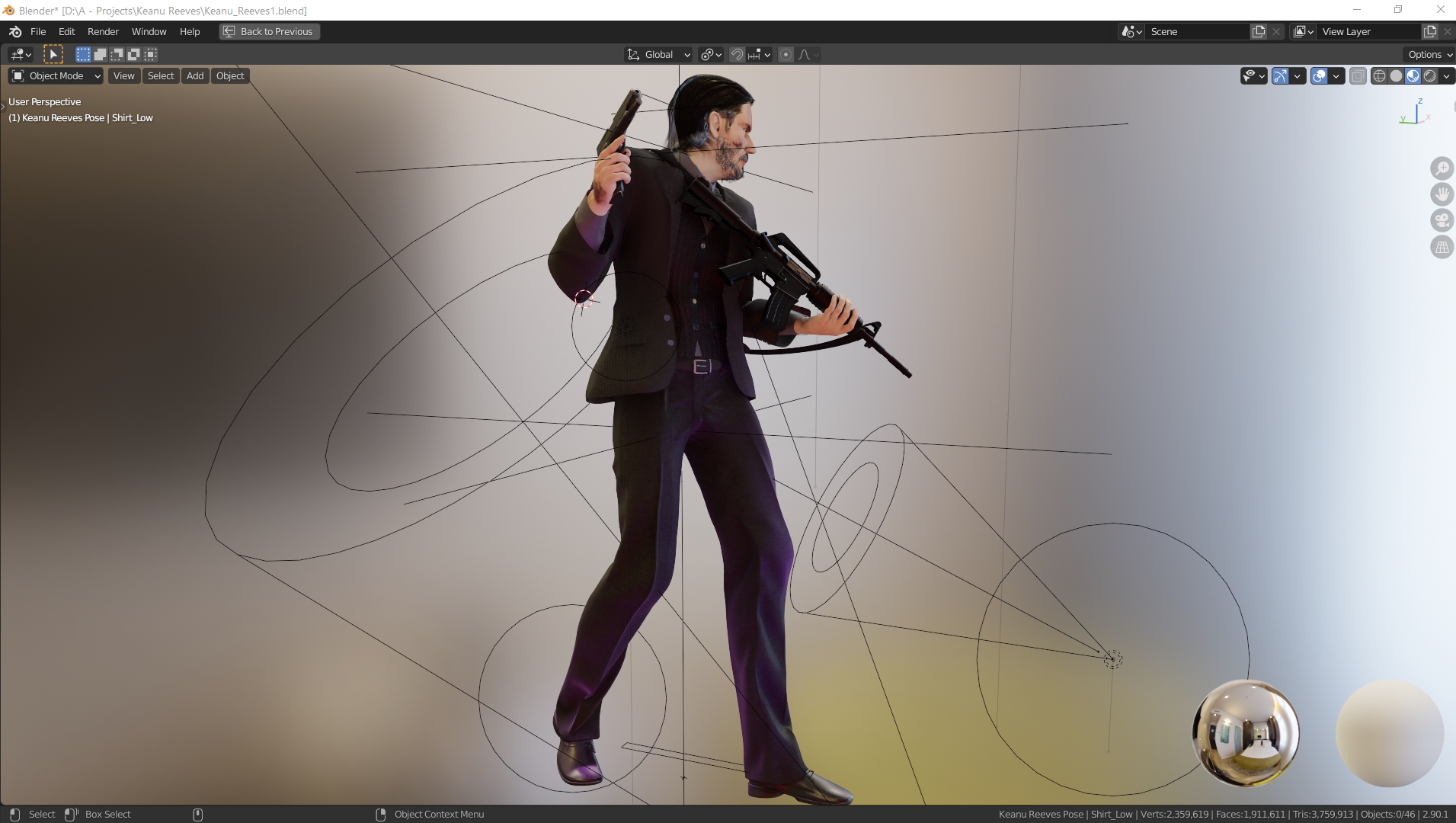
I proceed to pose my character using the armature brought from CC3. I still need do to a couple of things, work on the lights, some textures and rendering I hope i can make on time xD. Sadly I joined too late for my second entry I was worried that I couldn't make it but so far I am liking it and more over having fun but with a little of pressure on me because of the time.

|
|
By matenn30 - 6 Years Ago
|
Marvelous designer is delicate and the best. It's casual and calm.
マーベラスデザイナーが繊細で、最高です。カジュアルに落ち着いています。
|
|
By Ren_Mark - 6 Years Ago
|
|
Hi! Is this really your first work in Marvellous Designer?.. Pretty good:):)I`ve been worse with my first experiment:smooooth::):)
|
|
By MichaelHFalcony - 6 Years Ago
|
Yeah, I've never used it before I've been using Blender Garment tool and is really good for small stuff but for lots of garments simulation is not that great sadly, maybe is not the addon I think is more about how Blender handle my computer "specs" and my PC is not good, so I tried the 30 days free trial and I liked, I think I will have to borrow money from any of my friends so I can buy the perpetual license while is available. I read that later this month perpetual purchase wont be available T_T
This is my first experiment with the garment tool but it was not of me liking and I didn't have time to experiment so I watched some tutorials and I did it in Marvelous Designer.


|
|
By MichaelHFalcony - 6 Years Ago
|
WIP#9
Hello there this is my Set up for the turn table. I have to do it in Blender because I already used the iClone free trial few months ago to test the software along with Character Creator 3 which made me decide to buy CC3. With that said, I wanted to use a small clip of music I bought in a sale in "audiojungle" just to add some action to the turn table and make it a bit more interactive but compared to the other audio track I bought for my first entry, the stylized character I did (CC Digital Human Contest - Succubus) , the audio track came up in one piece not in multiple pieces like in the first entry I did. So what I did was, putting the audio track in After Effects and edited the Sliders of the 60 FPS composition layers, since is where I am going to compile the render images I will get out of Blender. I rendered and exported in MP3 and added to the video sequencer in Blender then match the audio to the camera movements and constraints. I couldn't edit the track in Blender itself because the buffer was acting really weird giving me lots of delays so I couldn't match the camera like that.

|
|
By MichaelHFalcony - 6 Years Ago
|
WIP#10
Finally the 2220 frames of the turn table have finished it only took 16 hours xD! Now I proceeded to add the sequence to the After Effects time line set up a few things like a small vignette, the audio, some adjustments layers, a color look up table to match a bit the color palette of the John Wick's movie and the the Real Illusion contest splash screen.

|
|
By MichaelHFalcony - 6 Years Ago
|
Final WIP
Hello there this is my entry for the Real Illusion "CC Digital Human Contest 2020", for which I decided to model Keanu's Reeves, John Wick. Actually this is my first time modeling a realistic characters I have always been more interested in stylized characters because they are a bit more cheaper to produce xD! The software I used were: • Character Creator 3 • Marvelous Designer • Blender • Substance Painter • Photoshop • After Effects. The audio track I bought it in a sale at "audiojungle" is already mine I don't know if I have to give credits in that but I will do it just in case. It was an almost 2 weeks sprint I thought I wouldn't make it in time :phew: there is only a few hours left xD render all frames in Blender's Eevee took my 16 hours xD So following the contest rules:• This is my ArtStation Portfolio• This is my ArtStation Blog; although I am worried the free 2 months trial thanks to Real Illusion is going to run out tomorrow the blog might be close u.u • The Renders:Medium Shot  Close UP  American Shot American Shot Full Shot Full Shot YouTube Turntable YouTube Turntable That's it good luck everyone ^_^!
|