|
By jerome.dipietro - 6 Years Ago
|
I reloaded a project I was working on yesterday and the Jacket and Trousers are completely 'broken' (geometry is all over the place) Looks to me like the vertex order has changed and the morphs and skin weights are now incorrect.
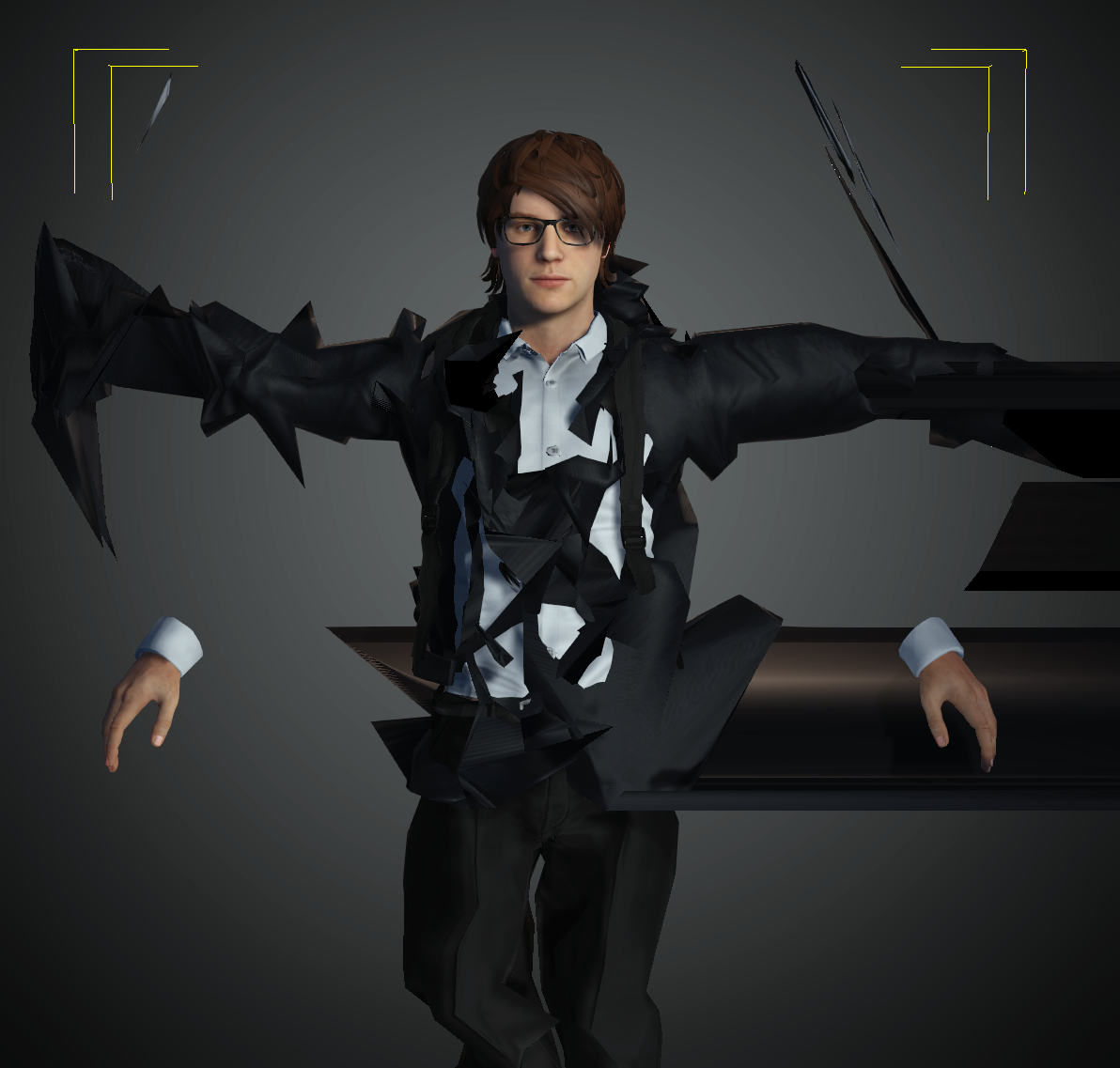
These Cloth items are ones I customised from my library and have saved as Custom Content. I've used them from my custom content quite a few times before, without any problems.
It appears that the problem isn't just with this project (i.e. it isn't just a corrupted project file). If I start a new project and import these items afresh, I get a 'Failed to load file' error.
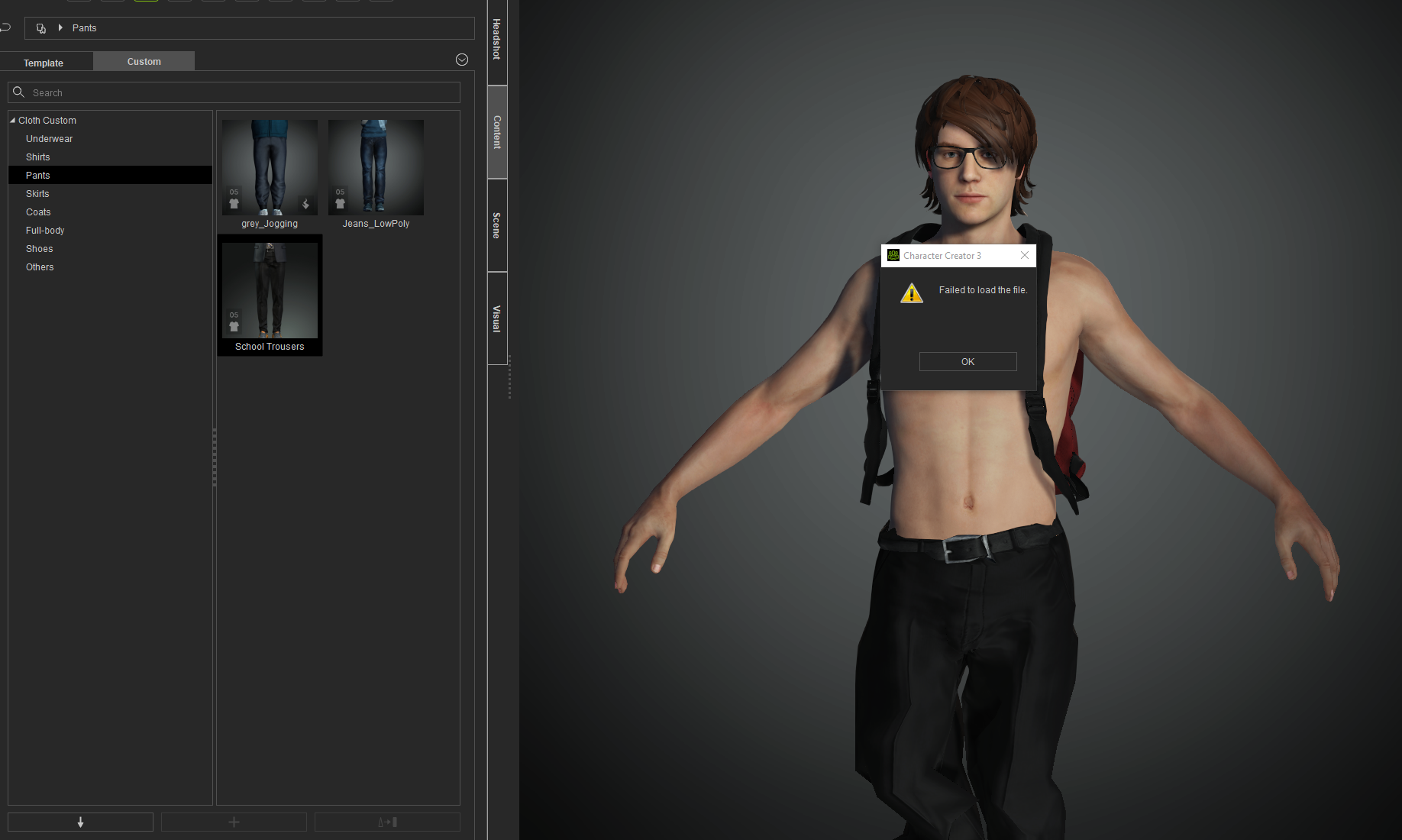
The items do appear but they're 'broken', just as they are in the broken project. Although rendered they oddly don't appear listed in the Scene hierarchy. This is the tie imported in a fresh project:
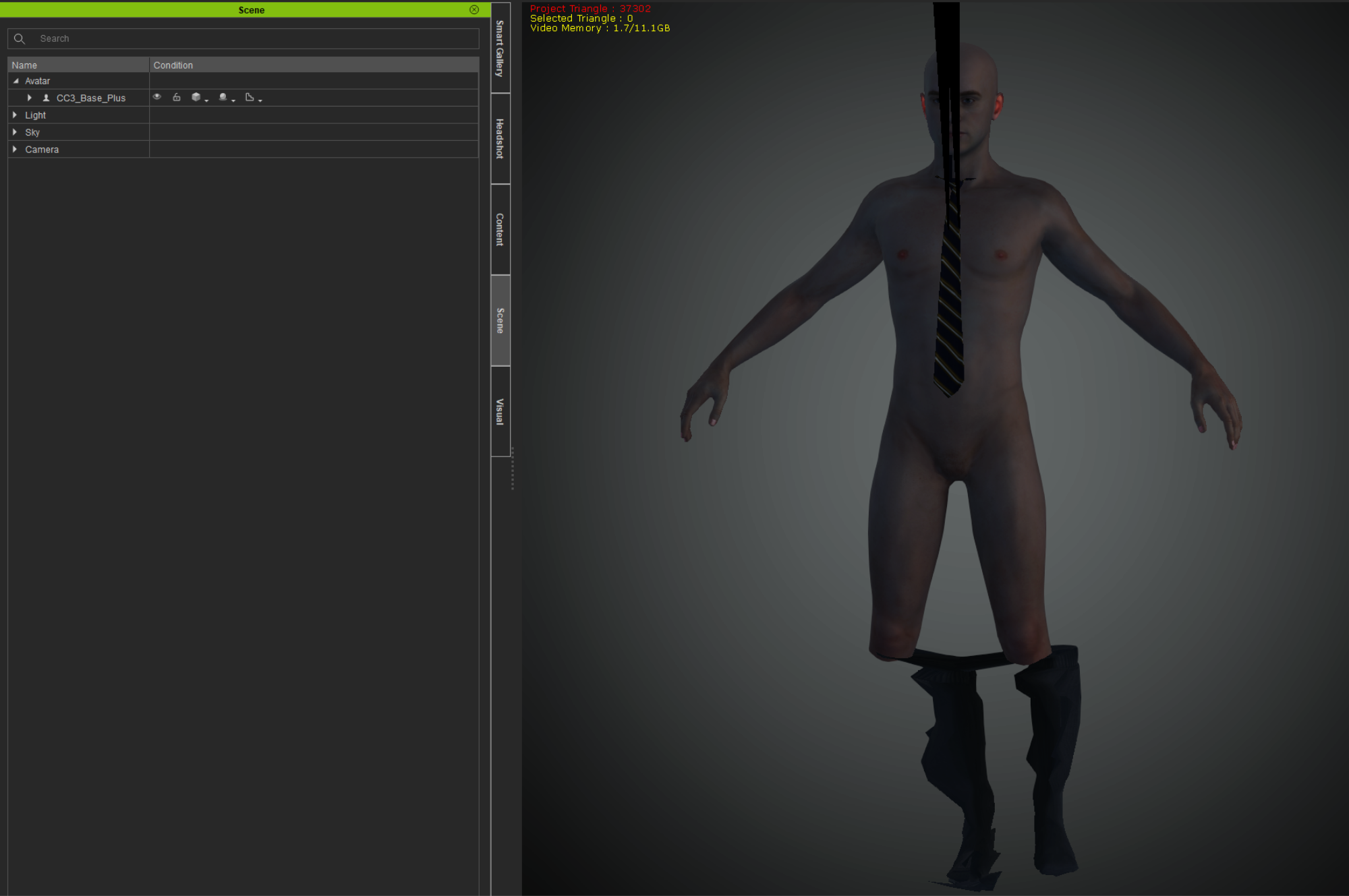
Not all of my custom items have started to do this, only 4 I've found so far have this problem, but I'm worried that the others will also start to become broken. The original library items which they're derived from appear to be fine and can be used without any problem. (They come from a variety of packs like Essential Clothing and Professional Outfits)
The 'master' character from which these custom items were created does load ok but even if I recreate a custom library item from that project, the issue persists.
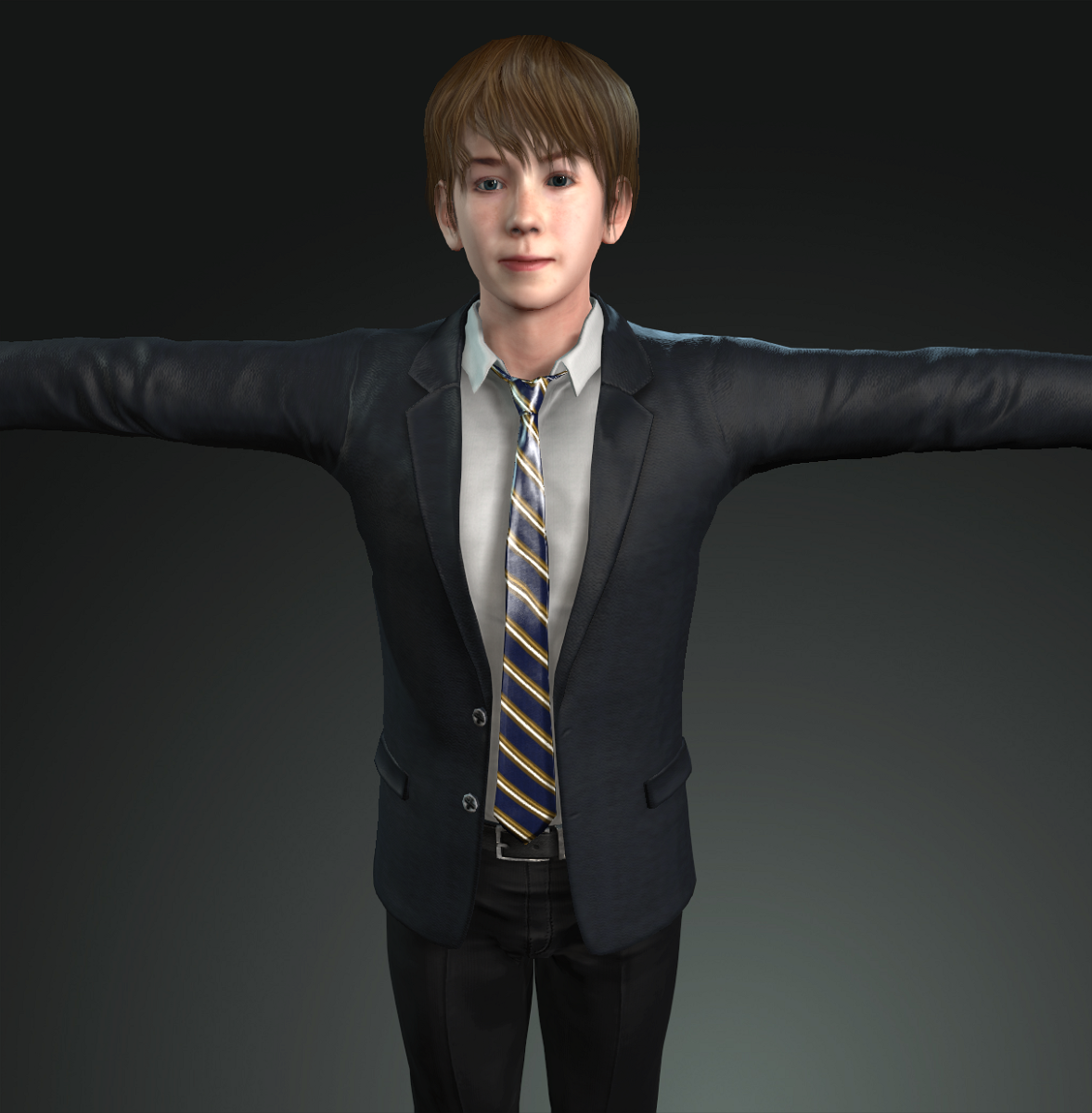
Anyone had any similar problem, or have any idea what the issue might be?
|
|
By animagic - 6 Years Ago
|
I don't have a solution, but I have also encountered this problem.
In my case I had only changed the Diffuse color of a shirt that comes with CC, but on reloading I had a similar issue that the cloth mesh was messed up. To fix it I redid what I did before, but I actually have to check if that helped. I checked and it now loads fine.
Anyway, it seems to be some kind of bug.
|
|
By jerome.dipietro - 6 Years Ago
|
Thanks @animagic. I feared as much. Feels like a pretty serious bug to me, like playing Russian roulette with your library items, never sure when they'll become corrupted.
Probably means I'll have to start exporting each item I make to FBX/OBJ so I can reimport in case of problems. Time consuming and far from ideal.
If you can spare the vote, I'd appreciate the support on the Feedback Tracker https://www.reallusion.com/FeedBackTracker/Issue/Reloading-project-has-clothes-geometry-completely-broken-Loading-the-Custom-Content-files-the-same
|
|
By JCL1 - 6 Years Ago
|
I feel like this has happened to me multiple times.
An example, I will change the color of a sock from gray to white by either changing the diffuse or the brightness on the texture. Then when I re-open the project, it's almost like a vertex is way off in space causing this odd triangle to pop way out of the mesh.
My "fix" is to delete the clothing item and re-add it along with all the color changes. And if it appears again, I wind up using a different clothing item.
|
|