|
By deanbowenart - 6 Years Ago
|
Hi everyone,
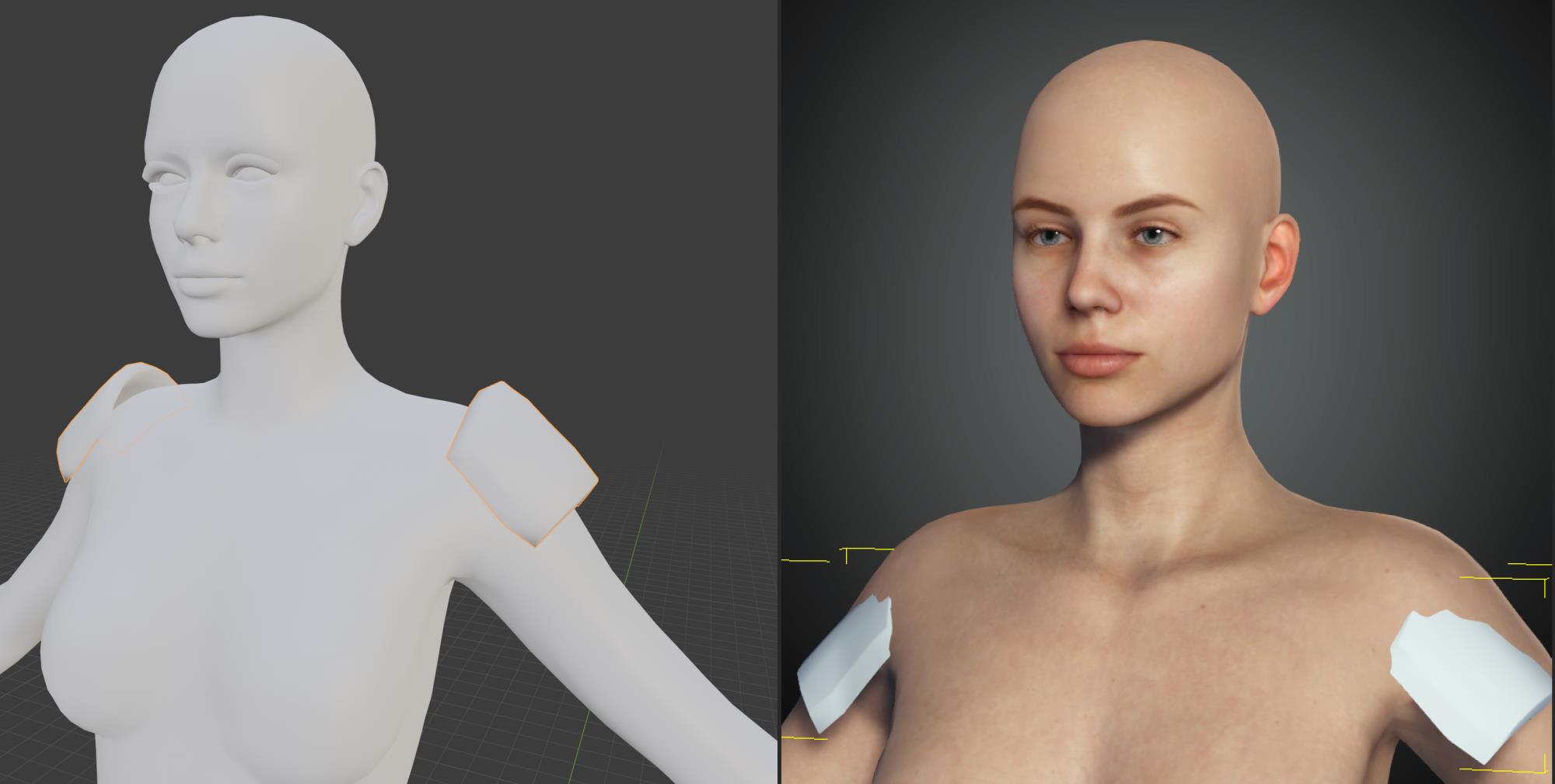
I exported my CC3 character to Blender and quickly made some basic shoulder pads. I exported them as an OBJ and imported into CC3 using Create/Accessory menu.
The shoulder Pads are not importing in the correct scale/location. This can't be normal, but I haven't been able to find a solution. Can anyone please help?
|
|
By animagic - 6 Years Ago
|
You can move and scale them.
You would need to do that before changing them to cloth if that's your intent.
|
|
By 4u2ges - 6 Years Ago
|
That is because the root of the character is messed up when exported.
Next time you plan to model for a female character use avatar Jody from "Repack for CC3+". She is the only one *normal*.
https://www.reallusion.com/FeedBackTracker/Issue/Please-make-all-CC3-characters-like-CC3-Jody
Aside from that, before exporting the object out of Blender, make sure to reset All Transforms with Ctrl+A
|
|
By deanbowenart - 6 Years Ago
|
Thanks. I tried it with Jody but got the same issue.
I exported Jody as an OBJ, modelled the shoulder pads, reset the scale and exported as OBJ. when I imported the shoulder pads into CC3 they were not in the correct location again.
|
|
By 4u2ges - 6 Years Ago
|
Hmm... looks like OBJ is even bigger mess than FBX. Quite frankly I did not test OBJ export too much.
Stick with Jody and FBX. Put her into T-pose, export Mesh only and select Default pose as a T-pose again in export settings (do not select an A-pose).
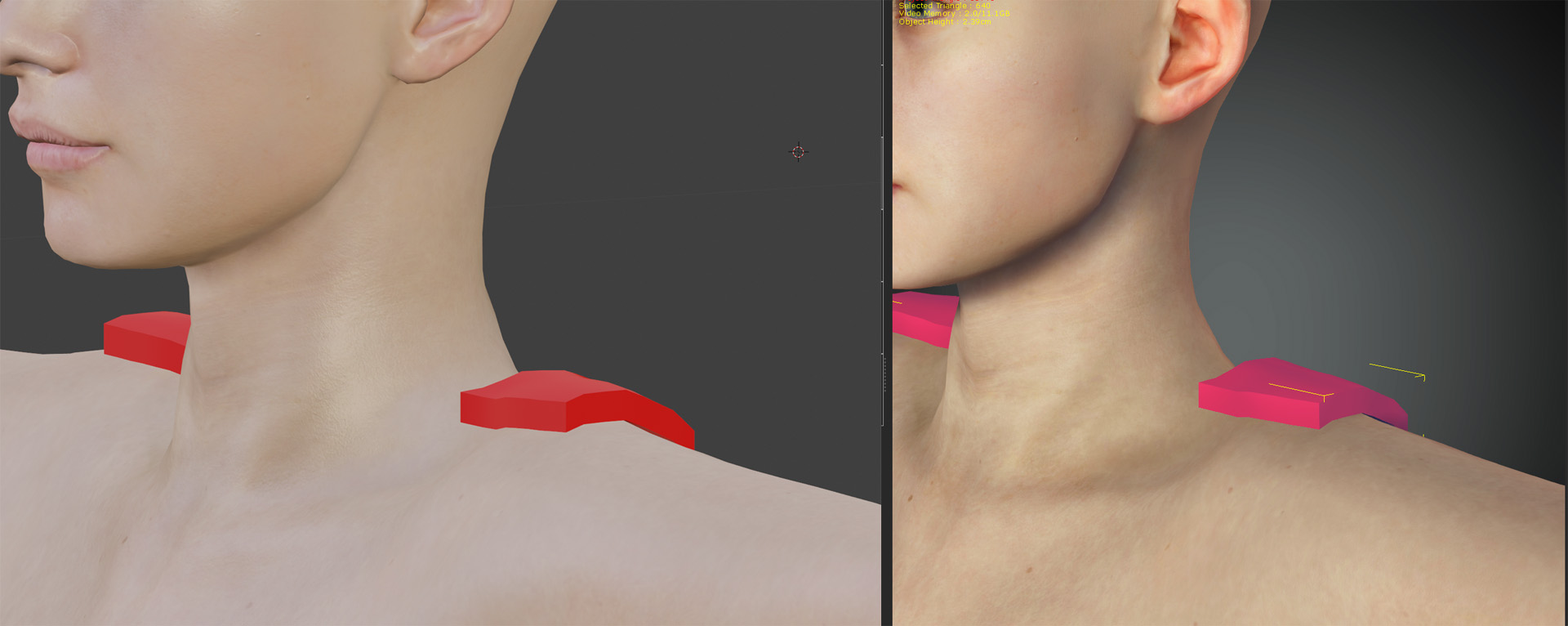
In Blender model and export pads as FBX again. When you import them back to CC they should match perfectly.
Quick object fit test
|
|
By deanbowenart - 6 Years Ago
|
Hey thanks for taking the time to work out the process. Your method didn't work for me but I kept trying different ways based on what you said and this did work for me.
-Use Jody figure
-T Pose
-Export OBJ - With Current Pose
-Import OBJ into Blender
-In Blender, model something on the figure
-Reset Scale/Rotation on the model
-Export the model as OBJ
-In CC3 go to Create/Accessory, and select the new model
-Done!

|