|
By fsilva - 6 Years Ago
|
Hello to all! I need to make a see-through bullet hole for a scene in iClone. Any suggestions?
Thanks, Frank
|
|
By thebiz.movies - 6 Years Ago
|
|
More details. Describe the scene. What is the bullet hole through? Whats the camera framing/movement?
|
|
By gordryd - 6 Years Ago
|
|
One way would be to put a green 'dot' (filled circle) where the bullet hole is (for example, a door). Then render 2 versions: 1) with door/green dot visible, 2) with door/green dot hidden to reveal what is on other side of the door. Use the same camera moves and then chroma key the 2nd version 'behind' the 1st version -- hidden view will be 'revealed' through the chroma 'key' hole. This would need to be done in external video editor.
|
|
By thebiz.movies - 6 Years Ago
|
|
Or, if its a closeup and the camera doesn't move you could just use an image layer.
|
|
By animagic - 6 Years Ago
|
As I don't know how to model, I try things like that with an Opacity map. It requires that the texture of the object penetrated by the bullet is not tiled.
Assuming the bullet hole is "well-rounded", I would position a cylinder in the place where the hole is to give it an inner surface.
|
|
By fsilva - 6 Years Ago
|
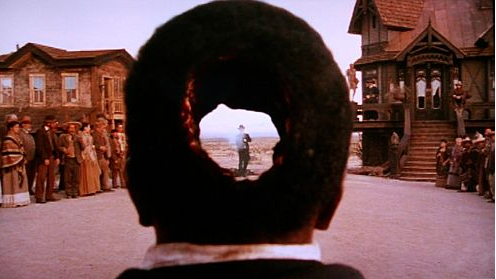
OK. More details. I'm sure many of you have seen the movie "The Quick and the Dead". There was one challenge when the bullet went right through the head of the defeated. You can actually see daylight through the bullet hole. That's what I'm looking for. Now, any more ideas?
Thanks,
Frank
|
|
By 4u2ges - 6 Years Ago
|
animagic made a correct suggestion IMO. Opacity map is a way to go. It's a little tricky to match both sides of the hole on the UV map (specially if the cowboy is wearing a hat), but it's possible.
If you know Blender it's even easier. I made this hole in 10 min.
Exported character with the hat to Blender, put a cylinder through the hat and the head and then intersected faces. That created a round faces on 2 sides of the hat and the head.
Then exported both UV maps and made an opacity map based on those newly created faces.
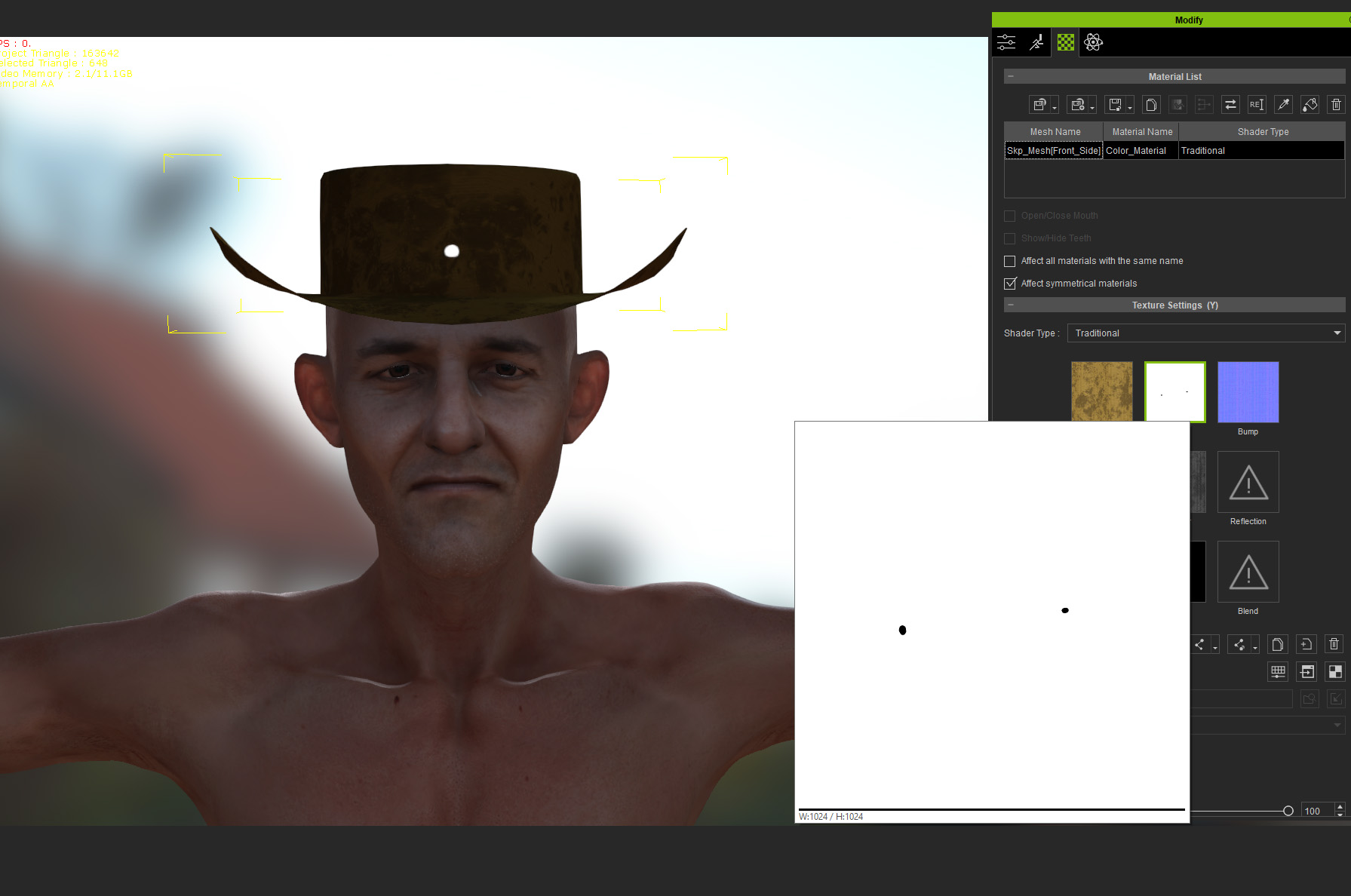
To go from no hole to hole on the timeline this method of instant offset of the tiled Opacity map can be used: https://forum.reallusion.com/FindPost356200.aspx
Same method can be used for the hat/head diffuse maps to add a blood around the hole
|
|
By thebiz.movies - 6 Years Ago
|
Taking a look a the scene its a pretty big hole in the head. Gordryd's chromakey suggestion may be the way to go. Hair will be a bit of a problem though. Would be easier if the character is bald.
|
|
By 4u2ges - 6 Years Ago
|
That is how wide it was?? I watched it very long time ago, obviously forgot all about it :w00t:
|
|
By fsilva - 6 Years Ago
|
|
Very impressive! Looks a lot like the movie.
|
|
By 4u2ges - 6 Years Ago
|
It's actually a movie ;)
This one would require a hat. The hole is in the hat with head (and hair if any) faces hidden.
A lot of freedom texturing and modeling in this case. Although it looks more like an anti-tank bullet smoked him :)

|