|
By Kalex - 6 Years Ago
|
Glad to participate to this Contest ! In the next days, I will try to create a Realistic and Animated Character inspired by the Dawn of Justice Superman movie.
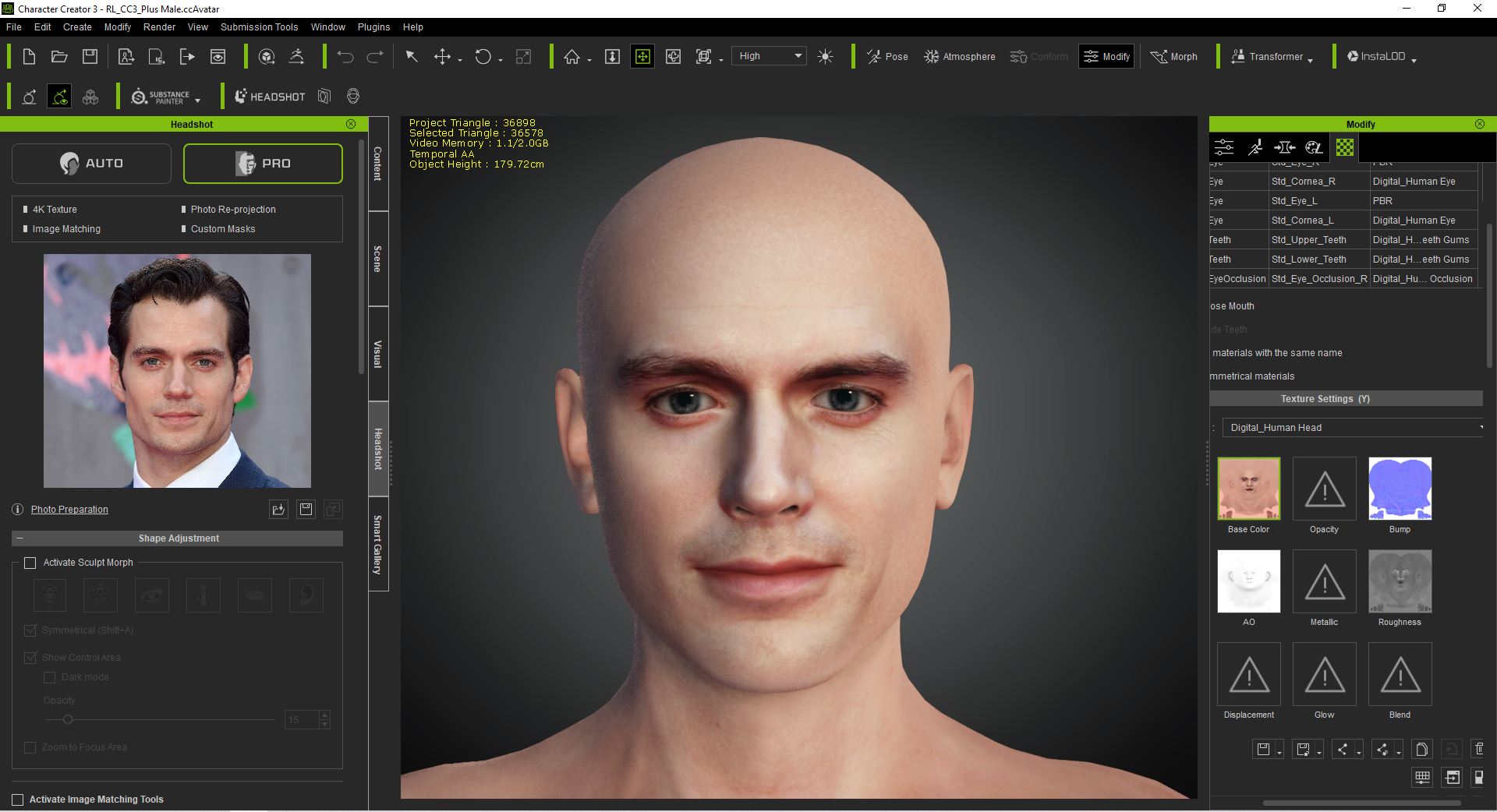
Here is the first step of creation, using Headshot and Character Creator.
Next step will be to use Blender and the morphs in Character Creator to try to make it lookalike !
If you want to check all the steps I used to create the model, you can go to this page: https://kalex39.artstation.com/projects/18wBre
Here's the first work:
|
|
By Kalex - 6 Years Ago
|
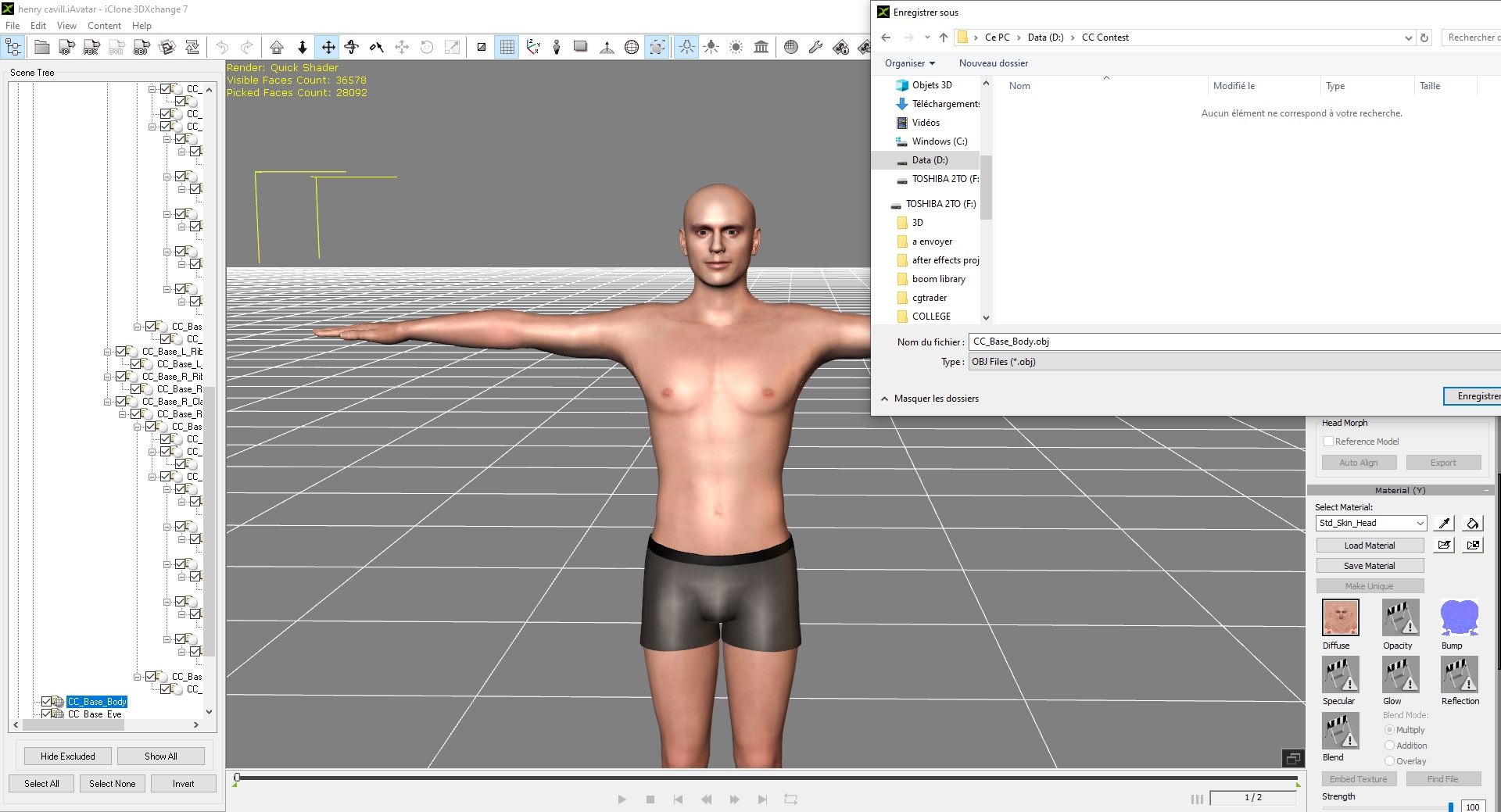
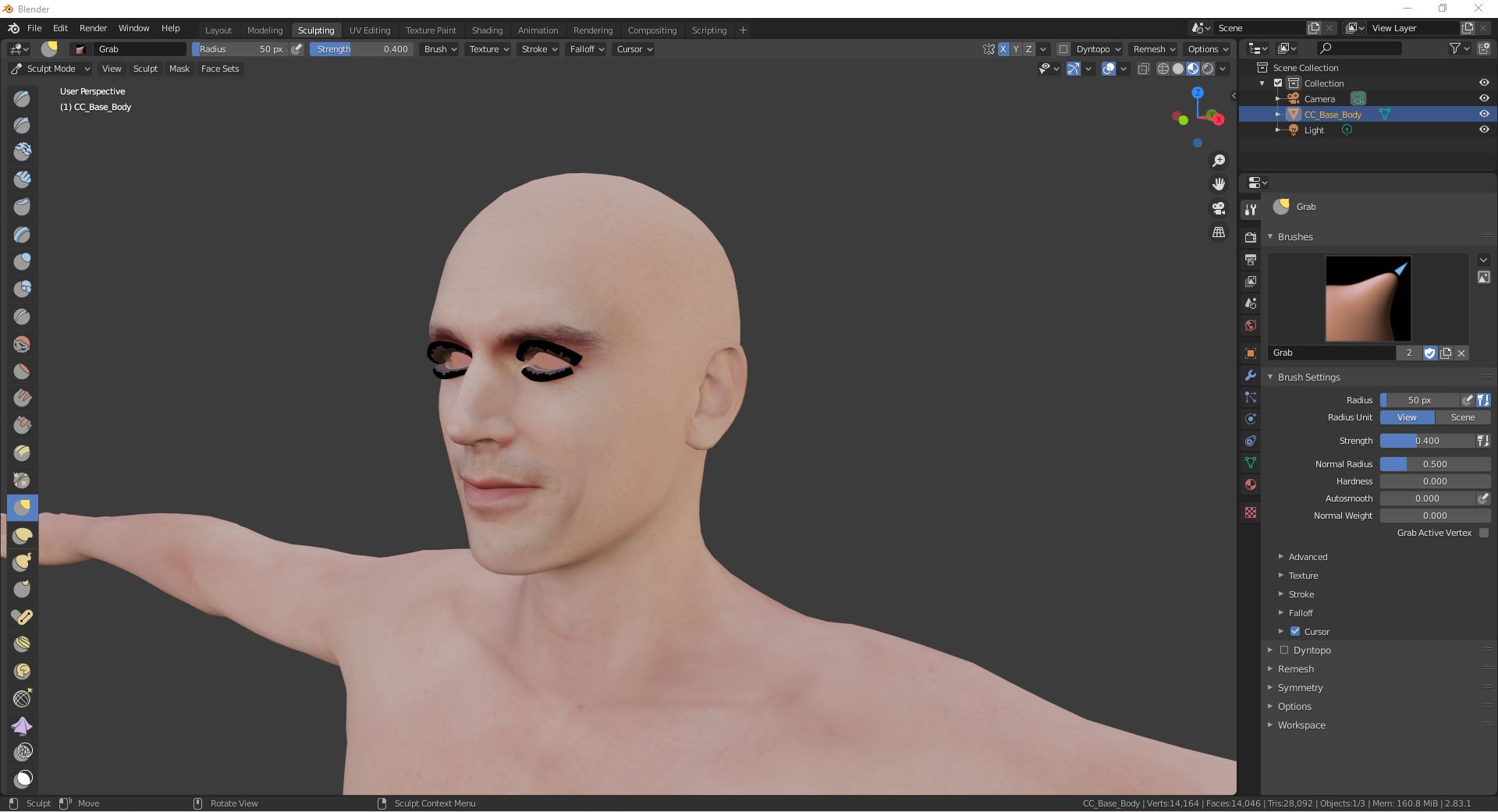
Step 2 and 3: Export as .obj and begin the sculpt work in Blender.
|
|
By Kalex - 6 Years Ago
|
Next step: after 2 hours of hard work in Blender, the result looks promising. Still needs a lot of work in photoshop and Character Creator. 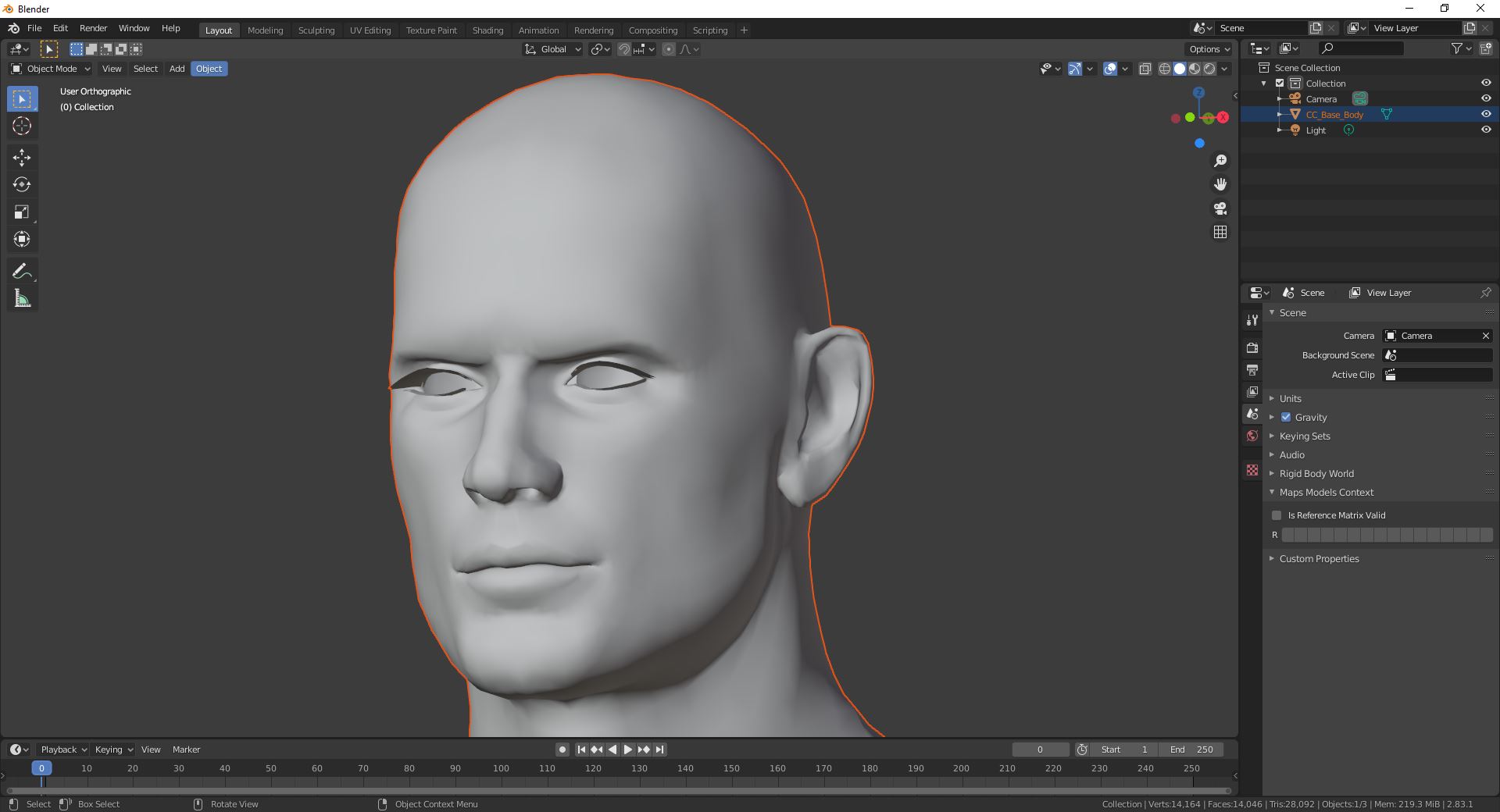
|
|
By Kalex - 6 Years Ago
|
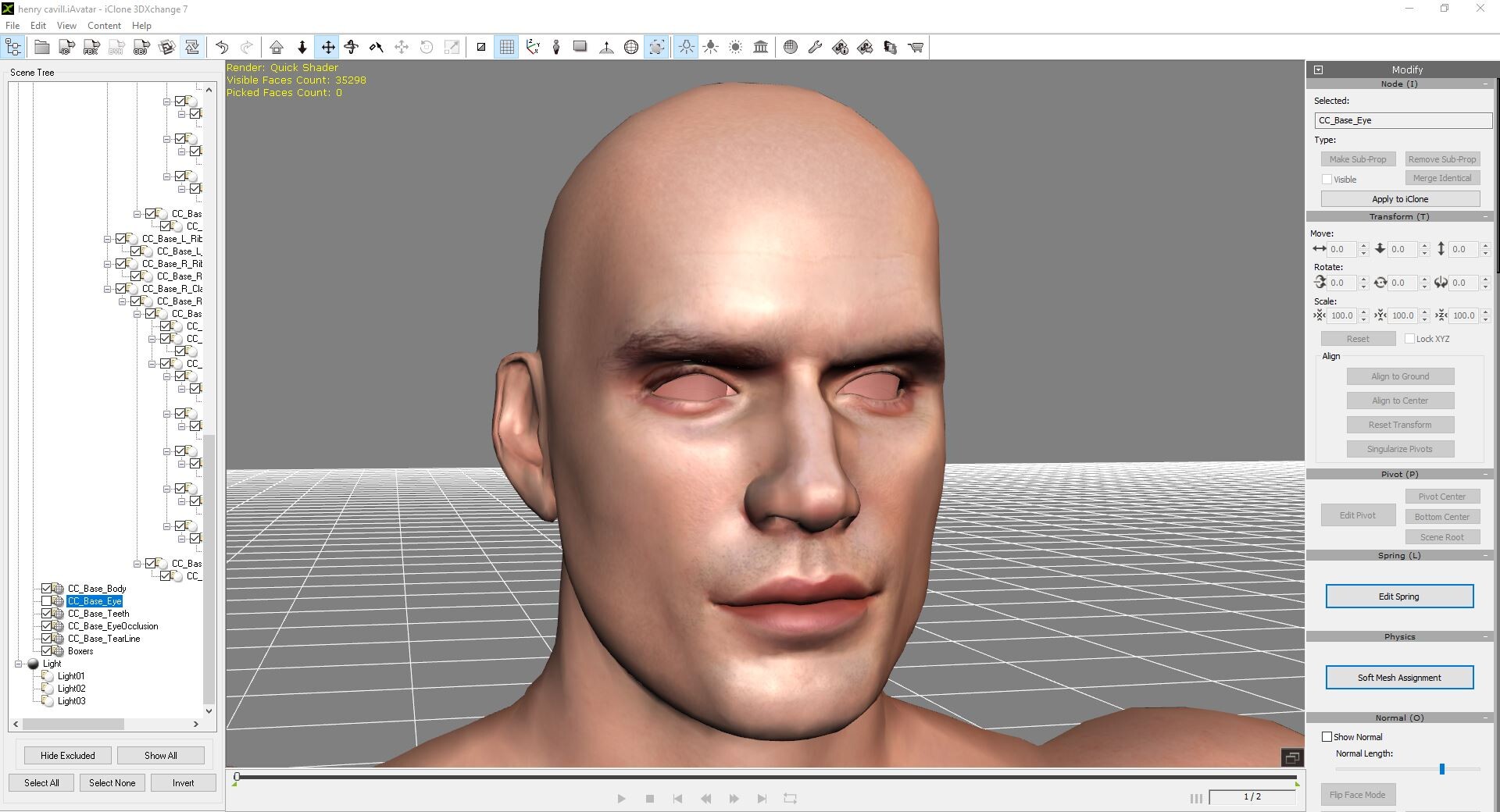
Next step: replace the mesh in 3dxchange. For now it looks very creepy...
|
|
By Kalex - 6 Years Ago
|
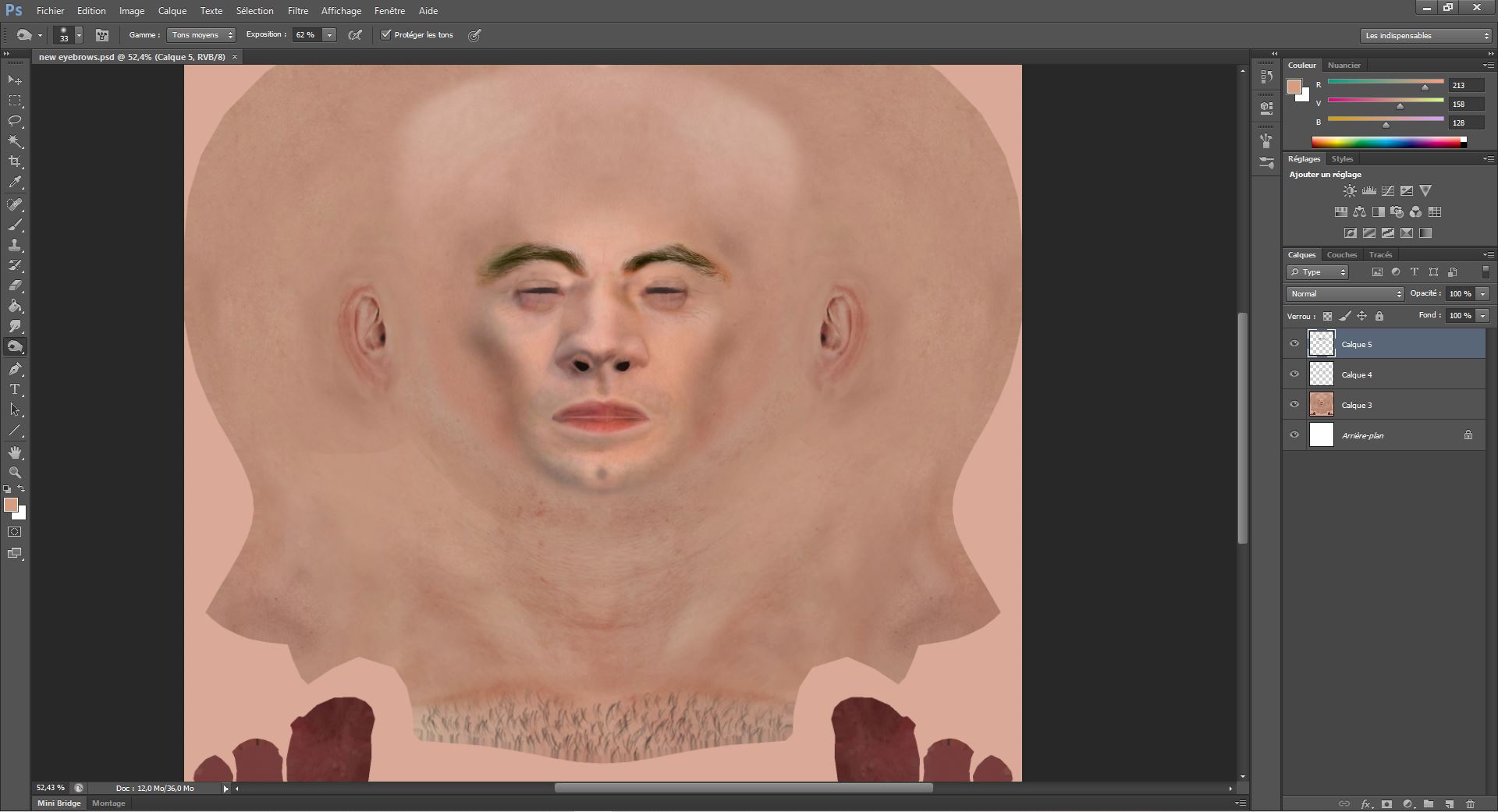
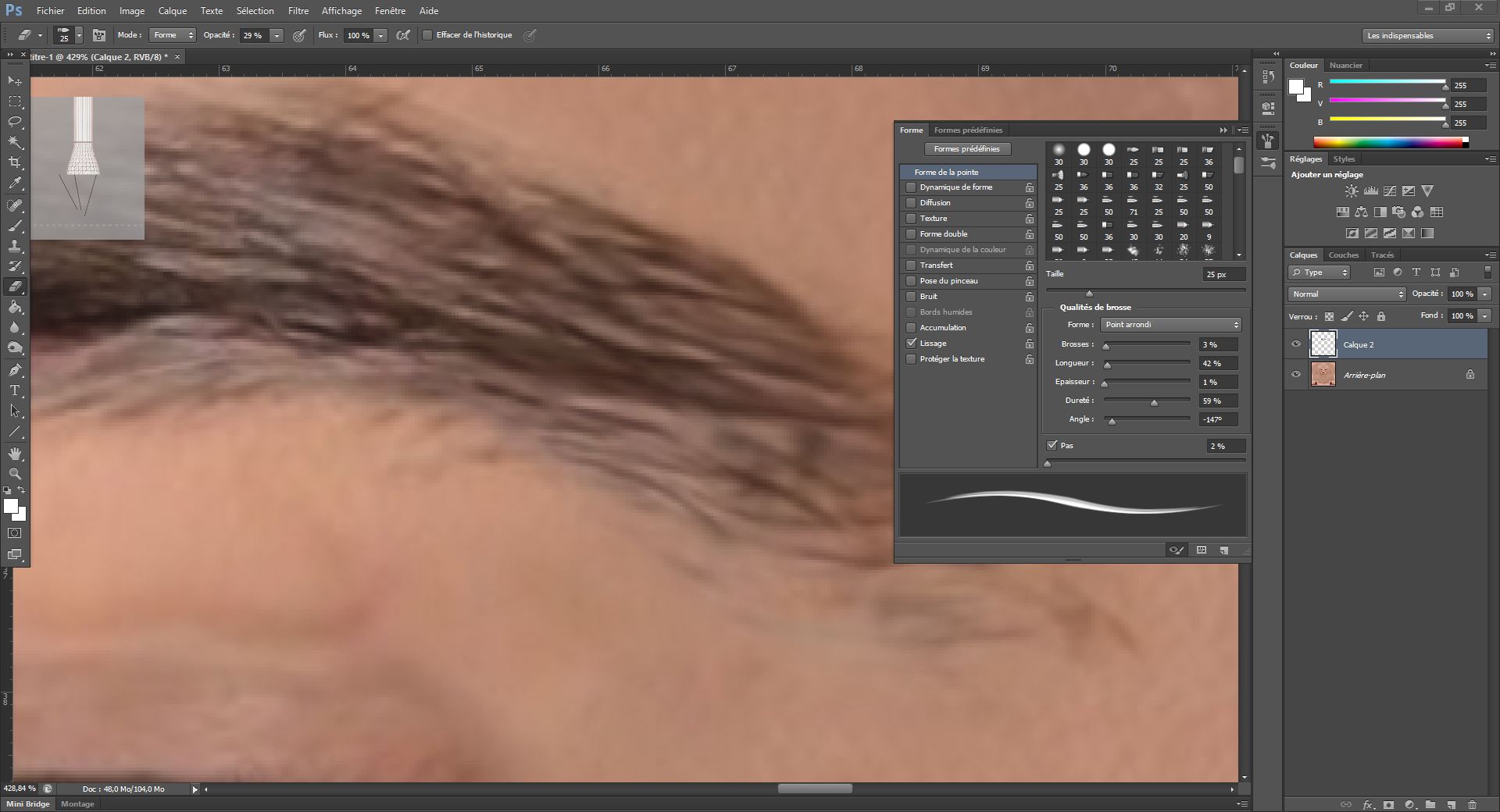
Time to launch Photoshop. Export the face diffuse map 4096*4096 and begin to draw and correct all the imperfections. Here, I will concentrate on the eyebrows.
|
|
By Kalex - 6 Years Ago
|
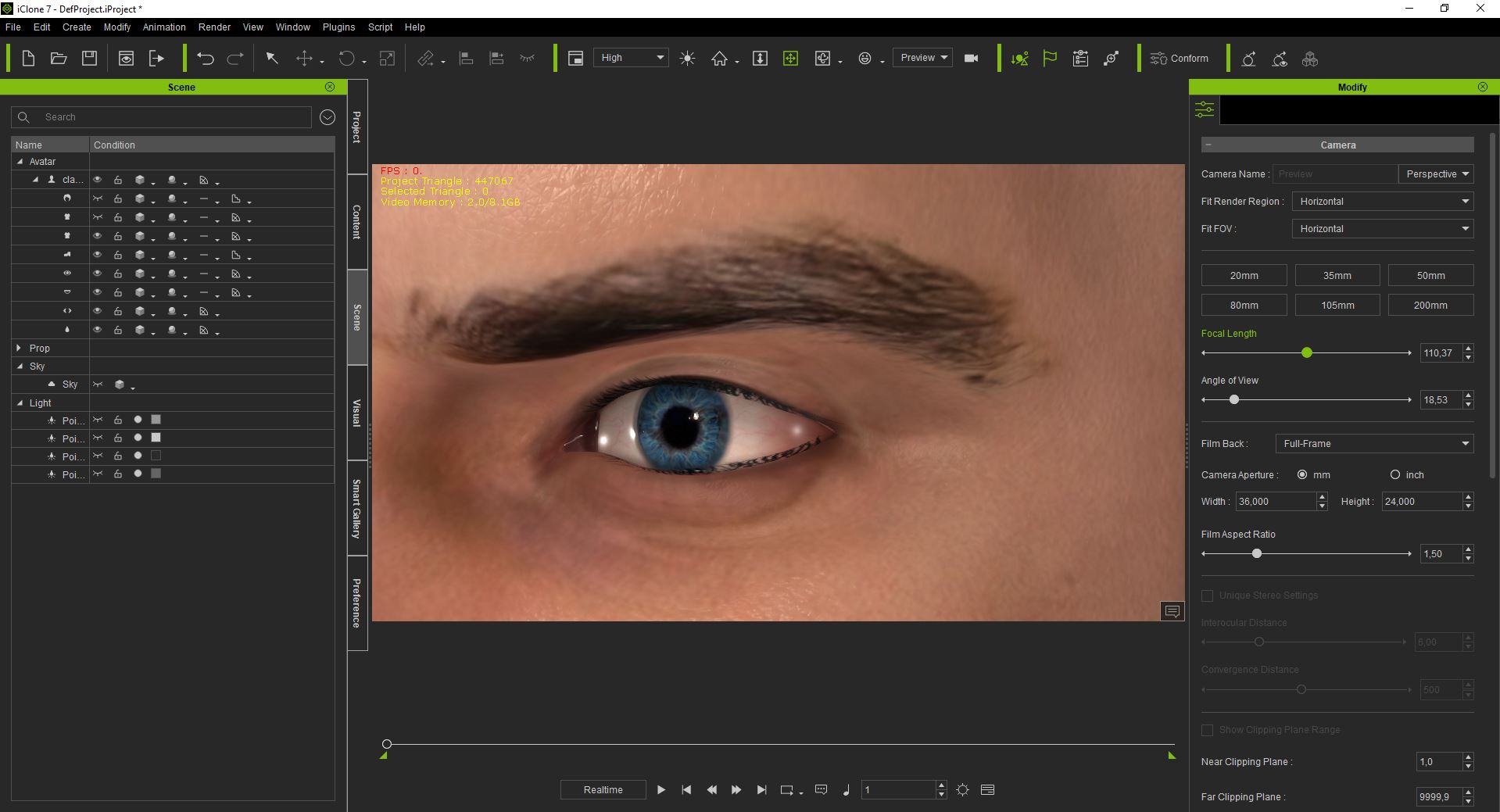
Next step: see the result in iclone. For now it doesn't look so bad !
|
|
By Kalex - 6 Years Ago
|
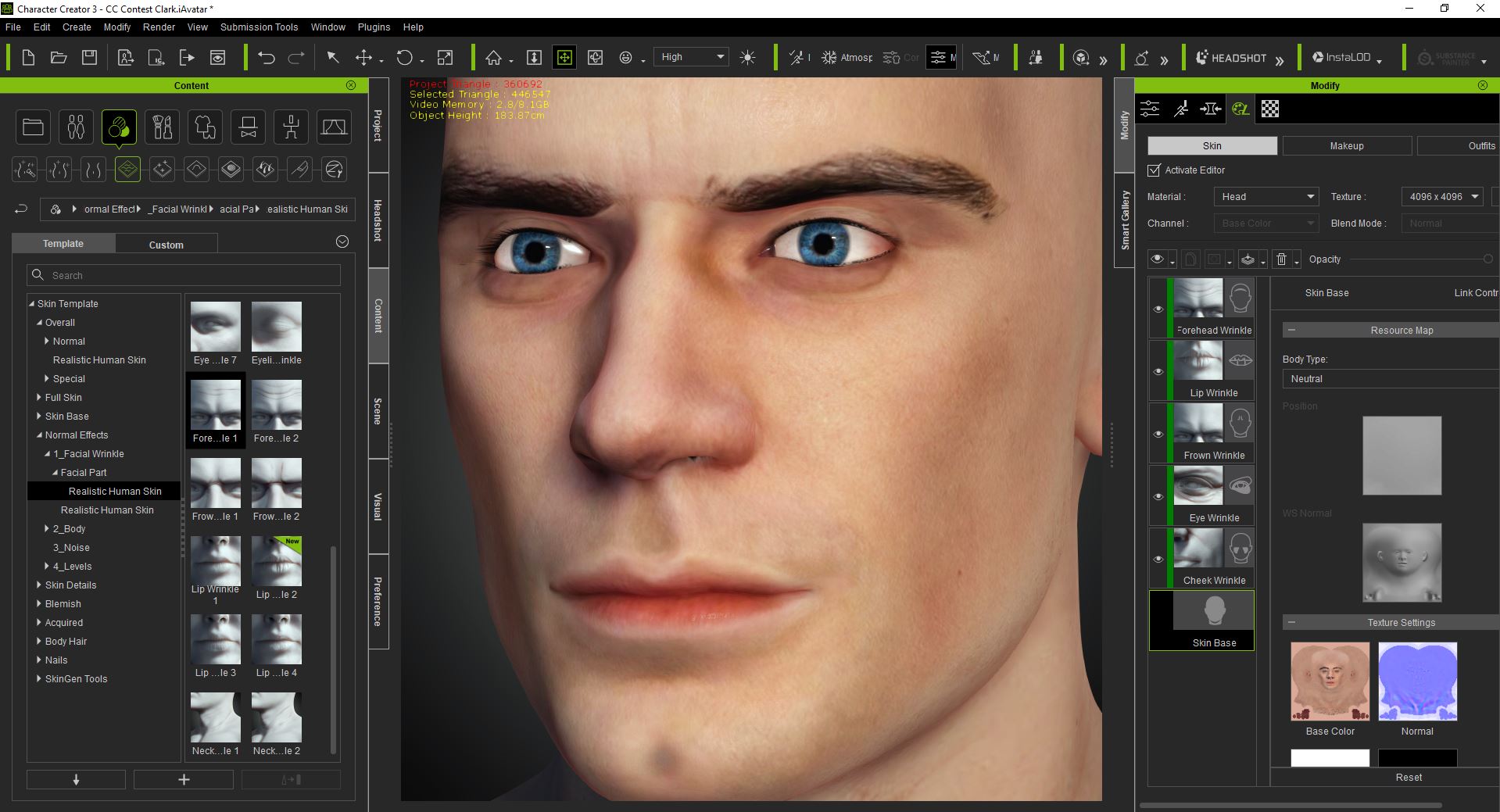
Next step: import in Character Creator the .iavatar just created in iclone. Apply all the morphs modifications and layers textures to increase the skin realism.
|
|
By Kalex - 6 Years Ago
|
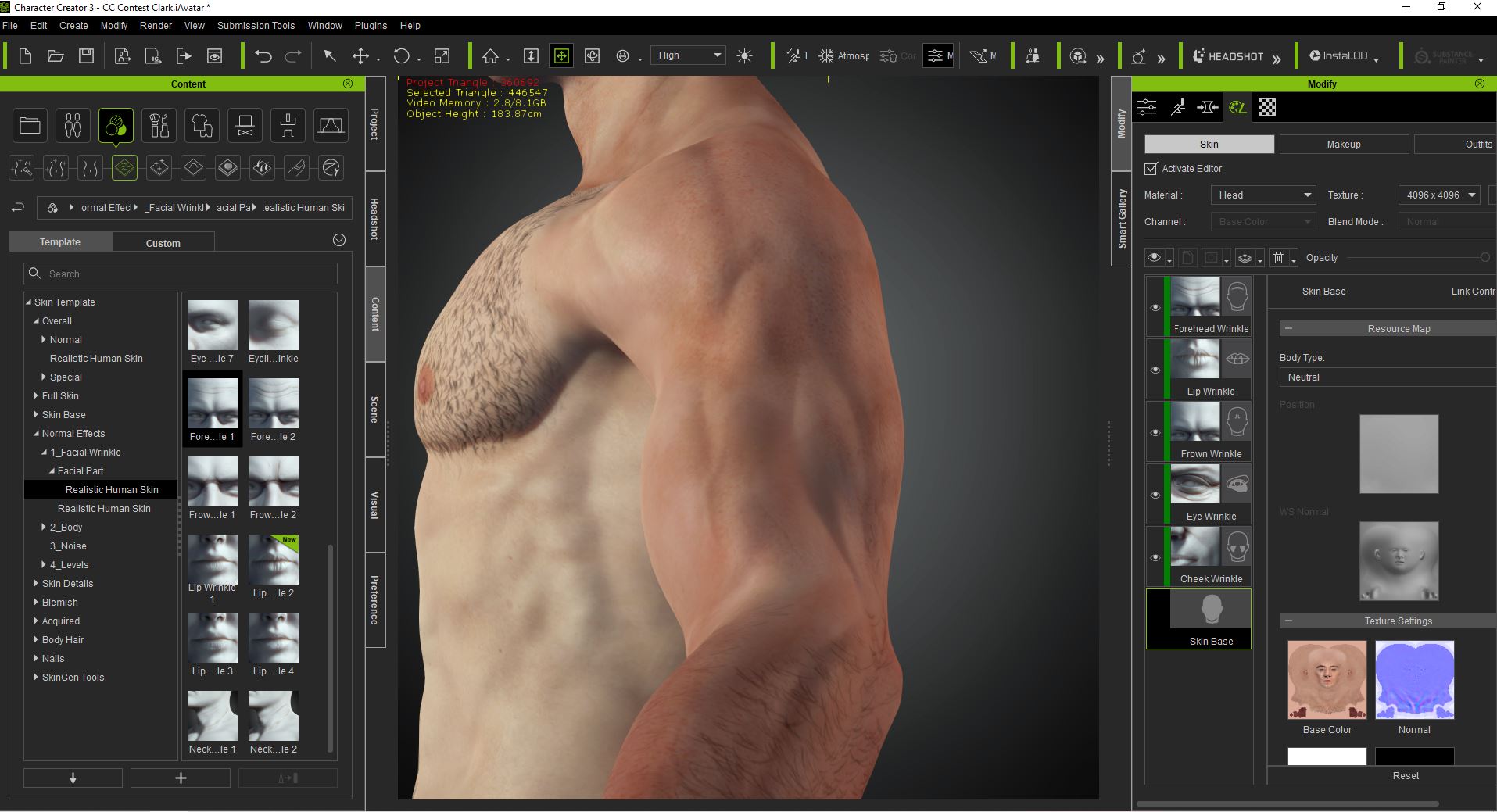
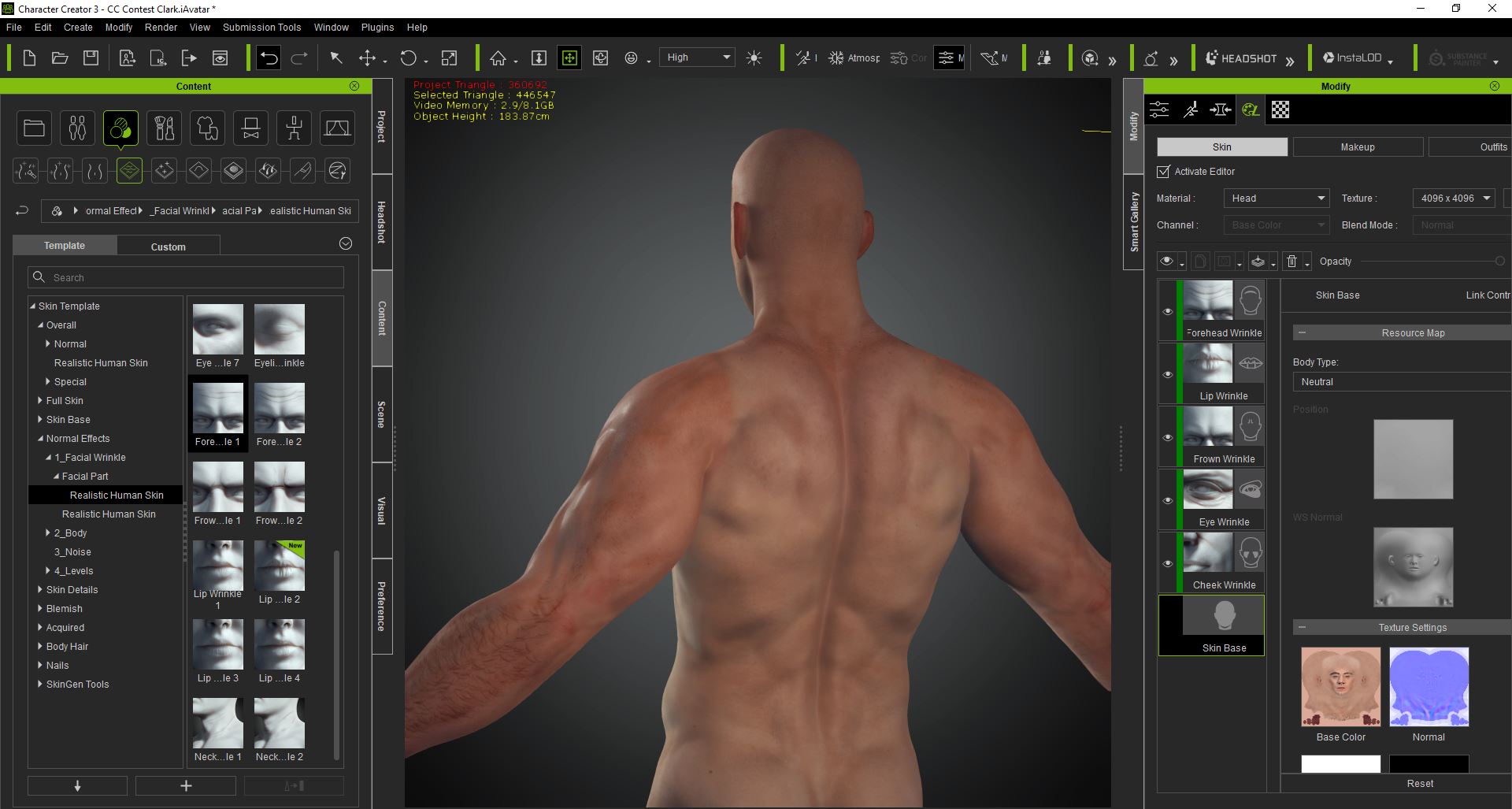
Apply the realistic Human Morphs to simulate the muscles.
|
|
By Kalex - 6 Years Ago
|
So far so good... doesn't look that bad after all these hours ! But still bald. Next step: working on the hair. 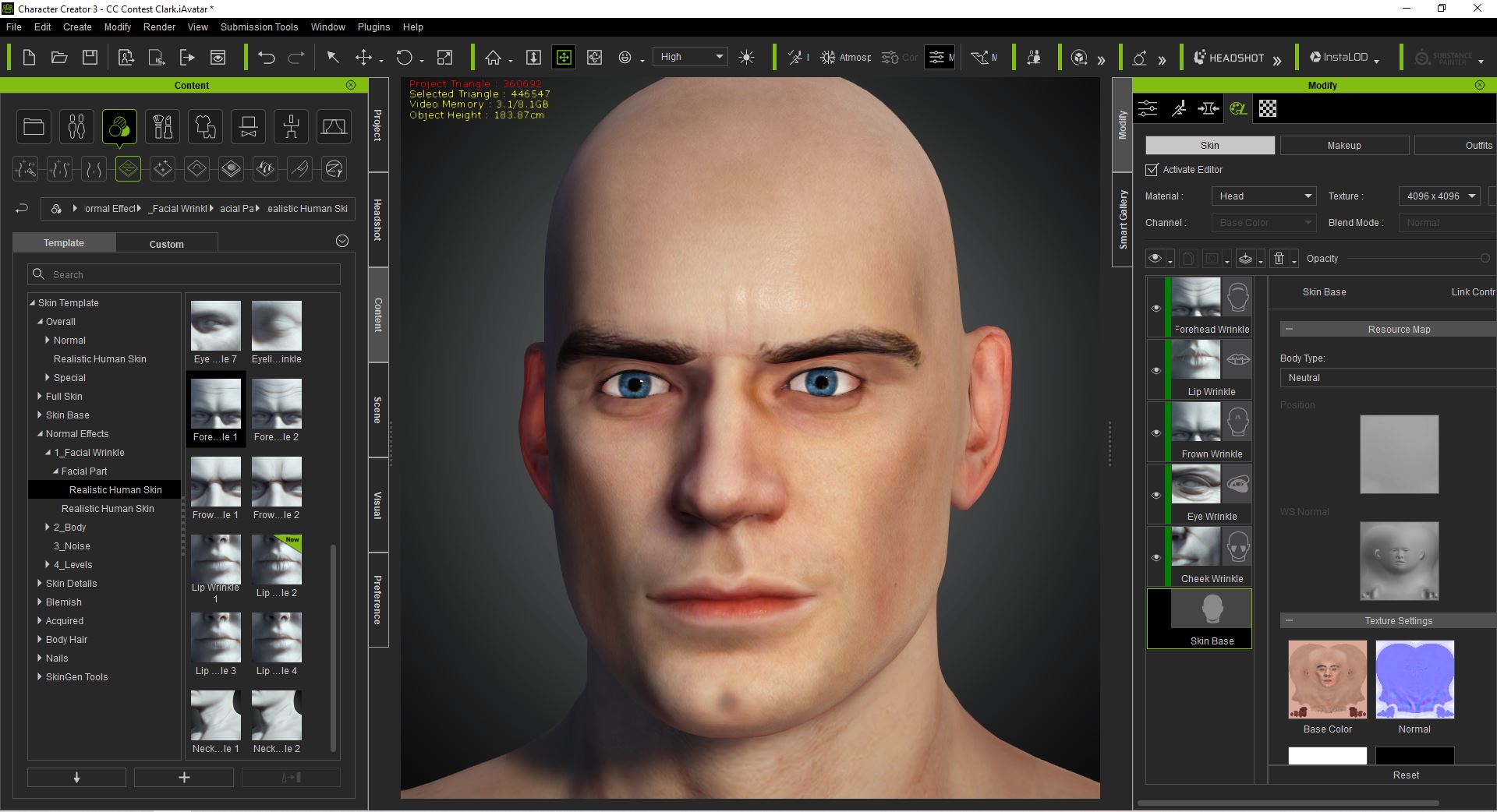
|
|
By Kalex - 6 Years Ago
|
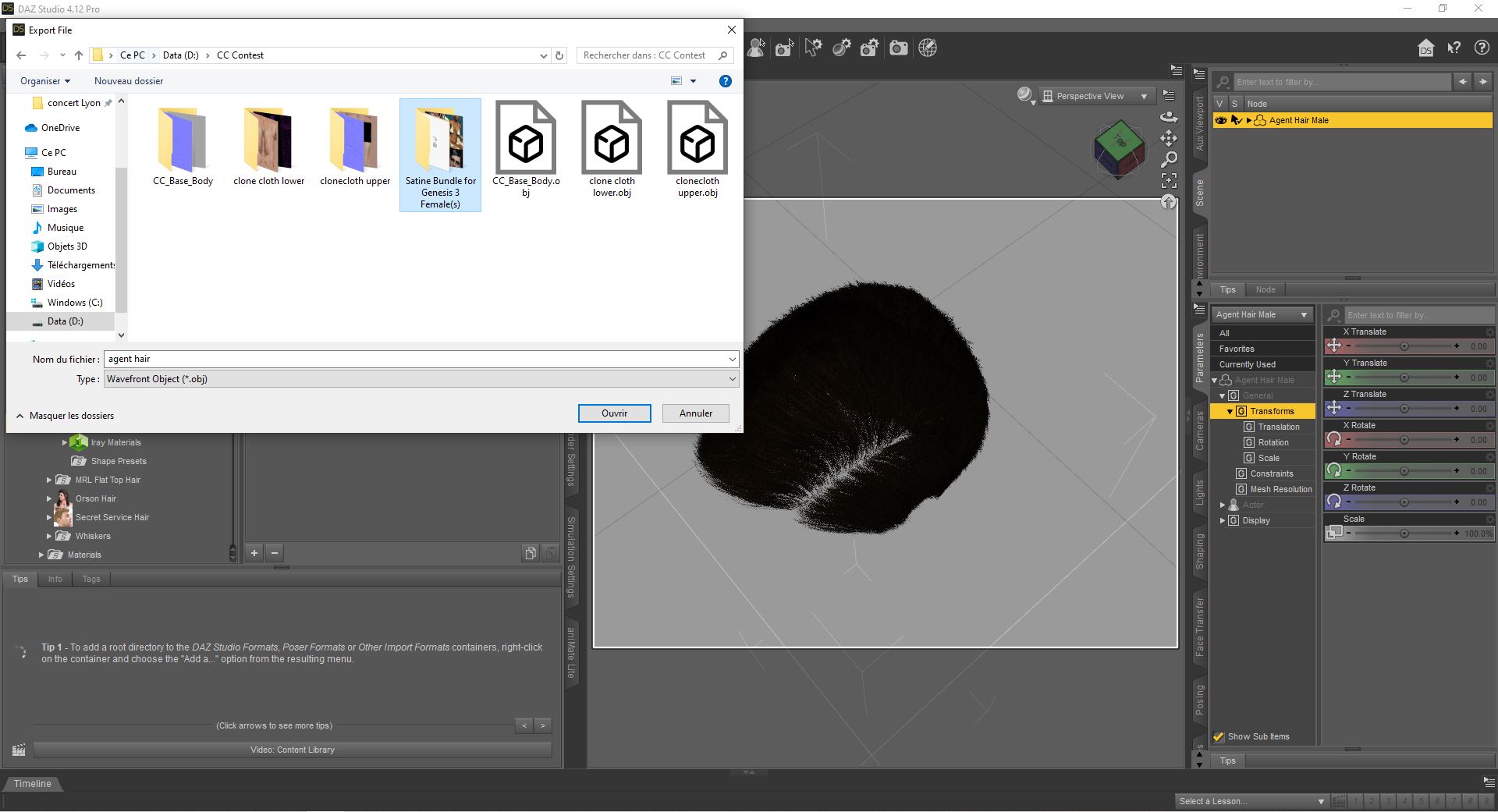
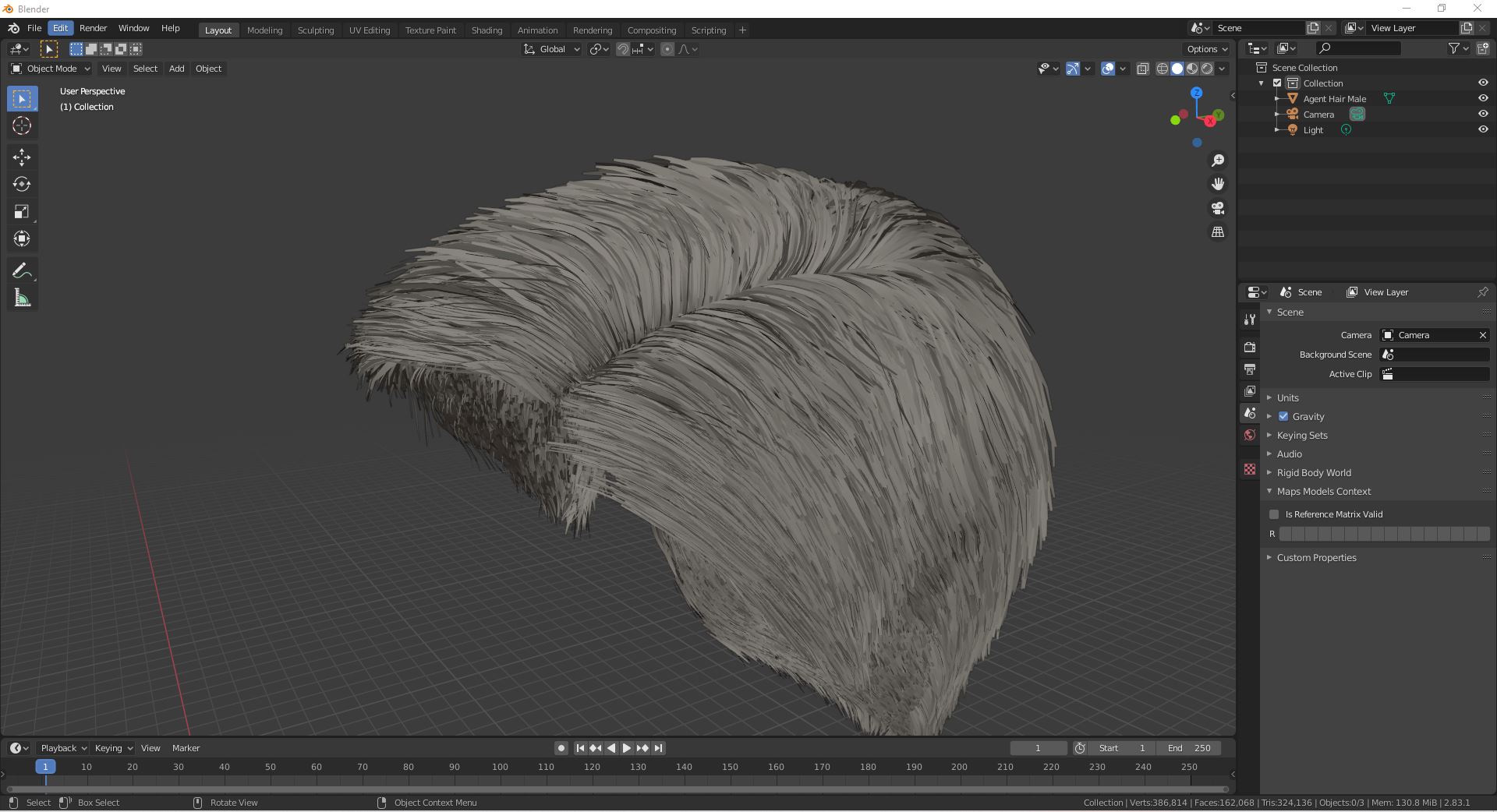
This is the hair model I will work on. Once imported to daz, export it to obj to begin the sculpting and editing in Blender.
|
|
By Kalex - 6 Years Ago
|
The hair looks nice, but it has too much faces to work with.
First step: decimate the hair.
Second: Import the .obj model of Superman body.
Third: Adjust the hair to the head.


|
|
By Kalex - 6 Years Ago
|
Using this image as a model, I can now begin to sculpt the hair and delete the faces that I won't use.


|
|
By Kalex - 6 Years Ago
|
Working on the sideburns next: right side and left side.


|
|
By Kalex - 6 Years Ago
|
And finally addind the top. It is a decimated mesh. The top was separated from the rest of the hair so I could work on it more easily: sculpting and giving the correct shape before merging it to the rest.

|
|
By Kalex - 6 Years Ago
|
And here goes nothing, after 5 hours of hard work, the final result in Blender looks kinda fine to me. Next step: export it to Character Creator for texturing.
Any thoughts ?


|
|
By Kalex - 6 Years Ago
|
|
Feel free to tell me what you think, good stuff and bad stuff ! =)
|
|
By TonyDPrime - 6 Years Ago
|
The hair really brings it together, very impressive!
Great work!
|
|
By Kalex - 6 Years Ago
|
|
Thank you so much for your kind comment!
|
|
By Kalex - 6 Years Ago
|
Next step: Import the obj model into Character Creator and play around with the textures provided by DazStudio. Play around with the layers (roughness, metallic, micro roughness) to find a goodlooking result. 
|
|
By Kalex - 6 Years Ago
|
And here are some renders of the hair (SSS textured)


|
|
By Kalex - 6 Years Ago
|
Here we are: that's a proper Superman with superman hair. (more photos are on my artstation page). Rendered in Character Creator. 


|
|
By Kalex - 6 Years Ago
|
Now time to work on the suit. To do so, let's play around with nostalgia and honor iclone 5. I wil use G5 clonecloth bodysuit. Step 1: export to .obj.

|
|
By Kalex - 6 Years Ago
|
Step 2: Import it to blender.

|
|
By Kalex - 6 Years Ago
|
Step 3: Subdivide the mesh. I will spend the next day working on the realism of the mesh by sculpting it, simulating the muscles and conform the tissue mesh it to the body mesh of superman.

|
|
By Kalex - 6 Years Ago
|
After some time working and sculpting in Blender, the suit is finally shaped to the body. Thanks to the subdivision, sculpting the muscles was easier and the result look promising.


|
|
By Kalex - 6 Years Ago
|
Let's focus now on the "decorations" of the suit. This was, for now, the hardest part. After spending most part of the day on trying again and again editing and sculpting... I think the result looks pretty good. There are still some imperfections though... Need some testing in Character Creator.

 
|
|
By Kalex - 6 Years Ago
|
I shall now explain how I created the "S" symbol, which ware very easy compared to the previous step. I thought I was going to tear my hair out....
First: Let's work on the default cube in Blender. Subdivide it several times. Keep only one face. Cut it and shape it till it reminds the "S" shape of Superman. Next start sculpting. Make some readjustments if necessary, triangulate the faces and decimate. Mark seam on the S mesh for UV export. And voila: Merge it then to the suit.

   
|
|
By Kalex - 6 Years Ago
|
Here are some visuals of the work in progress suit. Looks pretty good for now, but still needs a lot of work ! What do you think for now ?

 
|
|
By Kalex - 6 Years Ago
|
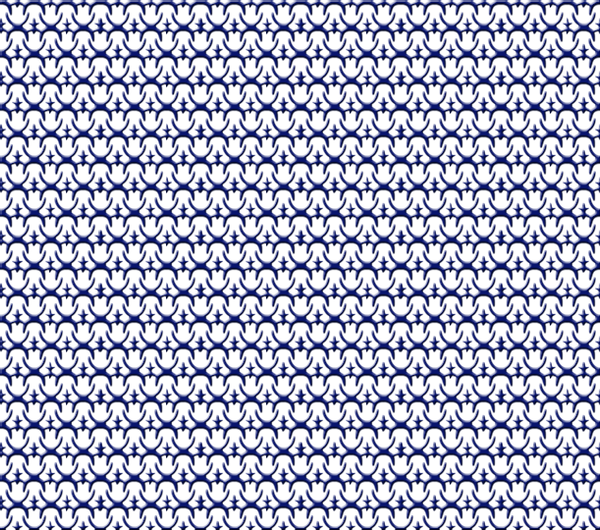
Next step: Find suit patterns in google to start making the texture.
|
|
By Kalex - 6 Years Ago
|
Making suit texture in photoshop next.


|
|
By Kalex - 6 Years Ago
|
And here it is: SSS suit texture. Playing around with roughness map, metallic, multi roughness to find a goodlooking result. Doesn't look so bad for now ! (more on my artstation page)

 
|
|
By Kalex - 6 Years Ago
|
Next step: make a decent model of a cape. To do so, I will work on this Daz cape model in Blender to adjust it to the suit.

|
|
By stuckon3d - 6 Years Ago
|
Hey Kalex,
good stuff here, are you planning on adding more detail on the face. I can kinda see the actor but still reads too CG to me. I feel with Skingen and photoshop you could push the likeness much further. Just an observation. ;) Keep it up!
Cheers,
Cris
|
|
By Kalex - 6 Years Ago
|
Thanks for your comment stuckon3d. There is still a lot of work to do. I made some improvements yesterday on the skin, eyebrows and eyes of Superman. Gonna continue today...


|
|
By Kalex - 6 Years Ago
|
Made some facial textures improvements:


|
|
By Kalex - 6 Years Ago
|
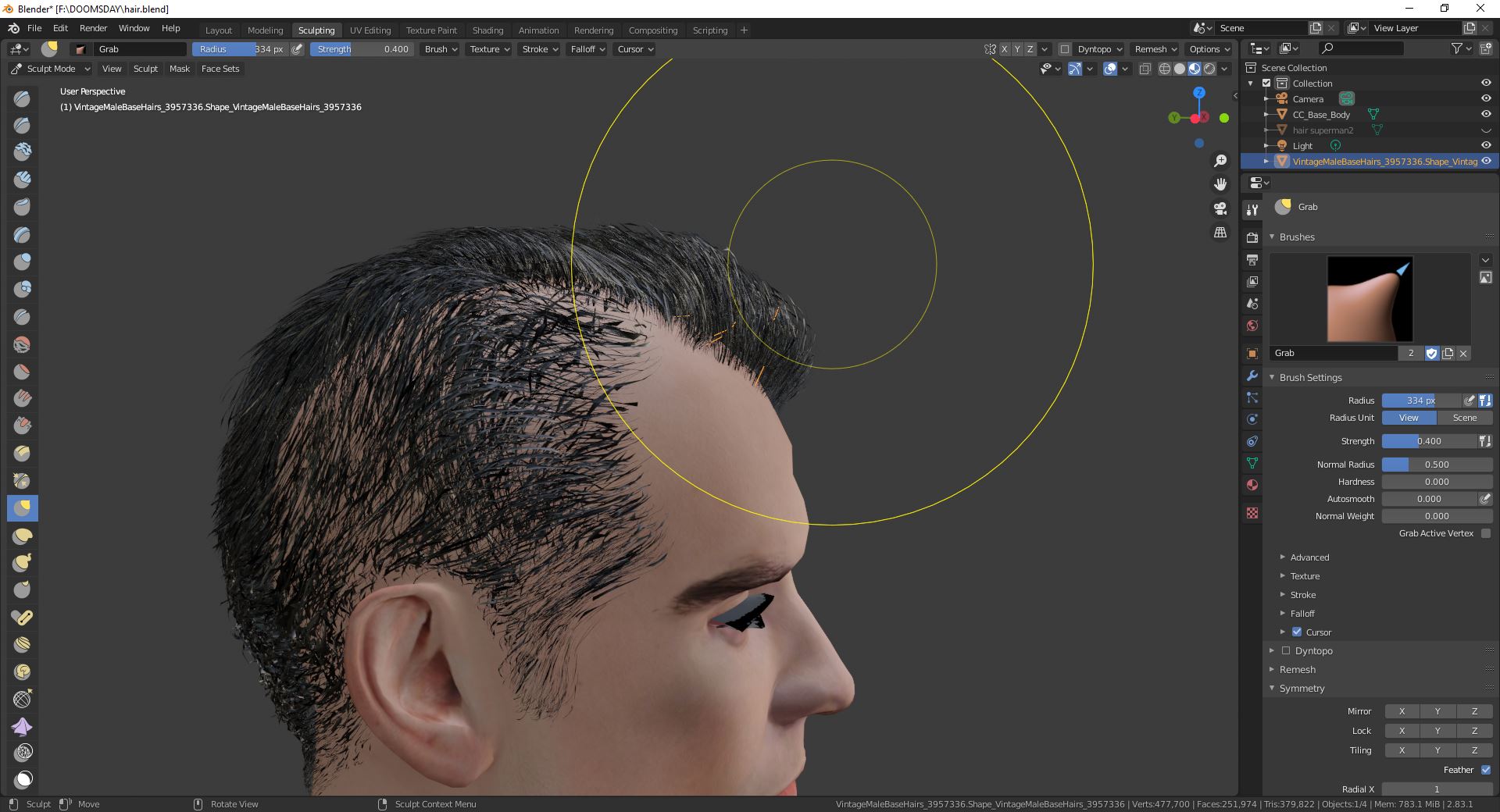
Working on a new hair model. Still need a lot of work, especially a hair scalp to hide all the holes.

|
|
By Kalex - 6 Years Ago
|
Here it is finally, after 3 days of hard working on the scalp base and all the strands, the new superman haircut:

 
|
|
By Kalex - 6 Years Ago
|
First cape test with PhysX:
|
|
By Kalex - 6 Years Ago
|
And here it is: first test clip of Superman walking.
|
|
By Kalex - 6 Years Ago
|
It starts to look good ! The textures need more working in photoshop though. All rendered in iclone and After Effects.
|
|
By oatt - 6 Years Ago
|
All of this is just crazy-great and really inspiring!
|
|
By Kalex - 6 Years Ago
|
|
Thank you so much for your kind comment ! It really warms my heart !
|
|
By Kalex - 6 Years Ago
|
 Adding through photoshop some subtle muscle details to the suit. Tricky but efficient. Adding through photoshop some subtle muscle details to the suit. Tricky but efficient.

|
|
By Kalex - 6 Years Ago
|
Made some updates on the suit in Blender, the cape needed more readjusting. Now, it is much closer to the suit and the skin.


|
|
By Kalex - 6 Years Ago
|
First video to submit to the contest, facial animation done with Faceware, rendered in iclone and After Effects.
|
|
By Kalex - 6 Years Ago
|
Pictures of the turntable project. All rendered in iclone.


|
|
By Kalex - 6 Years Ago
|
Turntable video - Render Tests.
|
|
By Kalex - 6 Years Ago
|
Finally, after a week of hard working, I tried something else: render in iclone the last seconds of classic Superman 1978. Years ago I never thought it would be possible. Motions are made thanks to Ipisoft, Facial animations made with Faceware. Rendered in iclone and modified in After Effects. I hope you like it ! I enjoyed it a lot.
More like this are to come.
|
|
By Kalex - 6 Years Ago
|
Still doing improvements on the textures. Finally purchased the makeup and sfx bundle for character creator. Gonna update the textures on Superman's face. The eyebrows look much more realistic now. Updating the eyes texture to make it look smoother. Still have to do some work in photoshop.

 
|
|
By Kalex - 6 Years Ago
|
Still updating the face texture in photoshop: light the darkest parts in photoshop. After applying the modifications in Character Creator, the skin looks much more realistic.


|
|
By Kalex - 6 Years Ago
|
Apply new eyelashes to make the look deeper. Then modify the eyelashes textures in photoshop to make them shorter.


|
|
By Kalex - 6 Years Ago
|
Apply the modifications and slightly move the position of the eyelashes to make it fit the eyelid.


|
|
By Kalex - 6 Years Ago
|
For the next scene I'm working on for the Contest, it is necessary to make a Clark Kent character. To do so, let's change first the hair model, using again DazStudio.

|
|
By Kalex - 6 Years Ago
|
Import hair in daz. Export at obj.


|
|
By Kalex - 6 Years Ago
|
Import in Blender and decimate to reduce the high number of polys.


|
|
By Kalex - 6 Years Ago
|
Import Clark's body mesh base and sculpt the hair base until it fits properly the head. Export the hair mesh and replace the previous one.

|
|
By Kalex - 6 Years Ago
|
In Character Creator, import Clark's body base. Create clothes (professional outfit and Secret Agent clothes) to make him look like Clark Kent style.


|
|
By Kalex - 6 Years Ago
|
Would Clark Kent be Clark Kent without glasses ?

|
|
By Kalex - 6 Years Ago
|
Create hair importing the .obj mesh and apply all the proper textures.


|
|
By Kalex - 6 Years Ago
|
And finally, some turntable pictures for the contest. All rendered in iclone. More on my artstation page.


|
|
By Kalex - 6 Years Ago
|
Next shots were rendered through Iray Render Plug-in.

    
|
|
By Kalex - 6 Years Ago
|
Work in Progress pictures of the scene I've been working on this week:
Animations were made thanks to Ipisoft, Facial animations thanks to Faceware.
Placing correctly the characters and doing some camera work. Then, doing some post processing in After Effects to enhance the picture and the colors.

    
|
|
By Kalex - 6 Years Ago
|
|
After a week of hard working, I finally present for the contest the first scene of the sequel of my previous movie, "Prometheus". Please don't be to hard, it's still an amateur video ;) Faceware for facial animations Leap animation for Hands & fingers Ipisoft for mocap.
Renderd in iclone 7. Post processed in After Effects. Video made in Vegas Studio.
I hope you like it ! Maybe I'll have some time to make another one this week.
https://vimeo.com/476262166
|
|
By Kalex - 6 Years Ago
|
After seeing that my videos were not completely up to the contest standards, I've decided to delete them and republish them on my youtube channel. Hoping now it's all good...
I hope you will like them or re-like them ! =)
Sorry for the inconvenience.
|
|
By Kalex - 6 Years Ago
|
Superman Turntable video:
|
|
By Kalex - 6 Years Ago
|
Classic Superman 1978 ending revisited:
|
|
By Kalex - 6 Years Ago
|
Superman & Green Arrow animated scene:
|
|
By Kalex - 6 Years Ago
|
Some renders made in iclone for the contest:

     
|
|
By Kalex - 6 Years Ago
|
This scene is the submission for my Animated Flash Character, but since there is Superman too, I'm posting it here also. Justice League postcredits scene revisited in iclone, with the Flash of the CW show racing Superman. The scene was rendered in iclone and postprocessed in After Effects and Sony Vegas Pro.
|