|
By path.to.the.future - 6 Years Ago
|
First, I found out how to fix the female texture mismatch for good. It turns out that Blender 2.83 will just take all the maps from the first folder that is in the same directory as the FBX or OBJ file. So the solution is to simply create a new folder and put all both the texture folder and the FBX file together. I have not tested the male characters yet.
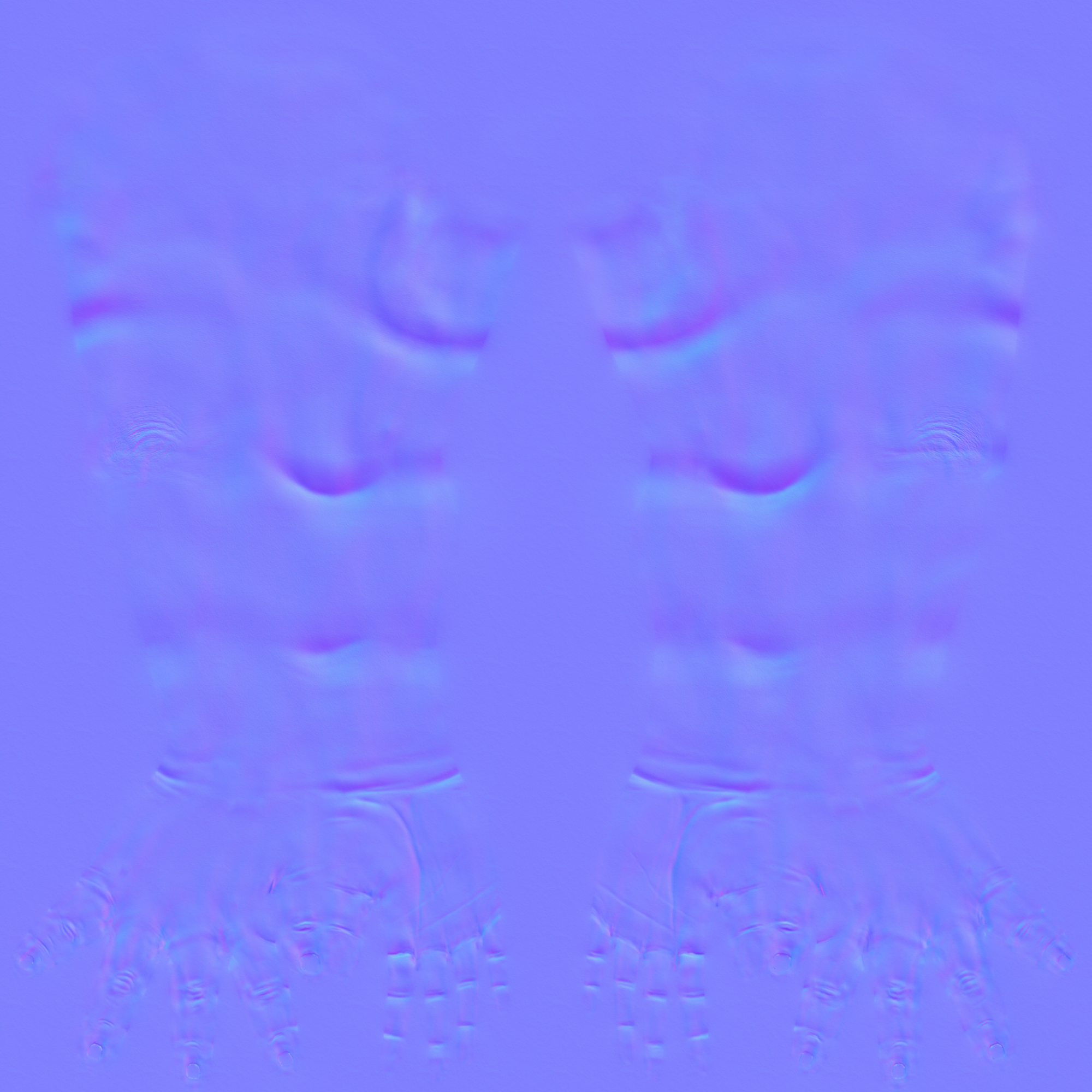
Now the bad news is that, my customized character gets ugly normal maps after export. The ugly map isn't observed in the default female character and there is no such folds when viewed in CC3.3. The mesh doesn't have such indentations either.
How it looks in CC3.3:
  
How it looks in Blender, WITH THE RIGHT MAPS:
      
The offending normal maps:
|
|
By 4u2ges - 6 Years Ago
|
It is actually not the Blender problem. The same can be observed in Blender 2.7x
It is the way I think CC3 export creates texture pointers. Can't be sure. But I've never seen that with previous CC versions.
https://forum.reallusion.com/455571/Weird-CC-Export-Issue
In case it is unsolvable with Blender, I suggest to enforce export into a separate folder to avoid confusion.
Or at least have an option with check box (there was such an option in CC2.0 called "Gather Files into a Container Folder" - probably for a reason).

Good luck with solving another Normal map problem.
|
|
By path.to.the.future - 6 Years Ago
|
It didn't solve your problem? At least in my case, the diffuse maps are OK now. It would look good if not for the damn normal maps... But are we using the same version of CC3.3? My window looks like this:

|
|
By 4u2ges - 6 Years Ago
|
Yes, I am using the same CC 3.3 version. You probably did not look at the video I posted from the link in my reply.
And the screenshot I posted, is from CC 2.0 export as a reminder to RL, that they had an option to dump export into a separate folder.
|
|
By path.to.the.future - 6 Years Ago
|
Okay, after further testing, it seems to be an issue with the baby skin. I have to register my character as full body morph, then use the morph on the default female base. I have to export it and then take the normal maps from it to replace my actual character's normal maps. It will appear normal after all the extra steps.
I guess the normal maps are associated with specific skins and if you change the body type too much, it can't keep up with the change??
|