|
By Procrastinator - 6 Years Ago
|
With the eyes, teeth and clothing to align and morph correctly?
|
|
By cgi_468384 - 6 Years Ago
|
Hello, I guess you need to create an own morph target from the character. (I'm myself only beginner.)
I have seen this tutorial, which maybe is the same way.
Make sure to define the "default" correctly, because a Morph defines only the difference between between source (=your morph) and target (=default).
https://www.youtube.com/watch?v=nZXQs2TVDE4
If that works I would appreciate to know, because I have to find out soon myself :)
|
|
By Procrastinator - 6 Years Ago
|
Thanks for the video link. I have tried something similar but ended up with deformed hands, eyes and mouth when using full body morphs. Hope i can spot something different in the video tutorial and produce the expected "good" results. I will report back if i have something on hand to show.
|
|
By Procrastinator - 6 Years Ago
|
Still no go. But at least i learned something new from the video which is to "hardcode" morphs to fbx.
|
|
By cgi_468384 - 6 Years Ago
|
Yes that's all a bit tricky.
I thought, to learn this all in 3 days (because of a lot experience in other 3D applications), but there are so many small things and hidden rules.
Maybe it's better then after some testing directly ask the support :)
|
|
By Slayerazazel - 6 Years Ago
|
When making a character morphable. You cannot make any changes to the bones. Or it will deform. So you can only use morphs that manipulate the mesh etc. You can't make him taller or longer fingers etc.
https://www.youtube.com/watch?v=YyBr0vGwKzQ
This video should help.
|
|
By Procrastinator - 6 Years Ago
|
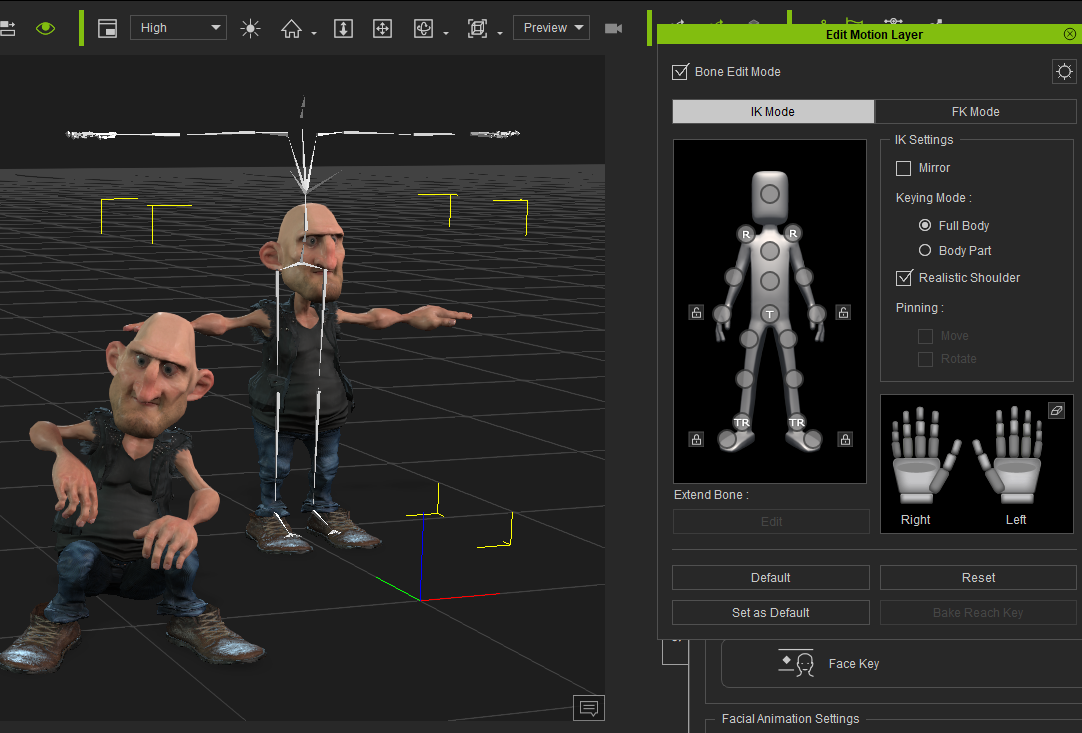
I was able to morph a cc3 to another cc3 character. But the animation will go bad.
Definitely hope for bone scale morphs.
|
|
By cgi_468384 - 6 Years Ago
|
If you use GoZ then there is already the option to adjust bone length at reimport into CC3.
This way you can morph a character into another in external applications, also with Wrap3. (There is also the „retopology pipeline“ tutorial about this. (which isn’t available for free)
Only if you need a blendshape to do it inside CC on the fly, this is for sure much more complicated. In case you find a solution, let me know :)
|
|
By Rampa - 6 Years Ago
|
|
You can create bone morphs in CC3, either internally or through GOZing, Blender, etc. But you cannot animate bone morphs in iClone. But you can animate bone scaling for props in iClone. But not characters.
|
|
By Procrastinator - 6 Years Ago
|
Thanks guys for the advice. Reallusion in feedback has mentioned :
"The problem you met is an offset-center issue, iClone doesn't support bone translate and scale, if the shape changes too much by morph animation, the bone will offset from the origin center , then the motion will go wrong!"
Looks like i cant morph to another character when animating. Only doable when the character is stationary and morphing, then switch the character to another.
Some of the bone scaled morphs are like large hands and feets are no go for this method. There i was looking for ways to have a character hitting his hand with a hammer and animating the painful gestures.
If i managed to find a work around for bone scaled morphing in iclone, i will post it here.
|
|
By Procrastinator - 6 Years Ago
|
Made some progress. Basically i have to reverse the morph state as morph state doesnt allow animation especially in the hands/fingers part.
Steps:
- With two characters in the same location,
- add the same anim to both characters.
- scrub to the timeline where you want the morph to be
- Model A would have to save out as morph obj in morph creator "at the presumed start morph time".
- Model B to import the morph obj in morph creator .....
- model a = visible(start of timeline) >> invisible (morph time)
- mode b = morph + invisible (start of timeline) >> morph (one frame before morph time) >>morph to base (seconds later).
The eye shadows or whatever is pain in the some body parts. Visibility for those are not set together as with the char.
Here are some of the videos:
Basic dance move, note that the eye parts invisibility (which were not part of the character visibility) has been taken care of.
Morphing with hands deformation. Slacker and base female have different xy seat location, adjusting them resulting in more seamless progression.
Morphing without much hands movement. That would prevent hands deformations. As slacker and base female have largely different body size or cc3+ modelling compatibility issues, the eyes still proved to be an issue. Not sure if this process would do a human to werewolf morph transformation.

If any of you guys have easier method of doing things, please post it here.
|