|
By cinemyscope - 6 Years Ago
|
|
Hi, Let me say upfront I am very new to UE4, to Character Creator, to iClone, to Daz, etc. My interest are Cinematics. I successfully moved a Daz character to CC3/iClone and used their UE4 plug in for import. My problem is that the eyelash geometry (I guess the alpha mask) throws a shadow in the shape of the invisible geometry. The hair also doesn't look right, which I assume may be due to a similar issue. I tried to find a solution for this but the imported node tree for the eyelashes alone looks daunting for a newbie. I've searched google to death and even though I found some others with the same problem I really haven't found a solution online. I'd really appreciate any help! Just please word it so a novice can follow:) I'm attaching an image to illustrate. Thank you! 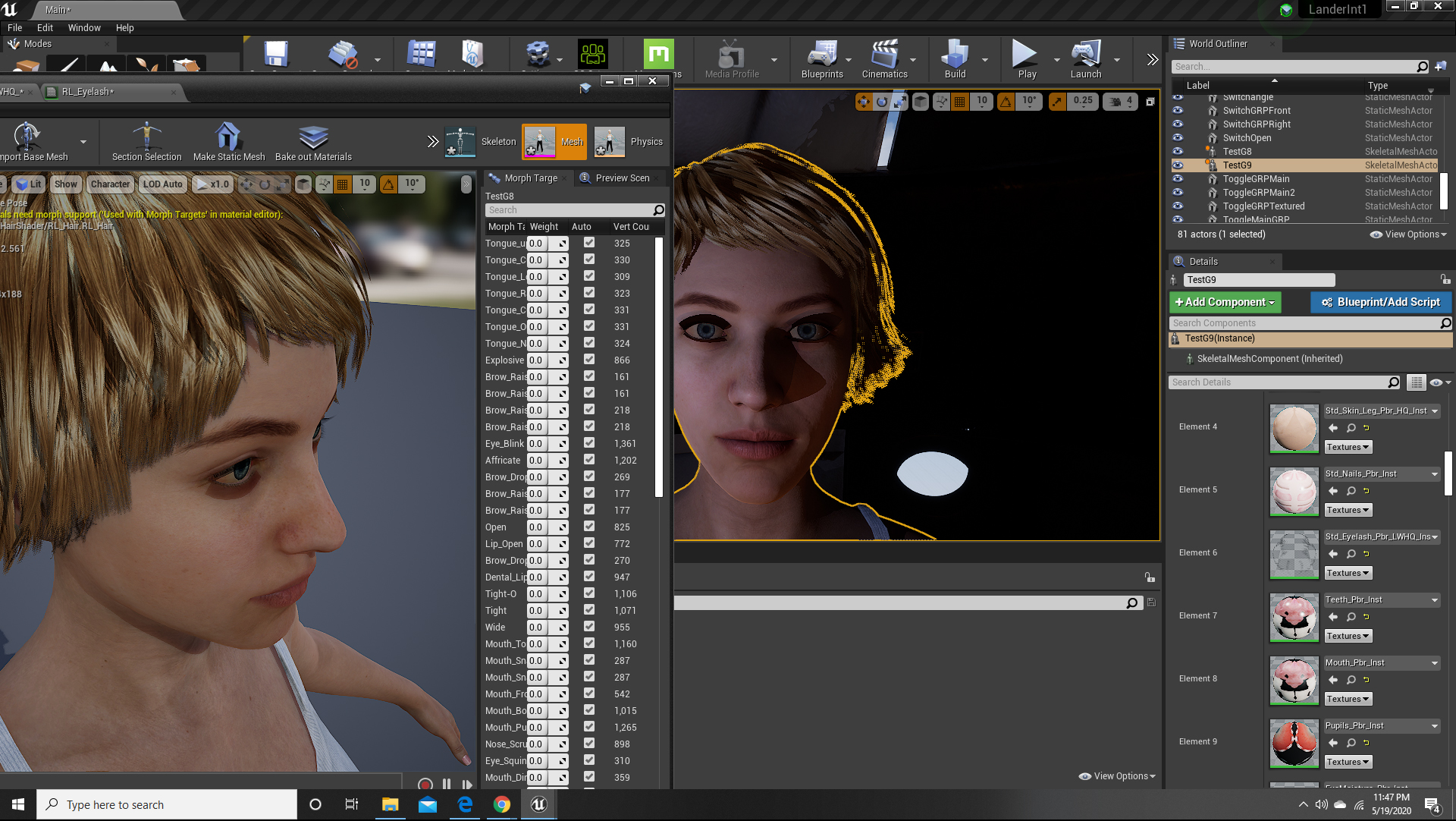
|
|
By 3dtester - 6 Years Ago
|
Hi, welcome to the forum :)
Can you please show the eyelash material? Click on the magnifier icon right next to it, then double-click the material in the browser to open it.
Here is a screenshot of what it looks like for one of my characters. I've expanded the base color and opacity sections.
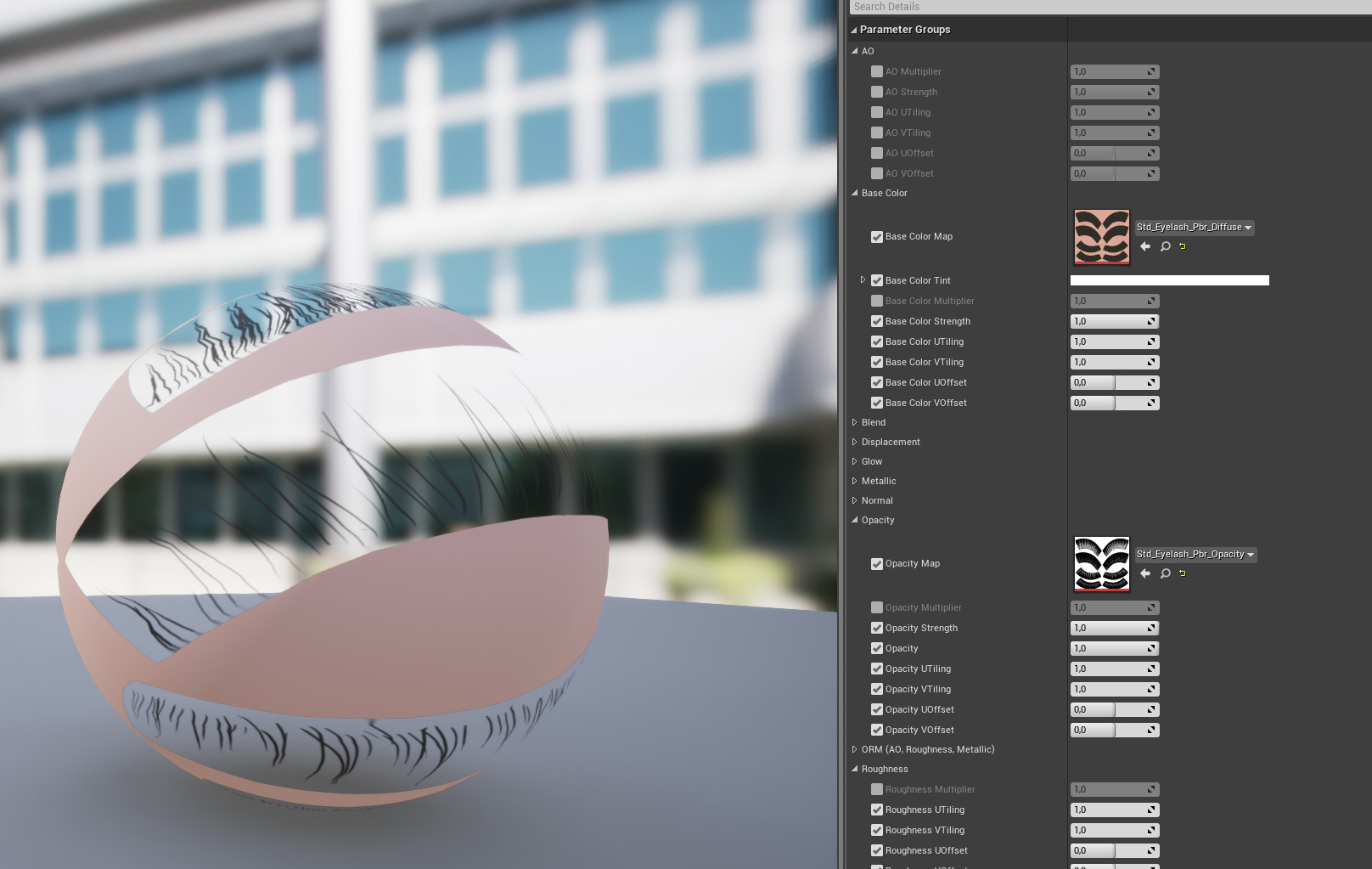
PS: i'm not an expert. I could only imagine where the problem lies, although i don't have a direct solution already...
|
|
By cinemyscope - 6 Years Ago
|
Thank you so much for trying to help!
I'm attaching the screen grab and a couple others. You can see that the ball the eyelashes are on casts a hard shadow in my instance whereas yours does not.
Once again Thank you!!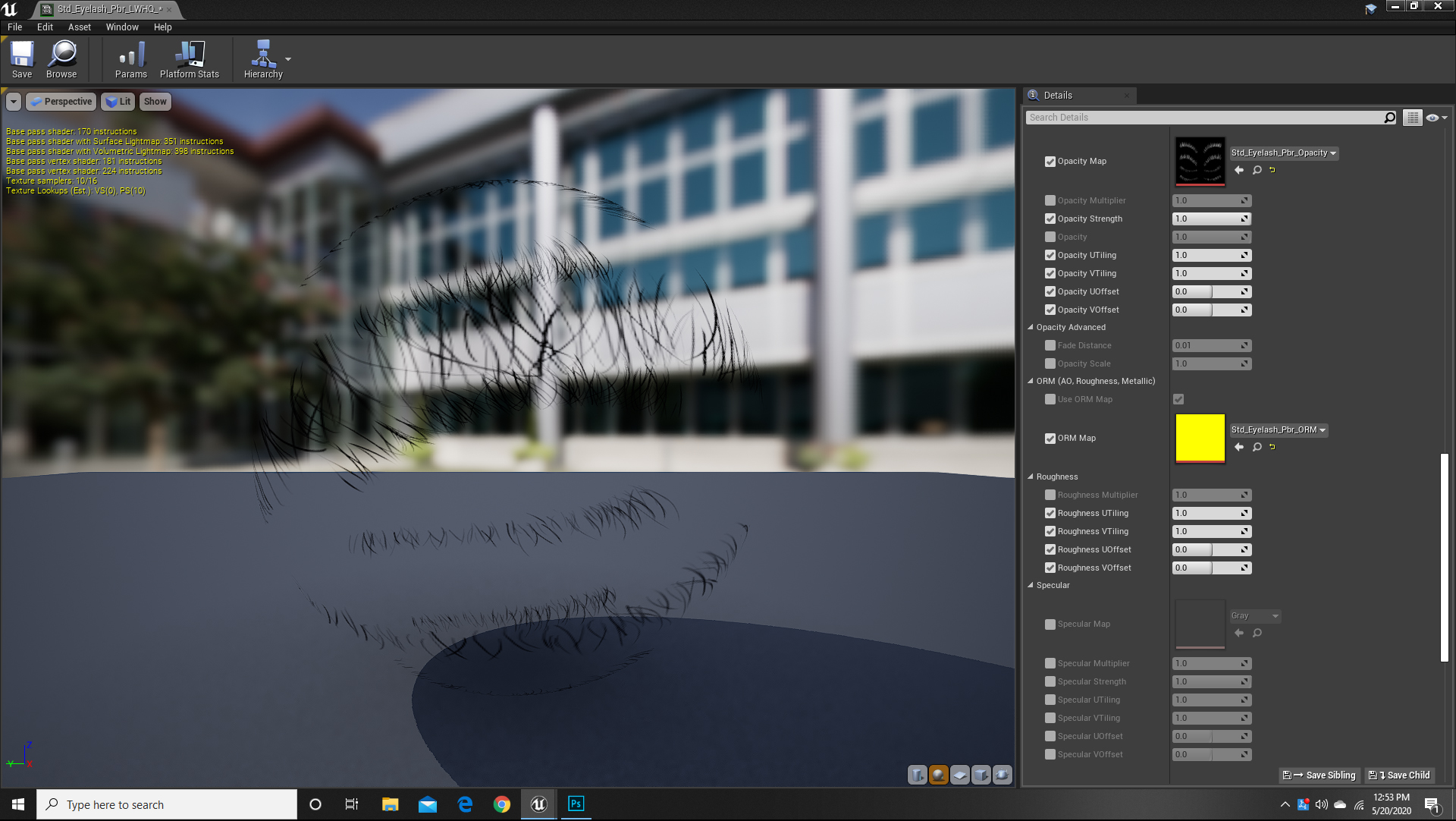 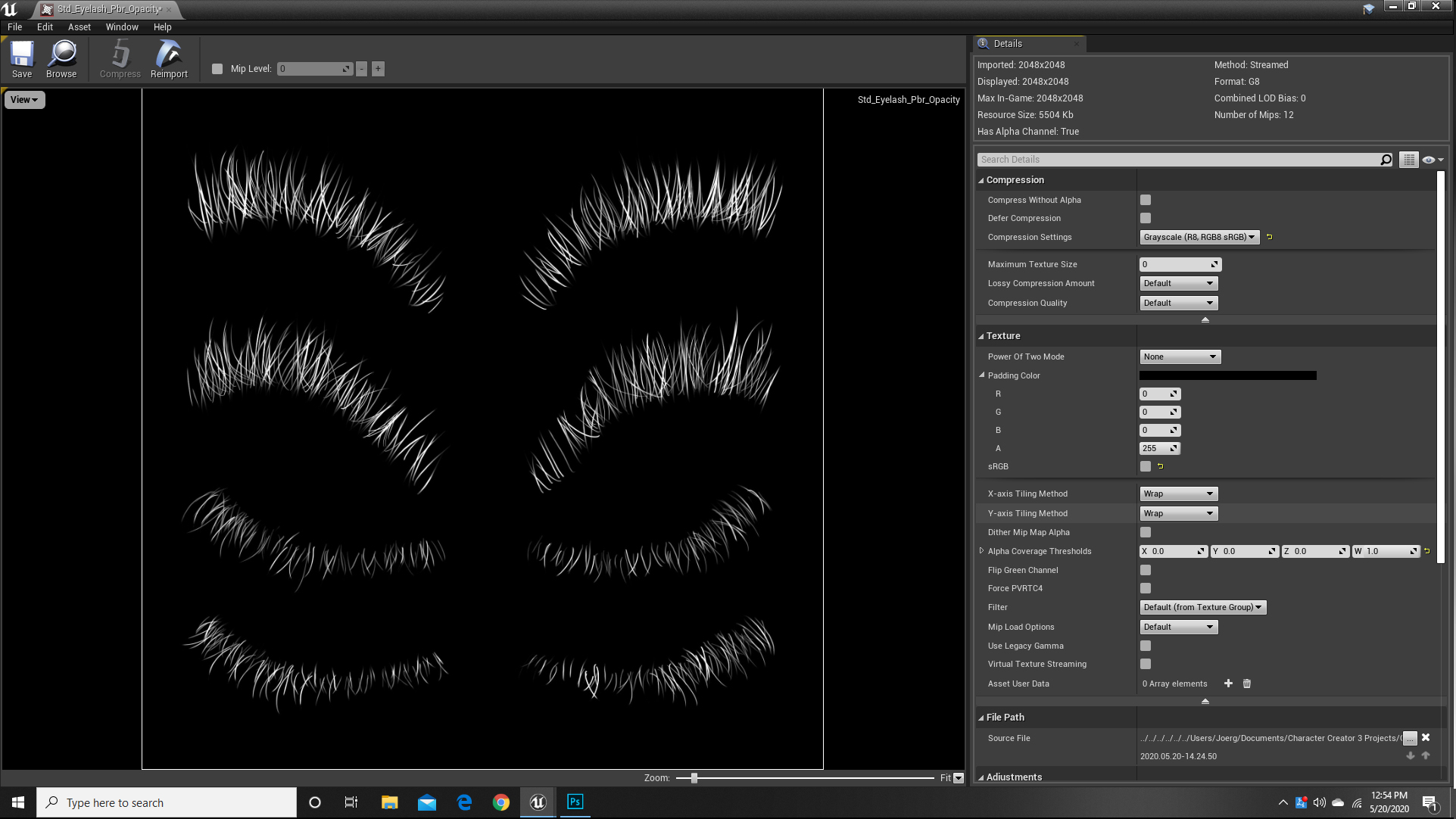 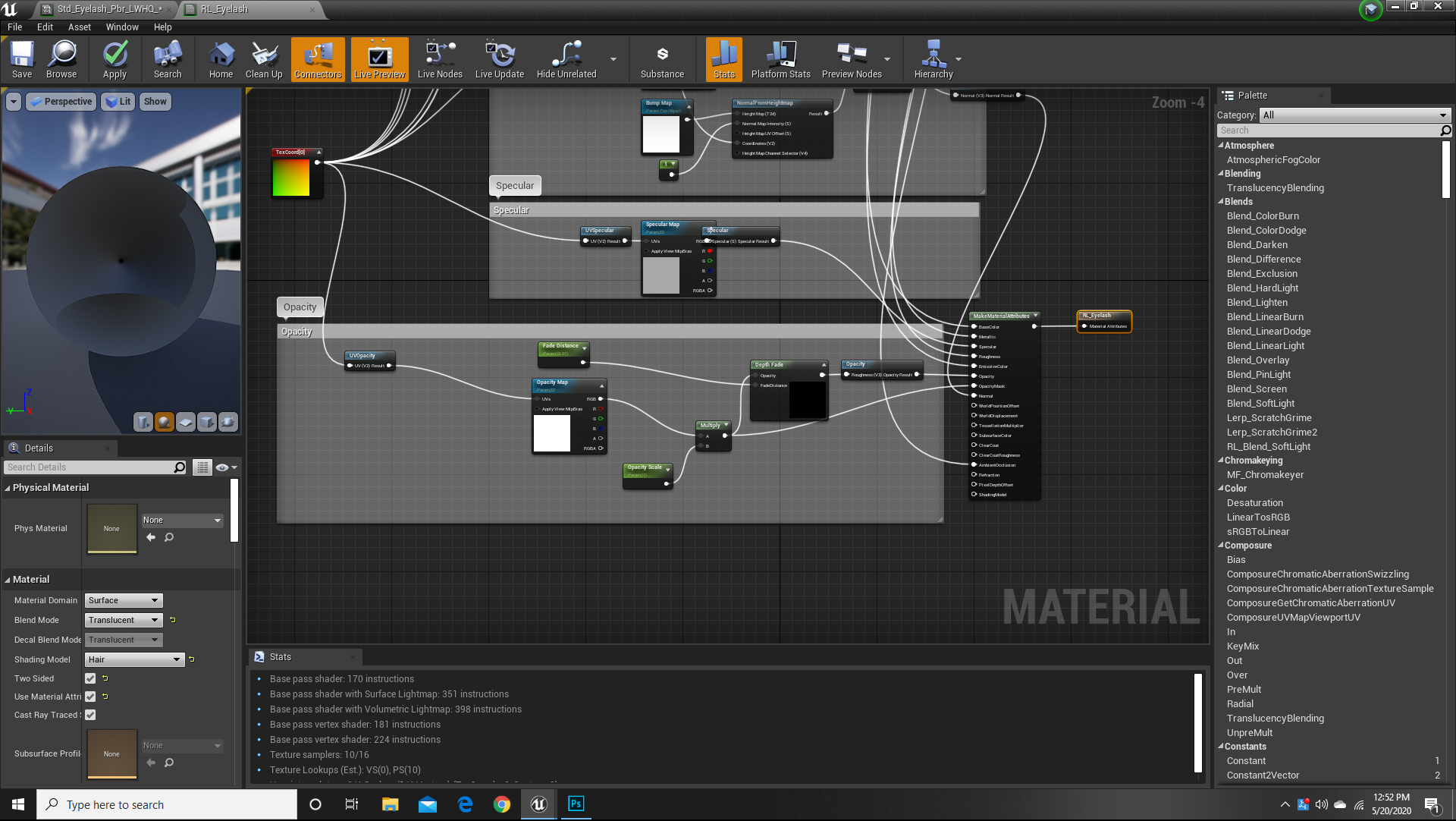
|
|
By 3dtester - 6 Years Ago
|
This looks like your opacity map is inverted.
Could you show the base color map as well?
|
|
By cinemyscope - 6 Years Ago
|
The base color is a solid brown square. I'm attaching it. Thank you!!!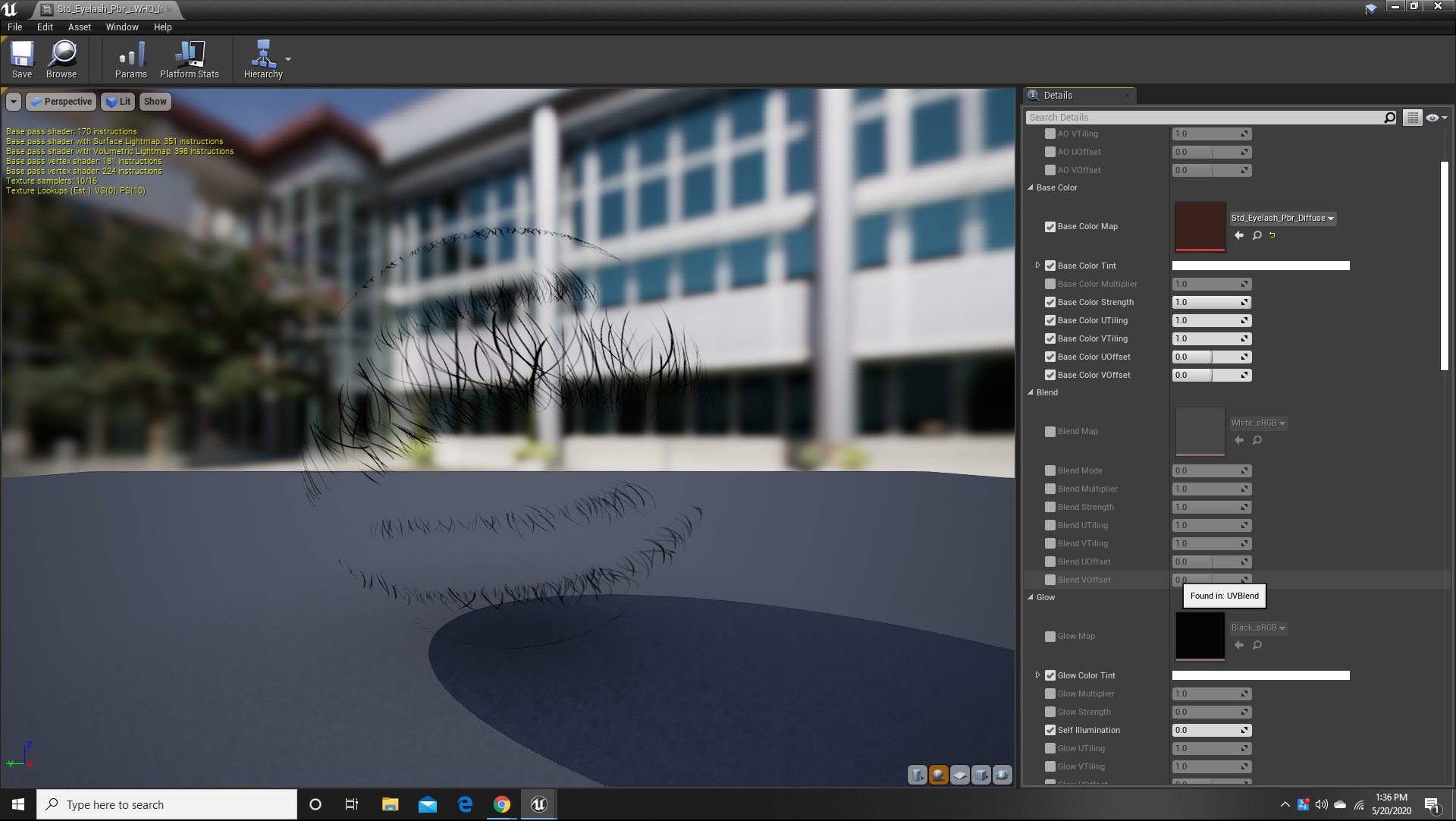
|
|
By 3dtester - 6 Years Ago
|
Seems that the problem is located somewhere before you are importing to UE4.
Since you said it happens with all characters. How does the material look in iClone?
I mean, the solid color diffuse map and the inverted opacity map is just not what i would expect seeing there.
|
|
By cinemyscope - 6 Years Ago
|
I'm attaching a frame grab of the same model in iClone. Also note the difference in the hair. The textures seem to be the same. This character originated in Daz and I'm trying a workflow test before committing to buy the package. I've been trying so many different variations that I'm now careful with how many times I can export an FBX. iClone and CC are limited to 15 and I really hope to have a solution before buying.
Once again Thank you for taking the time!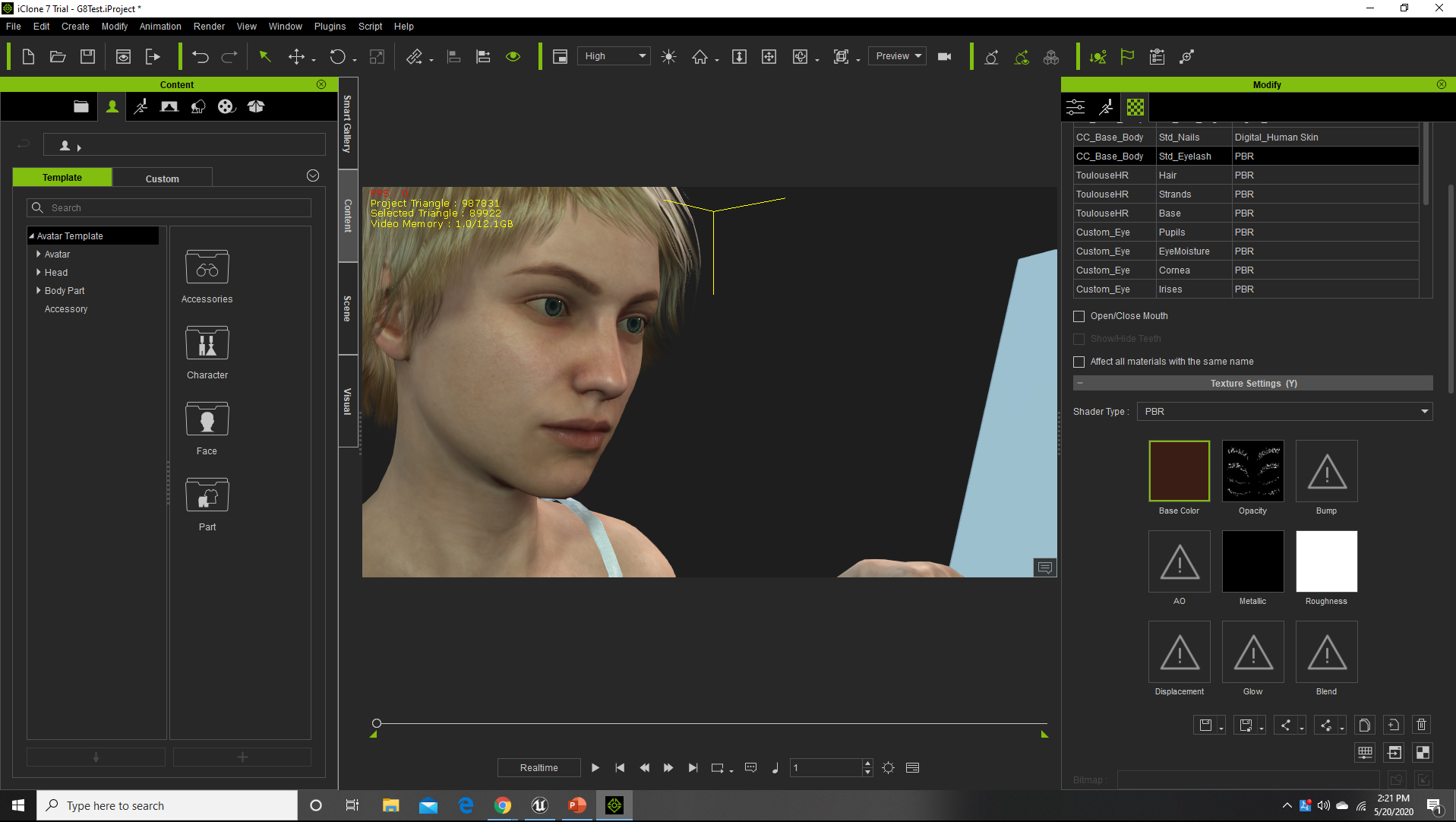
|
|
By 3dtester - 6 Years Ago
|
Ok, i also have some characters that have their eyelashes that way. Let me try it.
|
|
By cinemyscope - 6 Years Ago
|
|
I can't thank you enough for taking the time. Thank you - truly!
|
|
By 3dtester - 6 Years Ago
|
Unfortunately i have to say that it works for me.
The eye lashes also have a solid base color and an opacity map like yours.
i will try it with another character tomorrow.
|
|
By cinemyscope - 6 Years Ago
|
|
Thank you! The Character is the standard G8 character imported with hair from DAZ into Character Creator and then sent via the Live Link out to UE4. The cloths are from CC. I tried it from CC to UE4 and also from iClone with the same result.
|
|
By unit23 - 6 Years Ago
|
cinemyscope (5/20/2020)
Hi, Let me say upfront I am very new to UE4, to Character Creator, to iClone, to Daz, etc. My interest are Cinematics. I successfully moved a Daz character to CC3/iClone and used their UE4 plug in for import. My problem is that the eyelash geometry (I guess the alpha mask) throws a shadow in the shape of the invisible geometry. The hair also doesn't look right, which I assume may be due to a similar issue. I tried to find a solution for this but the imported node tree for the eyelashes alone looks daunting for a newbie. I've searched google to death and even though I found some others with the same problem I really haven't found a solution online. I'd really appreciate any help! Just please word it so a novice can follow:) I'm attaching an image to illustrate. Thank you!
Hi cinemyscope, this could be due to not properly following the import guide.
Please delete the character and try to import it again https://manual.reallusion.com/CC_and_IC_Auto_Setup_Plugin/ENU/CC_and_iC_Auto_Setup/1.0/02_for_Unreal/Importing_Character_FBX_File.htm
Make sure that you have copied the CC_Shader folder into the UE4 Content folder.
Follow the instructions from above guide. Particularly make sure to disable import of textures and the creation of materials. And ofc the other settings shown at above website. I guess you want to import the character FBX with the High Shaders option ticked. You possibly also want to merge all materials upon export in CC3, which is an option on the export panel, 2048 resolution textures should be enough for most use cases. For games are 1024 textures sufficient.
|
|
By cinemyscope - 6 Years Ago
|
|
Thank you! I'll give it a try. I followed 2 different tutorials. One was the Reallusion video with the Paladin character (https://www.youtube.com/watch?v=hyfKQyXvTAc) and the other was a step by step description on the Reallusion website associated with the UE4 Link download . The two procedures were different and the description asked for the deletion of a CC shader folder in Unreal which was not mentioned in the video. After the folder was deleted though the option for HQ import disappeared and only Standard import was available in UE. I had a copy of the file, so I reverted back. In both instances though the eyelashes had the same issue. I'll follow the instructions on the link you sent. I appreciate you replying!
|
|
By cinemyscope - 6 Years Ago
|

Hi,
I've followed the exact instructions with a new character coming from Daz into CC3 and ffrom there to UE4. Unfortunately I got the same result. This time I tried the CC3 hair. I'm assuming the hair issue could be fixed with adjusting the fit but it looks to me that what's not working right on the hair cap is the exact same thing that's causing the eyelash issue too.
|
|
By cinemyscope - 6 Years Ago
|
I've now also tried a CC3 character with CC3 hair. The export and import settings were exactly as described in the link. I'm attaching the result. It's doing all the same things and overall the character looks lower quality than the Daz converted ones. I'm now down to only 3 more exports in the trial version. I'd hate to have to buy the software just to be able to continue to troubleshoot this.
|
|
By doubblesixx - 6 Years Ago
|
Hi Cinemyscope..
I edit my message a third time.. You still have the shadow on the eyelashes but i haven't dabbled with this in Unreal and not sure it's just a matter of setting them to a transparent rendering type to get it workiing.. the second and third image though looks like a normal-issue where two meshes fight about the same 0-space and i read now that its an imported character from DAZ3D so it may well be the hair is not correctly positioned on the head...
Select the hair and go into the "Modify" panel, select "Conform" then "Calculate collision" and CC should correct the normal problem..
None of these issues should be un-solvable though..
Cheers
|
|
By unit23 - 6 Years Ago
|
|
cinemyscope (5/21/2020)
I've now also tried .. I have forwarded this issue to the technical staff.
|
|
By StyleMarshal - 6 Years Ago
|
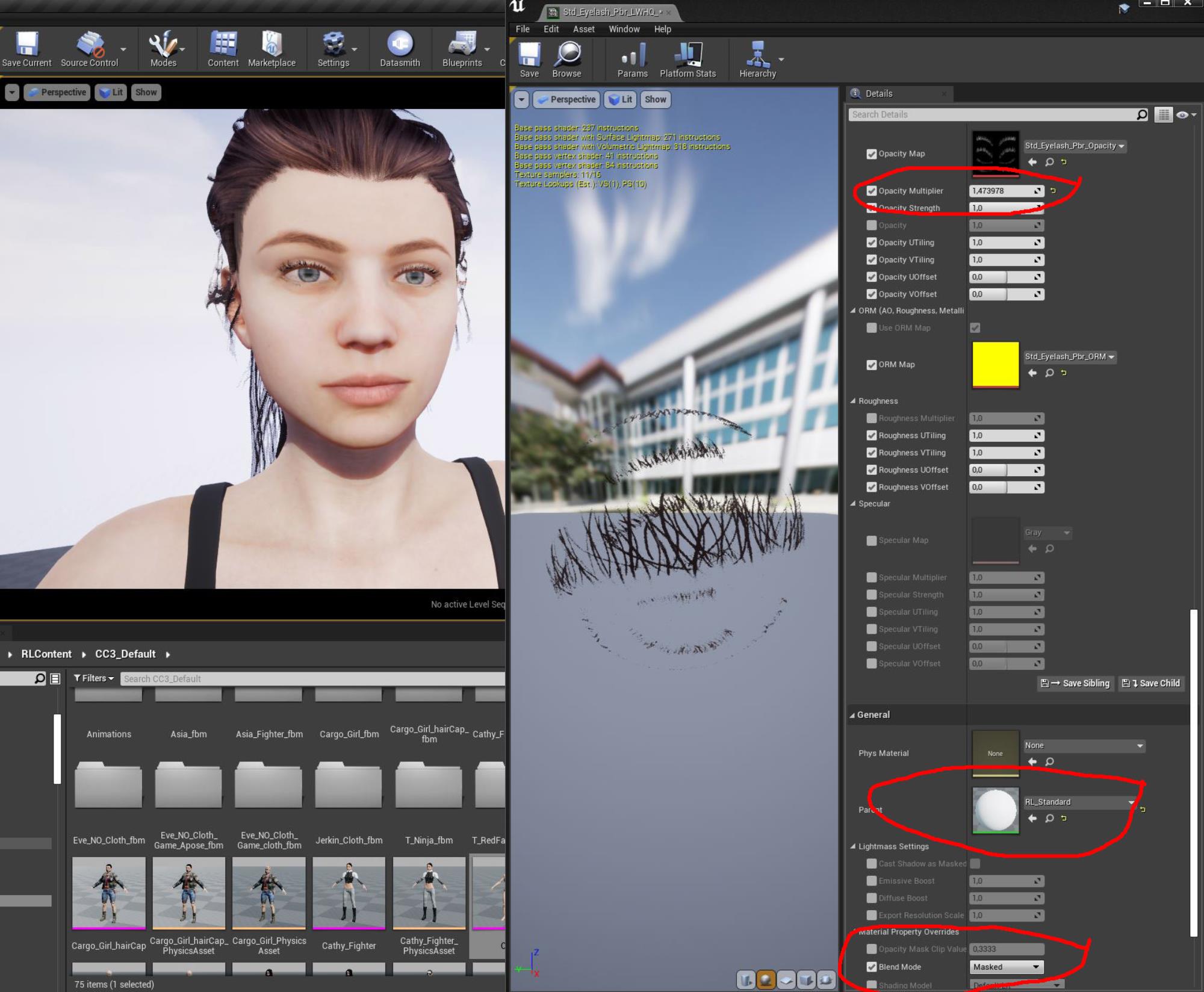
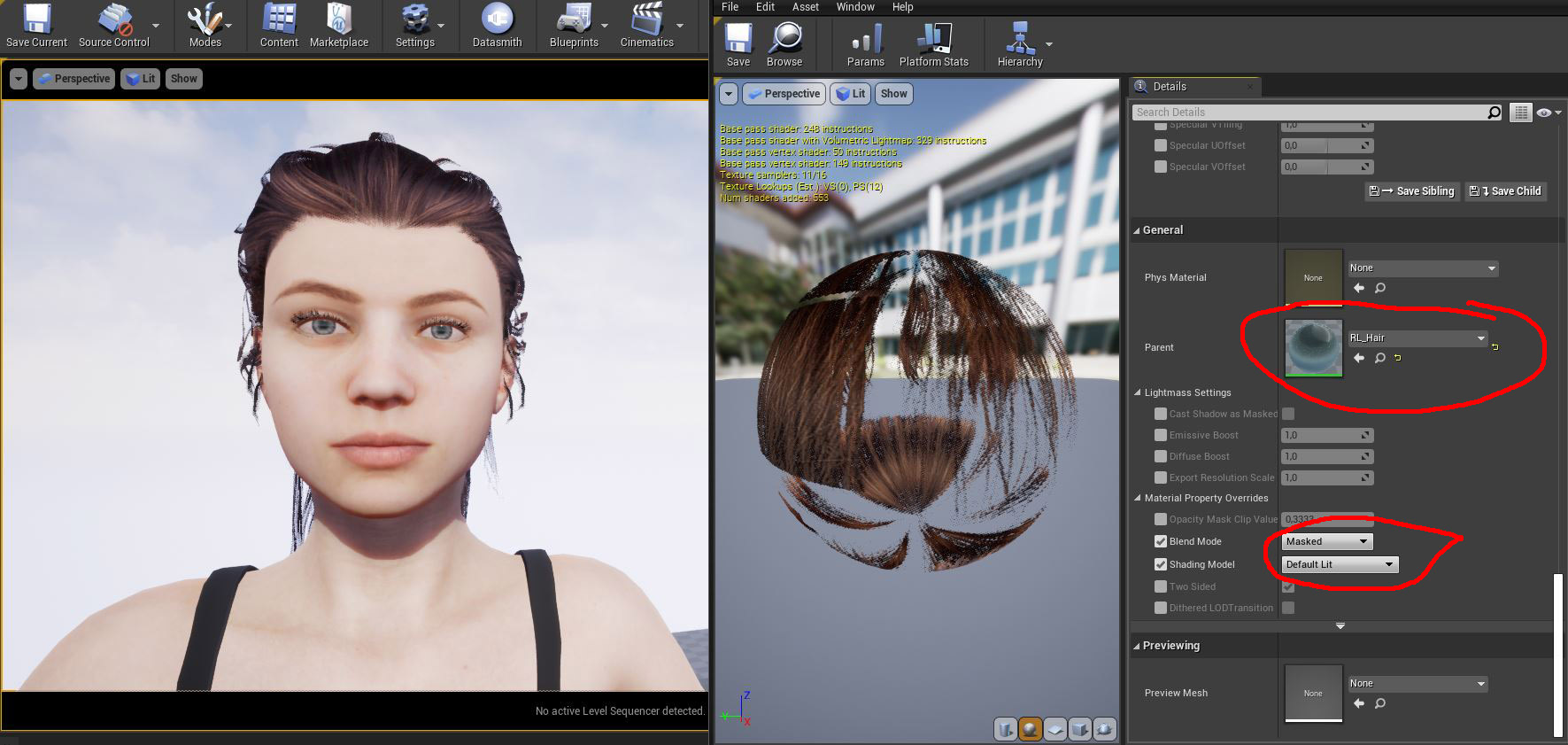
You are using translucent blendmode :
Do this :
Wrong :
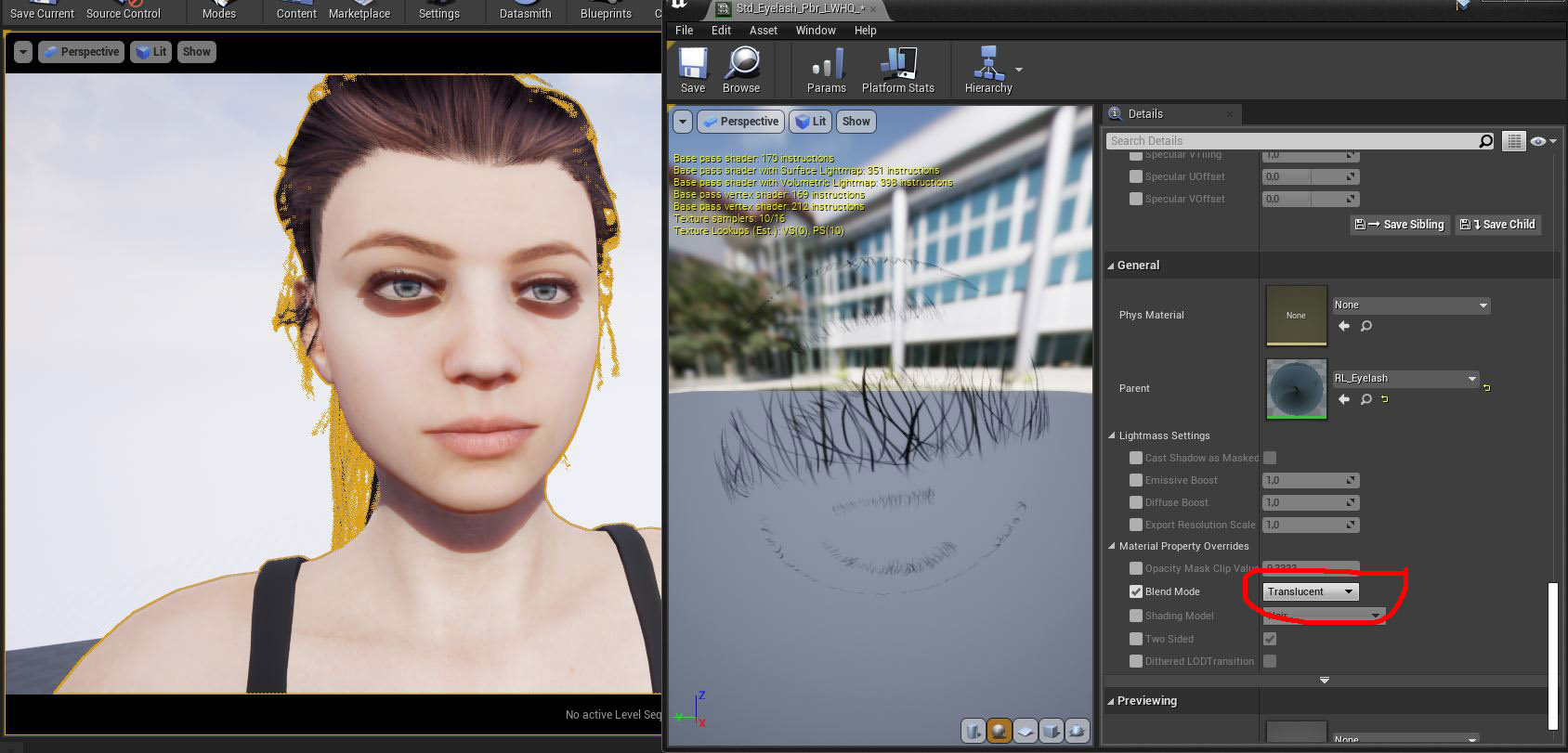
Right :
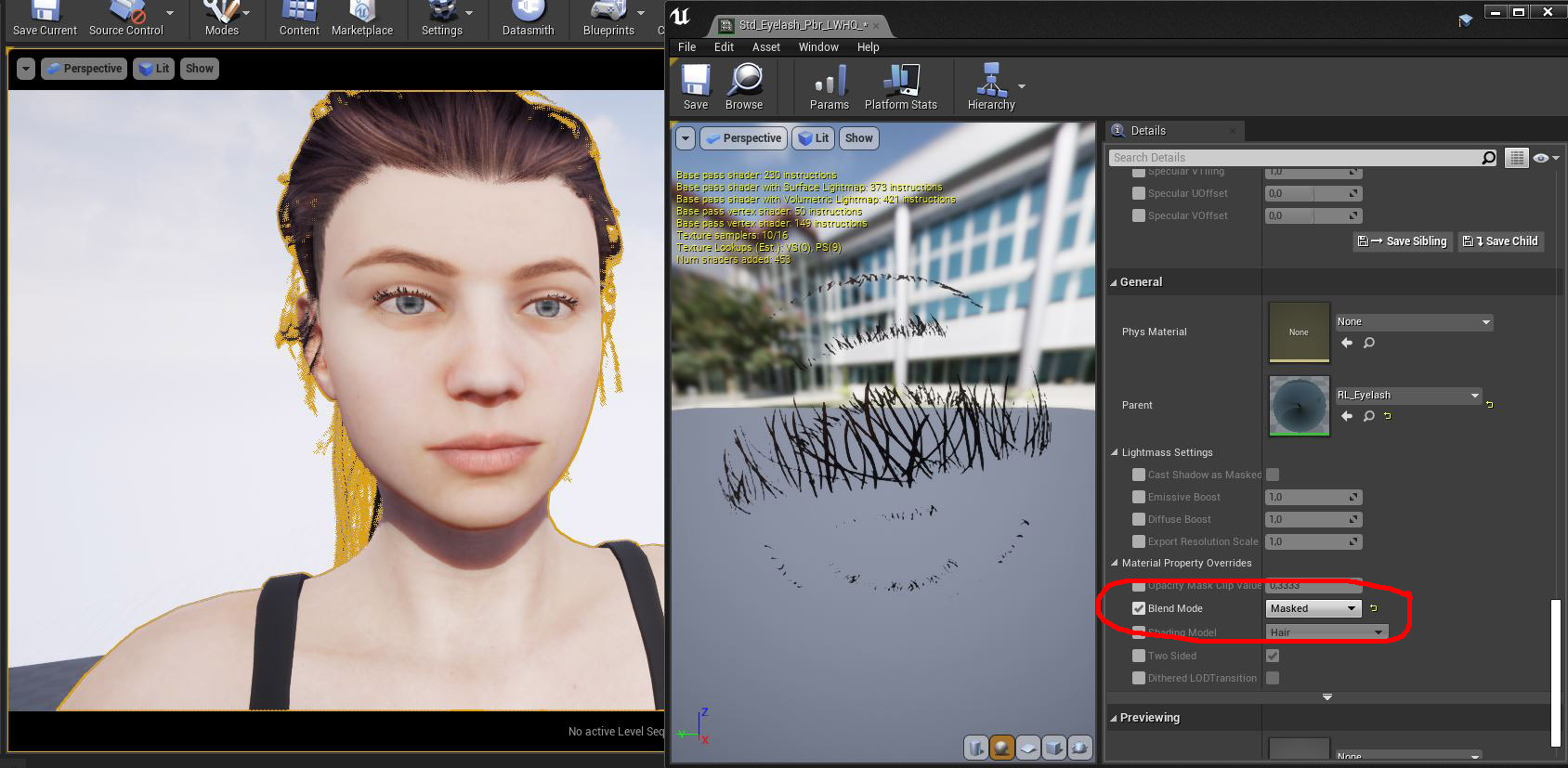
best solution :
Hair :
Tip:
For best looking hair shaders , work with rect lights.
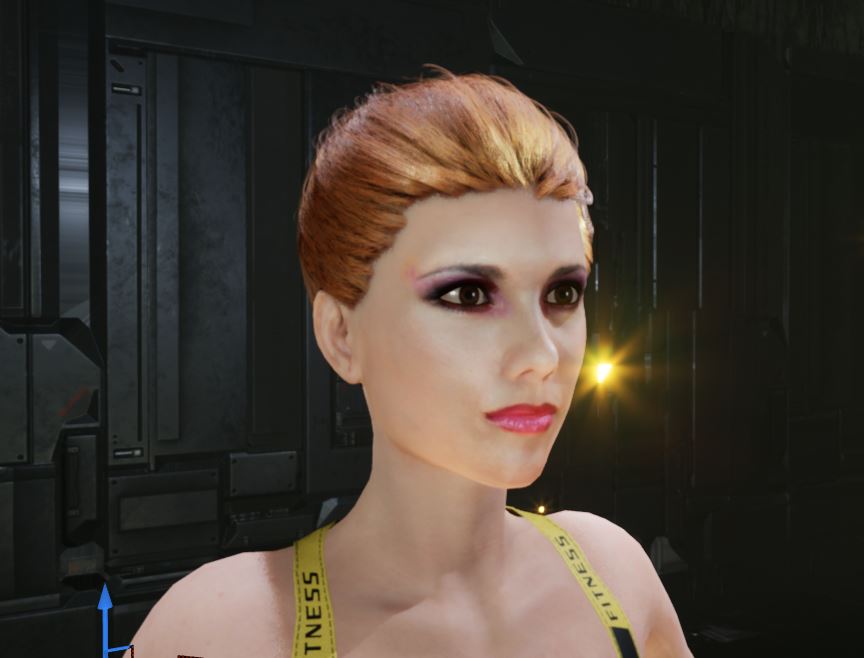
|
|
By cinemyscope - 6 Years Ago
|
A huge THANK YOU to everyone who replied!!! Dear Baseline303 your solution worked on the eyelashes! I still hope to find a way to soften the mask a bit as the eyelashes look like she's put on too much mascara now but switching from transparent to masked was the culprit. Thank you! I'll also try the "Conform" and Calculate Collision option that doublesixx recommended later today.
Once again THANK YOU!!!!!!!!!!!
|
|
By StyleMarshal - 6 Years Ago
|
You are welcome :-)
For some UE4 tips & tricks you may take a look here :
https://forum.reallusion.com/419325/Tips-Tricks-for-Unreal-Engine-4
|
|
By markcheng247 - 5 Years Ago
|
Just came here to praise Bassline303 for the solution! I experienced this problem out of nowhere on 4.25 after switching Ray Tracing on.
Bassline303 (5/21/2020)
You are using translucent blendmode : Do this : Wrong : Right : best solution : Hair : Tip: For best looking hair shaders , work with rect lights.
|