|
By plan111 - 6 Years Ago
|
Hi.
Sometimes even with just one prop iCLone suddenly becomes very sluggish. It happens often when I have "Reflection" checked in the Materials tab, then if I uncheck it, everything goes back to normal. Other times, with only a few props, it becomes sluggish. In Task Manager CPU is barely breaking a sweat, RAM is at 37%, in iClone GPU is at 1.4 / 8 Gigs (Nvidia GTX 1070). Everything becomes sluggish: moving or rotating props, browsing the menus, etc.
Any ideas?
Thanks
Win 10
iCLone up to date
32 Gig RAM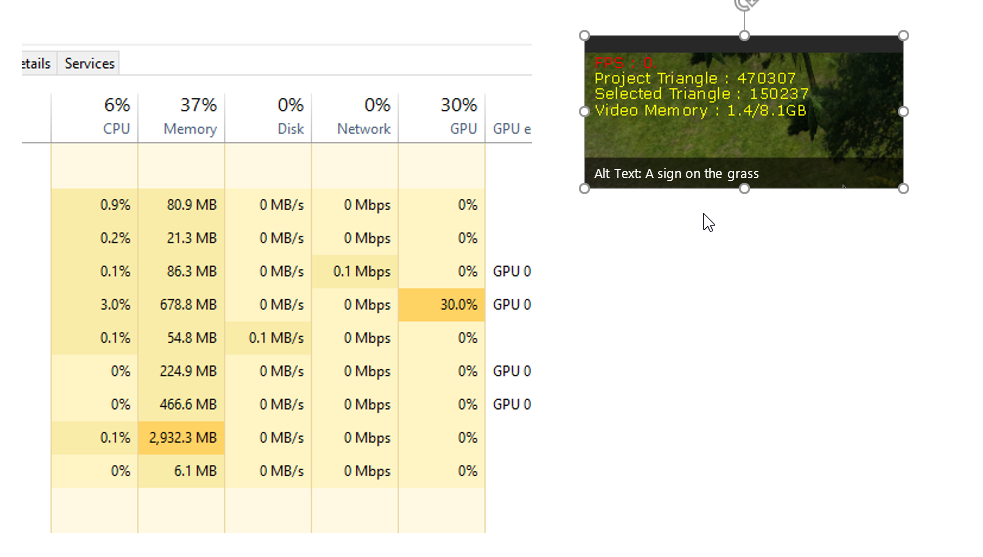
Intel 6 core
Nvidia GTX 1070
|
|
By Peter (RL) - 6 Years Ago
|
Please take a look at advice given in the thread below as this covers the same problem. Hopefully this will help,
https://forum.reallusion.com/335720/iClone-7-Slow-speed-and-Laggy
|
|
By plan111 - 6 Years Ago
|
I think my problem is related to poorly designed 3D models. I actually just noticed that a few moments ago. It does that with some models I downloaded from 3D Warehouse. After trying it with models purchased from somewhere else, I don't have the same problem.
Thanks.
|
|