|
By vrsquare - 6 Years Ago
|
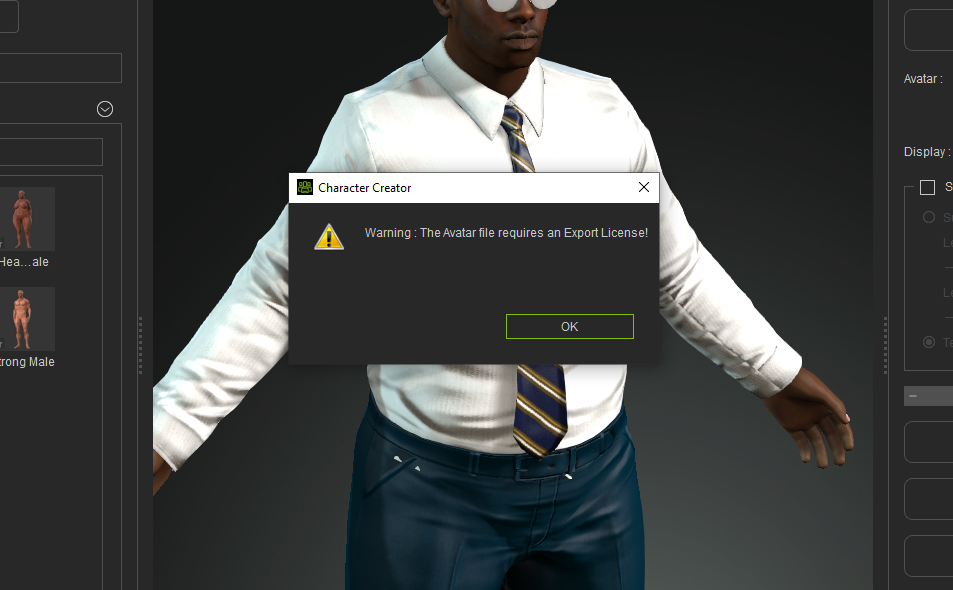
Did this happen to you?
Just click on Send to iColne button, go to iClone and export as FBX. You'll get the message that gives you the link to get the license.
|
|
By Peter (RL) - 6 Years Ago
|
|
If your character is using content from purchased content packs, do ensure that you have an export license for each item. This includes characters, clothing, textures, accessories and motions.
|
|
By doithuong.vn1 - 6 Years Ago
|
|
Hello, I have the same error as you, you have solved it yet?
|
|
By Peter (RL) - 6 Years Ago
|
|
Please see my previous answer. It is likely the same issue that you don't have an export license for an item of content.
|
|
By trothman - 6 Years Ago
|
I just purchased all export licenses and I still receive the same error. After purchasing export licenses, I clicked the refresh button in Smart Gallery but it didnt pick up that I now have the export license. Please advise how I would fix this.
Thank you!
|
|
By Peter (RL) - 6 Years Ago
|
Hi...
In Character Creator 3 with your character open, try going to Help > Activate Purchased Items (or Activate Entire Library). This should update the content with the current licensing information.
If you still have problems, please contact Technical Support using the link below and they will be able to check the content is correctly activated.
https://www.reallusion.com/CustomerSupport/UserEx/QForm.html
|
|
By tazoskangeli911 - 5 Years Ago
|
|
same problem here
|
|
By wires - 5 Years Ago
|
|
tazoskangeli911 (7/16/2021)
same problem here
Did you follow the steps already mentioned here by Peter(RL) to solve the issue?
|
|
By Peaches Chrenko - 3 Years Ago
|
Peter (RL) (3/30/2020)
Hi... In Character Creator 3 with your character open, try going to Help > Activate Purchased Items (or Activate Entire Library). This should update the content with the current licensing information. If you still have problems, please contact Technical Support using the link below and they will be able to check the content is correctly activated. https://www.reallusion.com/CustomerSupport/UserEx/QForm.html
:) :D :) Jan 27 2023 ...I just had this same problem and this solved it! Thx
|