|
By danielmontaguejohnson - 6 Years Ago
|
Hello and good morning,
I am having the hardest time and I cant seem to figure this out for the life of me, so I am hoping that you can lend me some guidance?
I just purchased the dForce African Hair for Genesis 8
https://www.daz3d.com/dforce-african-hair-for-genesis-8-female
and whenever I try to export it and bring it into character creator, the only thing that will come in is the "head cap" a piece that the hair is supposed to connect to I guess. I amlost got it once, the hair came in as dots and not full length strands of hair.
any help would be greatly appreciated.
feel free to contect me on my personal email as well
thank you for your time and consideration
|
|
By Kelleytoons - 6 Years Ago
|
I wrote you to privately, but for the benefit of others I'll also respond here.
You're unlikely to be able to use this hair. It isn't polygonal, and thus even if you could get it into CC (which I doubt) it would either crash your system or bring it to its knees. It's just not the right kind of hair to animate -- the absolute best you could do would be to drastically reduce it using the tools inside of CC but then it wouldn't look very good.
Sorry, but this just isn't the kind of hair animation works well with.
|
|
By danielmontaguejohnson - 6 Years Ago
|
you are the man, I appreciate the reply. So, in this case, is there another way I could get something like this in iclone | cc maybe as an accessory or a prop?
thanks again
|
|
By danielmontaguejohnson - 6 Years Ago
|
do you think that I would I have the same problems with this ?
https://www.daz3d.com/short-afro-hair-for-genesis-3-and-8
|
|
By Lord_Dreadmoor - 6 Years Ago
|
Daz hair is often tricky and requires different import and export tweaks, depending on the particular mesh setup. After some experimentation, I found that there's actually a way around the error with "afro" styled hair. When you import your figure, follow these steps and let me know if this works for you.
Be sure to check ADVANCED when bringing your character in.
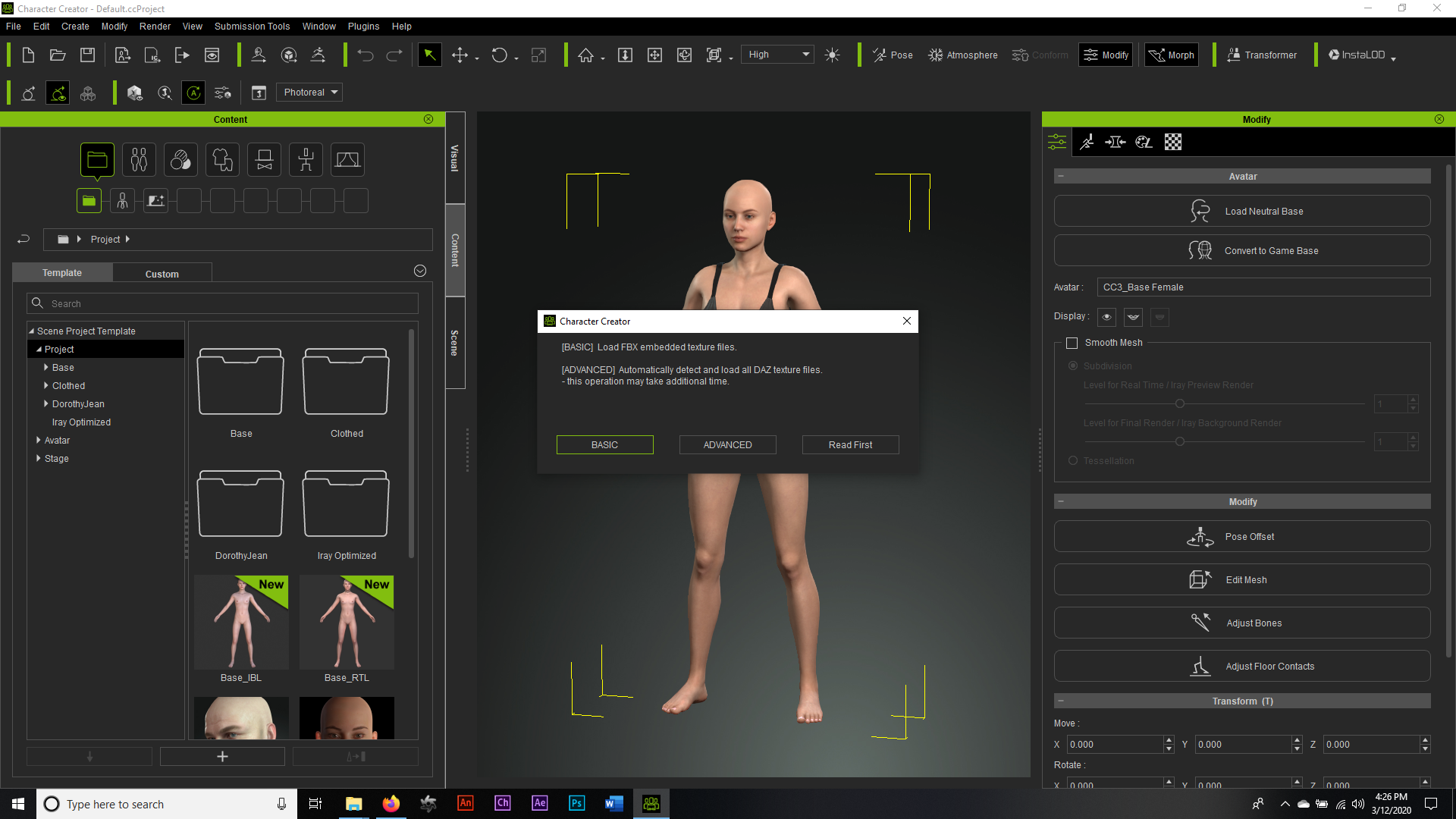
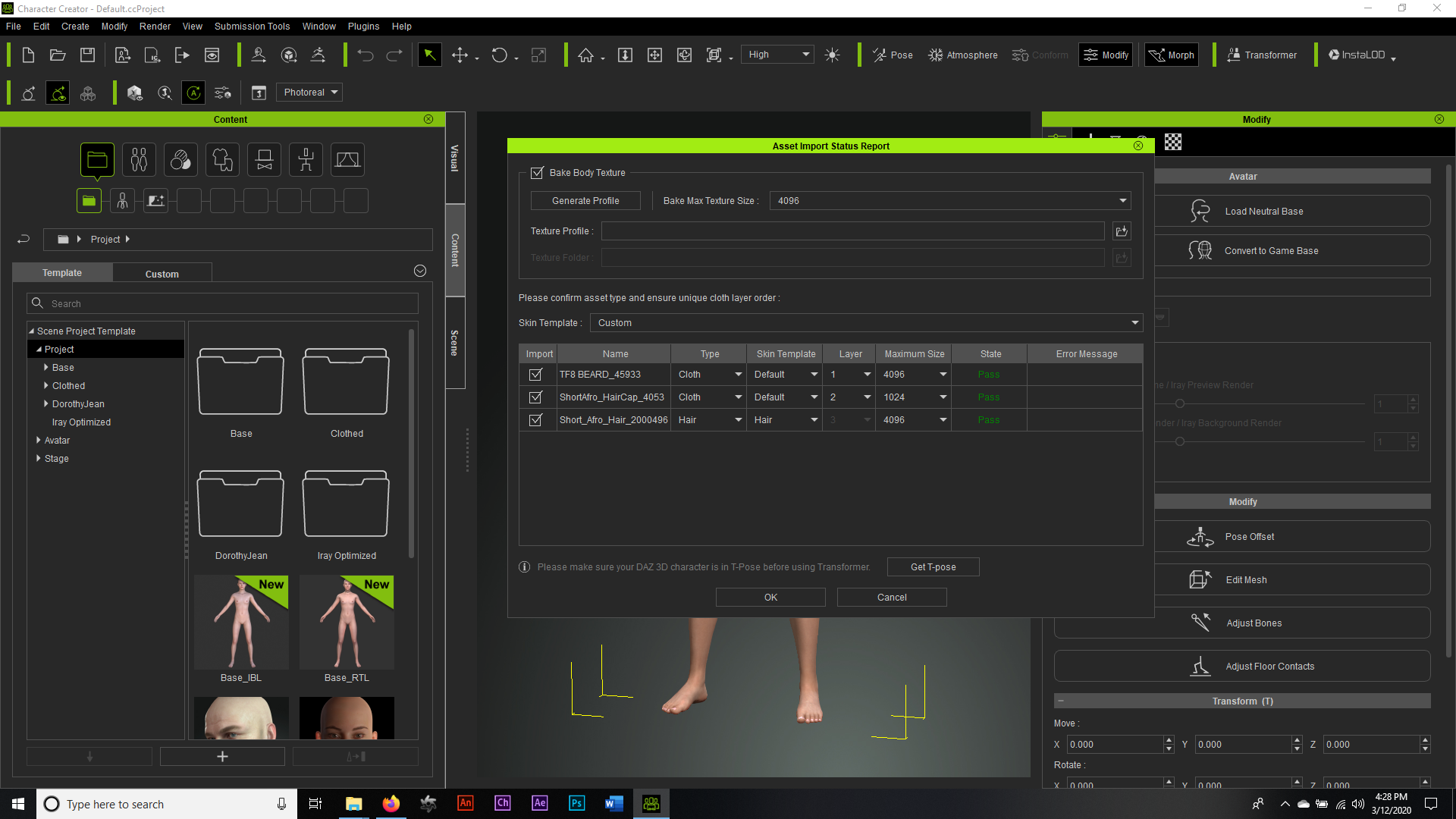
Then be sure to leave your cap as CLOTH, but change your hair itself to HAIR. I personally always change highly detailed meshed to either 2K or 4K in size as well, but that's a matter of personal preference.
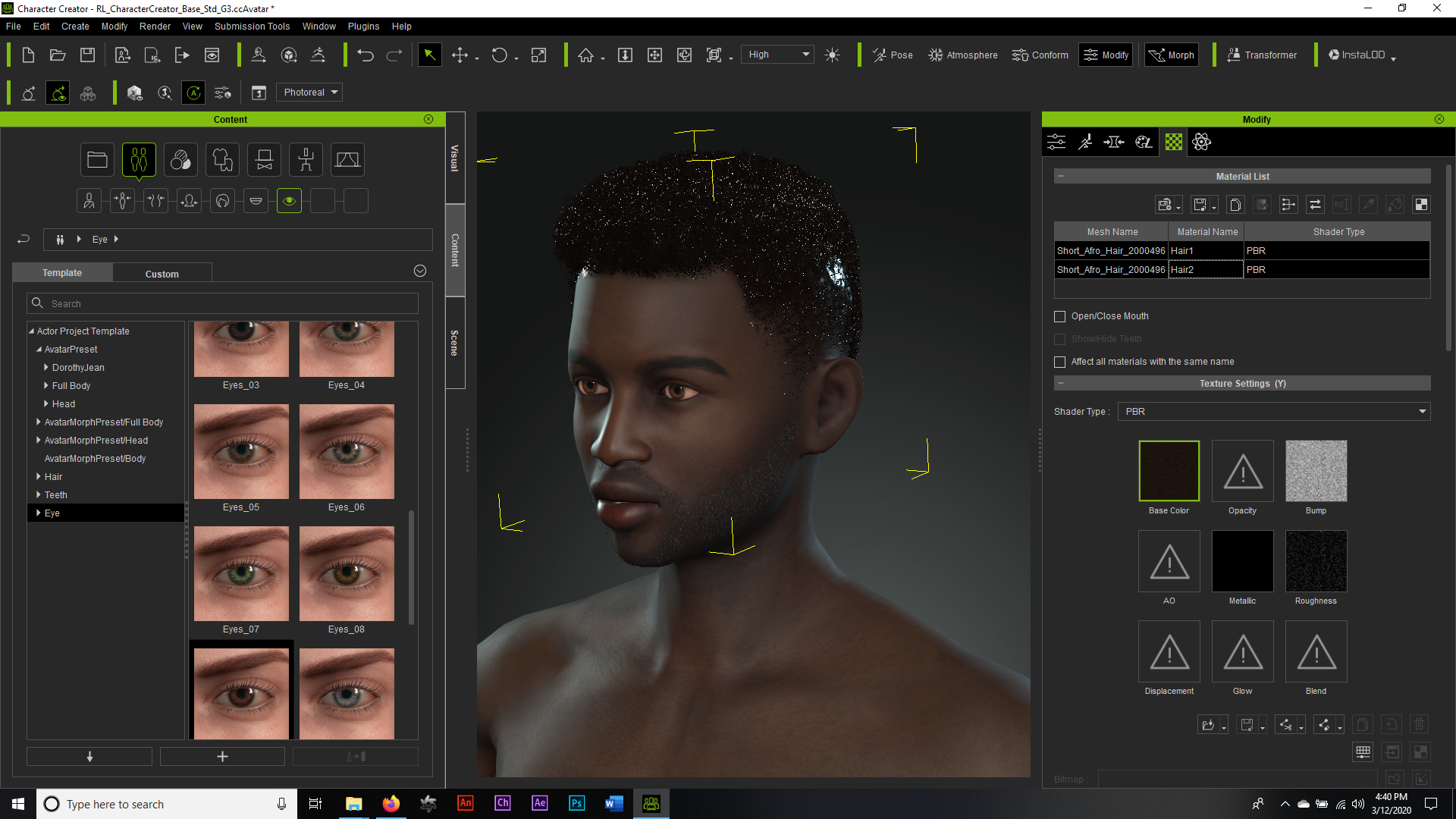
Now you'll notice an unnecessary amount of "sheen" on both the cap and the hair itself. That's because the original modeler made this mesh with rendering in DAZ in mind, not Reallusion, but it's a relatively easy fix.
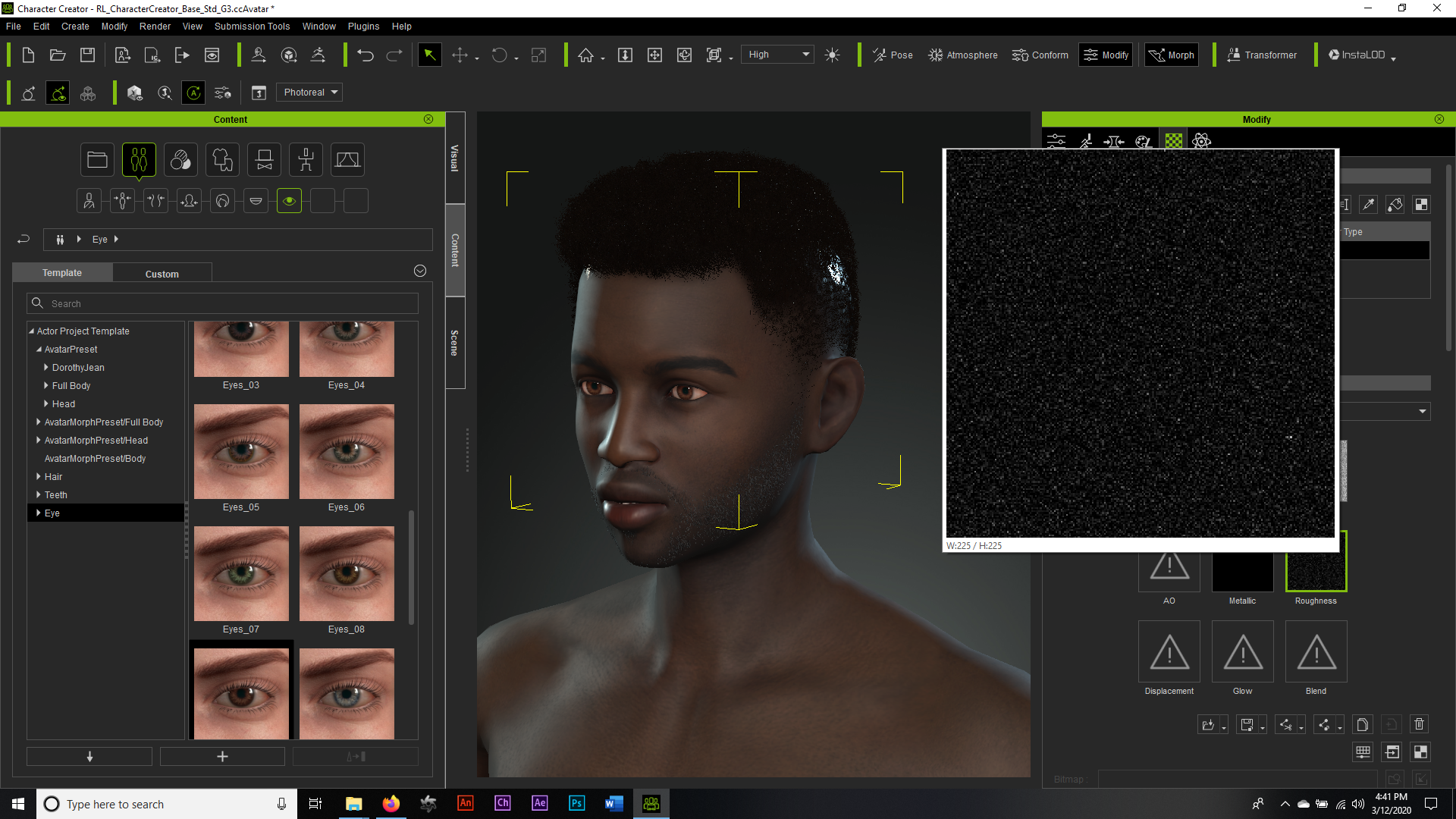
First, you select the cap, go to the materials, select roughness, open your color adjust and then push your roughness slider all the way to the right until it maxes out white. This will remove the shine from the scalp that will show through on any renders.
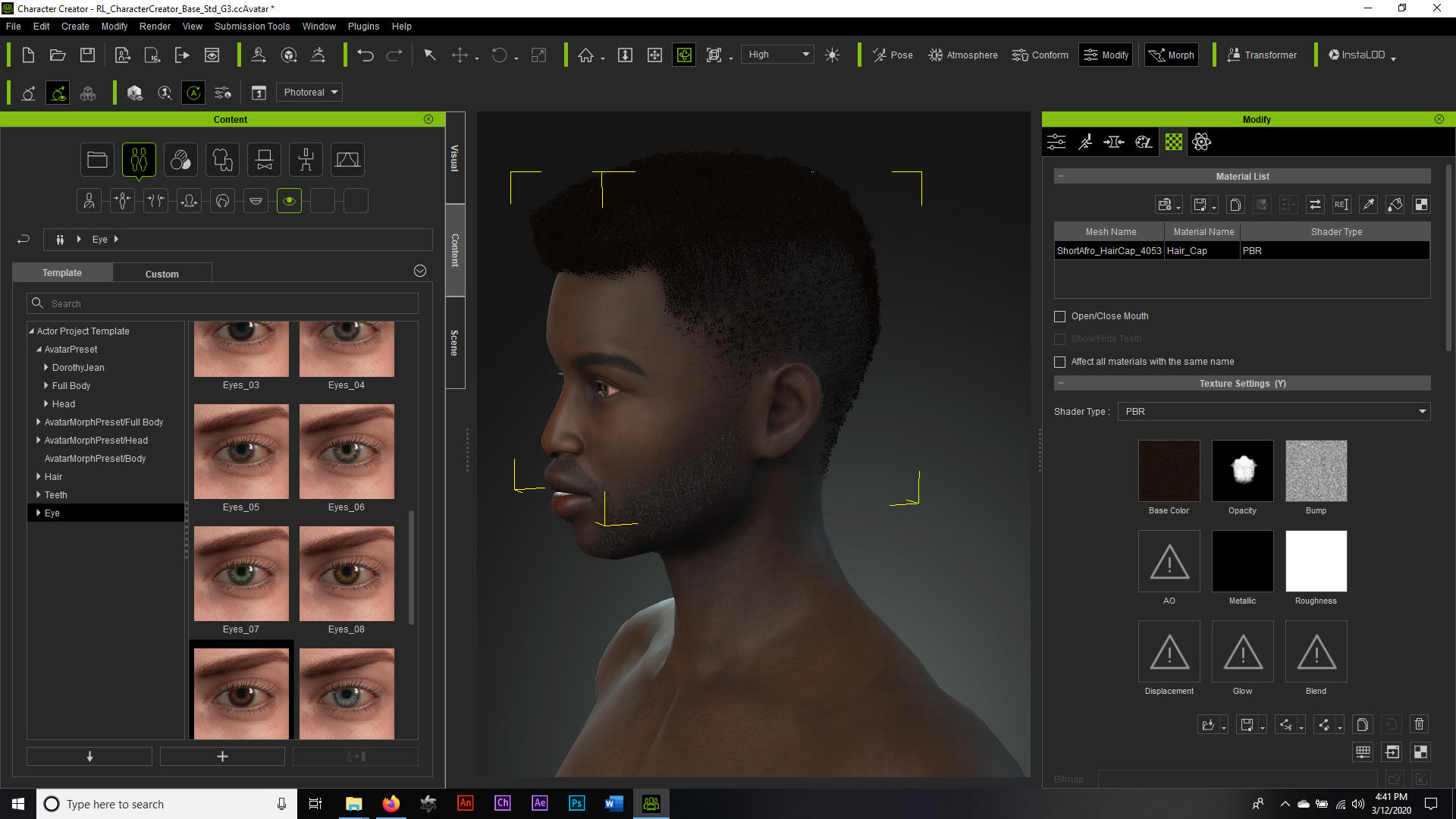
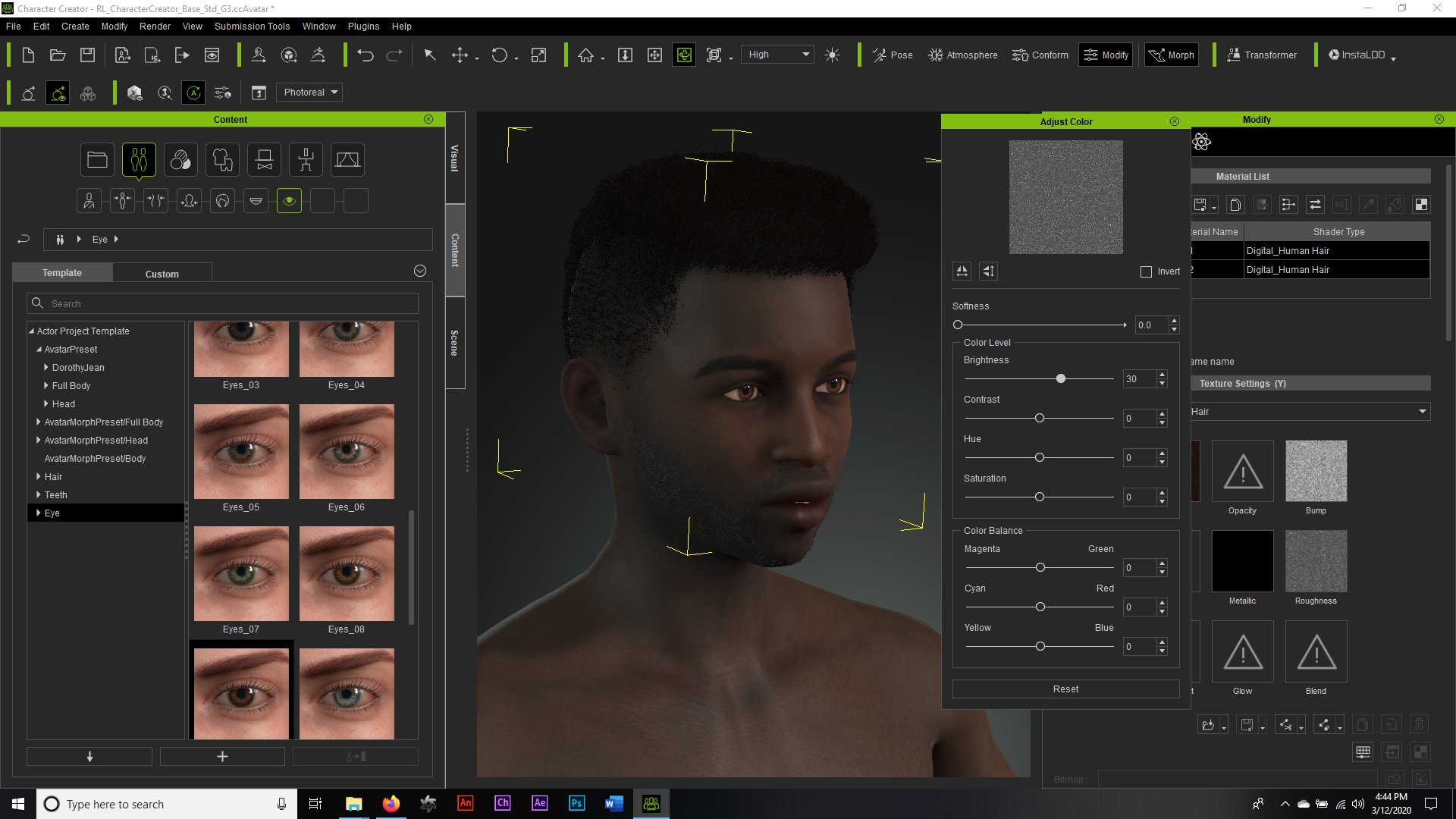
Next, what I like to do is select the hair mesh itself, go to materials and be sure to hit control and select both hair materials, then open your color adjust and up the roughness to about 30, otherwise your afro will render with more of a "Soul-Glo". Jheri Curl look, and since this isn't the early 1980's... just no, lol.
Now, you go ahead and switch all of your hair, skins, eyes and teeth to DHS, hit your render and you should be right as rain.
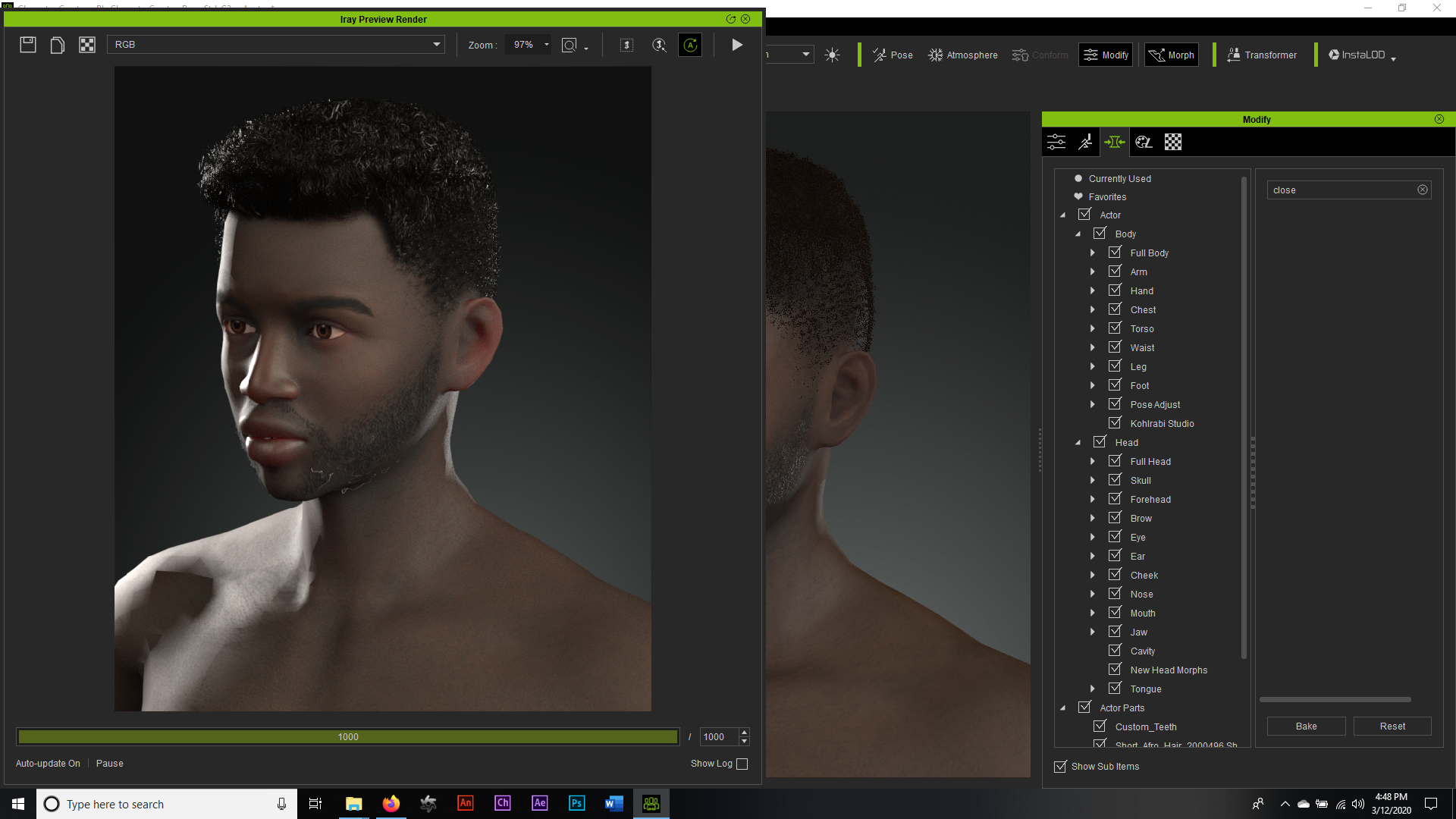
Hopefully this helps.
|
|
By danielmontaguejohnson - 6 Years Ago
|
SO first off, I want to say... this is my first time using a forum. But you guys have made my fist experience doing so Amazingly Amazing! I really Appreciate all of the help!
I am off work in an hour and as soon as I get in, I will check it out and give you all follow ups.
Much love and appreciation
|
|
By danielmontaguejohnson - 6 Years Ago
|
Ok, so I’m really messing something up. Whenever I export from Daz, I only get the head cap, no hair in the list of things being imported. Only one time I was able to have it come over in the list of items that was being imported, and some sliders actually came over, but the hair came in as dots, at where the tips of the hair would be.
Thanks again
|
|
By Lord_Dreadmoor - 6 Years Ago
|
|
danielmontaguejohnson (3/12/2020)
Ok, so I’m really messing something up. Whenever I export from Daz, I only get the head cap, no hair in the list of things being imported. Only one time I was able to have it come over in the list of items that was being imported, and some sliders actually came over, but the hair came in as dots, at where the tips of the hair would be.
Thanks again
Can you take a screenshot of your export panel in Daz so we can see what you have selected. Perhaps even something is messed up when you attach the hair to your figure. I would need to know your step by step process to be able to pinpoint where the error is. Feel free to send me a direct PM and we will see if we can get you sorted out.
|
|
By danielmontaguejohnson - 6 Years Ago
|
    
Ok, so I tried again and the same thing happens. If you want, I can give you my login so you can download the pack, or even Venmo you the money for the pack. This is really important for this project I am doing, so I have to find a realistic option. The pack you used looked good. This pack is perfect tho, it’s exactly what I need with the morphs and everything. So if anyone even knows of a similar pack I could get that would work, I’ll be down to try.
Thanks again all!
|
|
By Lord_Dreadmoor - 6 Years Ago
|
I see your problem right away. I just PM'd you.
|
|
By danmorris21 - 5 Years Ago
|
|
What was the problem? This thread is exactly what I’m struggling with. How was the problem resolved? I’m guess OP was not checking the right export boxes?
|
|
By Lamias - 3 Years Ago
|
Hello there,
Sorry for necroing but I am facing this exact same issue and I didn't want to create a new post if the solution could be given here.
Any suggestions for this?
|