|
By videodv - 5 Years Ago
|
Thought this might be of some use to anyone who has not come across this terrain editor that I found yesterday it is windows only and works very well.
This used to be a paid application but the developer has now made it free for any type of use, he does ask for a small fee to help if you can.
You can download it from here
And here is a youtube in how to get started with it see here
and here is a quick test I did after only a few minutes tinkering with it.
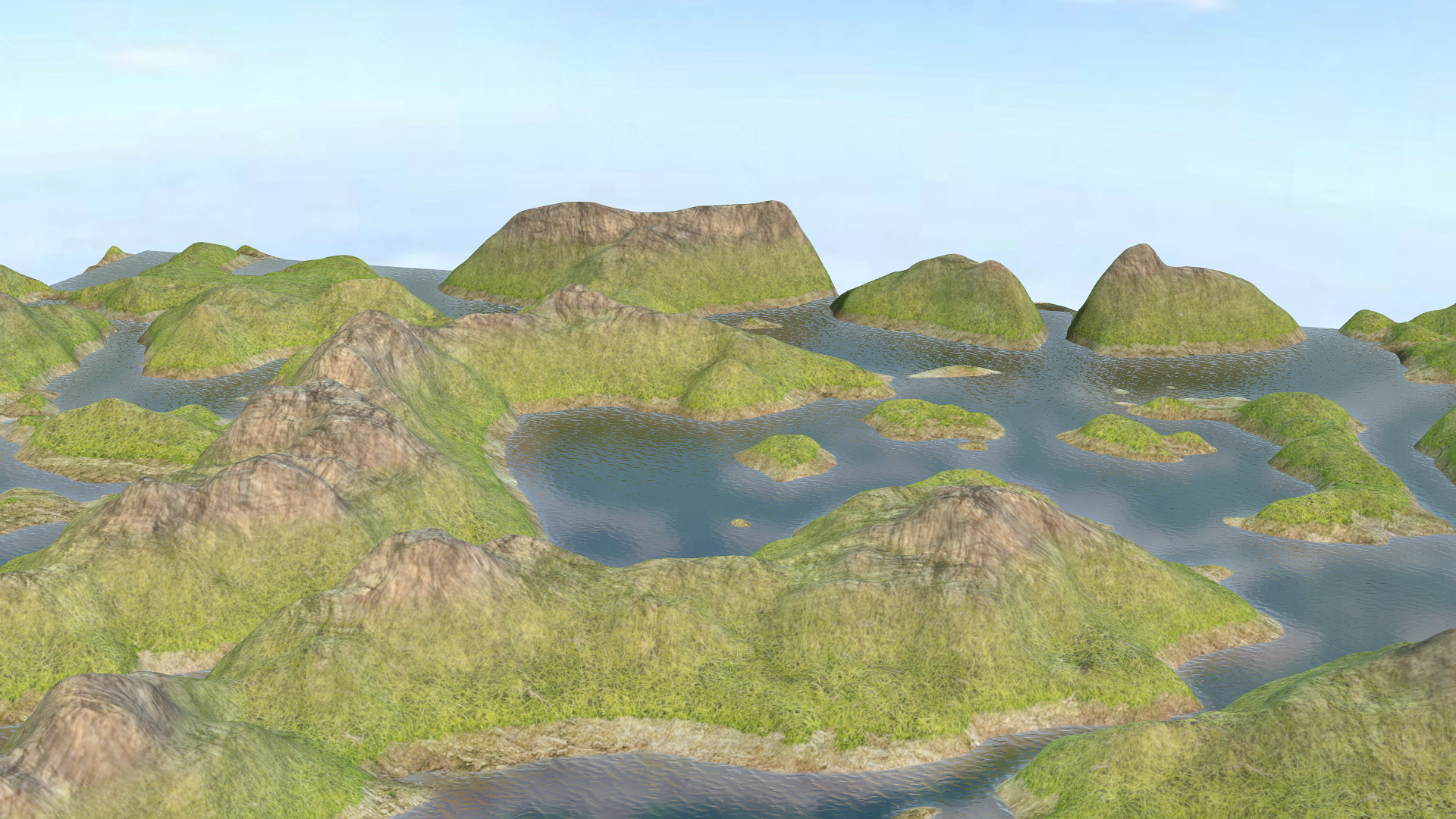
Hope this is helpfull
Chris..
|
|
By Kelleytoons - 5 Years Ago
|
Chris,
That test inside of iClone? Or just the base builder? (Sorry, my time is SO limited I really don't want to try anything unless I have enough information and I need to see stuff as it is inside of iClone).
|
|
By videodv - 5 Years Ago
|
|
Kelleytoons (2/7/2020)
Chris,
That test inside of iClone? Or just the base builder? (Sorry, my time is SO limited I really don't want to try anything unless I have enough information and I need to see stuff as it is inside of iClone).
Hi Mike
Yes it is in Iclone.
Chris
|
|
By videodv - 5 Years Ago
|
Hi Mike
Could do a quick tut if it would help?
Chris
|
|
By videodv - 5 Years Ago
|
Done a quick tut for some reason the sound did not come out but you should be able to follow what I am doing easy enough the only gotcha is when save the splatmap/mask it will not save as png you will have to save as bmp and convert to png you see me do this.
Keep in mind I have only been using this for a short while and there a lot of options I have not tried out yet so this is a very simple example.
Hope this is of some help.
Chris.
|
|
By animagic - 5 Years Ago
|
@Chris: Thanks. I learned a few things from that. I didn't know what was meant by splat map, so now I know and also how to create one.
I experimented with exporting the actual mesh as OBJ file (which iClone can now import directly), in case someone wants a very large terrain. Problem is then the texturing as it seems that the OBJ has no proper UV mapping.
|
|
By videodv - 5 Years Ago
|
|
animagic (2/8/2020)
@Chris: Thanks. I learned a few things from that. I didn't know what was meant by splat map, so now I know and also how to create one.
I experimented with exporting the actual mesh as OBJ file (which iClone can now import directly), in case someone wants a very large terrain. Problem is then the texturing as it seems that the OBJ has no proper UV mapping.
Hi animagic
Glad it helped.
When I exported to OBJ I only got a falt plain but yes it would be good to have uv for the terrain.
Keep in mind this is still under development so hopefully more to come in the future, I watched a youtube tut that showed a newer version producing a terrain with flat borders and an option to create beaches.
Chris.
|
|
By videodv - 5 Years Ago
|
Just noticed if you use the bitplane creator instead of the splatmap creator you can save to PNG and it works with Iclone you use the bitplane creator the same way as the splatmap creator.
Chris.
|
|
By videodv - 5 Years Ago
|
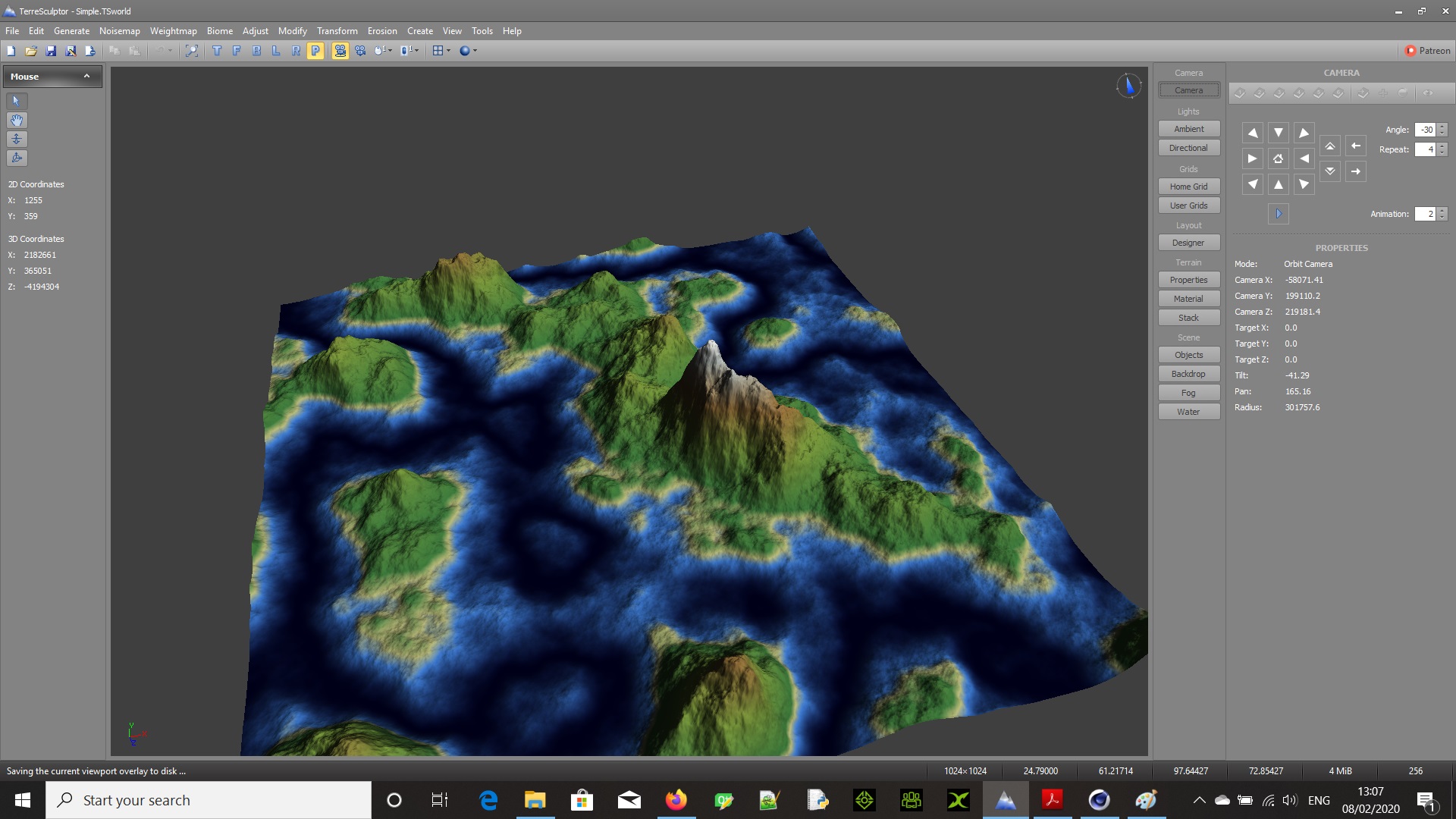
Also just noticed if you use the save colourset overlay bitmap in the tools menu item it will save the current terrain texture as seen so you can use it as a uv texture mapped to the terrain you have created.
There is an option to use the splatmap or texture but they are grayed out at the moment will be useful in the future when these become active to let you where your regions are.
here it is in Terresculptor
and here it is in Cinema
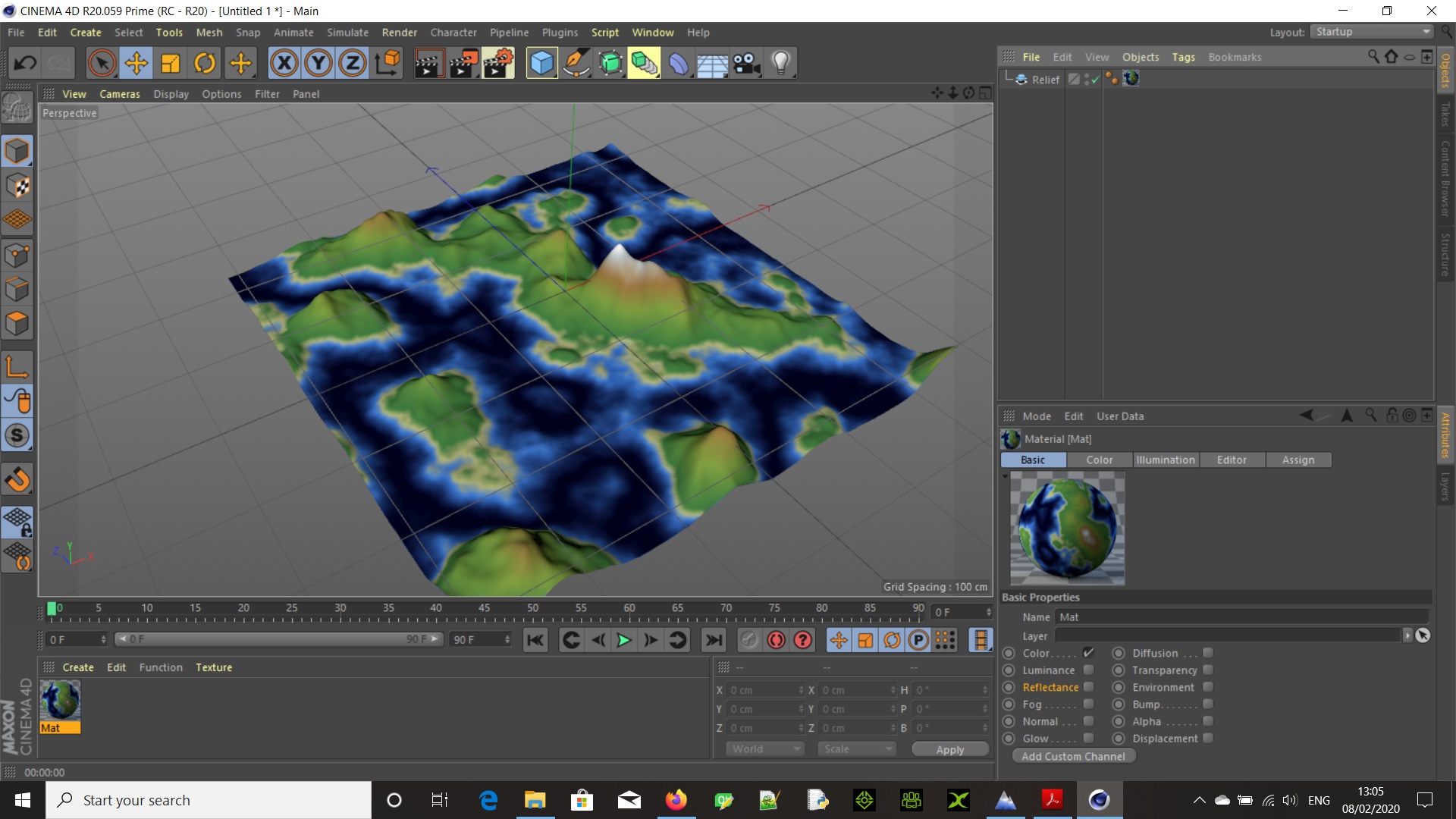
Hope that makes sense
Chris.
|
|
By animagic - 5 Years Ago
|
Chris, I had to scale up the vertical dimension to like 200 or 300 times the horizontal dimensions, but then you can see the height. Also the terrain came in vertical, so Y and Z need to be switched when exporting.
|
|
By videodv - 5 Years Ago
|
|
animagic (2/8/2020)
Chris, I had to scale up the vertical dimension to like 200 or 300 times the horizontal dimensions, but then you can see the height. Also the terrain came in vertical, so Y and Z need to be switched when exporting.
Hi animagic
Thanks for that
Chris.
|