Character Creator 3 v3.21 viewport problem


https://forum.reallusion.com/Topic435234.aspx
Print Topic | Close Window

By Choub - 5 Years Ago
Hello everyone,

I've recently updated my Character Creator 3 (Pipeline version) to the 3.21 version and now I have some issues with it. 
It was working fine untill I updated it.
Now when I open a default project, I end up with a textureless model. (it's just a visual problem, the textures are here in the material panel)

https://forum.reallusion.com/uploads/images/51ad93e6-0480-4615-a0b3-3c33.png

I tried to open the sample projects and my own projects and I have the same problem.
I also tried to mess up with the settings and even re-install CC3 and nothing worked.

I have IClone 7 installed to, and it's working fine. No visual problems.

My config is : IntelCore I7-6700K, 48Go ram, GTX 1060 6GB. 
And my drivers are up-to-date

I hope you can help me. 
Thanks
By wires - 5 Years Ago
You have the Realtime render options set to "Minimal" set them to "High" for everything to display.
https://forum.reallusion.com/uploads/images/40f6625b-620c-4a09-9f09-163d.png


By Choub - 5 Years Ago
Hi, 
Thanks for you reply. 

I think I know where the issue was ! 

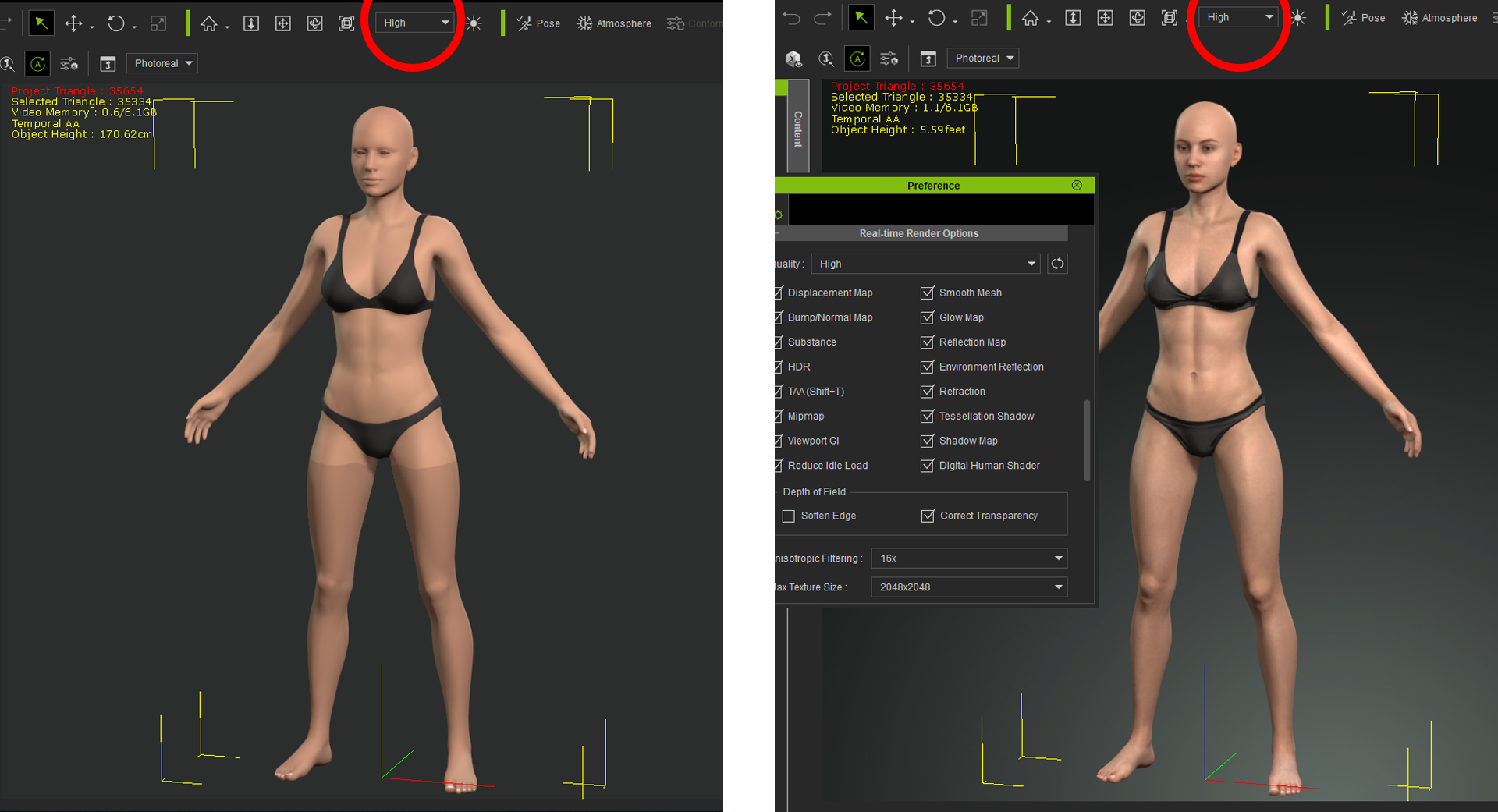
I tried to set the render settings to "High" but it did nothing in the viewport. 
So I oppened the Settings panel and I noticed that the "Max texture size" was still in "1x1" even though I switched to "High" mode.

And I was, by default, in "Minimal", with no way to change the "Max texture size" (the setting is grayed out).
Going in "Medium" or "High" I can now set the "Max texture size" to 2048x2048 in the Settings panel and everything is working fine.
https://forum.reallusion.com/uploads/images/cb4b1739-5a91-40f2-88b5-542d.png

So I believe that the update did put the "Max texture size" to "1x1" by default on all render levels.
Anyway, problem solved. Thanks.