|
By Unrighteous - 7 Years Ago
|
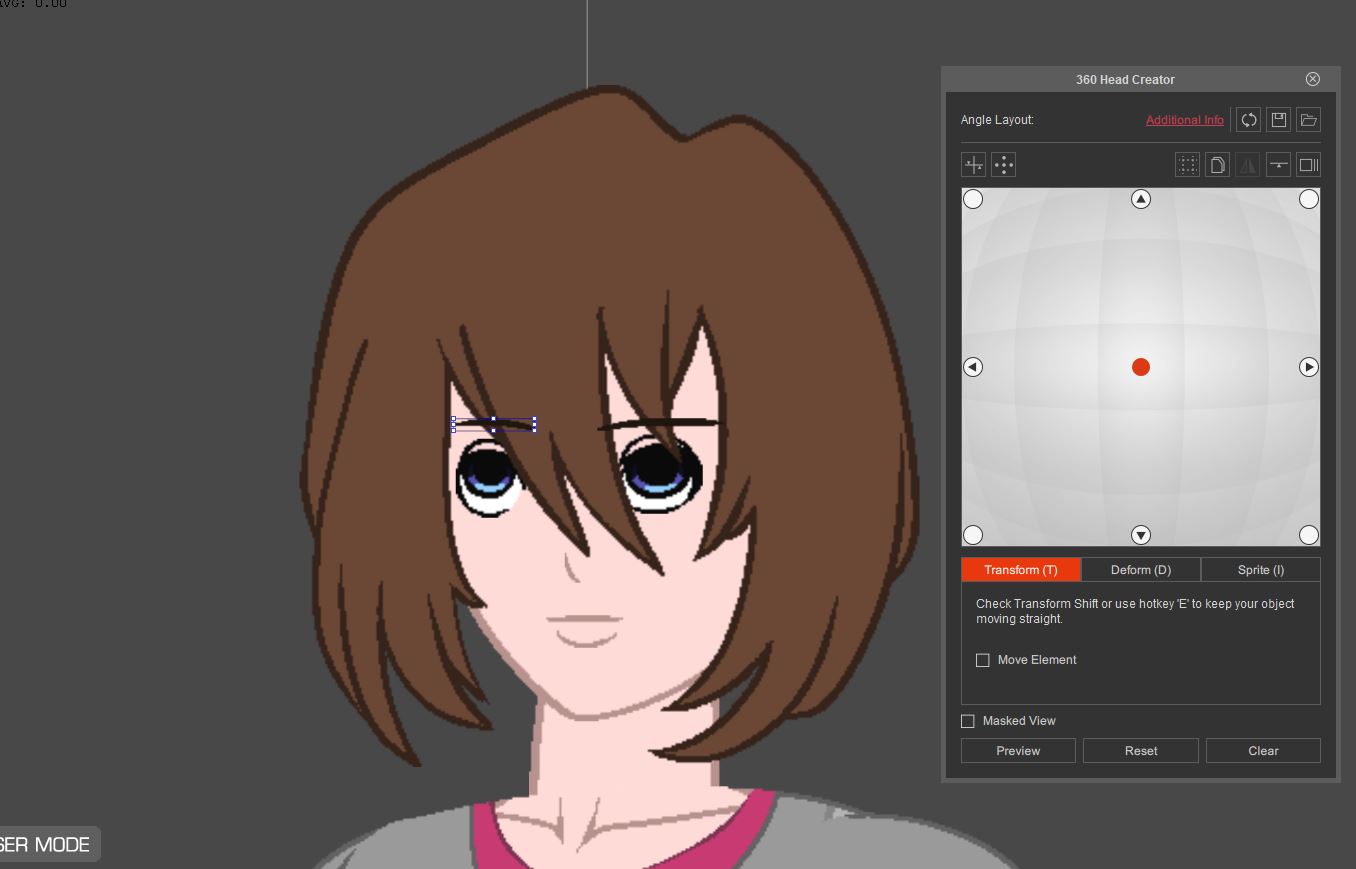
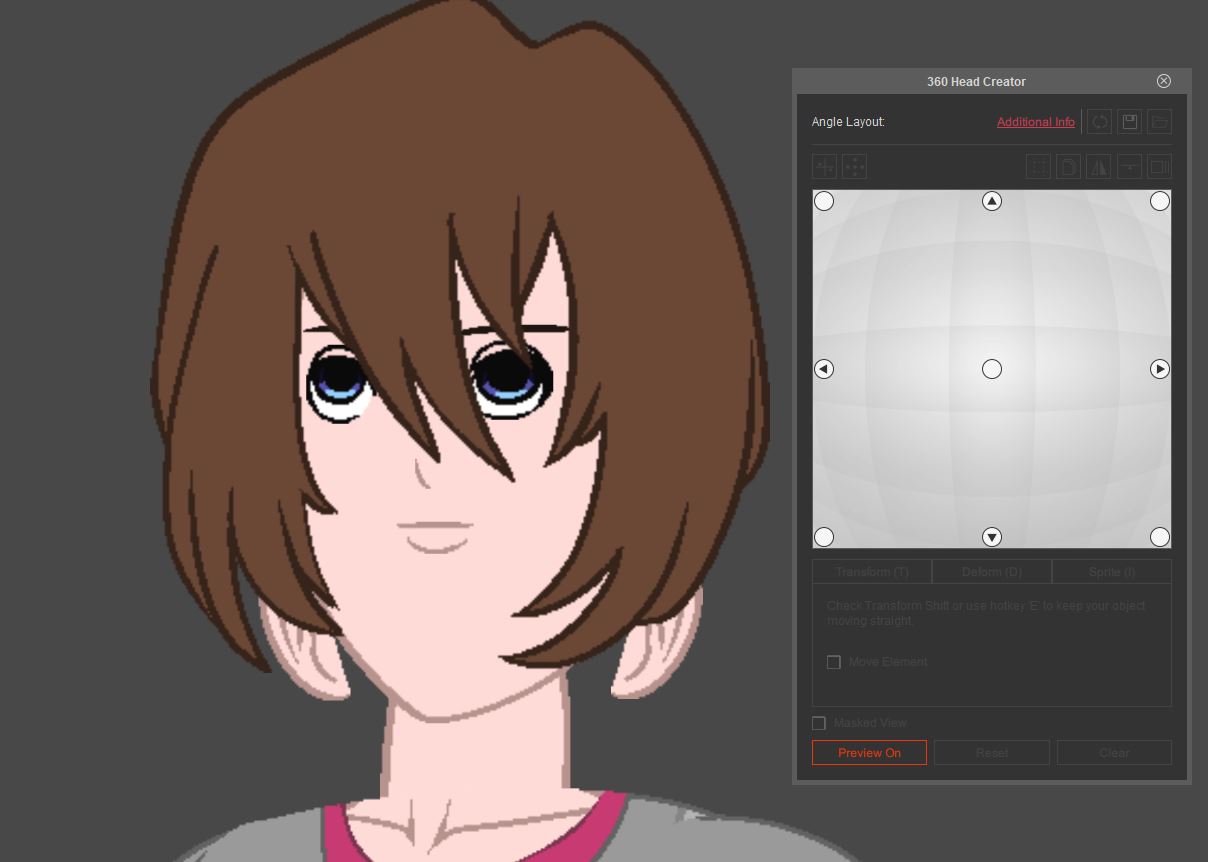
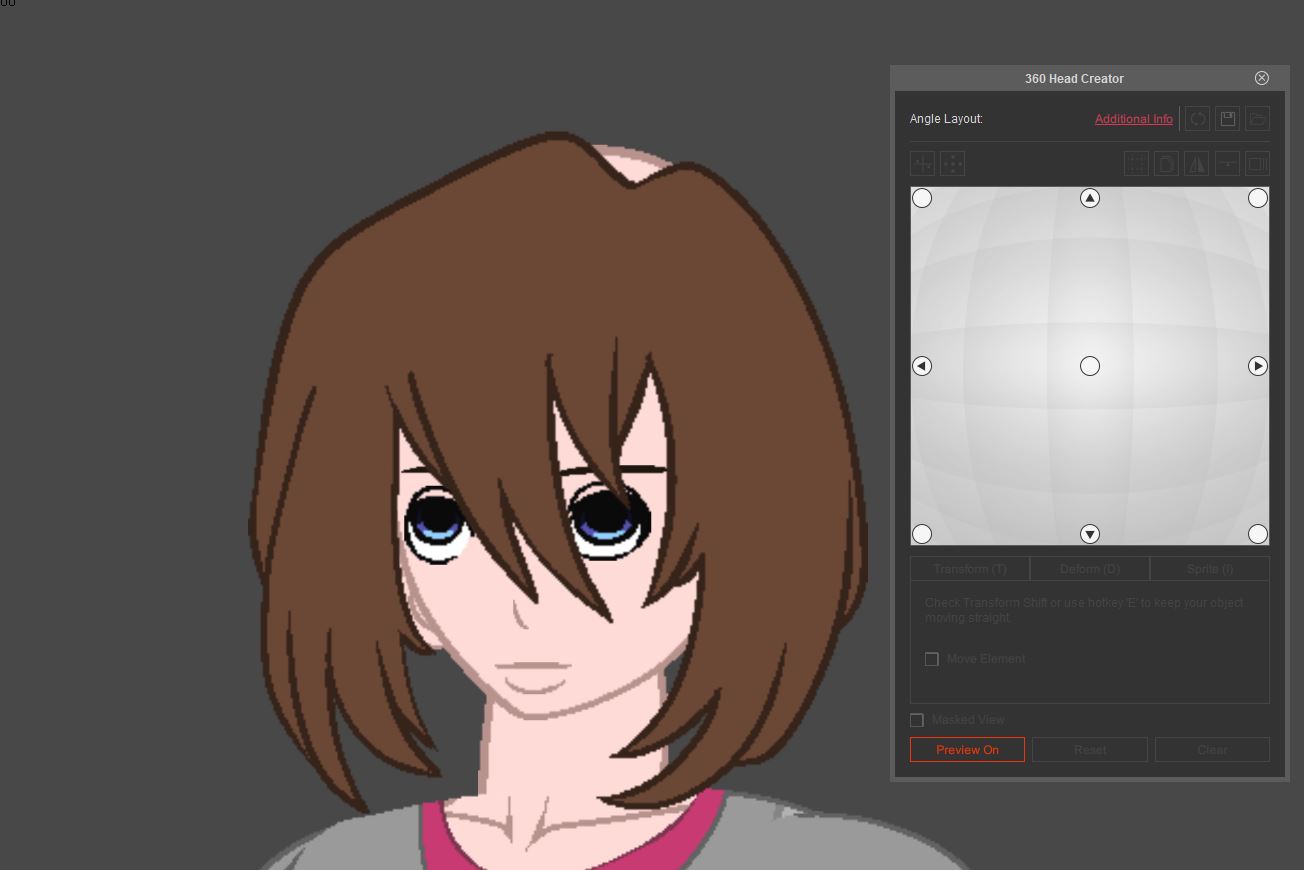
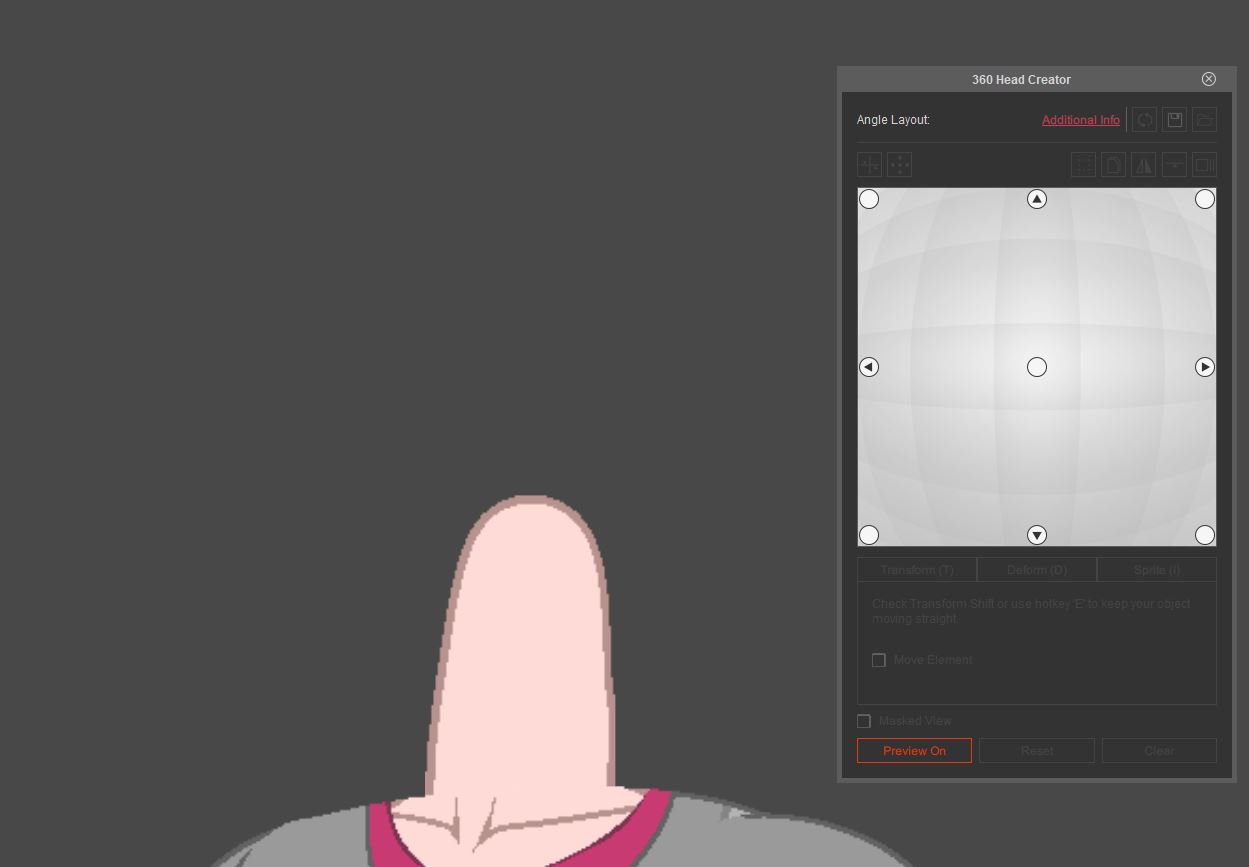
When I move my character's head the to side past a certain point (past the first square in the 360 Head Creator grid) everything in the talking head layer disappears. Moving up/down is fine, but side to side makes everything vanish, and it reappears when I move back to the center. If I take everything out of the talking head layer, then they don't disappear, but I can't remove the face, so it disappears no matter what; and removing stuff from the talking head layer isn't really ideal.
I have tried disabling all the masking settings, resetting the 360 head, trying with previous iterations of my character, but nothing works.
Any solutions for this?
|
|
By vepop - 7 Years Ago
|
Check the Layer Manager.
Perhaps all the sprite layers are behind the face layer.
Re-arrange the layers.
|
|
By Unrighteous - 7 Years Ago
|
Thanks for the reply, but this is not the issue. As I said before, absolutely everything in the "Talking Head" layer disappears, including the face. There's nothing there to obscure anything, everything vanishes. Also I forgot to mention before that I'm using the G3 Dummy template.
I've attached a few screenshots to illustrate what's happening. I would show my mouse position, but I have to move my mouse for the snipping tool. I just dragged my mouse off of the preview area, so these are the extremities of the motion. I've tried using the "Quick Head Turn Setup" to lower the extremities, but that doesn't work. The order below is normal-up-down-side. Thanks for any help.
    . .
|
|
By vepop - 7 Years Ago
|
I am not sure of the problem unless I can access the project file.
Never experienced such problem. Sorry.
|
|
By apyorick1 - 7 Years Ago
|
I'm really just beginning to get a handle on this software, but the same thing happened to me when building a simple sprite-based 360 head and here's what I figured out was happening in my case - it may not be the "official" way to do this or what's happening in your case, so big caveat. (Save your project separately in case this doesn't work for you - at least you'll still have the original).
So, if this is a simple sprite-based 360 head, in composer mode, click on your head and select face, then "Sprite Editor". You'll see a popup like this:
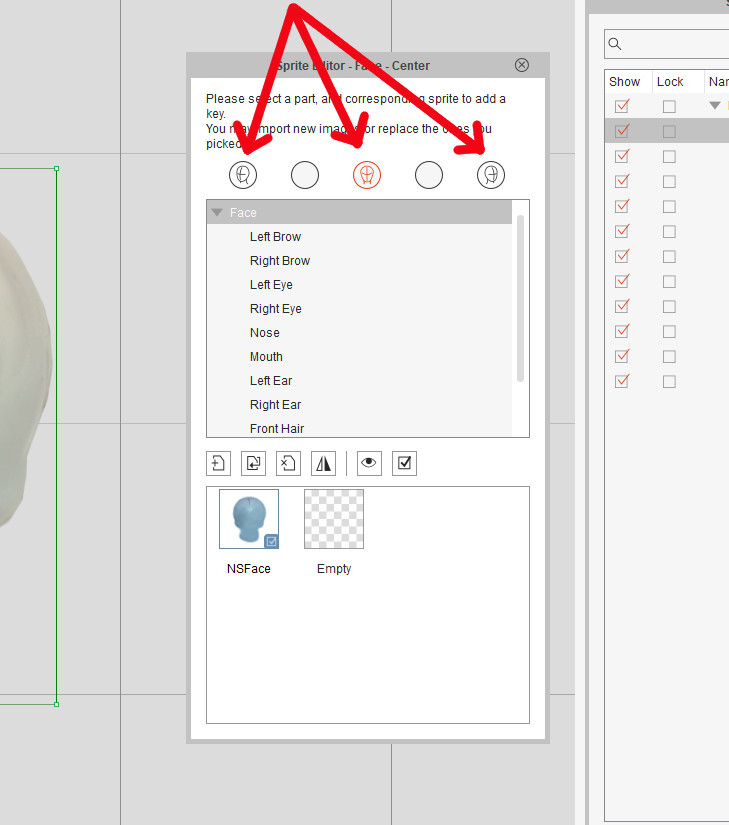
When you click on the center head icon, you should see your face sprite in the box. Now click on the left-facing head icon and right-facing head icon (and also the intermediary circles). If there is no image in those boxes, then that might be your problem. Load the same face you had in the front-facing view in each of these (just the face!!!) - you'll be deforming it to suit later when adjusting the angles on your simple 360 head. Now go back to 360 Head Creator and check to see if that worked by checking the side angles; the face AND features should be there. Then you can go ahead and fine tune and tweak each angle of the head and features with deform/transform, etc. in 360 Head Creator [that's the painstaking part]. All your other sprites should not have to be replaced - for some reason, if the face isn't there, they don't show up in the angles.
Again, hopefully someone with more experience than me who has had this problem will jump in with another solution or verify that this one works for simple sprite-based heads.
|
|
By Unrighteous - 7 Years Ago
|
Hey! Thank you! I did not even think to do this, and it works like a charm. After adding the face at the 4 other angles in the Sprite Editor everything works and nothing vanishes.
Thanks again!
|
|
By apyorick1 - 7 Years Ago
|
You're welcome! Glad it worked!
|