|
By Zeronimo - 6 Years Ago
|
|
I have a small problem with DH_Sample character: he has no tongue.
When we edit the character we see that there is a tongue, but it is invisible.
How to make this tongue visible, I found nowhere in the settings how to do it.
|
|
By Peter (RL) - 6 Years Ago
|
Hi...
Unfortunately we have found a few issues with the embedded content including the missing tongue of Kevin. We have now updated the content in the Resource Pack so it is recommended to install again to make sure you have the latest content files (and Kevin's missing tongue).
|
|
By wires - 6 Years Ago
|
|
Peter (RL) (11/21/2019)
Hi...
Unfortunately we have found a few issues with the embedded content including the missing tongue of Kevin. We have now updated the content in the Resource Pack so it is recommended to install again to make sure you have the latest content files (and Kevin's missing tongue).
Is the content in the Resource Pack, or in the Resource Pack 2? If the latter then this is not directly available for download from a user account at the moment.
|
|
By wires - 6 Years Ago
|
|
Any chance of an answer to my question in the last post?:Whistling:
|
|
By Zeronimo - 6 Years Ago
|
|
Peter (RL) (11/21/2019)
Hi...
Unfortunately we have found a few issues with the embedded content including the missing tongue of Kevin. We have now updated the content in the Resource Pack so it is recommended to install again to make sure you have the latest content files (and Kevin's missing tongue).
Thanks for the answer, but could you tell me where to find the link to download this pack. I do not see anything in my member page.
|
|
By Peter (RL) - 6 Years Ago
|
wires (11/21/2019)
Peter (RL) (11/21/2019)
Hi...
Unfortunately we have found a few issues with the embedded content including the missing tongue of Kevin. We have now updated the content in the Resource Pack so it is recommended to install again to make sure you have the latest content files (and Kevin's missing tongue).
Is the content in the Resource Pack, or in the Resource Pack 2? If the latter then this is not directly available for download from a user account at the moment.
Hi Gerry
As there was a few updates to embedded content it will probably be wise to re-install both Resource Packs to make sure everything is up to date. We plan to try and add Resource Pack 2 to users accounts next week but in the meantime if you want the links to download them just let me know and I'll PM them to you.
|
|
By Peter (RL) - 6 Years Ago
|
zeronimo (11/22/2019)
Thanks for the answer, but could you tell me where to find the link to download this pack. I do not see anything in my member page.
Resource Pack 1 is available to download from your Reallusion Account by going to the Registration page and then clicking the "Download" link for Character Creator 3.
However I have also sent you a private message with the links to save time.
|
|
By Zeronimo - 6 Years Ago
|
|
Thank you very much Peter. I will wait next week for Pack 2.
|
|
By Kelleytoons - 6 Years Ago
|
Peter,
If I understand correctly, pack 2 will be updated next week in our accounts? Is it possible someone (you?) could send out an email reminder or even just post here on the forums? Some of us are old and won't remember we need to re-download this stuff again then.
|
|
By justaviking - 6 Years Ago
|
This a good time to once again request that the Reallusion Hub also be able to check my purchased/licensed "Content" for updates.
It sure would be convenient at times like this to click "Check for updates" and discover a couple of my installed contents packs have updates available.
It would also be nice if it could tell me if I own a pack I haven't installed. That's especially useful if you have two installations (eg: Desktop + Laptop), and maybe you forgot to install stuff on one of them.
(I'm not a Hub fanboy, bit I stopped being a hater and will admit it does have some nice conveniences.)
|
|
By wires - 6 Years Ago
|
|
Peter (RL) (11/22/2019)
Hi Gerry
As there was a few updates to embedded content it will probably be wise to re-install both Resource Packs to make sure everything is up to date. We plan to try and add Resource Pack 2 to users accounts next week but in the meantime if you want the links to download them just let me know and I'll PM them to you.
Thank you for the reply Peter. I'll accept your offer regarding the download links. :):cool:
P.S. Your PM inbox is full. :Whistling::)
|
|
By Peter (RL) - 6 Years Ago
|
|
wires (11/22/2019)
Thank you for the reply Peter. I'll accept your offer regarding the download links. :):cool:
P.S. Your PM inbox is full. :Whistling::)
Hi Gerry
I've sent the links via PM. Thanks also for letting me know the mailbox was full. ;)
|
|
By Peter (RL) - 6 Years Ago
|
|
Kelleytoons (11/22/2019)
Peter,
If I understand correctly, pack 2 will be updated next week in our accounts? Is it possible someone (you?) could send out an email reminder or even just post here on the forums? Some of us are old and won't remember we need to re-download this stuff again then.
Hi KT... When both the updated packs are in users accounts I will make an announcement on the forum with a reminder to update. :)
|
|
By wires - 6 Years Ago
|
@Peter
:):smooooth::cool:
|
|
By Peter (RL) - 6 Years Ago
|
|
justaviking (11/22/2019)
This a good time to once again request that the Reallusion Hub also be able to check my purchased/licensed "Content" for updates.
It sure would be convenient at times like this to click "Check for updates" and discover a couple of my installed contents packs have updates available.
It would also be nice if it could tell me if I own a pack I haven't installed. That's especially useful if you have two installations (eg: Desktop + Laptop), and maybe you forgot to install stuff on one of them.
(I'm not a Hub fanboy, bit I stopped being a hater and will admit it does have some nice conveniences.)
Actually iClone 7.7 and CC 3.2 almost came with the new "Smart Gallery". Sadly a last minute hitch meant it had to be delayed but when ready this will allow you to download your content packs and resource packs directly within iClone or CC. We'll have more on this soon but I think it will certainly help with getting content updates and let you know what you have installed and what purchases are not installed.
|
|
By justaviking - 6 Years Ago
|
|
Peter (RL) (11/22/2019)
Actually iClone 7.7 and CC 3.2 almost came with the new "Smart Gallery". Sadly a last minute hitch meant it had to be delayed but when ready this will allow you to download your content packs and resource packs directly within iClone or CC. We'll have more on this soon but I think it will certainly help with getting content updates and let you know what you have installed and what purchases are not installed.
@Peter - Cool. Thanks for the info. :)
|
|
By wires - 6 Years Ago
|
I've just installed the latest Resource Packs from the links that Peter sent me.
When I apply a DH Shader Preset this is the result:
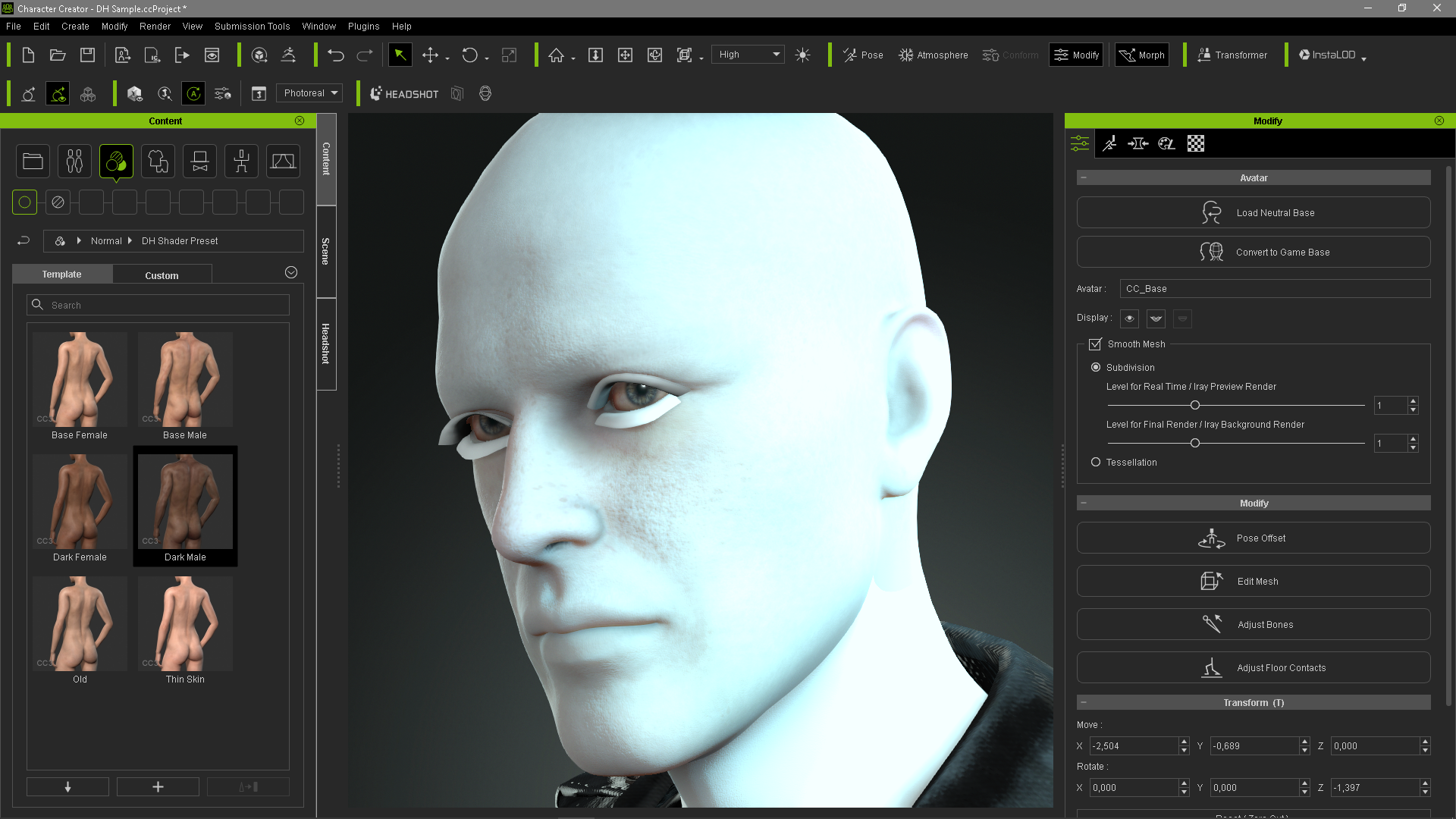
Sumit be broke. :w00t:
|
|
By jarretttowe - 6 Years Ago
|
Someone PM the link to me please!
And yes, it would be wonderful if our content was available via the hub. The only way I know how to be sure I have everything installed is to go through and reinstall everything page by page, which I am currently doing.
|
|
By wires - 6 Years Ago
|
|
jarretttowe (11/22/2019)
Someone PM the link to me please!
And yes, it would be wonderful if our content was available via the hub. The only way I know how to be sure I have everything installed is to go through and reinstall everything page by page, which I am currently doing.
I would wait for a while, something still doesn't seem to be working as expected. See the image in my post above.
|
|
By wires - 6 Years Ago
|
I hate repeating myself, but after installing the 2 Resource Packs downloaded from links provided by Peter(RL) I have some very unhappy campers in CC3.2 after applying the DH Shader Presets.
Him: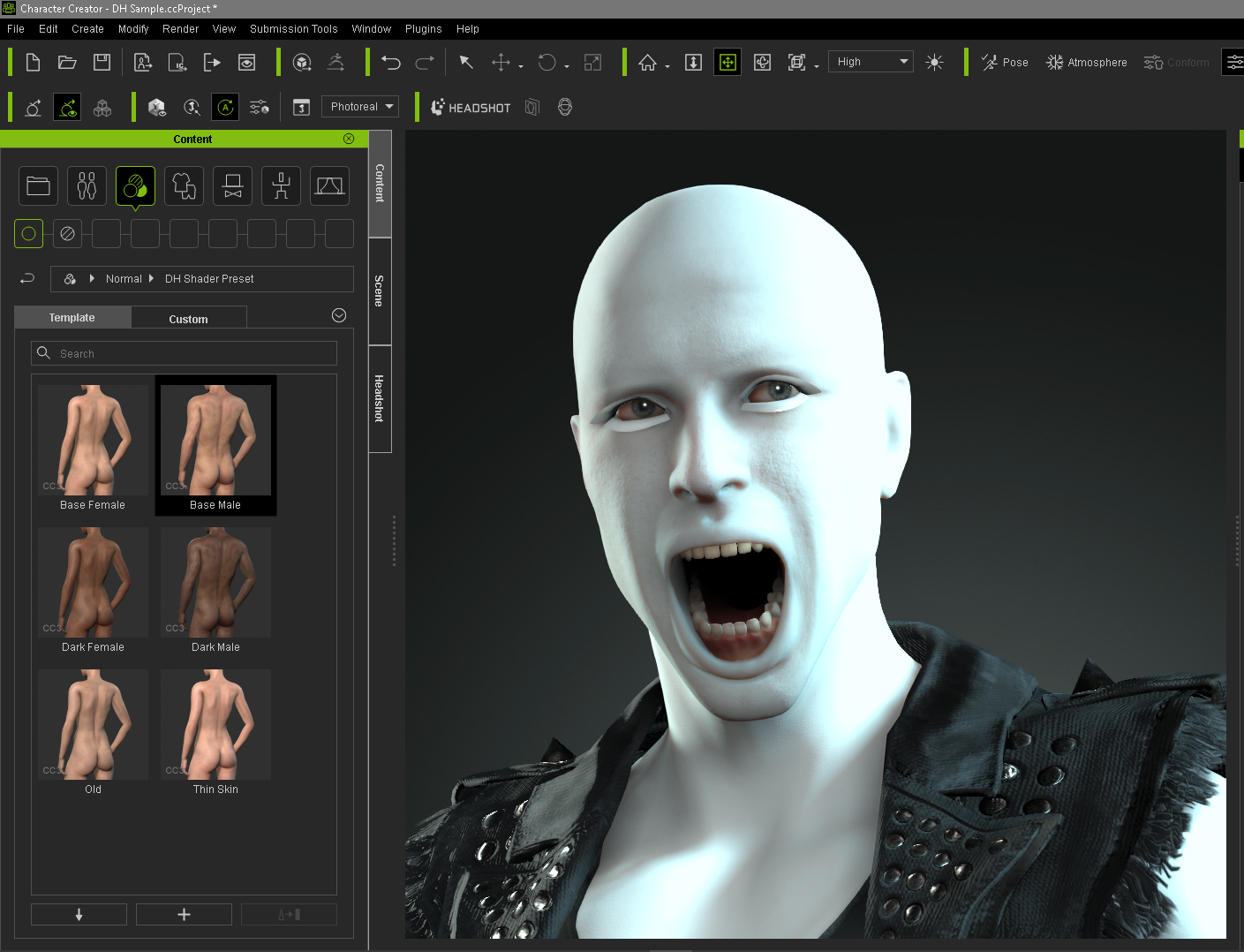
Her:
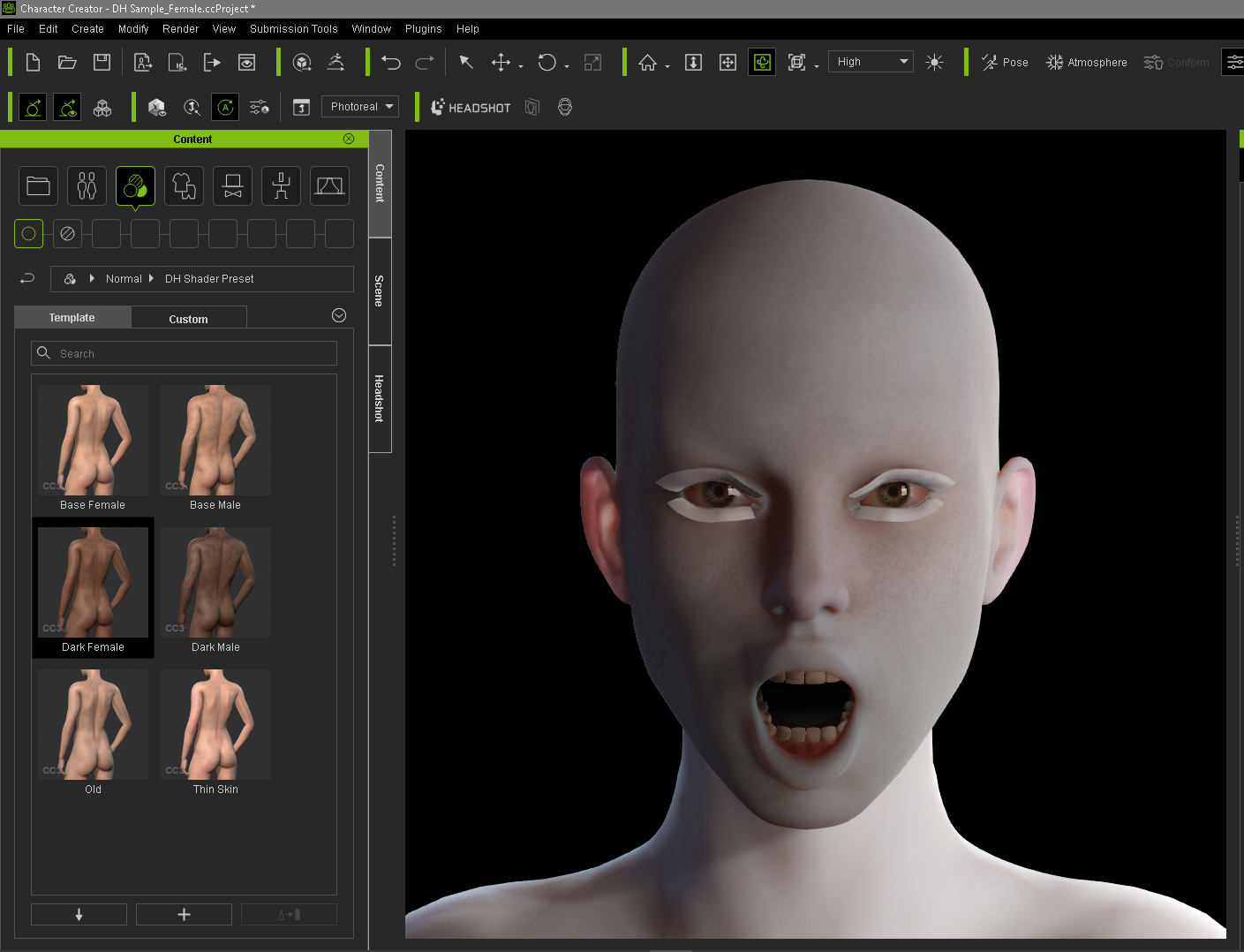
:w00t::crazy::crying::unsure::(:alien::sick:
|
|
By Miranda (RL) - 6 Years Ago
|
Hi Gerry,
Not sure if you have ticked the first checkbox when applying Shader Preset?

If so, please uncheck this option. There is no material settings on the Shader Preset, which will make your character to be white model like the image you shared.
Miranda
wires (11/23/2019)
I hate repeating myself, but after installing the 2 Resource Packs downloaded from links provided by Peter(RL) I have some very unhappy campers in CC3.2 after applying the DH Shader Presets. Him: Her: :w00t::crazy::crying::unsure::(:alien::sick:
|
|
By wires - 6 Years Ago
|
|
Oh what a wonderful person you are Miranda. :) After 4 days of waiting, someone with knowledge of the plugin provides me with a very simple solution to the "problem". :cool::smooooth:
|
|
By Peter (RL) - 6 Years Ago
|
|
jarretttowe (11/22/2019)
Someone PM the link to me please!
And yes, it would be wonderful if our content was available via the hub. The only way I know how to be sure I have everything installed is to go through and reinstall everything page by page, which I am currently doing.
Both Resource Packs for Character Creator 3 can now be downloaded from your Reallusion Account > Registration page. Just click the Download link for CC3 to find them.
|
|
By deuce59 - 6 Years Ago
|
|
Has anyone figured out why the dark skin on the DH shader is not working correctly?
|
|
By Peter (RL) - 6 Years Ago
|
|
deuce59 (12/9/2019)
Has anyone figured out why the dark skin on the DH shader is not working correctly?
Can you post an example screenshot showing the problems you are having or explain your workflow in more detail. Thanks.
|
|
By amercado - 6 Years Ago
|
I believe he is talking about how to resolve this when clicking the DH Shader Preset (Dark Female ex.)
if you apply "Base Female" and unchecking the "Applymaterials without shader settings" there's no color change, if you do check it, its white.

|
|
By Kiwi-Hawk - 6 Years Ago
|
I found Jody does the same
|
|
By animagic - 6 Years Ago
|
All the preset seems to do is replace PBR shaders with Digital Human shaders (only fro CC3 characters).There is no discernible skin-color change.
If you already have the DH shaders on the character, there is no change at all. It's mystifying...:unsure:
|
|
By Peter (RL) - 6 Years Ago
|
amercado (12/12/2019)
I believe he is talking about how to resolve this when clicking the DH Shader Preset (Dark Female ex.) if you apply "Base Female" and unchecking the "Applymaterials without shader settings" there's no color change, if you do check it, its white.
Hi...
The Dark Female DH Shader Preset applies shader settings suitable for dark skin characters. It doesn't apply dark skin materials. So if you have a Dark Skin PBR character you want to convert to DHS then you can use this preset for improved results.

|