|
By mr brush - 7 Years Ago
|
Hello everyone.
I've run out of ideas and don't want to bother the reallusion guys so i would like to ask if anyone has any suggestions on how to use my crescent moon model (not the one in the picture below) and animate it to make a large smile and moving eyes. I would prefer a side view profile. I thought of mixing in a face puppet head by using opacity at 50% on both models but not sure if i can get the large smile via the face. Something similar to a turbosquid model below is what im looking to acheive but i have searched the entire internet for a model that can be animated and found nothing so i will have to make it myself. I would be very grateful for any suggestions no matter what.
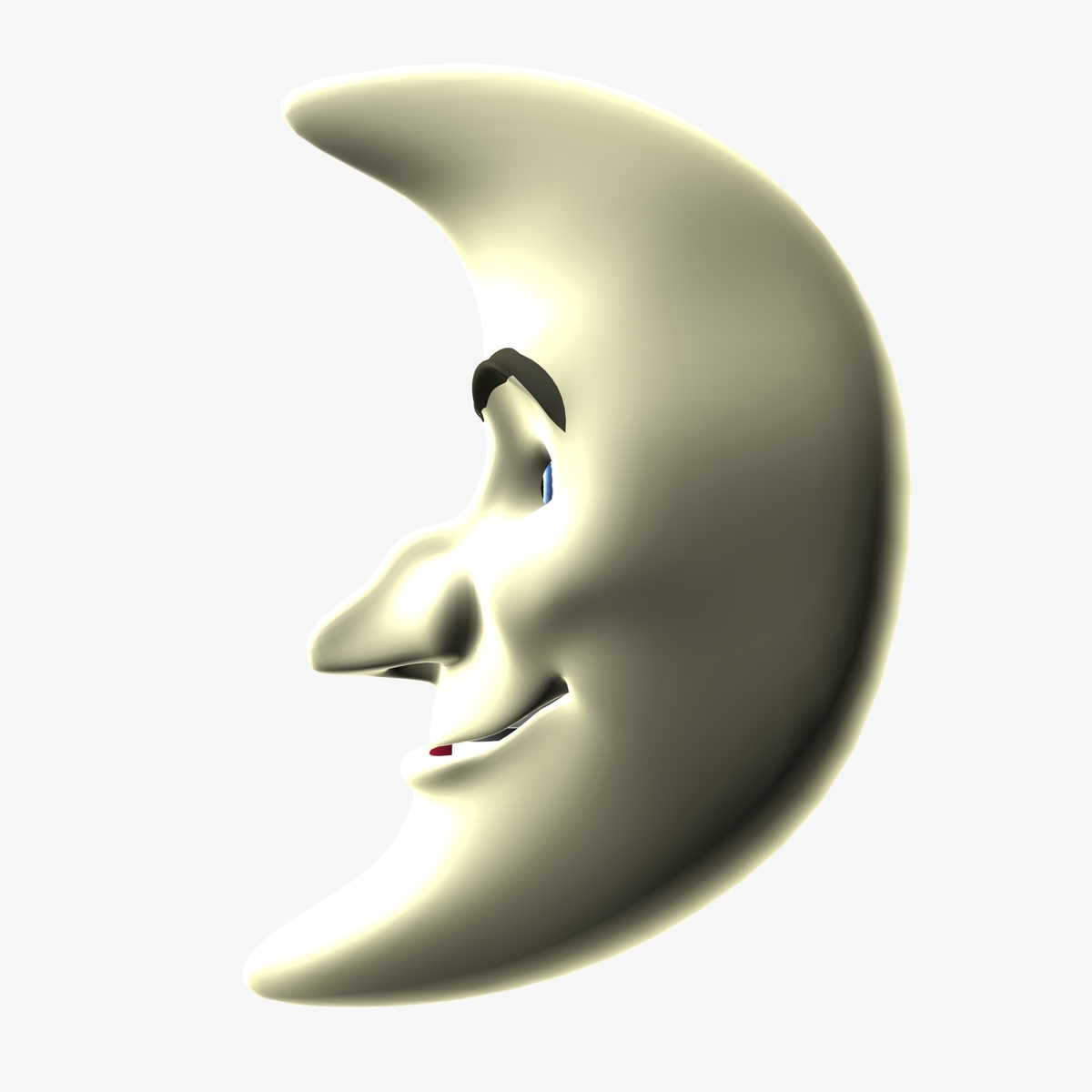
|
|
By 3Aliens - 7 Years Ago
|
This is complicated. You can take 2 seperate Eyes for the Eyes of course.
The Nose will not move anyway, so buy one in the store. Maybe the Mouth also.
|
|
By Dragonskunk - 7 Years Ago
|
|
I would use a normal male head, like Chuck, make everything bodywise 100% opaque. Remove his skin texture, find just a crescent shape as a prop and have his face stick out of the crescent. You might want to mask opacity of the crescent and Chuck's head for both to blend together. Attach the crescent prop to Chuck head and there's your moon man.
|
|
By mr brush - 7 Years Ago
|
Thank you both for the reply. I was beginning to think that it was impossible to do in iclone so i will have a try. Thank you.
|
|
By vidi - 7 Years Ago
|
You posting has me inspired today to make my Mr. Moon. for CC :D
I had very fun with this project
|
|
By mr brush - 7 Years Ago
|
Wow, that's fantastic. How did you achieve this. I made one but nowhere near as good as this. Mine looked like a set of teeth attached to a pancake. lol.
|
|
By vidi - 7 Years Ago
|
|
I use Zbrush for sculpting
|
|
By mr brush - 7 Years Ago
|
Ok and how would you mix the head with the moon. Thanks.
|
|
By vidi - 7 Years Ago
|
It is the Mesh from CC Basis Character now deformed (sculpted) into a Moon Shape
|
|
By mtakerkart - 7 Years Ago
|
|
WOW Vidi!!! If you're willing to sell your morph you're welcome !!;)
|
|
By vidi - 7 Years Ago
|
Ok I will soon pack him for the marketplace :)
|
|
By mtakerkart - 7 Years Ago
|
|
CoolVidi! I suscribe this thread. Don't hesitate to post here :)
|
|
By mr brush - 7 Years Ago
|
I would be interested in buying it too.
|
|
By vidi - 7 Years Ago
|
|
Oh nice to read .:) I'm also open to more ideas as long as the geometry allows. To create such unique character morphs makes fun.
|
|
By toystorylab - 7 Years Ago
|
Yo, that's a cool guy... Nice;)
|
|
By vidi - 7 Years Ago
|
Mr Moon is on the line https://marketplace.reallusion.com/mr--moon-
He has now also sexy moonlike body . I have separate the body and the head morph, for more variation. In the Description is a FacialAnimProfile zip , drag it to the Character to fix the facial expression for this unique head shape.
|
|
By mtakerkart - 7 Years Ago
|
Hi Vidi ,
I bought it but there is an issue with the head slider. It does not want to settle.
See log:

dimanche, décembre 08, 2019 9:4:42 [Item Name] MoonFull [Path and file name] AvatarMorphPreset\Body\moon > MoonFull.ccavatarpreset [Status] Successfully installed. [Item Name] MoonHead [Path and file name] AvatarMorphPreset\Head\moon > MoonHead.ccavatarpreset [Status] Successfully installed. [Item Name] moonbody [Path and file name] AvatarControl\moon > moonbody.ccslider [Status] Successfully installed. [Item Name] moonhead [Path and file name] AvatarControl\moon > moonhead.ccslider [Status] Failed to open RLC file. [Item Name] moonskin [Path and file name] Skin\moon > moonskin.ccskin [Status] Successfully installed.
|
|
By vidi - 7 Years Ago
|
sorry for the trouble
Actually I packed with RL submssion Tool in the same time. I have no idea why that happen now only for the head.Also no errormessage during uploader process. I need ask RL because that seems a install error from RL side.
|
|
By vidi - 7 Years Ago
|
The Supporticket is out
I'm wondering Do the Head preset from the library works, because it use the morph as well ?
|
|
By mtakerkart - 7 Years Ago
|
The Head icon is present but has no effect....

|
|
By vidi - 7 Years Ago
|
|
I had upload the slider again . I hope it works now I have no Idea, because I have select both morphs for RL packing and the Uploader message show successful.
|
|
By vidi - 7 Years Ago
|

I have download and it works for me :)
|
|
By mtakerkart - 7 Years Ago
|
Works perfect now :)
Thank you Vidi.

|
|
By vidi - 7 Years Ago
|
|
That's great.:) Also Thank you for your purchase.:kiss:
|
|
By vidi - 7 Years Ago
|
|
I saw an error on your screen with the tangend space of the normalmap. That's why the arms have such ugly seams, I was blinded and had not noticed that before.:blush: I had updated to the new 3D coat Version and forgotten to change the normalmap setting for the export . I update the skin and Presets
Please download again and you will see it looks much better . Sorry for all the trouble :Wow:
fixed Version


|
|
By mtakerkart - 7 Years Ago
|
Done !
Thank you Vidi :)
|
|
By vidi - 7 Years Ago
|
|
have you get my message from marketplace ?:)
|
|
By mtakerkart - 7 Years Ago
|
|
have you get my message from marketplace ?
Yep!
|
|
By mr brush - 7 Years Ago
|
I bought it too and everything seems to work well. It all came in 1 package so i didnt need to install anything extra like the website said, so a big thank you to vidi. :)
|
|
By vidi - 7 Years Ago
|
|
Many Thanks my Patrons :kiss: I wish all the best for new year :)
|