Matching Realistic Quality of Daz in CC3


https://forum.reallusion.com/Topic425312.aspx
Print Topic | Close Window

By Power Ten Productions - 6 Years Ago
Hey Forum,

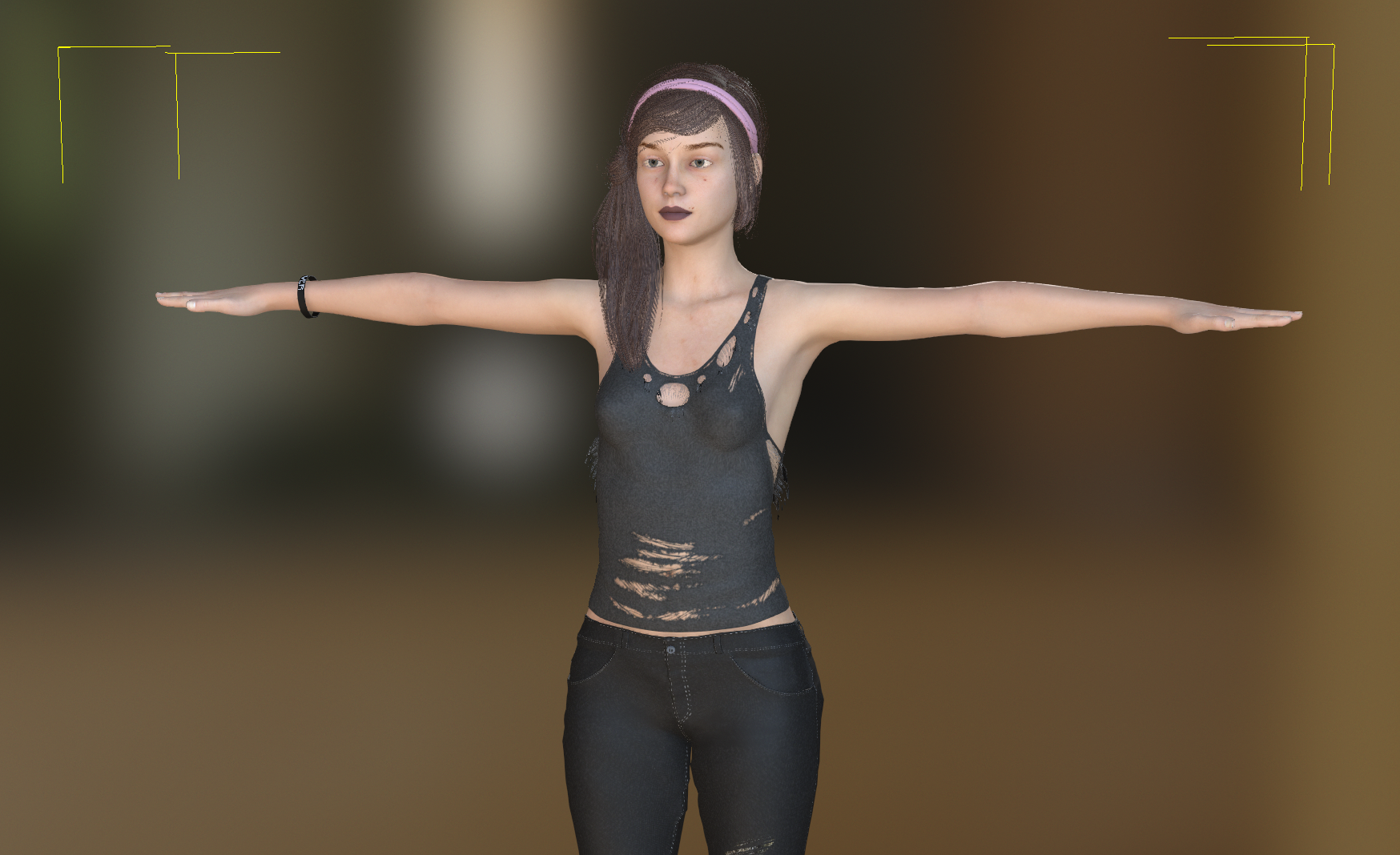
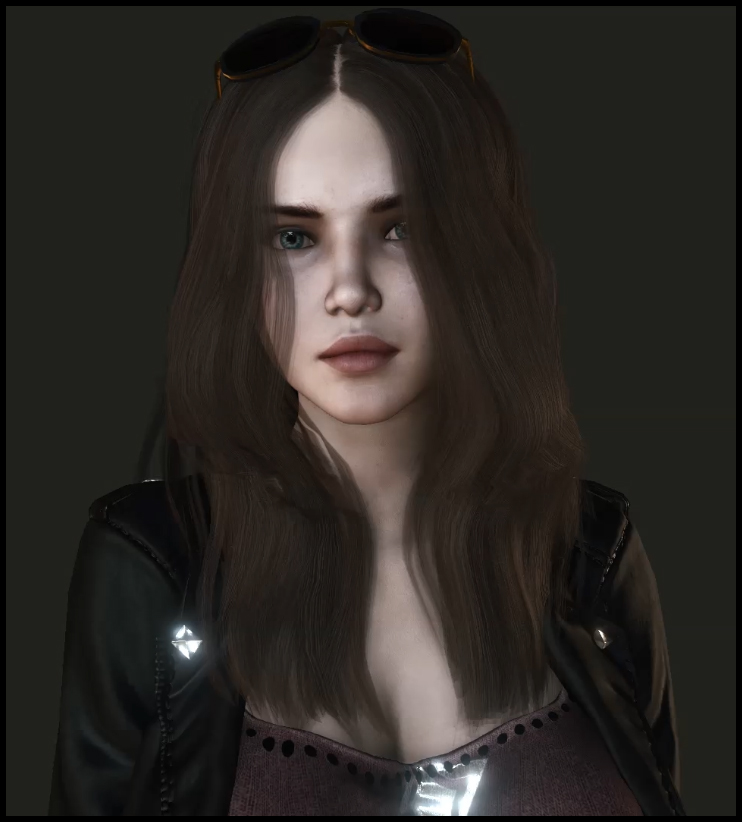
You all rock and there are way to many of you to thanks for the amazing details and help you've posted. I'm new to the Reallusion world but was blown away at the simplicity yet power of CC3 and iClone. Coming from the film world, and seeing how real so many games were now looking, I dove into creating my first game and using Daz to create the characters. When I render them via the iRay tool, they look extremely real. But when I bring them into CC3 they look like older game characters. I know all about poly counts, PBR and more but wanted to know what people are doing to make these look more realistic in CC3 without the huge drop off in quality (see example photos below). Any tips, tricks or tutorials that will get me as close to the Daz quality as possible with the animation simplicity of rigging in Character Creator and animating in iClone will be appreciated. Also yes I do own the IRey plug in as well and export additions.

DAZ ORIGINAL
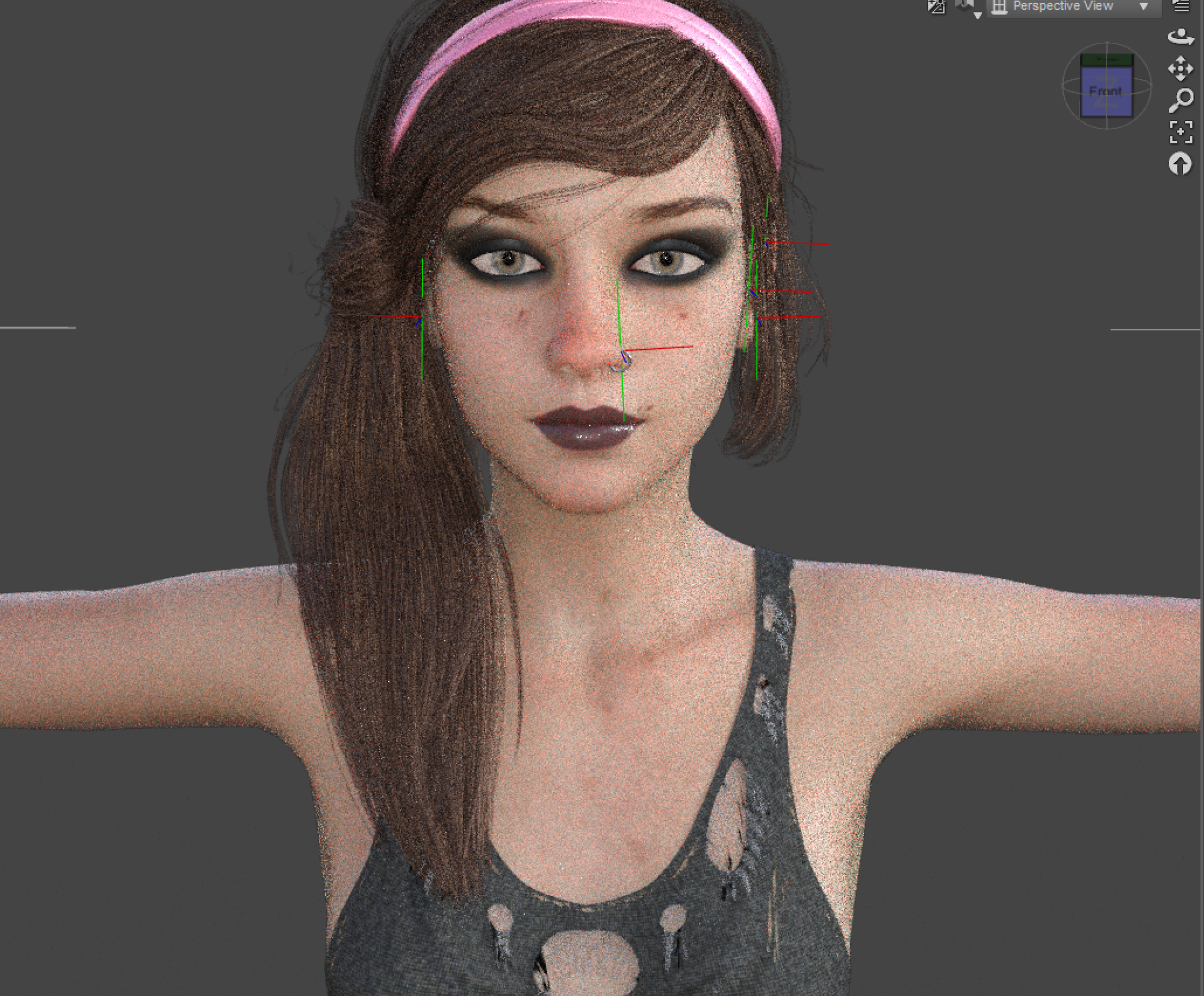
https://forum.reallusion.com/uploads/images/90f603db-7a1d-4050-84ec-3b5c.png

Character Creator 3
https://forum.reallusion.com/uploads/images/fc3e5773-1a9b-41ae-bfe2-ded6.png
By Scyra - 6 Years Ago
https://forum.reallusion.com/uploads/images/d89960c7-262e-472f-bb93-be1d.jpg

Above is a screenshot of an iClone animation in realtime. Here is the view in CC3...
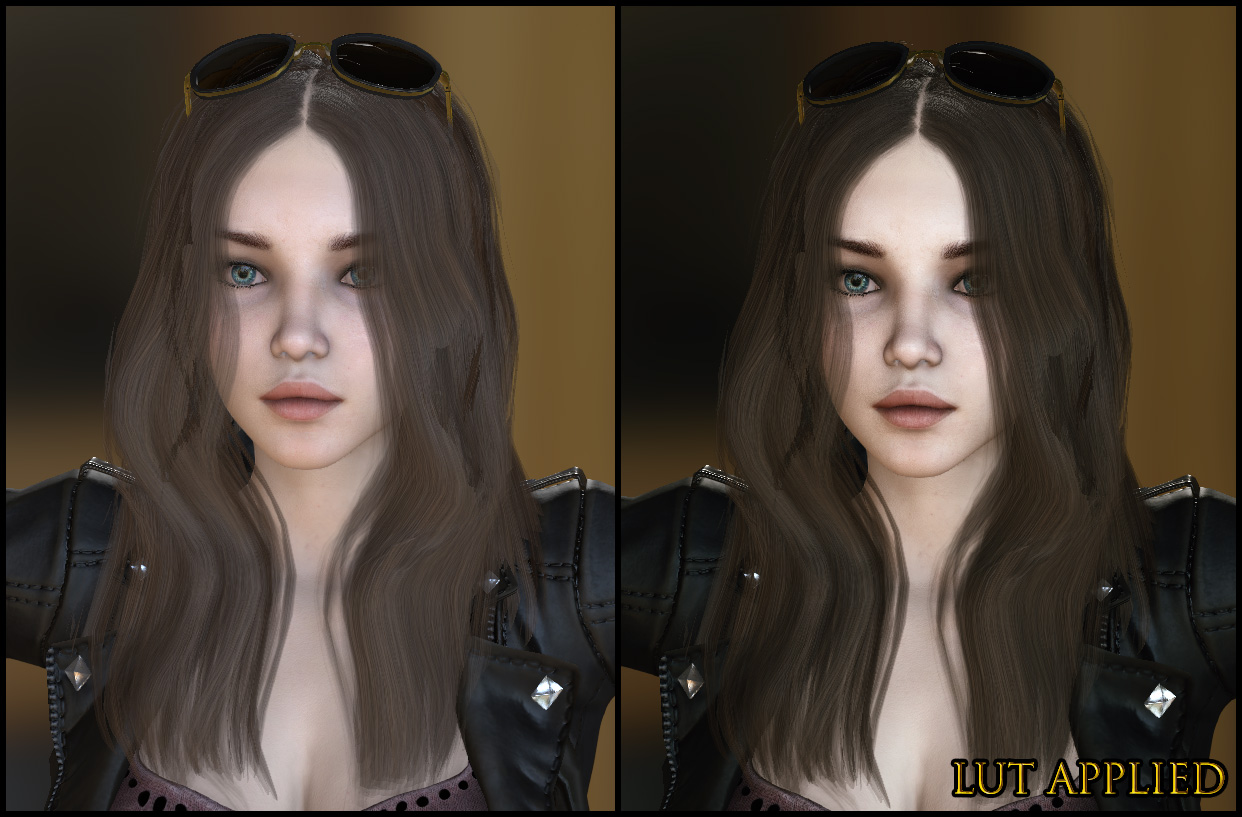
https://forum.reallusion.com/uploads/images/d3662d9a-40c8-45f2-adbc-5cb2.jpg

I'm not using any special settings here; Shadows are at 512, no TAA, GI, HDR, etc, just Ambient Occlusion and AO and Normal maps from the CC_Base model. I notice you do not have Ambient Occlusion turned on—that makes a big difference. Here's one in CC3 with more Post Effects turned on...
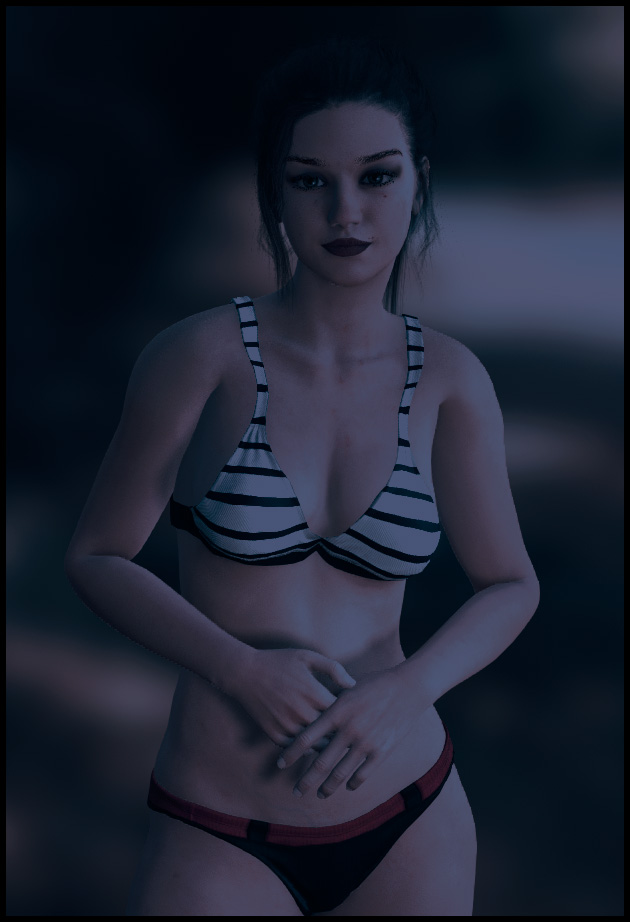
https://forum.reallusion.com/uploads/images/8b1aa216-30b2-4176-ae2b-f1f2.jpg

There is a link in my signature that covers these things. Welcome to the forum.
By Kelleytoons - 6 Years Ago
When you bring your Daz stuff in, make sure you ALWAYS use Advanced.  And after you do that, check the maps to make sure they have all come over (if not, there are tips and tricks to get them so just let us know).

Assuming you do have all the Daz textures over (on your example posted it looks like you do not -- if you tell me which character it is I'll be glad to check it out for you) then, as the previous poster says, it's a matter of understanding the lighting in CC3/iClone.
By Power Ten Productions - 6 Years Ago
Thanks for the responses. I had been using ADvance settings but had not checked the layers and therefore will confirm the AO. Additionally, the piercings are all over the place in CC3. Any advice on bringing those in from Daz? Or is it better to do the piercings in CC3?
By Kelleytoons - 6 Years Ago
If you let me know which character it is I can check those piercings out.
By Power Ten Productions - 6 Years Ago
They were purchased separately as part of the Punk pack
By Kelleytoons - 6 Years Ago
Yeah, you'll have to be a LOT more specific (just put the Daz page link here).
By Power Ten Productions - 6 Years Ago
https://www.daz3d.com/make-me-punk-shaders-and-decals
By Kelleytoons - 6 Years Ago
Hmmm.  As a very general rule I always wait until something is no longer "new" so I don't have those (although, truth be told, not really my style anyway).

So you put those on your Gen 8 female and when you bring them in how do they come in?  As accessories?  If so, I think I'd try hair (don't worry about your other hair at the moment -- you can get that later).  Change that in the Advance settings and see if they don't come in correctly weighted.
By Rampa - 6 Years Ago
Those piercings will probably not work at all. No clothing or accessories is effected by the viseme/facial morphs. So even if you have them rigged to the head and jaw, they will not move with fleshy bits, only the underlying bone.
By edithmcneill - 6 Years Ago
Just a quick question. Does the appearance editor still work on CC clothes? Or is it the Daz character I've bought over preventing it from opening? I wanted to add holes and dirt to an outfit but couldn't get the editor to open. 

thanks
By Rampa - 6 Years Ago
Hi Edith.

It still works fine for clothing. It will be the same as it was in CC2.

But you probably need to set the Substance for it to use. See this diagram for where you choose that. You will need to choose which Substance for each clothing item.
https://forum.reallusion.com/uploads/images/bf0500c0-0f8c-4f20-9a6a-371b.jpg
By Power Ten Productions - 6 Years Ago
@scrya where are those AO files stored?
By Scyra - 6 Years Ago
https://forum.reallusion.com/uploads/images/25d4a04d-2413-40bd-9e48-59e8.jpg

They are embedded in a Reallusion format so you need to load the skins and save out the textures as shown in the image. Select the character in the scene first, then visit the Content and Modify panels. The Hivewire characters have good unique maps also. Afterward, take a look at the Visual panel to tweak the Ambient Occlusion to your liking and adjust the Image Based Lighting Strength and Rotate it to your liking (or even try out a different one). Things will begin to look much better.

PS: I got a belly ring piercing working perfectly as Cloth, but my tests on facial piercings only confirmed what Rampa said.
By Kiwi-Hawk - 6 Years Ago
Kia ora

I not sure if I'm doing this wrong or it normal. I'm trying to bring in a Daz 3D character ( the Character I exported was nude so I put some clothing on her in each program )


I then imported her using the Transfomer tools and the advance setting, I filled out the ini profile completly to cover the maps daz use's


My issue here is I lost the body detailing and muscle structure when I imported her


The  body seems to be fine in Blender tho I need to work on the map quality, it seem I'm loosing the morph's
By Scyra - 6 Years Ago
It happens. It's normal, unfortunately, but I have had success reapplying detail with CC3 morphs like so...

https://forum.reallusion.com/uploads/images/bb5461c7-8b4c-4047-9213-9638.jpg

The Essential Morphs & Skin adds:Body Tone and Muscular morphs, but I think you should already have Bodybuilder and Fitness morphs without the pack. Those are good.
By Kiwi-Hawk - 6 Years Ago
Kia ora

Thanks for the reply, shame that so much is lost in the process when it dosen't in other apps, I notice to some degrees the facial featuers are different too
and it's trashed the thumbs by the looks, it doesn't matter which pose I use, T pose or UE4 pose the thumbs are a way off


To be clear this is a CC1 character which I HAD NO choice but to use so I could bring in an RL head from Crazy Talk 8 then I HAD to convert it to a CC3 to use the Realistic skins I could not use
an Essentuals material without loosing the face texture. I have a feeling that all this converting back and foreth is just messing a lot of things up, way passed time for this money
we should have a goz style interface from Crazy Talk to CC3
By Kiwi-Hawk - 6 Years Ago
If I use the Essentials 4k skin I get a totaly different look


Still with broken thumbs of course I have on idea how I fix those
By Scyra - 6 Years Ago
I have seen a similar thing with the thumbs occur when a figure is not in the proper pose prior to the conversion (or mocap calibration) process. Maybe try to match this hand & wrist alignment from the Daz to CC3 T-pose and convert again?

https://forum.reallusion.com/uploads/images/9a7dbde1-e1e5-4563-9474-2574.jpg

I am unfamiliar with CC1 to CC3 so that's all I know to suggest...
By Rampa - 6 Years Ago
In the import window of the Transformer, there is a place to load a t-pose.Load the proper one for your character from this location.
C:\Users\Public\Documents\Reallusion\Template\Character Creator 3 Template\DazResource\T_Pose
By Kiwi-Hawk - 6 Years Ago
Kia ora

I'm sorry guys, I think I maybe confused you all, I have a habbit of carrying my conversations on in the thread I start in.

The second charater I posted is one I made soly in CC3, I made a head in Crazy Talk 8 and to import into CC3, to do this we are FORCED (at this timeanyway)
to  start with a CC1 character import the RL head into CC3 on that CC1 character, then if we wish to use the realistic 4K Essential skins we have to convert that CC1 to a CC3 character.
At thi point I don't know if the thumbs broke then or when I applied the UE4 pose to the character. Tis IMHO the conversions from CC1 to CC3 or the adding of the RL head process
that has messed with the hand bone rigging

Following up and testing a little more, it's the UE4 pose that breaks the thumb's it seems. I don't how ever know if thats because I used a CC1 chaaracter to start off, BUT
even after converting it to CC3 the hands go weird as soon as I apply the UE4 pose
By Power Ten Productions - 6 Years Ago
Posting this update here so that there is continuity in this thread. Adjusting the eyes further, using a Daz plugin, and following the AO tricked mentioned by Scrya here I was able to get images like below. If anyone has ideas to get the skin to match the iRay look below from Daz please let me know.

https://forum.reallusion.com/uploads/images/1bfaa002-5b30-4602-9c0c-6685.png
https://forum.reallusion.com/uploads/images/30ca6756-1d5c-4e54-8fed-0424.png
https://forum.reallusion.com/uploads/images/27b693ad-a737-4e28-939b-dcb6.png
By Kelleytoons - 6 Years Ago
For sure I'd adjust the roughness of the lips -- turn it darker (right click and "Adjust color").  That will result in shinier lips to match the image you show.  Although, honestly, something is off about those textures coming in.  Sorry if I'm either late or a bit drunk here, but what EXACTLY Daz character is this?  (Post a link to the Daz site where she is sold).
By TonyDPrime - 6 Years Ago
@Richie- There are a couple of things you are seeing in Daz that you will not see in CC3.
1) The SSS redness in the nose, lips, and cheeks
2) The outline in CC3 is harsh, looks like a pencil, where the outline from nose to cheek is quite light and fleshtone in Daz
3) There is more specular shine in the Daz one's face. 
4) There is a subdivision making it look higher res.  Turn on Subdivision for your character in CC3 if you haven't

Don't feel bad, it's not anything you are doing wrong.  iClone and CC3 are realtime engines that right now are not capable of matching Daz Iray naturally. 
People sometimes say "you have to understand lighting...." 
To this I now say forget the lighting...you must go unnatural.

Do 2 things: 
(1) go to Iray or Octane for raytracing, which will completely boost up the look (like Daz) or...
(2) obscure obscure obscure.....obscure your character like an illusionist to make it look better.   Mod the textures in PShop.  Blend it with hues and colors, try different HDRIs....
It all can modify your look.  See how Sycra uses AO, detailed morphs, LUTs, etc...making the image overall more striking

If you want to be super fancy, do BOTH!

It's the equivalent in Daz of comparing the Texture-shaded visual vs the Iray visual.  They don't compare.  You can either raytrace it to look better, or disguise it to look better.

A third option is (3) try Unreal, which has Raytracing and disguise/obscurations, you might like it, although feels like a slow process at first. 
By Power Ten Productions - 6 Years Ago
Literally just put in an order to update my graphics card and do the ITrace with this since you nailed it, I had not been doing real time raytracing in CC3. Will post new results next week with your pro tips included. Thanks!
By animagic - 6 Years Ago
TonyDPrime (10/31/2019)
People sometimes say "you have to understand lighting...." 
To this I now say forget the lighting...you must go unnatural.

Without lighting you wouldn't see much...:P :alien:
By Scyra - 6 Years Ago
I ran into the same exact thing with the Daz Iray makeup, richie. I used the Iray preview as an example and emulated that in Photoshop. Here's how it turned out......

https://forum.reallusion.com/uploads/images/3d0e2358-f1dc-48ee-a6ae-fe4c.jpg

The process is very simple, even for someone lacking artistic ability. All you do is create a new layer above the texture and set it to Overlay, then take the basic round brush at a very large size (like ~100 px) and 0% Hardness, turn the Opacity and Flow down below ~25% and just click a few times with your color of choice—it is fine to choose a bright/bold color because you can simply adjust the layer's Opacity slider to tone it down to the perfect level. Use an eraser with the same exact settings if you need clean it up some.

I also toned down the eye makeup by inching along with the Clone Stamp tool at low Opacity, resampling every couple millimeters.

This tiny amount of work had a huge visual impact. The skin also has a nice luster; that is the default result from simply dragging & dropping the CC Base Roughness map.
By animagic - 6 Years Ago
To do something what Scyra suggest within iClone, you can add a texture to the Blend channel and play with that.

It allows you to control the amount and you can even animate it. I have used it make someone blush.
By Scyra - 6 Years Ago
animagic (10/31/2019)
To do something what Scyra suggest within iClone, you can add a texture to the Blend channel and play with that.

It allows you to control the amount and you can even animate it. I have used it make someone blush.


I like that idea. That one is going in my notes so I don't forget.

@Mike: The skin belongs to Sinisa. I have already encountered issues with this character...it is a problem with the textures. The textures appear blurred and low-resolution, but it is possible to fix them up....

https://forum.reallusion.com/uploads/images/794366c6-9a36-4bab-b398-b234.jpg

No nostrils either..:better add a couple dark spots, richie. And the Normals are mostly just a noise texture—better to use the CC Base Normals or Normals from some other character you've already converted instead.

If you want to fix the skin, I found it better to sharpen it up before it gets to Transformer, then apply one more round afterward. For the face I took a 5000 pixel brush and momentarily froze my computer by applying Photoshop's Sharpen Tool several times. Then I used the eraser to get rid of the sharpening on parts like the lips that looked bad when sharpened. Pretty easy.

I like the characters designed by the artist and own several of them. Well, at least it's not texture seams. That's the worst.
By TonyDPrime - 6 Years Ago
animagic (10/31/2019)
TonyDPrime (10/31/2019)
People sometimes say "you have to understand lighting...." 
To this I now say forget the lighting...you must go unnatural.

Without lighting you wouldn't see much...:P :alien:


OMG - Yeah, a pure-black render in CC3 would match a pure-black render in Daz Iray perfectly! :laugh:
By Scyra - 6 Years Ago
I finally stared at the Global Illumination options for a moment to figure out why it wasn't working, and eventually settled on a lighting color choice that wasn't entirely pure black...

https://forum.reallusion.com/uploads/images/4526106d-05c0-4b92-b65a-5821.png

CC3 (and therefore iClone?—I assume they use the same render engine) is quite capable of producing impressive realtime visuals. The Tonemapper Template is "the magic button" for Iray. I think Iray ignores your CC3 Post Effects altogether..
By 4u2ges - 6 Years Ago
-
By Scyra - 6 Years Ago
4u2ges (11/3/2019)
-

Hey, you...

Your advice about renders has been the best I've read so far. Particularly, things like this...

4u2ges (3/28/2019)
Enable denoiser few samples below the max iterations (If you select 200 iterations, enable denoiser at 195 for instance)

Just letting you know!
By 4u2ges - 6 Years Ago
Hey :) Thanks.

I was actually posted a note about built-in *tonemapper* in iClone (Post Effect), but then I noticed you have used it in your left render. So I deleted the post :)

By Scyra - 6 Years Ago
Speaking of tonemappers, I think today will be Iray day for me, and I will test out a selection of the 58 Tonemapper Templates to give people an idea of what they do. I see the effects are quite drastic, sort of like LUT's for Iray.

A couple hours later...

I've gone through about half of them. These are 30-second (200 iteration) renders. In this first image you can get an idea of the variance between the tonemaps within a series...

https://forum.reallusion.com/uploads/images/b23e2717-7ddd-4123-a363-051e.png

In the next images I show at least one selection from each series.

https://forum.reallusion.com/uploads/images/6f30aff9-097d-45ef-a05f-72db.png
https://forum.reallusion.com/uploads/images/28ed612b-c350-4560-b71e-3d0c.png
By Power Ten Productions - 6 Years Ago
In honor of Character Creator 3.2 I wanted to post an update of my character using all the help mentioned on this post and the new Real Human Shader. Note that I grabbed a handful of packs from Daz to really focus on the eyes and create depth, reflections and details that I was able to bring into CC3.Very impressed with how she looks. Note there was normal rendering, not iRay.

https://forum.reallusion.com/uploads/images/016b48f8-6f4a-4981-8f2c-f51d.png
By Scyra - 6 Years Ago
It's a huge improvement. She is very pretty.
By Power Ten Productions - 6 Years Ago
Anyone know how to export Daz decals into CC3?
By Kelleytoons - 6 Years Ago
Do you have specific Daz decals in mind?  (A link to the product on the Daz site would help).
By Power Ten Productions - 6 Years Ago
https://www.daz3d.com/tatts-all-folks

and

https://www.daz3d.com/inked-vol-13-unlucky-tattoos-for-genesis-8-female-s
By Power Ten Productions - 6 Years Ago
Ended up grabbing vectors and when I went to this tutorial there isn't the "Decal" option. Anyone know why?
By Kelleytoons - 6 Years Ago
We don't have the HD skin stuff available yet -- sometime early next quarter I think is the date.  Thus, no decals.

Now, you *can* use the Blend material channel, although it's only good for the diffuse.  Your absolute best bet for tatts and such is that channel, but if you have an outside program (like Substance Painter or 3DCoat) you can do it there as well.
By Power Ten Productions - 6 Years Ago
Based on your comment, I ended up using this video to match the skin texture and apply the tattoos onto the base in Photoshop with the below effects.
https://forum.reallusion.com/uploads/images/38e7ad7d-cc85-4a90-ae61-e9b5.png
https://forum.reallusion.com/uploads/images/4e1963e3-7386-4425-9299-51d1.png
By Power Ten Productions - 5 Years Ago
Wanted to post an update here as I've continued my own journey with this software, Unreal and Daz. One of the major mistakes I was comparing was the model that was "photoreal" from the dropdown with an iRay rendered versision from Daz. When I did an iRay export from Character Creator the models matched significantly more. You can see two renders from Character Creator done in middle of April of this year. The micro skin textures have been a huge upgrade, even further the realism that I've been seeking was more accomplished through updating of textures files that were not moving over. settings within iClone and lighting. Both the exports below have no adjusted lighting but I want to echo that if you have 4k textures or higher a lot of details can be achieved through adjusting sliders. There are tons of videos on this via YouTube but for other novices out there who like me were confused why it wasn't just drag and drop, this software makes life remarkable easy but you have to do just some minimal work to get there.

https://forum.reallusion.com/uploads/images/fb4391f0-95c1-455b-ba10-160f.png
https://forum.reallusion.com/uploads/images/742bf70d-5ea0-4fdf-b90e-1eef.png
By Clint2309 - 5 Years Ago
I am curious about your Piercing you have on that model.  Is it rigged to move with the nostril?  I am working on a model that has a beard and bushy eyebrows.  Still trying to find how to attach them to facial movements but i haven't found a way yet. 
By Power Ten Productions - 5 Years Ago
I brought it in as an accessory and after moving it to the nose and then moving the character a bit and matching it up it started staying in place. I've done props were I've also attached it to body parts as well and that worked smoothly