|
By charly Rama - 7 Years Ago
|
Hello guys,
I have a big problem, hairs seem good in preview as here

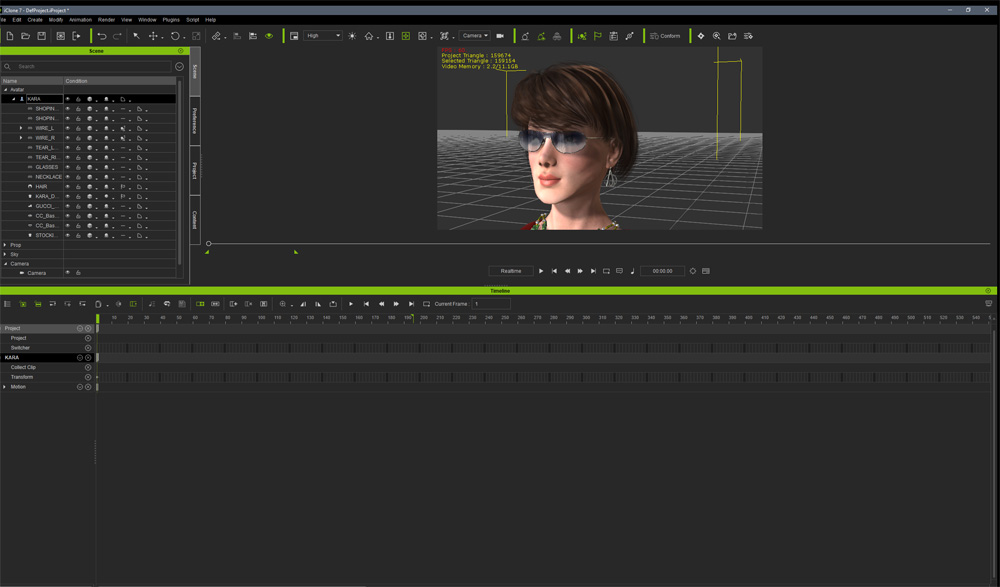
But in rendering, there are some transparent squares as here

Where does it come from ? thank you for your help
|
|
By animagic - 7 Years Ago
|
I have seen hair artifacts when the hair is in front of an object with some transparency. However, looking at your scene that doesn't seem to be the case. Things like smoke also can give problems.
That said, all these issues have supposedly been resolved.
|
|
By justaviking - 7 Years Ago
|
Awww... that kid is SO SAD... :(
Excellent work on him.
As Animagic said, I too have seen iClone's renderer struggle when overlapping items both have transparency. I hope you get it figured out because your scene looks great.
|
|
By TonyDPrime - 7 Years Ago
|
I can't think of a good reason why iClone is producing render errors which are not showing in viewport.
This may be a specific issue with the character, or maybe, just maybe, a bug.
Whenever I encountered transparency issues they always appear in BOTH viewport and render.
Charly - are you using Super Sampling of any type? Assuming you are using Final Render, what happens if you instead run the render as Preview?
|
|
By TonyDPrime - 7 Years Ago
|
I can't think of a good reason why iClone is producing render errors which are not showing in viewport.
This may be a specific issue with the character, or maybe, just maybe, a bug.
Whenever I encountered transparency issues they always appear in BOTH viewport and render.
Charly - are you using Super Sampling of any type? Assuming you are using Final Render, what happens if you instead run the render as Preview?
|
|
By 4u2ges - 7 Years Ago
|
Can you post screenshot of the exact render settings for that second image?
|
|
By 4u2ges - 7 Years Ago
|
I just made this video to show the reasons for this ugly bug.
Any time you render a close shots of the hair, or any other object with dense opacity maps, you get ugliness when:
1. You render with full screen, or fairly large view-port.
2. You enable Super Sampling
Question: How to overcome those artifacts without disabling SS?
Answer: Render with SMALL view-port. The size of the view-port should be determined experimentally.
Here is an example:
My screen resolution is 2560x1440px and I am rendering 1920x1080px video
Demo video contains three, 3 seconds repeated clips.
Clip1 - Render with "Optimize with Full Screen Render" and SS 3x3 enabled. Result - is horrible hair opacity artifacts.
Clip2 - Render with "Optimize with Full Screen Render" checked , but no SS. Result is better, but artifacts are still there.
Clip3 - Render with SMALL view-port and SS 3x3 enabled. Result - all artifacts are gone.
Here is how view-port looked like when I fired up Export for clip 3:
Full screen / large view-port size renders have certain advantages such as smoothing jagged edges on some objects with enabled glow, suppressing GI flickering.. etc. And it is faster.
But when it comes to close head shots with certain hair, it is just unacceptable.
I usually render close shots separately from the rest of the video for that reason.
|
|
By Dr. Nemesis - 7 Years Ago
|
Charly try making your viewport as small as you can and then render.
It’ll take considerably longer but in my experience it fixes that problem.
Just try a couple frames first so you don’t waste a ton of time if it doesn’t work.
Edit: 4u2ges beat me by 7 seconds.
|
|
By charly Rama - 7 Years Ago
|
Thank you guys for your help..
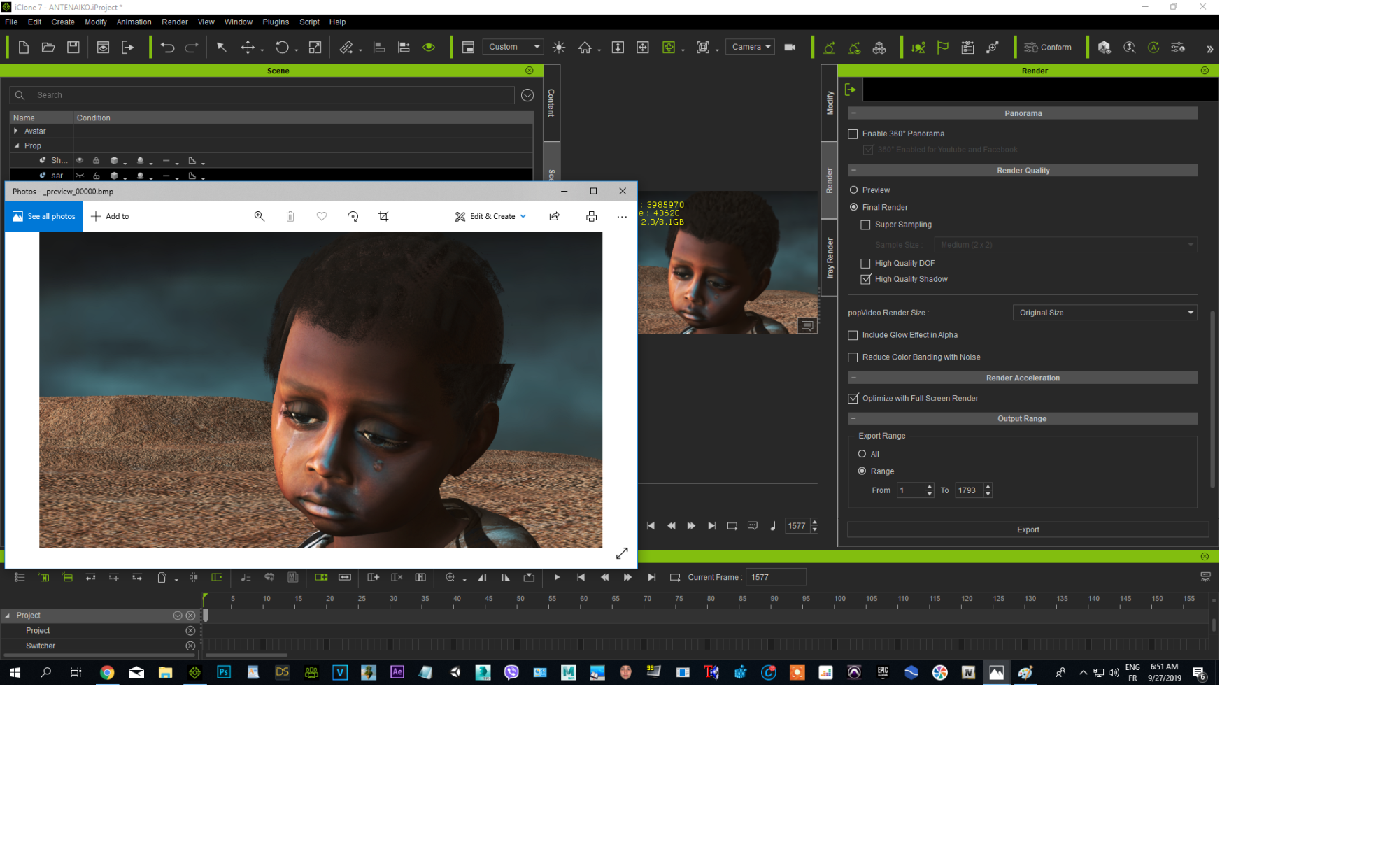
I've disabled SS, reduced viewport, but it's still so ugly :) maybe I just won't shoot a close-up view, which would be a shame because it is to show the sadness
|
|
By charly Rama - 7 Years Ago
|
Eureka
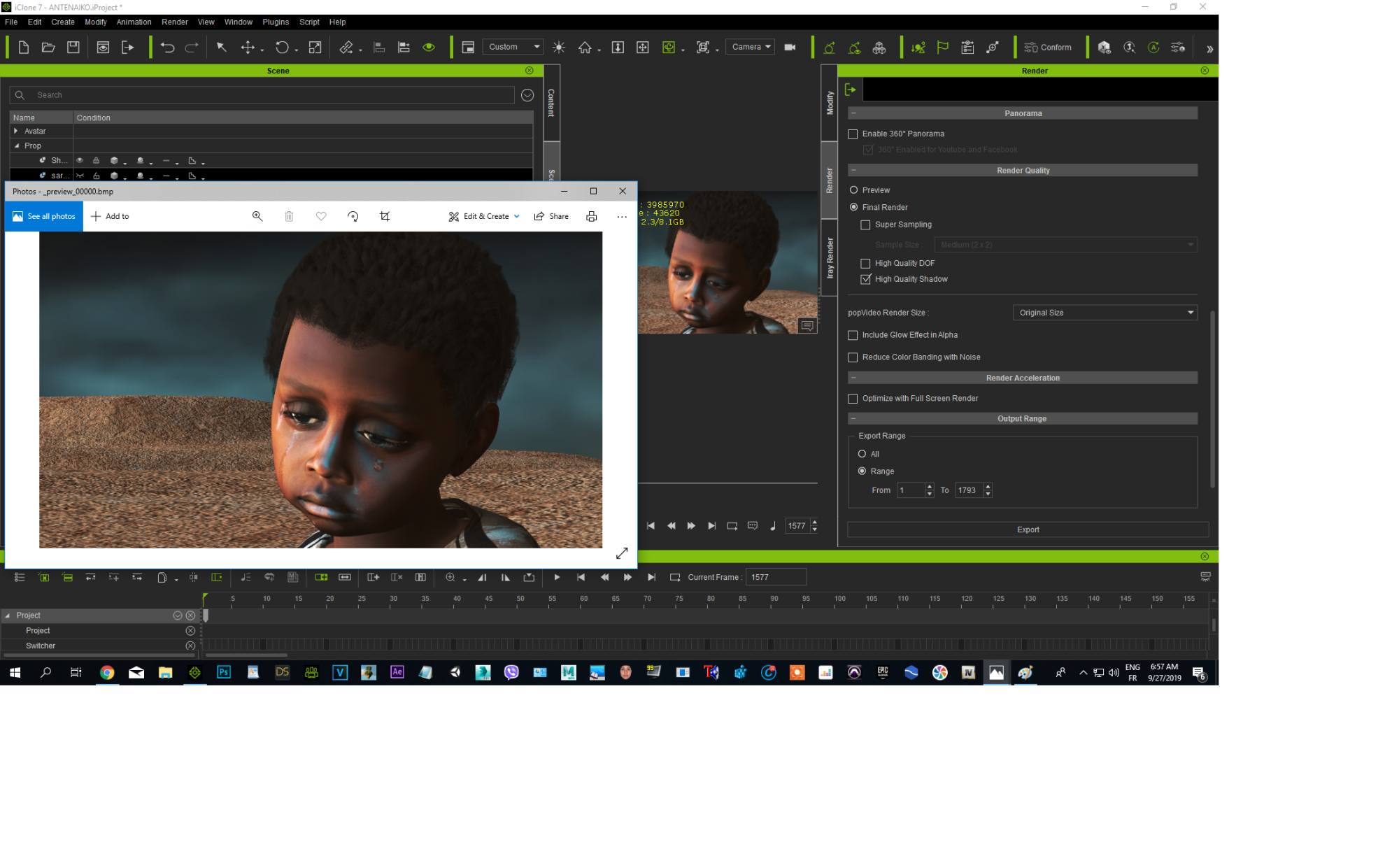
Thank you so much guys thank you TonyDprime, Justaviking, Animagic, 4u2ges, Dr Nemesis, it was fullscreen render, now it's better, thank you all. I love this community :)
But RL should resolve this because if this options are there they shouldn't give that kind of issue
This is a work for a professional singer's clip video about misery, sadness and hope. I'll show you a part of video. They love it because they have trouble distinguishing the animation from the real, they think working with all a team (it's only me) but I have a great "team" having you all guys
|
|
By toystorylab - 7 Years Ago
|
Wow, thats an impressive shot...
How did you achieve those tears?
Do you use "Actual Tears" from DAZ for that?
https://www.daz3d.com/actual-tears
Here is what i get with "Actual Tears":
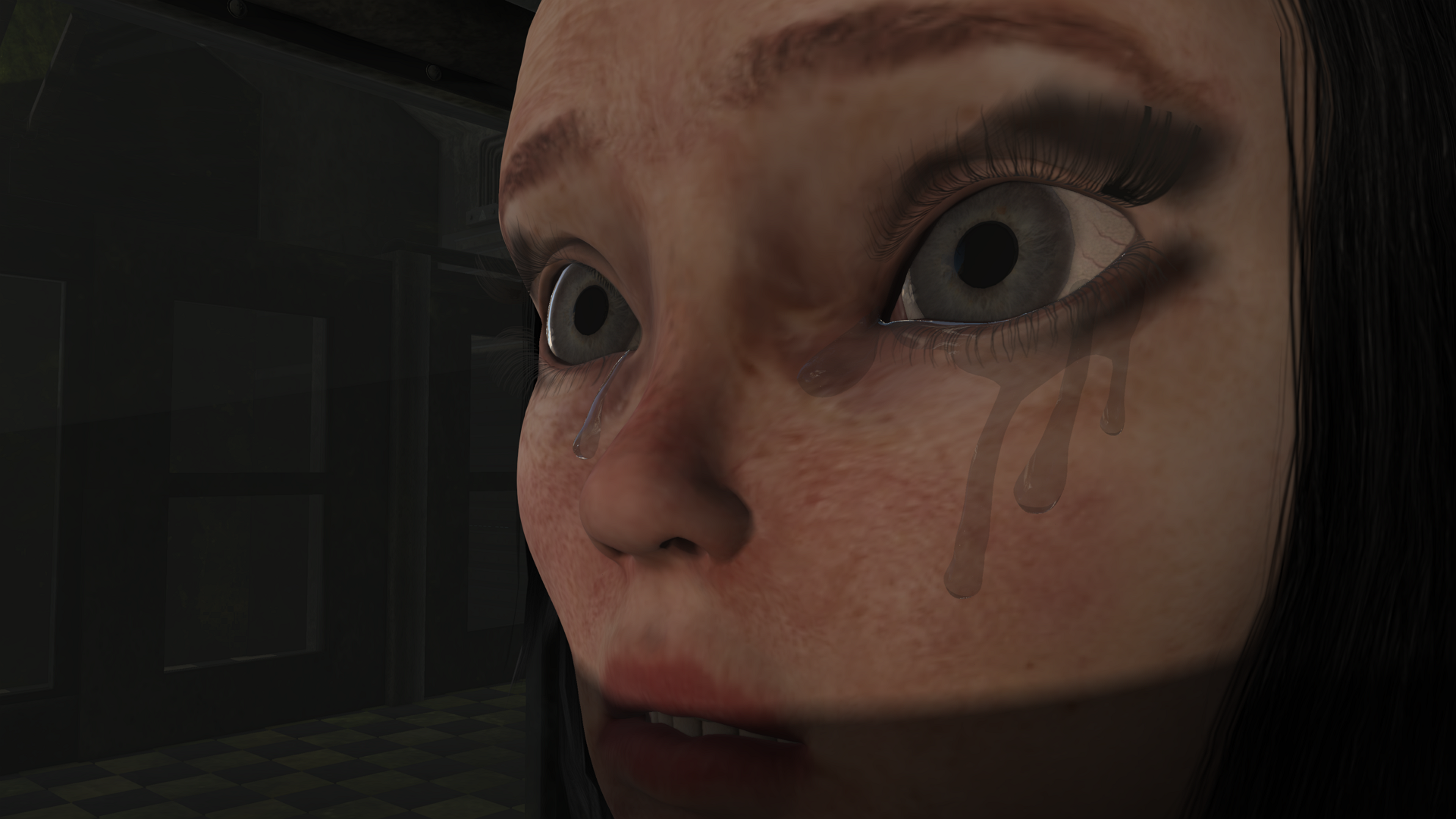
Your result looks more convincing...
|
|
By charly Rama - 7 Years Ago
|
|
No, I don't own this, this is a really good tool but I don't know much how to use it at iclone, mine is video texture .You can do anything, anything at Iclone with video texture. I'll share it for you guys, you've helped me :)
|
|
By TonyDPrime - 7 Years Ago
|
Charly - did you make the viewport mega-small for the last result? it looks really good now!
Or, did it just randomly work the second time, because the last 2 looked the viewport size looked the same.
Anyway - Now we know why he's crying...because of the bug!
|
|
By charly Rama - 7 Years Ago
|
I think it's all the three parameters, but the most important is disabling SS and full screen rendering.
Yes, that's why he was so sad :(:( :D:D
Guys, for the drop of tear, it's really simple : you take a sphere prop, scale it to ovale, scale it to reduce size, reduce opacity, place it, attach it and it's ok, you can move it with timeline and the kid cries :)
|