Character Creator 3.1 not opening


https://forum.reallusion.com/Topic420545.aspx
Print Topic | Close Window

By Atmey - 7 Years Ago
When I double click the icon or click Open in Reallusion hub, I get the loading screen it says "Please wait" for few seconds and crashes.

I am using Windows 10 Pro
CC 3.1 Pipeline
GTX 1080 Ti (Latest Driver)
I7 6700K 16GB RAM

I tried: 
Restarting
Running the program with minimal background applications running.

I didn't try reinstalling as I am afraid all my files/morphs will be gone.
It was running fine few weeks ago, the biggest change I remember is updating the GPU driver a week ago or so.

Please assist.
By Peter (RL) - 7 Years Ago
Unfortunately there are known issues with the latest Nvidia drivers. Please see the thread below for more information.

https://forum.reallusion.com/419954/IMPORTANT-Nvidia-Graphics-Driver-43602-Issues
By Atmey - 7 Years Ago
Thanks, used Display Driver Uninstaller (DDU) to downgrade driver, it works now.
By animagic - 7 Years Ago
As many have this problem with the drivers, could we add a banner at the top of the forum for emergency messages?

Or, better still, have RL send an email to registered users that the latest Nvidia drivers should not be used.
By martok2112 - 7 Years Ago
I had this problem as well, (CC3 splash screen shows up, stays at Please Wait for a few seconds, then crashes) but fortunately for me, it was resolved with a simple reboot of my computer.
By wlokaz_87 - 7 Years Ago
HELLO. I am a new member of the forum.

I recently bought CC3 and CC Exhange and it doesn't work from the beginning - please send the message "authentication problem".
I tried to close the anti-virus and firewall, unblock pop-ups in browsers, enter entries in the Internet settings, update drivers. I have many
3D programs and all contained flawlessly. I don't know how to handle it. Write to Reallusion again for help.

greetings
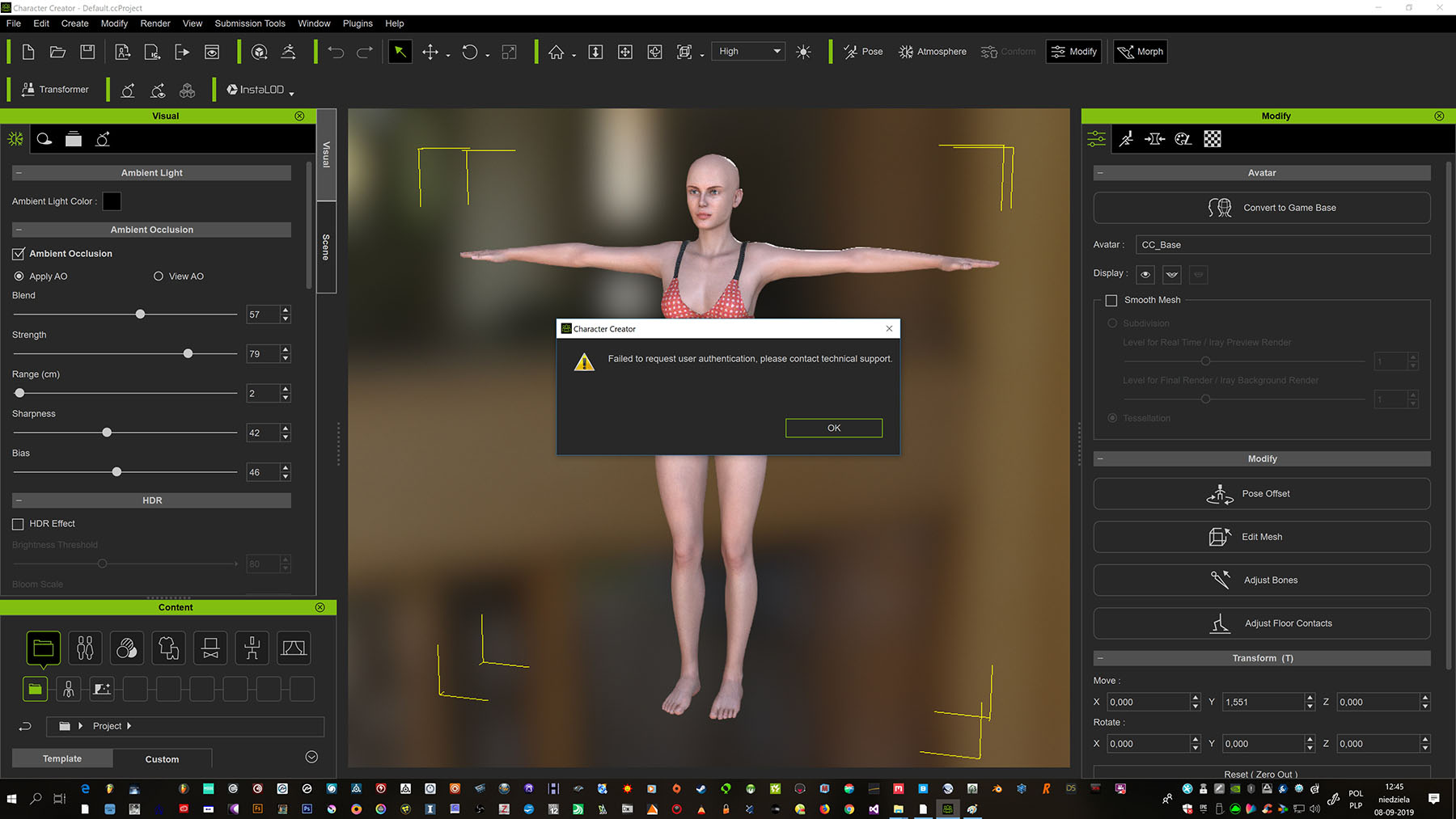

https://forum.reallusion.com/uploads/images/7c71a86c-13ee-47a7-b2ac-9b94.jpg