|
By toystorylab - 7 Years Ago
|
As I never figured out how to use these settings, i always had all 4 ticked... :blush:
And daily workarounds simply made me ignore those settings :pinch:
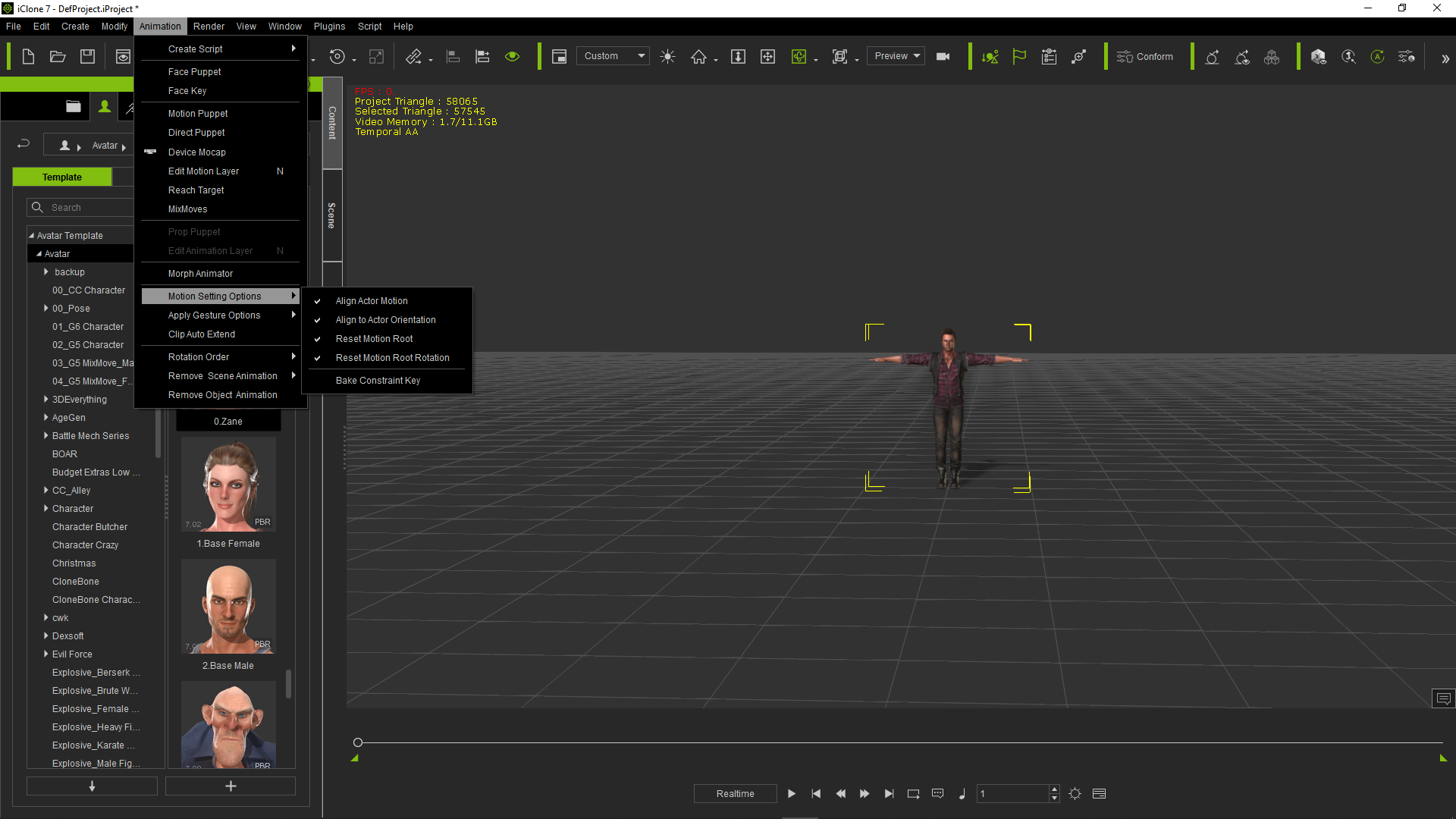
Yesterday i learned that's NOT a good idea...
So i went to the manual and reread those particular points.
For those who might think this would be usefull;
the explaining text from the manual without graphix,
followed by the link to that page in the manual (with illustrating graphix):

Link to "Align Actor Motion"

Link to "Align to Actor Orientation"

Link to "Reset Motion Root"

Link to "Reset Motion Root Rotation"
"Bake Constraint Key" is, when you used all this above correct :D, important when you use "Collect Clip"
(bake the Reach, Look At and Link (in Constraint group) keys into the motion)
Link to "Bake Constraint Key"
EDIT
It would be nice to know how you guys handle those 4 options...
I mean, they are explaned above, and some particular scopes are clear but what's your "default" setting?
And do combinations contradict?
...
Further Hints, Tutorials, whatever might regard "Motion Setting Options" is welcome ;)
Thanx
|
|
By nanaeffahobeng - 7 Years Ago
|
hi
Have you been able to install successfully the motion live plug-in?... I downloaded the trial but its not working? Do you have any idea what I must do?
|
|
By ultimativity - 7 Years Ago
|
@toystorylab
Thanks for posting this. Still new to IC7 and needing to learn features like this.
Nathan
|
|
By The-any-Key - 7 Years Ago
|
I mostly have all checked. As I often want to combine clips and make sure each clip start of from the last clip ended. Even if the first clip moved or rotated my character.
If you however create your own animations with reach keys and other I always bake them before creating a new collected clip. Then I can remove my reach animation and apply the collected clip instead so everything works as expected.
|