|
By troycarpenter7 - 7 Years Ago
|
I have a character in blender with shape keys. As you can see below the characters body has the shape keys.

I exported this character as an FBX into 3D Exchange. In 3D Exchange I converted him into a non-standard character by assigning his body bones. I want to be able to animate the face in blender because I find iClone expressions look too similar from one character to an other. From 3D Exchange I exported him as an iAvatar. I imported the iAvatar in iClone7. I animated the body as planned. I then exported the character and his animation as a FBX for import into blender for face animation and rendering. The problem I am having is somewhere in this process I lost the shape keys. See below.
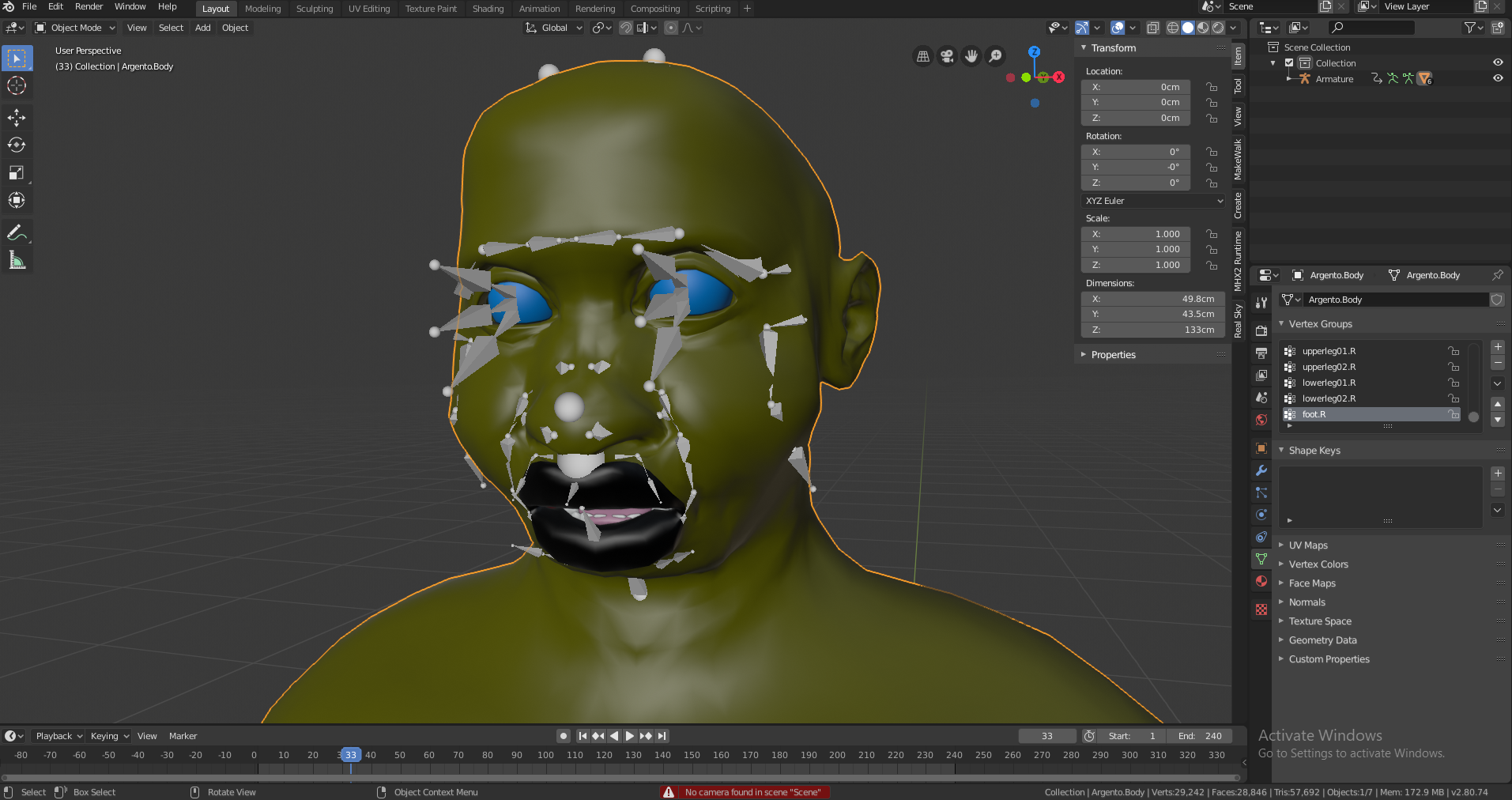
Does anyone know which transfer the shape keys were lost and/ or a solution to keep them?
|
|
By 4u2ges - 7 Years Ago
|
This is rather a complex workflow and sure shape keys would be lost (I think after conversion to non-standard).
What you can do, is to restore DATA from the original character. I did it before for some daz props, but not the characters. So make sure to have a good backup before proceeding.
You need to bring both characters into Blender (given they have same number of vertices, pose and vertex groups)
* In Object mode move them apart for convenience (I'd move the original one with shape keys)
* Select body of the character without shape keys. Then SHIFT and select body with shape keys.
* CTRL+L and select Object Data
At this point everything under Data tab (the one that looks like a tris) would be transferred including shape keys.
See if that works for you.
|
|