|
By niceblinkluck - 6 Years Ago
|
i have a superhero with a cape...ive watched a video on youtube on how to import you character from say blender into iclone
but in the video i watched, after the female character was imported she was tested in a walk cycle and walked right through her lower dress
...this cant be right...
i get the feeling if i imported my character he would walk and his cape wouldnt function....i havent bought exchange yet...to tell you the truth there are not many video tutorials on you tube about it and i tend to like to see a few recent ones so i know the latest version is well covered. how would my cape be sorted out?
|
|
By Kelleytoons - 6 Years Ago
|
With capes you just need to add a physics weight map to it. Depending on how the cape was constructed this can be super easy or a bit difficult (you will need UV mapping on the cap, for sure).
I went back through all my tutorials and the only weight painting I have is for hair and dresses -- but it's essentially the same process. Here's the only animation I could find with some capes in it but it will give you an idea they can work very well indeed:
|
|
By niceblinkluck - 6 Years Ago
|
|
It looks great there...im crap at weight painting in blender which makes me think I should pay someone to do it...though I will have a go myself first....its a lot of cash to shell out and then find out I can't get the cape sorted.….I suppose I could try the trial version...but I'm wondering how long it will take me to sort that cape and are there any tutorials on how to...once again the amount of tutorials on such an expensive software is poor.....I really want this but I'm not great at picking things up unless I'm well covered with tutorials and help...thanks for the reply.
|
|
By Kelleytoons - 6 Years Ago
|
Weight painting is dead easy if the UVs are right (and UVs are easy if you have a program like 3DCoat).
Here's a couple of tutorials about hair and skirt that should give you the general idea:
|
|
By niceblinkluck - 6 Years Ago
|
Mmm.. Ok I will see how far I get with the trial version...thank you so much for the help
|
|
By Kelleytoons - 6 Years Ago
|
|
If you don't mind posting your character I'd be glad to see how easy it would be to do what you want.
|
|
By niceblinkluck - 6 Years Ago
|
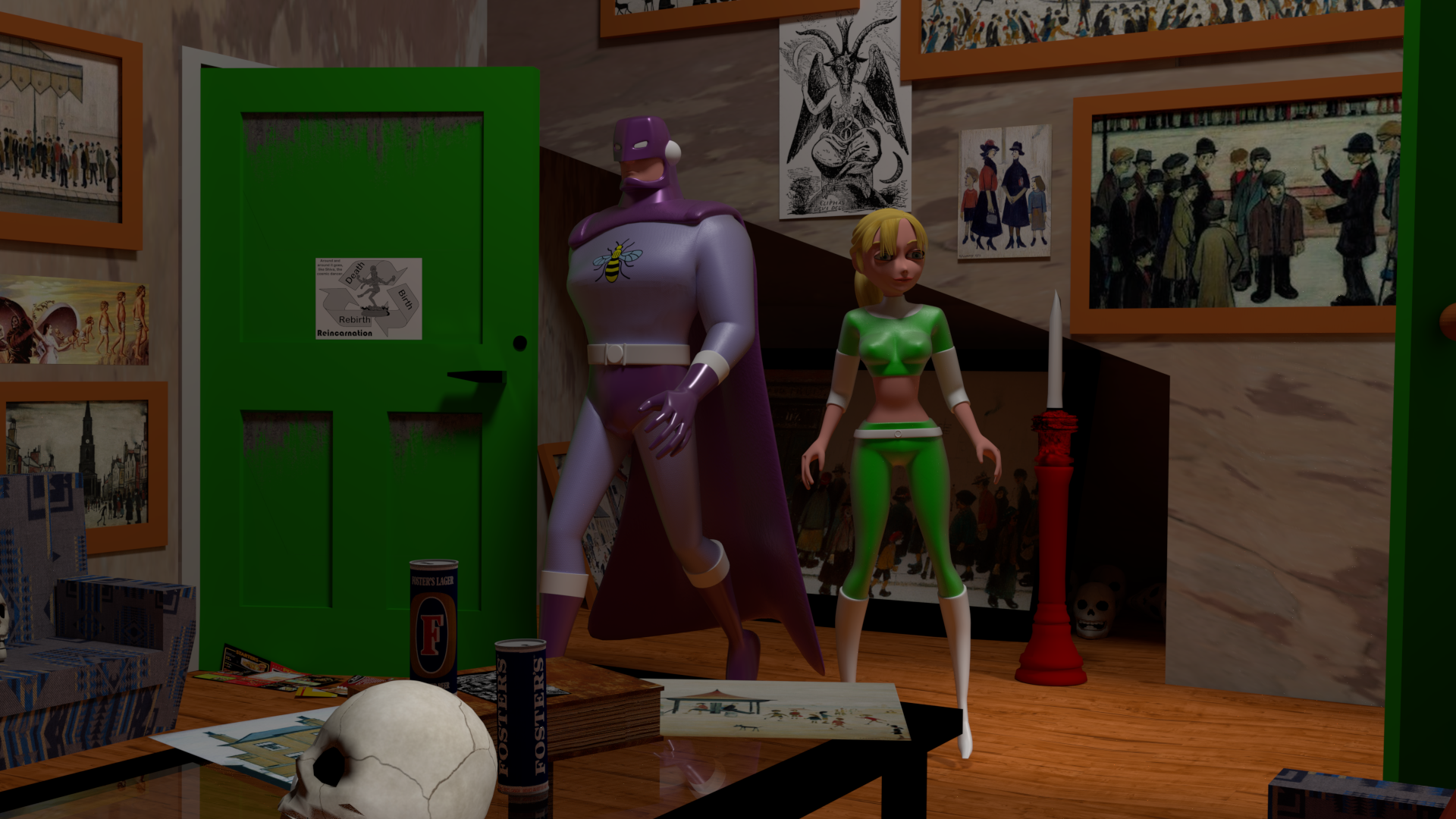
|
|
By niceblinkluck - 6 Years Ago
|
I can post a better image if wanted...this one was just handy.....obviously he would need to talk, widen and narrow his eye slits if possible and blink too
|
|
By niceblinkluck - 6 Years Ago
|
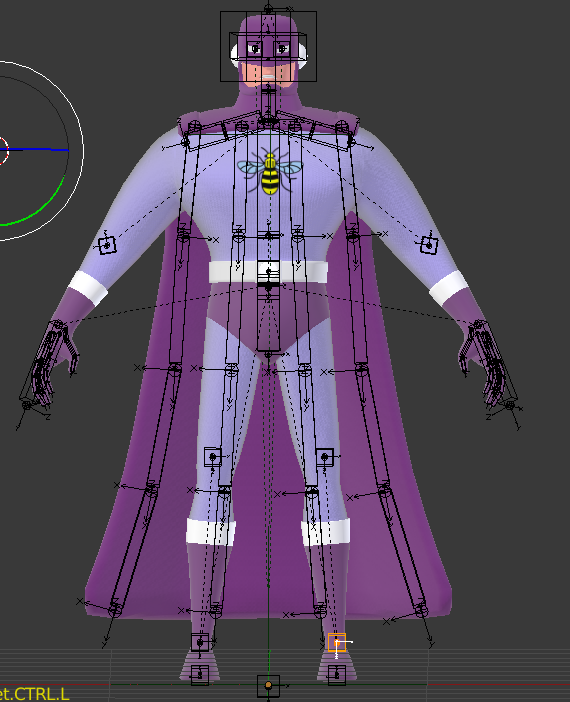
|
|
By niceblinkluck - 6 Years Ago
|
|
|
|
By niceblinkluck - 6 Years Ago
|
|
Found one...lol
|
|
By Kelleytoons - 6 Years Ago
|
|
Sorry if I wasn't clear -- I mean posting the actual character itself (so I could do the cape weighting). If you don't feel like sharing with *everyone* you can privately email me if you'd like, but without the figure I can't do much.
|
|
By niceblinkluck - 6 Years Ago
|
|
GOTCHA... what format fbx? tpose?
|
|
By niceblinkluck - 6 Years Ago
|
|
or just the blender file?...sorry new to all this
|
|
By Kelleytoons - 6 Years Ago
|
|
Blender or FBX, whatever suits you (I only have version 2.79 of Blender, though, and have no intention of installing any other version. I'm not sure if the Blender file format changed or not).
|
|
By niceblinkluck - 6 Years Ago
|
|
no idea how to post it on here...don't seen to be able to to fbx..I have 3 laptops and a surface pro so it must be how imtrying to do it...ill send you a blender file via we transfer what is your email address...ooh whats your name I feel like I should be calling you by your first name ..thanks again
|
|
By Kelleytoons - 6 Years Ago
|
You can upload ZIP files here but they need to be small enough.
I'm Mike Kelley, and my email is mike at kelleytown dot com.
|
|
By niceblinkluck - 6 Years Ago
|
|
cheers mike...ive started to send it to your email address...I wonder why I don't seem to be able to export to fxb to my desktop...I must be doing something wrong ...I have a powerful and recent enough laptop...it will probably take a few minutes to reach you
|
|
By niceblinkluck - 6 Years Ago
|
|
obviously if my caped hero can be done then im all for buying the programme and importing the rest of my cast and my scenes
|
|
By Kelleytoons - 6 Years Ago
|
So far as yet Blender isn't letting me export as FBX... which means I can't even try it out anywhere else.
Since YOU couldn't do it either, I'm assuming there's something wrong with your file (the way it's constructed). It might be the bone structure (you don't need the cape bones so that would be the first thing I'd get rid of) but I'm just not enough of a Blender expert to help here. Sorry.
|
|
By niceblinkluck - 6 Years Ago
|
thats ok mike..it was brilliant that you were good enough to help...i didnt rig him...i can make things in blender but not rig...I got a guy in belgium to rig my character...that guy doesnt use iclone...
so ive hit a brick wall with using my cast in i clone....but it didnt cost me nearly 300 quid.
my only other option is iclone cartoon characters ( which i just bought)..to costume them ... turning one into my superhero with his cape ....again making clothes and his helmet and a cape may be a steep learning curve and include buying 3d exhange anyway
|
|
By Kelleytoons - 6 Years Ago
|
If you get CC3 (the Pipeline version) you can import anything from Daz and they have a TON of superhero and toon stuff. That ought to give you the ability to quickly get almost any superhero look you want in short order.
I'm in the middle of something right now but if I get a few minutes I'll show you what I mean.
|
|
By Am7add9 - 6 Years Ago
|
export as obj, import back to blender
delete all the skin meshes
and export as obj to cc3
|
|
By Kelleytoons - 6 Years Ago
|
|
That won't get him the character, which is what he's trying to do (the cape is just one small part of the equation).
|
|
By 4u2ges - 6 Years Ago
|
niceblinkluck (7/7/2019)
Is that an XNALara guy? You might need an XPS Blender plugin to get him out properly.
|
|
By niceblinkluck - 6 Years Ago
|
as a newbee getting him across and hearing...
|
s that an XNALara guy? You might need an XPS Blender plugin to get him out properly.
| | Kelleytoons | |
thanks 4utgs but im just confused all the more now....i do have cc3 pipeline...both that and the new cartoon characters i bought recently...so mike you are now saying i can bring in daz clothing..do i not need exchange to do that? the new cartoon characters are what i want to use if i cant use my own
|
|
By niceblinkluck - 6 Years Ago
|
|
ive just installed daz studio
|
|
By 4u2ges - 6 Years Ago
|
I was mostly referring to Mike, when he said there is no option to export an avatar out of Blender.
But I believe you'd indeed be better off with DAZ > CC3 pipeline.
Good Luck :)
|
|
By niceblinkluck - 6 Years Ago
|
|
thanks...just had a quick look around the superhero costumes..they look great but I cant see a way to mix and match to get my hero costumes..im now wondering if I should export the iclone cartoon characters to blender...model the suits around them and then reimport into cartoon creator 3/iclone and add a cape from daz..if I can find a purple one to match his costume
|
|
By 4u2ges - 6 Years Ago
|
It is way past my bedtime and I believe Mike would talk to you in the morning, but you made me laugh though. It is actually a Character Creator 3, not Cartoon Creator..
But I bet you knew that :)
|
|
By niceblinkluck - 6 Years Ago
|
|
LOL...yes...ill be using character creator 4 and the new cartoon characters...lol....if i can ever get mat head around the best way forward....they must wear the costumes i have already designed for them as im doing comics as well.
|
|
By Kelleytoons - 6 Years Ago
|
Okay, just woke up (5:30am here) and am trying to get my head in the right place to reply.
First of all, sticking to CC3 (Character Creator 3 -- no such thing as 4) characters is your best bet for working in iClone. It gives you all kinds of advantages, including being able to use almost anything from Daz in the way of avatars, clothing and hair. You *can* import avatars through 3DX, but you won't be able to use any iClone clothing or much else with them, and they also can have many issues with other things (like facial animation). MUCH better to stick within the universe by CC3 Pipeline.
As to getting your avatar to look like the one you posted to me -- not *completely* easy but doable. The Daz superhero suit has zones which should allow you to get very, very close fairly easily. The rest (the minor details) you can either have somewhat different from your print version (hey, even Superman looks different in the comics than he does in animation or live action :>) or you can learn the techniques you will need to get him right. OR you can reverse engineer him (which is to say, you can change the comic version to match what you could achieve by the animation).
I started to put together such an avatar for you but it got late and I got sidetracked on the cape/cowl (I found a cool one in Daz but I had to create a UV map for it. Easy to do with 3D Coat but that's still another tool for you to have and while it cost less than $100 -- I think $79 right now -- it might be asking too much for you to get. But eventually you may want it anyway, as it's insanely useful for 3D work).
Today is my tennis day, and since this is the first time I'm trying it in many months (due to surgery) my time may be limited (IOW, after I try this I may be in so much pain I may not be able to sit at the computer). Let me see how it goes and if I can squeeze in an hour or so I'll try and come up with something close.
|
|
By niceblinkluck - 6 Years Ago
|
|
ARRRRRRRRG...CHARACTER CREATOR 3
|
|
By niceblinkluck - 6 Years Ago
|
HI MIKE hope you are ok after surgery....i cant reverse engineer the costume...two 2d cartoons are on you tube that took a long time to create and the first self published comic has been on sale some months with a second drawn waiting to go to print in september.
the thing doesnt have to be done this minute so if you are in pain and watching tennis thats fine...its enough that you would like to help.
I dont like using realistic figures...so thats why i like the new cartoon figures so much...also it fits in with my almost bruce tim look...that im trying to put a little of in my comics
sooooo......thanks a ton for saying youd like to help....no rush....
|
|
By niceblinkluck - 6 Years Ago
|
|
OOH IF YOU NOTICE HE WEARS A HELMET A BIT LIKE LIKE CAPTAIN BRITAIN....NOT a close fitting mask
|
|
By niceblinkluck - 6 Years Ago
|
|
obviously if you think it will be too hard thats fine..it was amazing of you to offer help
|
|
By Kelleytoons - 6 Years Ago
|
"Watching tennis" -- LOL, I almost never *watch* tennis.
No, today I'm going to give it a shot after many months off. Playing. So we'll see how it goes. And I will get *something* of your avatar going. If nothing more I'm sure to have all of tomorrow (since after today I don't intend to be moving around too much :>).
|
|
By niceblinkluck - 6 Years Ago
|
|
OH WOW,,thanks...do you have the new iclone cartoon characters to use as a base? ....enjoy tennis
|
|
By niceblinkluck - 6 Years Ago
|
Obviously we live in different parts of the world, I live in Manchester England...hence my superhero is the Mancunian. His chest emblem is a Manchester bee...they all look like this...you can spot them all around Manchester...
|
|
By niceblinkluck - 6 Years Ago
|
After a terror attack at an Ariana grange concert in Manchester she got the tattoo to show support...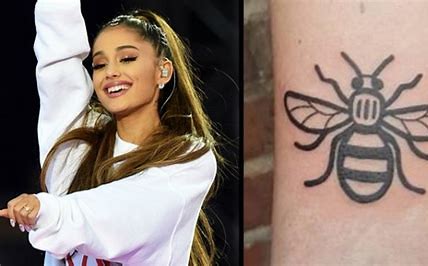
|
|
By niceblinkluck - 6 Years Ago
|
|
Oh wow..just looked you up on you tube and I've watched some before...very impressed
|
|
By niceblinkluck - 6 Years Ago
|
https://www.youtube.com/watch?v=b8r1fp95WKA&t=27s
Here's one of mine....this was before Mancunian went with the bee on his chest and went with the unofficial Manchester flag chest emblem
|
|
By Kelleytoons - 6 Years Ago
|
Okay, after tennis, some dinner and then I park myself for a few minutes here and this is what I come up with.
Clearly it needs more work, but it has the advantage of not using any DRM assets. You could always use the basic costume for any other morphing you wanted. The biggest issue is the cowl isn't the same as your design. I couldn't easily find one to match, but that doesn't mean there isn't one out there, nor does it mean you couldn't make one of your own (if someone put a gun to my head I'd take the avatar into Blender, remove some of the chin faces and expand them, and just use them as a separate piece on the existing cowl, which I think would work fine. But I'm WAY too tired to do more than this tonight and you may not want any of this).
If you do want it send me your email (you can do it via email to me, if you're shy here :>).
|
|
By niceblinkluck - 6 Years Ago
|
Wow mike that is awesome.....he looks sooooooooo goooood
obviously like you say needs a little more work...I totally understand...its amazing you have got him this far.
you couldn't find a helmet....and when his head moves sometimes his skin comes through...lt doesn't have a nose shape in the helmet and the chin metal piece isn't there.but you know all that.
the belt ends too soon and doesn't go round the back...
His costume darker purple and lighter purple should be a little lighter .
The cape Too long and it isn't straight across at the bottom....but God you got him so far in such a short amount of time.
Did you take him into 3d exhange or do it all in iclone/daz?
|
|
By niceblinkluck - 6 Years Ago
|
|
|
By niceblinkluck - 6 Years Ago
|
|
|
By niceblinkluck - 6 Years Ago
|
|
Do you think it would be better to change his head shape in blender like you say.. or make a helmet and attach it too his head? I'm trying to understand the best way
|
|
By niceblinkluck - 6 Years Ago
|
|
Do you think it would be better to change his head shape in blender like you say.. or make a helmet and attach it too his head? I'm trying to understand the best way
|
|
By niceblinkluck - 6 Years Ago
|
|
im still just looking around daz at the moment....but get the idea...put a costume on that is close from daz...adapt it as far as I can then take it into blender for final tweak ...if I cut the bottom of the cape off in blender and I made the belt go all the way round in blender...would it work ok when back in iclone? if so I could even tweak the colours in blender..
|
|
By niceblinkluck - 6 Years Ago
|
|
by the way I see you use anime studio...that's what I used to make my cartoons...I have bought cartoon animator 4 but not had time to get to grips with it yet....ooh yes id love that mancunian so far...… my email is niceblinkluck@yahoo.com. if you ever are flush with free time....only joking...id love to see how far you can get the helmet right...but understand we are all busy on our own stuff..thanks again for the help
|
|
By Kelleytoons - 6 Years Ago
|
I'll give it a bit more time today and send off what I have -- however, the colors are exactly right (I used the colors as you colored them in your Blender file by taking the RGB parms for each material). Remember that lighting in iClone makes all the difference in the world (IOW, just getting colors on a material is only half the battle -- you need to then understand how all the different lighting parameters work to achieve the look you want. This is VERY different from 2D, where you can use absolute colors).
Speaking of which -- yes, I used Moho quite a bit previously. I still run the only forum available for it now that Mike Clifton is shutting down LostMarble. I have a vast array of tutorials on its usage and was one of the primary betas for many years (Smart bones was my contribution). I still think it's the best program out there for 2D work.
|
|
By niceblinkluck - 6 Years Ago
|
yes...i had a guy in america called neeters who helped me on my anime studio cartoon ...he was on the moho forum a lot...then i lost track of him a year or two back...i love anime studio 11 ...not got round to moho yet....not too interested in using bitmaps
i got part way on a blender cartoon ..about ten mins of film an the render time was killing me..so i stopped..2 years of work.
didnt know that about the colour thing being the same...
as ill be using the new cartoon characters from the new cartoon character pack im wondering if the hero you are making will fit in with that style? is it too late to pass you a cartoon figure from my new figures? im now pretty convinced i need three 3d exhange..i could get it today .bloody cheeky...i know.....so dont expect you to say yes.
im more than happy to take the character in any way shape or form you want to give me....youve already done more than enough
|
|
By Kelleytoons - 6 Years Ago
|
Essentially you don't know enough to know what you don't know <g>.
The avatar I created is both a costume and an avatar. The costume can be applied to any avatar, but it even goes beyond that. The toon packs from RL are just morphs that are applied to the basic CC3 figure. That's exactly what I did to get the avatar I created, but I used Daz morphs instead. You can use either OR (and this is where it gets both interesting and bewildering at times) any combination. There are literally infinite combinations of morphs to create characters, and what I did was mostly just a sample to show you what you could do.
So... you could save out the costume and make your own avatar. Or you could take what I did and apply some hundreds of other morphs in tens of thousands of other ways. My basic advice is to get a certain "style" (a combination of morphs that are uniquely yours) and then just adjust this slightly to get other characters. That's the way people get a consistent "universe" (so all the Simpson's people look like they belong because they all have the same underbite, the same ears and eyes, and the same mouths).
BTW, Moho IS Anime Studio. It started off as Moho, then they renamed it as Anime Studio, and now they've gone back to Moho as the name. But same exact things you can do, although with each version they add stuff. 12 is the minimum I'd recommend nowadays, since they've added some very powerful features there (13 just came out but I wouldn't bother). All versions are upwards compatible (so a project in 11 will open in 12, but not backwards compatible, like most software is not).
The ONLY reason you need 3DExchange is if you are creating non-CC3 avatars. I would not recommend it otherwise (so don't spend the money).
|
|
By niceblinkluck - 6 Years Ago
|
.trying to get this straight...
the costume and avatar i use from daz or cc3 can be morphed in either?
so i can move your character and costume from daz to cc3 and back?.and transfer the costume to one of the new cartoon characters from reallusion and it will fit.?
i can get a costume in daz and morph it to my own design and put it on my character ? change colours in daz add the helmet..shorten his cape.and morph his head to look like hes wearing a helmet ...?
and like you say get the characters to look a certain way....there are a good amount of face morphs in cc3...are there different ones in daz?
i really need to catch up on all this...
gotcha on anime studio....moho...12 is the one i should get
|
|
By Kelleytoons - 6 Years Ago
|
You can move a Daz clothing, or avatar (or hair) into CC3 -- what happens is that the avatar is remapped onto the CC3 one (and clothing/hair is converted to CC3 usage). You cannot move this stuff back to Daz (well, conceivably you could export the FBX but at that point you could never use it in iClone through CC3 anymore. Trust me -- just don't do that).
But, yes, you can do whatever you want in Daz short of editing the avatar by adding/removing vertices (or changing the rigging), and then transfer the result in via Transformer to a CC3 character. Once the stuff is in CC3 format you can save both the avatar and clothing (or both together) and apply to other avatars/clothing.
You just need to start working with this stuff for a complete understanding and then you'll get it.
|
|
By niceblinkluck - 6 Years Ago
|
Yes...well ill be trying to get his partner my female superhero ... done this way...so i will be playing with this a lot....
transformer? is it something i have to buy? sorry for the questions.. i should just get my hands dirty...and will start tonight,,ill look for tutorials..
so i should model the clothes on any daz character and import to cc3 then swap the clothes onto my own new cartoon character avatar....will do...thanks
|
|
By Kelleytoons - 6 Years Ago
|
|
You need CC3 Pipeline edition -- this is what comes with Transformer. It is a paid version, unlike the free one, and worth every penny (it also does some other very cool things that are worth having).
|
|
By niceblinkluck - 6 Years Ago
|
|
i will upgrade if its not the version i have tonight Mike
|
|
By niceblinkluck - 6 Years Ago
|
|
the new cartoon characters have a very limited amount of hair styles.(not propper hair...looks more plastic....im hoping i can get some more plastic hair from somewhere or morph it ..otherwise ill have about six hairstyles
|
|
By Kelleytoons - 6 Years Ago
|
|
Look at the Daz catalog. They have a lot more cartoon hair, all of which can be used.
|
|
By niceblinkluck - 6 Years Ago
|
|
sooooo just bought cc3 pipline..downloading it all excited to dive in and my cousin turns up....so it will be the morning before I get to explore...thanks so much
|
|
By rdegoede333 - 6 Years Ago
|
Mike is right ! Let the Cartoon Figures come to live !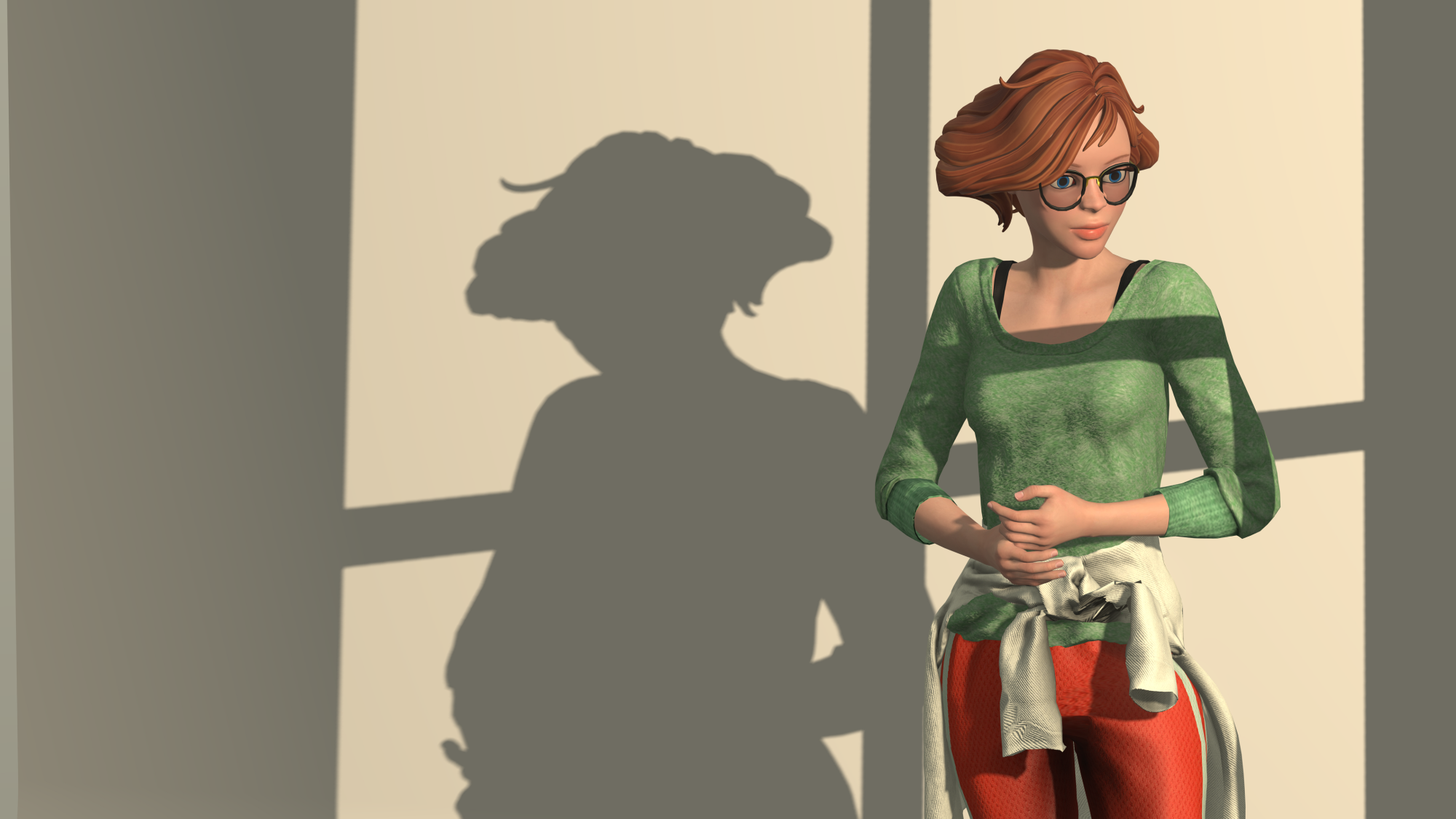
|
|
By rdegoede333 - 6 Years Ago
|
New to the forum, ... Mike is right, let the Toon Figures come to Life ...;)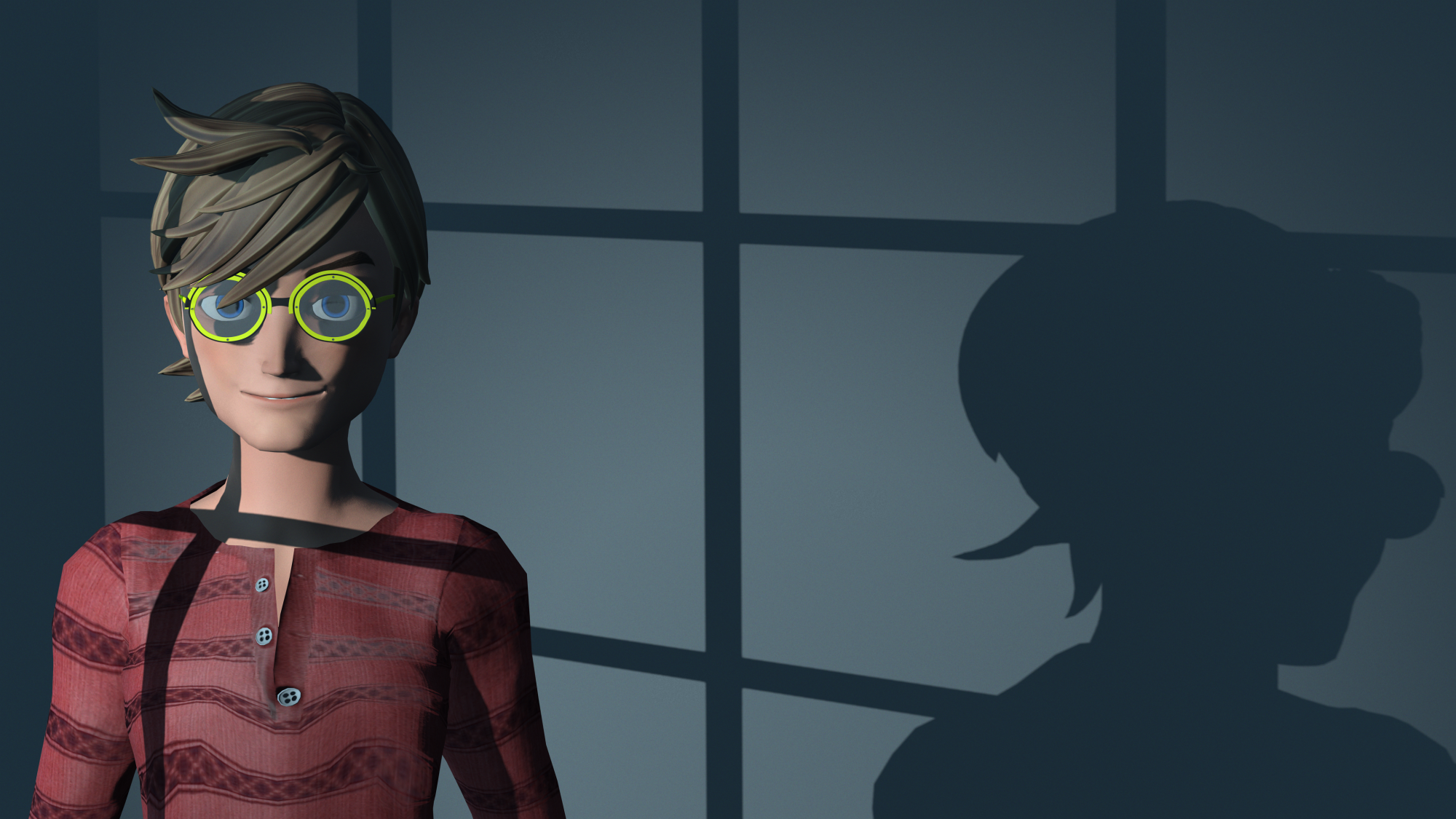
|
|
By niceblinkluck - 6 Years Ago
|
|
Looking at tutorials...cc3 pipeline...ot to take in...I will learn as I try to make my female hero
|
|
By niceblinkluck - 6 Years Ago
|
|
hi rdegoede333 I pefer the cartoon look as realistic figures have that uncanny valley dead eye look
|
|
By niceblinkluck - 6 Years Ago
|
Sooo...ive been watching some tutorials and even the one by you mike ...ive not seen one yet where I can edit daz clothes to make my costumes...but obviously its early days.
i'm thinking I find a daz costume that is as close as can be to my female hero and edit it somehow....so im going to look now at whats available
|
|
By niceblinkluck - 6 Years Ago
|
been looking at the daz characters and hair but then came across the Kimberly for genesis character...if its possible to morph her head smaller..give her larger boobs to make her look 17 or 18 she would be bang on for my female hero...if you think this can be done ill grab her...but then how does licencing work? if im using her in my cartoon..?...do I need licencing? I would just be putting it on you tube
then I noticed the captain charisma for genesis 3 and liked the material of his costume...she would look great in that material but the costume looks nothing like hers....
is there a tutorial on how you can change costumes like you are doing with mancunian? sorry about the questions..i obviously want to run before I can walk
|
|
By niceblinkluck - 6 Years Ago
|
oops don't know why the rest of my message is missing..yes so I saw this genesis superhero and like the material of his costume it would look great on my female hero ...but not the costume as it stands
. Is there a tutorial showing me how I can edit costumes like you are doing with mancunian? sorry im trying to walk before I can run.
|
|
By Kelleytoons - 6 Years Ago
|
I started to put together a tutorial on what I did with the costume but got sidetracked. Let me do that and it will answer a lot of your questions (and help others, hopefully).
As for characters -- those from Daz you can use in videos without licensing (actually, it gets complicated because in actual practice you are using the Daz gen figures remapped onto CC3 avatars, which even RL might get into some issues about but hasn't so far. But then if you mod her further I can't imagine any possible problems you'd have). As for modding a character -- remember that any morphs you have in CC3 can be applied to any character. So you can customize a character completely. I'll try and include that in the tutorial as well.
It's a tennis day so it will have to wait until this afternoon (about 10 hours from now).
|
|
By niceblinkluck - 6 Years Ago
|
AWESOME mike...cant thank you enough...enjoy your tennis and ill look forward to your tutorials whenever you get around to them
that also answers the question about my female hero....ill buy her today at some point... really excited as to how this is shaping up.if i can get the two costumes right....
|
|
By Kelleytoons - 6 Years Ago
|
|
Don't buy her *quite* yet -- I want to show you some things.
|
|
By niceblinkluck - 6 Years Ago
|
|
OK MIKE...no problem. have a great day
|
|
By Kelleytoons - 6 Years Ago
|
Clearly tennis wore me out more than I thought (still recovering from my surgery and not *quite* up to speed yet. Sigh). I laid down to take a nap... and didn't wake up until dinnertime.
I want to not just stumble through this, though, so I'll try and get this done tomorrow (we have doctor's appointments in the morning -- that's how old folks organize their days -- but I should be home and able to do something after lunch).
|
|
By niceblinkluck - 6 Years Ago
|
Please just do as and when you are in the mood...its amazing that you're doing this for me at all...
my prep time for my blender cgi cartoon took 6 months (and as ive mentioned before ….2 years later I had only 10 minutes in the can...hence the move to iclone)
I see iclone as the possible answer to all my problems...so long as I can get both costumes spot on...and it doesn't matter if getting both costumes takes a long time...as once they are right im up and running and nothing can stop me.
once I watch your video ill have a good base to begin impacts costume (my female)
|
|
By niceblinkluck - 6 Years Ago
|
his helmet will cause the most problems to get right...
|
|
By niceblinkluck - 6 Years Ago
|

|
|
By niceblinkluck - 6 Years Ago
|

|
|
By animagic - 6 Years Ago
|
niceblinkluck (7/11/2019)
hi rdegoede333 I pefer the cartoon look as realistic figures have that uncanny valley dead eye look
Depends on how you handle the eyes. Good lighting is always key.
|
|
By Kelleytoons - 6 Years Ago
|
|
I'm working on the video -- hang in there (I'm trying a few things to make life easier for you).
|
|
By Kelleytoons - 6 Years Ago
|
Okay, I played around with this a bit and found the best/easiest approach is to use the Toon Superhero Costume (also cheapest if you are PC+ member, which you should be. Only $13 right now on sale).
Your biggest problem will be the helmet -- I tried to find some shortcut somewhere and failed. I think it needs to be custom modeled, perhaps in Blender, but that's WAY above my pay grade (I always paid my modelers as it was not my strongpoint at all). Perhaps someone here could point you in the right direction.
In any case, this will cover the basics for coloring the costume the way you want. If you have any problems let me know and I'll be glad to help in any way I can.
|
|
By niceblinkluck - 6 Years Ago
|
|
Wow..you make it look so easy mike....im out most of the day but will to start this tonight....I can make a helmet in blender ...but I'll just concentrate on getting the costume right tonight...I thought it was going to be so much more complicated...gagging to start but have to leave the house in ten minutes....ill show you what I come up with when I've done it....many many thanks.
|
|
By Kelleytoons - 6 Years Ago
|
|
I realize I went pretty quick through the process -- don't get discouraged if the first two or three times through it takes longer, as you will need to understand all the tools and the way they work. But, yes, once you do it does go quickly (but you don't win anything for getting it done fast - I only work this way because I'm old and haven't got a lot of time left in life :>).
|
|
By niceblinkluck - 6 Years Ago
|
|
Just got back from a day in Manchester with my mate Brian...bumped into the actor Christopher Eccleston ...had a fab day...put my tea on and about to look into your tutorial...I won't rush...but very excited about the future....I will also look at more of your videos over the next week...and of course I will report back as to my progress ...thanks again mike.
|
|
By niceblinkluck - 6 Years Ago
|
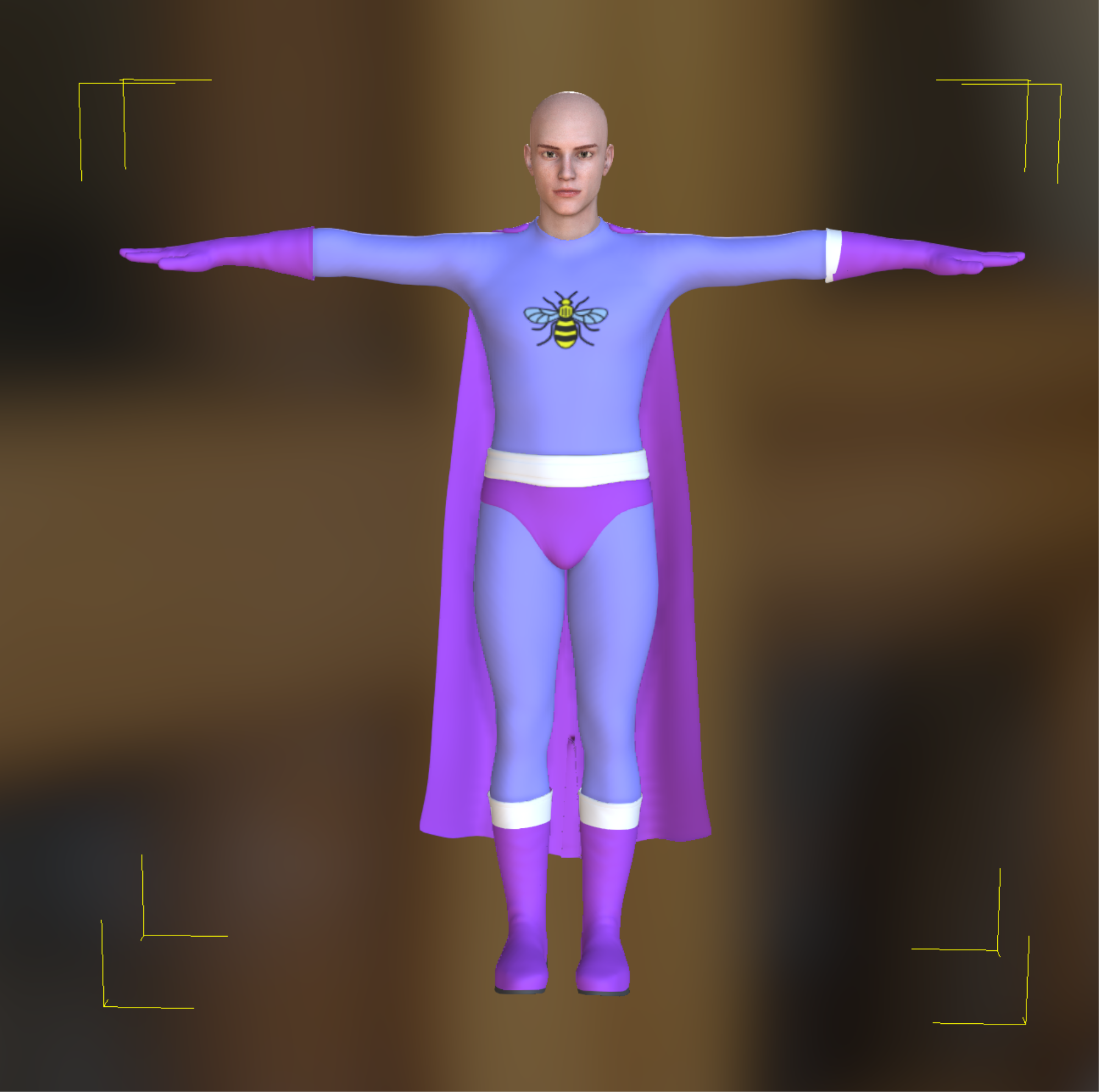
|
|
By niceblinkluck - 6 Years Ago
|
|
As you can see I got so far...the gloves...I can't get the white bit around them correctly....the cape isn't really the right cape..but I will look I to the marketplace...on the whole I got most of it and that's down to your help mike...if you can help me sort out the white round the glove I'll go look for a cape and work on that helmet...thanks again.
|
|
By Kelleytoons - 6 Years Ago
|
Here's the best I could do without going into my 3D paint program (which could do it better):
|
|
By Kelleytoons - 6 Years Ago
|
And as for capes...
There are a TON of them out there, but here's a few I have in my collection (from Daz and Renderosity):
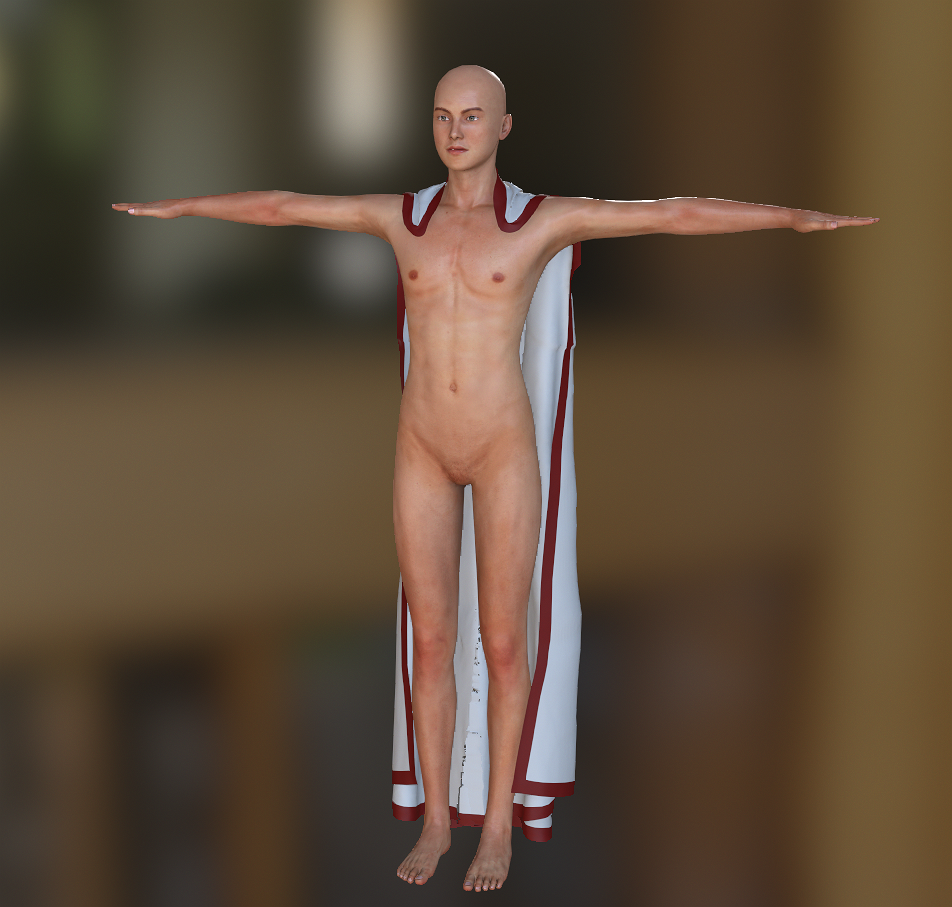
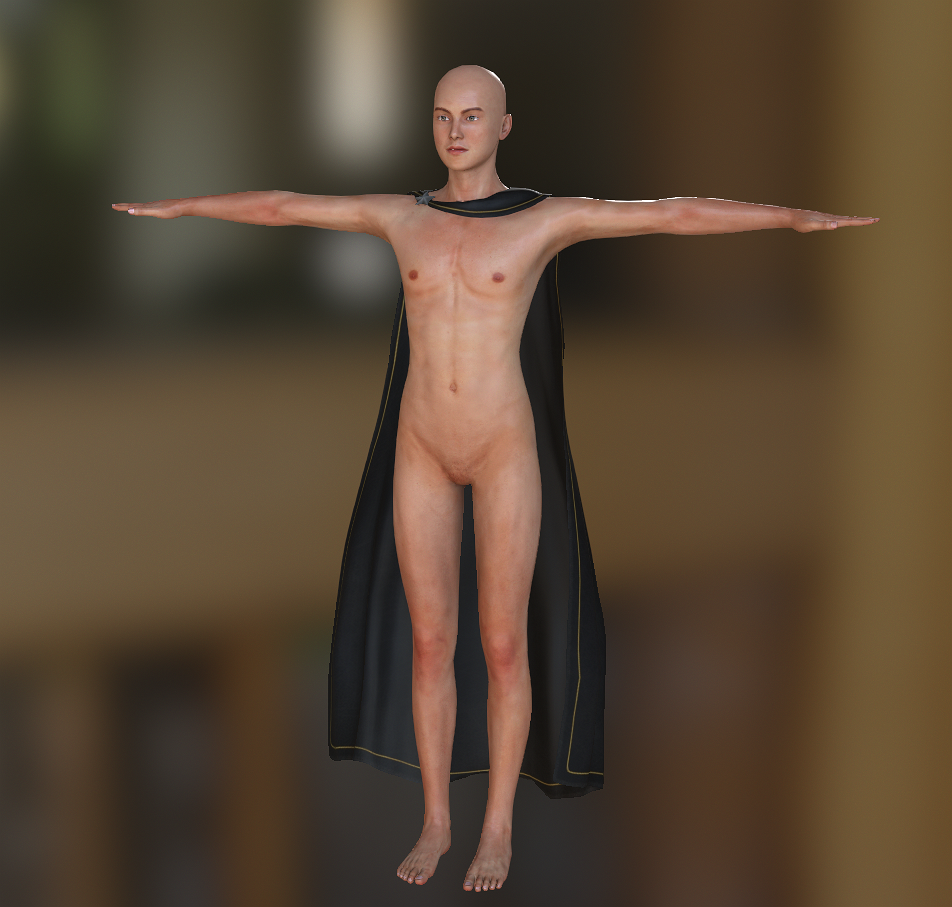
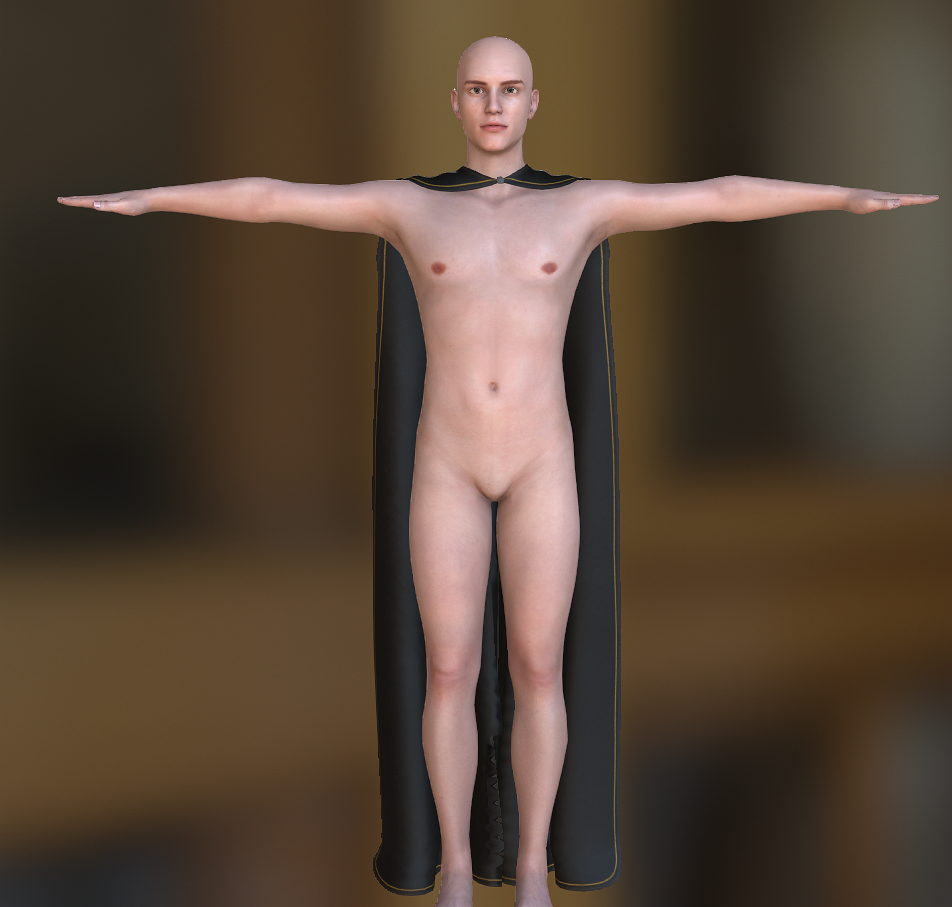
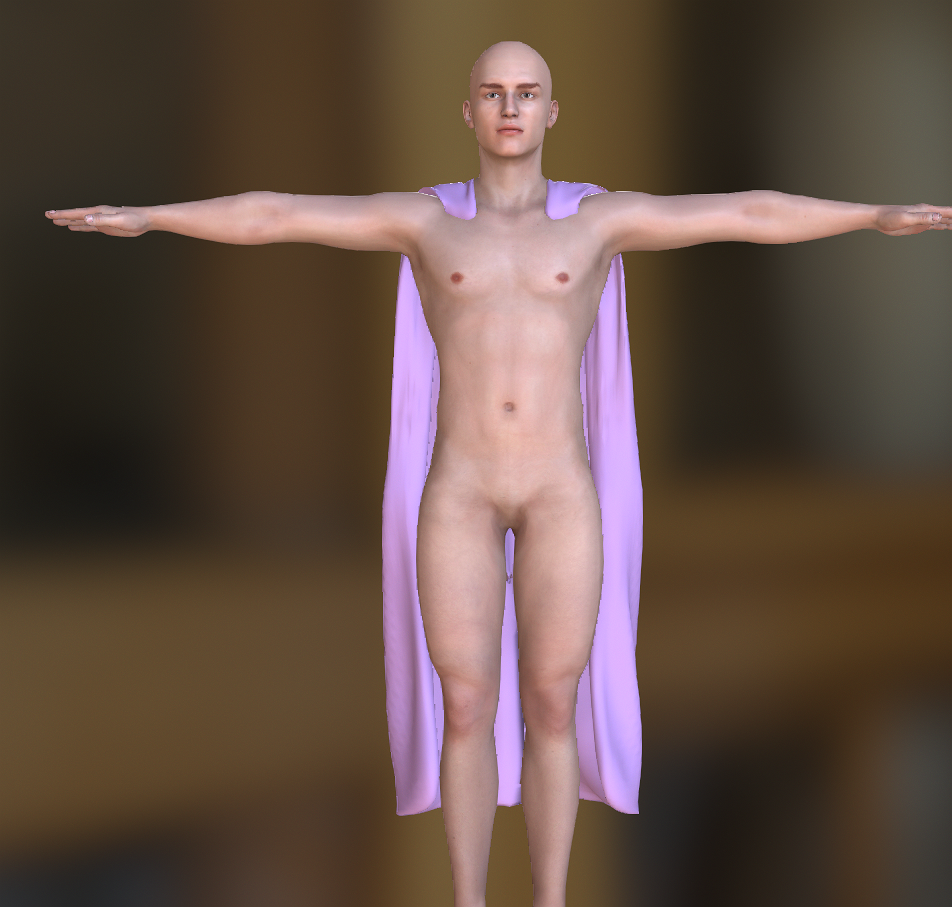
|
|
By niceblinkluck - 6 Years Ago
|
I mike..im just downloading your glo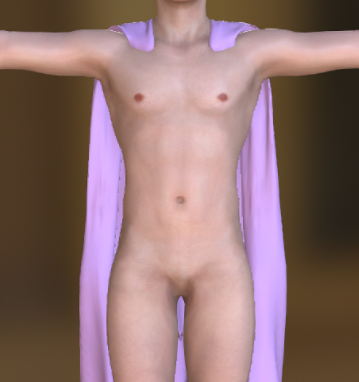 ves at work..speed is slow in work...i think this cape would do nicely ...looking forward to trying the gloves ves at work..speed is slow in work...i think this cape would do nicely ...looking forward to trying the gloves
|
|
By Kelleytoons - 6 Years Ago
|
That's from Renderosity's Golden Age SuperHeroes set.
It has one problem -- it has no UV maps on it. Not a big deal if you have the ability to generate them but otherwise an issue (everyone who uses iClone ought to own 3DCoat for this purpose alone). Also I cannot find a single cape that will allow you to have a different interior color than the exterior (this one comes the closest, but with weight maps on there WILL be some bleed through at the bottom portion).
|
|
By niceblinkluck - 6 Years Ago
|
MMM.....it also depends on how it is positioned on the back of the neck...
the one im looking for is going to hang like supermans cape...in fact...a superman cape would be ideal.!!!.... so long as i could re colour that main purple colour. ...it doesnt have to have to darker purple on the inside....one colour is fine.....i have a few days off next week so the helmet will be made then..if i cant get around to it sooner....
|
|
By niceblinkluck - 6 Years Ago
|

|
|
By niceblinkluck - 6 Years Ago
|
|
that superman model sheet shows the correct cape around the back of the neck ...its just a little longer than the correct length..
|
|
By niceblinkluck - 6 Years Ago
|
|
IF I GOT A CAPE with this neck act the back i would not moan if it was this long...
|
|
By niceblinkluck - 6 Years Ago
|
Nooooo.i got stuck..for some reason ive clicked on something and lost that panel on the right where I click on my texture and can export it to photoshop and replace it......how do I get it back..ive spent far too long trying to find it myself..the photo below shows where I am...
|
|
By Kelleytoons - 6 Years Ago
|
There are all sorts of ways you can fix this, and you should learn most of them just to understand CC3.
First of all, in your top menu you have the Window command and underneath that the Workspace option. Under that is a Save Layout (good if you customize something you want to return to) and Reset Layout. If you do this latter one you'll get back the default which is something you might want to do now to see.
Second, you have opened your "Preference" window and laid it on top of the necessary views which really isn't necessary. If you look to the far right top you'll see the kill button -- you can go ahead and kill this anytime (and if you need to bring Preference up again you can do so from the top menu -- it isn't needed often so I'd leave it hidden).
And finally, you should play around with moving the Windows and seeing how they "dock" (when one snaps to another and the tabs appear on the top or on the sides). This allows you to fully customize your layout the way you want. For example, you could dock that preference window by just moving it slightly to one side and then all would be well (you could move to it by a tab on the top or side and still see all that you needed on the other tabs).
Learning the interface is kind of important.
|
|
By niceblinkluck - 6 Years Ago
|
VERY TRUE mike, i do seem to have this tunnel vision at the moment ...which is..get the two characters right and learn to programme later....i should be learning the ;programme first.
Thanks for the help...ill give it a try at one oclock on my lunch break (in about two hours)
|
|
By niceblinkluck - 6 Years Ago
|
|
sorted that now...brilliant..im going to make the helmet now
|
|
By Kelleytoons - 6 Years Ago
|
|
niceblinkluck (7/17/2019)
sorted that now...brilliant.
Good for you -- do you happen to be British? You've dropped a word or two here and there that makes me think this (I LOVE the Brits, and just about everything about the culture, but they do have a tendency to say things like "Right" and "Brilliant" a lot <g>).
|
|
By niceblinkluck - 6 Years Ago
|
|
Yes mike I'm British...from Manchester...ive been to America three times....are you American? Canadian? I've been to new York....vegas...san Francisco and twice to Hollywood. I love America my favourite place in the world....so apologies if you are from Canada...lol. Once the helmet is done I'm not sure I'll be able to get it into iclone and attached it to his head.
|
|
By niceblinkluck - 6 Years Ago
|
|
thanks again
|
|
By Kelleytoons - 6 Years Ago
|
|
niceblinkluck (7/18/2019)
Yes mike I'm British...from Manchester...ive been to America three times....are you American? Canadian? I've been to new York....vegas...san Francisco and twice to Hollywood. I love America my favourite place in the world....so apologies if you are from Canada...lol. Once the helmet is done I'm not sure I'll be able to get it into iclone and attached it to his head.
Ah, Manchester, England, England (that's a line from "Hair" :>). Yep, I'm American, grew up in southern California, went to university in Nevada, and most of my working career there, and have retired to Florida (which I love). Obviously am well familiar with Vegas, San Fran and Hollywood (only been to New York once. That's about enough for me, although we did see a lot of Broadway shows). My wife and I are Anglophiles, loving all the culture from Britain of the 60's (when we were growing up). Hard not to love Bond, Beatles and Britcoms/comedians (Python being a fav but even having enjoyed their predecessors like "The Goon Show").
If you get the helmet done we can get it into iClone and attach it -- that's easy.
|
|
By niceblinkluck - 6 Years Ago
|
I GO to liverpool all the time Mike, they still love the Beatles and Mathew street is always blasting out beatles numbers sung by live bands every weekend. (ive seen Paul Mccartney live a number of times in London) and had my photo taken crossing abbey roads zebra crossing.
i have a vast amount of goon radio shows on a portable hard drive somewhere...and the pythons i love as well.
good to know about the helmet.....oh the avatar guy has no costume round is neck...is that going to be a problem ? does it mean ill need a different costume top to covert?
|
|
By Kelleytoons - 6 Years Ago
|
I'm not quite sure what you are saying about his costume -- do you need a different cape? I've shown you a few types. If you need the cape to go around the neck you are better off trying to find something that looks right than to try and combine a top of one with the bottom of another.
And if it isn't *quite* right you can always take it into Blender and fix it (assuming you have those skills. I do not).
|
|
By niceblinkluck - 6 Years Ago
|
i thought i couldnt take things from blender to iclone unless i had 3d exchange mike.
|
|
By niceblinkluck - 6 Years Ago
|
is is where he is a the moment....the cloak colour should go up round his neck leading to the helmet...so there is no neck skin shown. 
|
|
By niceblinkluck - 6 Years Ago
|
|
is is where he is a the moment....the cloak colour should go up round his neck leading to the helmet...so there is no neck skin shown.
|
|
By niceblinkluck - 6 Years Ago
|
|
is is where he is a the moment....the cloak colour should go up round his neck leading to the helmet...so there is no neck skin shown.
|
|
By niceblinkluck - 6 Years Ago
|
|
notice the bee has deformed...noooooooo...lol
|
|
By Kelleytoons - 6 Years Ago
|
CC3 is all you need to bring your helmet in -- you can create both props and clothing items with it (using the Create/Accessory function).
The bee is deformed *most* likely because of the way you put it on the costume (either that or the fact the costume is pushed out by the body is causing the deformation). If the former try positioning it better (I don't know what tool you are using to put it on but in Photoshop you hold down the shift when you are enlarging or shrinking an image to preserve proportions).
If the latter it's a bit more tricky -- without a tool like 3DCoat (which I highly recommend) you will need to try and guestimate the stretch and distortion of the costume on the image as you put it on. If you really can't get it right I can most likely do it in 3DCoat for you and just send you the image (but just a cursory glance seems to me that you can fix this by just stretching the bee image up and down).
|
|
By niceblinkluck - 6 Years Ago
|
3d coat ive just looked up..theres an amateur and pro version....big difference in price...i imagine the pro is the one you recomend i get at some point.
the bee is deformed when i stretched the chest out to be more superhero like
ill try to get it right myself mike first....cheers
|
|
By niceblinkluck - 6 Years Ago
|
Right I've tried to do the logo...but the image looses its sharp focus because I have to rasterise and squash and pull it. I also don't understand why my gloves and belt are miss shapen….ive tried to find the conform but as you can see from the photo below its not there....it did appear at one point because I tried it but it didn't help and then I lost it again.. Could I ask you to put his bee on for me please? I am picking up bits of the programme already.
|
|
By niceblinkluck - 6 Years Ago
|
I also realise I didn't click to have the gloves and boots expand...which I bet is why the gloves have that funny shape where the white is...I had trouble finding the green and purple squares on the right....I thought I could get away without doing that bit....foolish me....ill try to go back and do it again...ut that still wouldn't sort out the uneven belt.
|
|
By Kelleytoons - 6 Years Ago
|
The $79 version of 3D Coat is all any iClone uses needs.
If you have the original bee and want to send it to me I can put it on the costume for you (the one I used I just copied from the image you posted but that may not be the best resolution). Or you can post it here.
|
|
By niceblinkluck - 6 Years Ago
|
|
Gotcha mike...ill get 3d coat.....im we transferring my logo and figure so you can see how big his chest is.
|
|
By niceblinkluck - 6 Years Ago
|
Logo size and positioning something like this..
|
|
By niceblinkluck - 6 Years Ago
|
Obviously if I've screwed up the gloves and belt beyond repair I'll have to start him from the beginning again...IM JUST WATCHING 3d paint tutorials.
|
|
By niceblinkluck - 6 Years Ago
|
As before mike no rush...just happy for the help.
|
|
By niceblinkluck - 6 Years Ago
|
Sooo….I bought the daz character to make into my female superhero mainly because I liked the hair and couldn't get it like that myself..ive aged her and shes looking good. just gotta look at costumes now that resemble what she wears...one thing I did note was that in your tutorial sending a character from daz to cc3 you dont have textures checked...while the reallusion tutorial video has textures checked.
Any reason why Mike? I checked textures in the picture below and it seem ok . .
|
|
By Kelleytoons - 6 Years Ago
|
The only time you need to do textures is if you choose "Advanced" (versus Basic) at the start. At that point you will bring in the texture maps for the avatar, so diffuse, bump, gloss, etc. If you do not do this the default CC3 texture maps are applied.
For toon characters I would advise NOT to checkmark textures -- you really don't want any bump maps or such (you can always remove them afterwards though). And for clothing or hair you don't need textures (those textures are brought in regardless of whether you check the box or not -- again, it's only the skin textures that come in from the original Daz avatar when you choose Advanced and check that box).
Also, you can assign new skin to any characters. When I first bring a Daz figure in I always bring it in with full textures, and then usually save those textures out separately.
(And I haven't forgotten you -- just gotten extremely busy the last week or so).
|
|
By niceblinkluck - 6 Years Ago
|
|
thats really helpful mike...and no problem with my caped guy...i have lots to do in the meantime..so as before no rush just do when and as you have time.
|
|
By niceblinkluck - 6 Years Ago
|
|
Hi mike I know you are busy but I've just had a message saying you haven't downloaded the files yet...and with wetransfer you only get a week... If by the time you get around to it and the files are no longer there just let me know and I will resend....once again no rush..hope you are feeling better
|